


If your firm handles a lot of client work over the phone, those calls may live outside Clio right now, or you may be looking for another option. Without a Clio phone integration, your team has to manually log each call and retype notes. As a result, time often goes unbilled, call notes slip through the cracks, and your team loses context because client communications never make it into Clio.
Whether you’re a solo attorney, managing partner, or run your firm’s operations, you need a streamlined solution. Fortunately, the best Clio phone integrations automatically log client calls and texts into Clio — with proper context — at a price any firm can justify.
In this article, we compare six phone systems that integrate with Clio. That way, you can see what each one syncs, what it costs, and the types of law firms it fits best.

Key takeaways:
- Quo is the best Clio phone integration for growing law firms, logging calls and texts to Clio with AI summaries. Plans with the Clio integration start at $23 per user per month.
- A good Clio integration automatically logs phone calls, text messages, and call notes to the right contact or matter in Clio, saving law firms time and reducing manual errors.
- Native integrations from the Clio App Directory need less upkeep than Zapier workarounds. We recommend a native integration whenever possible.
- Firms that bill hourly and want automatic time entries should also consider VXT.
How we compared these Clio integrations
First, we only looked at business phone systems with a Clio integration, so you won’t find standalone answering services or meeting tools on this list. Then we considered these four key questions:
- Does it offer a native integration? A native integration comes from the business phone provider, Clio, or a Clio-listed partner. It also appears in the Clio App Directory, and it works without Zapier or another workflow automation tool.
- What does it sync into Clio? This question had the biggest impact on our rankings. We weighed automatic call and text logging most, since it saves your team from retyping notes. We also gave credit for contact syncing, click-to-call from inside Clio, linking calls to a matter in Clio, and automatic time entries.
- Does it have the phone features law firms need? We checked for call routing, call recording, transcription, AI answering services, shared numbers, and analytics.
- What does it cost with the Clio integration? Most of the phone vendors on this list offer a range of plans and/or options. We compared the most cost-effective plans that include the Clio integration.
For a broader comparison, see our guide to VoIP for law firms.
6 Clio integrations to upgrade your phone system
Here’s a quick look at the top Clio phone integrations:
| Tool | Starting price with Clio integration | Top features | Best for |
|---|---|---|---|
| Quo | $23 per user per month | AI call summaries in Clio, shared inbox for calls and texts, integrations with Claude and ChatGPT | Growing law firms |
| Dialpad | $25 per user per month | Real-time AI transcription, AI call recaps | Real-time AI transcription |
| RingCentral | $20 per user per month | Phone inside Clio, video meetings, fax, team messaging | Traditional offices with desk phones |
| VXT | $45 per user per month | Automatic time entries, file notes, AI call notes | Automatic time entries |
| Ooma | $29.95 per user per month | Caller-ID pops, desk phone support | Calling to Puerto Rico and Mexico |
| GoTo Connect | Contact sales | Matter syncing, screen pops, activity categories | Managing matters from the phone app |
1. Quo: Best for growing law firms

Pros
- Logs calls and texts to Clio with AI summaries
- Shared numbers so the whole firm sees every conversation
- “Call with Quo” button on every Clio contact page
- Connects to Clio from Quo’s settings in a few clicks
- Connects to Clio from Quo’s settings in a few clicks
- Apps for iOS, Android, Mac, Windows, and web
- Seven-day free trial
Cons
- No verification through two-factor authentication*
*Nearly all virtual phone numbers share this problem. For safety, companies like Facebook, Uber, and Google rarely let you authenticate accounts through a virtual phone number.
Quo is a business phone system that combines calls, texts, and voicemail in one shared inbox. That way, your team can see your firm’s communication history with a client before they call back, and no one has to guess what their colleagues promised.
Family law firm Hannon De Palma, for example, uses shared inboxes so its sales reps can review intake conversations before they reach out. Since switching to Quo, the firm has cut its response time to new leads from 24-72 hours to under five minutes.
Attorneys and staff can use your firm’s number from their cell phones, desktop app, or browser. Calls from court, home, and the office can all run through the same system.

Quo’s native Clio Manage integration can save your team time with:
- Call logging. Quo logs every call to Clio as a communication and includes important details like the call direction, duration, and who handled it. If you have call transcripts enabled, Quo also produces an AI summary, next steps, and a link back to the full conversation inside the app.
- Text message logging. Quo logs text messages to the matching Clio contact.
- Contact syncing. Easily see who’s calling when you receive an incoming call. Quo syncs contacts from Clio in real time.
- Click-to-call. Quo adds a “Call with Quo” button to every Clio contact page. Clicking the button automatically opens Quo so you can easily dial a specific phone number.

Once you set up the Quo Clio integration, you’ll have access to a complete record of client interactions inside Clio without copying and pasting notes. The Quo Business plan also lets you enable automatic call recording and AI transcription for every call. This allows you to easily refer back to client conversations and ensure your firm always delivers on its promises.
But what if a client calls and your team can’t answer? Sona, Quo’s AI agent, can answer the call, capture the caller’s details, and provide a summary to your staff. For example, Sona can qualify potential leads by phone or text based on specific instructions you provide. Every Quo plan includes 10 free calls handled by Sona.
Quo powers conversations for over 90,000 businesses, many of which are law firms, and ranks #1 in customer satisfaction among business phones on G2.
Here’s what Samantha Kompa, Founder of Kompa Law, says about the Quo Clio integration:
“Before the Quo and Clio integration, we had to manage call data across two systems and log client interactions manually. Now, relevant calls and texts sync into Clio automatically and land under the right contact, giving us visibility into our interaction history. Not only are we spending less time on admin, but we’re also running a more organized, efficient employment law firm.”
Try Quo for free for seven days and connect it to Clio in just a few clicks.
Quo pricing

Quo offers three pricing plans. Here’s how much they cost annually:
- Starter: $15 per user per month for shared numbers, unlimited calls and texts to the US and Canada, auto-reply texts, on-demand call recording, ChatGPT and Claude integrations, and more
- Business: $23 per user per month for AI call summaries and transcripts, group calling, call transfers, phone menus, analytics, the Clio integration, and more
- Scale: $35 per user per month for AI call tags, dedicated onboarding support, priority live chat and email support, and inbound phone support
2. Dialpad: Best for real-time AI transcription

Pros
- Transcribes calls live as they happen
- AI Recaps with summaries and action items after each call
- Logs calls and SMS messages to Clio Manage
- Click-to-call from Clio
- Video meetings are included
- 24/7 support on the Pro plan
- 14-day free trial
Cons
- Time-consuming to set up
- Additional numbers require a paid upgrade
- No international texting on the base plan
- Sentiment analysis and AI scorecards require separate, more expensive Dialpad products
Dialpad is an AI-powered business communications platform. Its Connect plans cover calls, messaging, and video meetings.
Dialpad’s biggest strength is its AI, which transcribes calls in real time so attorneys can check details mid-call without taking notes. When the call ends, Dialpad’s AI Recaps feature summarizes the conversation with key points and action items.
Dialpad connects to Clio Manage through the ion8 Call Connector, which Clio supports and documents in its help center. A Dialpad admin has to connect both Clio and Dialpad to ion8, so plan for more setup time than a direct integration would typically need.
Once you’re fully connected, your team can call from Clio through the Dialpad apps or Chrome extension. In addition, calls and SMS messages log to Clio Manage with call duration and whether they started in Clio or Dialpad. When a contact has only one active matter, Clio automatically links the call log to it, saving your staff time and preventing manual errors.

Pay special attention to your budget. The Clio integration requires Dialpad’s Pro plan or higher. Pro has a three-user minimum, so even a solo attorney pays for three seats. This adds up to $75 or more per month with annual billing. Multiple users also report that Dialpad takes a long time to set up and has less-than-stellar customer support.
One user shared their experience:
“What I typically find I like least about Dialpad is their support team. I find it difficult to get issues addressed and resolved.” — Capterra
Dialpad pricing

Dialpad offers three Connect plans:
- Standard: $15 per user per month for HD calls and meetings, real-time transcripts, and instant call summaries
- Pro: $25 per user per month for the Clio phone integration, international texting, and 24/7 customer support
- Enterprise: Custom pricing for SSO, user access controls, and unlimited office locations
3. RingCentral: Best for traditional offices with desk phones

Pros
- Buy or rent desk phones from brands like Poly, Yealink, and Cisco
- Links calls to a matter in Clio and tracks call time automatically
- Phone, video meetings, team messaging, and fax in one app
- 14-day free trial
Cons
- RingCentral deletes call recordings after 90 days
- Texting limits on each plan
- Toll-free minute limits on every plan
- Clio integration runs as a Chrome browser extension
- Requires phone number format setup before calls match Clio contacts
- Desk phone rentals require a contract or a separate device subscription
RingCentral is one of the largest unified communications platforms. Its RingEX plans combine video and voice, team messaging, and fax in one app, so your firm can handle phone calls, video conferencing, and virtual meetings with a single solution.
If you run a traditional office or want a physical phone on every desk, RingCentral also sells and rents desk phones from Cisco, Poly, Yealink, Mitel, and others. Just know that rentals require a contract or a separate device subscription. That’s on top of potential fees to maintain additional hardware.
RingCentral for Clio runs through RingCentral’s App Connect Chrome extension. It embeds a RingCentral web phone in Clio, so staff can make and receive calls, link a call to a matter in Clio, sync call notes, and send SMS in the app. When a call ends, App Connect automatically records time spent to support time tracking and billing.

Read the fine print before you commit to a RingEX contract. RingCentral deletes call recordings after 90 days, and its Core plan only includes 25 text messages per user per month. If your team sends more, you’ll pay for each text message unless you upgrade.
These texting limits can be problematic, as one small business CTO wrote:
“Misleading 10DLC guidance, lack of upfront disclosure, and key SMS features require additional paid add-ons not explained during sales.” — Capterra
Additionally, App Connect won’t match calls to Clio contacts unless an admin enters your firm’s phone number formats in its settings. Until then, calls won’t log to the right client or show their details when the phone rings.
RingCentral pricing

RingCentral offers four RingEX plans:
- Core: $20 per user per month for unlimited domestic calling, on-demand call recording, 100 toll-free minutes, RingCentral’s AI assistant, and HD meetings for up to 300 people
- Advanced: $25 per user per month for CRM integrations, reports, 1,000 toll-free minutes, and 100 texts per user
- Ultra: $35 per user per month includes unlimited file sharing for recordings, HD video whiteboards and messaging, 200 texts per user per month, and 10,000 pooled toll-free minutes
- AI Customer Engagement Bundle: Custom pricing for 10,000 toll-free minutes, 200 SMS messages per user, Business SMS Booster and Call Queues Booster, and AIR, RingCentral’s AI voice agent
4. VXT: Best for automatic time entries

Pros
- Specializes in law firms
- Creates a time entry in Clio after every call
- Saves file notes to the right matter
- Unlimited AI transcripts and summaries
- Works on mobile and desktop
- Internal team chat
- Keeps recordings and transcripts for the life of the account
Cons
- Highest published price on this list
- SMS costs extra
- Support runs 24/5 by email
VXT is a cloud phone system that specializes in law firms. According to its website, 13,000 lawyers use VXT to facilitate two million calls and meetings every month.
VXT’s Clio integration focuses on billable time. After each call, it creates a time entry in Clio and saves an automated file note to the matter, on mobile or desktop. It also syncs Clio contact lists so incoming calls show the client’s name. Finally, VXT adds a click-to-call option directly inside Clio and saves SMS messages to Clio as communications.

Beyond time tracking, VXT records and transcribes calls, suggests which matter each recording belongs to, writes AI call notes, and drafts follow-up emails. Plus, every plan includes unlimited AI transcripts and summaries at no extra cost.
VXT also keeps recordings and transcripts for as long as your account is active, which helps if a billing dispute or compliance question ever comes up.
The trade-off is cost. VXT has the highest published price on this list, and each phone number adds $5 per month. Texting raises your bill further, since VXT charges per SMS message but doesn’t publish its rates.
As one reviewer said:
“There are providers delivering high call clarity, full functionality, and AI at a lower cost.” — Capterra
And take a look at what another reviewer wrote about VXT’s limited customer support options:
“Sometimes [it’s a] little challenging if we need support during our working business hours and there is not technical support at that time.” — Capterra
VXT pricing

VXT only offers one phone plan:
- Phone: $45 per user per month for AI notes from calls, call recording, email drafts, and time recording; each phone number costs $5 per month
VXT also sells Meet, a separate AI meeting notetaker, at the same price.
5. Ooma: Best for calling Puerto Rico and Mexico

Pros
- Unlimited calling to the US, Puerto Rico, Canada, and Mexico
- Works with both Clio Manage and Clio Grow
- Caller-ID shows Clio client details
- Strong desk phone support
- Month-to-month billing with no contracts
Cons
- Clio integration requires Pro Plus, Ooma’s higher-tier small business plan
- Only 500 minutes of toll-free inbound calls per month
- Texting and call recording only come with higher-tier plans
- Texting caps at 1,000 messages per user per month
- Staff can take call notes in the Ooma desktop app
Ooma is a small-business phone system with 50+ features and strong desk-phone support.
Every Ooma user gets unlimited calls to landlines and mobile phones in the US, Puerto Rico, Canada, and Mexico. This could help some firms, such as immigration and family law practices with clients in Mexico or Puerto Rico. Calls anywhere else are charged a per-minute rate.
On the Pro Plus plan, Ooma shows a caller ID with Clio client details when staff make or take calls in the Ooma desktop app. Attorneys can take call notes during the call, and Ooma saves the notes and call details to the Clio Manage interaction history when the call ends. In addition, text messages that users send from Ooma automatically save to Clio Manage.

With Ooma AI turned on, your firm can also save call recordings and transcription summaries to Clio Manage. However, Ooma’s other AI tools cost extra. The AI answering service starts at $14.99 per month for up to 40 minutes of call time, and the AI productivity agent bundle starts at $14.99. For AI receptionist pricing, contact Ooma’s sales team.
Speaking of costs, not every Ooma user appreciates their monthly bill:
“The hidden costs are high. It adds almost $10 to the price quoted in the ad.” — G2
Ooma pricing

There are four Ooma pricing plans. Essentials, Pro, and Pro Plus have month-to-month billing with no contract:
- Essentials: $19.95 per user per month for unlimited calling to the US, Canada, Mexico, and Puerto Rico, a virtual receptionist, one toll-free number, and digital fax
- Pro: $24.95 per user per month for desktop app calling, 250 texts, video conferencing, call recording, and enhanced call blocking
- Pro Plus: $29.95 per user per month for the Clio integration, 1,000 texts, AI transcriptions, AI insights, CRM integrations, team chat, hot desking, and call queuing
- Enterprise: Custom pricing for SIP trunking, advanced CX features, call center solutions, and advanced analytics
6. GoTo Connect: Best for managing matters from the phone app

Pros
- Clio integration at no extra cost
- Create and link matters in Clio from the phone app
- Records billed hours in Clio when you assign a call to an activity
- Screen pops show the client’s last notes
- Free calls to 50+ countries
- Video meetings for up to 250 participants
- 24/7 support
Cons
- No published prices
- AI summaries, transcripts, and receptionist cost extra
- Base plan includes up to 2,000 shared contacts
- 1,000 toll-free minutes shared across the account
- Texting limits
- Must upgrade for a shared inbox
GoTo Connect is a cloud phone system with team messaging, video meetings, and free calls to 50+ countries. For Clio users, its biggest strength is the matter work it handles in the phone app.
For example, GoTo’s Clio integration does more than call logging. When a client calls, GoTo looks up the number in Clio and shows the client’s details and latest notes. From there, staff can:
- Assign the call to an activity and record the billed hours in Clio
- Create a new matter or link the call to an existing matter in Clio
- Add a new contact to Clio
- Tag activities by category for invoicing

Another benefit is that the integration doesn’t cost extra. This makes GoTo a solid pick for firms that want to capture billable time without leaving the phone app.
On the downside, other important features do cost extra. GoTo sells AI call summaries, transcripts, and sentiment analysis as add-ons. The base plan also caps shared contacts at 2,000.
The setup process has quirks, too. If a phone number in Clio has a dash or parentheses, screen pops won’t work. And click-to-call rings your desk phone or softphone before it dials the client.
Multiple reviewers express their disappointment with the setup process. For example:
“The initial set up was a bit confusing, and trying to navigate their bubble system when routing calls is confusing.” — Capterra
GoTo Connect pricing

GoTo offers two plans that cover the needs of most law firms, but it doesn’t publish prices:
- Phone System: Free calls to 50+ countries, unlimited auto attendants and call queues, customizable dial plans, video meetings for up to 250 participants, and 24/7 support
- Phone System + AI Receptionist: 100 AI Receptionist credits, 24/7 AI call answering, call routing and transfer by name, email and SMS follow-ups, and real-time AI reporting
How to choose the right Clio phone integration for your law firm: A simple 4-step process
The right Clio integration depends on how you bill and communicate with clients.
1. Evaluate your needs
Before you decide on a certain Clio phone integration, ask yourself four questions to identify your firm’s specific needs:
- Do you bill hourly? If so, call durations, automatic time entries, and other time tracking features may matter most.
- Do you text clients regularly? If so, make sure text messages log to Clio alongside calls, so you have a complete client record in one place.
- Do you need an AI receptionist for after-hours intake? If so, check whether each vendor offers one, and what it does with each caller’s details.
- How many people share the firm’s main number? Shared numbers keep everyone on the same page. You’ll want them unless only one person answers your firm’s phone.
2. Analyze each app’s features
Sort the features you care about into “must-have” and “nice-to-have” columns.
For example, a growing firm that wants to connect with potential clients at all hours might consider AI answering a must-have feature and video meetings a nice-to-have. A firm that regularly texts clients might put text logging to Clio at the top of its list.
Once you know your must-haves, identify what syncs to Clio. Some integrations only log phone calls, while others also log texts and AI call summaries, so your full client history lives in Clio.
3. Consider your budget and future goals
Set a budget and price out your top options.
Make sure you price the plan that includes the Clio integration, which isn’t always the entry-level offering. Factor in add-ons like AI receptionists and SMS fees, too.
Then, think about growth. If you plan to hire more staff or open a new office, choose a phone system that scales with you and can keep pace with your practice management software.
4. Read reviews and test the integration
Read reviews on sites like G2 and Capterra.
If possible, filter for small businesses and look for recurring complaints. Then weigh what you find against your firm’s needs.
Finally, use free trials to test each Clio integration on real calls. That way, you know what you’re signing up for before you commit to a paid subscription.
Connect Quo to Clio for a better phone system
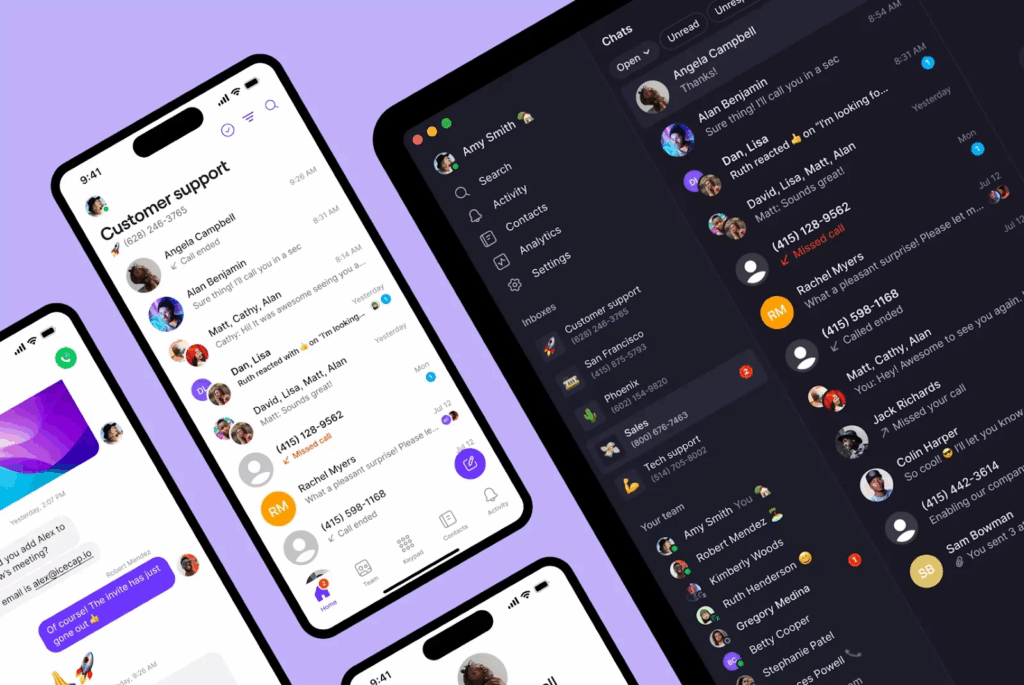
If you need a phone solution that can grow with your firm, Quo is the best fit. It logs calls and texts to Clio with AI summaries, syncs your Clio contacts in real time, and gives your whole team a shared view of every client conversation.
Quo also helps your firm catch calls that would otherwise go to voicemail. Sona, our AI agent, answers when your team can’t and captures the caller’s details.
Connecting Quo to Clio only takes a few minutes, and a solo attorney can start with one user, then add staff in the app as the firm grows.
Ready to stop logging calls by hand? Try Quo’s Business or Scale plan for free and connect it to Clio.
FAQs about Clio phone integrations
Clio is cloud-based practice management software for law firms. Its main product, Clio Manage, covers matters, contacts, calendars, time tracking, billing, and documents. Clio’s App Directory lists 250+ integrations, including phone systems like Quo, VXT, Ooma, and GoTo Connect.
Clio phone integrations connect your phone system to Clio, so calls and call notes log to the right contact or matter automatically. Depending on the tool, they can also log texts, recordings, and AI summaries. Many add click-to-call inside Clio and show caller details when the phone rings.
We’re admittedly biased, but Quo is the best fit for many legal teams. It logs calls and texts to Clio with AI call summaries. Plans with the Clio integration start at just $23 per user per month. If your firm needs automatic time entries, consider VXT, though it costs more and charges additional texting fees.
Among tools with published prices, plans that include a Clio integration range from $20 to $45+ per user per month. Also factor in add-ons your team may need, such as additional phone numbers or an AI receptionist.
Some do. VXT and RingCentral automatically create time entries. GoTo Connect records billed hours once staff assigns a call to an activity, and Ooma lets staff document billable hours with call notes. Quo and Dialpad log each call with its duration so that staff can create the time entry in Clio.
Yes. Phone systems without a native Clio integration, such as Zoom Phone, can connect through Zapier. But Zapier setups usually take more maintenance and sync less data, so we recommend a native integration if your preferred phone system offers one.
Yes. In most cases, you can port your existing number to a new provider. Quo ports local US, Canadian, and toll-free numbers for free. Keep your current account active until the port finishes, then connect Quo to Clio.


