

Your team was a well-oiled machine when you knew every customer by name — but now, calls and tickets are piling up, and keeping up feels impossible. As your customer base has grown, so have your support costs. Between higher call volume and new hires, delivering five-star customer service has become a lot more expensive.
The good news is that great customer service doesn’t have to break your bottom line. It’s possible to offer amazing service and stay profitable, so long as you’re strategic about it.
Below are nine ways to scale your customer support process without scaling expenses.
Why reducing customer service costs matters
First things first: reducing customer service costs isn’t about cutting corners. It’s about making your support team more efficient as you grow.
The more customers you serve, the more support tickets and phone calls you’ll need to handle. Optimizing operational costs helps you scale without sacrificing quality. .
Here are a few more benefits:
- More budget to reinvest in growth or innovation. Imagine how much you could reinvest in other tools that support your customers. These could be better features, AI chatbots, or extra support on social media channels.
- Faster service and happier customers. Reducing customer service costs often means using automation tools. For example, setting up auto-replies so customers get a response right away. Faster responses reduce customer frustration and give your team more time to support those who need extra help. Customers will be happier, and so will your wallet.
- Lower team stress and turnover. Customer support agents often leave companies due to burnout. Reallocating your budget toward tools and systems that automate routine tasks can ease the pressure on your support team and improve retention.
- Better scalability when inquiries spike. When more calls or messages come in, automated systems help distribute the workload so no one gets overwhelmed. That way, you can maintain service quality and keep handling time low even as ticket volume grows.
In other words: reducing customer service costs can help you keep customers and team members happy. All while reinvesting in new resources to help your business grow.
But before you can work on cutting costs, you’ll need to figure out what they are.
Keep reading for a step-by-step breakdown on how to calculate your customer service costs.
The smart approach to customer service cost reduction
“Smart” doesn’t just mean trimming expenses — it means offering the right level of support for each situation.
Think of it like the Goldilocks principle: not too much or too little, but just right. Once you narrow down what customers need, you can build a cost-effective system to match.
Frame your approach around six key principles:
- Controlling costs as you grow: As your business grows, support costs can rise with every new customer. The more calls and messages you get, the more reps you need to respond. Instead, build systems that scale — like shared inboxes and AI tools — so you can handle more volume without higher costs.
- Eliminate friction, not quality: Next is streamlining your workflows. This means automating customer service tasks to save time without reducing the quality of service. For example, you can integrate your business phone system with your CRM to automatically log all call activity instead of manually entering it. That way, your team can focus on helping customers rather than getting stuck with admin work.
- Invest where efficiency compounds: Reinvest in areas that have already been proven to work. If a new call flow or automation has made your team faster and reduced customer service costs, double down on it so those gains multiply over time.
- Empower customers to self-serve: Customers may be happier if they’re able to find their own answers. Setting up FAQs, chatbots, or interactive guides can boost customer sentiment and save time for your team.
- Dig deep into your data: Every customer interaction generates data — so use it. Analyze trends in call volume, issue types, and resolution times to identify bottlenecks or recurring issues. Review support tickets monthly to find training or process gaps. This makes it easier to pinpoint the factors driving up costs.
- Build a feedback loop: Your reps can’t improve if they don’t know where to focus. Set times to review recordings, transcripts, and summaries each week. Then create a quality control scorecard to identify places for improvement. Relevant coaching leads to fewer costly mistakes, which puts less stress on your reps and may reduce turnover.
Knowing where your money is being spent helps you identify which expenses improve service — and which don’t.
Most customer service costs come from four places:
- Team costs: Staffing, benefits, and training costs
- Software: Subscriptions for your business phone system, call center software, and other SaaS communication tools
- Equipment: Laptops, headsets, and mobile devices
- Office space and utilities: Rent, internet, and other essentials that keep your team connected
Once you understand where your support budget goes, the next step is figuring out how much each conversation costs.
Start by adding up your total customer service costs. That includes salaries, software, and any tools or equipment your team uses. If you use a finance tool, it can help you pull this number.
Next, find the total number of unique conversations for that same period.
Then, use this formula:
Total customer service costs (Team costs + Software + Equipment + Office space and utilities) ÷ Total unique conversations = Cost per conversation
For example, if your total customer service costs for the month are $4,200 and your team handled 1,400 unique conversations, your cost per conversation would be $3.
If you’re more of a visual learner, here’s a quick example that walks through each step:
| Step | What to include in your customer service costs | Example |
|---|---|---|
| 1 | Team costs for salaries, benefits, training, software subscriptions, equipment like laptops and headsets, office rental, and utilities | $4,200 monthly total |
| 2 | Divide by total unique conversations | 1,400 calls/texts per month |
| 3 | Result = Cost per conversation | $3.00 |
Once you know your customer service costs, you can see where to cut back — and where it’s worth investing more. This makes it easier to spend strategically. You’ll be able to build a system that lets you handle more customers in less time, without impacting customer satisfaction scores.
💡Quick Tip: One of the fastest ways to cut customer service costs is to change your phone system. Traditional platforms come with higher tech costs. In contrast, VoIP systems run on existing hardware and are typically much cheaper. For a breakdown of plans, add-ons, and taxes that affect your phone bill, check out our full guide to VoIP costs.
Ways to reduce customer service costs
Here are different ways to reduce customer service costs, broken down into three categories:
1. Eliminate time-wasting manual work
The examples of tasks below are some of the lowest hanging fruit you can start eliminating.
Automate repetitive tasks
Manual after-call work — like sending follow-up texts and logging calls — quickly adds up as your business grows. And it chips away at your budget.
Fortunately, there are tools and integrations you can use to completely automate many repetitive tasks.
Here are some simple automations that can help you save time with a business phone system like Quo, formerly OpenPhone:
- Automated texts based on specific conditions: Save your team time by putting routine texts on autopilot. Let’s say someone books an appointment online. After they press submit, they get a detailed confirmation text from your business.
- Auto-replies: Customers may be less likely to reach out to competitors if you let them know they’re in the right place. If you can’t pick up the phone, set up an auto-reply that lets customers know you’ll get back with them soon.
- Scheduled texts: Never wait until midnight to send time-sensitive texts again. Instead, write and schedule messages in your recipient’s time zone so they go out at the right date or time.
- Snippets: Quickly respond to FAQs to save time for complex questions. You could create messaging templates for business hours, pricing, or appointment scheduling requests.
- AI call summaries: Your customer support team never needs to take notes again. With Quo, you can automatically convert every conversation into text. Then read the AI call summaries for key info and action items.
- CRM integrations: Save hours on manual logging by syncing call activity to tools like HubSpot, Jobber, or Salesforce.
- Sona SMS actions: Use Sona, Quo’s AI voice agent, to automatically send texts during live calls. This can include booking links, business addresses, or intake forms.
Provide self-service options
Self-service is a strategy where you give customers tools to fix problems on their own. That way, your team members have more time to focus on complex tasks — and your customers have more freedom to solve simple tasks independently.
Here are some examples of cost-saving self-service tools:
- Knowledge bases or FAQ pages: These provide answers to recurring questions. For example, customers can check pricing, hours, or troubleshooting docs directly on your website. You can also add a chat button or search bar so customers can quickly find the article or guide they need — without waiting on your team for help.
- Send your business address by text: Let’s say a customer calls wanting to know your business location. Before they reach a human agent, Quo’s AI voice agent, Sona, can answer the calland then text the customer your address.
- Status page: Tired of answering “is it down?” questions? You can use a status page to display real-time information about service performance. That way, customers can check your uptime on their own to confirm everything is working or see if there’s an ongoing issue.
Remember: each self-service interaction saves time for customers and your team. And time is money, especially as you grow.
Use AI to handle routine conversations
Not every call needs a live human on the other end — which is where AI voice agents come in. These allow your team to focus on complex or high-stakes conversations that require more human attention.
Quo’s Sona, for example, isn’t designed to replace your reps, but it can act as an extension of your team. They can spend less time fielding repeat calls or worrying about callbacks when they’re out of the office.
Let’s say a customer calls your business after hours. Sona is available 24/7, so it picks up the phone before your caller goes to voicemail.
Sona then acts as a virtual receptionist by answering routine questions with the information you provide. It can even send texts to the caller’s number during the call. For example, it can send intake forms so your team won’t have to.
What if you get an emergency call? Sona can transfer them to an external number or an on-call team member. It can also prevent spam callers from reaching your team, stopping unnecessary calls from slowing down service.
2. Streamline communication
The examples below can help you cut costs and improve customer satisfaction.
Emphasize First Contact Resolution
First call resolution, or FCR, is when you resolve customer issues on the first call. Every repeat contact creates more work — and increases customer service costs.

One way to improve your FCR is to give reps full visibility into your customer contact history. That way, they don’t have to ask customers the same questions over and over again. Plus, they can see what the customer’s already tried so they don’t recommend an ineffective solution.
Another option: empowering your reps to make their own decisions. Rather than waiting for supervisors to step in, provide clear internal support documentation that your team can follow. Then they’ll be able to resolve problems on the first contact.
Make teamwork easy with one business phone system
Using separate tools to communicate with customers over calls, texts, and messages can slow your team down. It often leads to mixed-up conversations. It’s more effective to bring all communication into one shared business phone system. That way, your team can stay organized, respond faster, and save money on unnecessary software.
Here’s how that looks in action:
- Shared numbers and inbox: Let your whole team send and receive calls and texts from the same phone number. Everyone can see conversations in one shared inbox, making it easy for your team to work together when solving customer issues.
- Internal threads: Think of these as team chats for each customer conversation. You can leave comments, tag teammates, or assign next steps — all without switching between apps
- Conversation history: Keep all past interactions visible to members of the same number. That way, teammates can jump in to help with a conversation without wasting time asking for updates.
Build smarter call flows
Maybe all calls ring the same number, or your customers don’t have clear menu options. Either way, they’re getting routed to the wrong place. This wastes time for both customers and your team.
A well-designed call flow helps customers reach the right rep or department faster. Calls go directly to their intended destination, so your team spends less time transferring.
Here’s what you can include in an efficient call flow:
- Business hours: Route calls to the right person during work hours and decide what happens after hours. For example, you can send callers to specific reps while you’re open. Then, after hours, you could route them to voicemail or an AI agent.
- Phone menus: Add clear options — like “Press one for sales” or “Press two for support” — so customers reach the right person the first time. An AI voice agent like Sona can also be useful for screening callers up front.
- Ring groups: Reduce missed calls and hold times by distributing callers equally. You can choose from simultaneous, random, or custom ring groups to help split responsibility for incoming calls.
- Forward call: Send calls to a teammate, a shared inbox, or an external number. For example, if no one answers during business hours, you can redirect the call to an AI agent.
- Additional call flows: Build separate flows for different situations. For example, if you know team members will be out of the office or if a holiday campaign is coming up, you can easily switch between flows to handle spikes in call volume without needing to hire additional staff.

Reduce support volume with proactive communication
They say an ounce of prevention is worth a pound of cure — and that goes double for customer support. By keeping your customers in the loop, you can stop common questions before they happen.
For example, you can send:
- Order delay notifications to let customers know what’s happening and prevent “where’s my order?” calls
- System maintenance alerts to let them know when scheduled downtime might affect their service; this will prevent questions about uptime
- Onboarding email sequences that walk new users through how to use your product or service, preventing setup questions
- Bill reminders with clear explanations about charges to prevent billing confusion
3. Use data to work smarter
With the right systems in place you can have insights that will let you make informed big-picture decisions. Let’s take at some examples that improve team morale and processes.
Support and retain your team
It’s easy to overlook retention as a cost-saving strategy. But make no mistake: customer support is one of the highest turnover industries in the world.
Gallup found that replacing leaders and managers costs ~200% of their salaries. Technical employees cost up to 80%, and frontline employees cost 40%.
So rather than hiring and training new team members, keeping your current team engaged will save a significant amount of money.
One of the easiest ways to keep your team engaged is to offer regular feedback and recognition. As you review recent conversations, look for moments where they clearly explained pricing, confirmed an order, or helped someone book an appointment without any mix-ups. If a response feels unclear or they missed an opportunity to resolve an issue faster, take a moment to show them a better way to handle it next time.
Analyze calls to find efficiency gaps
You can’t manage what you don’t measure. But it can be hard to keep tabs on everything as your call volume grows.
Good news: AI tools like call tags and summaries can help you review large amounts of data in minutes. These features often come with business phone systems like Quo. They make it possible to quickly spot trends that drive up costs or reduce customer service efficiency.
Keep your eyes peeled for:
- Frequent topics: Spot common reasons people call, and pinpoint issues with your product or service. Then fix the root cause before the problem escalates. If you get a lot of calls about your location, for example, publish your address on your website. That way, callers can easily find where you’re located without talking to your reps.
- Long or repeated calls: Do customers need to call several times to get answers? Or do they stay on the line for a long time? First, try adding more FAQs to your help desk so common questions are answered more quickly. Then, ensure your team has the information and tools they need to resolve issues on the first call — like integrated CRM data or better internal documentation.
- Negative sentiment trends: AI tags help determine caller sentiment using natural language processing. If a caller sounds upset, Quo tags the call accordingly — like “negative experience.” That way, you can sort calls by sentiment, prioritize which customers to reach out to first, and look for customer service training opportunities.

Quo: Reduce customer service costs without losing the human touch
Scaling customer support doesn’t have to mean scaling expenses. But it does require you to think strategically about tools — including your business phone system.
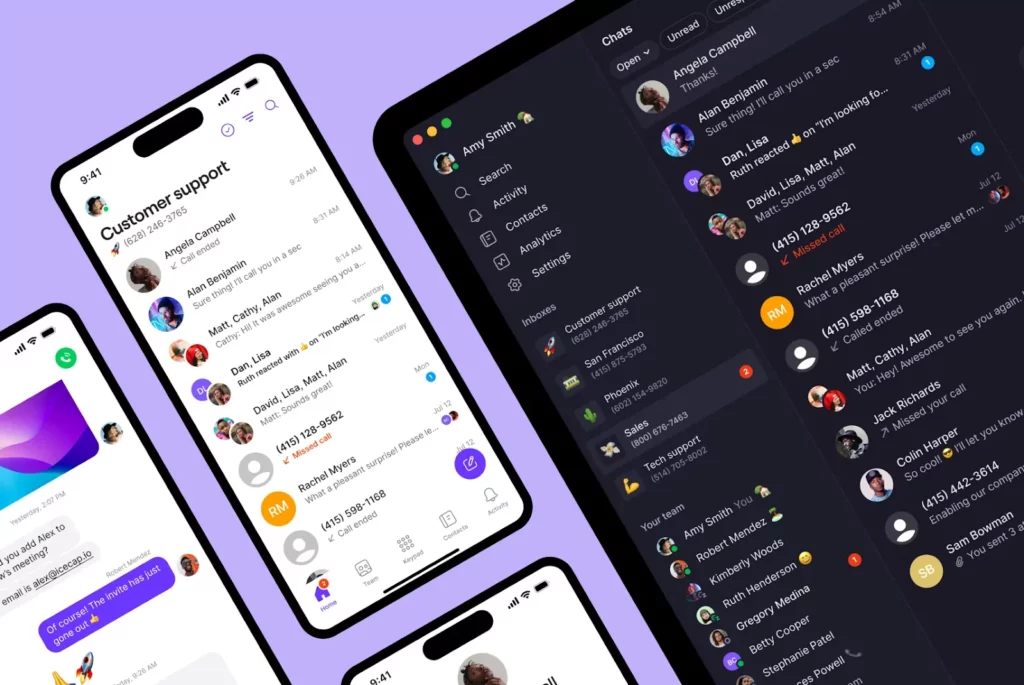
Quo is one of the only business phone systems that helps build personal customer relationships at scale. Our AI voice agent, Sona, can help you automatically screen calls and answer routine questions. Then, you can use our visual call flow builder to ensure callers always reach the right rep or department. Your team will be empowered to focus on human conversations, without sacrificing quality or driving up costs.
Sign up today for a seven-day free trial and see how 90,000+ businesses support more customers with Quo.
FAQs
Customer questions about business hours, pricing, or billing drive a lot of call volume — especially when that information isn’t easy to find online.
Repeated small issues can also pile up, like unclear call routing or missed follow-ups. This creates more calls, a poorer customer experience, and higher customer support costs. Learn more about how to build a CX program to avoid these issues.
The payback time for AI and for cost-saving tech largely depends on the platform you invest in.
Let’s use answering service costs as an example.
Live receptionists for contact centers typically start at $250 per month and require onboarding and training time. In contrast, Quo’s Sona starts at $25 per month for 40 calls. You can also train Sona in 30 minutes or less.
It can take several years to see a payoff with live answering services, but only a few weeks with AI.
Strategic cost reduction means using tools like AI call summaries and transcripts to save your support agents’ time while still maintaining great service. It lets you solve customer issues faster and reduce wait times as your business grows.
Cutting corners, on the other hand, might mean replacing human support entirely or skipping training. This often leads to slower replies, which leads to frustrated customers. And frustrated customers eventually churn. Research shows that 70% of customers say they’ll abandon a brand after just two negative experiences.
To summarize: cutting corners weakens your business, while cost reduction strengthens it.
Outsourcing can eliminate some short-term costs, but it will limit your visibility. You can’t easily review call history, track team performance, or check your customer experience, for example.
With an AI agent, you can keep customer service in-house and still save. One way to do this is with Sona’s AI-powered knowledge base.
Sona’s responses reflect your brand so every interaction is helpful and on-brand. It can also answer common questions, send links or addresses, and transfer calls to your team when needed.
Not every customer interaction needs the same level of human touch.
Automation workflows work well for straightforward interactions like appointment confirmations. But for returning customers or sensitive situations — like ongoing issues or complex questions — a message from a team member goes further.
Of course, great customer service isn’t about choosing between automations or people. You can use chatbots and human agents to answer customer queries.


