Organizing appointments sounds simple, until it isn’t. Missed bookings, no-shows, back-and-forth messages, and calendars that don’t stay in sync can quickly eat into your day — and your revenue.
But there are hundreds of different appointment scheduling apps on the market. How do you know which will work best for your business?
In this guide, we explore 10 of the best appointment scheduling tools for small businesses and growing teams. We’ll also show how you can maximize your app’s value.
But first, let’s look at how you can start to narrow down to the best option for your business.
What to think about when choosing an online appointment scheduling app
Not all scheduling apps will be a good fit for your brand, team, or clientele. Use these six factors to choose the best scheduling app for your business:
- Features: It’s easy to get distracted by long feature lists. What matters is whether the app actually helps your business. Scheduling software should make it easy to tackle your daily to-do list. For example, can you use it to automate reminder texts and emails? Or if you’re looking for medical spa software, does the tool need to be HIPAA-compliant for patient self-scheduling?
- Price: You need to know the total costs for the scheduling platform your team chooses. What must-have features from your short-listed options cost more? And are they still within your budget? Keep in mind that while a “free” plan may seem like a good choice, costs can start to add up once you factor in purchasing features like SMS credits.
- Ease of use: It shouldn’t be difficult to learn a new scheduling tool. Is the booking system intuitive for clients and team members?
- Integrations: The best appointment scheduling apps can connect to the rest of your tech stack. Can the software connect to your business phone number, CRM, and Zapier accounts?
- Calendars: Your scheduling app should easily connect with the calendars you use every day. What types of calendar syncing does the software support?
- Automations: The goal of a scheduling app should be to cut back on daily work — not add to it. How can your booking software automate the scheduling process, like sending reminder texts?
How the top appointment scheduling apps stack up against one another
If you’re looking for an easy way to compare the best appointment scheduling software for small businesses, we’ve got you covered.
But before we get into the specifics, check out this helpful comparison chart to get a better idea of each provider:
| Provider | Available on | Built-in phone system | Integrations | Starting Price |
|---|---|---|---|---|
| Calendly | Web, iOS, Android | X | ✓ | Free plan |
| Acuity Scheduling | Web, iOS, Android | X | ✓ | $16 per month |
| Zoho Bookings | Web, iOS, Android | X | ✓ | Free plan |
| SimplyBook.me | Web, iOS, Android | X | ✓ | Free plan |
| Appointlet | Web, iOS, Android | X | ✓ | Free plan |
| Square Appointments | Desktop, Web, iOS, Android | X | ✓ | Free plan |
| Brevo Meetings | Desktop, Web, iOS, Android | Requires upgrade and add-on | ✓ | $8.08 per month |
| Appointy | Web, iOS | X | ✓ | Free plan |
| Bookedin | Web, iOS, Android | X | ✓ | Free plan |
| SavvyCal | Web | X | ✓ | $15 per user per month |
The 10 best appointment scheduling apps
Now let’s look at the top appointment scheduling apps in more detail.
1. Calendly

Calendly is one of the most popular auto-schedulers on the market that supports enterprises. Let’s take a look at its pros and cons.
Pros
The company’s biggest claim to fame is free appointment scheduling, which lets customers book unlimited appointments. Calendly also gives your team access to its iOS and Android apps on the free plan, so they can use their favorite devices when organizing bookings.
Cons
You’ll need to upgrade if you want to connect more than one calendar per user. Sending appointment notifications is also only available on the Standard plan, which costs $10 per user per month.
Have a business number for all your work-related conversations using Quo’s modern business phone system? You can also use the Quo Zapier integration to set up appointment confirmation texts. You’ll need a Calendly professional plan to use Zapier.
💡You can also set up reminder texts. Check out our appointment reminders guide for more information and text examples you can automatically send to clients.
Who should use Calendly
Calendly is popular for businesses with high booking volume.
Calendly Pricing

- Free: $0 per user per month for one appointment type, one calendar connection, video conferencing integrations, and mobile apps
- Standard: $10 per user per month for unlimited event types, Hubspot and Mailchimp integrations, and automatic scheduling reminders
- Teams: $16 per user per month for sending meetings to Salesforce, sharing round-robin meetings, and Marketo integration
- Enterprise: Custom quote for Microsoft Dynamics integration and dedicated account support
2. Acuity Scheduling

Acuity Scheduling is a Squarespace company that automates meetings and payments. Here’s a look at its pros and cons.
Pros
It helps you reduce no-shows and last-minute cancellations by accepting customer payments upfront. It also lets you set up automated memberships, gift cards, or group classes, which can help increase your business’s revenue.
Cons
Acuity Scheduling’s memberships and subscriptions are only available on the Standard plan. And that plan will cost you $27 per month. You should also know that it only includes six bookable calendars. So if you have a team larger than six, you might need to upgrade again.
Like Calendly, you can set up the Quo Zapier integration. This lets you automatically send appointment confirmation texts from your dedicated business number. That way, all phone communication tied to your business is in one place so you can follow up more easily.
Who should use Acuity Scheduling
Acuity Scheduling is best for membership-based businesses that charge recurring fees and take payments at booking.
Acuity Scheduling Pricing

- Starter: $16 per month for client self-scheduling, one bookable calendar, and payment processing and deposits through Stripe, Square, or PayPal
- Standard: $27 per month for six bookable calendars, memberships, and subscriptions with automated billing, and gift certificates
- Premium: $49 per month for 36 bookable calendars, remove “Powered by Acuity” on the scheduler, and a BAA for HIPAA compliance
- Custom: Custom quote for unlimited bookable calendars, unlimited scheduling pages, and a dedicated account manager
3. Zoho Bookings

Zoho Bookings is a scheduling tool that helps business owners book appointments. While it is part of the Zoho ecosystem, you can use it as a standalone app.
Pros
Zoho Bookings provides a free plan that lets you connect one calendar. The free plan also lets you invite up to 10 guests to a meeting, which may be enough for solo business owners.
Cons
This platform comes with a few caveats. If you want to show your own confirmation page to appear professional to clients, you’ll need to upgrade to a paid plan. Plus, if you want to integrate the app with Zoho CRM, you’ll have to upgrade to the most expensive plan. That’ll cost you $9 per user per month.
Do you also want to use Zoho Bookings as an appointment reminder software? Text reminders are only available for Premium Zoho subscribers. And if you don’t want to pay full price for the highest plan, you’ll need to be content with email reminders only.
Who should use Zoho Bookings
Zoho Bookings is best for businesses that already use Zoho CRM and want to keep scheduling and customer data in one place.
Zoho Bookings pricing

- Free plan: $0 per user per month for one event type, one calendar sync per staff member, canceling and rescheduling, and QR codes
- Basic: $6 per user per month for unlimited event types, two calendar syncs per staff member, collective bookings, and customizable email notification templates
- Premium: $9 per user per month for six calendar syncs per staff member, recurring one-on-one bookings, and online payments
4. SimplyBook.me

SimplyBook.me is an older international booking app that launched in 2009. Here’s a detailed look at its features.
Pros
The platform supports over 18 languages. You can also integrate with international payment systems to let clients pay for your services through a method that works for them. Along with appointment bookings, the app can manage bookings for live classes, waiting lists, and group events.
You can also automatically send texts when clients book, reschedule, or cancel. If you use Quo, you can use this Zap to start sending confirmation texts and links to your appointment cancellation policy.
Cons
Although it’s useful for international brands, SimplyBook doesn’t offer unlimited bookings — even at the highest tier. You’re limited to just 50 appointments on the free plan and will have to buy extra if you want more. These additional bookings start at 100 for $4.
You’ll want to keep in mind that the basic SimplyBook plan isn’t HIPAA compliant. If you’re in a sensitive industry that requires careful data management, you’ll have to pay for the third-highest plan to comply with regulations.
Who should use SimplyBook.me
SimplyBook.me is best for businesses that want to accept international payments.
Simplybook.me pricing

- Free: $0 per month for 50 bookings, access to one add-on, a booking website, and a booking widget
- Basic: $11.90 per month for 100 bookings, access to three add-ons, client app, receive payments, deposits, and tips
- Standard: $24.90 per month for 500 bookings, access to eight add-ons, a branded client app, and SAML SSO
- Premium: $49.90 per month for 2,000 bookings, access to unlimited add-ons, collect refunds, QuickBooks, FreshBooks, and Xero integrations
- Enterprise: Custom pricing for an account manager, a queue manager, and white label
5. Appointlet

Appointlet is a scheduling tool that lets you automatically schedule appointments with clients. Let’s take a look at its pros and cons.
Pros
All users can start for free with 25 bookings and up to five members per month. You’ll also be able to create one scheduling page for your clients. Plus, you can connect Appointlet with video conferencing tools like Zoom. This integration ensures your clients will receive a “join meeting” button in their reminder email so they can easily access the call.
Cons
Just keep in mind that Appointlet is a web-only tool. You won’t be able to check your bookings via a desktop app, which may be frustrating if you don’t like to work from your browser.
And Appointlet’s automated reminders are locked behind paid plans. This means you have to manually remind your clients every time a meeting is about to begin to help ensure they don’t forget.
Who should use Appointlet
Appointlet is best for educators and nonprofits. It offers a 25% discount for accredited educational institutions, making it more affordable for teams on a budget.
Appointlet pricing

- Free: $0 per user per month for five members, 25 meetings per month, one scheduling page, and integrations with Zoom, Meet, Microsoft Teams, and Webex
- Premium: $9 per user per month for automated reminders, round robin meeting distribution, Google Tag Manager, and to remove Appointlet branding
- Enterprise: Custom quote for custom users for priority customer support and quarterly account reviews
6. Square Appointments

Square is a wildly popular app for B2C businesses. And if your business regularly books appointments in person, Square Appointments is a great add-on. Let’s take a closer look at its pros and cons.
Pros
You can open the Square Appointments on mobile, desktop, and Square Register devices. Plus, customers will be able to pay through dozens of platforms — including Cash App pay, Afterpay, and credit cards. Even if you don’t have a physical location, customers can easily use your Square online bookings site and pick a time that works for them.
Cons
Square Appointments’ biggest limitation? It won’t sync up with other calendars unless you pay for the second-highest plan. Even then, the only system you can access is Google Calendar — you can’t integrate iCloud or Outlook calendars with Square Appointments.
Who should use Square appointments
Square Appointments is best for businesses that already use Square products.
Square Appointments pricing

- Free: $0 per month for one location for online booking, integrations, appointment reminders, unlimited calendars, and invoicing
- Plus: $49 per month per location for cancellation policy and no-show fees, multi-staff appointment booking, and waitlist
- Premium: $149 per month per location for 24/7 support, future bookings report, and service cost tracking
7. Brevo Meetings

Brevo, formerly known as Sendinblue, is a CRM platform designed to help businesses stay in touch with leads and customers over time. It also provides Brevo Meetings, a scheduling tool that lets people book an appointment with your business.
So, how useful is the tool for growing teams? Let’s break it down.
Pros
If you’re already using Brevo, Meetings is included with your account. That means you don’t need to sign up for a separate scheduling tool just so your clients can book an appointment. With Brevo Meetings, you’ll also be able to create a booking link and add it to your website, social profiles, or email signature. You’ll be able to share the link wherever you already talk to customers, so appointment opportunities don’t fall through the cracks.
Cons
That said, costs can add up quickly. Brevo charges per SMS, so every reminder or confirmation you send comes out of your credits. For example, 100 SMS credits will cost you $1.09, which works out to about $0.01 per message.
You should know that Brevo’s VoIP phone isn’t included on its base plan. You’ll need the Professional plan that costs $449 per month, plus a VoIP add-on that starts at $58 per month. This brings the total to about $507 per month just to get started.
Who should use Brevo Meetings
Brevo Meetings is a good fit for small teams that already use Brevo and need a way for customers to book appointments. But if scheduling and communication are a big part of your business — the costs make the app too expensive for what you get.
Brevo Meetings pricing

- Free plan: $0 per month for one user, automated meeting scheduling, 300 emails per day, and up to 2,000 contacts
- Starter: $8.08 per month for one user, 100,000 emails per month, SMS support, and drag-and-drop email editor
- Standard: $16.17 per month for three users, 1 million emails per month, no Brevo logo, A/B testing, and advanced email reporting
- Professional: $449.08 per month for 10 users, 10 million emails per month, contact scoring, and AI segmentation
- Enterprise: Custom price for unlimited users, Brevo mobile wallet, and custom data integrations
8. Appointy

Appointy is an online scheduling tool used by businesses in more than 110 industries. But how well it compares to the other scheduling apps on this list depends on the features you need. Let’s take a closer look.
Pros
Appointy gives clients a self-serve way to book, cancel, or reschedule appointments. So you spend less time chasing confirmations or replying to messages about how your process works. Appointy also lets you add its booking form to your website, so clients can book appointments directly without having to call or leave the page.
Plus, Appointy handles time zone differences automatically. That helps avoid confusion if you’re booking appointments with customers in different locations.
Cons
That said, some important features are locked behind higher plans. Two-way Google Calendar sync, for example, is only available if you upgrade. So you might have to pay more just to stick with your favorite calendar.
While Appointy does offer an Office 365 integration, it isn’t included on lower tiers. You’ll need to be on the Professional plan to connect it, which costs $49.99 per month.
Who should use Appointy
Appointy is a good fit for businesses that already use Office 365 and want to connect it with their appointment scheduling app.
Appointy pricing

- Free: $0.00 per user per month for website integration, automatic reminders, mobile app access, and up to 100 appointments per month
- Growth: $19.99 per user per month for Google bookings, live chat and email support, and Google Calendar sync
- Professional: $49.99 per user per month for staff login, gift certificates, resource scheduling, and a dedicated relationship manager
- Enterprise: $79.99 per user per month for SMS text customization and removal of Appointy branding
9. BookedIn

BookedIn is a straightforward online booking tool that’s been around since 2010. It’s popular with freelancers and solo business owners. Let’s break down its pros and cons to see who it’s best for.
Pros
BookedIn lets people book from a link without signing up or downloading apps. Fewer steps mean fewer chances for someone to drop off before the appointment is booked. You can also customize the booking page with your logo, colors, and staff photos. That way, it feels like an extension of your business, not a random page you’re sending people to.
The base plan includes email booking confirmations someone receives right after booking.
Cons
The free plan is limited to 20 bookings per month, so once things start picking up, you’ll need to upgrade to the Plus plan. This will cost you $19 per month.
Recurring appointments aren’t included on the free plan, either. If you want clients to book daily, weekly, or monthly repeating appointments, you’ll need to upgrade.
Who should use BookedIn
BookedIn is a good fit for freelancers who want a simple way to let clients book appointments on their own.
BookedIn pricing

- Free: $0 per user per month for booking appointments and classes, iPhone and Android apps, personalized onboarding, and up to 20 bookings per month
- Plus: $19 per user per month for email reminders, online payments, calendar sync, and unlimited bookings
- Pro: $39 per user per month for text reminders, file attachments, and blocking unwanted clients
10. SavvyCal

SavvyCal is an indie appointment scheduling tool built for businesses where meetings are a steady part of the day, not a one-off. Here’s where it shines — and where it comes up short.
Pros
On the basic plan, SavvyCal lets you create unlimited scheduling links. Different meetings can have their own links instead of sharing the same one. It also supports round-robin scheduling. This means meetings will rotate between teammates, so one person doesn’t end up taking every call.
Cons
That said, some useful features require an upgrade. If you want to collect payments when someone books an appointment, you’ll need SavvyCal’s Stripe integration. Keep in mind it’s only available on the Premium plan, which costs $20 per user per month. The same goes for branding. If you want to remove SavvyCal’s branding from your booking page, you’ll need to upgrade.
Who should use SavvyCal
SavvyCal is a good fit if you don’t want to change how you get paid. It integrates with Stripe, so payments stay in the same place, and you can add scheduling without moving your money or setup.
SavvyCal pricing

- Basic: $12 per user per month for unlimited calendars, unlimited links, team scheduling, and time blocking
- Premium: $20 per user per month for custom domains, remove SavvyCal Branding, and paid bookings
Why online scheduling apps matter for growing businesses
When your calendar starts filling up, scheduling can quickly become a bottleneck. Calls pile up. Emails get missed. And good leads slip through the cracks. Online scheduling tools help take that off your plate. Here’s how they help.
- Cut out the back-and-forth: Instead of juggling calls, emails, and follow-ups, you can share a link and let people book on their own. That saves time for you and makes things easier for your clients.
- Let people book anytime: Not everyone reaches out during your set business hours. With online scheduling, appointments can be booked on nights and weekends, even when your team isn’t available.
- Reduce double bookings and no-shows: Automated confirmations and reminders help keep appointments top of mind. That way, fewer people forget — and you’re not left waiting around.
- Make booking feel easy: A simple, self-serve booking experience removes friction. People don’t have to call, wait, or explain what they need before they can get on your calendar.
- Collect payments upfront: Some scheduling tools let you take deposits or full payments during booking. That helps protect your time and can cut down on last-minute cancellations.
- Keep up with expectations: Many businesses already offer access to their real-time availability. If you don’t, it can feel like an extra step for customers — even if your service is better.
Common scenarios where appointment scheduling apps make sense
Here are a few common scenarios where appointment scheduling apps help growing teams manage bookings.
- Salon and personal service-based businesses. When you’re managing a full calendar of appointments, answering every booking request by phone doesn’t scale. Online scheduling lets clients book on their own and helps keep your calendar organized during busy periods.
- Home service teams. Scheduling gets harder when jobs are spread across different locations. Scheduling apps help customers choose available time windows, giving your team a clearer picture of where they need to be and when.
- Growing businesses with high call volume. As inbound calls increase, not every call is answered right away. Online booking gives people another way to get in touch, even if your team is tied up or unavailable.
How we chose the best appointment scheduling apps
We didn’t put this list together by skimming feature pages. Instead, we looked at real reviews on sites like G2 and reached out to providers’ support teams to see how quickly they respond. Plus, we paid attention to how these tools held up once teams started booking at higher volumes. From there, we used the same criteria to evaluate every option.
- Scalability: We looked at how well each tool supports growing teams, higher booking volume, and shared workloads. That includes things like multiple users, routing options, and the ability to streamline workflows.
- Compliance features: If your business sends texts, compliance matters. We looked at appointment scheduling apps to see how easy they make it for people to opt in to receive text messages. That way, your business can stay TCPA-compliant and avoid sending unwanted or unethical marketing texts.
- Pricing model: Not all pricing scales the same way. We compared whether tools charge per user, per booking, per text, or require paid upgrades for the basics.
- Real-time analytics and reporting dashboard: Once scheduling becomes part of your day-to-day work, visibility matters. We looked for tools that make it easy to see conversations and activity in one shared SMS inbox. Plus, we checked whether you have access to a dashboard that makes your data easy to understand.
- Multi-channel support: Scheduling doesn’t happen in a vacuum. We evaluated whether tools work alongside calls, texts, email, and other channels.
- Customer support quality: When something goes wrong with bookings, it can cost you time and money. We looked at how easy it is to get help, how clear the documentation is, and if the support responds quickly when issues come up.
Try out Quo for free
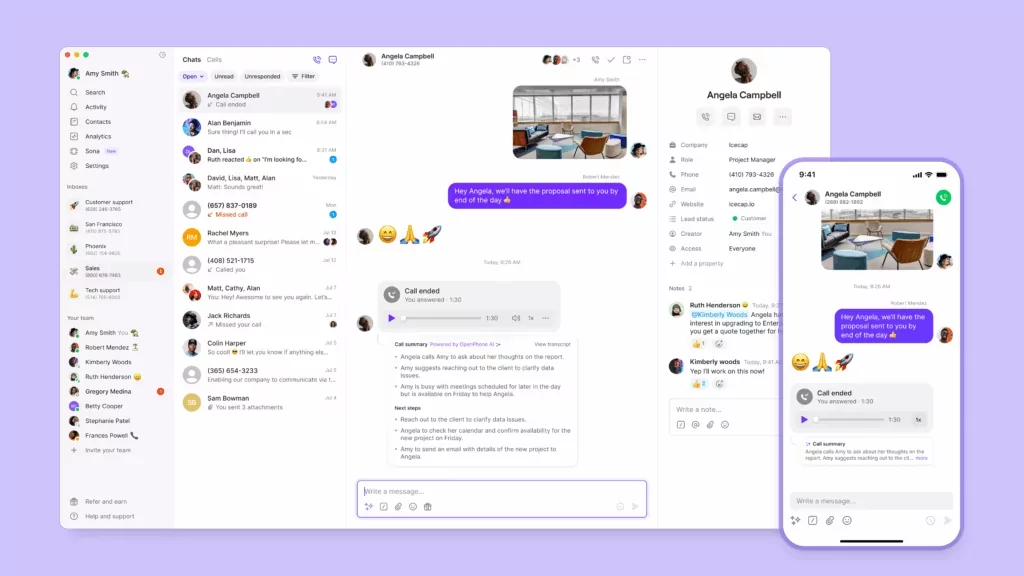
Quo isn’t just your average phone system — you can save time using Quo in dozens of ways — all while still delighting customers. You can schedule text messages, set up auto-reply texts, and implement appointment reminder templates. Plus, you’ll be able to automatically log all your phone communication in your CRM.
Not on Quo yet? No worries! You can try us for free for seven days to see why thousands of companies use Quo as their business phone solution. And if you have any questions about our system or service, the sales team is around to help.
FAQs
Appointment scheduling software lets people book time with your business without calling first. Instead of finding availability manually, customers pick a time that works, and it goes straight onto your calendar.
Pricing depends on the type of tool you choose. Free scheduling apps like SimplyBook.me often come with limits, like caps on bookings or charges for every text you send. By comparison, SavvyCal offers unlimited scheduling links and calendar connections for $12 per user per month. As your volume grows, that difference matters, since pay-per-booking fees and text usage can add up quickly.
Yes, you can. Most scheduling tools give you a booking link you can share anywhere, like over text, email, or social media. That makes it easy to accept bookings even if you don’t have a website.
Free plans usually cover basic booking, but they often come with limits on appointments, branding, or integrations. Paid plans unlock things like unlimited domestic calling and texting, team chat, and integrations. If scheduling becomes a regular part of your workflow, those upgrades tend to matter.
Many scheduling apps connect to business phone systems through integrations or tools like Zapier. For example, if someone calls and no one answers, you can set up workflows to send automated texts with a booking link. Tools like Quo support this kind of setup, so communication is stored in one place instead of across different apps.
Not always. You can use scheduling software without a business phone number by handling communication over email instead. That said, a business phone number helps you stay professional and keep your personal number private.
Most scheduling apps let you set up automated workflows to sync bookings to a CRM using integrations. That means new appointments can automatically update contacts, deals, or notes. Over time, this helps keep customer information accurate without extra manual work.