When you’re running a business, every message counts.
SMS messaging has changed how businesses and customers communicate, and the numbers back it up. A 2025 study found that 86% of customers will opt in to receiving texts from a business, compared to just 66% in 2021. But texting clients at scale can’t just be about hitting send. That’s why you need a text messaging service that goes beyond the basics.
The best SMS services reduce manual work by letting you send automated responses, use text message templates or snippets, and help you nurture relationships with customers and prospects.
Ready to step up from the basic SMS app on your cell phone or move away from your existing texting provider? In this guide, I break down eight of the best text messaging services for small businesses.
How I selected the best business texting services
Not every business texting service is built the same. Here’s what I looked at when choosing the providers to include in this guide:
- I looked at core features: I focused on providers that offer a range of business texting services, along with other modern features like the ability to call and text from the same number, shared numbers, and integrations.
- I read customer reviews: I looked for positive experiences and complaints to understand each platform’s strengths and weaknesses for small businesses.
- I visited help centers and reached out to support: I checked whether each platform offered clear, helpful resources for troubleshooting. I also reached out to their support teams to see how competent and quick they were in responding to questions.
- I compared pricing: I looked at what you’ll get for the cost. Texting caps or user minimums could hold your team back if they need to send customer texts year-round.
- I considered scalability: I looked at how well each platform could grow with a business. From solo entrepreneurs who might only need one number to text clients to enterprises handling high-volume messaging across multiple teams and departments.
The top business text messaging services compared

Let’s take a closer look at how the best business texting services for small businesses compare.
| Provider | Starting price | Shared phone numbers | Unlimited SMS/MMS | MMS support | Scheduled text messages | Auto-replies | Unlimited calling to US & Canada |
|---|---|---|---|---|---|---|---|
| Quo, formerly OpenPhone | $15 per user per month | ✓ | ✓ | ✓ | ✓ | ✓ | ✓ |
| SimpleTexting | $33.20 per month | ✓ | 6,000 credits = ~500 texts per month | 1 MMS = 3 credits | Contact sales to find out the cost | ✓ | X |
| SlickText | $24.17 per month | ✓ | 500 credits per month | 1 MMS = 3 credits | Must apply credits | ✓ | X |
| Textmagic | $44.50 | ✓ | 500 texts per month | Higher cost than SMS | Must apply credits | ✓ | X |
| EZ Texting | $20 per month | ✓ | 500 text credits per month | 1 MMS = 3 credits | Must apply credits | Must apply credits | X |
| Textedly | $29 per month | ✓ | 600 texts per month | ✓ | ✓ | $65.00 one-time fee | X |
| Salesmsg | $25 per month | ✓ | 500 text credits per month | 1 MMS = 2 credits | ✓ | ✓ | X |
| RingCentral | $20 per user per month | Calls only without paid-on | 25 texts per user per month | ✓ | Only with third-party apps | Only with third-party apps | ✓ |
Keep reading for more details about each provider to help you choose the right SMS service for your needs.
1. Quo: Best calling and text messaging service for small businesses

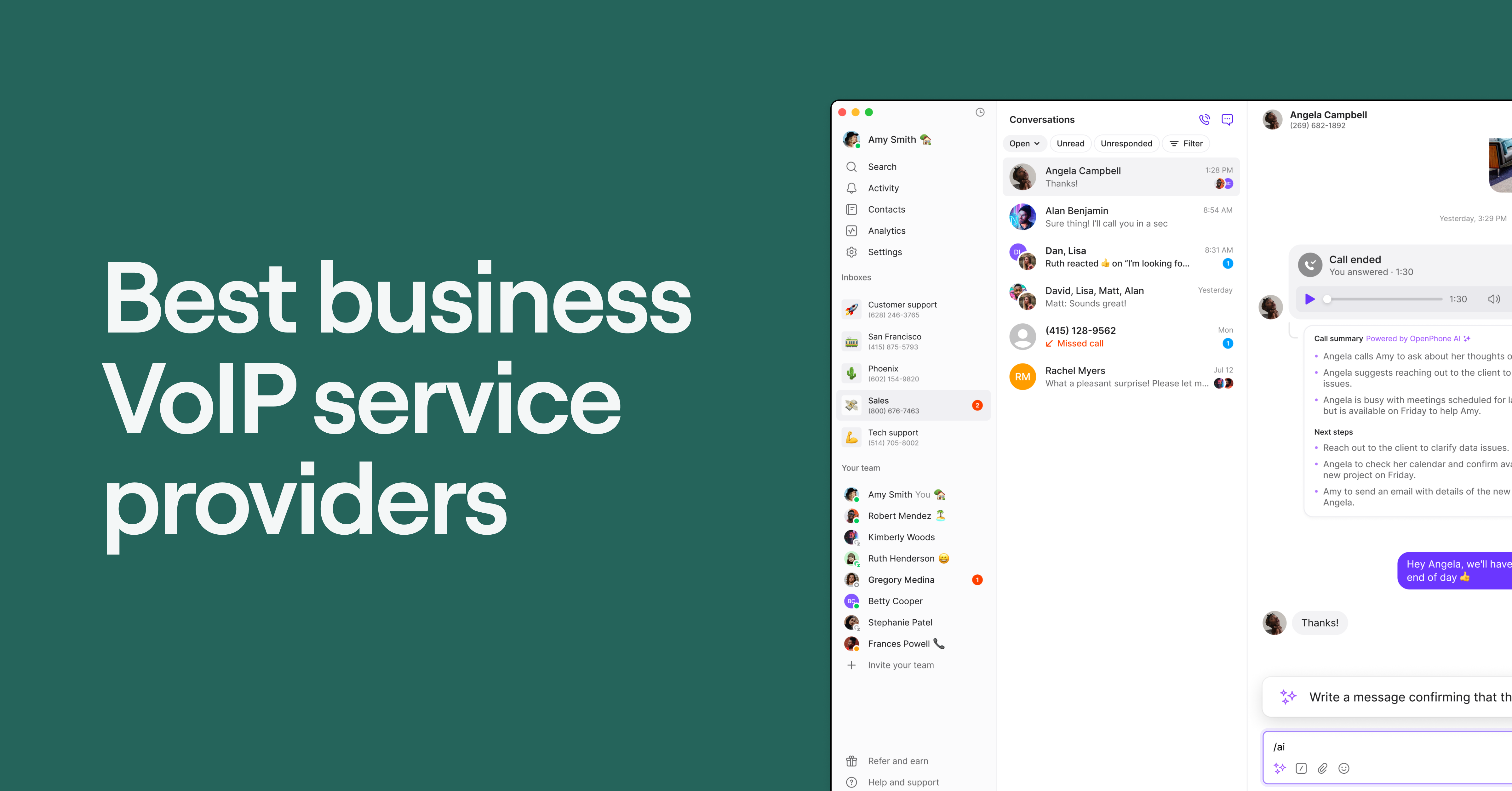
Quo, formerly OpenPhone, is a reliable VoIP phone system and versatile texting solution that lets your small business handle all communication using an internet connection. What makes it stand out from the other providers on this list is that it offers unlimited calling and texting to US and Canadian numbers on every plan. This means your team can have a dedicated business number to manage calls and texts from a single platform. That way, all your calls, texts, and voicemails are in one place, so your team can quickly see the full conversation history and respond without having to switch between tools.
Below, we’ll look at the platform’s pros and cons in more detail to help you see why it’s the best business texting service for your company.
Pros
Quo supports both SMS and MMS messages. This means you can provide customers with visual support, such as videos and pictures.
The platform also helps businesses save time texting and collaborating. For example, you can use snippets to answer frequently asked questions, schedule text messages to your contacts, and set up auto-replies for missed calls and texts.
With Quo’s HubSpot integration, calls and texts are automatically logged to the right contact in your CRM. Your team can see the full conversation history in Quo and HubSpot, so everyone’s on the same page and nothing gets lost.
Quo’s Make and Zapier integrations let you set up texting workflows without any coding. For example, you can send a reminder when someone books a meeting or follow up after they fill out a form.
With Quo, you can also view all text messages, call recordings, and voicemails with specific contacts in a single view. This helps your team streamline your communication processes so you don’t have to deal with scattered messages and missed conversations.
Plus, anyone on your team can easily review and continue conversations from a shared business phone number. They can also use internal threads to tag team members and get their help on certain customer issues.

Quo helps you save time setting up your call routing. With the call flow builder, you can create call flows that include multi-level phone menus to guide callers to the right person or department without manual transfers. For example, you can set up a greeting that lets callers choose between your different locations. Once they select a location, such as “Press one for New York” or “Press two for Chicago,” they can then choose the right department, like sales, billing, or support.
Quo also comes with Sona, our AI voice agent. Sona can automatically answer incoming calls when you’re unavailable, respond to frequently asked questions, and take messages. That way, you don’t lose out on potential customers.
Cons
Quo numbers can’t be used to verify accounts through two-factor authentication texts. This limitation affects most virtual phone number providers because services like Facebook, Uber, and Google rarely allow authentication via a virtual number.
Quo pricing

Quo’s pricing offers the following three flexible and straightforward tiers:
| Plan | Text messages per month | Features included | Cost per month |
|---|---|---|---|
| Starter | Unlimited texts to US and Canadian phone numbers | Unlimited calling to US and Canadian numbers, share a number with up to 10 teammates, snippets, internal threads, shared contacts, on-demand recording, Make and Zapier integrations, and more | $15 per user |
| Business | Unlimited texts to US and Canadian phone numbers | Call transfers, analytics, Salesforce integration, HubSpot CRM integration, share your phone number with as many teammates as you need, and more | $23 per user |
| Scale | Unlimited texts to US and Canadian phone numbers | Dedicated onboarding support, priority live chat, and AI call tags | $35 per user |
Free trial
Quo offers a seven-day free trial with full access to some of its features. You’ll get one phone number per user and unlimited calling within the US and Canada. The trial also includes team collaboration tools, integrations with Slack, HubSpot, and Jobber.
Plus, you’ll get to use its AI features like call transcriptions and summaries. This means you’ll be able to see how Quo fits into your workflow and test certain features with your team before making a commitment.
Keep in mind, texting during the trial is limited to sending messages to Canadian numbers. This is due to emerging regulations pushed for by the large US cell carriers. After your trial ends, you can complete A2P 10DLC registration to access texting to US numbers. If you need to port over an existing number, you can use a temporary phone number to confirm that Quo is a good fit. And when you’re ready, move any local US, Canadian, or North American toll-free number for free.
2. SimpleTexting: Best option for SMS marketing

If you’re looking for an app that offers bulk SMS campaigns, SimpleTexting could be the best business texting service for you. It lets you send bulk messages, and its intuitive user interface is easy to use. Let’s take a closer look at the platform’s pros and cons.
Pros
With SimpleTexting, you can set up an auto-responder to send customers drip campaigns, follow-up texts, or coupon codes based on specific keywords. For example, if a customer texts “PAW” to your business phone number to check current dog food deals, the auto-responder will send the customer a list of available deals.
You can also access a range of marketing tools with SimpleTexting’s built-in apps to engage your customers. These tools help you run text-based polls, surveys, and sweepstakes.
Cons
SimpleTexting only lets you text numbers in the US, Canada, and select regions in the Caribbean.
Its biggest limitation is it doesn’t support calling. This means you’ll have to pay for a separate phone system.
Another drawback? SimpleTexting offers Mailchimp and Zapier integrations in its plans, but not native integrations with CRMs like HubSpot and Salesforce. If you’re a small business that runs on either of those, you have to spend time building automated workflows on Zapier yourself.
SimpleTexting pricing
SimpleTexting’s pricing is based on how many texts you send each month, but you get the same features on every plan. The more messages you send, the higher your monthly cost. Here’s what you can expect to pay if you wish to text from a local number.
| Text messages per month | Price per month |
|---|---|
| 500 | $33.20 |
| 1,000 | $49.20 |
| 2,000 | $73.20 |
| 3,000 | $97.20 |
| 7,500 | $193.20 |
| 15,000 | $329.20 |
| 25,000 | $449.20 |
| 50,000 | $729.20 |
| Over 50,000 | Custom pricing |
Here’s an example of what you’ll pay for a team of five that sends up to 500 SMS texts per month:
- Plan cost: $33.20 per month with three users included
- Additional user cost: $20 per month each
- Total cost: $73.20 per month billed annually
Free trial
SimpleTexting offers a 14-day free trial with access to all features. You can only use up to 50 credits and one keyword during the trial.
3. SlickText: Best option for website popups and web forms

SlickText is a text message marketing platform that was founded in 2012. The platform offers automation tools, custom keywords, and an intuitive user interface. So, how does it stack up against the other business texting services? Here are some pros and cons to consider.
Pros
If you want a business texting service with strong campaign-building and segmentation features, SlickText could be a solid choice. For example, it lets you build segments based on specific data points like age, money spent, and location.
SlickText also helps you turn website visitors into SMS subscribers with features like website popups and opt-in web forms.
Cons
However, some users have reported SlickText’s analytics aren’t accurately reported, such as failed rates. This creates roadblocks for business owners who use SMS data to make decisions. Smaller teams may also have challenges scaling their services, as their base plan costs $29 per month and only includes 500 text message credits.
Another limitation of SlickText: it offers text messaging services with no option to call your customers. This is fine if you only plan to communicate via email and text, but if you want to get on calls, you’ll need a business phone service in addition to SlickText.
SlickText pricing

SlickText’s pricing is based on the number of texts you send monthly. Here are five of its pricing plans you can choose from:
| Text message credits per month* | Features included | Cost per month |
|---|---|---|
| 500 | Free incoming texts Unlimited contacts Rollover credits | $24.17 |
| 1,000 | All features in the $24.17 plan | $40.83 |
| 2,000 | All features in the $40.83 plan | $65.83 |
| 3,500 | All features in the $65.83 plan, plus one-on-one onboarding | $107.50 |
| 5,000 | All features in the $107.50 plan | $140.83 |
| 10,000 | All features in the $140.83 plan | $265.83 |
| 25,000 | All features in the $265.83 plan, plus a dedicated customer success manager | $482.50 |
| 50,000 | All features in the $482.50 plan | $782.50 |
| Enterprise | Custom plan | Contact SlickText for pricing |
* Monthly averages based on SlickText’s annual pricing
Free trial
SlickText offers you a free trial that gives you access to all of its features for 14 days.
4. Textmagic: Most flexible pay-as-you-go text messaging system

Textmagic was founded in 2011 as an SMS company. Today, it operates mainly in the US, the UK, Canada, and Australia. The platform is an easy-to-use work texting app that offers usage-based pricing, making it ideal for solopreneurs. Let’s take a closer look at what you’ll get and what you’ll lose out on if you choose this business texting service.
Pros
With Textmagic, you can create marketing lists, access detailed reports, and receive replies to messages sent using your Textmagic number. Similar to other options on this list, Textmagic has two-way messaging, allowing team members and customers to have ongoing conversations over text.
Textmagic lets you create message templates for repetitive tasks like booking confirmations or appointment reminders. You can also set up auto-replies so customers can receive real-time responses to messages.
Cons
While Textmagic seems solid on paper, its pay-as-you-go pricing can quickly add up as your business grows. For example, you need to pay $0.049 for every outgoing text. Plus, the plan doesn’t come with a free phone number, which means you need to pay $10 a month to purchase one.
Textmagic also doesn’t provide direct integrations with CRMs like HubSpot, so you can’t save time syncing and logging your team’s texting activity.
Some users, like this G2 reviewer, say the pricing could be more flexible: “The pricing could be a bit more flexible for smaller businesses or startups.”
Although Textmagic has a full suite of features tailored for business texting, consider whether it’s worth the higher costs and lack of direct CRM integrations for your business.
Textmagic pricing
Textmagic’s pricing is usage-based, so you only pay for the number of texts you send each month. On top of these costs, you’ll also need to pay a monthly fee for the type of number you choose:
- Toll-free phone number: An extra $10 per month
- Local phone number and registration: An extra $20 per month total that includes $10 for a local number and $10 for brand and campaign registration
Here’s what Textmagic’s text messaging rates look like, including the monthly number fees above for a local number:
| Text messages per month | Cost per month |
|---|---|
| 500 | $44.50 |
| 1,000 | $69 |
| 2,000 | $100 |
| 5,000 | $195 |
| 10,000 | $370 |
| 20,000 | $620 |
| 50,000 | $1,270 |
Free trial
Textmagic offers a 14-day free trial with full access to all features. You’ll get 0.5 credits to test any service. Plus, if you’re in the US, Canada, Australia, or the UK, you’ll also receive a free texting number for your first month.
5. EZ Texting: Best for text list-building with QR codes

EZ Texting is an all-around SMS marketing service for businesses. Along with the ability to set up drip campaigns, it provides features that let you create professionally designed MMS messages in your campaigns. Let’s dive into EZ Texting’s pros and cons.
Pros
EZ Texting offers access to Shutterstock’s image library and editor to use for your MMS messages. You’ll also be able to create QR codes for your customers to use.
EZ Texting integrates with your email marketing software, like Mailchimp, to sync your contacts across platforms. Plus, you can set up SMS keywords so customers can text to join your subscriber list.
Cons
Keep in mind that while EZ Texting bundles credits with each plan, they expire after one month on their monthly plans.
Additionally, using short codes for your SMS marketing campaigns is costly and may be better suited for enterprise SMS messaging. For example, you’ll need to pay a minimum of $3,000 per month.
Bottom line: EZ Texting is one of the best business texting services if you want to build and execute an SMS marketing strategy. But you may find other options that are more cost-effective due to the lack of rollover credits.
EZ Texting pricing

EZ Texting offers four plans based on your monthly texting volume to your customers. Let’s take a closer look at their pricing tiers:
| Plan | Text credits per month* | Features included | Cost per month |
|---|---|---|---|
| Launch | 500 | Local textable number and overage credits that cost $0.04 each | $20 |
| Boost | 500 | Local high-volume number and overage credits that cost $0.035 each | $60 |
| Scale | 500 | Local high-volume, high-speed number and overage credits that cost $0.03 each | $100 |
| Enterprise | 200,000 | Dedicated short code and overage credits that cost $0.01 each | $3,000 |
* Monthly averages based on EZ Texting’s annual pricing. Actual credit usage varies depending on message type: one credit = one SMS to one contact, three credits = one MMS to one contact.
Free trial
EZ Texting offers a 14-day free trial. Keep in mind, you won’t be able to use links or the link shortener during the trial.
6. Textedly: Best online texting service for business payment transactions

Textedly stands out from other business texting services on the list for a unique feature you won’t find elsewhere. We’ll take a closer look at what that is — along with a few other pros and cons.
Pros
With Textedly, you can request and collect secure payments through text messaging. This means you can track requests and revenue all in one place. But to access this feature, you’ll have to pay for Textedly’s Plus plan, which starts at $79 per month.
Textedly also offers auto-replies and scheduled messages, letting you stay in touch with contacts without being glued to your phone. Plus, you can access Textedly right from your browser, letting you use it as a computer texting app.
Cons
Even though it offers a low per-text price compared to other services on this list, it’s not the cheapest SMS marketing option. For example, you’ll have to purchase extra messages in blocks of 500 for $25.
Certain features like auto-replies, text personalization, and drip campaigns come with additional one-off charges. For example, you have to purchase the Automatic Replies feature in the App Store for a one-time fee of $65.
There’s also a learning curve for more advanced features, so you’ll need a savvy SMS marketer on the team to get the most out of the platform.
Textedly pricing
Textedly offers 13 different pricing plans:
| Plan | Text messages per month | Features included | Cost per month |
|---|---|---|---|
| Basic | 600 | One custom keyword, free incoming messages, and unlimited contacts | $29 |
| Bronze | 1,200 | All of the features in the Basic plan | $49 |
| Plus | 2,400 | Text-to-pay payments, Google Business reviews, and premium support | $79 |
| Enterprise | 4,200 | Three custom keywords and all of the features in the Plus plan | $125 |
| Elite | 6,000 | Four custom keywords and all of the features in the Enterprise plan | $169 |
| Business | 12,000 | Six custom keywords and all of the features in the Elite plan | $299 |
| Silver | 18,000 | Seven custom keywords and all of the features in the Business plan | $420 |
| Premium | 30,000 | 10 custom keywords and all of the features in the Silver plan | $599 |
| Pro | 42,000 | 13 custom keywords and all of the features in the Premium plan | $720 |
| Gold | 60,000 | 15 custom keywords and all of the features in the Pro plan | $1,020 |
| Platinum | 120,000 | 20 custom keywords and all of the features in the Gold plan | $1,920 |
| Diamond | 180,000 | 20 custom keywords and all of the features in the Platinum plan | $2,760 |
| Champion | 240,000 | 50 custom keywords and all of the features in the Diamond plan | $3,599 |
Free trial
Textedly offers a 14-day free trial with 50 text messages and one custom keyword. That may not be enough for a small team to properly test the platform to see if it’s the right fit.
7. Salesmsg: Best for Video SMS

Salesmsg is an SMS texting platform with two-way texting, calling, and mass messaging. Overall, its feature set is limited and costly compared to other business texting services. Let’s look at how it measures up.
Pros
Salesmsg offers private inboxes for individual reps and shared inboxes for teams who need to manage conversations together. You can send group SMS and use its AI Assistant to help you write messages.
It also supports sending video in one-on-one, group, or mass text messaging.
Cons
The base plan costs $25 per month and only includes 500 credits. This may not be enough for teams that text often. Additional segments cost $0.04 each, so costs can add up quickly if you go over your limit.
Premium features like a dedicated account manager and premium phone support are only available on the highest-tier plans. This can make them unaffordable for small teams on a budget.
Salesmsg pricing
Salesmsg’s pricing is based on the number of text credits you need each month. Here’s a look at its plans.
| Text message credits per month | Features included | Cost per month |
|---|---|---|
| 500 | Unlimited contacts, two-way SMS / MMS texting, mass texting, calling, free local or toll-free number | $25 |
| 1,000 | All features in the $25 plan | $49 |
| 2,500 | All features in the $49 plan | $99 |
| 5,000 | All features in the $99 plan | $179 |
| 7,500 | All features in the $179 plan | $249 |
| 10,000+ | All features in the $249 plan, plus a dedicated account manager and premium phone support | Custom pricing |
Free trial
Salesmsg offers a 14-day free trial with $500 worth of texts included.
8. RingCentral: Best for desk phones

RingCentral is a VoIP provider founded in 1999 that offers unlimited phone calls and texts to US and Canadian numbers. It’s also one of the few providers on this list with a built-in phone system you can use to call your customers. Let’s take a look at what else you should know about the platform.
Pros
RingCentral is compatible with desk phones, so you can make and receive calls over the internet using your existing office phone system.
RingCentral also provides apps for web, desktop, iOS, and Android. This means you’ll be able to send texts from any device you use.
Cons
Texting is capped on every plan, with just 25 texts per user on the $20 base plan. That limit can run out almost immediately for teams that rely on business SMS to connect with customers. Even the highest-tier plan only allows 200 texts per user per month, with extra texts costing $0.01 each.
Do you use a toll-free number? With RingCentral SMS, you won’t be able to send or receive MMS at all if you have a toll-free number.
RingCentral pricing

RingCentral is first and foremost a cloud contact center platform. Its texting, however, is limited on every plan. Here’s how RingCentral’s pricing plans compare:
| Plan | Text messages per month | Features included | Cost per month |
|---|---|---|---|
| Core | 25 | Unlimited calling in the US and Canada, shared lines, and on-demand recording | $20 |
| Advanced | 100 | Automatic call recording, hot desking, and unlimited internet fax | $25 |
| Ultra | 200 | AI assistant for SMS, customizable analytics and reporting, and 12 months of analytics and reporting history | $35 |
Free trial
RingCentral offers a 14-day free trial that supports up to 20 phone numbers, five users, and two desktop devices. SMS isn’t available during the trial, so you won’t be able to test its texting features before signing up.
Business texting compliance: What you need to know
Before sending text messages to US phone numbers as a business, you’ll need to meet two regulatory requirements:
- Register for A2P 10DLC. Application-to-Person 10-Digit Long Code is a system designed for business text messaging from a local virtual number. You must register your numbers due to regulations pushed for by major US cell carriers to prevent spam. Quo users can simply fill out a short carrier registration form with your business and messaging information to get approved.
- Follow TCPA compliance. The Telephone Consumer Protection Act requires businesses to get explicit opt-in consent from contacts before sending marketing or promotional texts. You must also honor opt-out requests promptly. Violations can result in fines of up to $1,500 per message sent without proper consent.
For more information on best practices for business texting, you can refer to the CTIA Messaging Principles and Best Practices.
Why you should choose a business texting and calling service
The best platform can do more than just send messages. It can help your team stay organized, respond faster, and present a professional image. Here’s how a business texting and calling service can make a difference:
- Keep everything organized: Calls, texts, and voicemails all live in one place. This makes it easier to stay on top of every customer conversation without having to switch apps.
- Share conversations: A shared number lets anyone on your team respond right away, so customers get help faster and nothing slips through the cracks.
- Save time on replies: Auto-replies, scheduled texts, and snippets help you handle messages faster, so you can focus on conversations that need real-time, personalized support.
- Separate work from personal: Your business and personal communication stay separate while using the same device. That way, you can switch off from work without having to carry two phones.
- Look professional: A business number that customers can call and text helps you build trust by showing you’re a real, established business.
- Stay on top of follow-ups: Tracking conversations and call history makes it easier to pick up where you left off and follow through on promises.
8 things to consider when selecting a business texting app
Business texting apps typically include SMS and MMS, allowing for text, image, video, GIF, and audio messaging. If your customers send you photos, share documents, or need to see something in action, built-in support for these types of files helps wrap up your conversations faster and make them feel more personaI.
When choosing a service that supports SMS and MMS, ask yourself these eight key questions to ensure it meets your needs.
- What devices do you need to text from? Outside of work, you text from your smartphone. But for work, sending SMS messages from various devices like computers, tablets, and Android and iOS phones adds flexibility. Your team members can quickly switch between emailing and texting from their computers or take their text conversations on the go by downloading a mobile app.
- Who on your team will be texting? While you may be a small business now, a text messaging service that maxes out at five users or lacks business features won’t help you scale. For instance, two co-owners of a small business may need a shared SMS inbox to centralize their text conversations so none fall through the cracks.
- How easy is the app to use? You don’t want to dedicate a lot of time training your team how to use a texting solution. It should be user-friendly and intuitive for the average cell phone user. The best business texting apps provide an experience that mimics the default texting app on your mobile device.
- What kinds of messages will you be sending and receiving? Depending on your business structure, you’ll need certain features. For example, you might need shared inboxes so you can send one-on-one text messages to clients and employees that your whole team can see. If you want to save time answering customer support, FAQs, and other queries, you need features like saved message templates and shared business contact lists.
- Do you need a short code, local number, or toll-free number? Short codes, local numbers, and toll-free numbers serve different purposes. Local and toll-free numbers are better two-way texting solutions. Local area codes are ideal for building trust in local markets, so they’re perfect for small businesses. Unless you’re running a dedicated bulk texting marketing program, you likely don’t need a short code.
- What automations do you need? Choose a service that offers automations that’ll reduce repetitive typing and speed up your workflow. Some texting automations your business may need include auto-replies, so events like missed calls can be used to trigger texts. Auto-replies also help you set expectations. For example, by telling clients your business hours or average response time. You can also use scheduled texts to send one-time messages at a specific time. This ensures you’re following SMS compliance rules and not messaging anyone outside their local working hours.
- Does the business texting app integrate with other tools you already use? A perk of online text messaging platforms is integrating with CRMs and other tools to streamline workflows. Most businesses benefit from integrations with email providers, communication platforms like Slack, and CRM systems. Quo, for instance, integrates with HubSpot CRM and Salesforce.
- Do you need calling and texting in one place? When you choose a platform that lets you make calls and send messages to your customers, you can bring all your conversations to a single place. This ensures conversations aren’t fragmented or repetitive. It lets you get the full context of a customer’s history with your business, which often gets lost when your calls live in separate apps or happen offline and are recorded later.
Choose Quo for the best text messaging platform

Looking for a tool that can help you deliver a dependable customer experience and make your internal communications effortless? Quo is the best business texting service for your team. Want to keep the number your customers know? You can port your number to Quo for free if you have a local US or Canadian number, including North American toll-free numbers.
You’ll also get access to unlimited text messages to the US and Canada, plus a suite of other automation and communication features, so you can focus all your efforts on clients instead of processes.
Start your free trial of Quo today.
FAQs
A business text messaging service offers a better customer experience than just having a separate phone number you use for work. Here’s how:
– Ability to share your number: Business text messaging services let you share your number with your team, meaning more people are monitoring and responding to incoming messages. If your team can’t access your number, your customers will be waiting for responses instead of instantly getting answers.
– Advanced messaging features: Business text services come with a host of advanced messaging features. These often make you more productive and efficient with your texting channel, including scheduled messages, auto-replies, and snippets.
– Work-life balance: A regular cell number is accessible to your customers 24/7. With business text services, you can set business hours that give you the ability to set boundaries when you’re out of the office.
If you want to deliver a superior messaging experience to your customers, you should go with a business text service like Quo.
Here are a few ways you can use business text messaging to build deeper relationships with your customers:
1. Appointment reminders: Remind your customers of their appointments, whether you’re a real estate agent visiting a property with a prospective buyer or a dental practice, checking to make sure your patient is coming in at their scheduled time. This helps strengthen customer engagement and reduces no-shows.
2. Product or order questions: Answer customer questions when they’re on the go and need a quick response. Do they want to check whether you have a product in a different size or the status of their order? Share quick answers over a text thread.
3. Event invites: Hosting an event with a select group of customers? Make them feel special with a personal invite over a text.
4. Group texting: Need to coordinate different stakeholders between your team and your customer’s team? Start a group text thread so both are on the same page throughout your project.
5. Celebrate wins: Texting is a personal way you can celebrate a customer win. Send your customers a photo, video, or GIF with MMS support to celebrate the moment.
SMS is limited to text-only messages of up to 160 characters, while MMS supports richer content like images, audio, videos, and longer text. MMS consistently costs more: SMS tends to run around $0.01 per message while MMS can land anywhere from $0.03 to $0.05. With providers like Quo, you get unlimited SMS and MMS, so you don’t have to worry about per-message charges.
You don’t need a separate “text number” for your business. Instead, you can use a regular phone number that lets you send and receive messages from your customers.
Here’s what you need to do to set up your business text number with an app like Quo:
1. Sign up for a business text messaging service.
2. Create a virtual number to text customers.
3. Complete your A2P 10DLC registration process.
4. Start texting your customers!
You can set up a number of different types of automated text messages in your business texting platform based on your business needs.
Here’s how to set up automated texts with Quo and Zapier:
1. Open Zapier and click Create Zap.
2. Select a Trigger app, like your scheduling software, and a Trigger event, like “New Request Created.”
3. Add an Action and select Quo. Choose Create or Update Contact to save customer details in Quo.
4. Add another Action and tap Quo. Choose Send a Message as the Action event.
5. You can add other steps, such as “Delay by Zapier,” if you want to send automated messages after a certain number of days or weeks.
Zapier and Make are popular automation tools you can use for your trigger-based texts. Read this article if you’re curious about how to integrate Quo with Zapier, or check out our guide about using Quo with Make.
You can also set up simple auto-replies for messages you receive outside of business hours or when you miss a call right in the Quo app.
A business text messaging service lets you send and receive SMS and MMS messages using a dedicated business number. This could be a local, toll-free, or vanity phone number. The best services go beyond basic texting. They give you tools to manage conversations, share access with your team, and call customers.
Instead of using your personal number, you send and receive messages through a business texting platform. You can use it on the web, desktop, or mobile device — whatever’s most convenient for your team. That means you can handle conversations from the office, on the go, or anywhere you have internet access.
It depends on the provider. Most credit-based services on this list charge per additional text when you go over — EZ Texting charges $0.04 per extra credit, and Salesmsg charges $0.04 per additional segment. With Quo, you won’t hit an overage for US and Canadian texts since every plan includes unlimited SMS and MMS for any non-automated messages sent.
No, most virtual numbers are blocked from 2FA verification by services like Google, Facebook, and banks because of fraud prevention. Other reliable alternatives include authenticator apps like Google or Microsoft Authenticator, a personal number tied to a SIM card, or email verification.
With Quo, multiple team members can share a single business phone number, with admins controlling who has access and what permissions each user holds. All conversations in a shared inbox are visible to the entire team, so anyone can pick up where a colleague left off.