You’ve got three hygienists ready with open chairs — but two patients didn’t show up. Meanwhile, four calls go unanswered while the front desk checks in patients. You do your best to follow up, but still miss the window to fill those openings.
Missed calls and no-shows are a constant drain on dental practices. HIPAA-compliant VoIP helps you respond faster, reduce no-shows, and securely manage patient communications.
To help you pick the right provider, we’ve rounded up the nine best dental office phone systems. We break down each option’s features and pricing, then weigh the pros and cons, so you can make an informed decision.
How to choose the right dental office phone system
Here are the key features to look for in a dental office phone system:
| Feature | Why it matters for dentists | What to look for |
|---|---|---|
| HIPAA compliance | Required by law to protect patient PHI. Without a BAA, you’re liable for breaches. | Signed BAA available, SOC 2 Type II certification, end-to-end encryption, access controls, audit logs, and secure storage. |
| Patient communication tools | 67% of patients* prefer text communications over calls. Automated confirmations help reduce no-shows. | Unlimited SMS and MMS, two-way texting, auto-replies, and scheduled texts. Not for Protected Health Information, or PHI. |
| Emergency & after-hours coverage | Dental emergencies can happen after 5 PM. But missed calls equal lost revenue. | Call routing by time/day, voicemail-to-text, mobile app for on-call doctors, and an AI answering service. |
| Staff coordination | Your front desk staff can’t be everywhere. Treatment coordinators might work from home. Hygienists need patient information fast. | Shared inboxes, call transfer, internal messaging, and mobile apps for iOS/Android. |
| Call intelligence | Measuring operations helps you improve patient experiences. | Call recording, transcriptions, analytics dashboard, and missed call alerts. |
| Scalability | Add more features to your plan as your practice grows. | You should be able to add team members, numbers, and features by yourself through your settings. Some providers might require contacting a rep to change some settings. |
| Transparent pricing | Know exactly what to expect on your monthly bill, with pricing available online. | Transparent plans, no user minimums, affordable upgrades, and not locking essential features behind more expensive plans. |
| Ease of use and setup | Get started immediately, not eventually. No need to wait days or months to integrate or hire dedicated IT or compliance staff. | Intuitive apps, straightforward setup, responsive support, and frequently updated documentation. |
* National Library of Medicine, Association of patient satisfaction with use of text message by an emergency medical communication centre
9 Best HIPAA-compliant VoIP providers
Here’s a quick breakdown of the best cloud phone systems for healthcare:
| Provider | Starting price | Best for | Key features | G2 rating | Free trial | Unlimited calls in the US and Canada | SMS and MMS support |
|---|---|---|---|---|---|---|---|
| Quo | $15 per user per month | Growing dental offices | Unlimited calls and texts in Canada and the US, SMS/MMS support, shared phone numbers, business hours, call routing, IVR, call recording, voicemail transcriptions, team messaging, internal threads, auto-replies, and templated messages | 4.7/5.0 | ✔️ | ✔️ | ✔️ |
| RingCentral | $20 per user per month | Desk phone rentals | Local or toll-free phone numbers, unlimited calling in the US and Canada, desk phone rentals, and real-time data and reporting, with limited SMS and toll-free minutes per user per month | 4.0/5.0 | ✔️ | Toll-free minutes are limited | 25 messages per user per month |
| Zoom Phone | Call for a quote | Dental offices handling high call volumes | Call recording, voicemail transcription, and integrations with Zoom Meetings and Zoom Contact Center | 4.6/5.0 | ❌ | Contact sales | Requires upgrade |
| Weave | Call for a quote | Large dental offices needing automations | AI receptionist, unlimited calls and texts in the US and Canada, email marketing, and call pop | 4.6/5.0 | ❌ | ✔️ | ✔️ |
| RevenueWell | Call for a quote | Dental practices needing digital marketing support | Virtual appointments, patient intake, missed call text back, and digital marketing packages | 4.7/5.0 | ❌ | ✔️ | 750 text messages per month |
| Nextiva | Call for a quote | Practices needing video conferencing | Caller ID, CRM integrations with an add-on, social media integrations, video calls,and limited text messages and social media minutes | 4.5/5.0 | ❌ | ✔️ | 100 text messages per user per month |
| Adit | Demo for a quote | Offices needing a practice management software with phone features | VoIP phones, patient recall, patient texting, online scheduling, patient forms, and payment processing | 4.8/5.0 | ❌ | ✔️ | ✔️ |
| Ooma | $19.95 per user per month | Larger practices needing intercom and paging | Unlimited calls in Canada, Mexico, Puerto Rico, and the US, desk phone support, video conferencing, overhead paging, and intercom | 4.6/5.0 | ❌ | ✔️ | Requires upgrade, then 250 text messages per user per month |
| Solutionreach | Call for a quote | Text-first dental offices | Unlimited calling and texting, appointment reminders, online patient scheduler, and patient check-in | 4.3/5.0 | ❌ | ✔️ | ✔️ |
Now, here’s an in-depth comparison of each provider’s pros, cons, and features.
1. Quo: The best HIPAA-compliant provider for growing dental offices

Pros
- Unlimited calls and texts in the US and Canada
- One free new local or toll-free number per user
- Mobile app
- Secure call recordings
- Team collaboration features like internal threads and shared numbers
- Auto-attendant functions or IVR for inbound calls
- Granular user access and permission controls
Cons
- Can’t verify accounts through two-factor authentication*
*Nearly all virtual phone numbers share this problem. For safety reasons, companies like Facebook, Uber, and Google rarely let you authenticate accounts through a virtual phone number.
Quo, formerly OpenPhone, helps growing dental practices reliably build customer relationships without sacrificing patient privacy. You can manage all patient calls in one HIPAA-compliant platform. Plus, you can access features like shared inboxes, custom call routing, and texting automations.
Need to automate appointment messages? Use scheduled texts for confirmations, reminders, no-show recovery messages, and more. You can also create templated messages, or snippets, so you don’t need to write the same message over and over again.

Quo lets you easily add other authorized personnel to your phone system, like an office manager. That way, you never miss calls and can simplify appointment handling.
You can also use our AI voice agent, Sona, to help patients book appointments after hours. For patients who’ve already opted in to Sona and SMS communications through your intake process, Sona can text them a link to your scheduling page during the call.
Need help managing high call volumes? Quo offers a drag-and-drop call flow builder so you can set up custom phone menus. Now you can determine how to route calls and to which team members. Booking inquiries can go to your office manager, and emergency calls go directly to the on-call dentist.
Then set up different call flows for different situations. You can create a default call flow for Monday to Friday. Or create a holiday schedule to manage caller expectations.

Each Quo plan comes with security features like:
- Audit logs. See the version history of who took calls and when.
- Data encryption. We use the same encryption standards as financial institutions: data at rest with AES-256, and data in transit with TLS 1.2+.
- SOC 2 compliance. This means our security standards are continuously monitored by a third-party organization.
- Access controls. There are three workspace roles — Owner, Admin, and Member — so you can control who accesses what. Only some users have complete admin control. Member users, for example, can only access text and call data. If someone quits or loses their work device, you can instantly revoke access to create another layer of protection.
You can access all these features on Quo without the enterprise pricing. Request BAA agreements on either the Business or the Scale plans. All pricing is transparently listed on the website.
See why Quo is the #1 small business phone solution in customer satisfaction on G2. Sign up for a seven-day free trial.
How to get HIPAA compliant with Quo
Here’s how to use Quo as your medical office phone system:
- Sign up for the Business or Scale plan to receive a BAA.
- Fill out this 15-second form to request a BAA.
- Our team will get in touch to explain next steps.
Not using Quo yet? Contact our team to learn how Quo can support your healthcare business and help you stay HIPAA-compliant.
Key features of Quo
- Unlimited calls in Canada and the US
- SMS and MMS support for tablets, smartphones, and computers
- Shared phone numbers
- Set business hours
- Call routing
- IVR phone menus
- Voicemail transcriptions
- Call transferring and forwarding
- Caller ID
- Call hold
- On-demand and automatic call recording notifications
- Internal threads and direct team messaging
- Snippets, aka text templates
- Auto-replies
Quo pricing

There are three tiers of Quo pricing, with HIPAA compliance on the Business and Scale plans:
- Starter: $15 per user per month for texting and calling in the US and Canada, on-demand call recording, voicemail transcriptions, our AI voice agent, Sona, and more
- Business: $23 per user per month for HIPAA compliance, custom ring groups, IVR, analytics and reporting, call transfers, and more
- Scale: $35 per user per month for AI call tags, priority chat and email support, inbound phone support, and dedicated onboarding
2. RingCentral: Best for desk phone rentals

Pros
- Unlimited calls to the US and Canada
- Provides local or toll-free phone numbers
- VoIP hardware available upon request
Cons
- Major texting limits
- Storage limits
- Automatic call recordings are available only after upgrading
- Only includes 100 toll-free minutes per month on the base plan
If you still use landlines, RingCentral offers desk phone rental options. It also offers unlimited calling in the US and Canada, with support for local or toll-free numbers. If you need to automate appointment reminders, RingCentral offers an Appointment Reminder integration. Other dental practice integrations, like CareStack, provide real-time pop-ups with patient information.
That said, RingCentral’s plans are very limited compared to other medical office phone systems. You get just 100 toll-free minutes and 25 texts per month on the base plan. Even if you upgrade, you’re limited to 200 messages per user per month on the most expensive plan. This might not be enough as your practice grows.
RingCentral also doesn’t offer “unlimited” storage unless you upgrade to the most expensive plan. Even at that tier, your data is subject to time-based deletion policies. For example, RingCentral deletes all data on HIPAA-compliant accounts after 30 days. If you need to store data longer for legal or clinical reasons, RingCentral’s limitations could cause problems.
RingCentral pricing

Each tier of RingCentral’s pricing comes with HIPAA compliance for dental offices:
- Core: $20 per user per month for on-demand call recording, 100 video meeting participants, 100 toll-free minutes, and 25 texts
- Advanced: $25 per user per month for automatic call recording, 1,000 toll-free minutes, 100 texts, and advanced call monitoring features
- Ultra: $35 per user per month for device alerts and analytics, “unlimited” storage with time-based deletion policies, 10,000 toll-free minutes, and 200 texts
- Customer Engagement Bundle: Custom pricing for SMS Compliance Management, the Business SMS Booster, and the Call Queues Booster
3. Zoom Phone: Best for dental offices handling high call volumes

Pros
- Desktop and mobile app
- Video conferencing available
- Offers appointment scheduling features
- Power Pack add-on for busy front desks
Cons
- Higher-tier pricing for healthcare orgs not clearly listed online
- Can’t text from shared numbers
- Unlimited domestic calling in the US and Canada may require an upgrade
If you’re already in the Zoom ecosystem, you can connect Zoom Phone to manage calls and texts in the same platform. It offers appointment scheduling, which lets you automate reminders and take payments with Stripe. There’s also a Power Pack add-on that keeps calls organized with queues, shared lines, and a receptionist console. The receptionist console tells you the status of team members, including whether they’re available to take calls, on a call, or unavailable.
It’s possible to use Zoom in a HIPAA-compliant manner by signing a BAA. But keep in mind you don’t get calls or texts on the base plan for healthcare — just docs, video meetings, and team chat. You’ll need the Business, Business Plus, or Enterprise plan to call and text patients. Pricing for these plans isn’t available online, so you must contact sales for more details.
Zoom Phone pricing
As mentioned, Zoom Phone’s pricing for HIPAA-compliant plans isn’t listed online. You’ll have to contact sales for a quote.
The Pro plan starts at $13.33 per user per month, but keep in mind it doesn’t support phone features.
4. Weave: Best for large dental offices needing automations

Pros
- AI receptionist can take payments and book appointments over text
- Built-in email marketing
- Lets you offer flexible payment options
- Missed-call texting feature
Cons
- Pricing not listed online, users report the solution as expensive
- Can be too complex for smaller offices
- Users report technical glitches, especially on the mobile app
- Call, texts, and patient information are stored separately
Weave lets you set up an AI receptionist to speed up appointment booking and rescheduling. It also helps you send flexible payment options — a big pro for patients who pay out of pocket. There are automated workflows available on every plan, such as missed-call texting, appointment reminders, and schedule confirmations.
Just know that Weave doesn’t list pricing on its website. They acknowledge that their plans start at $249 per month. But you won’t know what you’re paying until you sit through a sales call. Plus, users frequently report the platform as expensive.
See for yourself:
“Honestly, the changes to the platform have not been great. Constant glitches, too complicated. I keep hoping things improve, but for how expensive it is… not impressed.” — Trustpilot
“It was fine as a phone service and provided a popup of the patient’s name when they called in, but for the cost, it was a VERY expensive basic phone system!” — G2
A few other Weave limitations to keep in mind:
- Users say the software is complex and has frequent technical glitches
- Practice analytics and insurance verification require upgrades
- You only get 1,500 bulk text messages on the base plan
Weave pricing
There’s no detailed pricing available for Weave. You’ll need to contact sales if you’re interested in a custom quote.
5. RevenueWell Phone: Best for dental practices needing digital marketing support

Pros
- Built-in email marketing
- Patient portal
- Mobile app with an upgrade
Cons
- Pricing not listed online
- Base plan has limited features
- Texting limited to 750 texts per month
RevenueWell combines dental office software with digital marketing solutions. The marketing plan supports ads, social media management, and search optimization. The phone system offers two-way texting, basic forms, online scheduling, and payment processing. It also provides SSL and 128-bit encryption, plus on-staff compliance experts to answer questions.
Just keep in mind pricing isn’t listed online for RevenueWell’s software and marketing solutions. This makes it harder to budget for either solution. It may take longer to get started since you’ll have to chat with sales.
You should also know that RevenueWell’s phone system is powered by GoTo Connect rather than built-in technology. There’s no information on whether they offer unlimited, metered, or volume-based minutes. You’ll have to reach out to sales about that, too.
Finally, RevenueWell’s base plan might not be enough for most fast-growing brands. You need to upgrade for tools like:
- Advanced dental campaigns, like treatment plan follow-ups
- Call recording
- Missed call text back
- Team chat
- Analytics
RevenueWell pricing
RevenueWell, like many other providers on this list, doesn’t publicize its pricing. You’ll have to contact sales if you want detailed pricing for its Starter, Professional, and Premium plans.
6. Nextiva: Best for practices needing video conferencing

Pros
- Unlimited calling in the US and Canada
- Customizable caller ID
- Priority and skills-based routing with an add-on
- Video meetings are offered on the base plan
Cons
- Must contact sales for HIPAA-specific pricing
- Voicemail can’t be played through the portal
- SMS and MMS have a capped message limit
- Call recording requires an upgrade
Nextiva offers VoIP features like text messaging, video meetings, and unlimited calls in the US and Canada. It integrates with Google and Outlook calendars and lets you schedule patient meetings and set up video calls. Once you pick a HIPAA-compliant plan, you must sign a BAA to start using Nextiva. Just note that, to remain compliant, these plans eliminate certain functions from your phone system.
You can’t use the following features with a HIPAA-compliant Nextiva plan:
- Downloading or forwarding faxes through email from vFAX
- Voicemail playback, only in the Nextiva Voice portal
- Voicemail transcriptions
- Faxing through email
And like many other platforms here, there’s no transparent pricing. Want a VoIP platform with published pricing? You’ll want to explore a Nextiva alternative.
Nextiva pricing
Nextiva’s pricing for HIPAA-compliant plans isn’t publicly available. For a custom quote, reach out to sales.
7. Adit: Best for offices needing practice management software with phone features

Pros
- Offers insurance verification
- Customizable caller ID
- AI can analyze calls to help qualify and prioritize leads
Cons
- Pricing not available online
- Long onboarding time
Adit is a practice management tool with communication features. It supports calls, texts, and emails. You can use AI to analyze calls, which helps you qualify and prioritize leads. There are also features to verify insurance and ensure leads are a fit. Adit also offers an online scheduling tool, plus the ability to automate recall texts. You can also run health score reports on metrics like patient lifetime value and net growth rate.
But Adit doesn’t publicize any of its pricing. It does post limits and fees for many of its VoIP features, though. This includes:
- 500 call tracking minutes per month, plus $0.03 per minute over
- 100 video calling minutes, plus $0.03 per minute over
- $0.01 per bulk text message, plus carrier surcharges
And keep in mind there’s a long onboarding time — around eight weeks and sometimes longer. This isn’t suitable for smaller offices that want to hit the ground running.
Adit pricing
Adit’s practice management software doesn’t offer public pricing. You’ll need to schedule a demo first, then request a custom quote later.
8. Ooma: Best for larger practices needing intercom and paging

Pros
- Unlimited calling in the US, Canada, Mexico, and Puerto Rico
- Desk phone support
- Video conferencing on higher-tier plans
Cons
- Texting disabled with the HIPAA-compliant plan
- CRMs, call recording, and desktop app require upgrades
- Limited native integrations
Ooma was built for traditional office environments. You can use it to call and text from phones, laptops, and tablets. Each plan comes with unlimited calling in four countries and territories. You’ll also get office-friendly features, like overhead paging and intercom.
To make Ooma HIPAA-compliant, your account administrator will need to sign a BAA. This enables “HIPAA mode,” but may mean disabling certain features.
Text messaging, for example, will be completely disabled. Losing the ability to text could be a problem if you send out a lot of appointment confirmations and reminders.
Ooma comes with other limitations that can be frustrating for growing practices. Call recordings, the desktop app with calling, and CRM integrations are only available on more expensive plans. Finally, you can only connect Ooma to your practice management system through NexHealth, not directly.
Ooma pricing

There are three tiers of Ooma pricing:
- Essentials: $19.95 per user per month for mobile apps, virtual receptionists, and unlimited calling in the US, Canada, Mexico, and Puerto Rico
- Pro: $24.95 per user per month for access to the desktop app with calling, 25-person video conferencing, and call recording
- Pro Plus: $29.95 per user per month for CRM integrations, 100-person video conferencing, team chat, and call queueing
9. Solutionreach: Best for text-first dental offices

Pros
- Patient recall features
- Online patient scheduler
- Use your office landline for text messaging
Cons
- Only offers calling through GoTo Connect
- Texting limits
- No publicly available pricing
Solutionreach’s patient engagement software automatically prompts patients to book their next appointment. This supports your bottom line and keeps calendars full without manual work. First, set custom recall criteria so the system can identify patients who need an appointment. Then automate reminders via outbound calls, texts, and emails. Patients can easily book on your calendar using Solutionreach’s online scheduling feature.
But Solutionreach doesn’t natively offer calling. Calls are completed through GoTo Connect, a separate business phone solution offering its own VoIP features. Solutionreach doesn’t specify how this works. For more information, you’ll need to reach out to sales.
And keep in mind there’s no public pricing. This makes Solutionreach more difficult to compare with other providers.
Solutionreach pricing
Solutionreach’s pricing isn’t available online. To get a custom quote, reach out to the sales team.
Quo: The best dental office phone system for growing practices
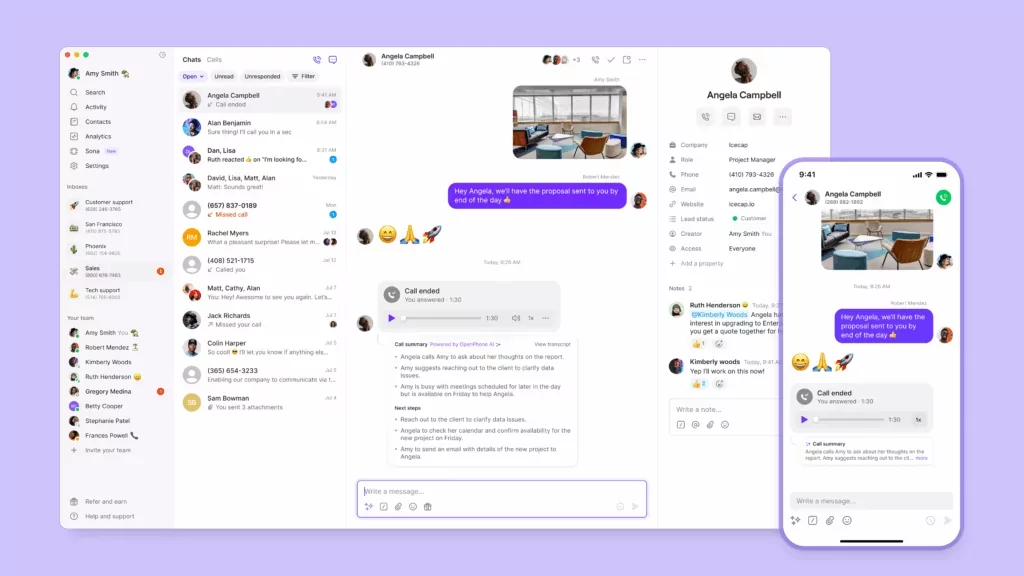
Medical office phone systems help improve patient communications for dental practices. You can use them to reduce no-shows and cancellations while keeping patient information safe. Plus, they come with features that help manage day-to-day tasks as your practice grows.
Quo helps dentists manage patient communications at scale. Customers on our Business and Scale plans can use Quo in a HIPAA-compliant manner after signing a BAA. Safeguards include:
- Encrypted storage for calls, voicemails, and messages that remain within Quo’s infrastructure
- Access controls and audit logging
- Secure session management and automatic timeouts
You’ll also have access to ring groups, shared phone numbers, and our AI voice agent, Sona. Your staff can download Quo on their tablets, computers, or phones. Then, they can use local and toll-free numbers to make unlimited calls and texts in the US and Canada as a team.
See why growing dental offices switch to Quo with a free seven-day trial.
FAQs
A “good” VoIP phone system for dental offices depends on your practice’s specific needs. Quo is the best HIPAA-compliant VoIP system for dental offices that need encrypted communication, collaboration tools, and easy-to-use software.
A dental office phone system is a cloud-based phone service that offers call, text, and voicemail support. It follows HIPAA regulations for data storage and transmission. Plus, it comes with features like automated routing and practice management software integration.
Dental receptionists use Practice Management Systems, or PMSs, for billing and scheduling. They also use patient engagement software to automate reminders, send intake forms, and get paid. Above all, dental receptionists need a reliable phone system to manage incoming calls, texts, and voicemails.
Office phone systems range from $15 per user per month to more than $40 per user per month. For example, Quo’s VoIP system starts at $15 per user per month. Medical office plans start at $23 per user per month. Each plan comes with unlimited calling and texting, shared numbers, and call and voicemail recording.
You can reduce patient cancellations and no-shows by:
-Sending timely appointment reminder texts and confirmations
-Charging deposits
-Creating and enforcing a cancellation policy
-Making it easy to reschedule
-Providing excellent patient experiences that make people want to show up
Dental office phone systems offer features like texting, appointment reminders, and voicemail transcriptions. That way, patients can communicate with you however they prefer. Some systems also have AI agents that help patients book appointments after hours.
Texting by default isn’t HIPAA compliant because standard SMS doesn’t meet the security requirements mandated by the HIPAA Security Rule. You can still send doctor appointment texts in a HIPAA-compliant manner if you implement safeguards, like obtaining patient authorization and limiting PHI to the minimum necessary.
You can keep your existing office number by porting it to Quo. This typically takes 5-10 business days. We’ll give you a temporary number to use in the meantime, then notify you when the port is successful.