Landlords wear a lot of hats — maybe too many. From rent collection to maintenance, safety, and tenant screening, it can be tough and time-consuming to do it all without clocking 60+ hour weeks.
If you’re tired of doing this all on your own, or if you’re dealing with increasingly limited resources, it’s time to look into some landlord apps. The best ones come with dozens of automations so you can reclaim that coveted work-life balance.
But how do you know which apps are worth downloading? And which ones aren’t that useful?
Good news: we’ve done the heavy lifting for you. Below, we break down the most useful landlord apps and explain what each one is best for, so you can find the right fit for your business.
At a glance: Best landlord apps
Below is a side-by-side look at the best landlord apps. Here’s what each tool does best:
| Software | Why landlords choose it |
|---|---|
| Quo | Business phone system that keeps personal numbers private and centralizes team communication with tenants |
| Apartments.com | Collects rent directly through the platform where properties are already listed |
| Landlord Studio | Tracks income and expenses with automated accounting for landlords moving away from spreadsheets |
| Rentec Direct | Affordable software with reporting and tenant portals, plus a two-week free trial |
| Stessa | Tracks rental finances and generates reports across multiple properties |
| Property Matrix | Enterprise-level accounting built for landlords managing large, complex portfolios |
| Avail | DIY platform that gives tenants online access to payments and leases while landlords stay hands-on |
| AppFolio | Handles maintenance tracking and day-to-day operations for teams managing many units |
| Rentmoji | Automates tenant screening to reduce manual application reviews |
| TurboTenant | Provides state-specific lease agreements and tools to create compliant rental documents |
Comparing the best 10 landlord apps
Next, we’ll break down each landlord app in detail. We’ll cover what it’s best for, how it works, and where it may fall short, depending on how you manage properties.
1. Quo: Best landlord app to communicate with tenants and contractors
Best for: Small and growing rental businesses
Starting price: $15 per user per month
G2 rating: 4.7 out of 5 stars across 3,000+ reviews
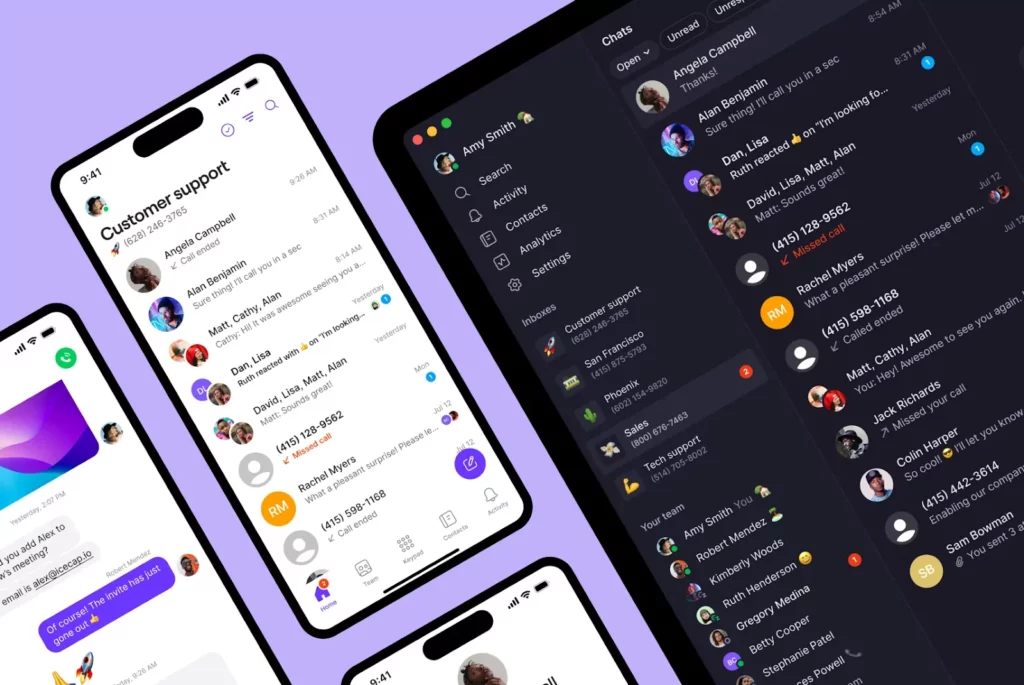
Quo, formerly OpenPhone, is the best business phone solution for landlord-tenant communications. You can manage rental-related calls and texts on the devices you already use, without sharing your personal number.
Quo provides unlimited messages in the US and Canada so you can connect with contacts almost anywhere in North America. Our VoIP software works via the internet, so you can make calls and send texts from anywhere with a WiFi connection.
Getting started with Quo takes 15 minutes or less. First, you can port your business number. If you don’t already have a dedicated business number, Quo also lets you purchase local numbers to manage properties in different regions.
Then, you can set up time-saving features like:
- Shared inboxes so your team can split responsibility for calling and texting
- Call recording and call transcripts to easily review the full conversation history in case you run into tenant problems
- Warm transfers to seamlessly hand calls from one teammate to another
- Internal threads to assign tasks to maintenance staff, vendors, and teammates
- AI voice agent Sona to automatically answer calls and take messages when you’re unavailable to pick up the phone
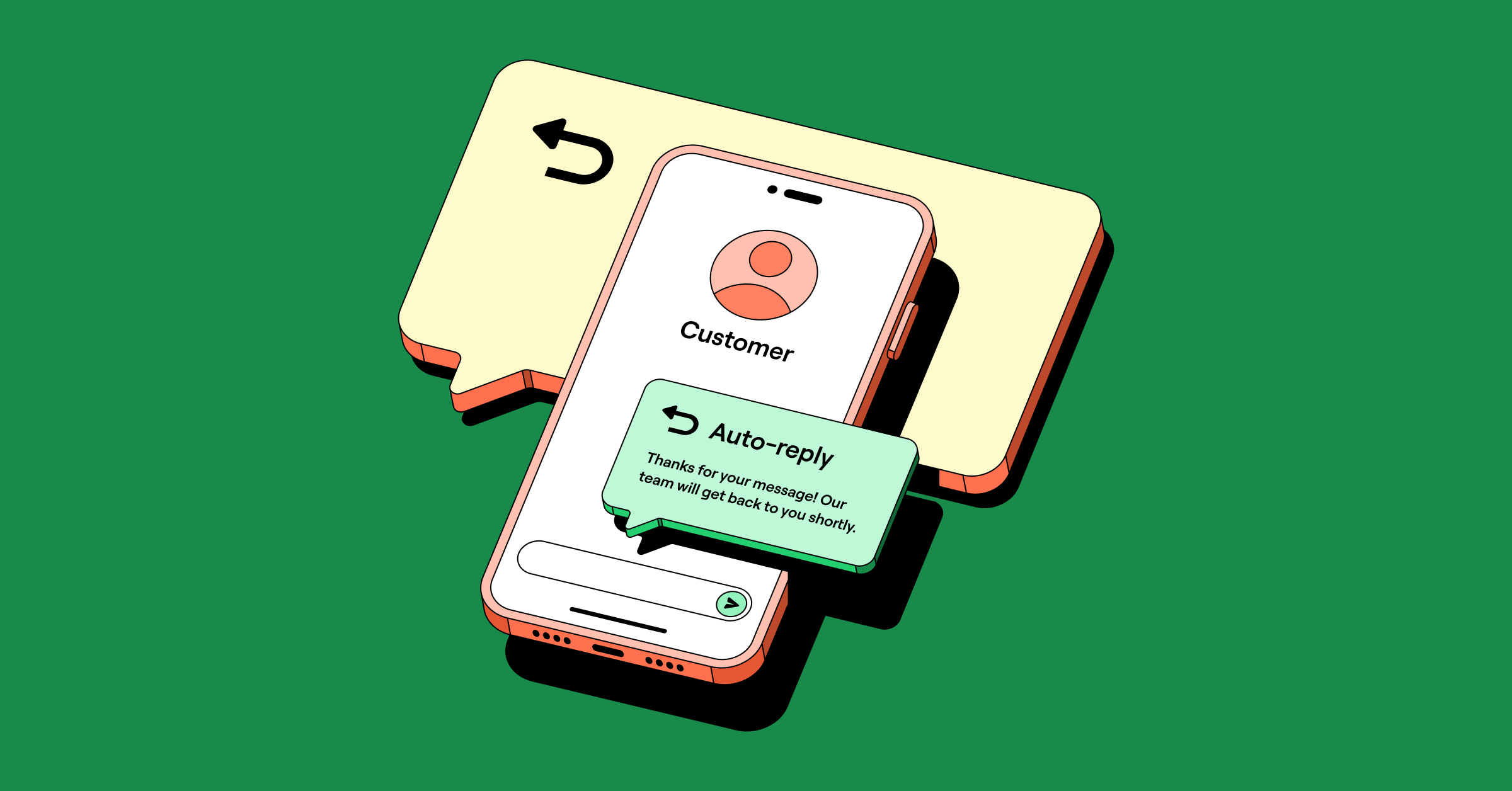
Looking to take more work off your plate? With Quo, you can save apartment text templates as snippets you can easily use to respond to common questions. Auto-replies can help you set expectations for when you’ll follow up after missing a call. You can also set up an emergency line for tenants after business hours using conditional call forwarding.
You can even text multiple tenants any property announcements using Quo + Zapier + Google Sheets. No need to write and rewrite the same message — Quo can help you set it and forget it.
Since Quo functions as a light CRM, you can also add custom properties to keep tabs on specific contacts. Say you manage a multifamily community that has issues with neighbor noise. You can track complaints, leave internal notes, and document context when dealing with difficult tenants.
Quo is the best business phone solution for on-the-go landlords. See how The Prime Company scales communications across multiple properties using Quo.
Limitations: No two-factor authentication*
*Nearly all virtual phone numbers share this problem. VoIP numbers aren’t tied to a physical device, like a SIM card, so they aren’t accepted by many services and websites for 2FA.
Key features of Quo
- Free calls and texts to anyone in the US and Canada
- One free US, Canadian, or toll-free number per user
- Shared phone numbers
- Auto-attendant with IVR
- Text message automations, like snippets and auto-replies
- Business hour settings
- Business app integrations, including Slack, Zapier, Google Contacts, webhooks, and email, come with all plans
- AI call summaries and transcripts
2. Apartments.com: Best landlord app to collect rent
Best for: Landlords that already use Apartments.com for listings and want to collect rent through the platform
Starting price: Pricing isn’t publicly available
G2 rating: 4.1 out of 5 stars across 30+ reviews
You’re likely aware of Apartments.com — it’s one of the biggest online apartment listing services, apart from platforms like Zillow. But perhaps what you didn’t know is that it also offers a rental collections service.
Apartments.com saves you time by automating monthly payments and late fees. Tenants only pay extra if they use a credit card, Apple Pay, or Google Pay.
But what tenants won’t love is the glitchy, confusing interface. Many previous users comment on the unintuitive tenant portal, which sometimes takes tenants hours to figure out.
Limitations: While pricing isn’t public, user reviews suggest it’s expensive
Key features of Apartments.com
- Collect rent, security deposits, and late fees
- Create lease agreements
- Credit and background checks
- Automatic monthly payments for tenants
- List vacancies and accept applications
3. Landlord Studio: Best app for tracking income and expenses
Best for: Property managers with 1–3 units who want to move away from using spreadsheets
Starting price: Free plan
Capterra rating: 4.9 out of 5 stars across 140+ reviews
Landlord Studio is a property management app for maintenance, rent collection, tenant screening, and more. Their most popular service is property accounting. It includes automated income and expense tracking to make reconciliations easier. You can:
- Securely connect bank feeds to automatically import transactions
- Integrate with receipt scanners and mileage trackers to maximize deductions during tax time
- Connect with platforms like Xero to round out your accounting stack
You can use Landlord Studio to manage commercial and residential properties. This can be a significant advantage if you manage a broad portfolio.
Just keep in mind the free plan only supports three units. It’s also not completely free — a $2.50 fee applies to each transaction.
Limitations: Can’t call tenants in-app and will need to pay for a second platform or use your personal phone
Key features of Landlord Studio
- Track expenses
- Tenant screening reports
- Account reports
- Automated lease expiry reminders, requires an upgrade
4. Rentec Direct: Best app for small portfolios
Best for: Landlords that need reporting and tenant portals
Starting price: $45 per month, can try out with a two-week free trial
Capterra rating: 4.6 out of 5 stars across 170+ reviews
Rentec Direct provides customizable management software to landlords, investors, and professional property managers. It’s also one of the most affordable options on this list, especially if you have less than 50 units.
But accessing Rentec Direct’s most valuable tools requires upgrading. For example, if you’re a property manager and want to give owners their own login portal, you’ll need to pay for the PM plan. The PM and Pro plans start at $45 per month. You’ll also need the paid plan to assign user roles to marketing and maintenance managers.
Another consideration: there are no in-app communication solutions for tenants. You need to pair Rentec Direct with a business phone if you don’t want to use your personal number for calls and texts.
Limitations: Learning curve to get started, and users report the app is clunky
Key features of Rentec Direct
- Owner and tenant portal
- Tenant screening
- Generates reports and ledgers
- Vacancy listings
- Maintenance management
5. Stessa: Best for automated rental accounting and reporting
Best for: Property managers who want a simple way to track their finances
Starting price: Free plan
Capterra rating: 4.6 out of 5 stars across 100+ reviews
If tracking income and expenses across your properties feels harder than it should, Stessa can simplify that part of your job. It lets you securely import, categorize, and organize expenses in one place, so you don’t have to juggle spreadsheets or multiple tools.
That said, Stessa doesn’t include maintenance tracking on every plan. To create and manage maintenance requests, you’ll need to upgrade to the Manage plan, which costs $12 per month. That plan also lets you upload photos to document repairs and property conditions.
Limitations: Users say some of Stessa’s features aren’t customizable. This includes fixed expense categories and how cash management accounts are sorted.
Key features of Stessa
- Document and receipt storage
- Advanced transaction tracking, requires an upgrade
- Mileage tracking
- Tenant autopay
6. Property Matrix: Best for enterprise property management
Best for: Landlords who own commercial properties with common areas
Starting price: Pricing isn’t publicly available
Capterra rating: 4.6 out of 5 stars across 30+ reviews
Property Matrix is designed for landlords managing larger or more complex property portfolios. For example, it offers enterprise accounting on its base plan, allowing you to manage financial reports across multiple units.
Keep in mind that Property Matrix doesn’t include its Common Area Maintenance feature on the base plan. This can be an issue if you need to split shared costs, like elevators or parking, across multiple units or tenants.
Bottom line: Property Matrix makes sense if you need enterprise-level accounting from day one.
Limitations: May not be suitable for landlords with a small portfolio of properties
Key features of Property Matrix
- Mobile app
- Bookkeeping
- Commercial properties
- Transaction History
7. Avail: Best for DIY landlords
Best for: Property managers with family-owned real estate investment properties
Starting price: Free plan
G2 rating: 4.8 out of 5 stars across 138+ reviews
Avail is a landlord app for managing rentals on your own. It’s a good fit if you want to stay hands-on instead of hiring a third-party property management firm.
One area where Avail stands out is the tenant experience. With 24/7 access to a tenant portal, renters can make rent payments online and sign leases at their convenience. That reduces back-and-forth and makes it easier to finalize new leases, even outside normal business hours.
Keep in mind that if you want to add custom questions to rental applications, you’ll need to upgrade. Paid plans start at $9 per unit per month.
Limitations: May not be ideal for time-sensitive issues, as some users say phone support can be hard to reach
Key features of Avail
- Online rent collection
- 24/7 tenant portal access
- Create a branded property website, requires an upgrade
- Get paid faster with FastPay, requires an upgrade
8. AppFolio: Best for managing maintenance
Best for: Landlords who have a large number of rental units to manage
Starting price: Pricing isn’t publicly available
G2 rating: 4.6 out of 5 stars across 840+ reviews
AppFolio is a property management platform used by teams managing investment properties. It centralizes communication with residents, investors, and owners in one system, so conversations aren’t scattered across email, text, and other tools.
On the maintenance side, AppFolio helps teams stay on top of requests. For example, residents can submit work orders through the app. Then, your team can easily track progress and updates so nothing slips through the cracks.
Limitations: Requires at least 50 units to sign up
Key features of AppFolio
- Multichannel support
- Resident, vendor, and owner mobile apps
- Bulk leasing tools, requires an upgrade
- Automated invoice processing
9. Rentmoji: Best for resident screening and certification
Best for: Property managers who don’t want to manually review every application
Starting price: Pricing isn’t publicly available
Capterra rating: 4.9 out of 5 stars across 10+ reviews
Rentmoji reduces manual work related to screening, paperwork, and rent payments. For example, Rentmoji can automatically run background checks on applicants.
Rentmoji also lets you store information digitally, like leases and financial records. This makes it easier to find later without dealing with paper files or digging through folders.
Where Rentmoji stands out compared to other landlord apps is its incentives feature. It lets you offer rewards for on-time rent payments, encouraging tenants to pay on time and creating a more predictable cash flow.
Limitations: The app covers the basics, but teams may outgrow it quickly as workloads increase
Key features of Rentmoji
- Click to pay for tenants
- Mobile app
- Reporting and analysis
- Automated property listings
10. TurboTenant: Best option with a convenient mobile app
Best for: Property managers who want legally compliant lease agreements for different states
Starting price: Free plan
G2 rating: 4.6 out of 5 stars across 60+ reviews
TurboTenant is designed to help you manage the entire rental lifecycle in one place, from finding tenants to collecting rent, and even getting guidance through the eviction process if needed.
One area where TurboTenant stands out is its state-specific lease agreements. Legal professionals draft these lease templates, ensuring you’re covered under your state’s rental laws and applicable federal laws. You can customize each lease with details like the property address, lease start and end dates, and fees.
To help protect you down the line, TurboTenant lets you create online condition reports. These reports document the state of a property, which can reduce “he said, she said” disputes when tenants move out.
Limitations: Users say payment processing can be slow, which can delay when funds reach your account and make cash flow harder to predict
Key features of TurboTenant
- Connected bank accounts
- Online condition reports
- Credit, criminal, and eviction checks
- Waived ACH fees, requires an upgrade
6 Key features to look for in a landlord app
After comparing property management software across different portfolio sizes, a few patterns become clear to us. Some tools handle communication volume well. Others start to break down as day-to-day work increases. Those differences point to a short list of must-have features.
Here are the six key features you should look for:
- Mobile app for on-the-go management. If you’re tired of feeling glued to your desk, you need landlord management tools that come with a mobile app. The best platforms also offer web and desktop apps so you can bring your work wherever you go. Solutions such as Quo even let you share a number with teammates so you can split responsibility for incoming messages.
- Built-in communication for better work-life balance. Landlords need tools to communicate effectively without exposing personal info. This way, you can seamlessly talk with tenants, prospects, contractors, and third parties, then switch to DND when you’re ready to punch out for the day. You also need a way to hand off conversations so other team members can pick up where you left off. Quo’s internal threads are an easy way to do this. All you have to do is tag their name in a conversation.

- Automation capabilities. There aren’t enough hours in the day to cross everything off your list. Automations can help you do more in less time by eliminating repetitive tasks so you can direct your energy elsewhere. They save time on specific tasks like managing rental applications. For example, you can automatically update your CRM when a prospect submits an email application. You can also send automated texts, like rent reminders, follow-ups, and appointment confirmations. Not sure where to start? Check out our property management email templates.

- Easy to scale for future growth. Some landlord apps offer advanced features but come with huge onboarding costs that aren’t sustainable as you grow. A platform that offers plenty of integrations is a good sign. You want to connect as much of your stack as possible to make management not just simple, but enjoyable. By the way: your rental property management software should never be a roadblock to growth. If you notice inefficiencies piling up, it may be time to switch to another landlord app.
- Data analytics and insights. The right platforms help you track key performance metrics, analyze trends, and make informed decisions about future investment properties. Want to get granular with your communication data? With Quo, you can download a heat map showing your busiest call times or push updated contact data to your CRM.
- Compliance management. If your app lets you communicate with other individuals, it should also store records of past conversations. Keep in mind the platform you choose should adhere to compliance regulations. Quo, for example, is SOC 2 compliant.
Improve your rental management workflow with Quo
A good landlord app can put repetitive tasks on autopilot — but a great landlord app can handle so much more. You can streamline texts and emails, automatically collect rent payments, and split responsibility for calls and texts.
Speaking of: if you’re on the hunt for a better communication platform, Quo is one of the best systems out there. Property managers use Quo to automate repetitive tasks and build relationships with tenants.
Why not give us a try and confirm we’re a fit? Sign up for Quo’s seven-day free trial today.
FAQs
Most landlords use a mix of apps to handle different parts of the job, like collecting rent and staying in touch with tenants. As portfolios grow, calls and texts get harder to manage from a personal phone. That’s why most people eventually switch to an all-in-one business phone system like Quo. This keeps conversations organized and personal numbers private.
Property management software helps reduce manual work and makes information easier to track. It can simplify things like calling potential tenants, screening, and sending rent reminder texts.
Landlord apps usually focus on specific parts of the job, like collecting rent payments. Full property management software offers more tools to help you manage the entire renting process from start to finish. They can be useful for larger portfolios but may be harder to use.