
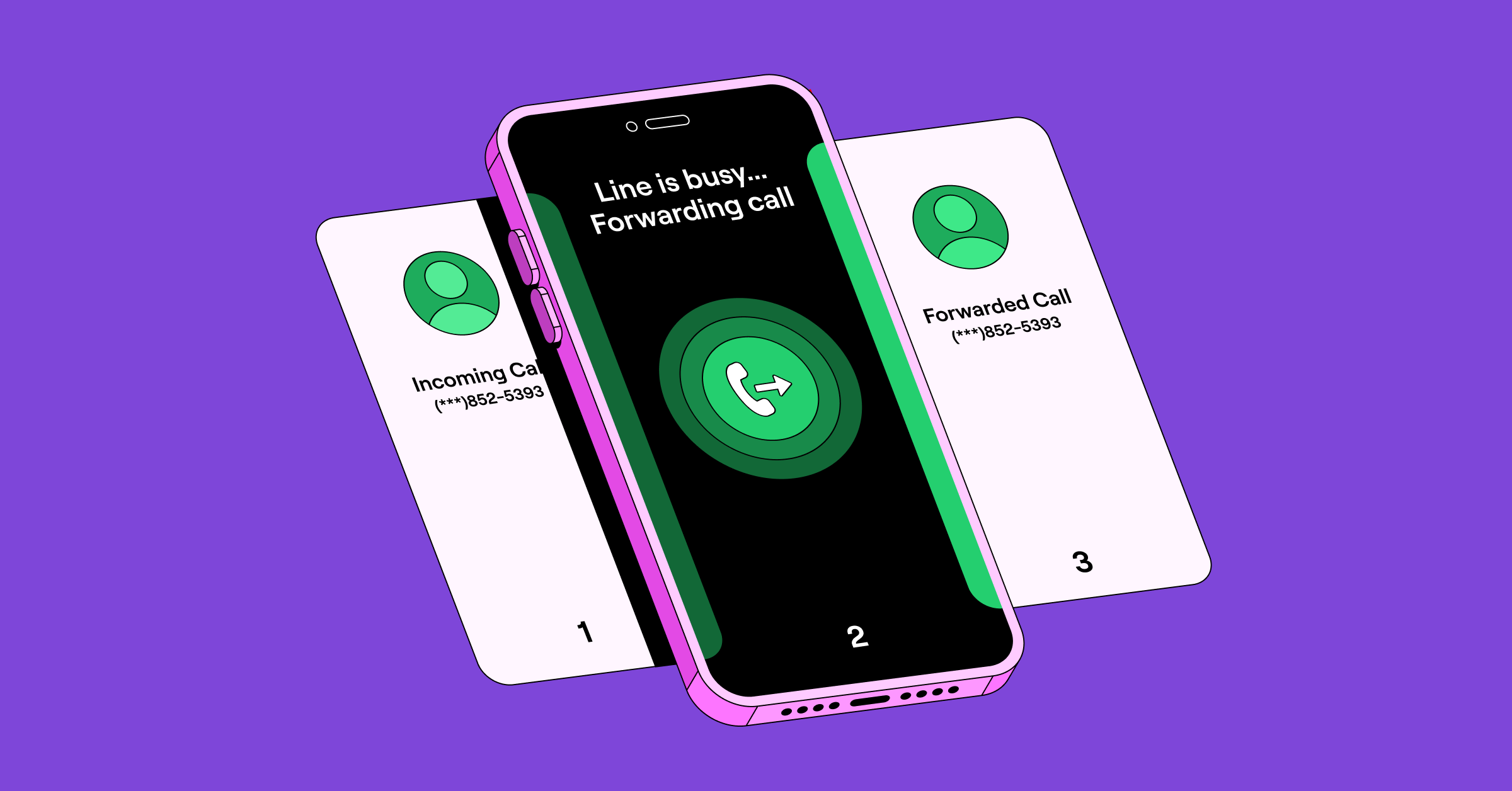
You know the feeling when you miss a call from a customer or prospect: it can potentially hurt your business. Maybe you’re not near your phone when the call comes in. Or you’re on another call. Either way, you wish you had a way to make sure no calls go unanswered.
One way to solve this problem is with conditional call forwarding — in other words, sending your calls from one phone number to another. We’ll walk you through the steps to set up conditional call forwarding from different devices, such as forwarding from a landline to a cell phone. Plus, we’ll show you an alternative that’s a lot simpler.
What is conditional call forwarding?
Conditional call forwarding is exactly what it sounds like: forwarding phone calls based on certain criteria. Alternatively, unconditional call forwarding would forward every incoming call to another number. This is usually activated by dialing *72 on your device.
However, each phone carrier has slight variations. There are three main types of conditional call forwarding you should know:
- Busy: Forwards the call when your line is busy
- No answer: Forwards unanswered calls after 3–6 rings
- Unreachable: Forwards the call if your phone is off, has no signal, or is in airplane mode
Conditional call forwarding gives you more control than forwarding all calls. For example, you might want to forward calls to a different phone number if you’re busy, also known as busy call forwarding.
If it’s outside of business hours and you don’t answer, you may prefer to send calls to voicemail. Alternatively, you may want to forward calls to an emergency phone number or an answering service. Conditional call forwarding allows you to handle these scenarios differently.
How to set up conditional call forwarding
For the major US phone carriers, you set up call forwarding by dialing the “star” (*) on your keypad, followed by a code that identifies the type of forwarding.
The chart below shows you how to activate and deactivate call forwarding, depending on your carrier. This applies to both landlines and mobile phones.
| Phone provider | Feature | Activate | Deactivate |
|---|---|---|---|
| Verizon | No answer or busy call forwarding | Dial *71, then the 10-digit forwarding phone number. Listen for a series of beeps, then wait for the call to end automatically. | Dial *73. Listen for a series of beeps, then wait for the call to end automatically. |
| AT&T | No answer call forwarding | Dial *92, enter a forwarding number, then press # | Dial *93# |
| Busy call forwarding | Dial *90, enter a forwarding number, then press # | Dial *91# | |
| Safe call forwarding during an outage | Dial *372, enter a forwarding number, then press # | Dial *373# | |
| Exclusive call forwarding, select calls to another number | Dial *63# and configure up to 20 numbers in the online portal | Dial *83# | |
| T-Mobile | No answer call forwarding | Press **61* then 1+phone number# | Press ##61# |
| Unreachable call forwarding | Press **62* then 1+phone number# | Press **62* then 1+phone number# | |
| Busy call forwarding | Press **67* then 1+phone number# | Press ##67# |
For other phone carriers
If you don’t have service with a US cell carrier, you can still set up call forwarding on an Android device. To do this on an Android phone, do the following:
- Launch the Phone app.
- Select the three-dot menu in the top-right corner, then choose Phone Settings.
- Choose Supplementary services.
- On Pixel phones, tap Calling accounts, then select the right SIM card.
- Choose Call forwarding.
- Turn on the options for call forwarding and add the numbers you’d like to forward calls to:
- Always forward
- Forward when busy
- Forward when unanswered
- Forward when unreached
6. To deactivate call forwarding, go to Phone Settings and turn off the option you chose.


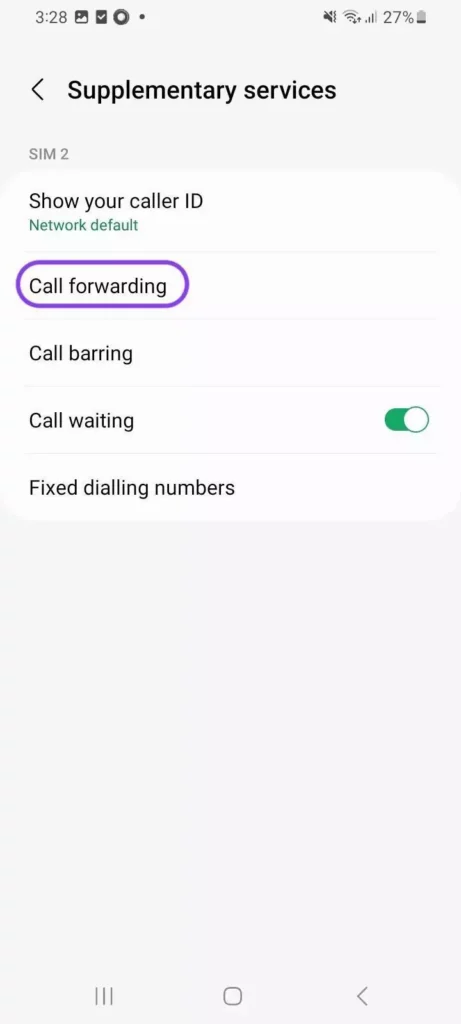

💡 If those steps don’t work for you, open Phone Settings. Then search for Call settings and select Call forwarding.
Unfortunately, the iPhone doesn’t support conditional call forwarding. Instead, it only lets you set up unconditional call forwarding.
How conditional call forwarding helps your team stay connected
Conditional call forwarding steps in when you can’t answer. It redirects calls to a teammate or backup number so your business stays responsive.
Here’s how it supports your day-to-day communication with callers:
- Prevents missed calls that could cost you revenue: When every call reaches someone who can help, you’re less likely to lose potential business because a call went unanswered.
- Keeps callers from waiting when you’re tied up: If you’re already on the phone, new calls can redirect to a teammate so no one sits on hold.
- Covers you after hours: Forward calls to voicemail or a number that’s monitored so people can still reach your business outside your normal schedule.
- Protects you when service is spotty: If you’re traveling or working remotely and lose signal, calls can automatically go to someone with better coverage.
- Helps during busy or short-staffed days: Route calls to whoever’s available to keep wait times low and share the workload evenly.
- Keeps you reachable during outages: If your phone or network goes down, forwarding to a backup number helps your team stay responsive while you troubleshoot.
Conditional call forwarding is useful, but it can only take you so far. A virtual number gives you more control and more reliable routing as your business grows. Before you set everything up, it’s worth understanding where your carrier’s call forwarding options fall short.
5 limitations of your cell phone provider’s call forwarding feature
Conditional call forwarding is better than forwarding all business calls. But there are some scenarios that your phone or a free call forwarding app can’t handle. Depending on your business, you might find these limitations annoying at best — and unworkable at worst.
1. You can’t separate work and personal calls
When you receive a forwarded call, nothing indicates the call was forwarded. It looks like any other incoming call.
You may find yourself in situations where you don’t want to answer a business call. But you’d be willing to answer personal calls, such as incoming calls in the evenings or on weekends.
Plus, if you accept the forwarded business call and it’s dropped, you’ll have to return it from your personal device. Now, you’ve exposed your personal number to the caller, which may be something you don’t want to do.
2. You can’t schedule call forwarding for specific times
Activating and deactivating conditional call forwarding is a manual process. If you want to forward calls to another person outside your working hours — like to a team member in another time zone — you’d have to do this every day. You can’t set a specific schedule for conditional call forwarding.
3. You need to be connected to your cell service
In order to receive forwarded calls on your personal cell phone, you need to have cell service. Otherwise, your call forwarding device would also be unreachable. Conditional call forwarding may not work if you’re in a rural area or traveling internationally. It can also potentially not forward calls conditionally if you don’t have the device you wish to forward calls from.
4. You can’t record incoming calls
Recording tools are common for business calls, so calls and transcripts can be reviewed later. You can’t easily record calls that are forwarded from another number.
If you’re a Quo customer, you can see all call recordings, texts, and voicemail transcripts stored within a single view for a contact. This allows everyone on your team to instantly access a customer’s conversation history.

5. You can’t work with a team to answer incoming calls
Let’s say you set up conditional call forwarding so that unanswered calls ring your personal cell phone. If you’re not available to take the call on your cell phone either, the caller would have had to listen to a lot of rings — and still has to leave a message.
Advanced call routing technology is better than conditional call forwarding. Call routing directs calls to the most appropriate person on a team based on a series of rules. If a call comes in and you don’t answer, call routing can send the caller to another team member rather than another cell phone number. In that scenario, the most appropriate person is someone who’s available.
Business phone systems like Quo don’t even require a physical phone: calls are answered through the app — desktop, web, or mobile.
With Quo, you can also set up a custom ring order. If you’ve set up shared numbers used by several people on the team, the ring order determines who receives the call first.

You can add additional context to every call in Quo with internal threads. Threads lets you tag team members to ask questions and leave notes about customers.
Virtual numbers: A better way to do conditional call forwarding

Call forwarding is often necessary if you don’t want to miss important phone calls and more effectively manage call overflow. But the way it’s handled by most carriers is clunky. They often can’t manage many business-specific scenarios that come up.
Instead of relying on a traditional phone carrier, a virtual phone number gives you more options. It’s easier to configure call forwarding, call routing, or a custom ring order using a simple on-screen interface. You can handle your incoming calls in a truly conditional way, rather than the on-or-off options of phone carriers. Plus, as long as you have WiFi, you can use a virtual number from anywhere.
Additionally, virtual numbers are much more affordable than bundled carrier plans. For example, AT&T’s business phone and internet plans start at $85 per month. Plus, you’ll have to pay $15 per number per month for your first business number and $24 per number per month for every additional number. In contrast, Quo’s plans start at $15 per number per month.
If you need to set up call forwarding for your Quo phone number, you can do it in a few simple steps.
How to set up conditional call forwarding in the Quo desktop or web app
Advanced inbound call handling that lets you forward calls based on specific conditions is available on our Business plan. To get started in the desktop or web app, click on Settings from the left-hand menu.
- In the Workspace section, click on Phone numbers.
- Choose the specific phone number you wish to enable call forwarding for.
- If you haven’t already, add your business hours.
- Scroll down to the Call flow section and click Edit call flow.

- From here, you can use the Quo call flow builder to drag and drop different call flow steps during and after business hours. For example, if you wish to forward all calls outside your business hours to another number, drag and drop the Forward call step below After hours. Then select Pick a phone number and enter the number you want calls to be forwarded to.
- You can also use the call flow builder settings to drag and drop a Forward call step to any part of your call flow. For example, you can route calls to an external number based on a phone menu option callers select. To learn more about the call flow builder and your different options, check out our guide to setting up the call flow builder.
Upgrade your business calls with Quo
Conditional call forwarding from a phone carrier solves one problem — forwarding calls from one device to another. But it doesn’t address underlying issues. If a customer or prospect calls your business, they expect to talk to a person. If you can’t answer the forwarded call, you risk hurting your business.
Instead, use a phone system that routes calls rather than sending them down a single path with conditional call forwarding. With Quo, you can easily route calls to multiple people simultaneously or to an AI agent like Sona, rather than leave a message. That way, you aren’t missing out on potential customers for your business. With collaboration tools, your reps will have context for each call and won’t have to ask your customers to repeat themselves.
See how Quo can improve your business communication by signing up for a free trial.
FAQs
Standard unconditional call forwarding forwards every incoming call to another phone number. Conditional call forwarding forwards calls only in certain scenarios, such as when you don’t answer a call or you’re already on an active call.
Turning off conditional call forwarding varies by phone carrier. You’ll dial a star (*) or ## on your keypad, then enter a 2-digit code associated with the type of forwarding, followed by another #. Refer to the chart above for the steps to deactivate conditional call forwarding by carrier.
Quo gives you a few different ways to route calls during and after business hours. If a caller reaches you within business hours, you can:
– Route calls to a shared number that can have a set ring order
– Forward calls to an external US or Canadian number
– Automatically send callers to voicemail if no one’s available
– Play an audio recording that doesn’t provide the option to leave a message, but includes information such as an alternate way to reach you
Outside of business hours, you can:
– Set up an after-hours phone menu
– Automatically forward calls all after business hours to an external US or Canadian number
– Route callers to an away voicemail greeting
– Play an after-hours audio recording
It means your iPhone is forwarding calls only in certain situations, like when you don’t answer, your number is busy, or your phone has no signal. Your carrier is handling the forwarding in the background, so you may not see anything change on your screen while it’s active.
Most landline providers let you forward calls by dialing a short code. Then, you enter the mobile number you want calls sent to and press #. For many carriers, this is *72 followed by the mobile number. Once enabled, anyone calling your landline will be automatically redirected to your mobile.
The simplest option is to use a virtual number from a business phone system like Quo. You can log in on multiple devices and share the same number without swapping SIM cards or paying for extra lines. Everyone sees the same call history and messages, which keeps conversations organized.
– Vodafone: Dial **21* plus the phone number you want to forward calls to, then end with #. To turn it off, dial #21#.
– BT: Dial *21* plus the forwarding number, followed by #. To switch it off, dial #21#.
Yes, call forwarding is safe to use as long as you forward calls to a number you trust. Your carrier handles the transfer, so the call isn’t exposed to outside parties. Just be cautious about enabling forwarding to unfamiliar numbers since you’re giving them control of your incoming calls.



