Want to predict what your customers feel about your business? Maybe a customer you thought was loyal to your firm went to a competitor. Or maybe your team is growing fast, and you want to stay on top of your call volume.
If you want insights into your customer behavior in real time, you don’t need a data science team. You need sentiment analysis tools.
Sentiment analysis tools scan your customer conversations. They show how customers feel about your business. They help teams predict customer behavior, identify product opportunities, and track brand reputation.
If you’re looking for a sentiment analysis tool, we’ve done the heavy lifting for you. In this article, you’ll find the 13 best sentiment analysis tools for voice, text, and social media data, so you can get answers fast.
What is a sentiment analysis tool?
Sentiment analysis tools use AI and machine learning to determine how a person feels during a conversation. They can scan different types of customer interactions, including phone, chat, email, and social media. Then they assign overall sentiment scores like ‘positive,’ ‘negative,’ or ‘neutral.’
Not all sentiment analysis tools interpret emotional tones the same way. For example, Quo uses AI and natural language processing, or NLP, to analyze data gathered from call transcripts. Other tools scan for keywords like ‘frustrated’ or ‘satisfied,’ then assign customer sentiment scores.
There are different sentiment analysis tools for different types of businesses. For small businesses, some tools have dashboards and user-friendly features all in one place. For enterprises, some APIs can process large volumes of data in real time. Pricing for these APIs is typically usage-based, often calculated per 1,000 text records or characters.
What can you do with sentiment analysis tools?
Thanks to advancements in AI and machine learning, sentiment analysis tools have a variety of use cases. They can help you:
- Improve customer support. If you’re using a phone system with sentiment analysis, you can instantly label content in calls and see why customers are calling. That way, you can spot negative call drivers, like slow response times or repeated questions, and look for ways to fix them. Get actionable insights to fix them and improve your customer satisfaction in the process.
- Prevent churn before it happens. It’s not just what customers say but how they say it. Sentiment tracking picks up on subtle cues from unhappy customers, so you can follow up before they leave.
- Manage social media mentions. Worried your brand might be trending for the wrong reasons? Track public opinion and sentiment trends in real time. Respond to customer sentiment before a situation escalates.
- Build a better product. You’re already talking to customers, so why not use those customer insights? Sentiment data analysis helps identify how customers feel about your product. Spot dissatisfied users by running your own customer feedback analysis. Make data-driven decisions that influence your products and services.
- Perform market research. If customers are unhappy with a competitor’s service, you have an opportunity to win them over. Sentiment tools help you collect business intelligence at scale.
- Track brand reputation. Advanced brand sentiment analysis gathers customer reviews in one place so you can celebrate wins and address issues. No need to comb through forums or review sites.
13 best sentiment analysis tools
We broke the top sentiment analysis tools down into three different categories:
- Best for phone calls
- Best for text analysis
- Best for social media posts
13 best sentiment analysis tools compared
| Provider | Starting price per month | Standout feature | Best for |
|---|---|---|---|
| Quo, formerly OpenPhone | $23 per user | AI call summaries and transcripts, plus Claude and ChatGPT integration | AI-powered call and text analysis |
| Dialpad | $15 per user | Live AI sentiment scoring during calls | Call centers |
| Aircall | $30 per user, plus $9 AI add-on | Talk-to-listen ratio coaching | Sales coaching |
| SentiSum | $3,000 for 5,000 conversations | Theme detection across phone, email, and tickets | Multichannel insights |
| Lexalytics | Custom quote | Coverage for 30+ languages and dialects | Multilingual analysis |
| Medallia | Custom quote | Video analysis with facial expression detection | Video sentiment analysis |
| Google NLP API | Usage-based | Syntax parsing and entity recognition | DIY developers |
| Microsoft Azure | Usage-based | Native Microsoft 365 and Power BI integration | Unstructured data at scale |
| Brand24 | $149 | Emotion detection for joy, anger, disgust, fear, and admiration | Emotion analysis |
| Talkwalker | Custom quote | Listening across news sites, blogs, and forums | Multimedia mentions |
| Sprout Social | $199 per user, plus AI add-on | Custom spike alerts for sudden sentiment shifts | Notifications and alerts |
| Meltwater | Custom quote | AI-driven PR crisis detection | PR professionals |
| Brandwatch | Custom quote | AI-powered consumer research and image recognition | Enterprise social listening |
Best sentiment analysis tools for phone calls
Let’s start with tools for voice call sentiment analysis:
1. Quo: Best for AI-powered call and text analysis

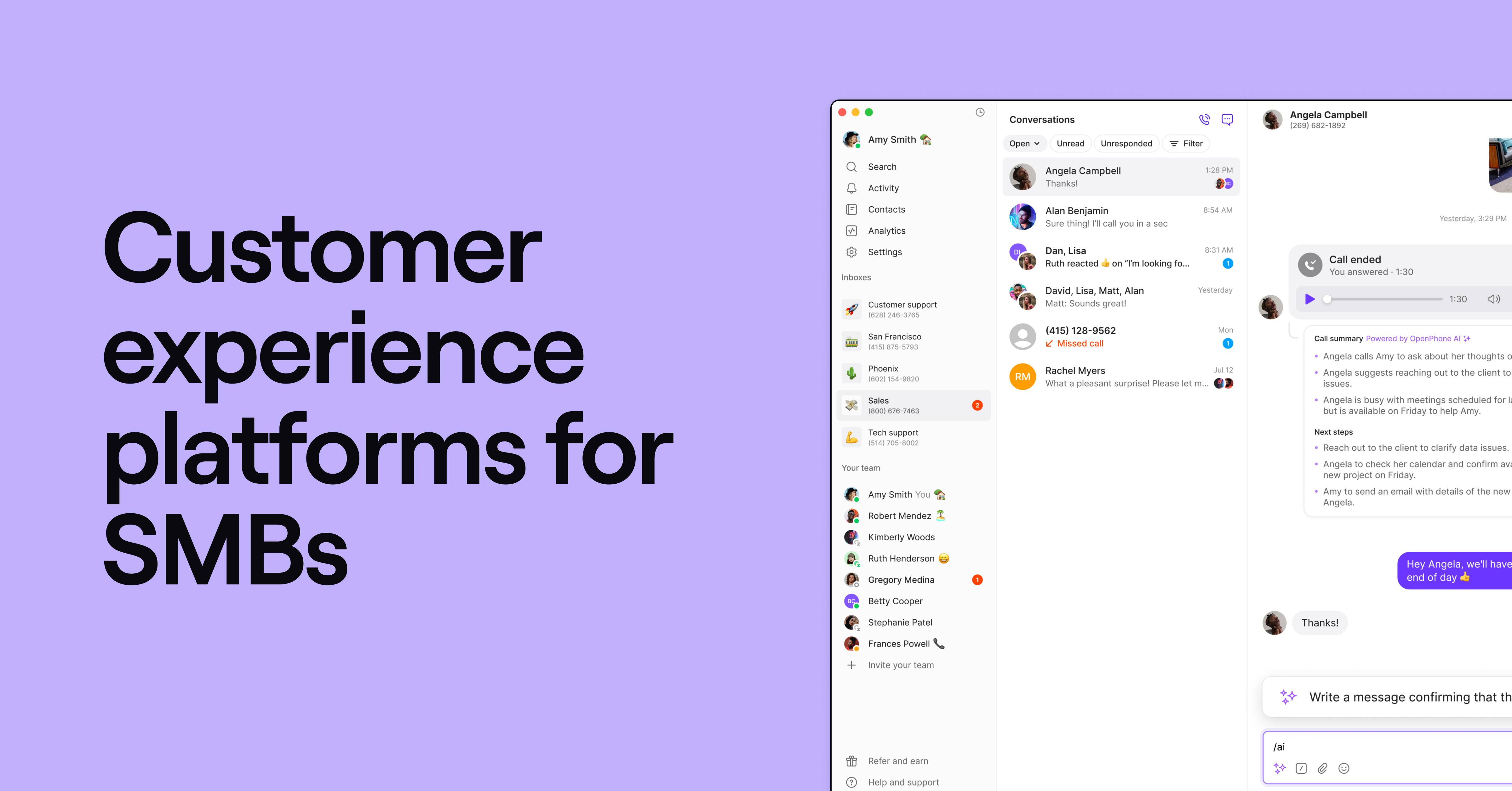
Quo is a user-friendly VoIP phone system designed to help small business owners build customer relationships at scale. Our AI-powered sentiment analysis tools let you tag, summarize, and organize calls. Get actionable insights you need to make better decisions for your team and customers.
Smarter call management with AI
Start by automatically recording your calls with Quo’s Business plan. Generate AI call summaries and transcriptions from your recordings. Summaries let you see what was discussed with customers at a glance. You can then connect Quo with your favorite AI tools like Claude or ChatGPT to instantly analyze your conversations. Here are a few sample prompts you can use:
Pull my last 100 messages on [my business phone number]. What are customers complaining about the most? Group the issues by theme and tell me how many times each came up.
Pull conversations from the last seven days on [my business phone number]. Identify the top three objections that came up and how our team handled them. Share the top three answers for how customers heard about us.
Pull my last 30 call transcripts on [my business phone number]. Flag any calls where the customer had to repeat themselves, the conversation went in circles, or the issue could have been resolved faster. What patterns do you see?
Get more ideas to use Claude and Quo. Check out our list of 23 Claude prompt examples.
You can also analyze your calls within your Quo workspace. With AI call tagging in Quo’s Scale plan, you can create custom tags that automatically categorize calls by topic or sentiment. Then, use call views to filter and review calls with specific tags, like ‘Billing’ or ‘Negative sentiment.’ This helps you identify recurring problems, making it easier to manage customer interactions.
Seamless integrations and automation
Need to connect the rest of your tech stack? Quo integrates with 9,000+ third-party platforms, including Make and Zapier. This makes it easier to automate specific touchpoints, like following up after a negative review.
But Quo offers much more than sentiment analysis. Our Business plan also comes with:
- Shared numbers so teams can share responsibility for calling and texting
- Shared team inboxes to keep contacts, messages, and sentiment tags organized
- Custom call routing features, like ring order, IVR, call transfers, and call forwarding
- CRM integrations with HubSpot, Salesforce, Attio, Pipedrive, and more

Sign up today for a seven-day free trial and experience the power of AI-driven business communication.
Pricing: Quo’s pricing starts at $23 per user per month for a Business plan with AI call summaries and transcripts
2. Dialpad: Best for call centers

Dialpad is a business phone system built for large contact centers. It offers two major sentiment analysis tools: call transcriptions and live AI sentiment analysis.
Unfortunately, Dialpad’s base plan only includes call transcriptions. For real-time sentiment analysis, you’ll need to upgrade to the Support or Sell plans, which can cost up to $150 per user per month. The base plan also has frustrating limitations, like no way to buy additional numbers or message customers outside the US and Canada.
Pricing: Dialpad’s pricing starts at $15 per user per month for call transcriptions
💡Related: Dialpad SMS limitations
3. Aircall: Best for talk-to-listen ratios

Aircall is a cloud phone service offering sales AI for sentiment analysis. You can purchase the AI add-on for $9 extra per user per month or use the AI voice API to customize your own solution.
Aircall includes built-in coaching tools such as talk-to-listen ratios and customer sentiment scoring. You can also track topics and competitor mentions using call recording AI tools.
But as mentioned earlier, Aircall’s AI tools aren’t included on any plan. You’re required to purchase add-on licenses for all sentiment analysis tools. Plus, advanced analytics and unlimited storage aren’t included in lower-tier Aircall plans.
Pricing:Aircall plans start at $30 per user per month, plus $9 per license for the AI add-on.
4. SentiSum: Best for multichannel insights

SentiSum is an analytics platform that uses AI to collect, analyze, and report on customer conversations. It integrates with multiple channels, including calls, texts, emails, help desk tickets, and surveys. It gathers all this data and identifies key themes behind customer emotions.
For example, SentiSum might flag a spike in customers mentioning long wait times to get appointments. You can use this data to adjust your team’s scheduling process or offer quicker service options to improve sentiment.
But compared to out-of-the-box solutions like Quo, SentiSum might be complex to set up. It can also be prohibitively expensive for small businesses if you have fewer than 5,000 customer conversations per month.
Pricing: SentiSum starts at $3,000 per month for 5,000 conversations
💡Related: How to use AI to analyze phone calls
Best tools for text-based sentiment analysis
These tools can analyze text from emails, messages, surveys, and more to extract valuable insights.
5. Lexalytics: Best for multilingual analysis

Lexalytics is a text analytics API that uses NLP and machine learning to analyze customer feedback, surveys, and other text data. It can also scan documents for sentiment phrases and themes so you can identify areas for improvement, like complaints about ‘slow service’ or ‘unflattering colors.’
Lexalytics is ideal for international businesses, with support for 30+ languages and dialects. This allows data analysts to process large volumes of text and extract insights in minutes.
That said, Lexalytics may be too complex for smaller teams without a dedicated analyst. Plus, pricing isn’t publicly listed, so be prepared for a potentially high price tag.
Pricing: Custom quote
6. Medallia: Best for video analysis

Medallia is a customer experience software platform that captures customer and employee feedback. . It offers AI-powered text mining to analyze feedback from surveys, product reviews, and support tickets. It also helps teams with market research, including online focus groups.
One standout feature is its video analysis capabilities. Medallia can timestamp key moments, flag negative sentiment, and analyze facial expressions.
However, setting up a system like this can be complex, and without an internal IT team, outsourcing setup could be costly. Pricing is also on the higher end, with no public rates available. You have to contact the sales team to get a quote.
Pricing: Custom quote
7. Google NLP API: Best for DIY

Google’s NLP API, also called Cloud Natural Language, is ideal for building customer feedback analysis apps. It delivers high-quality sentiment analysis. However, unlocking its full potential requires advanced coding skills.
Google’s NLP API also offers syntax parsing, entity recognition, and text classification. It also integrates seamlessly with third-party tools and workflow builders like Make.
But as you might imagine, Google’s Cloud Natural Language isn’t very plug-and-play. Similar to other API-based solutions, it requires deep technical expertise to set up. If you’re a smaller team or want a simple analysis tool, Cloud Natural Language is likely overkill.
Pricing: Varies
8. Microsoft Azure: Best for unstructured data

Like Google, Microsoft Azure is a cloud computing platform that offers an API for natural language processing. If your business manages loads of unstructured data, you can use Azure to monitor customer sentiment across platforms.
Azure works best for teams already embedded in the Microsoft ecosystem. Itseamlessly connects with Microsoft Excel, Power BI, and Teams. The downside? It requires extensive technical setup. Plus, pricing can get expensive fast for high-volume users.
Pricing: Varies
Best tools for social media sentiment analysis
You can use these tools for social media monitoring to capitalize on trends and deal with negative sentiments quickly.
9. Brand24: Best for emotion analysis

Brand24 offers real-time social media and web monitoring functionality. It detects, tracks, and analyzes mentions of your brand across the web. But its real claim to fame is emotion analysis, which detects specific emotions customers associate with your brand. Pinpoint whether your customers feel admiration, anger, disgust, fear, and joy when they think about your business.
With Brand24, you can set up alerts for negative sentiment spikes. You can quickly respond when more people than usual tag your brand on social media. It also helps you prioritize responses by influence score. You can address negative feedback from influential reviewers faster.
However, Brand24 doesn’t track as many historical metrics as its competitors. Users have also reported issues with the software’s ability to filter spam posts, which can skew your results or trigger false alarms.
Pricing: Starts at $149 per month
10. Talkwalker: Best for multimedia mentions
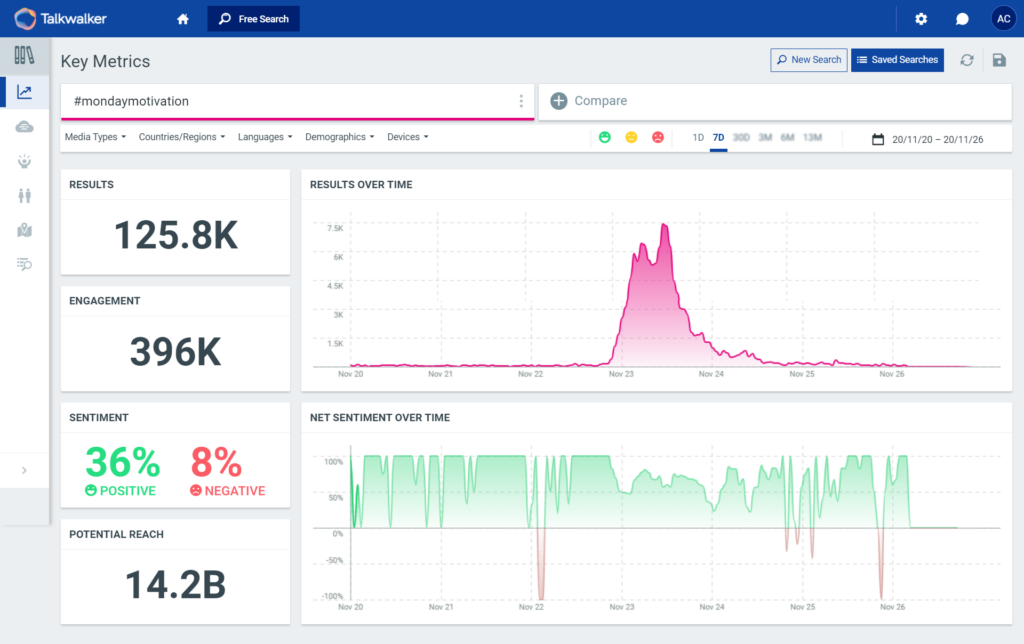
Talkwalker, which is a part of Hootsuite, is an intelligence platform for social listening and benchmarking. Hootsuite itself does offer sentiment analysis, but Talkwalker listens beyond social media. Think news pieces, blogs, and forum posts related to your business.
Want to see how your social media strategy stacks up against competitors? Talkwalker’s benchmarking tools let you compare performance against industry standards. That way, you can make adjustments to better align with your audience and avoid your competitors’ mistakes.
But you should know that Talkwalker doesn’t list its pricing online, and some users say it can be pricey for small businesses. If you’re looking for a more affordable social listening tool, Hootsuite might be the better fit. If you’re interested in what Hootsuite has to offer, it’s the next tool in this list.
Pricing: Custom quote
11. Sprout Social: Best for notifications and alerts

Sprout Social is a social media intelligence tool that uses deep learning algorithms to track customer opinions. One of its standout features is custom spike alerts. They notify you of sudden changes in volume or sentiment around specific topics or brand mentions.
Like Talkwalker and Brand24, Sprout Social lets you filter messages and posts by sentiment. You can prioritize responses to more urgent conversations. It also offers multilingual sentiment analysis. You can scan posts in multiple languages and respond thoughtfully to everyone in your market.
But Sprout Social is fairly pricey compared to other social listening tools. It’s also missing a few integrations compared to its competitors, including channels like Quora, Twitch, and Medium.
Pricing: Starts at $199 per user per month, plus add-on costs for AI
12. Meltwater: Best for PR professionals

Meltwater is a consumer intelligence company. It focuses on AI-driven brand monitoring and social listening. It’s designed to track user sentiment across social media, news, and blogs so you can keep a close eye on public opinion.
You can use Meltwater to predict and manage potential PR crises. For example, it can help you detect negative mentions of your leadership. You can also use it for positive sentiments, like capitalizing on successful marketing campaigns.
You should know that Meltwater doesn’t list public pricing, so you have to contact their team for a custom quote. Online reviewers warn it can be pricey for teams with basic monitoring needs, which means it may not be a fit if you’re only managing a few social platforms.
Pricing: Custom quote
13. Brandwatch: Best for enterprise social listening

Brandwatch is a consumer intelligence platform that pulls from over 100 million online sources. Its proprietary AI assistant, Iris, turns raw data into plain-language summaries. Then it surfaces patterns across millions of posts. Brandwatch also analyzes images, identifying objects in visual content shared about your brand.
Beyond sentiment scoring, Brandwatch has emotion detection. It can use sentiment analysis to identify six core emotions: anger, disgust, fear, joy, sadness, and surprise. You can pair this with automated alerts to flag spikes in volume or sentiment. You can then route relevant conversations to PR or customer service teams.
However, Brandwatch is built for enterprise brands and agencies with the budget and headcount to make it pay off. Pricing isn’t listed publicly, and users often note that the platform takes onboarding and dedicated analyst time to use well. If you’re a small business looking for a lighter-weight social listening tool, Brand24 or Hootsuite is likely a better fit.
Pricing: Custom quote
How to choose the right sentiment analysis tool
With dozens of analysis tools available in the market, it can be tough to decide which one is right for you. Here’s a handy evaluation checklist to help you choose the right sentiment analysis tool for your team:
- Channels. Which customer channels do you care about tracking? If you don’t have a big social media presence, then you don’t need a social media monitoring tool. However, if your customers primarily communicate with you over the phone, you should opt for a voice and text tracking solution.
- Ease of use. How much technical expertise does your team have? If you’re a small team that wears many hats, you probably don’t want to spend time building an API connection. Opt for tools that connect to user-friendly AI solutions like Claude and ChatGPT.
- Pricing. Analyzing your customer sentiment helps you optimize your customer experience. But a sentiment analysis tool shouldn’t break the bank. It isn’t an essential software solution like your website or your business phone. Plenty of sentiment analysis tools charge a premium for custom data sources and AI-powered features. Prioritize tools that offer sentiment analysis that match your budget.
- Integrations. Think about where your sentiment insights need to go. If you want them to flow into your CRM or trigger follow-up tasks automatically, integrations matter. Choose an analysis tool that can plug into your existing stack.
- Efficiency. Do you need a standalone sentiment analysis tool? Can you choose a platform that offers a different core capability and sentiment analysis as an additional feature? For example, Quo offers business phone communication, plus sentiment analysis of your conversations. Reduce context switching and data fragmentation in your stack.
Start analyzing customer sentiment with Quo

Know how your customers feel before they take actions that negatively impact your business. Get a sentiment analysis tool to understand your customers in real time.
If you’re a small and growing business looking to analyze phone calls efficiently, you might consider Quo — the #1-rated business phone system on G2.
Quo makes it easy to understand how customers are feeling with AI tools that organize calls by topic and sentiment in seconds. You can track common trends, dig deeper into customer emotions, and keep an eye on brand perception.
All that’s left is to peek behind the curtain.
Sign up today for our seven-day free trial to start analyzing customer sentiment in minutes.
FAQs
While free or low-cost tools like Hootsuite’s brand sentiment analyzer exist, they may not have extensive capabilities. Additionally, you may not have much storage for audio or text data. It’s better to invest in a tool like Quo with AI-powered call tags and transcripts that’ll help grow your business from day one.
You can implement sentiment analysis in Quo in just a few minutes:
• Sign up for a free trial of Quo’s Business plan.
• Enable automatic call recording and AI call summaries and transcripts in your settings.
• Connect Claude or ChatGPT to your Quo account.
• Ask Claude or ChatGPT questions about your customer conversations. You can also have these tools generate sentiment analysis reports that help you get a deep understanding of your customers.
Setting up AI call tags in Quo is just as easy:
• Sign up for a free trial of Quo’s Scale Plan.
• Enable automatic call recording and AI call summaries and transcripts in your settings.
• Enable and create your call tags.
Sentiment analysis accuracy depends on the tool, but some studies show sentiment analysis tools have accuracy rates between 86.9% and 89.9%. It’s always a good idea to have a human double-check AI-based sentiment analysis.
Most sentiment analysis tools offer coverage for English. However, there are a few options that offer multilingual sentiment analysis. For example, Quo’s AI voice agent Sona can have conversations in Spanish and French. Quo translates these conversations into English. You can then analyze this conversation data in Quo or in Claude to understand how these customers might feel about your business.
If you care about keeping customers happy, then sentiment analysis should be a no-brainer for your business. You can keep a finger on the pulse of customer opinions and maintain great customer relationships as you scale.