
Considering Quo as your business phone? Or just curious about our pricing plans?
If you’re evaluating which Quo plan is right for you, you’ve come to the right place.
In this article, we’ll break down how Quo’s pricing works, what Quo features are offered in each plan, and how to choose the right plan for you.
What is Quo?
Quo is an AI-powered phone system for small businesses that helps you build customer relationships.
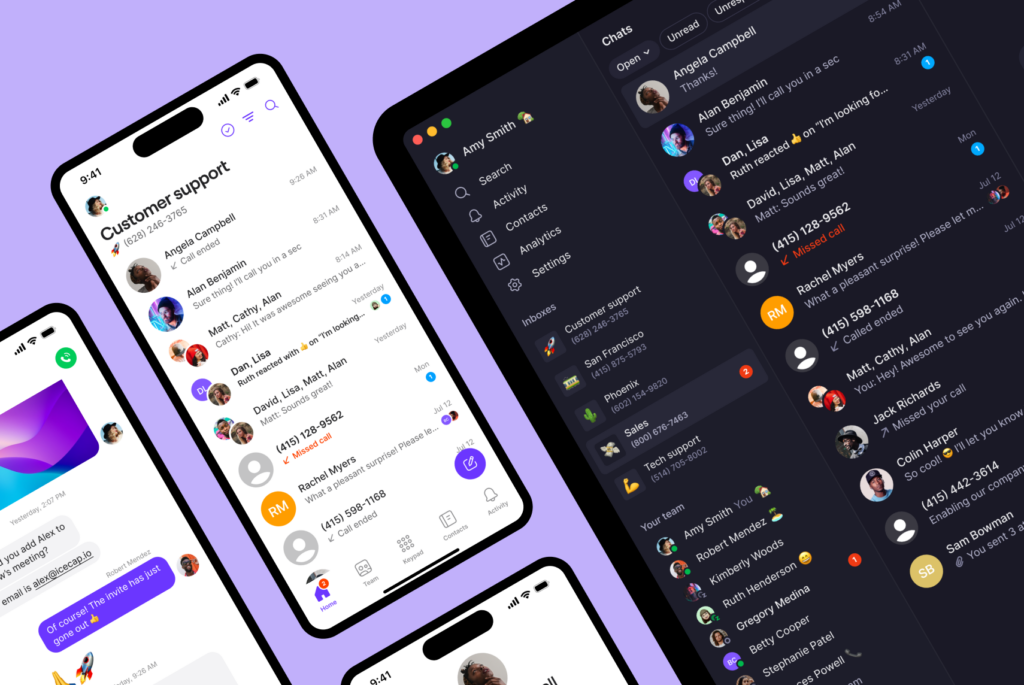
Shared numbers let you call and text customers as a team with full conversation history. Our AI virtual receptionist, Sona, answers calls 24/7 so you never miss an opportunity. Integrations with CRMs like Salesforce and HubSpot and productivity tools like Zapier and Make help your team work more effectively.
How does Quo pricing work?
Quo offers three plans: Starter, Business, and Scale. All three plans are billed on a per-user basis, which means you’ll pay for the number of people you add to your Quo workspace. And you can easily add additional team members as your company grows.
When you sign up for a free seven-day trial, you’ll be able to test the features on all three plans. If you would like help with finding the right solution for your team, reach out to our Sales team.
Here’s a breakdown of each Quo plan:

1. Starter: $15 per user per month (billed annually)
Quo’s Starter plan is perfect for small teams that want to get their business phone up and running. Here are the key features available in the Starter plan:
- One new local or toll-free phone number per user
- Unlimited calling and messaging to US and Canadian numbers
- Shared numbers
- On-demand call recording
- Voicemail transcripts
- Auto-replies, scheduled messages, snippets
- Internal threads
- Shared contacts and contact notes
- Option to automatically forward all calls to another US or Canadian number
- Email, Slack, Make, and Zapier integrations
- Free phone number porting
2. Business: $23 per user per month (billed annually)
Quo’s Business plan is designed for growing teams that want to get the most out of their business phone and need additional ways to save time and route calls. The Business plan includes all features from the Starter plan, plus:
- AI call summaries and transcripts
- AI contact suggestions
- Advanced call forwarding
- Phone menus
- HIPAA compliance
- Group calling
- Call hold
- Call transfers
- Ring order
- HubSpot, Salesforce, Jobber, Pipedrie, Attio, and Gong integrations
- Analytics and reporting
3. Scale: $35 per user per month (billed annually)
Quo’s Scale plan is designed for larger teams looking for more ways to take work off their plate. The Scale plan includes everything in the Business plan and:
- AI call tags
- Dedicated onboarding
- Priority chat and email support
- Inbound phone support
Optional add-on fees to keep in mind
In addition to Quo’s plans, there are a few more optional add-on fees you should consider. These add-ons depend entirely on your business’s needs and are not required to use Quo.
Texting registration fees
Due to emerging regulations pushed for by the large US cell carriers, you’ll need to register your local number first if you plan on texting customers in the US using a virtual phone solution. This is commonly referred to as A2P 10DLC registration. The 10DLC registration process ensures your messages are sent to your customers and aren’t blocked by carriers as spam.
While 10DLC numbers have registration fees, toll-free numbers are 100% free to register. Check out our guides to 10DLC registration and toll-free number registration.
All the fees required for your 10DLC registration are mandated by the US cellular carriers and The Campaign Registry, an independent third party responsible for managing the registration process. 100% of the fees mentioned below go to The Campaign Registry (TCR) and other third-party entities to help you register and stay in good standing with the US cell carriers.
Here’s a breakdown of the fees associated with 10DLC registration:

- Carrier review and setup fees: TCR collects a one-time $19.50 manual review fee to manually review the text samples and other campaign information you provide in your carrier registration application.
- Messaging fee: TCR charges a monthly messaging fee to businesses, depending on their classification. Here are the most common classification types for businesses:
- Low Volume Standard: $1.50 per month for businesses with an Employer Identification Number (EIN) that send less than 6000 SMS and MMS messages per day.
- Sole Proprietor: $2 per month for businesses without an Employer Identification Number (EIN).
- Non-profit organizations: $3 per month for non-profit businesses
- Resubmission fee: A $15 fee goes to our carrier partner if your application is rejected. Keep reading to find common rejection reasons and how to avoid them.
International calling and texting fees
Calling and texting to US and Canadian numbers is included with your Quo plan, but if you want to speak to customers outside those countries, you’ll have to pay per message or call.

Find out how much you’ll pay if you have customers abroad by referring to our international rate sheet.
Sona
Sona is Quo’s AI agent that ensures you never miss a call. It answers calls 24/7, provides immediate responses to common questions, captures key details from callers, and ensures every customer interaction is logged. You get 10 Sona calls free every month, included in your plan.
Need more? Sona plans start at just $25 per month for 50 calls, with additional tiers available as your needs grow.
| Tier 1 | Tier 2 | Tier 3 | Tier 4 | Tier 5 | |
|---|---|---|---|---|---|
| Sona tiers | Free | $25 per month | $49 per month | $99 per month | $199 per month |
| Included credits | 1,000 credits/10 calls | 4,000 credits/40 calls | 10,000 credits/100 calls | 25,000 credits/250 calls | 60,000 credits/600 calls |
| Overage rate per credit | $0.01 | $0.0075 | $0.0065 | $0.0055 | $0.0045 |
| Overage rate per call | $1.00 | $0.75 | $0.65 | $0.55 | $0.45 |
Additional phone numbers
Keep in mind that every user in your Quo workspace comes with one local or toll-free number. So if your workspace has three team members, you have three numbers you can use for different purposes.
If you still need to add numbers to your account, you can do it in minutes in your workspace settings. Each additional local or toll-free number is just $5 per number per month.
Automated text messages with Zapier, Make, or the API
Need to send automated appointment reminders, follow-up texts, or booking confirmation texts? Quo’s integrations with Zapier and Make let you easily automate your texting flows.

You can also automate specific touchpoints via text using the Quo API.
Each outgoing text segment sent via Zapier, Make, or the API will cost $0.01 on Quo.
Most popular Quo features
As you’re choosing the right Quo plan for you, here are some of the most popular features that can power effective communications for your business:
- Shared numbers: With shared numbers, your team can split responsibility for incoming calls and texts, reducing missed calls and unanswered texts.
- Snippets and auto-replies: Answer common customer questions in seconds with snippets. And with auto-replies, you can let customers know when you’ll get back to them if they contact you after business hours.
- Business hours: Give your team better work-life balance with business hours. Set up auto-replies and custom voicemails so customers know when to expect a reply, or set up an after-hours forwarding number when you need it.
- Ring order: Customize which team members receive incoming calls with ring order.
- Internal threads: Collaborate with your team in real time with internal threads. Whether it’s a voicemail or a text, you can tag members and keep your internal conversations in Quo.
- AI call summaries and transcriptions: Review dozens of calls in minutes with call summaries and transcriptions. Coach team members by highlighting specific conversations and never miss important details again.
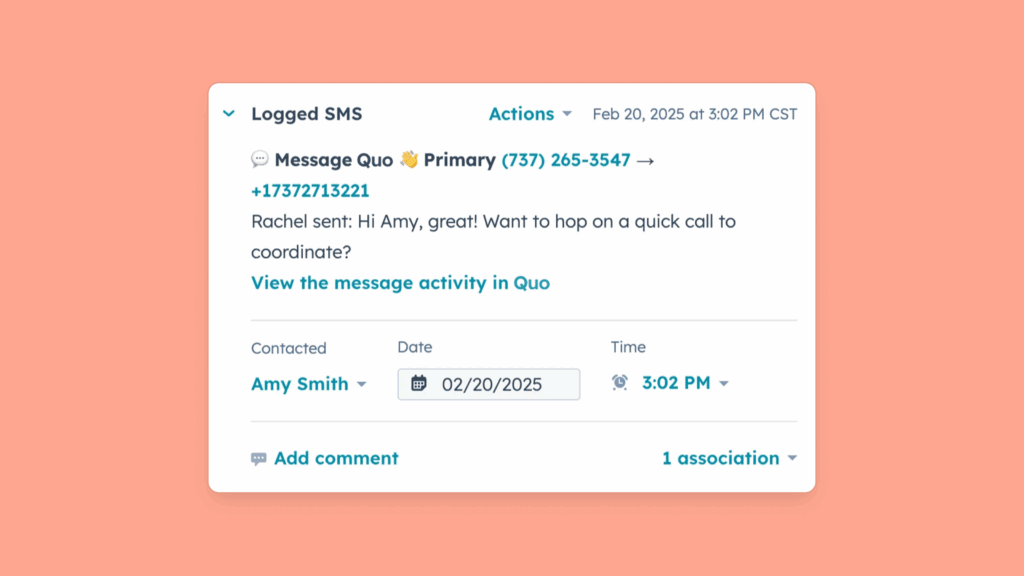
- Salesforce and HubSpot integrations: Bring your call and text data to your CRM with our native CRM integrations. Take work off your team’s plate by automatically logging calls and texts as they happen.
3 scenarios to help you choose the right Quo plan
If you’re still confused about which Quo pricing plan you should choose, here are a few ways to choose the right plan for you:
1. If your call volume isn’t that high → Starter plan
If you’re just getting started with your business, you might not have enough customers or team members to have high call volumes.
In that case, you won’t benefit from features like AI call summaries and transcriptions, phone menus, ring order, and analytics, so the Business plan won’t make sense for you. Get started with the Starter plan instead.
2. If you have an inbound sales motion → Business plan
Do you primarily field incoming sales calls that come to your business number? This is often the case with real estate agencies, law firms, or service businesses.
Inbound sales motions benefit from having a CRM to keep track of new customers. They also benefit from having call summaries so everyone can be on the same page.
CRM integrations and AI call summaries are available on Quo’s Business plan. You’ll be able to manage inbound sales calls easily and efficiently.
3. If you’re managing a support team → Business plan
Coaching is a crucial aspect of managing a team, but you won’t know how to coach someone without tracking how they’re performing.
With Quo’s analytics and reporting dashboard, you can measure team performance every month and see where a team member might have room to grow. For each number and user, the dashboard allows you to view the total outgoing and incoming calls and messages, the total time spent on calls, and the total number of unique conversations or cases.

Get started with Quo today
Quo’s pricing is designed to be simple, transparent, and easy for businesses to understand. There are no strings attached or infinite add-on fees to keep in mind. And unlike other VoIP solutions, we don’t limit toll-free calls, SMS messages, or your call recording storage.
Want to try out Quo for yourself? Sign up for a seven-day free trial of our Starter or Business plans.
FAQs
Quo’s annual pricing is:
• Starter plan: $15 per user per month ($180 per user per year)
• Business plan: $23 per user per month ($276 per user per year)
• Scale plan: $35 per user per month ($420 per user per year)
You can get as many numbers as you want through Quo. Each user gets one local or toll-free number when they sign up, and you can add additional numbers to your account for just $5 per number per month.
Quo’s free trial runs for seven days after you sign up for an account. Here are some details to keep in mind with the free trial:
• Texting is not offered on the free trial because it requires you to register your number first.
• International calls and texts aren’t offered in the trial.
• If you add more numbers than the total number of users in your workspace, your trial will end and you’ll have to sign up for a paid account.
• We’ll send you an email before your trial ends so that you can decide whether or not you want to continue using Quo.
You can try Quo for free with our seven-day free trial. After that, you can continue using Quo by paying for one of our plans.
You’ll have full access to all of Quo’s advanced features during your 7-day trial, no matter which plan you selected at signup. After your trial ends, you’ll have access only to features included in your chosen plan. You can change your plan anytime in Settings → Billing.