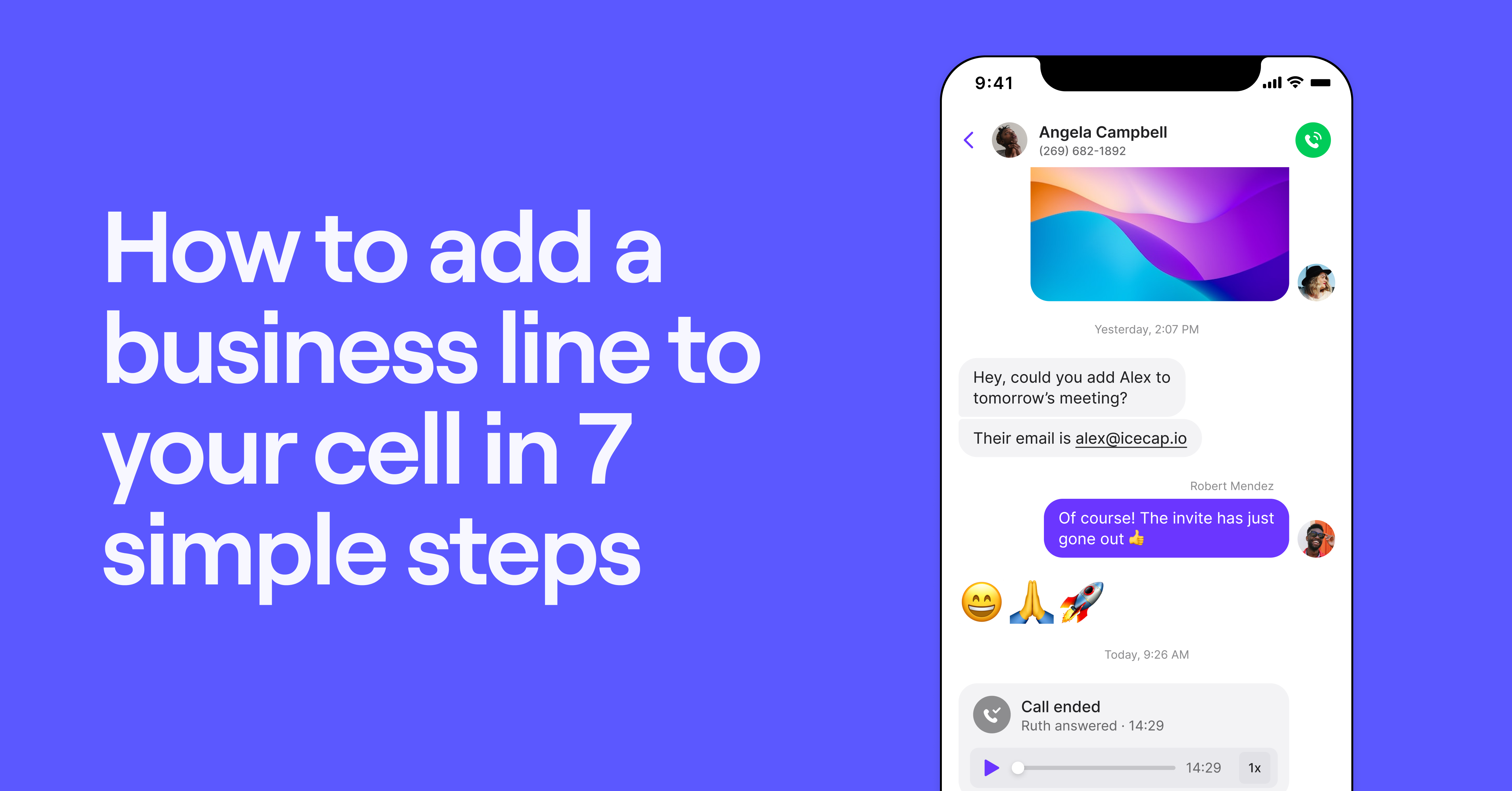
Wondering if you can have two phone numbers on one phone? Luckily, it’s possible — and the process is simpler than you might think. You don’t need an extra cell phone or a device with a dual SIM card to get another phone number. You just need the right virtual phone provider.
We’ll guide you through the two simple steps to get a second phone number on your current mobile device, whether you’re looking for a second phone number for iPhone or Android. Then, we’ll dive deeper into how your second number will work.
Can you have 2 phone numbers on one phone?
Yes, with most Voice over Internet Protocol or VoIP systems, you can set up more than two phone numbers on one phone. VoIP solutions like Quo, formerly OpenPhone, let you add multiple numbers to your existing device without the need for a second SIM card or a dual-SIM phone. This feature is particularly useful for separating your personal and business communications.
Quo offers iOS and Android apps that your team can use to access your business phone numbers. Make and receive phone calls, send text messages, and work with your team on a simple platform that helps you grow your customer interactions. If you need to multitask when you’re in the office, you can use our Mac, Windows, and browser apps to get more work done while you’re on the phone.
Want to let your customers know when you’re calling them? Assign a business caller ID to each of your phone numbers in your Quo account settings. Your customers will have confidence in who’s calling them instead of worrying about spam or robocallers dialing their number.
Compare this easy, flexible option to purchasing a physical dual SIM phone, which is a type of device that can also support two numbers. Unlike VoIP phones, phones with dual SIM cards limit you to two numbers only, and you typically need to buy separate plans from your carrier for each.
How to get 2 phone numbers on one phone in 3 steps
Get two phone numbers on one phone in minutes by signing up for a VoIP service like Quo. This allows you to access a VoIP phone number, which you can use to make and receive calls using an app on your mobile phone and computer.
Here’s how you can get two phone numbers on one phone with Quo:
Get a second phone number in minutes

1. Create a Quo account
Start a free seven-day trial and confirm that Quo is a great fit for you. Verify your account with an existing phone number and your credit card information. Your card won’t be charged until the trial ends, and you can cancel at any time. We’ll even send you a heads up via email in case you change your mind.
See how easy it is to create an account below:

2. Pick your phone number
We’ll automatically suggest a new number, but you can also tap Pick a different number to choose from any available US, Canadian, or toll-free number. Want to move an existing phone number to Quo? You can port a number right from the web or mobile desktop.
3. Download the mobile app
Head to the App Store for iOS or Google Play Store for Android to download the Quo app on your phone. Once you’re in, you can start using a new business line without needing a different phone.
Even after you add a business line to your cell phone, your personal phone number will still be tied to your device. Your business number will be connected to your VoIP account and WiFi, so you won’t incur extra charges from your carrier.
6 Reasons why you may need two phone numbers on one phone
Still wondering why you need two phone numbers on one phone? Having multiple numbers on one device makes it easier to manage your personal and work communications simultaneously. It also offers multiple additional benefits if you’re managing a growing business:
1. You don’t want to carry another phone
Carrying a separate phone for work is just plain annoying — one more thing to charge, keep track of, and lug around. With a second number on a single device, you get all the benefits of two lines without the extra bulk.
With a VoIP phone system like Quo, you can also implement a Bring Your Own Device or BYOD policy so that your team can use their preferred devices for work. You can assign each team member a dedicated phone number without having to purchase physical SIM cards.
2. You need to separate personal and business calls
With a VoIP system, you can clearly see when an incoming call is coming to your work phone number. This helps you answer professionally when calls are for business.

Quo will display text that says “Quo Audio” alongside the Quo app icon for your VoIP calls. If you have multiple phone numbers in your Quo account, you can also add a name and emoji to each inbox. That way, you can easily keep on top of which number your callers are attempting to reach.
3. You need to maintain a better work-life balance
If your customers call your personal phone number outside of business hours, it may be difficult to maintain a work-life balance. A second number lets you set clear boundaries so you can unplug and take personal calls without worrying about missing important work calls.
Plus, you can route calls based on your availability. Set up business hours call routing so you can take calls during working hours and route them after hours. Direct calls to our backup call forwarding options, including an AI answering service, custom voicemail, and SMS auto-replies.
4. You need to prioritize security
Sharing your personal mobile number for business can expose you to unwanted calls, spam, or security risks. A second number helps protect your privacy and keeps sensitive business communication separate from your personal life.
5. Your team needs to collaborate on calls and texts
If your team can’t access the personal phone number that your business contacts call, they can’t work together to solve customer issues. With a secondary number, multiple team members can respond to calls and texts, improving customer support and efficiency.
6. You need to access complete conversation history
Quo keeps all customer communication in one place with a dedicated business number. Call transcripts and AI-generated summaries with next steps make it easy to review conversations and follow up effectively.
VoIP vs dual SIM phones: What’s better?
If you’re looking for ways to add another number to your phone, you have two options: VoIP phones and dual SIM phones.
Here’s an overview of the differences:
| Virtual number app | Dual SIM phone | |
|---|---|---|
| Number of lines | Unlimited | Two only |
| Monthly cost | Starts around $15 per user per month | Varies based on separate carrier plans |
| Hardware needed | Any smartphone or laptop | Dual SIM compatible device |
| Team number sharing | ✅ | ❌ |
| Business features | Simultaneous ring, auto-attendants, call recording, AI summaries, CRM integrations, and more | Basic calling/texting only |
| International calling | Affordable VoIP rates | Standard carrier rates |
| Battery impact | Minimal | Higher — two active networks |
| Setup time | Minutes | Requires unlocking/setup |
A dual SIM phone is a mobile device that has the option for two SIM cards. Each SIM card connects to its respective mobile network; you can choose to make calls from your second SIM card. Different carriers like Verizon, AT&T, and T-Mobile also offer eSIMs that you can add to your phone without needing to buy more physical SIM cards.
For example, Verizon offers Verizon Second Number. This service lets you get a different phone number on your existing device and avoid carrying two phones. It comes with basic features like unlimited talk and text in the US, Canada, and Mexico. This allows you to make and receive calls and texts from your primary number and your second phone number without switching SIM cards.
VoIP phones allow you to send and receive calls and texts with an internet connection. They don’t require custom hardware and don’t rely on telecom carrier networks to handle calls. VoIP phones have more business-friendly features like sharing numbers with your coworkers, working with other tools like CRMs, and using AI-powered features.
Here are a few reasons why VoIP is better than dual SIM to manage multiple business numbers:
- Scale without limits: VoIP phones let you add as many different numbers as you want. Add phone numbers with local area codes to build trust in new markets. Offer dedicated numbers to your sales and support teams .
Phones with dual SIM cards limit you to two numbers, which can affect your phone’s battery life and storage space. You also need to buy separate plans for each SIM card. Since only one mobile number can receive calls and messages at a time, you could miss important calls. - Share numbers with your team: You can only share a dual SIM phone with your team by physically handing over your device to them. VoIP phones allow you to flexibly share your numbers virtually. Incoming calls ring all members of your team, and everyone can view your customer interactions.
- Get advanced phone features that win more customers: Dual SIM phones lack the capabilities that power modern business communications. You can’t integrate your phone with your CRM, set up automated text message workflows, send MMS messages, or automatically record and summarize calls with AI call summaries. VoIP phones like Quo offer all of these features and more, helping your business grow faster.
Get 2 phone numbers on 1 phone with Quo

Calling or messaging your clients or team members from a personal phone number makes it difficult to maintain a work-life balance. But getting and carrying two phones can be costly, not to mention impractical.
With a VoIP service, you can get convenient access to a second business line without a separate data plan or device. All you need is a mobile app and an internet connection to start using two phone numbers (or more) on one phone.
With Quo, getting your second phone number only takes three steps, and setting up a custom caller ID only takes a minute. Get started with a free trial of Quo today.
Frequently asked questions about second phone numbers
While dual SIM phones let you use two numbers on one device, they have a few drawbacks. First, you’ll need to pay for a separate voice and data plan. Depending on your cell carrier, it can be more expensive than a VoIP service.
Second, dual SIM phones are more difficult to manage. To set them up, you may need to unlock your phone and go into your settings to ensure you’re using the intended number before you send a message, make a call, or use data. This can lead to confusion and missed messages.
Finally, dual SIM functionality can drain battery life faster, as your phone constantly connects to two networks. If your carrier doesn’t offer seamless dual SIM support, you might also experience call or data interruptions.
Yes, you can use a virtual phone number to make international calls, as long as you are connected to the internet with WiFi or cellular data. With Quo, you’ll get affordable international calling rates.
A VoIP service can make a second phone number more affordable than alternative options. Whereas buying a new cell phone or paying off your device to unlock it for dual SIM can cost several hundred dollars, VoIP services only charge a small monthly price per user.
Quo, for example, starts at $15 per user per month, with one free phone number included with every user.
As your small business grows and needs more advanced phone features, you can upgrade without spending hundreds on new phones for each team member.
VoIP service providers allow you to set up a Caller ID Name or CNAM in your business phone settings. With a CNAM, your name or business name will show up when you call from your second number.
Your outgoing caller ID can be up to 15 characters, including letters and spaces. You must be authorized to use your Caller ID Name, so there’s no pretending to be the government or a competitor.
With a VoIP app, you don’t need to “switch” between numbers. To make a business call, you open the Quo mobile app and dial from there. To make a personal call, you use your phone’s regular dialer. The app keeps everything separate for you, so you don’t have to remember to toggle a setting before you call.
That’s the best part about a VoIP number — it’s not tied to your device. If you get a new phone, you just download Quo, sign in to your account, and your business number is right there. All your contacts, messages, and call history are there too. No need to port numbers or call your carrier.
Setting up a second line on your Android smartphone is a simple process with Quo:
1. Create an account with Quo by using your email address or Google account.
2. Pick your preferred phone number.
3. Complete the sign-up process, and the number is yours.
Once you’re finished, you’re all set to download the Quo Android app from the Google Play Store.
Yes, it’s easy to set up a secondary number on your iPhone with Quo:
1. Sign up for a Quo account using your email.
2. Choose your new phone number.
3. Complete the sign-up process, and your second number is ready to use.
After that, simply download the Quo app from the App Store, and you’re all set to make calls, send texts, and manage both numbers from one device.
You can add and remove numbers in your Quo account as you like.
To remove an existing number in your Quo account:
1. Go to Phone Numbers in workspace settings.
2. Click the number you want to remove.
3. Scroll to Danger Zone and and click Delete phone number.
5. Type “delete” to confirm.
6. Refresh the app to select a new number.
You can manage two phone numbers on a Samsung Galaxy smartphone by using a VoIP service like Quo or a dual SIM card or an eSIM setup. VoIP apps let you call, text, and manage both numbers in one place, while dual SIM phones can automatically switch between numbers, depending on who’s calling you.
Yes, WhatsApp allows you to manage two different phone numbers on one device for dual SIM phones. However, you can only be verified on WhatsApp with one registered phone number. Learn more about multi-number management in WhatsApp.
Here’s how easy it is to set up a voicemail greeting on Quo’s web or desktop apps:
1. Click Settings from the left-hand menu.
2. Under Workspace settings, select Phone Numbers.
3. Open the call flow builder.
4. Drag Voicemail step to canvas.
5. Place after:
– Ring users — when no answer
– Business hours — after hours
– Phone menu options
6. Configure greeting and settings.