Getting a second phone number for your iPhone is a great way to separate business and personal calls. You won’t need a new phone to get an alternate phone number. You can choose from the dozens of options in the Apple App Store.
This guide will help you narrow down the choices for the best app that lets you get a second phone number on your iPhone for your business. Read on to learn about pricing, key features of the best apps, and more.
How the best second phone number for iPhone apps stack up
Take a quick look at the features of the top apps for getting a second number on your iPhone:
| Starting price | Unlimited calling to US & Canada | SMS/MMS to US & Canada | Shared phone numbers | Additional phone numbers | |
|---|---|---|---|---|---|
| Quo | $15 per user per month | ✔️ | ✔️ | ✔️ | $5 per number per month |
| Google Voice | $17 per user per month with Google Workspace | Unlimited calls to Canada from the US only | US customers only | Requires upgrade (ring groups only) | ❌ |
| Sideline | $14.49 per month | Unlimited calls in the US only | ❌ | ❌ | ❌ |
| Burner | $4.99 per month | ✔️ | ✔️ | ❌ | Requires upgrade |
| Hushed | $3.99 per month for a prepaid subscription | Requires upgrade | ✔️ | ❌ | Requires upgrade |
| Phone.com | $15 per user per month | ✔️ | Requires upgrade | Ring groups only | $4.99 per number per month |
| Grasshopper | $14 per month | ✔️ | Local numbers only | ❌ | $9 per number per month |
| Line2 | $7.99 per month | ✔️ | ✔️ | ❌ | ❌ |
| Verizon Second Number | $15 per number per month for existing customers | ✔️ | ✔️ | ❌ | ❌ |
If you want to have two numbers on a single phone, you should assess apps based on whether you need a second number for business versus personal use. Depending on your specific needs, your requirements may vary. We’ll note which of these options are better suited for businesses and which are better for individuals.
With that in mind, here are the top nine apps for getting a second number on an iPhone.
1. Quo: Best phone app for growing teams and small businesses

Pros
- Unlimited calls to the US and Canada
- Unlimited texting (SMS and MMS)
- Shared numbers help your team stay connected
- Call recording on all plans
- AI-powered features to boost your team’s productivity
Cons
- Can’t verify accounts through two-factor authentication*
*Nearly all virtual phone numbers share this problem. For safety reasons, companies like Facebook, Uber, and Google rarely let you authenticate accounts through a virtual phone number.
Quo is a VoIP phone system built for small businesses and startups. It’s a business phone platform that helps you build relationships with your customers at scale. You can make free calls and texts to US and Canadian numbers — just choose your own local US, Canadian, or toll-free number. Each user on your plan comes with one free phone number, and additional numbers are $5 each per month. Plus, you can share phone numbers with your teammates so anyone available can pick up calls and respond to texts on your behalf.
With Quo (formerly OpenPhone), you can easily distinguish between personal and business calls, so you’ll always know when it’s a business call. Quo also lets you know which number is receiving an incoming call so that you can tailor your etiquette accordingly.
Quo gives you dozens of ways to streamline your phone communication. You can use an auto-attendant to route calls to the right person or department. Plus, it lets you host group calls with three-way calling on your iPhone. You’ll also be able to warm transfer calls from your device to another rep. You can set up auto-replies to automatically respond to incoming messages and set expectations for when contacts will hear back from you.
Want to connect other tools to your business phone solution? You can integrate Quo with business apps like Slack, Make, Jobber, HubSpot, Zapier, and Gmail.
Need help keeping calls organized? OpenPhone uses AI call tags to automatically label calls based on what was discussed. For example, calls might be labeled as “new lead,” “support request,” or “billing issue.” That way, it’s easier to scan your call history and follow up faster.
And if your team misses a call? Sona, Quo’s AI agent, can step in to answer. It can collect caller details, respond to FAQs, and log everything in your CRM, so nothing falls through the cracks.
It takes only minutes to get a second phone number with Quo. First, sign up for Quo’s free seven-day trial. Then download the mobile app for iPhone or Android.
Key features of Quo
- Local US and Canadian numbers, and North American toll-free numbers are available
- Free calls and texts (SMS and MMS) in the US and Canada
- Call recordings
- Shared phone numbers
- Auto-replies, snippets, and scheduled text messages
- AI call transcripts and summaries
- Free number porting
- Integrations with apps like Slack, HubSpot, Salesforce, Make, and Zapier
Quo pricing

Our transparent pricing lets you easily see what you’ll pay and the features you get with each plan. It’s also easy to upgrade as your team grows and your needs change.
- Starter: $15 per user per month to access unlimited calls and texts to the US and Canada, one free number per user on your account, SMS and MMS, and more
- Business: $23 per user per month to access analytics, call transfers, CRM integrations, and more
- Scale: $35 per user per month for AI call tags, dedicated onboarding, and priority chat and email support

2. Google Voice: Best for Google Workspace users

Pros
- Free personal plan (not for business use)
- Comes with a web app for desktop use
Cons
- No toll-free numbers
- No snippets or scheduled texts
- No integrations outside the Google ecosystem
Google Voice is popular among users looking for a free phone number. However, the free plan isn’t fit for business use. You only get one phone number and limited business features. The free Google Voice plan is also only available in the US.
Google recommends Google Voice for Google Workspace for business purposes. It offers basic features like call forwarding, voicemail transcription, and integrations for apps in the Google ecosystem (like Google Meet and Google Calendar).
But Google Voice is missing key features growing businesses need. Even when you upgrade, their plans don’t offer:
- Toll-free numbers
- Integrations outside the Google suite
- Texting automations like auto-replies and snippets
Google Voice’s prices aren’t straightforward, either. Voice plans start at $10 per user per month.And they also require you to pay an extra $7 per user per month to access Google Workspace, without which you can’t use Google Voice.
Key features of Google Voice
- Unlimited calling to US numbers
- Call forwarding
- Web, Android, and iOS apps
- Voicemail transcriptions
- Call recording on your iPhone (requires upgrade)
Google Voice pricing

Google Voice’s pricing gives you three plans to choose from:
- Starter: $10 per user per month to access call forwarding, voicemail transcriptions, and texting in the US (up to 10 users total)
- Standard: $20 per user per month to access on-demand call recordings, ring groups, and phone menus
- Premier: $30 per user per month to access automatic call recordings and advanced reporting
Don’t forget to add $7 per user per month for Google Workspace. This means the minimum you’ll pay for a Google Voice plan is $17 per month per user.
3. Sideline: Best budget option for a second number
Pros
- Free trial
- Auto-reply feature
Cons
- No shared numbers
- No toll-free numbers
- No call recording
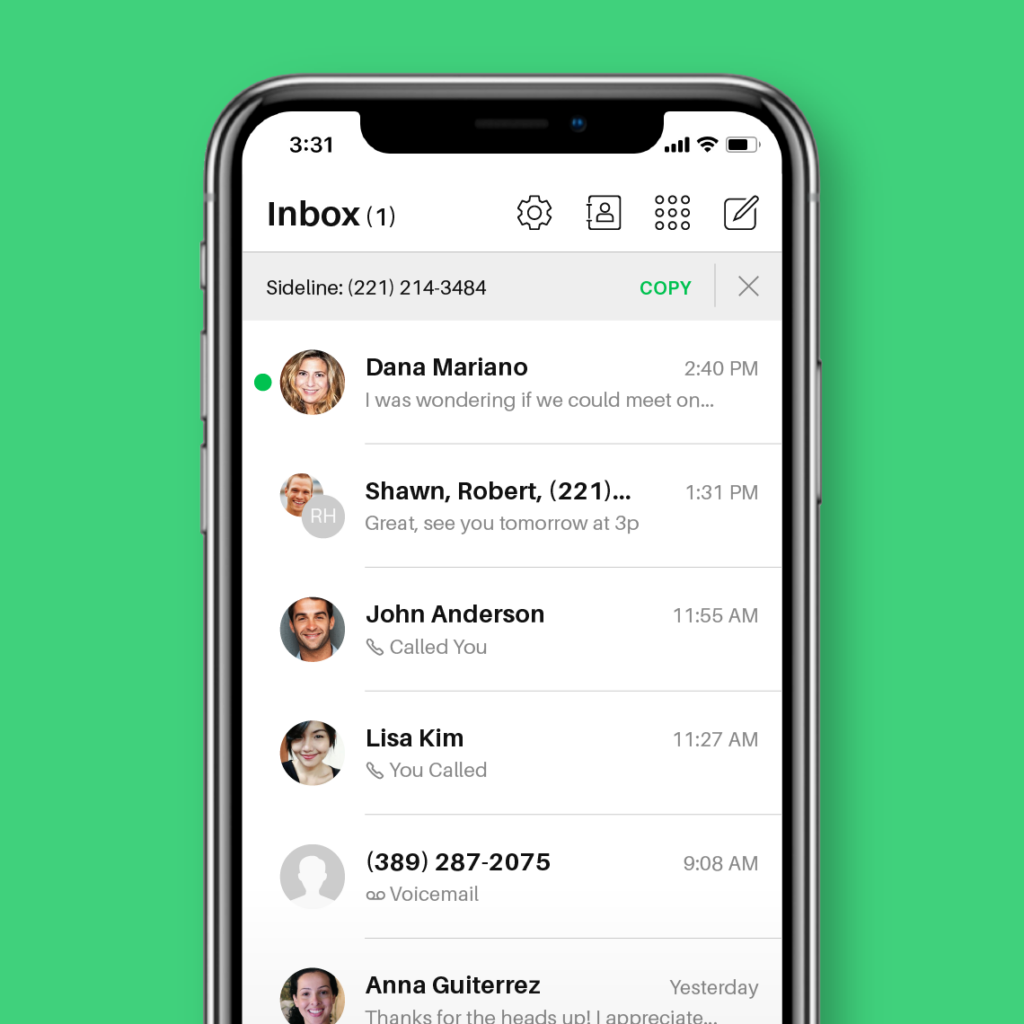
Sideline is among the best second phone number apps, but unlike many other options on the list, it’s not a VoIP system. It uses your carrier’s network and cellular data to make calls and send texts. This means you need to have an existing phone service to make and receive calls.
As a Sideline user, you’ll have access to basic communication features like unlimited calling and texting to US numbers. However, Sideline doesn’t offer much to growing teams:
- Toll-free numbers and call recordings aren’t available on any Sideline plan.
- Shared numbers are no longer available, which means you can’t split responsibility for incoming calls.
- Multiple phone numbers or users on your account aren’t supported.
Key features of Sideline
- Unlimited calling and texting in the US
- Voicemail to text
- Auto-replies to calls and texts
- iOS and Android apps
- Number porting
Sideline pricing

Sideline’s pricing depends on how long you want a subscription. Your options include:
- Monthly (1 month): $14.49
- Half Yearly (6 months): $69.99
- Yearly (12 months): $129.99
4. Burner: Best low-cost option with multiple phone numbers

Pros
- Phone numbers are disposable
- Fairly cost-effective
Cons
- No desktop app
- No shared numbers
- Only available in the US and Canada
Burner is another second phone number app for your iPhone that isn’t a VoIP phone system. The app lets you quickly set up a Burner number by selecting an area code — no SIM card to call required.
You can get up to three different phone numbers with Burner. These can be disposable phone numbers you delete or swap or a dedicated second line for your business. Each number offers features like unlimited calling and messaging, picture messaging, muting/blocking, and auto-replies.
Unfortunately, Burner isn’t a strong option as a business phone solution. Here’s why:
- It doesn’t offer shared numbers. You can’t collaborate with customers in real time.
- You can only use Burner on a mobile device because it doesn’t have a desktop app. A web app is available, but you can’t use it to send texts.
- Burner is only available in the US and Canada.
The kicker? A Burner number costs more if you purchase it directly in your iPhone or iPad. To get the best pricing, you should buy it on the web first and then download the app.
Key features of Burner
- Unlimited calling and texting in the US and Canada
- Spam call blocking
- Auto-replies
- Muting and blocking
Burner pricing
Burner’s pricing plans depend on where you purchase them:
- Web: $4.99 per month for one number purchased on the web
- App: $9.99 per month for one number purchased from the iPhone app
5. Hushed: Best for setting up separate contacts
Pros
- Auto-replies
- Separate contacts exclusive to your Hushed number
Cons
- Unlimited talk and text requires an upgrade
- No access to shared numbers
- No third-party integrations
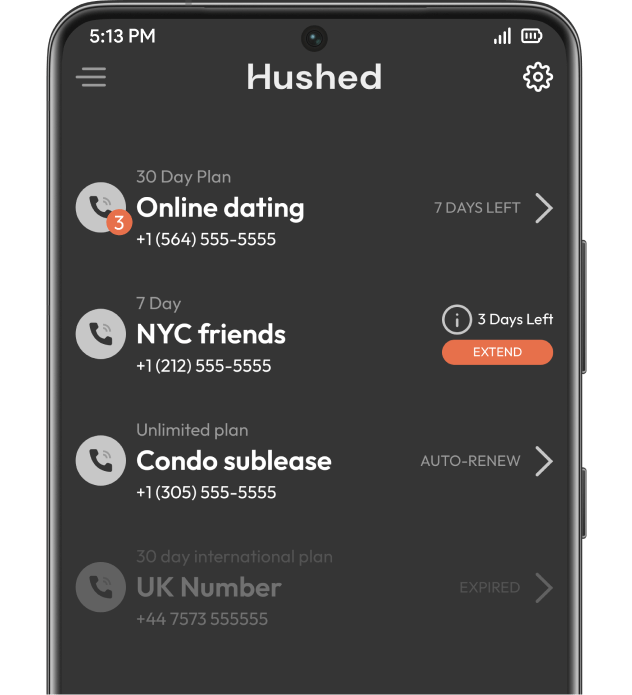
Hushed is a temporary and second phone number app for WiFi or data calling and texting. The low-cost app is a good pick if you need an extra phone number to hide your personal number. Plus, you’ll be able to create a private contact list that’s only visible in your Hushed account.
However, if you’re looking to add a business line to your cell phone, you’ll find the app’s feature set lacking.
You can make and receive calls, send SMS and MMS, forward calls, and set up a custom voicemail greeting. That’s pretty much it — you can’t share a number with a team or work together from a shared inbox.
Key features of Hushed
- Multiple phone lines
- Custom voicemail greeting
- Call forwarding
- Auto-replies
- SMS and MMS
Hushed pricing

Hushed offers three pricing plans to choose from:
- Prepaid: Starts at $3.99 for limited talk and text, with 7, 30, 90, and 365-day plans available
- Unlimited: Starts at $4.99 per month for unlimited talk and text, available for one to three numbers
- Pay-as-you-go: Starts at $6.99 per month to use Hushed credits for international calls and texts
6. Phone.com: Best option with video conferencing

Pros
- Mobile and web apps
- CRM integrations (requires upgrade)
Cons
- Call recording requires a paid add-on
- No texting on the base plan
- No shared phone numbers for texting
Phone.com is a good second phone number option if you’re looking for a platform with bare minimum features. This low-cost app lets you purchase local numbers and make calls and send texts to contacts on your list. You’ll also be able to host video meetings with up to 100 people on the base plan. This is helpful if you run online events or manage properties and need to call clients or tenants on video.
But calls and texts come with limitations. If you want to record calls without upgrading to the highest-tier plan, you’ll need to pay an extra $8 per month. You also can’t send texts at all unless you become a Plus user, which costs $22.50 per user per month.
Plus, users on the base plan only get one phone number per account. If you need more and don’t want to upgrade, you’ll have to pay $4.99 per number per month. If you choose a second number app for your iPhone like Quo, every user on your plan will get a free US, Canadian, or toll-free number.
Key features of Phone.com
- Unlimited calling to the US and Canada
- Voicemail transcription (requires upgrade)
- SMS (requires upgrade)
- CRM integrations (require upgrade)
- HIPAA-compliant voice numbers
- Mobile and web apps
Phone.com pricing

You have three options with Phone.com’s pricing plans:
- Basic: $15 per user per month to access unlimited minutes to US and Canadian numbers, one number per account, and iOS/Android apps
- Plus: $22.50 per user per month to access unlimited outbound text messages, voicemail transcription, and desk phone compatibility
- Pro: $33.33 per user per month to access CRM integrations, call analytics, and free call recording
7. Grasshopper: Best option with multi-digit extensions

Pros
- Call recording (requires upgrade)
- Desktop and mobile apps
Cons
- No snippets or scheduled texts
- No third-party integrations
- $500 deposit for international calls
Grasshopper is an older virtual phone system with features you’d expect to see in a legacy VoIP platform, such as call forwarding, voicemail, and internet fax. You’ll also get access to multi-digit extensions, so team members can have their own phone number extension without needing to purchase another number.
However, Grasshopper lacks the basic features a modern phone system needs. It doesn’t offer shared phone numbers, which limits your team’s productivity. Need more numbers than your plan offers? That’ll cost you an extra $9 per number per month – almost double the price of other VoIP providers.
The service’s pricing is confusing, too: you pay for the number of users, extensions, and phone numbers. And you can’t access more than one phone number until you reach the most expensive plan ($55 per user per month). Unless you upgrade, you don’t have access to additional extensions either, making it difficult to scale as your business grows. Plus, Grasshopper doesn’t list how much additional extensions cost.
Key features of Grasshopper
- Unlimited phone calls in the US and Canada
- Desktop and mobile apps
- International calls (requires a $500 deposit)
- Call forwarding
Grasshopper pricing

Grasshopper’s pricing offers three different plans you can choose from:
- True Solo: $14 per month for one user, one phone number, and one extension
- Solo Plus: $25 per month for unlimited users, one phone number, and three extensions
- Small Business: $55 per month for unlimited users, four phone numbers, and unlimited extensions
8. Line2: Best simple solution with caller ID

Pros
- Unlimited calls within the US and Canada
- Auto-attendant
Cons
- Dated interface
- No auto-replies or shared numbers
- No access to integrations
Line2 is a cloud-based phone system that’s been around since 2006. The service offers essentials like unlimited calls within the US and Canada, call screening, and voicemail transcriptions. You’ll also get access to caller ID, so your business isn’t mistaken for spam when you call your customers.
Need auto-replies or shared numbers? These aren’t options with Line2. Since there’s only one plan starting at $7.99 per month, it’s clear that Line2 is a bare-bones phone solution.
Key features of Line2
- Unlimited calling and texting in the US and Canada
- Call blocking
- Call screening
- Voicemail transcriptions
- Call forwarding
- Caller ID
Line2 pricing
Line2 has one plan with two billing options:
- Annual: $7.99 per month
- Monthly: $9.99 per month
9. Verizon Second Number: Best for personal use

Pros
- Unlimited calling and texting in the US, Mexico, and Canada
- Assign a preferred number to each contact
Cons
- No shared phone numbers
- No third-party integrations
- Must have an existing Verizon plan
Verizon’s Second Number is a plan that gives you a second phone number on your existing smartphone. It’s built for personal use, like keeping a separate number for online shopping, dating apps, and side gigs.
To sign up, you need to already have a Verizon phone plan. You’ll also need a phone that can support two numbers. One of those slots, usually your digital SIM (eSIM), should be available. Some phones might not be compatible, so it’s best to check before buying a Second Number plan.
Once it’s set up, you can label your numbers to tell them apart. You can also assign a preferred number to each contact so outbound calls and texts are made from the right number. Plus, Second Number includes unlimited calling and texting in the US, Mexico, and Canada. That way, you’re covered for most everyday communication.
But this second phone number app for iPhones is missing essential features for small businesses. You won’t get shared numbers, third-party integrations, or tools to help your team work together on calls and messages. While it’s perfectly fine if you want to protect your personal number when you interact with businesses or unknown contacts, it isn’t the best option to run your business communications.
Key features of Verizon Second Number
- Compatible with iOS and Android devices
- Unlimited calls and texts in the US, Mexico, and Canada
- Set the preferred “call from” number for each of your contacts
- Easy to switch between numbers
Verizon Second Number pricing
You can expect to pay $15 per number per month to access Verizon’s Second Number plan.
How to choose the best second phone number app for your business

When there are so many feature sets across apps to compare, choosing the right app can get difficult. To help you decide, we’ve listed a few features you should put at the top of your list when selecting a second number app for iPhone.
- Mobile and computer compatibility to work from anywhere. Apps with support for both smartphones and computers ensure everyone on your team has access to your second phone number. Quo has iOS, Android, desktop, and web browser apps for teams to use.
- Separate personal and business calls to retain privacy. Using a second phone number app for iPhone ensures you can always differentiate whether a call is intended for work because you’ll see a different call screen.
- Shared inbox to split responsibility for incoming tasks. A shared inbox lets teammates work together on client communications. For example, teams using Quo can collaborate on incoming calls and texts via a single inbox. You can use threads to mention (or tag) teammates on a particular interaction without the client seeing those comments.
- Call routing to help customers get to the right place. Efficiently routing calls can help save you time. You can also transfer calls via simultaneous ring so your teammates can respond to calls on your behalf when you’re unavailable.
- Integrations and AI automations to eliminate repetitive tasks. Integrations save hours you’d otherwise spend entering information manually or completing other repetitive tasks. Zapier, Slack, and CRMs are great examples. You should also get access to AI features to save time. For example, after every call, Quo can generate a summary that includes action items. You’ll also get transcriptions, so you don’t have to re-listen to entire call recordings just to confirm what was said. And if no one picks up the phone when a customer calls, Sona, Quo’s AI voice agent, can answer the call, respond to FAQs, and take messages.
- Advanced texting features. Auto-replies, scheduled texts, snippets, and AI message responses will ensure your team saves time when responding to client texts. Quo provides all four of these features. Plus, you’ll get access to an SMS API that lets you automatically send texts when specific events occur, like if a customer books an appointment or fills out a Google form on your website.
The best app for a second number for iPhone: Quo (formerly OpenPhone)

A second phone number helps you separate business and personal calls. A VoIP phone system like Quo ensures you can get a second phone number and a comprehensive set of features tailor-made for growing teams.
With Quo (formerly OpenPhone), you can share phone numbers, integrate with the most popular business apps, and, most importantly, develop better relationships with your customers.
Try Quo today with a free seven-day trial.
FAQs
A second phone number app allows you to manage two numbers on the same device. This means you don’t have to give out your personal number to customers, purchase a business landline, or purchase a separate SIM card.
Getting a new phone number from almost anywhere in the world is a simple process when you choose Quo as your virtual phone number provider. Follow these three steps:
1. Create an account with Quo (formerly OpenPhone) (when you sign up, you get a free seven-day trial).
2. During signup, choose your city or area code in the US to select your preferred phone number.
3. Once the signup process is complete, you’re all set to use your new second virtual phone number.
You can get a free second phone number with online providers like Google Voice. But for businesses, a paid option makes more sense. Without it, you won’t have toll-free numbers, the ability to set business hours, or a dedicated address book to manage your contacts.
Yes, you can have two phone numbers on one iPhone with a second phone number app. With providers like Quo, you can purchase all the numbers needed to run your business. You also get one free phone number per user on your account.
Some iPhone models (including iPhone 13 and later) are dual SIM phones, which means that they allow you to use two active eSIMs at the same time. Just keep in mind this can be confusing and cumbersome. You also won’t have access to critical business features like call routing, auto-replies, and integrations.
Using a second number on your iPhone helps you keep work and personal conversations separate. With Quo (formerly OpenPhone), you can get a dedicated business number that lives in its own app, so you don’t have to mix messages or share your personal number. That way, you can handle all your calls, texts, and voicemails from one place without switching devices.
Yes, as long as your iPhone supports both. One number can be tied to your physical SIM, and the other can run on your eSIM. Both your phone numbers can make and receive voice and FaceTime calls and send and receive messages using iMessage, SMS, and MMS.
If you’d rather avoid dealing with SIM settings, Quo offers a simpler option. You can add a second number through the app — no carrier changes or SIM swaps needed.