Your small business is finally taking off, but your cell phone is buzzing non-stop. It’s a mix of client calls, customer texts, and personal messages. How do you separate business communications from your personal life without carrying two phones or missing important calls?
The solution is to get a second number that keeps your business and personal life separate. In this guide, you’ll find four proven ways to get a different phone number for texting and calling. We’ll also share the top seven virtual phone number apps we’ve tested that fit different business needs.
4 ways to send a text from a different number
Here are four options to consider if you want to send texts from a different number:
| Method | Best for | Cost | Pros | Cons |
|---|---|---|---|---|
| Virtual phone app | Small and growing businesses | $15-$50+ per month | Business features, team collaboration, scalable | Internet-dependent, some expensive providers |
| Free texting app | Personal use or temporary needs | $0-$10+ per month | No upfront cost, quick setup | Ads, limited features, unreliable for business |
| Second SIM card | Heavy phone users or those with dual SIM preference | $30-$50+ per month | Works with data, easy to use | Requires compatible phone, managing two plans, limited business phone features |
| Second number with existing cell carrier | Solopreneurs that want a business number with their carrier | $15-50+ per month | Unlimited calling and texting in the US and Canada | Limited business features, can lock you into expensive contract |
1. Get a virtual phone number with a VoIP service
The simplest way to text from a different number for your business is to get a virtual phone number app. This allows you to send texts and make calls from a different number over the internet using a device you already own.
The main challenge is finding the right provider. Some may have hidden costs, while others aren’t designed to grow with your business. For example, you may have to upgrade or contact support just to add new users or numbers. And choosing a provider without the right features might leave you without the tools you need, like VoIP integrations, shared inboxes, or automated responses.
With Quo, formerly OpenPhone you can get a different number to use with your business in four simple steps:
- Sign up for a Quo account — when you sign up, you can try Quo free for seven days.
- Choose your new phone number. You can select your city or area code in the US or Canada to pick your phone number, or go for a North American toll-free number.
- Verify your account — confirm your account with an existing cell phone number and a credit card.
- Once you’ve activated your account and completed your free trial you can also complete US carrier registration to text to US phone numbers. This additional step is a requirement for any virtual phone number due to emerging regulations pushed for by the large US cell carriers.
That’s it! You now have a virtual phone number ready to use on your iPhone, Android, laptop, or tablet. You can add your team members to a shared number, set up integrations, access call recordings and transcripts, and more.
If you run into any issues during the signup process, fill out this form to reach out to our support team.
2. Use a free texting app
One of the easiest ways to text from a different number is by using a free texting app like TextNow or TextFree. These apps offer a free number for texting, but their ads can be intrusive. You won’t get features for call management, either.
Another option is to use an app geared towards mass SMS marketing, like SimpleTexting. Plans start at $39.99 per month and include 500 text credits per month and a local number. You can use this number to send and receive SMS/MMS messages separately from your personal line.
While the initial cost may seem low, additional fees for premium features or additional texting credits can add up. And if you have a team, these apps might not support multiple users or shared numbers, making it hard for your business to scale.
3. Get a separate SIM card
Your next option is to get a second SIM card for your unlocked phone. This gives you a separate number for texting and calling, effectively dividing your personal and professional chats.
Here’s the thing, though — not all smartphones support dual SIM cards, so you might need to invest in a new device. You’ll also rack up extra costs for the second SIM card and a separate mobile plan. Managing two SIM cards can be annoying, especially since you have to switch between them manually in your phone’s settings.
4. Get a second number with your existing cell carrier
Many major cell carriers like AT&T, Verizon, and T-Mobile offer services that let you add a second phone number to your device. Visit your provider’s website and check what services they offer for setting up additional numbers. You can also contact their customer support and ask if it’s possible to text from a different number on your current plan. Make sure to ask about the costs and requirements.
A second number with your existing carrier lets you text from your main phone number or second number without changing SIM cards. You’ll also get features like unlimited calling in the US and Canada. But you won’t get many useful business features and may end up stuck in an expensive contract.
6 powerful reasons to text from a different number
Texting from a different number isn’t just about separating work from personal life. Here are six more reasons it’s a smart move for you and your business:
1. Scale easily as your team grows
Add more lines as your team expands or segment numbers by location, department, or project. Local and toll-free numbers, for instance, help you serve different markets.
2. Share responsibility with your team
Use shared lines and call forwarding to distribute workload so no client communication falls through the cracks. With Quo’s shared inbox, your whole team has visibility into customer conversations.
3. Improve work-life balance
Set business hours to make sure you aren’t disturbed during your personal time. This helps prevent burnout for you and your team. Set up routing options and auto-replies for after-hours so your customers aren’t left waiting.
4. Organize client communications
Keep all your communications in one place and maintain a clear record of calls, texts, voicemails, and interactions for better context and accountability. If a dispute arises with a customer or employee, you’ll have documentation ready.
5. Integrate with existing tools
Connect your virtual phone number app with CRM systems, email marketing tools, and more to automate workflows and save time. This reduces manual data entry that drains productivity and let details slip through the cracks.
6. Protect your business from spam calls
Spam calls waste time and are tricky to detect. A second number on a virtual phone app can prevent spam from reaching you. Most apps let you set up an auto-attendant, which robocalls can’t navigate. The result is more time for your team to focus on the customer experience.
Business texting vs personal texting: Key differences
When you’re texting for business, you need to do more than just send messages. Business texting providers offer features personal texting apps don’t — these enable customer communication, team collaboration, and professional compliance:
- Unlimited texts and calls: Send as many messages as you need without worrying about hitting limits during busy periods.
- Shared numbers: Multiple team members can call and text from the same number so customers always get a response — even when you’re unavailable.
- Automations like auto-replies and scheduled texts: Keep customers in the loop without being glued to your phone 24/7 through automated responses and pre-scheduled messages.
- Text forwarding: Route incoming messages to the right team members to make sure customers get a quick response.
- Compliance tools for A2P 10DLC: As of August 31, 2023, unregistered numbers can’t text US phone numbers. Registration is mandatory for all virtual phone number users. Virtual phone apps like Quo make it easy to meet US carrier registration requirements to make sure your messages get delivered.
- Customer history and context: Use contact notes and integrations with your CRM to access conversation history. This shows customer details at a glance so you can provide personalized responses every time.
Top 7 virtual phone number apps to text from another number
With so many virtual phone number apps available, choosing the right one can be daunting. To simplify your decision-making process, we’ve tested dozens of providers and selected these seven based on reliability, business-focused features, and value for growing teams.
| Provider | Starting price | Best for | Unlimited calling to US & Canada | SMS, MMS to US & Canada | Shared phone numbers | Additional phone numbers |
|---|---|---|---|---|---|---|
| Quo | $15 per user per month | Scaling small businesses | ✓ | ✓ | ✓ | $5 per number per month |
| Google Voice for Business | $10 per month | Existing Google Workspace users | US and Canadian numbers only | US customers only | Requires upgrade for ring groups | ✓ |
| Grasshopper | $14 per month | Solo entrepreneurs and small teams | ✓ | ✓ | Only via extensions | $9 per number per month |
| RingCentral | $20 per user per month | Larger businesses needing video conferencing | Limited toll-free minutes | 25 messages per user per month | ✓ | $4.99 per number per month |
| Sideline | $14.49 per month | Individuals needing a second number on their phone | Not available in Canada | Not available in Canada | X | X |
| Burner | $6.99 per month | Temporary or disposable personal numbers | Mobile app only | X | X | Pricing varies |
| TextNow | $0 per month | High-speed data plans | ✓ | ✓ | X | X |
1. Quo: Best scalable solution for small businesses

Quo is tailored for startups, small businesses, and growing teams. It combines unlimited calling and texting in the US and Canada with powerful features to streamline your business communications. It’s easy to use and works on iOS, Android, web browsers, Mac, and Windows.
Pros
- Affordable and transparent pricing
- Unlimited calls and texts to the US and Canada
- Local, toll-free, and vanity numbers available
- Shared phone numbers and inboxes for team collaboration
- Easy to scale
- AI features for call transcriptions, summaries, and action items
Cons
- No verification through two-factor authentication*
*Nearly all virtual phone numbers share this problem. Companies like Facebook, Uber, and Google rarely let you authenticate accounts through a virtual phone number.
Key features of Quo
- As many phone numbers as you need, including toll-free numbers
- Desktop, browser, and mobile apps
- Scheduled text messages in recipients’ time zones
- Auto-replies and text message templates
- Integrations with HubSpot, Salesforce, Slack, Jobber, Make, and 8,000+ more apps via Zapier
- Voicemail transcription
- Automated call recording
- AI-powered call summaries and transcripts
- AI-powered voice agent, Sona, to handle calls
Quo pricing
Quo pricing has three plans with no user minimums:

- Starter: $15 per user per month for one local or toll-free US or Canadian number, unlimited calling and texting in the US and Canada, voicemail transcriptions, call recording, and more
- Business: $23 per user per month to unlock CRM integrations, analytics, auto call recording, group calling, ring orders, call transfers, HIPAA-compliance, and more
- Scale: $35 per user per month for AI call tags, dedicated onboarding, inbound phone support, and priority chat and email support
2. Google Voice: Best for existing Google Workspace users

Google Voice is a convenient option for businesses already using Google Workspace. It integrates seamlessly with other Google apps and offers basic calling and texting features suitable for small teams. That said, it doesn’t work well for businesses outside the US and doesn’t give you as much bang for your buck as other virtual phone number providers.
Pros
- Integrates with Google Meet and Calendar
- Simple user interface
- Google AI blocks spam calls
Cons
- Limited to US customers for texting
- Ring groups require upgrade
- No shared numbers or integrations with non-Google tools
- No toll-free numbers
Key features of Google Voice
- Unlimited calls and texts in the US
- Forward transcribed voicemails to your email
- Basic call forwarding
Google Voice pricing

Google Voice pricing has four tiers:
- Starter without Workspace: $10 per month for one user, access to mobile and web apps, call recording, and voicemail transcriptions
- Starter: $10 per user per month for up to 10 users, Google app integrations, and domestic calling locations only
- Standard: $20 per user per month to access unlimited users, ring groups, and phone menus
- Premier: $30 per user per month to access support for international locations, automatic call recording, and advanced reporting
If you have more than one user, you’ll also need to pay at least $7 per month for a Workspace subscription to use Google Voice for Business.
3. Grasshopper: Best for solo entrepreneurs and small teams

Grasshopper provides a straightforward virtual phone system that works well for small businesses and solo entrepreneurs. It offers basic calling and texting features without the need for additional hardware.
Pros
- Unlimited calls and texts
- Call forwarding and voicemail
- Local, toll-free, and vanity numbers available
- Mobile and desktop apps
Cons
- Limited advanced features
- No shared numbers or collaborative tools
- Lacks integrations with third-party apps
Key features of Grasshopper
- Automated greetings and call routing
- Route calls to your mobile or landline
- Voicemail transcription
- Multi-digit extensions
Grasshopper pricing

Grasshopper pricing has three options:
- True Solo: $14 per month for one user, one number, and one extension
- Solo Plus: $25 per month for unlimited users, one number, and three extensions
- Small business: $55 per month for unlimited users, four numbers, and unlimited extensions
4. RingCentral: Best for larger businesses needing video conferencing
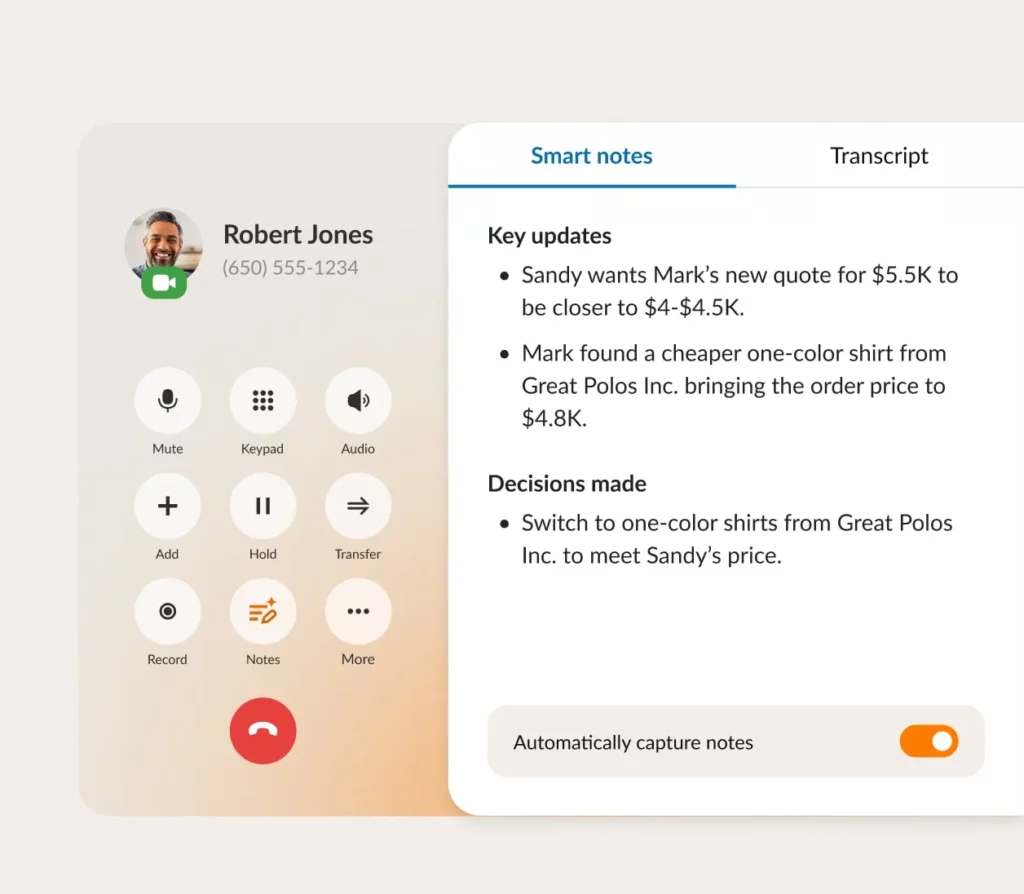
RingCentral gives users a fairly wide range of features aimed at larger businesses. These include call management, team messaging, and video conferencing capabilities. However, RingCentral has texting and calling limits as well as hidden fees.
Pros
- Video conferencing and team messaging
- Call queues and IVR menus
- Integrations with many third-party applications
- 24/7 customer support
Cons
- Very limited SMS/MMS messages per user per month
- Additional costs for toll-free numbers and minutes
- Complex to set up and manage
Key features of RingCentral
- Phone, video meetings, and team messaging in one platform
- Call forwarding, call queues, and IVR available
- Integrations with Microsoft 365, Google Workspace, and Salesforce
RingCentral pricing

RingCentral pricing differs based on how many users you have. Here are the prices for 1-5 users:
- Core: $20 per user per month for business phone or toll-free numbers and unlimited calls within the US and Canada
- Advanced: $25 per user per month to unlock automatic call recording and integrations with CRM tools
- Ultra: $35 per user per month to unlock advanced analytics and AI
5. Sideline: Best for those needing a second number on their mobile device

Sideline gives customers a second phone number that works directly through your existing carrier network and plan. If you want to rely on WiFi to text and call customers or want access to business features like call recording and toll-free numbers, Sideline may not be the best choice.
Pros
- Simple setup with no need for additional hardware
- Basic texting and calling using carrier minutes
Cons
- Limited to one number per device
- No shared numbers
- Lacks integrations
Key features of Sideline
- Free calls and texts in the US with carrier minutes
- Group messaging with up to 10 recipients
- Voicemail to text
- Auto-replies
Sideline pricing

Sideline pricing only offers one plan:
- Standard: $14.49 per month for one phone number and unlimited calling and texting within the US and Canada
6. Burner: Best for temporary or disposable personal numbers

If you need temporary phone numbers for short-term projects, listings, or any situation where you need a disposable number, Burner might work for you.
Pros
- Quick and easy setup
- Flexible plans with options for short-term use
- Ability to “burn” a number and get a new one instantly
Cons
- Not suitable for business use
- No advanced features like call recording or integrations
- Can’t port numbers in or out
Key features of Burner
- Unlimited disposable numbers
- Automatic text responses
- Spam call blocking
Burner pricing
Burner charges double its monthly price if you sign up on its mobile app versus the web app. So if you’re interested in checking out a number with Burner, you should sign up on the web to save on your monthly fees.
- $47.99 per year for one line
- $6.99 per month for one line
Burner also offers a prepaid plan, which comes with 50 minutes and 100 texts that expire after 30 days.
7. TextNow: Best for high-speed data plans

TextNow is a Canadian virtual phone service that provides unlimited free calls and texts throughout the US and Canada. The platform works across PC, iPhone, Android, and iPad, allowing you to stay connected while switching between devices.
However, the ads that support the app can get intrusive. And you can only access features like voicemail transcription and call forwarding with paid upgrades.
Pros
- Free phone number
- International calling at affordable rates
Cons
- Removing ads requires a paid plan
- Only available in the US and Canada
- Not compatible with all phones
Key features of TextNow
- Free basic phone number
- Incoming caller ID with upgrade
- International calling and texting with credits
TextNow pricing
TextNow’s basic service is free but includes ads. To make calls with data, you’ll need to buy a SIM card for $3.99, plus choose from these data options:
- Day Pass: $2.99 for 24 hours of unlimited service with 2GB High Speed Data then unlimited 2G speeds
- Week Pass: $8.99 for one week with 5GB High Speed Data then unlimited 2G speeds, no ads
- Month Pass: $35.99 for 30 days of unlimited service with 20GB High Speed Data then unlimited 2G speeds, no ads
TextNow also offers these subscription add-ons:
- Lock in Number: $1.99 weekly to prevent number expiration
- Ad Free+: $6.99 weekly for ad removal, number protection, verification codes, and voicemail transcriptions
What to look for in a business texting app
With so many apps that let you text from another number, how can you choose the right one? Here’s a quick guide on what to look for:
- Automations: Look for ways to speed up your texting workflows, like auto-replies, scheduled messages, and AI-assisted message writing.
- Scalability: Choose an app that makes it easy to add more numbers, users, and feature upgrades as your business grows.
- Integrations: Your customer data shouldn’t exist in a silo — look for integrations with the tools you use like HubSpot, Salesforce, Slack, Zapier, and Make.
- Ease of use: Your team should be able to get ramped up quickly. Look for apps that don’t have a steep learning curve.
- Customer support: Read through what existing customers have to say about apps on your shortlist. Keep an eye out for reliable and fast customer support
- Security: Research how the app keeps your information safe. This should include infrastructure protection, data encryption, compliance certifications, and ongoing security improvements.
Best practices for texting clients and prospects
To make the most out of texting from a different number, keep these best practices in mind:
1. Get SMS opt-in
You must obtain customers’ consent to send text messages. If a customer texts you first using an SMS link or WhatsApp, you have implied consent, but that only applies to the conversation at hand. Otherwise, customers need to opt in via a digital or physical form, which you should keep in your records.
2. Follow compliance rules

Once your number is registered for A2P 10DLC, you can start texting customers in the US. But compliance doesn’t end there. Stay informed about regulations and ensure you’re following SMS consent rules. For example, every text should include a way to opt out, like “Reply END to stop recieiving texts.”
You also must within business hours, which the TCPA defines as 8 am to 9 pm in the recipient’s local time zone.
3. Be professional and concise
Match your brand’s voice and tone in all communications. If your brand uses emojis and casual language, feel free to incorporate them. Otherwise, keep messages professional and to the point.
4. Personalize each interaction
Before texting a customer, check out any contact notes or conversation history for context. For example, they’ve previously purchased a service or had a support issue, reference that experience: “How did the installation go last week?” or “I see you had questions about our pricing — happy to clarify anything.”
This shows you’re paying attention and creates a more meaningful connection than generic responses.
5. Reply promptly
No one likes to be kept waiting. Set up an auto-reply every time a customer messages you, setting expectations for when they’ll hear back. For example: “Thanks for your message! Someone on our team will reach out within one business day, at the latest.”
Download Quo to start texting from a business phone number
Separating your business comms from your personal ones has never been easier or more beneficial. By using a dedicated business phone number through Quo, you enhance your professionalism, protect your privacy, and streamline your client interactions — all from one app.
Quo works over WiFi, so you can make and receive calls even in areas with poor cellular reception. Plus, with features like customizable Caller ID and call forwarding, you can maintain a clear separation between your business and personal life.
Ready to elevate your business communication? Try Quo free for seven days and experience the difference a dedicated business number can make on your Apple or Android device.
Frequently asked questions about texting from a different number
While free options are available, they often come with limitations like ads, lack of support, and limited features. A better approach is to try a free trial from a known provider like Quo to help you achieve your goals.
Forwarding text messages can usually be done directly within your messaging app. For detailed instructions, check out our guide on how to automatically forward text messages to another phone.
The best app depends on your specific needs. For businesses looking for scalability and advanced features, Quo is an excellent choice. It offers tools designed to streamline your business communications.
Voice over Internet Protocol technology allows you to send texts and make calls over the internet rather than traditional phone lines. This means you can get texts on your computer, tablet, or smartphone and send messages without needing a separate physical phone line.
A virtual phone number makes more sense than text forwarding for businesses. Forwarding just pushes messages from one device to another and doesn’t give your team a way to work together.
VoIP systems keep all your texts, calls, and voicemails with a customer in one shared thread so your whole team can stay on the same page.