Do you ever feel like you just can’t keep up with messages from your customers? You know that quick replies are important, but it’s hard to be consistent without a clear plan to help you choose the right messaging channel.
To deliver the best service — and keep customer satisfaction high — you need to understand when chat vs text is the better option.
In this guide, you’ll learn the difference between chat messages vs text messages, the pros and cons of each, and how to pick the best option.
What are chat messages?
Chat messages are real time, internet-based messages your business exchanges with customers. They’re best for quick conversations while someone is actively engaging with your business.
There are two broad types:
- In-app or web-based chat: This includes tools like Intercom, Tidio, or Ada — chat windows that appear on your website or inside your app. For example, a customer might tap the chatbot icon while browsing your site or using your service app to ask a quick question or get help.
- Consumer messaging apps: These are chat apps your customers already use, like WhatsApp, Facebook Messenger, or Telegram. Businesses can connect with customers on these platforms if they’ve opted in, often through business accounts or integrations.
Both types of chat allow for live, conversational customer support. The customer can ask a question and get a reply in real time, either from a human or an AI-powered assistant.
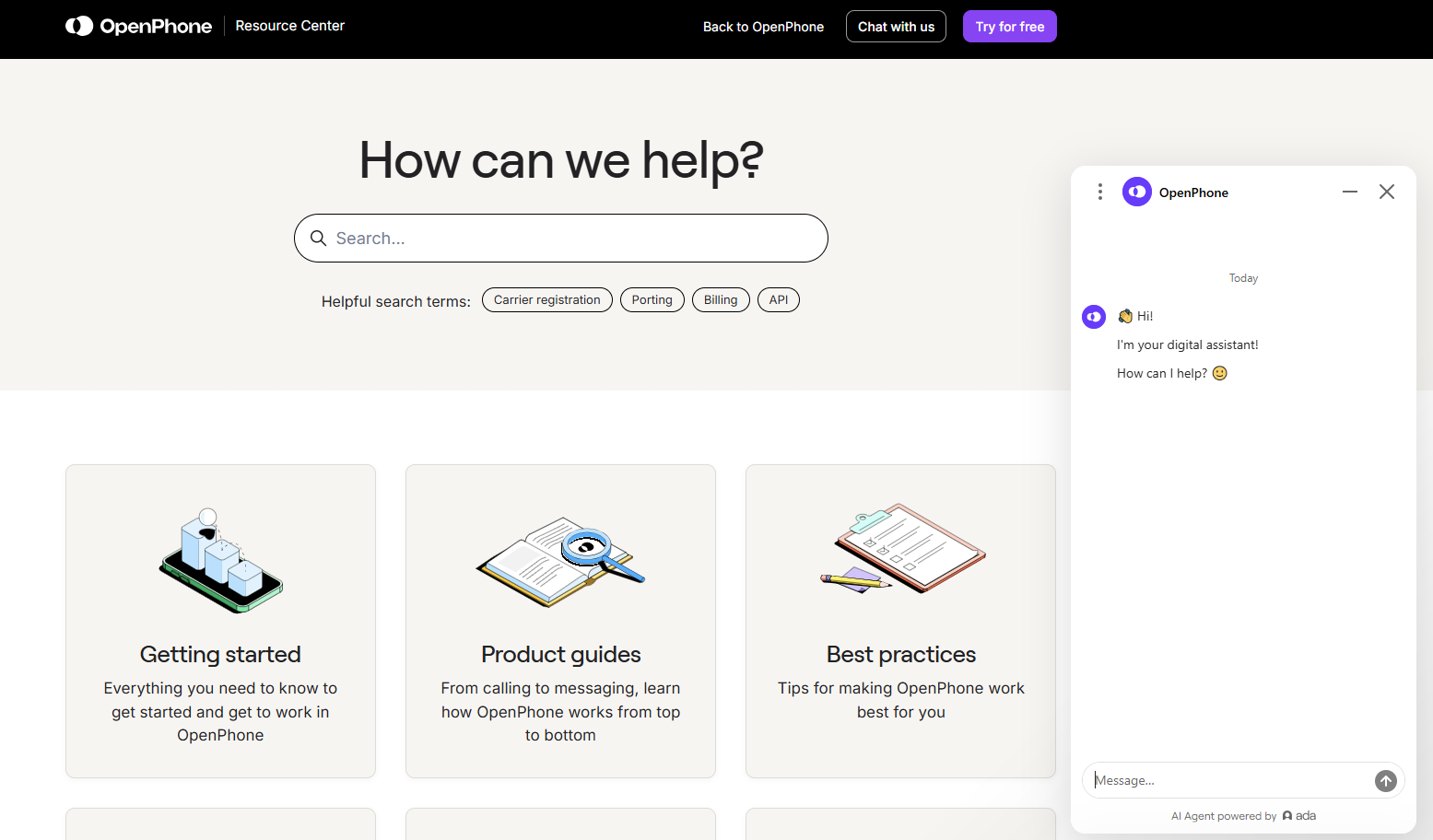
Here’s an example of a chat widget in Quo’s Resource center:
What are text messages?
Text messages are short messages sent to customers’ smartphones through built-in messaging apps or platforms like iMessage and Google Messages. They come in three types:
- SMS (short message service): Standard text-based messages, which can include text and hyperlinks.
- MMS (multimedia messaging service): Lets you send media like images, GIFs, videos, and audio along with text.
- RCS (rich communication services): Multimedia messages with additional features like group chat, read receipts, rich cards, and high-quality photo and video sharing.
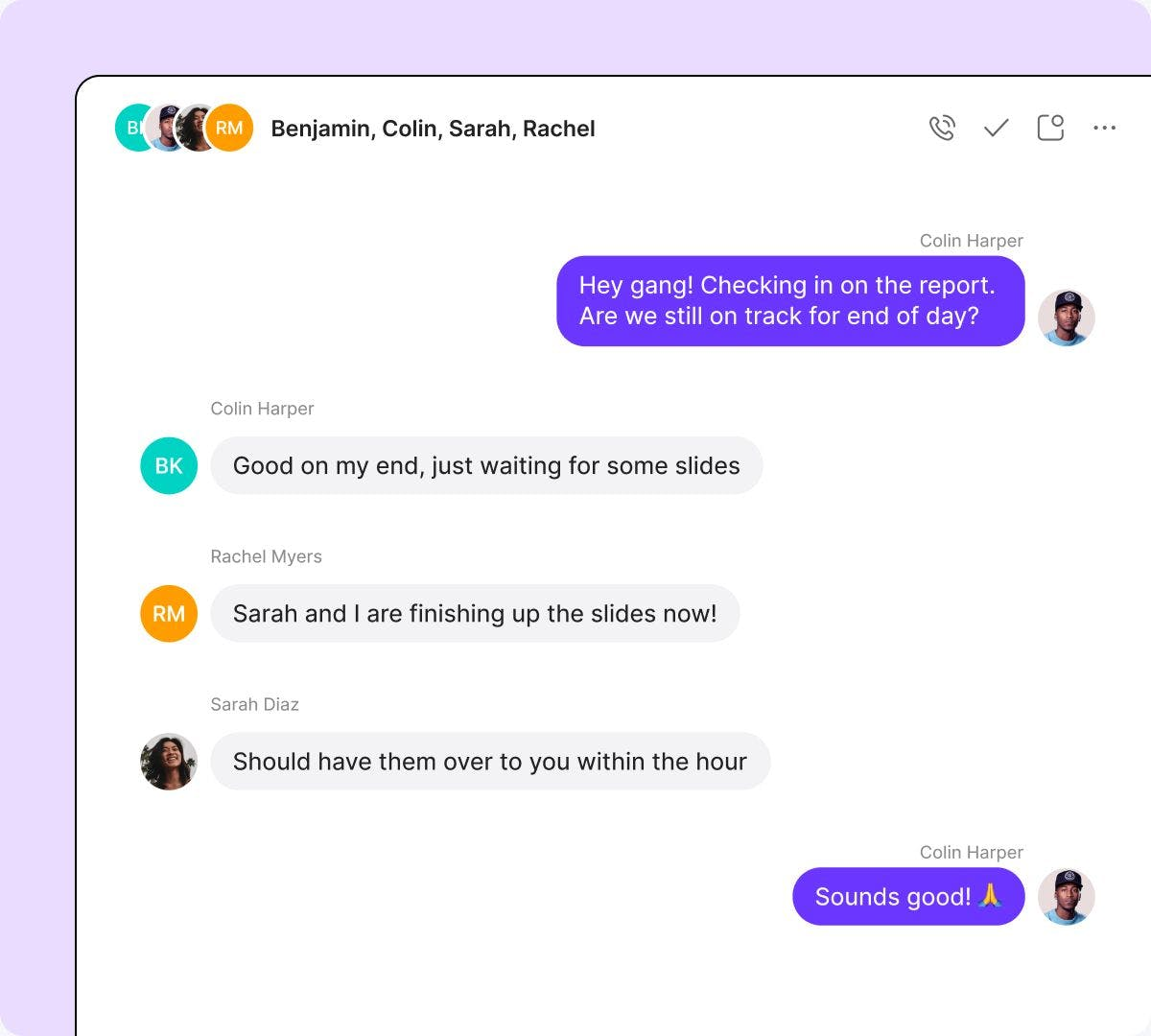
Whether your customers can receive SMS vs MMS vs RCS depends on the phone, provider, and plan they use. Currently, both Apple and Android devices support all types of texts.
What’s the difference between chat vs text messaging?
Text messaging works through carrier networks (unless you’re using VoIP texting), so customers can receive your messages even if they’re not connected to the internet. This makes SMS texts great for sending important updates like delivery confirmations, schedule changes, or subscription renewal reminders.
Text is also great for having two-way conversations customers can reply to on their own time — especially if you’re using a business texting tool.
Chatting is usually in real time and internet-based, making it great for helping customers while they’re actively browsing your site or app. It’s fast and conversational, and customers can also share files and images to simplify troubleshooting. However, chat only works if both sides are online at the same time.
So how do you choose between text vs chat for your business? Let’s take a look at the pros and cons of each.
Chat: When it works and when it falls short
Pros
- Feels fast and responsive
- No phone number is required
- Available on any device with a WiFi connection
- Can conduct multiple chats at once
- Provides immediate access (no opt-in required)
- Can be branded for a consistent experience
- Routine inquiries can be handled by AI assistants so human reps can focus on more heavy-lift tasks
Cons
- Needs a human or AI rep available to immediately reply
- Only works when a customer is online
- Requires a dedicated chat platform
- Can feel impersonal or bot-like
- Conversations may disappear after the session (lack of context)
- No bulk messaging for campaigns
- May not capture enough customer info for detailed follow-up
Texts: When they work and when they fall short
Pros
- Cost-effective
- Feels personal and direct
- No additional software is required
- Preferred channel for many customers*
- Lets customers interact on their own time
- Easy to automate and schedule individually or in bulk
- Threads stay for future replies and context
- Can use the same phone number(s) to call or send texts
Cons
- Generally requires a cellular network
- Message length limits (160 characters)
- Compliance regulations apply (consent, opt-outs, no texting outside business hours)
- May incur incoming message charges for customers
- Can’t send multimedia if MMS or RCS isn’t supported
- Could be delayed when carrier networks are busy
4 scenarios when you should consider chat messaging
Customers who use chat are typically looking for fast responses to questions or support requests. This makes chat messaging best for businesses that want to engage with customers who are actively browsing their websites or apps.
Here are four scenarios where you might want to choose chat vs text:
1. You want to help customers in real time
Chat is ideal when customers need immediate help and don’t want to fill out a form or share their phone number to contact you. Chat doesn’t require any commitment. Customers can just click on the chatbot button for quick, anonymous support. Then you or a member of your team can answer questions, provide resources, or help solve problems on the spot.
For example, you can use chat support when a customer is:
- Looking at a specific product or service and wants more information about features
- Using your app but getting an error screen and needs to send a screenshot for troubleshooting help
- Need an answer to a basic question right away and don’t have time to read through your FAQ
2. You need to capture and qualify leads instantly
With chat, you can trigger the conversation automatically while the visitor is still on your site. They don’t have to share their phone number, opt in to receive texts, or fill out a contact form.
You can set a chat widget to pop up on high-intent pages like services or pricing and ask simple questions like “What service are you looking for?” or “When do you want to book?”
This helps you quickly vet leads based on location, availability, or fit, so you don’t waste time on follow-ups that go nowhere. You can also collect contact info during the chat to follow up later via text or call.
3. You need to handle price objections or concerns immediately
Price can be a big barrier to sales. Customers tend to choose whatever product or service they feel offers the best value for their needs, so they may decide to leave and compare prices elsewhere before buying.
The problem is, they might never come back.
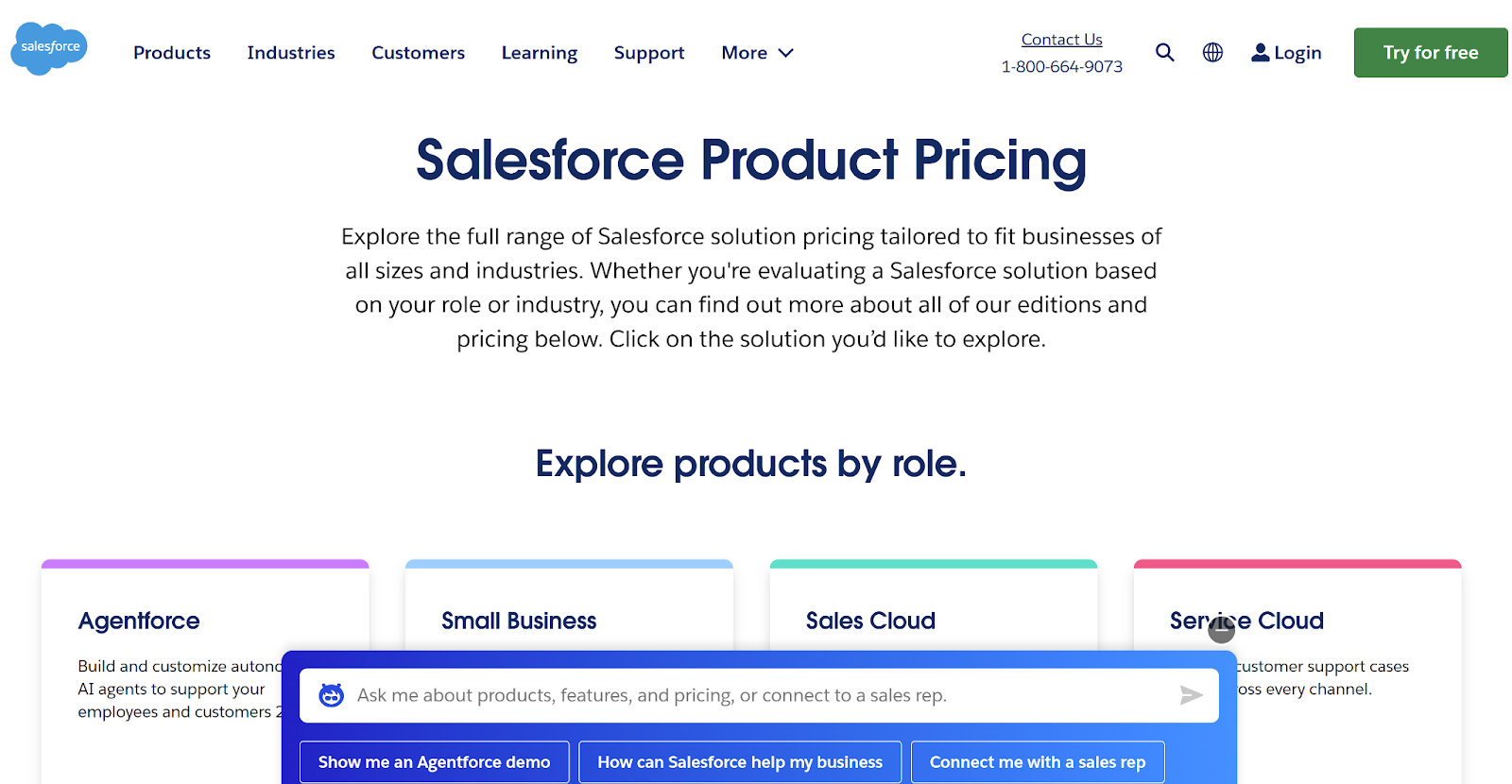
Chat lets you catch customers while they’re still engaged by having a chatbot appear on the pricing page with an automated message offering to answer questions, compare features, or start a demo.
If you offer flexible options like pricing plans or you’re running a special deal, chat is a perfect way to provide an incentive.
Here’s how Salesforce does it:
4. You want to give customers more ways to reach you
Most customers want the option of having two-way conversations with brands through messaging and apps. Offering more customer service channels gives them the flexibility to approach your business in whatever way makes the most sense for them.
Channel flexibility also allows you to reach customers across different demographics. For example, while chat is growing popular across all age groups, more digitally savvy age groups (20-30 years old) might potentially prefer chat over other communication channels.
4 scenarios when you should consider SMS messaging
Using text lets you connect with customers through the messaging apps they already use. Since people spend three and a half to six hours on their smartphones every day, text is an ideal channel for ensuring that important or time-sensitive messages are received.
Consider these four examples if you’re trying to decide when to use text instead of chat:
1. You want to personalize messages at scale
Text messaging lets you reach many customers at once while still keeping it personal. Unlike chat, which is one-on-one and reactive, text lets you proactively send messages to your whole customer list or specific segments. It’s a great option for:
- Limited-time promotional messages and loyalty offers
- Appointment reminder texts
- Appointment confirmation texts
- Seasonal and holiday messages
- Event invites
- Thank-you notes
If you’re using a VoIP business phone system, you’ll also have access to texting tools that make sending messages at scale easier. For example, Quo’s snippets let you create reusable message templates you can personalize with customer info — perfect for things like answering FAQs or asking for feedback.
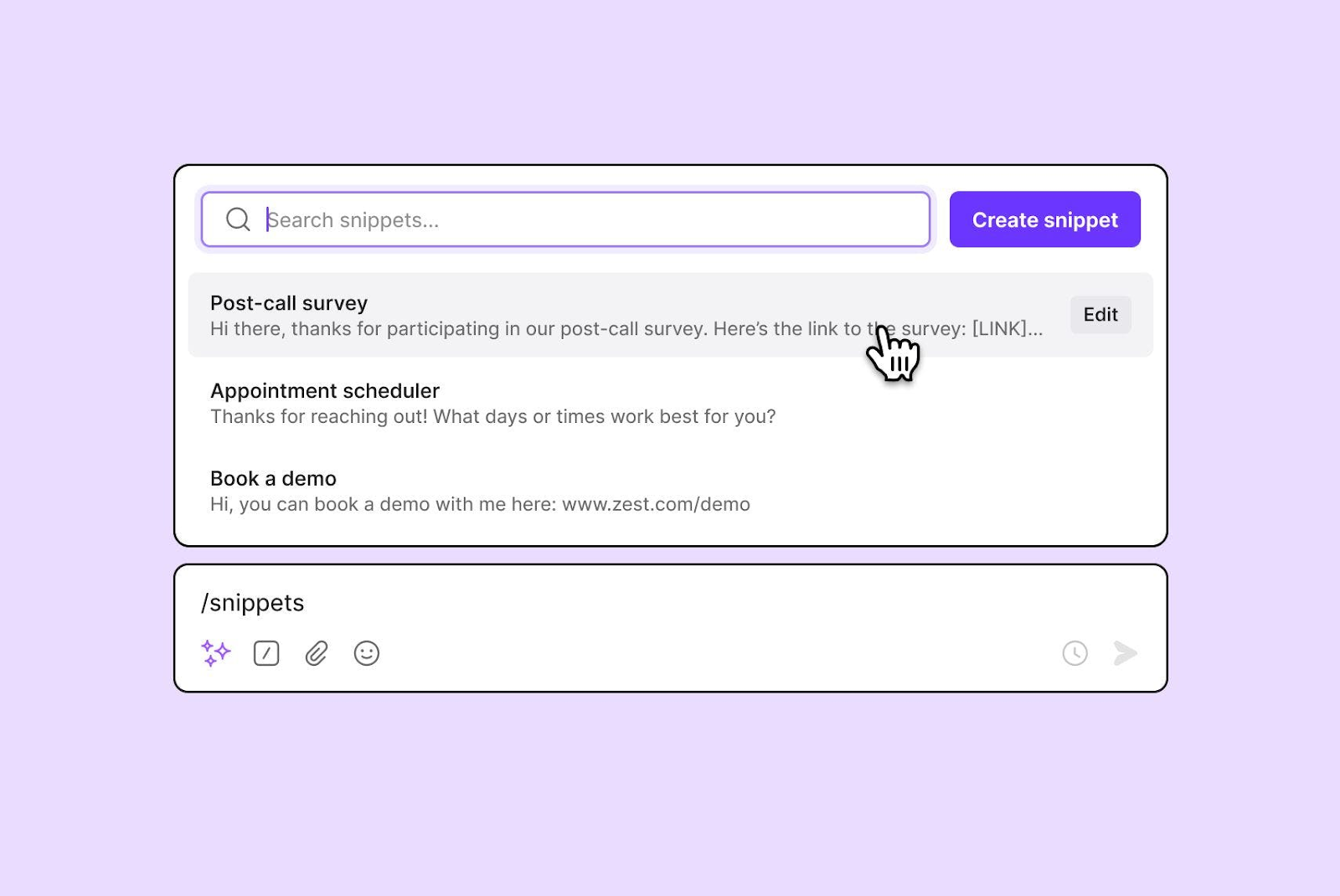
Pro tip: Integrate Quo with tools like Zapier or Make to send automated texts based on trigger events, like appointment date or purchase history.
2. You want to reconnect with past leads or customers
A quick text acts as a gentle prompt for customers who haven’t purchased from or booked with you in a while. Texting is far more conversational — and less intrusive — than a phone call. Also, messages are easy to automate based on the length of time since a customer’s last communication.
Text is one of the easiest ways to re-engage people who haven’t booked or responded in a while. Many customers won’t return on their own — and if they’re not actively on your site, chat won’t reach them (and phone calls can be intrusive).
Text lets you follow up directly, even weeks or months later, without feeling pushy. It’s perfect for sending a quick check-in, a win-back offer, or a reminder to reschedule. This kind of outreach can help you recover lost opportunities and get people back in your pipeline.
3. You want to have async, ongoing conversations
Texting doesn’t require you and your customers to be online and using the same chat platform at the same time. Instead, you can have conversations asynchronously. Messages stay in the thread whenever they’re sent, so there’s no pressure to be “always on.”
This is especially helpful if you run your business alone or have a small team that’s only available during specific times of day.
Async texting is also great for customers because they don’t have to stay constantly engaged with the conversation. Instead of sitting and waiting for a rep to resolve something over live chat, customers can send a text, go about their days, and check for responses later.
If you use Quo’s scheduled messaging feature, you can draft texts during the day and have them sent automatically later. It also helps you stay compliant with the FCC’s Telephone Consumer Protection Act (TCPA) and other texting compliance regulations by avoiding texts outside business hours.
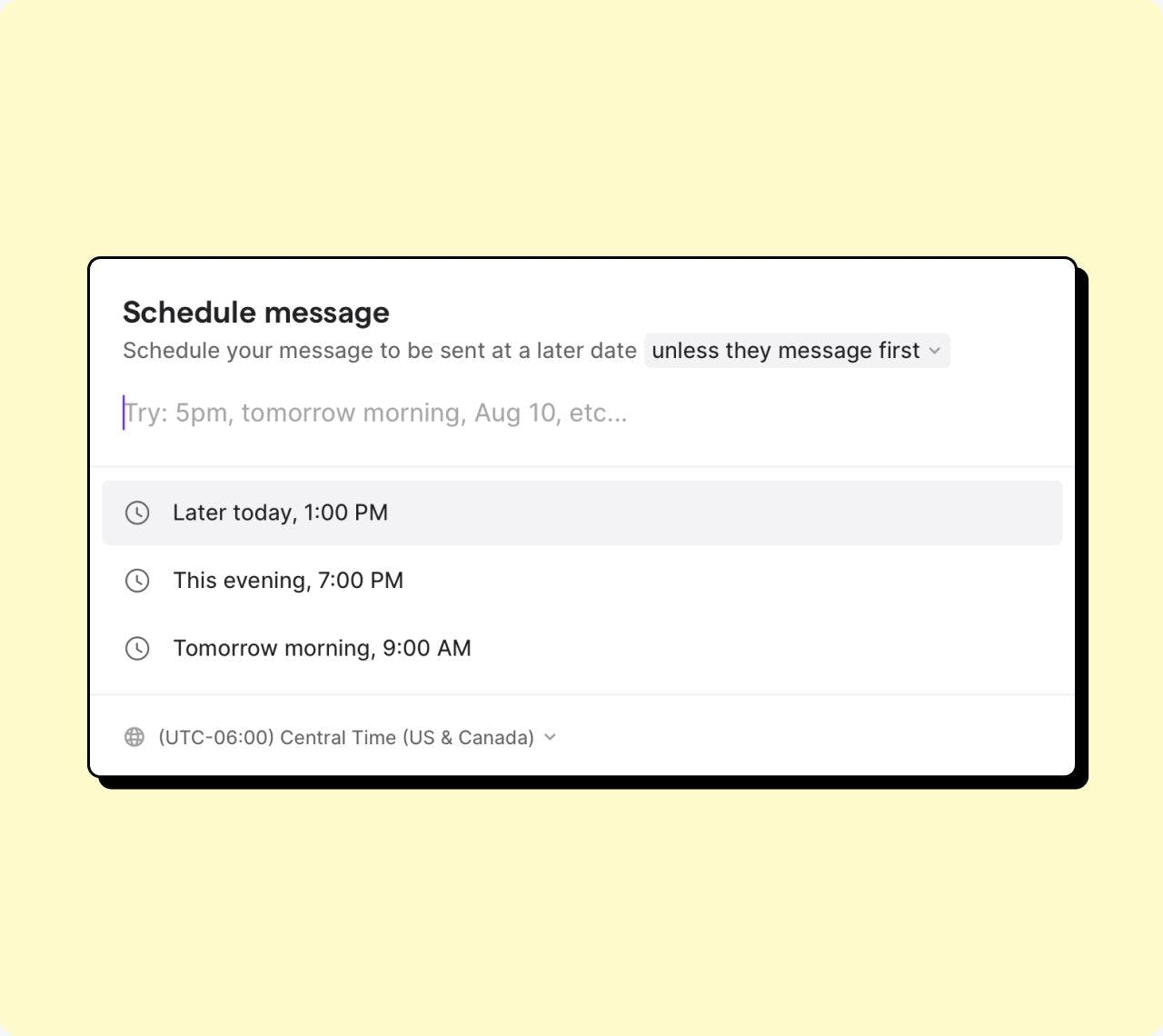
Need help? Here’s how to schedule texts on any device — and directly through Quo.
4. You need a written trail of communication
When you use text, you create a permanent, searchable record of every conversation. This helps with accountability and dispute resolution because you can easily see what was said by everyone who worked on each issue. If something is unclear, reps can easily confirm the right details so customers don’t have to repeat information over and over.
Text records come in handy for situations like:
- Resolving payment issues, including confirming that payment was received
- Keeping track of customers’ requests so you can prioritize urgent problems
- Track ongoing issues and send follow-up texts with accurate context
- Collecting and responding to feedback to improve service
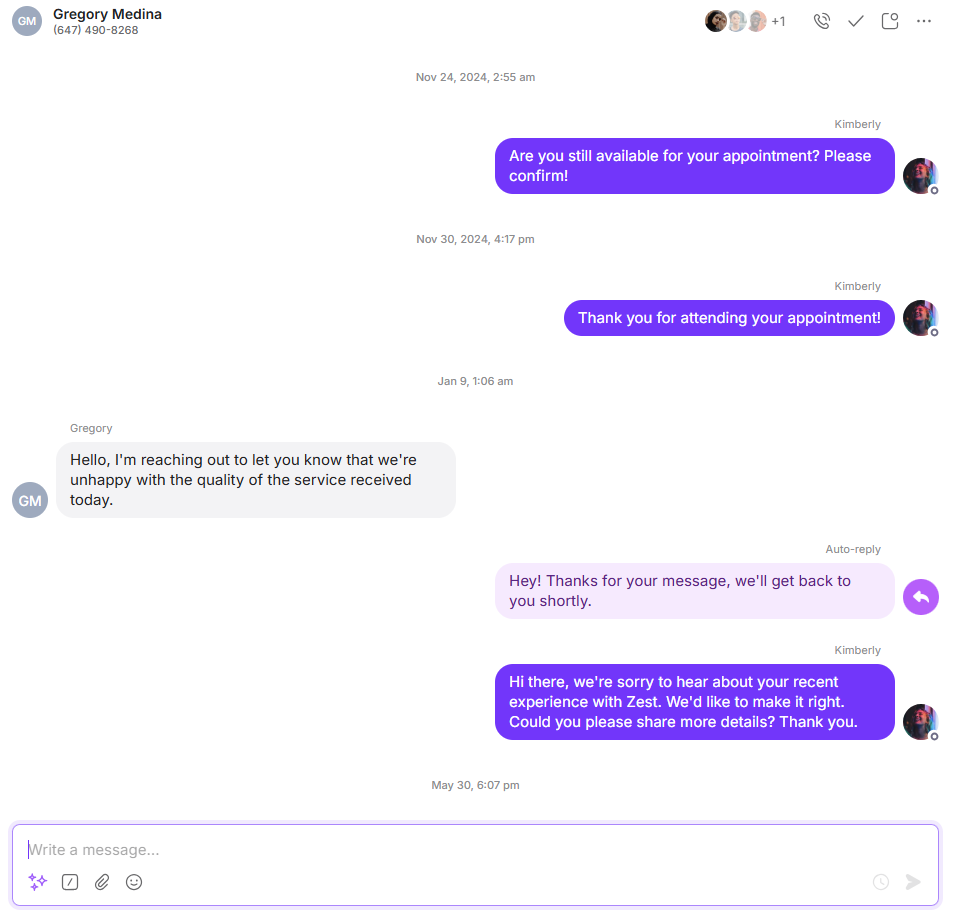
Never miss a message again with Quo texting

Chat and text are both useful communication methods for growing businesses. But if you want to offer the best service, it’s important to know which channel to use and when.
Texting is especially useful for follow-ups, updates, and quick check-ins that don’t need a live response.
Quo makes it easy to add two-way SMS and MMS to your messaging strategy and stay on top of text as your business grows. Features like snippets and scheduled messages make texting faster and easier, so you can deliver consistent customer service without feeling overwhelmed.
Quo also supports text communications with additional features like:
- Unlimited texting and calls to customers in the US and Canada
- Group texting for contacting multiple people at once
- Automated SMS workflows to handle after-hours business communications, quick follow-ups, and reminders
- Collaboration features like shared numbers so multiple people can text and call from a single number and internal threads to coordinate responses behind the scenes
Try Quo free for seven days to see why over 60,000 growing businesses use our software to have happier customers.
FAQs
Text (SMS) is the most basic form of mobile messaging. It works on nearly every mobile phone and doesn’t need the internet, but it has character limits and doesn’t support rich media.
Chat usually refers to internet-based messaging through your website, app, or messaging platforms like Facebook Messenger. It’s real-time and best for live back-and-forth while someone’s online.
RCS (Rich Communication Services) is a newer version of texting with features like read receipts, images, and buttons. But it requires an internet connection through mobile data or WiFi. Plus, not all phones and carriers currently support RCS.
Both group chat and mass text can be used to send the same message to multiple recipients. Group conversations create a shared thread where everyone can join the conversation and see replies.
When you send a mass text, all recipients still get the same message. But when someone replies, their message only goes to the original sender instead of the whole group.
Texting or SMS only supports text-based messages unless the recipient’s phone allows MMS or RCS. Chat apps let you share multimedia messages and upload files, which can be more useful for resolving complex issues.
Chat is also better for providing immediate, real-time answers and support. But you can also offer the convenience of asynchronous support through a chat messaging app like WhatsApp — similar to the support available with text.
Third-party chat apps typically use end-to-end encryption, a type of security that keeps messages private between senders and recipients. With the best software, this means not even the platform’s provider can see the messages you exchange with customers.
Texting, on the other hand, doesn’t use any type of encryption. Since text messages have to pass through a carrier’s short message service center (SMSC), SMS could be more susceptible to interception, hacking, and manipulation.