Measure performance, coach your team, improve results
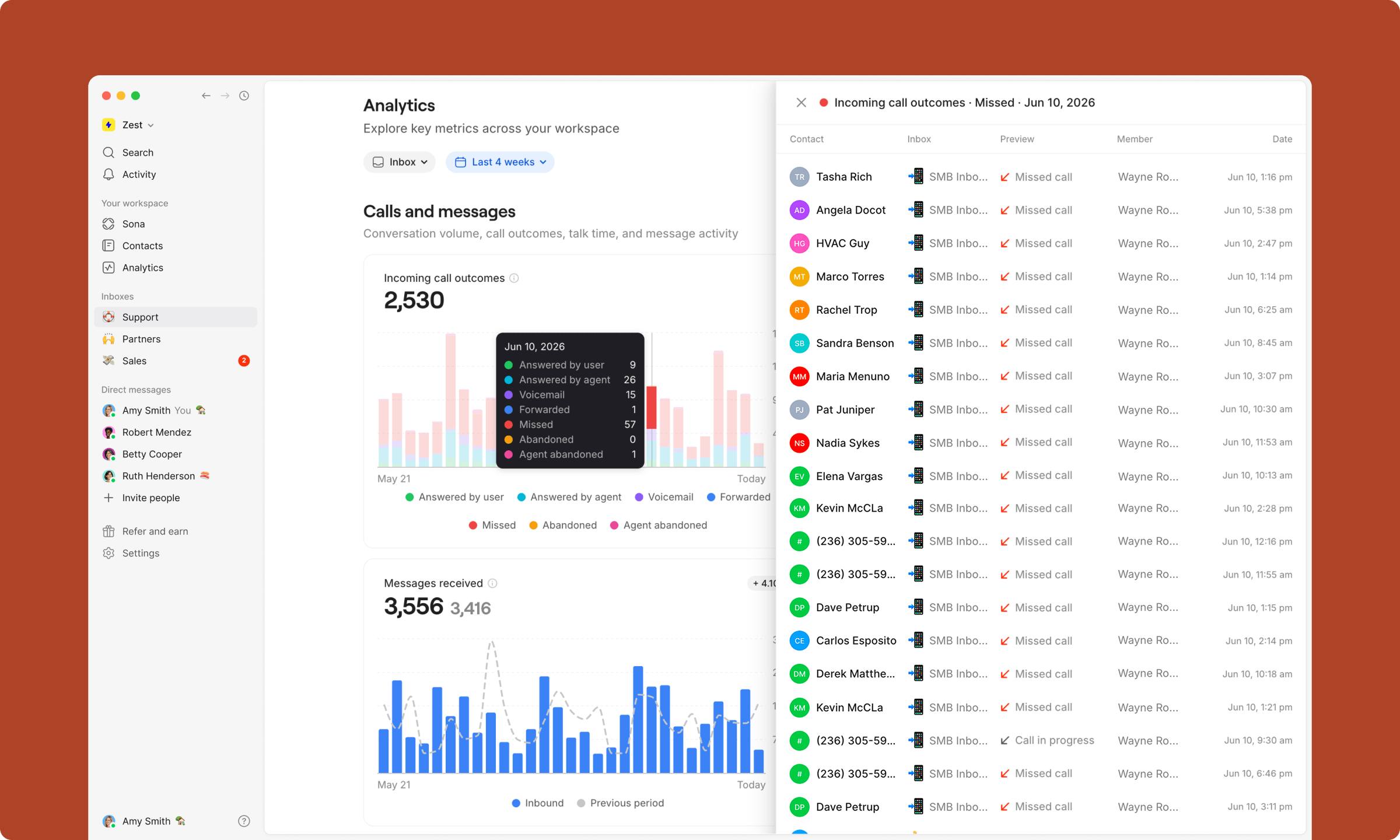
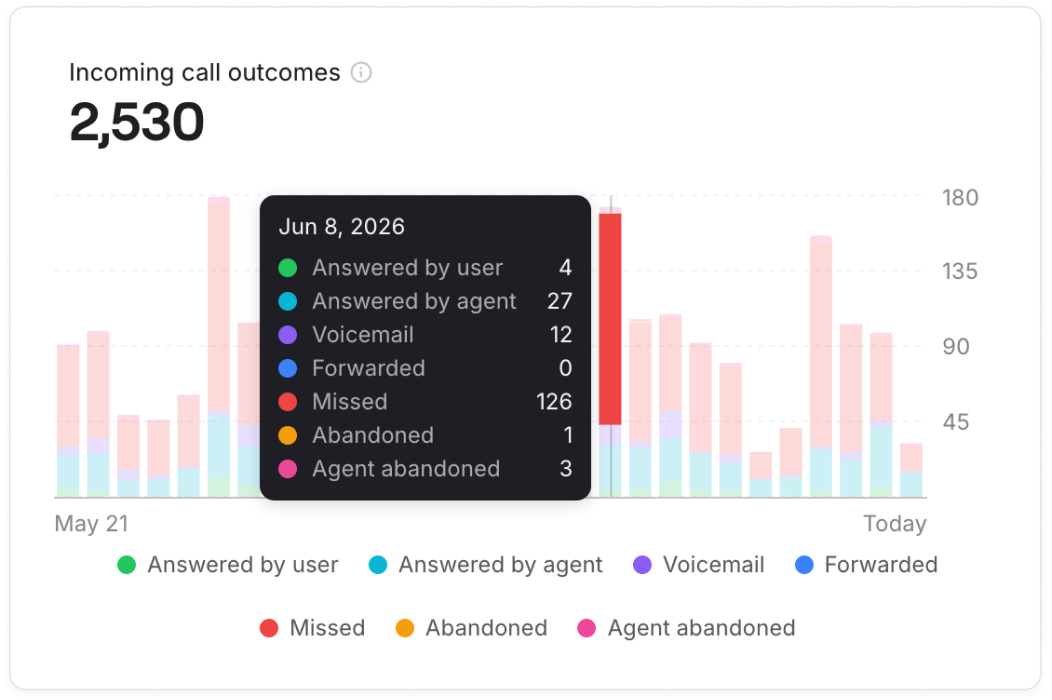
See call outcomes side by side
Know why calls didn't connect, not just that they didn't.
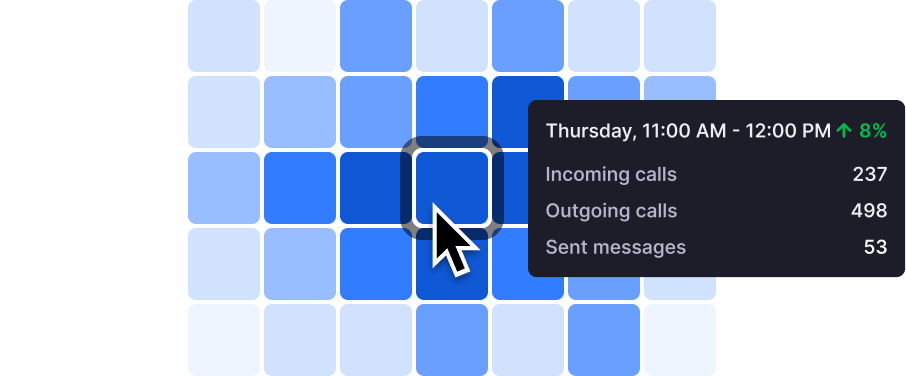
Catch issues before they spiral
See when your team is most active, broken down by hour and day of the week. Use it to plan and schedule smarter.
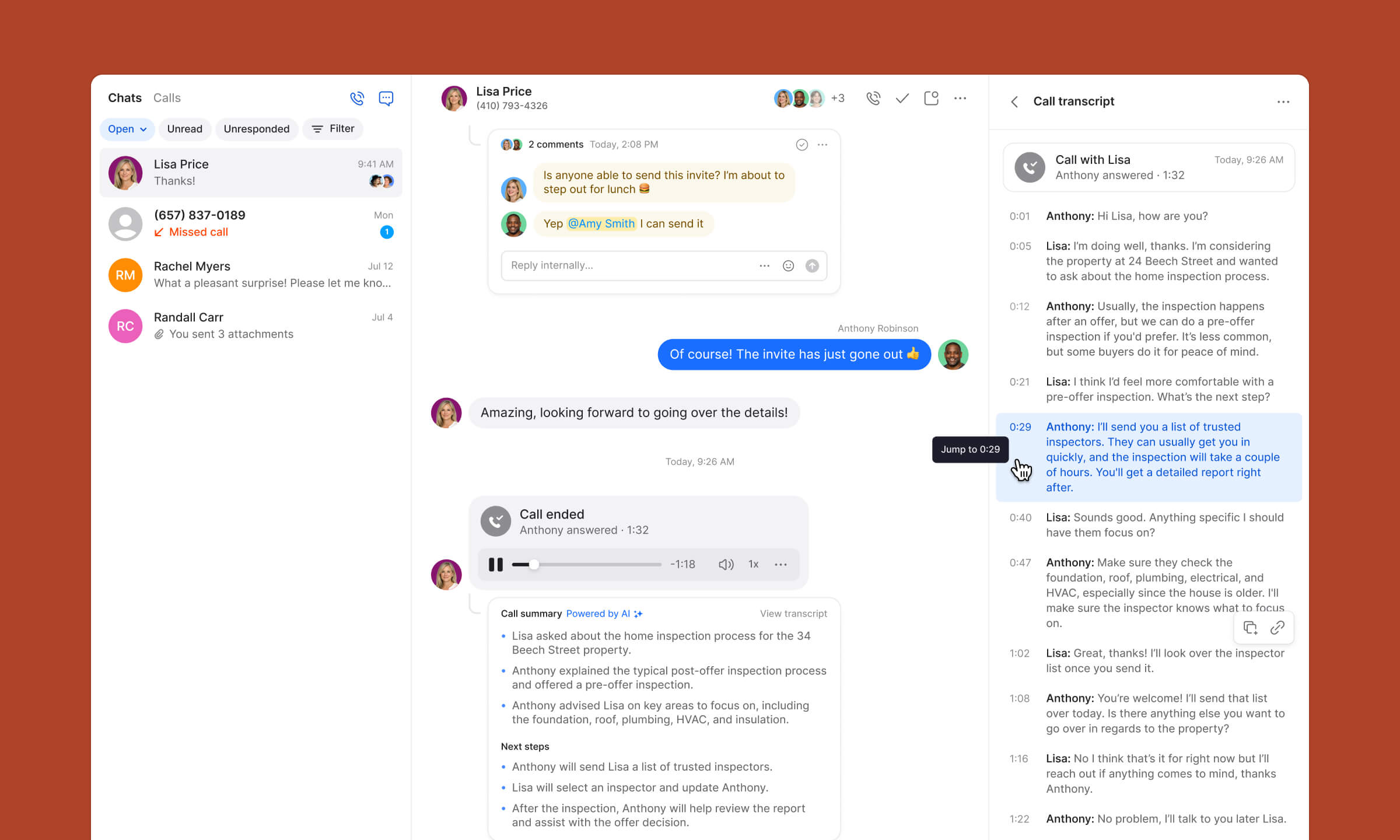
Know what’s happening in every conversation
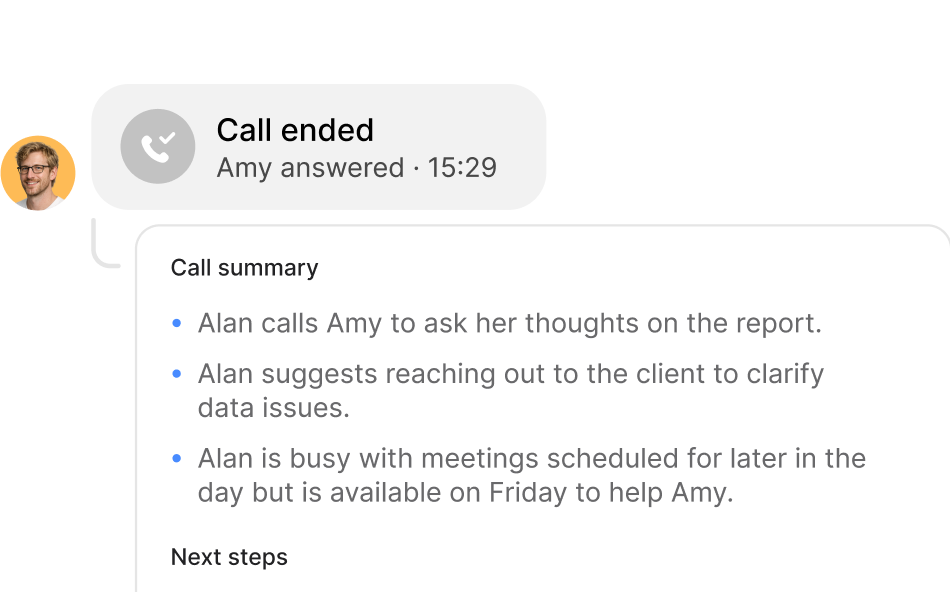
Use AI-powered summaries and transcripts to quickly understand what happened on calls.
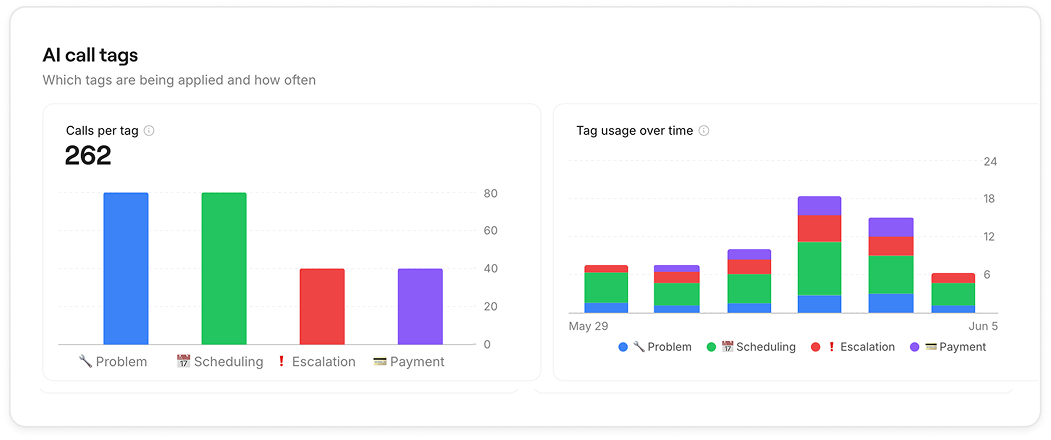
Track call trends with AI tags
See which conversations happen most often and how they trend over time, so you can quickly identify shifts in customer needs.
3x
more visibility
Quo is phenomenal. Whether we’re communicating with employees, our customers, or our clients, it gives us visibility into all the different lines that we use. It’s a great platform, super convenient, really easy to use, and inexpensive. We love it.
Jason Ovryn
Co-founder & COO @ Carry
Powerful oversight made simple
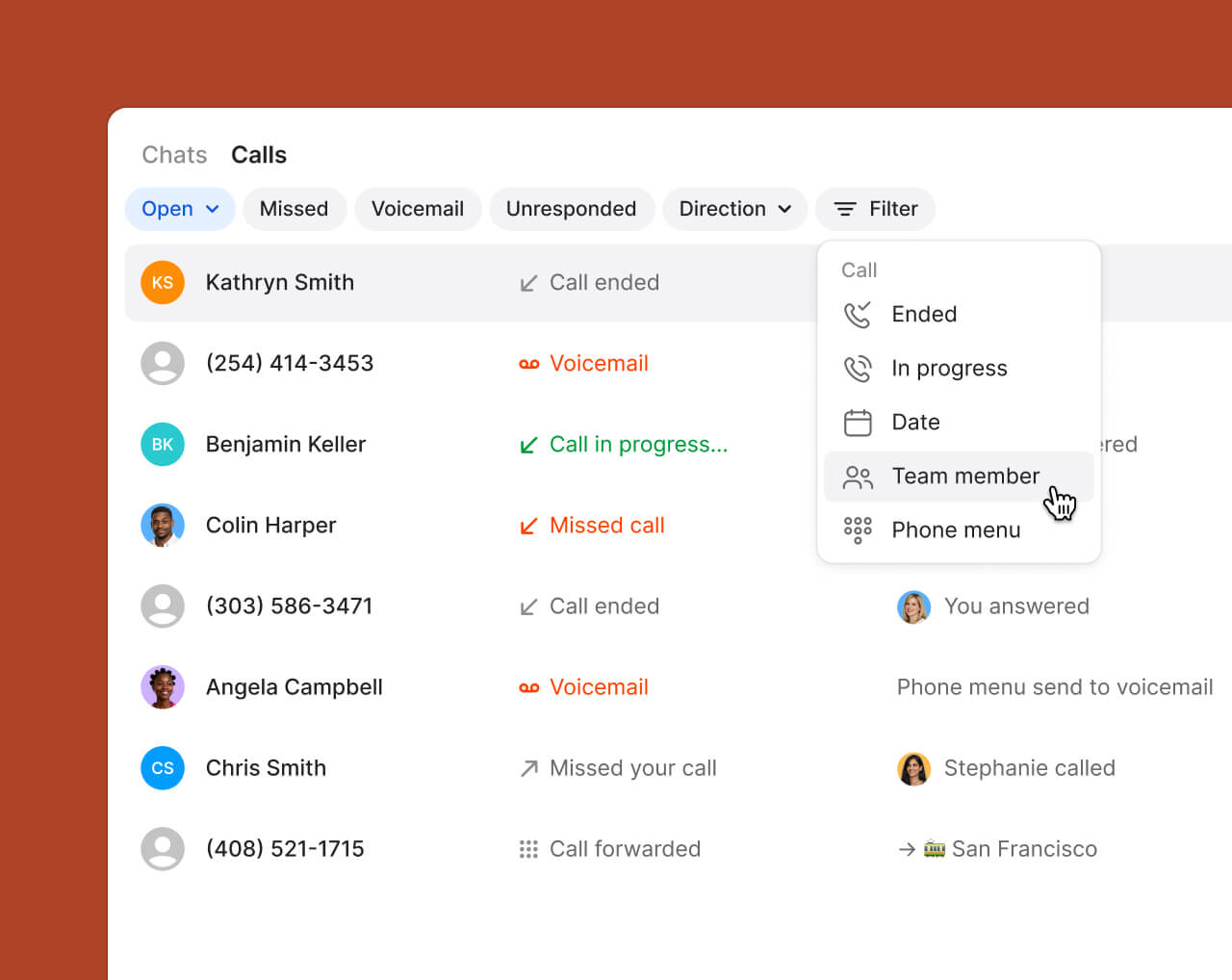
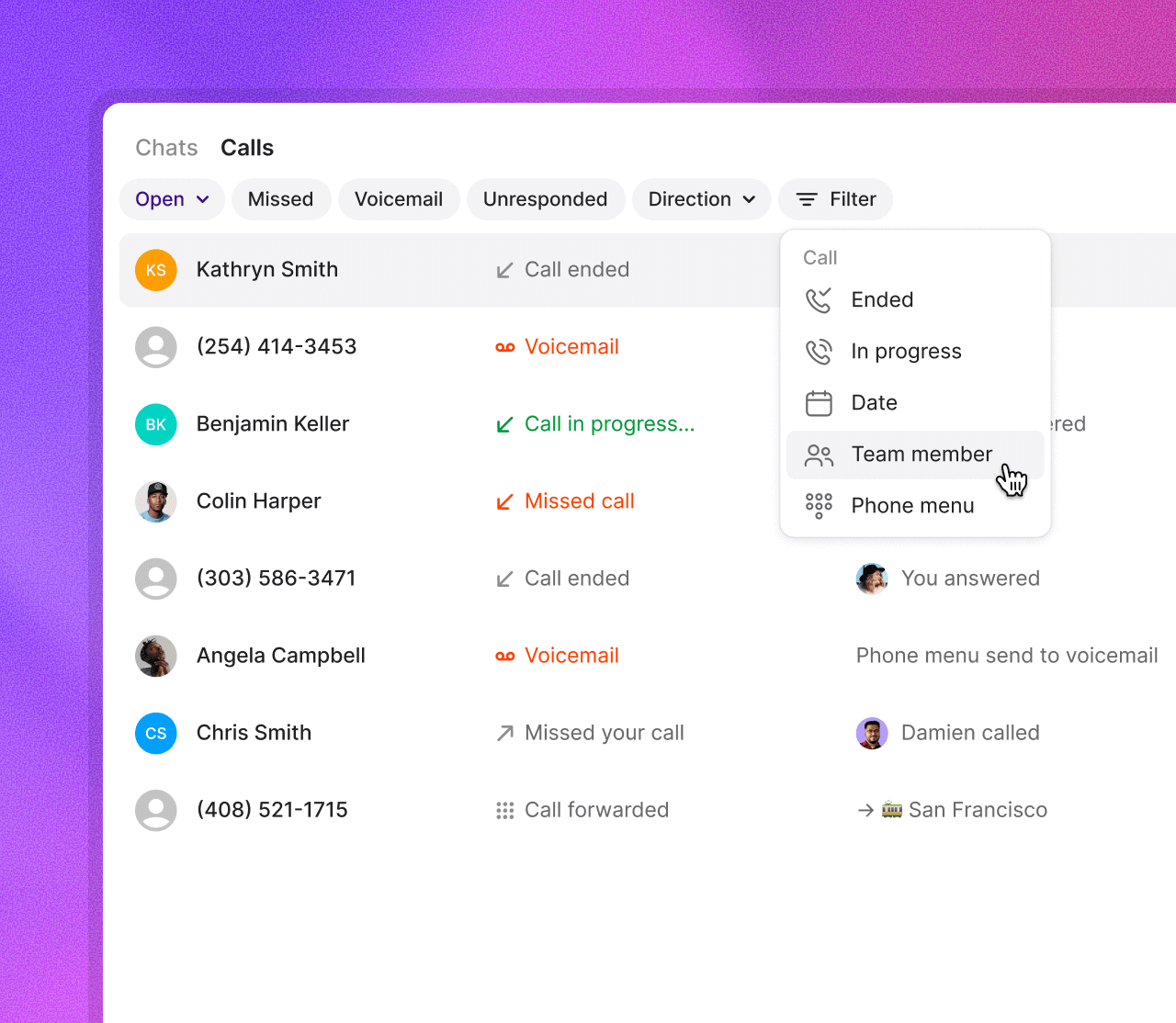
Call views
Stay organized with a dedicated call view that puts everything in one place — from full conversation history to contact details. Use filters to quickly find calls, streamline follow-ups, and focus on the conversations that matter most.
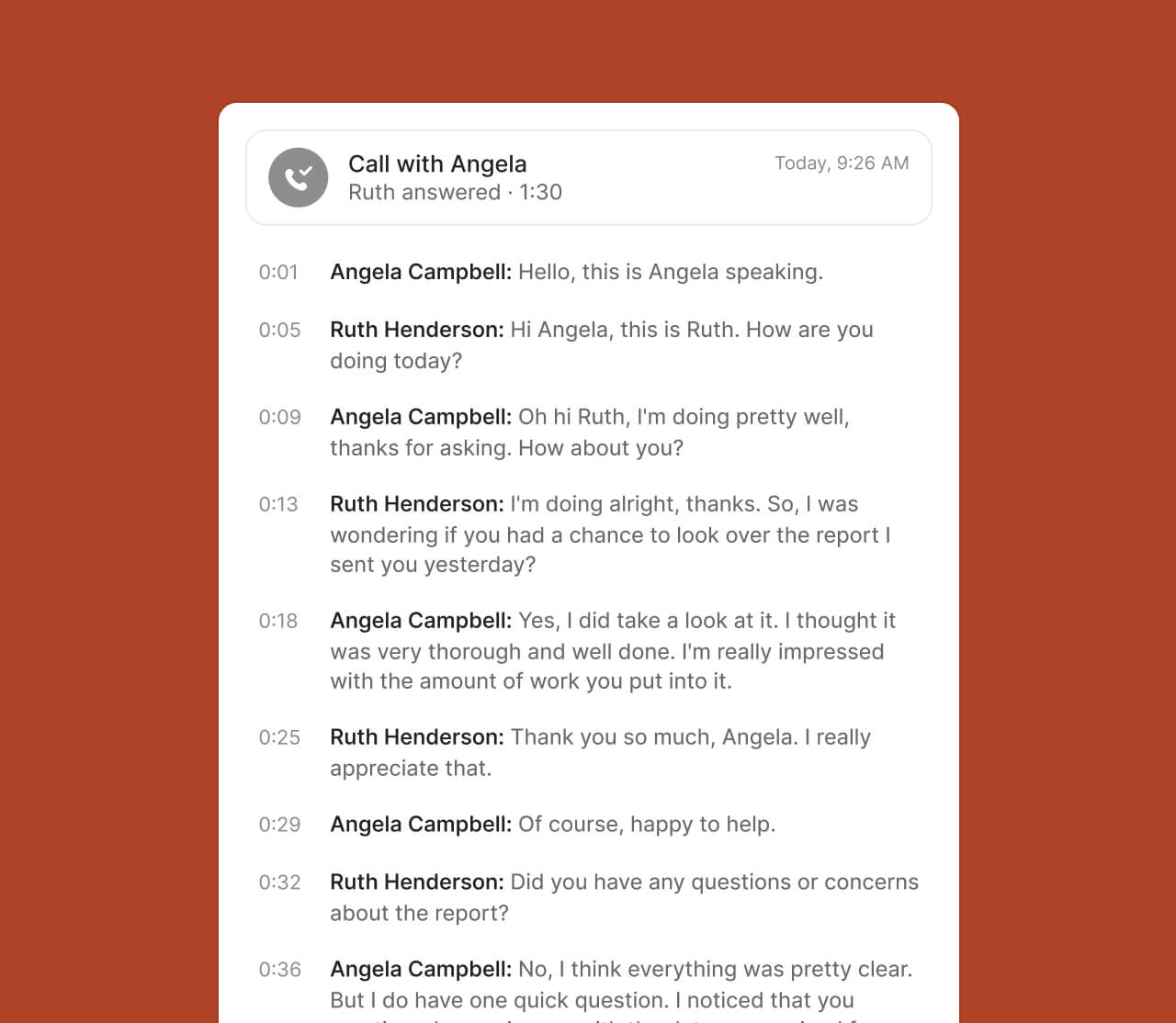
AI call transcripts
Harness the power of AI to generate transcripts and automate note-taking using advanced speech-to-text technology.
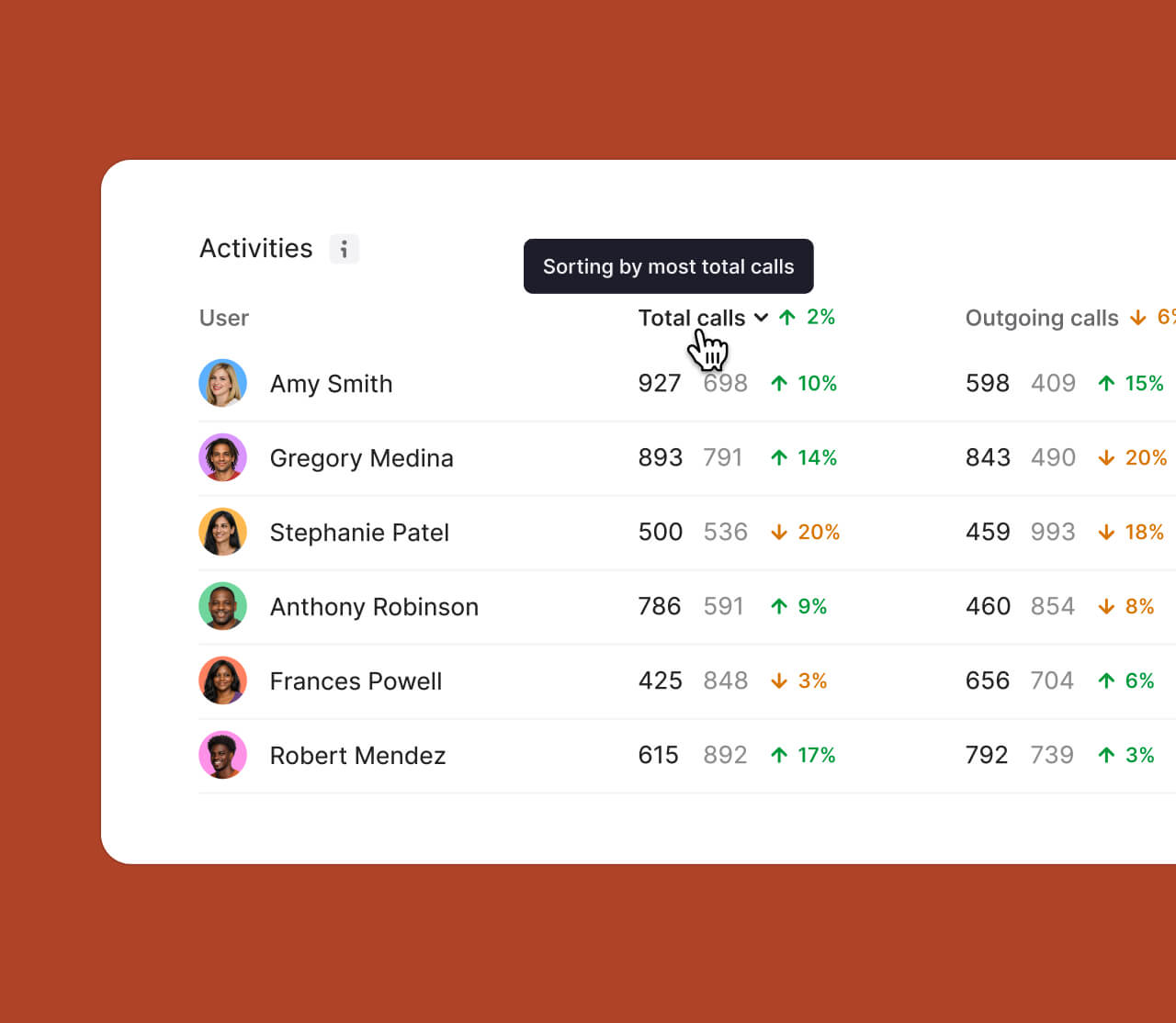
Teammate analytics
Per-teammate breakdowns of calls, messages, and conversations — each with a change indicator showing how each person is trending vs. the previous period.
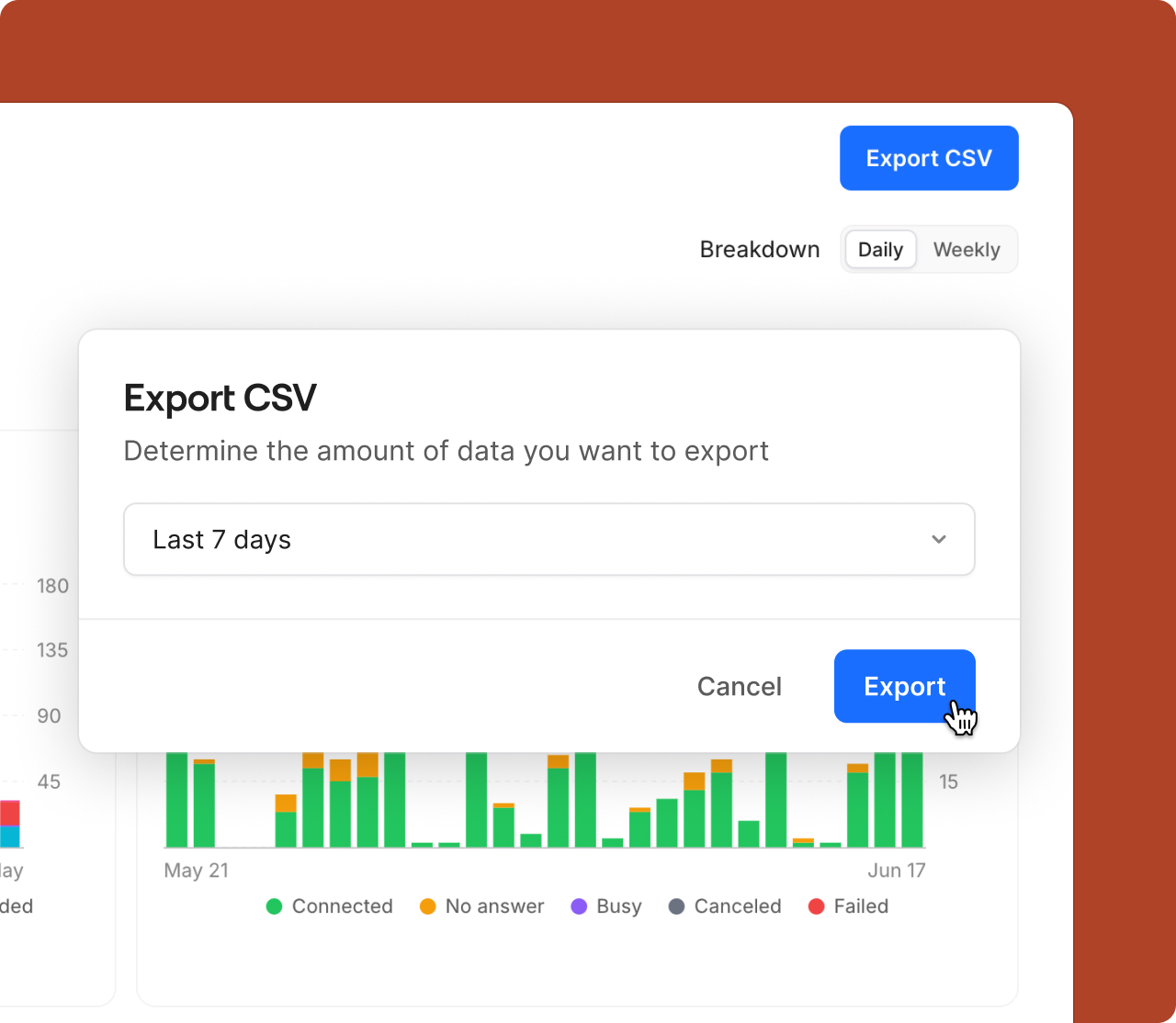
CSV export
Download a CSV containing over 24 call and conversation data points after applying your preferred filters and date range. Analyze your data in Excel, Google Sheets, or your favorite spreadsheet tool to uncover custom insights and trends.
Design your call routing visually with drag-and-drop simplicity - see exactly how calls will flow, easily set up after-hours menus, route VIP customers to specific team members, and make changes without technical headaches or disrupting customer experience.
Harness the power of AI to generate transcripts and automate note-taking using advanced speech-to-text technology. Call summaries make it easy to get context from previous conversations in seconds while suggesting next steps.
Sona, your AI agent, answers calls 24/7, handles common questions, captures key details, and ensures every customer interaction is logged. It’s like having an always-on receptionist — so you can focus on growing your business.


.png)

.png)
.png)


.svg)
.svg)
.svg)