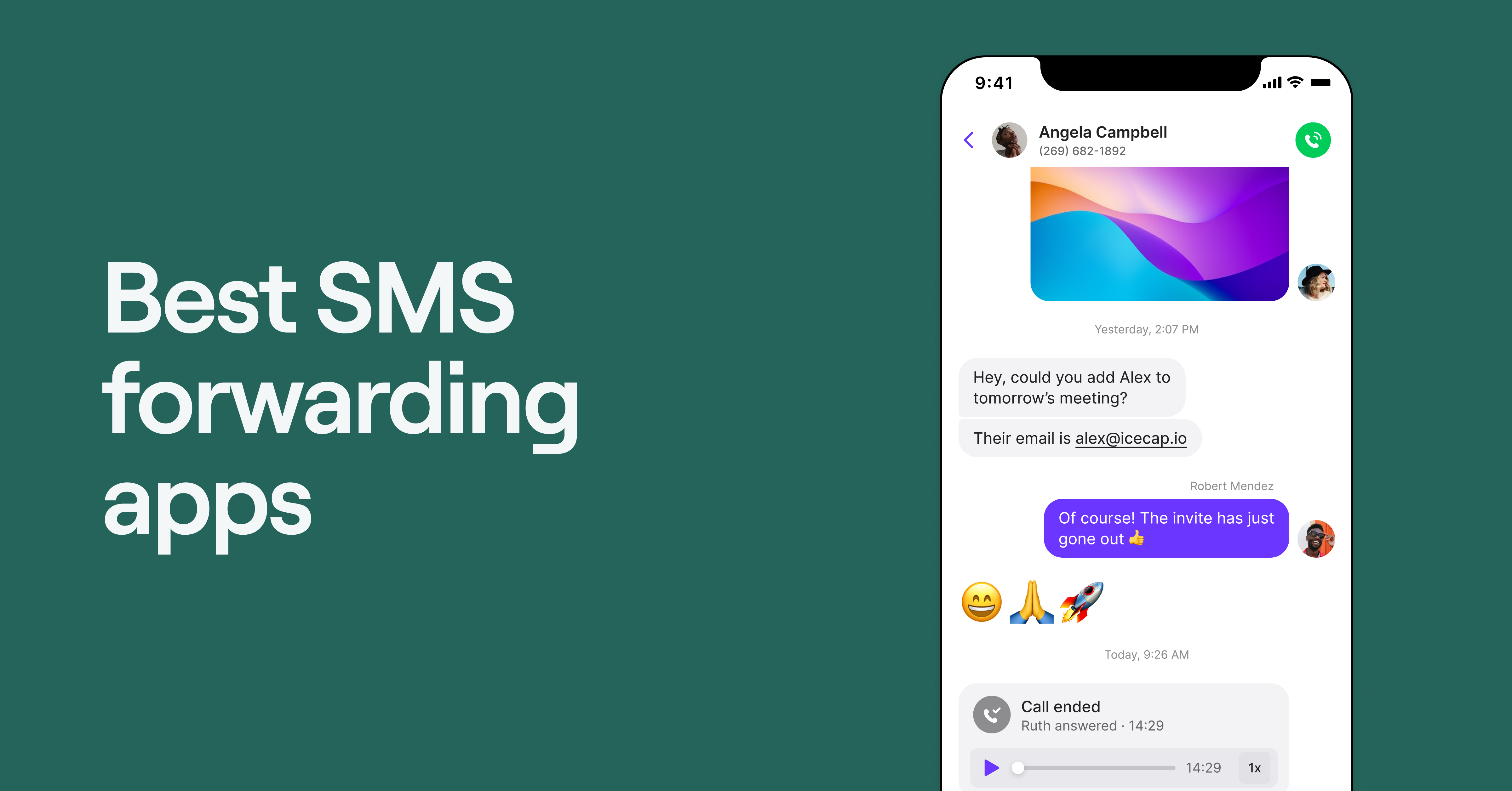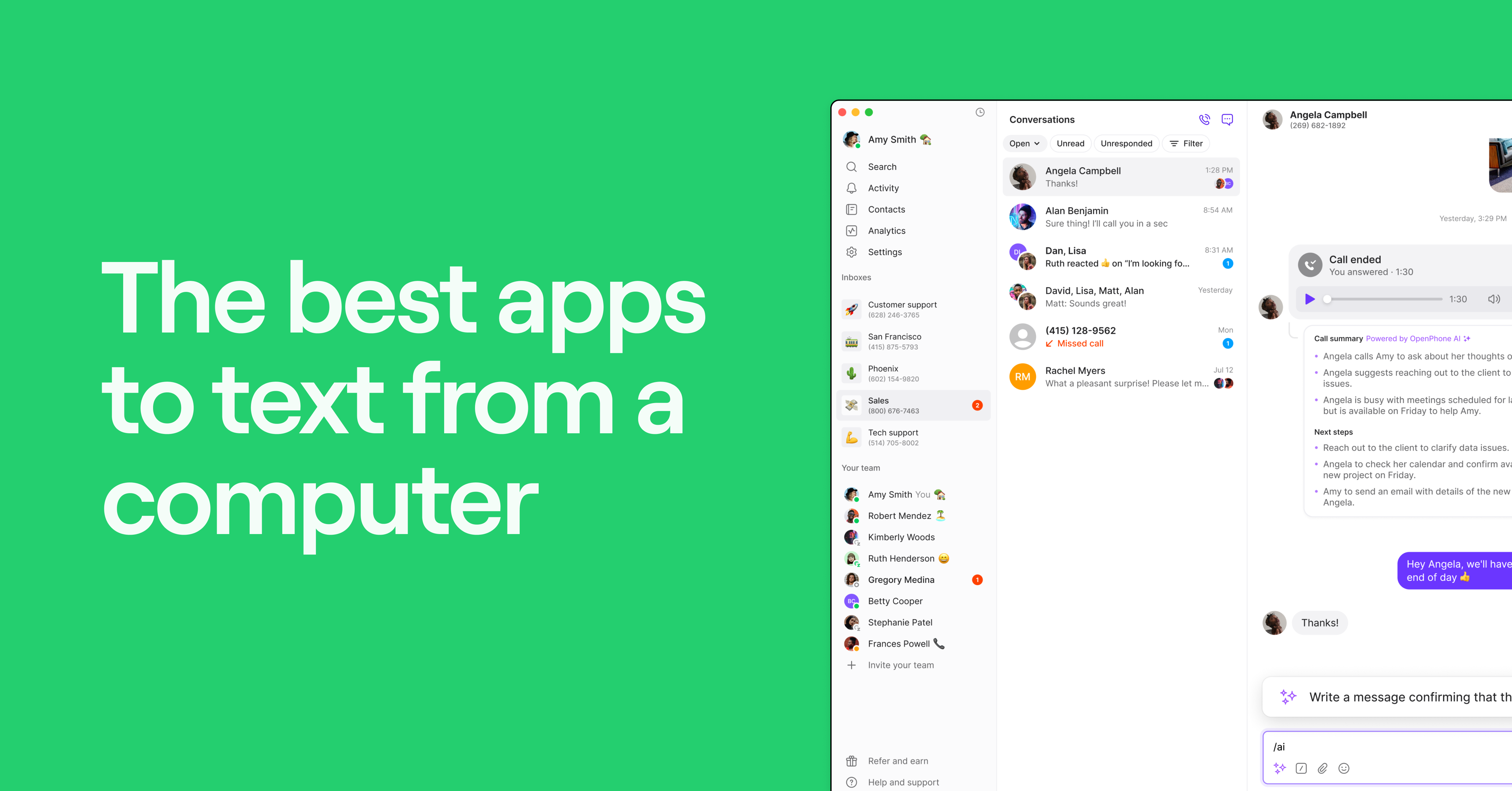
Sometimes your phone is out of reach and using your computer is more convenient for texting. The larger screen makes it easier to multitask and attach multimedia content to your customer messages.
But with so many options on the market, how do you choose the right one? In this guide, we’ll take a look at the best apps to text from a computer so you can decide which fits your business needs.
Comparing the best apps for texting from a computer
Here’s how the top solutions for texting on a computer compare:
| Provider | Starting price | Unlimited calling to US & Canada | SMS/MMS to US & Canada | Shared phone numbers | Additional phone numbers |
|---|---|---|---|---|---|
| Quo | $15 per user per month | ✔️ | ✔️ | ✔️ | $5 per number per month |
| Google Voice | $17 per user per month (including the required Google Workspace subscription) | Unlimited calls to Canada from the US only | US customers only | Requires upgrade (ring groups only | ❌ |
| MightyText | Starts with a free plan | ❌ | ❌ | ❌ | ❌ |
| Google Messages | Free | ❌ | Uses your cell phone plan | ❌ | ❌ |
| SimpleTexting | $33.20 per month for 500 credits | ❌ | ✔️ | ✔️ | $10 per number per month |
| Sideline | $14.49 per user per month | Requires carrier minutes | ✔️ | ❌ | ❌ |
| Viber | Free for personal use | Other Viber users only | Other Viber users only | ❌ | ❌ |
| Mysms | Starts with a free plan | ❌ | Other mysms users only | ❌ | ❌ |
| AirDroid Personal | Starts with a free plan | Requires carrier minutes | ❌ | ❌ | ❌ |
| SlickText | $29 per month for 500 texts | ❌ | ✔️ | ✔️ | ❌ |
| Textedly | $26 per month for 600 texts | ❌ | ❌ | ❌ | $15 per number per month |
| Facebook Messenger | Free for personal use | Other Facebook Messenger users only | Other Facebook Messenger users only | ❌ | ❌ |
| TextMagic | $0.049 per outbound text message | ✔️ | ✔️ | ✔️ | $10 per number per month |
| Pushbullet | Starts with a free plan | ❌ | Only supports Android phones | ❌ | ❌ |
1. Quo (formerly OpenPhone): Best app to text from a computer for businesses

Pros
- Unlimited calls and messages to the US and Canada
- SMS and MMS messaging are available
- Shared numbers for team messaging
- Messaging automation, including auto-replies, scheduled messages, snippets, and AI-generated message responses
- Integrations with popular apps like HubSpot, Salesforce, and Zapier
Cons
- No verification through two-factor authentication*
*Nearly all virtual phone numbers share this problem. For safety reasons, companies like Facebook, Uber, and Google rarely let you authenticate accounts through a virtual phone number.
First up is Quo, a business phone system built to help small and growing companies stay connected to customers. It ensures all your customer interactions are accessible in a single thread, making staying on top of your communication and collaborating on external conversations easy.
Sending text messages from your computer (SMS and MMS) from Quo’s browser or desktop app is a simple process. Your Quo number is also available as a second number on your smartphone, giving you two numbers on one phone (one personal number and one for work).
With text message templates, auto-replies for during and after business hours, and automated texts via Quo’s API, Make, and Zapier integrations, you’re not limited to simple SMS texting.
You can even schedule text messages based on your contact’s time zone and attach photos, videos, audio, GIFs, files, and more to your texts.

In addition to the texting features listed above, you can call from your computer or smart device, record calls, create a mini customer relationship management index in your address book, and set custom business hours. Plus, the mobile and web apps are easy to use.
You can also collaborate with team members to solve customer issues with Quo’s shared phone numbers. All you need to do is invite team members to your number via the Admin Dashboard, which will give everyone access to the same inbox.
Quo’s AI agent, Sona, can answer calls, collect key details, and respond to frequently asked questions when your team isn’t available. You can customize its greeting, choose which questions it asks when taking a message, and decide where it fits in your call flow.
It’s these features that make Quo one of the best apps for growing teams to text from a computer. See how easy Quo is to use today by signing up for a free seven-day trial.
Key features of Quo
- Unlimited SMS and MMS to the US and Canada
- Shared numbers for team messaging
- Auto-replies
- Group texts
- Scheduled messages
- Snippets (text message templates)
- AI agent, Sona
- International calls and texts at affordable rates
- Additional US numbers (local, toll-free, and vanity numbers) for purchase
Quo pricing

Quo’s pricing gives your team the flexibility to scale as your business grows:
- Starter: $15 per user per month for unlimited voice calls and text messages in the US and Canada, voicemail transcriptions, shared numbers, and more
- Business: $23 per user per month for phone menus, AI call summaries and transcripts, group calls, analytics and reporting, automatic call recording, and more
- Scale: $35 per user per month for AI call tags, dedicated onboarding, and priority chat and email support
OpenPhone download links:
2. Google Voice: Best texting app for Google Workspace users
Pros
- Integrates with other Google Workspace apps
- Free plan for personal use
Cons
- Texting is available in the US only
- MMS messaging has file limits
- No texting automation features
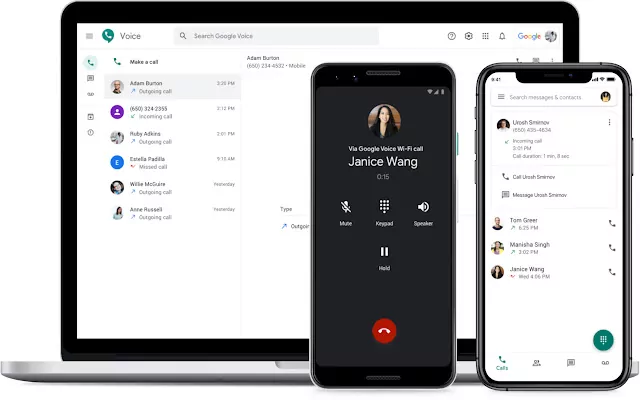
Google Voice is a VoIP provider that lets you send SMS messages from your computer. However, the free version of Google Voice has texting limits that aren’t clear, making it impossible to know how many texts you can send before Google assumes it’s spam and locks your account. And any text messages you send through Google Voice end up in a separate inbox from your phone calls and voicemails, making it harder to piece together customer conversations.
Want to integrate with your current tech stack to automate repetitive tasks? You can’t with Google Voice since it only integrates with Google apps and not external tools like HubSpot, Zapier, and Salesforce.
Another issue with Google Voice for texting is its MMS features are limited. You can only send .jpg, .png, and .gif files on Google Voice, and there are file size limits for each.
Want to send scheduled messages or auto-replies on Google Voice? You’ll have to go somewhere else. Plus, you can’t send text messages from a toll-free number since Google Voice doesn’t support them.
The platform is also more expensive than other VoIP providers when you factor in the workspace subscription ($7 per user per month), making it not the best value for money.
Key features of Google Voice
- Custom greetings
- Unlimited text messaging in the US
- Integrations with Google Workspace apps
- Ring groups (requires upgrade)
- Mobile apps (iOS and Android)
Google Voice pricing

You need to pay for two subscriptions to access Google Voice paid plans. The first is at least $7 per user per month to unlock Google Workspace. The second is one of these three pricing plans:
- Starter: $10 per user per month for calls to the US and Canada, unlimited text messaging in the US, and integrations with Google Workspace
- Standard: $20 per user per month to unlock on-demand call recordings, ring groups, and phone menus
- Premier: $30 per user per month to unlock automatic call recordings and advanced reporting
Google Voice download links:
3. MightyText: Best texting app for your existing cell number

Pros
- Receive and reply to messages over email
- Phone notifications delivered to your computer
Cons
- Available only for Android phones
- No auto-replies
- No team messaging
MightyText is a functional, frills-free texting app you can use on top of your existing cell phone number. The paid version is one of the cheaper options on this list.
With MightyText, your phone has to be switched on and connected to WiFi and data to receive and send texts from your computer. If you can’t charge your phone, you might run into trouble when responding to customers. Plus, MightyText only supports texting, so you won’t be able to call from your PC or any browser. Keep in mind the MightyText desktop app must use your existing Android phone number. So if you’re Team Apple, you’ll need to look at another solution.
The free plan leaves much to be desired since it only lets you send 15 messages per month. And you can’t store your messages for longer than 60 days, use snippets, or schedule texts unless you upgrade to the Pro plan.
Bottom line: If you’re looking for one of the best apps to text from a computer that works across all platforms, not just Android, MightyText might not be the right fit.
Key features of MightyText
- Schedule messages (requires upgrade)
- Text via email
- Message templates (requires upgrade)
- Send MMS and SMS from your computer
- Send bulk SMS (requires upgrade)
MightyText pricing

MightyText offers two versions of its app to users:
- Free: $0 per month for call notifications, phone battery alerts, power view, and texting from Gmail
- MightyText Pro: $7.49 per month for a MightyText experience without ads, no sending limits, and 100 GB of photo/video storage
MightyText download link:
4. Google Messages: Best free app to text from your computer

Pros
- Free to use with an existing phone
- End-to-end encryption
Cons
- Only available for Android phones
- No auto-replies
- No team messaging features
Google Voice isn’t the only Google service you can use to text from your computer. Google Messages is a free alternative that uses your existing number to send messages to contacts. All conversations are encrypted end-to-end, so your conversations will remain private.
With Google Messages, you can send custom emojis and three-second animated videos or ‘selfie GIFs.’
While Google Messages is free to use, it comes with drawbacks you should consider. First, it’s only available on the web and Android, so you can’t use it if you’re an iOS user. It isn’t designed to support businesses, which means it doesn’t offer features like auto-replies, snippets, or shared numbers.
If you’re looking for a way to bring your text conversations to your computer, Google Messages is a good place to get started. But if you’re looking for a solution for business conversations, you might want to consider another VoIP app for Android devices that’s actually designed for business texting.
Key features of Google Messages
- Free to use
- End-to-end encryption
- Group chats available
- Star messages
- Suggested replies
Google Messages pricing
Google Messages is free to use.
Google Messages download link:
5. SimpleTexting: Best texting app for SMS marketing

Pros
- Drip campaigns
- Shared numbers
Cons
- Slow and buggy (user feedback)
- Text-based pricing gets expensive
- No voice call support
SimpleTexting is a texting service that helps small businesses execute SMS marketing campaigns and facilitate sales conversations over text. For example, it offers features like drip campaigns, audience segmentation, and opt-in forms that help you collect customer data and deploy marketing campaigns. Plus, SimpleTexting supports two-way SMS and shared numbers that help sales teams provide one-on-one communication that nurtures leads.
However, one reviewer on G2 complained that SimpleTexting can be slow and buggy:

If you aren’t a business that needs SMS marketing tools, SimpleTexting likely isn’t the best app to text from a computer for you.
Key features of SimpleTexting
- Auto-replies and drip campaigns
- AI Assist message generator
- Integrations with Zapier and Mailchimp
- Mass texting
- API access
SimpleTexting pricing

Here’s how much you can expect to pay for a team of four users sending up to 500 texts per month:
- Plan cost: $33.20 per month (billed annually)
- User cost: $20 per month (billed annually)
- Total cost: $53.20 per month (billed annually)
SimpleTexting download links:
6. Sideline: Best texting app for essential business needs
Pros
- Unlimited SMS and MMS messaging
- Auto-replies and branded messages
Cons
- Poor customer service
- No shared or additional numbers
- No Integrations with Salesforce, Zendesk, or HubSpot
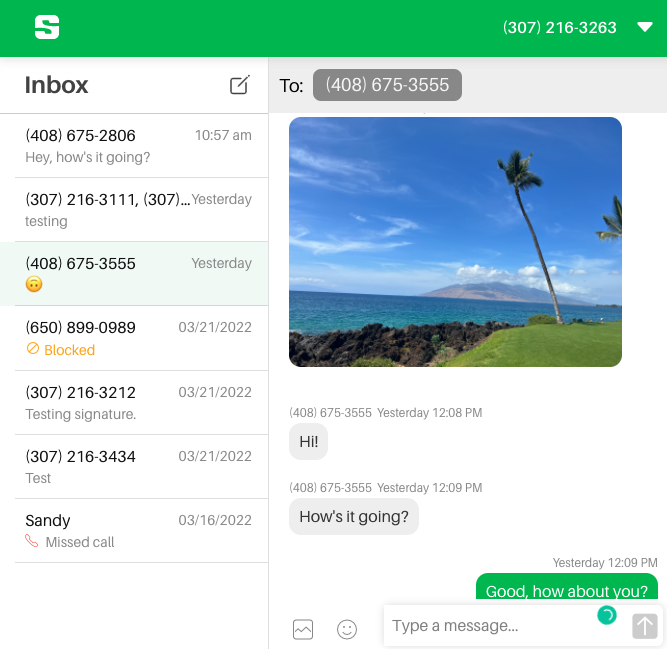
If you’re looking for a business phone number that’s separate from your personal number, Sideline is one option worth checking out. It offers a second phone line with unlimited SMS and MMS messaging, auto-replies, branded messages, voicemail transcription, and more.
Sideline has been criticized for having poor customer service, with some users complaining that it can take days to get a response from support.

You won’t have access to toll-free numbers, and it doesn’t have end-to-end encryption to keep your customer text messages private.
Want to schedule text messages to send at a time your customers will appreciate? You can’t with Sideline since it doesn’t offer scheduling features. Plus, once you create a group text, you can’t add or remove contacts.
Ultimately, Sideline can provide a second phone number for basic business needs. But if your business is growing, it may be worth investing in a more scalable texting app.
Key features of Sideline
- Auto-replies
- Group messaging
- Unlimited SMS and MMS messaging
- Number porting
- Record professional voicemail greetings
Sideline pricing

Sideline’s pricing gives you three pricing options for unlimited SMS and MMS messaging, auto-replies, group messaging, and branded messages:
- Monthly: $14.49 per month
- Half Yearly: $69.99, paid every six months
- Yearly: $129.99, paid annually
Sideline offered Enterprise pricing, but discontinued it as of June 2025.
Sideline download links:
7. Viber: Best texting app for free texting

Pros
- Can send voice messages
- Can send files and photos
Cons
- Calling anyone outside of the Viber network requires an upgrade
- Ads at the end of calls
- Lack of people who use the app
Viber is a free calling and messaging app available on iOS, Android, Windows, Mac, and Linux. It lets you record and send voice and video messages to customers, which is useful if you need to provide video support in your texts.
Have you ever sent a message to a customer by mistake? With Viber, you can edit or delete seen messages, preventing customers from getting confused by incorrect information or messages that weren’t meant for them.
However, Viber comes with drawbacks. You can’t collaborate with team members since it doesn’t offer shared numbers. Plus, you can only call and text other Viber users unless you upgrade to Viber Out, which costs $5.99 per month.
If you want access to business features, you’ll need to sign up for Viber for Business. It lets you send traditional SMS, place ads on the free version of Viber to advertise your business, and more, but it doesn’t offer enterprise-level features like a dedicated account manager.
Key features of Viber
- Send stickers and GIFs
- Group chats
- Mobile and desktop apps
- Disappearing messages
- Record video messages
Viber pricing
Viber for personal use:
- Free for personal use
- Calling rates vary by country to call non-Viber users when you subscribe to Viber Out, which costs $5.99 per month
Viber for business:
- Companies pay a flat fee every month. Plus, you’ll also need to pay for each message you send to customers. The rate and minimum fee depend on your phone number’s country code.
Viber download links:
8. Mysms: Best texting app for synchronous communication across all devices

Pros
- Schedule messages (requires upgrade)
- Free messages to Mysms users
Cons
- Ad-free texting on your computer requires an upgrade
- Support response within 24 hours on business days requires an upgrade
- No shared numbers
Mysms is a messaging app that’s been on the market for over 10 years. It’s compatible with almost every device, including Windows, Mac, Android, iOS, and web browsers.
While mysms offers a free plan that comes with basic texting features, it doesn’t offer the tools you’d expect from a business texting app. For example, your customers will see advertisements displayed in the texts you send them, causing your business to look unprofessional.
Plus, many of the features mysms offers require you to upgrade. You need the Premium plan to get text messages on your computer, backup and restore your texts, and have access to your full message history with customers.
As far as being one of the best apps to text from a computer, mysms falls short due to its lack of professional features. You’ll likely need to choose an alternative if you want to scale your business.
Key features of mysms
- Mirror your SMS to another phone (requires upgrade)
- Export your entire SMS inbox (requires upgrade)
- Store to Evernote, Dropbox, and Google Drive (requires upgrade)
- Forward messages to your email account (requires upgrade)
- Call notifications on computer (requires upgrade)
Mysms pricing

You can choose from two mysms pricing plans:
- Basic: $0 per user per month for sending texts on phones, tablets, and computers
- Premium: $9.99 per user per year for call notifications, SMS scheduler, faster support, and archive messages
Mysms download links:
9. AirDroid Personal: Best texting app for remotely controlling Android devices

Pros
- Free version
- File transfer
Cons
- Doesn’t support MMS
- Files attached to SMS are only available for one week
- Can’t delete SMS
AirDroid specializes in mobile device management and has millions of users worldwide. It offers a suite of tools that includes AirDroid Personal, which provides features that let you send and receive text messages from your Android phone on your PC and iPhone.
AirDroid lets you import customer contact lists, saving you time from manually entering your contacts one by one.
With AirDroid, you can send group SMS to customers, like texts about promotions and events. However, you can’t send MMS, which means your customers won’t be able to receive any multimedia content from your business.
Key features of AirDroid Personal
- Syncs with your phone
- Group messaging
- Message notifications
- Manage WhatsApp messages
- Desktop app
AirDroid Personal pricing

AirDroid Personal offers a free plan and a premium plan (billed monthly, quarterly, or yearly). Here are the features you can get on each:
- Free: $0 per user per month for connecting up to two Android devices (unlimited iOS devices) and sending up to 30MB per file over remote networks
- Premium: $2.50 per user per year for connecting up to three Android devices (can be increased to 10) and no ads
AirDroid download links:
10. SlickText: Best texting app for marketing campaigns

Pros
- Text to join your SMS lists
- Mass text messaging
Cons
- Can’t send the same text to multiple groups
- Expensive if you need to send a lot of texts
SlickText is a messaging marketing software that offers different solutions, like SMS automation and mass texting.
The software lets you text customers one-on-one via SMS, which is ideal for providing customers with individual support. Plus, you can send group messages, and they can reply to you in a separate chat.
SlickText’s pricing plans are based on how many texts you send in a month, which can be costly if your team sends a lot of customer texts.
Key features of SlickText
- Send MMS
- Drip campaigns
- Schedule texts
- Audience segmentation
- Analytics and tracking
SlickText pricing

SlickText’s pricing model is mainly based on how many texts you send a month.
Let’s take a look at a few of its pricing plans:
- $29 per month for 500 messages, free incoming texts, unlimited contacts, and one premium sending number
- $49 per month for 1,000 messages and all features in the previous plan
- $79 per month for 2,000 messages and all features in the previous plan
- $129 per month for 3,500 messages and one-on-one onboarding
- $169 per month for 5,000 messages and all features in the previous plan
SlickText download links:
11. Textedly: Best texting app for basic text messaging needs

Pros
- Private sticky notes for internal communication
- Omnichannel inbox that includes SMS and messaging apps
Cons
- Free plan only lets you send 50 text messages
- Text-to-pay payments require upgrades
- You can’t downgrade your plan
Textedly is a text message marketing platform with an omnichannel inbox that keeps all your SMS, emails, and messaging apps in one place. This means you won’t have to spend time switching between different channels to keep up with customer conversations.
The platform also lets you send repeat text messages, use emojis, and set up auto-replies to send to your customers.
But Textedly comes with drawbacks that may make you reconsider choosing the platform. For example, every plan has text messaging limits starting at just 600 messages for $26 per month. Plus, once you choose your plan, you can’t downgrade until your subscription term ends.
Key features of Textedly
- Unified inbox that supports Facebook Messenger, WhatsApp, Instagram, and more
- Third-party integrations
- Add additional teammates to your inbox
- Include payment links in texts (requires upgrade)
- Full message history
Textedly pricing

Textedly’s pricing model is primarily based on how many texts you send in a month. Let’s take a look at the first four pricing plans:
- Free: $0 per month for 50 messages, one user seat, and picture messaging
- Basic: $26 per month for 600 messages, one keyword, and free incoming messages
- Bronze: $38 per month for 1,200 messages, one keyword, and all of the features in the Basic plan
- Plus: $69 per month for 2,400 text messages, two keywords, text-to-pay payments, Google Business reviews, and premium support
Textedly download links:
- Textedly doesn’t have a mobile app
12. Facebook Messenger: Best texting app for direct texts from a Facebook Page

Pros
- Easy to use
- Send photos and videos
Cons
- No contact notes
- No internal team messaging
- Can’t message customers who don’t have a Facebook account
Most people are familiar with Facebook Messenger, the messaging app that lets you chat with other Facebook users without having to use your personal phone number.
With Facebook Messenger, you can save replies to use when customers ask you common questions, which is helpful in responding to customers quickly.
Facebook Messenger also lets you set up customer greetings, which provides a personal and friendly touch. However, Facebook Messenger doesn’t offer business features like internal threads, which means you can’t tag team members on certain conversations to work together.
Key features of Facebook Messenger
- Group chats
- Community chats
- Notifications
- Unsend messages
- Suggested responses
Facebook Messenger pricing
- Free with a Facebook account
Facebook Messenger download links:
13. Textmagic: Most flexible pay-as-you-go text messaging app

Pros
- Basic pay-as-you-go pricing
- Two-way conversations
Cons
- No native integrations
- No desktop app
- Texting credits expire after two months
Textmagic is a business texting platform that operates mainly in the US, UK, Canada, and Australia. It supports SMS, email, voice, WhatsApp, and live chat, so you can store all business communications in one place.
You can get a US number for $10 per month to make and receive calls, but they cost 4.1¢ per minute. That might be fine if you’re making a few quick calls like appointment reminders, but it can add up for teams that have a high call volume.
Textmagic also offers a pay-as-you-go service that charges 4.9¢ per message, which can become costly if you send regular updates or run large campaigns.
Key features of Textmagic
- Toll-free numbers
- Unified inbox
- SMS surveys
- Personalized SMS campaigns
- Real-time two-way messaging
Textmagic pricing

Textmagic uses a pay-as-you-go model, so you only pay for what you use. Here’s how costs break down:
- Outbound SMS: $0.049 per message (160 characters)
- Outbound SMS via CPaaS: $0.01 per message (when using providers like Twilio or Vonage)
- Inbound SMS: Free
- MMS (outbound/inbound): $0.08 per message
Textmagic download links:
14. Pushbullet: Best for WhatsApp and Kik accounts

Pros
- Syncs SMS, WhatsApp, and Kik to your computer
- Android notifications on your desktop
Cons
- Free plan limited to 100 messages per month
- Can only send files up to 1 GB on the Pro plan
- Storage is capped at 100 GB
Pushbullet is an app that connects your phone and computer, letting you send and receive SMS, WhatsApp, and Kik messages from your desktop. It also mirrors your Android phone’s notifications on your computer, so you can see texts, calls, and app alerts without reaching for your phone.
Pushbullet offers a free plan with 100 messages per month, 2 GB of storage, and 25 MB file uploads. Even if you upgrade to the Pro plan, file sharing is capped at 1 GB per file. Plus, you only get 100 GB of storage, which might not be enough if you send large files to customers. Because of its limited message allowance and storage caps, Pushbullet isn’t likely to be one of the best apps to text from a computer for growing teams.
Key features of Pushbullet
- Send and receive SMS, WhatsApp, and Kik messages on your computer
- Mirror Android notifications to your desktop
- Copy and paste between devices
- 100 GB of storage (requires upgrade)
- End-to-end encryption
Pushbullet pricing

Pushbullet provides a free and a paid version for you to choose from:
- Pushbullet (Free): $0 per month per user for 2 GB storage, 25 MB file uploads, 100 messages per month, and Android notification mirroring
- Pushbullet Pro: $3.33 per month per user (billed annually) for 100 GB storage, 1 GB file uploads, unlimited messages, API access, and more advanced notification features
Pushbullet download links:
How we chose the best apps to text from a computer
Thinking about what matters in a desktop texting app? Here’s how we chose the best apps to text from a computer:
- Functionality: How many features will you get from each app? Does it include auto-replies, group messaging, and scheduled texts? More importantly, does their basic plan have everything you need to get started? Rather than focusing on premium add-ons, focus on platforms with the greatest number of features at the lowest possible price.
- Price: What’s the full cost of each texting app? Does the platform charge hefty fees or have hidden costs? Is the pricing based on the number of messages, users, or other metrics? Keep in mind that while budgets matter, so does the power of your dollar.
- Device compatibility: Where is the app available? Is it a desktop texting app that’s also compatible with your mobile? Can both iOS and Android users access it? This is important to consider since some texting apps only send SMS messages through Android-linked numbers, so they won’t work with iPhones.
- Support: Will you have access to a help center or customer support? Your team should quickly find answers to their questions without wasting time on slow customer support calls. The texting apps on this list factor in ease of support and customer service availability.
- Quality: Can your business expect 100% message deliverability? What about deliverability for MMS messages? The platform you choose should provide an outstanding message experience to customers and team members. Without reliable service quality, your company’s professionalism and reputation may suffer.
Send your text messages from a computer with Quo today

Once you try Quo, it’ll be difficult to imagine working with any other calling or VoIP texting app. The desktop version of our VoIP solution hosts one of the best messaging apps, making Quo a leader among the best apps to text from a computer. Additionally, our helpful customer service team and constant new feature releases give us the ability to scale alongside your business.
Sign up for your free trial today to see if Quo is a fit for your growing business.
FAQs
With iPhones and Macs, you can use iMessage to send messages from your computer. With Androids, you can use Google Messages.
If you want to send a business text with your computer, you may want to consider a VoIP provider like Quo that has business messaging features.
Yes, you can! The same app you use to send text messages on your computer should also be able to receive them.
With Quo (formerly OpenPhone), you can send texts from your Windows computer to your iPhone in minutes. Simply create an account to get started.