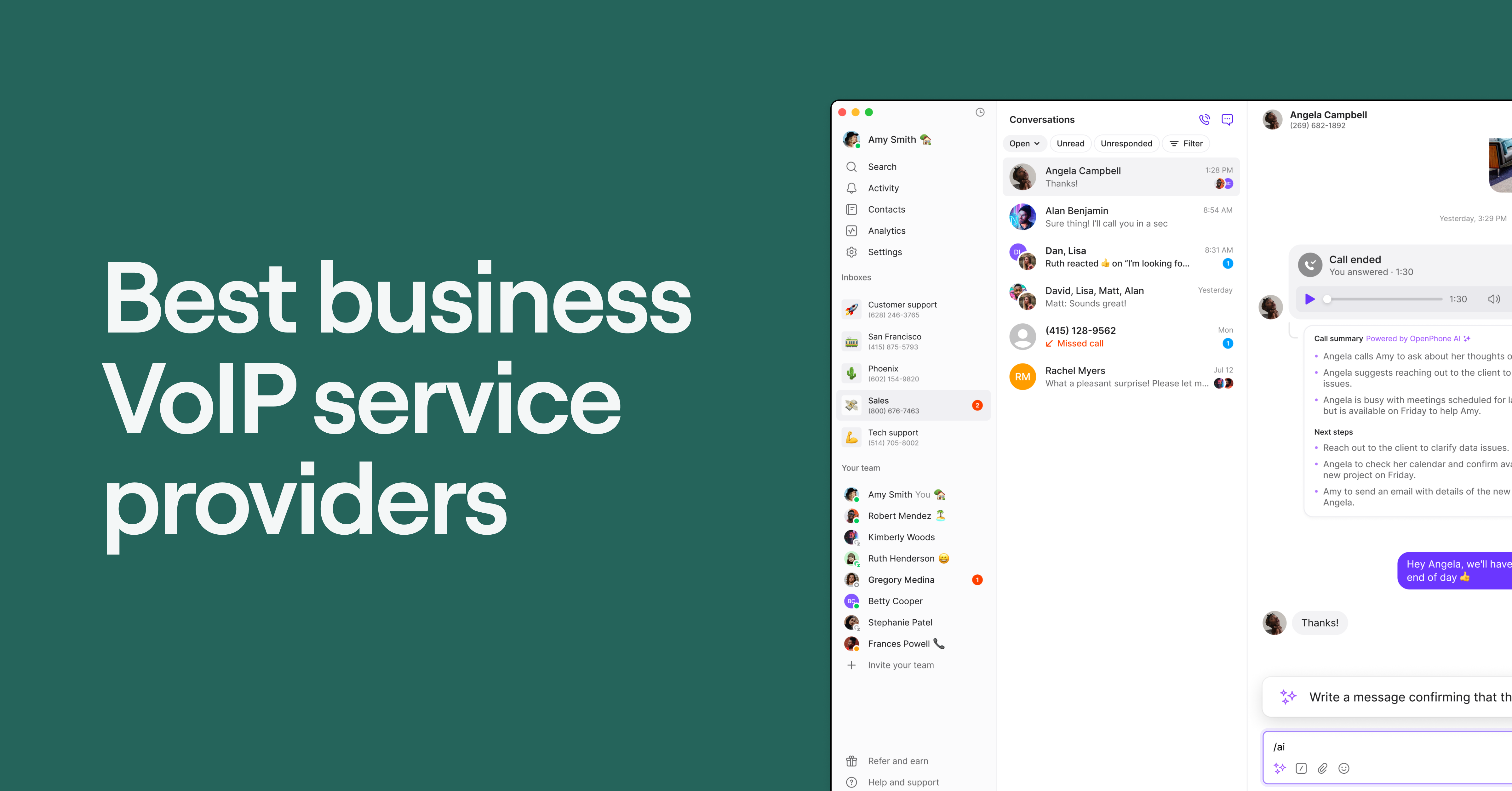
Ready to upgrade your business phone system? Whether you’re running a growing team or working as a solo entrepreneur, there comes a time when relying on personal phones just isn’t enough. A virtual phone system streamlines communication and makes it easier to scale your business. The investment pays off — a 2024 study found 43% of business leaders say they’ve gained new customers because of effective communication.
But some systems can take more work off your plate than others. And if you’re new to virtual phone services, choosing the right solution can feel overwhelming.
This article covers everything you should know about virtual business phones — including how they work, how much they cost, and how to get one.
What is a virtual phone service?

A virtual phone service provider lets businesses get a virtual phone number, enabling them to call and text clients using an internet connection. You may also hear a virtual phone service referred to a VoIP service — the terms are used interchangeably.
But how does a virtual call work — and will your clients know you’re using one? No, they won’t. To clients, your calls and texts will appear just like those from a traditional phone service.
The key difference is behind the scenes: Instead of traveling through copper phone lines or relying solely on cellular networks, your voice is converted into small data packets and transmitted over the internet — a technology known as VoIP or Voice over Internet Protocol. Cloud VoIP phones aren’t tied to a physical location, which means you can make and receive calls from anywhere on any device.
How to port your existing business number to a virtual phone service
Already have a phone number customers are familiar with? The number porting process allows you to transfer your existing phone number to a new provider. The process typically takes 5-10 business days, though timelines vary by provider and number type.
Here’s how porting works:
- Confirm your number can be ported. Most local US numbers can be ported, but geographical coverage gaps can prevent it. As a general rule, the FCC states your old carrier can’t refuse to port your number, even if you have an outstanding balance or termination fee.
- Gather the necessary documents. Contact your current provider to confirm the name, address on file, account number, and port-out PIN on your account before submitting your request. You should also prepare a LOA or Letter of Authorization that gives the new provider permission to do the port.
- Submit the port request. Provide your new provider with the required documents and account details.
- Wait for confirmation. Once you submit the porting request, monitor updates from your new and old providers. Don’t cancel your service with your old provider until the port is complete to avoid issues.
How the top 11 virtual phone systems compare
Here’s a quick look at the best VoIP phone systems and how they stack up:
| Provider | Starting price | Unlimited calling to US & Canada | Unlimited SMS/MMS to US & Canada | Shared phone numbers | Additional phone numbers | G2 rating |
|---|---|---|---|---|---|---|
| Quo, formerly OpenPhone | $15 per user per month | ✓ | ✓ | ✓ | $5 per number per month | 4.7 out of 5 |
| RingCentral | $20 per user per month | Limited toll-free minutes | 25 messages per user per month | Calls only | $4.99 per number per month | 4.2 out of 5 |
| Google Voice | $10 per month for individual plan | Unlimited calls to Canada from the US only | US customers only | Requires upgrade for ring groups only | X | 4.1 out of 5 |
| Dialpad | $15 per user per month | ✓ | US and Canadian customers only | ✓ | Requires upgrade | 4.4 out of 5 |
| Nextiva | $15 per user per month | ✓ | 100 SMS per user per month | Shared call appearance only | Contact for a quote | 4.5 out of 5 |
| Aircall | $30 per user per month | ✓ | ✓ | ✓ | $6 per number per month | 4.4 out of 5 |
| Grasshopper | $14 per month | ✓ | MMS messaging for local numbers only | ✓ | $9 per number per month | 3.9 out of 5 |
| Phone.com | $15 per user per month | ✓ | Requires upgrade | $5 per month | Requires the purchase of an additional user seat | 3.5 out of 5 |
| Zoom Phone | $10 per user per month | Requires upgrade | US and Canadian customers only | Shared line appearance/delegation only | $5 per number per month | 4.6 out of 5 |
| GoTo Connect | Contact for a quote | ✓ | US and Canadian customers only | Shared inbox only | Varies by country | 4.4 out of 5 |
| Ooma | $19.95 per user per month | ✓ | Requires upgrade | X | Starts at $9.99 per number per month | 4.6 out of 5 |
Different virtual phone solutions suit different business needs. As you can guess, a virtual phone that works great for large enterprises might not be a fit for small teams or solopreneurs.
With this in mind, here’s a breakdown of the best virtual phone services — starting with the #1 option for small businesses on G2:
1. Quo: The best virtual phone solution for small businesses and growing teams

Pros
- Unlimited calls to the US and Canada
- Shared numbers for splitting responsibility for all incoming calls and texts
- AI features for call transcriptions, summaries, and action items
Cons
- No verification through two-factor authentication*
*Nearly all virtual phone numbers share this problem. For safety reasons, companies like Facebook, Uber, and Google rarely let you authenticate accounts through a virtual phone number.
Quo, formerly OpenPhone, is the #1 small business phone solution on G2. We’ve designed our system specifically for small businesses so your team can shorten response times and focus on building better relationships with customers.
It all starts with shared phone numbers for team collaboration, which split responsibility for incoming calls and messages across your team. This ensures conversations never fall through the cracks and your team doesn’t get bogged down by high call volumes. A single-view inbox catches you up on conversations faster by storing everything in one place.
Need a new number for a different team? Each user on your plan comes with one free local, toll-free, or vanity phone number. You can get additional phone numbers for $5 per month, which makes it easy to enter new markets or differentiate calls for sales or customer support.
Adding new users is easy, too — all it takes is a quick email invite, and they’ll instantly get access to a number of your choice.
Quo doesn’t just help you make calls and texts: it also makes it easier for your team to scale your customer communications.For example, you can easily catch up on conversations or coach your team with Quo’s automatic call recording feature, AI-powered call summaries, and transcripts. Take insights a step further with call tags, which automatically tag calls based on predefined topics or customer sentiment.
The best part is this is just the tip of the iceberg. See why thousands of businesses use Quo by signing up for a free seven-day trial.
Get started with one of these phone numbers
Or choose from thousands more local or toll-free numbers:
Phone number look-up
Key features of Quo
- Free calls and texts to anyone in the US and Canada
- One free US, Canadian, or toll-free number per user
- Shared phone numbers
- SMS and MMS messaging
- Auto-attendant
- Text message automations: snippets, schedule messages, and auto-replies
- Voicemail transcriptions
- Business hour settings
- Call recording
- Native integrations with HubSpot and Salesforce CRMs, Slack, and Google Contacts
- 8,000+ business app integrations via Zapier, Make, and webhooks
- AI call summaries and transcripts
- Warm transfer, ring order, and group calling
Quo pricing

Quo offers three pricing plans for your business:
- Starter: $15 per user per month for unlimited calls in the US and Canada, voicemail transcripts, shared phone numbers, and more
- Business: $23 per user per month for phone menus, AI call summaries and transcripts, group calling, and more
- Scale: $35 per user per month for AI call tags, dedicated onboarding, inbound phone support, and priority chat and email support

How to get a US virtual phone number with Quo
Getting a new phone number from almost anywhere in the world is a simple process when you choose Quo as your virtual phone number provider.
Follow these three steps:
- Create an account with Quo. When you sign up, you get a free, seven-day trial.
- During signup, choose your city or area code in the US to select your preferred phone number.
- Once the signup process is complete, you’re all set to use your virtual phone number.
2. RingCentral: Ideal for desk phone rentals

Pros
- Unlimited calling in the US and Canada
- Provides local or toll-free numbers
- Compatible with office phones
Cons
- Only provides 25 texts per user per month on the base plan
- Only includes 100 toll-free minutes per month on the base plan
- Limited call recording storage on the base plan
RingCentral is a virtual office phone system that offers business calling, texting, and video meeting capabilities. What sets RingCentral apart is its desk phone rental options, which are useful for businesses with physical offices.
Unfortunately, RingCentral’s best features — like automatic call recording, device analytics, and CRM integrations — are locked behind higher tiers. This forces you to upgrade before you’re ready or pay for features you don’t need — like unlimited internet fax, for example.
RingCentral’s base plan is also quite limited. You only get 25 texts per user per month, 100 pooled toll-free minutes, and limited storage for all texts, voicemails, and call recordings.
The bottom line? RingCentral is confusing and expensive for small business owners. If you’re looking for a simpler virtual phone service, you’re better off searching for RingCentral alternatives for small business.
Key features of RingCentral
- Free unlimited calls in the US and Canada
- One free US, Canadian, or toll-free number per user
- Voicemail transcriptions
- Business app integrations with upgrade
- Call forwarding
- Virtual phone extensions
RingCentral pricing

RingCentral’s plans and pricing for their business phone system include:
- Core: $20 per user per month for unlimited domestic calling, 25 SMS and MMS per user, visual voicemail, and call forwarding
- Advanced: $25 per user per month for unlimited internet fax, automatic call recording, CRM integrations, and virtual extensions
- Ultra: $35 per user per month for unlimited storage, unlimited AI video meetings, and custom analytics and alerts
3. Google Voice: Great for solo businesses

Pros
- Unlimited calling and texting in the US
- Offers free numbers
- Integrates with Google Workspace
Cons
- Lacks features for team collaboration
- No toll-free numbers
- Difficult to manage contacts and conversation history
With so many people using the Google ecosystem, it’s no wonder Google Voice is such a popular virtual phone service. The free version isn’t built for business use, but you can use a paid plan to access Google Voice auto attendants, ring groups, and Google integrations.
Unfortunately, the paid version of Google Voice wasn’t built for team collaboration. There are no shared numbers, for example, which makes it harder to hand off customers to colleagues or assign follow-up tasks.
And like RingCentral, Google Voice makes it hard to keep in touch with international customers. It doesn’t offer toll-free numbers or international texts outside the US and Canada. Google Voice texting is also only available to US customers.
Want to connect with Slack, HubSpot, or Zendesk? No dice: Google Voice doesn’t offer integrations outside the Google ecosystem.
If you expect your business to grow in the future, Google Voice will be an obstacle rather than an asset.
Key features of Google Voice
- Free unlimited calls to the US or to Canada from the US
- Free unlimited texts in the US
- Voicemail transcriptions
- Call forwarding
Google Voice pricing

Google Voice’s pricing plans include:
- Starter with voice only: $10 per user per month for one user, free calls in the US and Canada, and access to mobile and web apps
- Starter: $10 per user per month for 10 users max, calls in the US and Canada, call forwarding, and voicemail transcriptions
- Standard: $20 per user per month for multi-level auto-attendants, ring groups, and ad-hoc call recording
- Premier: $30 per user per month for automatic call recording and advanced reporting
Keep in mind that every Google Voice plan, besides the individual plan, requires a Google Workspace subscription, which starts at $7 per user per month.
4. Dialpad: Best for AI-powered coaching features

Pros
- AI meetings and coaching are available on the base plan
- Unlimited calls in your country, the US, and Canada
- Integrations with Slack, Salesforce, and Microsoft Teams
Cons
- Additional numbers require an upgrade to higher tiers
- Inaccurate voicemail and call transcripts
- No international texting on the base plan
Dialpad is a cloud-based VoIP phone service that offers multiple AI-powered calling features. The most unique is AI speech coaching, although it also offers post-call summaries and AI-powered voicemail transcriptions.
But while Dialpad advertises AI features on every plan, its essential features require businesses to upgrade to higher-tier plans.
On Dialpad’s base plan, you can’t:
- Access integrations with popular business apps like Slack or Zapier
- Have more than one number if you’re working solo
- Text internationally unless you upgrade
If you’re looking to offer customer support nationwide, expect to pay more with Dialpad — toll-free numbers start at $15 per number per month. Porting in toll-free numbers requires an undisclosed fee.
The kicker? Dialpad doesn’t offer unlimited SMS/MMS messaging on any plan. You’re limited to 250 messages per month, after which you’re charged for every message sent and received.er which you’re charged for every message sent and received.
Key features of Dialpad
- Free unlimited calls and texts in the US and Canada
- Free video conferencing
- Shared phone numbers
- Live speech coaching
- Voicemail transcriptions
- Business app integrations including Google Workspace on base plan
Dialpad pricing

Dialpad’s pricing for their Connect phone plans includes:
- Standard: $15 per user per month for SMS/MMS, team messaging, visual voicemail, and analytics
- Pro: $25 per user per month for multi-level auto-attendant, 24/7 support, CRM integrations, and 10 office locations
- Enterprise: Custom quote for 100% uptime, unlimited ring groups, and unlimited office locations
5. Nextiva: For teams that need Microsoft Teams integration

Pros
- Unlimited calling in the US and Canada
- Salesforce, HubSpot, Microsoft Outlook, and other integrations
- Offers priority and skills-based routing
Cons
- SMS and MMS are offered only on higher pricing tiers with a capped message limit
- Call recording requires an upgrade
- Limited toll-free minutes are available in each plan
Nextiva is one of the better virtual phone services for enterprises. It integrates seamlessly with Microsoft Teams — provided you’re willing to upgrade immediately.
Unfortunately, Nextiva’s integrations aren’t the only thing locked behind a paywall. Most of its essential features require one or more upgrades to access, which makes them less ideal for startups and small businesses.
There are also frustrating limitations. For example, you only get 100 SMS/MMS messages per user per month on the Core plan. If you do the math, that’s only ~3 messages each of your team members can send a day.
Want to record incoming phone calls? It’s only included on the second pricing tier, Engage. This is nearly twice the cost of Nextiva’s base plan and comes with features your business might not need, like 30 linked social media accounts.
Even toll-free minutes come with limitations. You only get a max of 2,000 on the Engage plan, which you’ll burn through quickly if your business is growing. If you have the budget, Nextiva might be right for you, but if you’re looking for a more affordable option, you should go elsewhere.
Key features of Nextiva
- Free unlimited video calls and voice calls in the US and Canada
- Auto-attendant
- Virtual fax
- Business app integrations including Facebook, Amazon, and Google Reviews
Nextiva pricing

Nextiva’s pricing has three tiers:
- Core: $15 per user per month for voice calls, 100 SMS and MMS per user per month, voicemail transcriptions, mobile app, and team chat
- Engage: $25 per user per month for voice analytics, toll-free numbers, 2,000 toll-free minutes, 500 SMS/MMS per user per month, call recording, and digital fax
- Power Suite: $75 per user per month for API integrations, advanced IVR, skills-based routing, and pay per use AI call transcriptions and summaries
6. Aircall: Best for teams with a lot of international calls

Pros
- Unlimited calling to the US and Canada
- Unlimited SMS/MMS messaging to the US and Canada
- Call recording on the base plan
Cons
- Requires you to pay for a minimum of three users
- AI call summaries require an add-on
- Unlimited call recording storage requires an upgrade
Aircall is a virtual phone platform serving global call centers. You can get international numbers in more than 20 countries, which is useful if you’re selling or expanding to countries outside the US.
But if you’re not running a global call center, Aircall’s pricing may be prohibitive. There’s a three-user minimum for each of their plans, which means the cheapest you’ll pay is $90 per month — even if you’re a solopreneur.
Aircall also charges you more than comparable VoIP solutions. For example, if you need unlimited storage for AI call recordings and access to the Salesforce integration, you’d pay a minimum of $150 per month with Aircall.
Key features of Aircall
- Call routing
- IVR auto-attendant
- SMS
- Toll-free numbers
- Call recording
- CRM phone integrations
Aircall pricing

You can choose from three Aircall pricing plans:
- Essentials: $30 per license* for unlimited calls within the US and Canada, essential telephony features including IVR, call recording, click-to-dial, and SMS
- Professional: $50 per license* for the Salesforce integration, AI call summaries, mandatory call tagging, advanced analytics, and call monitoring
- Custom: Custom price for 25-license minimum, unlimited calls worldwide, custom analytics, and custom onboarding
*Plan requires a three-license minimum.
7. Grasshopper: Best for companies that need multi-digit extensions

Pros
- Unlimited calling in the US and Canada
- Custom greetings and auto-replies are available on the base plan
- Offers unlimited phone extensions
Cons
- No Slack, Zapier, or CRM integrations
- No call summaries
Grasshopper is a virtual phone number service for businesses with multiple extensions. Every plan comes with at least one extension, which lets you forward incoming virtual calls to any number of your choice.
Unfortunately, Grasshopper doesn’t have several features most businesses need from their phone service; there are no call summaries or ways to automate repetitive tasks through integrations.
These can be dealbreakers for growing businesses looking for ways to save time — and why many choose to port their number out of Grasshopper.
Key features of Grasshopper
- Free unlimited calls and texts in Canada and the US, not including Alaska and Hawaii
- Voicemail transcriptions
- Custom greetings
- Call forwarding
Grasshopper pricing

Grasshopper has three pricing plans to pick from:
- True Solo: $14 per month for one user, one phone number, and one extension
- Solo Plus: $25 per month for unlimited users, one number, and three extensions
- Small Business: $55 per month for unlimited users, four numbers, and unlimited extensions
Keep in mind that additional numbers are $9 per month.
8. Phone.com: Best for companies that need HIPAA-compliant video calling

Pros
- Basic call routing functions
- HIPAA-compliant voice is available
- Video meetings are included in all plans
Cons
- Unlimited outbound texting requires an upgrade
- Call recording isn’t included in the base plan
- Call analytics require upgrade to Pro plan
Phone.com is a budget-friendly VoIP provider that offers flexible plans, making it a solid choice for startups and small businesses that don’t need unlimited calling. It offers basic virtual business phone features like video conferencing, call routing, and CRM integrations.
However, if you need unlimited calling and texting, you’ll need to upgrade. Additionally, call recording isn’t included in the lower-tier plans, so if you rely on that feature, expect to pay extra.
Key features of Phone.com
- Call forwarding and call routing
- Video conferencing on all plans
- HIPAA-compliant voice calls for healthcare businesses
- Auto-attendant and voicemail-to-email
Phone.com pricing

- Basic: $15 per user per month for unlimited minutes, mobile and web apps, and voicemail-to-email
- Plus: $22.50 per user per month for unlimited minutes and outbound texts, video recording, and voicemail transcriptions
- Pro: $33.33 per user per month for call recording, call analytics, and CRM integrations
9. Zoom Phone: Best for businesses already using Zoom

Pros
- Seamless integration with Zoom Meetings and Webinars
- Supports call queues, call routing, and CRM integrations
- Compatible with select desk phones on certain plans
Cons
- Limited support included
- Outbound calls are metered unless you upgrade to an unlimited plan
- SMS/MMS only available in the US and Canada
Zoom Phone is a great option for businesses already using Zoom for video calls and webinars. Its interface is familiar, making it easy to set up and manage. The platform offers essential business phone features like call queues, call routing, and analytics.
However, if you need priority support or dedicated account management, you’ll have to purchase a support plan upgrade. Additionally, the base plan only includes metered outbound calling, meaning you’ll pay per minute unless you upgrade to an unlimited plan.
Key features of Zoom Phone
- Call queues and call routing
- CRM integrations
- Advanced analytics with Power Pack add-on
- Desk phone compatibility on select plans
Zoom Phone pricing

Zoom Phone pricing includes five plans:
- US & Canada Metered: $10 per user per month for metered domestic calling, international calling, and toll-free numbers
- US & Canada Unlimited: $15 per user per month for unlimited domestic calling and an optional add-on for unlimited calling to 19 countries
- Global Select: $20 per user per month for unlimited domestic calling in 40+ countries and territories and DID or direct dial number for each license
- Pro Plus: $18.32 per user per month for Zoom Phone US & Canada Unlimited and Zoom Workplace Pro
- Business Plus: $22.49 per user per month for Zoom Phone US & Canada Unlimited, Zoom Workplace Business, and visitor management
10. GoTo Connect: Best for businesses that need advanced call management

Pros
- Multi-site management with 911 calling, hot desking, paging, and intercom
- Shared inbox and social media integrations
- Built-in survey creation tools for customer feedback
Cons
- Limited to 1,000 toll-free minutes per account per month
- SMS and MMS are only available in the US and Canada
- Call recordings are only stored for 13 months
GoTo Connect is a VoIP solution designed for businesses that need advanced call management tools. It includes multi-site management, hot desking, paging, and intercom capabilities, making it ideal for larger teams or businesses with multiple locations.
The Connect CX plan also offers customer engagement tools like a shared inbox for managing calls, emails, and social media messages, plus survey creation to gather customer feedback.
However, GoTo Connect has some limitations. It caps toll-free minutes at 1,000 per month, no matter which plan you choose. SMS and MMS messaging are only available in the US and Canada, and call recordings are only stored for 13 months — which could be problematic for businesses needing long-term record-keeping.
Key features of GoTo Connect
- Multi-site management with 911 calling
- Video meetings with up to 250 participants
- Shared inbox for calls, emails, and social media
- Survey creation tools
GoTo Connect pricing
While the company doesn’t no longer lists its prices online, these are the last known pricing plans for GoTo Connect:
- Phone System: $26 per user per month for unlimited calls, SMS/MMS, video meetings, and basic VoIP features
- Connect CX: $34 per user per month for shared inboxes, AI call transcripts, and social media integrations
- Contact Center: $80 per user per month for intelligent call routing, auto-dialer, and real-time call monitoring
11. Ooma: Best for businesses needing overhead paging

Pros
- Outbound calls to the US, Canada, Mexico, and Puerto Rico
- Desk phone compatible
- Access to overhead paging, intercom tools, and analog fax machine support
Cons
- No unlimited texts
- Limited third-party integrations
- Calling on desktop app requires upgrade
Ooma Office is a virtual phone number service with call recording and analytics. It works well for companies that rely on desk phones and need features like overhead paging and intercom. It also offers features like video conferencing, an auto-dialer, and CRM integrations.
However, many of those features are locked behind higher plans. Unlike other providers, Ooma doesn’t have AI-powered call summaries or sentiment analysis. Limits on toll-free minutes and text messaging can also hold your business back as it grows.
Key features of Ooma
- Advanced ring groups
- Extension monitoring
- Hot desking
- Shared voicemail boxes
Ooma pricing

Let’s break down Ooma’s pricing plans:
- Essentials: $19.95 per user per month for 100 standard phone features, virtual receptionist, mobile app, and music on hold
- Pro: $24.95 per user per month to unlock text messaging, video conferencing, Ooma’s desktop app for calling, call recording, AI call transcripts, and analytics
- Pro Plus: $29.95 per user per month to access the Salesforce integration, hot desking, call queuing, and shared voicemail boxes
Key benefits of virtual phone systems
If you’re new to virtual phone systems, you may not be aware of all the benefits they offer.
Here’s a quick primer so you know what to expect:
- Easily set up a virtual phone: With the right provider, you can pick a new local, toll-free, or vanity number and start calling customers in minutes. You can add more users or numbers to your plan in a few clicks.
- Take calls anywhere with an internet connection: This is one of the main advantages of VoIP vs landlines. Virtual phones let you and your team break free of having to take calls in a fixed office location. Work remotely and take calls wherever you’re connected to the internet.
- Keep your personal number private: A virtual phone number lets you turn off work notifications as soon as you clock out. With Quo, you’ll also see a different screen for incoming calls, so you can always tell if calls are work related.
- Gather context by taking calls from any device: Virtual phones let you take calls from any device, including your computer. Update contact notes and review your conversation history easily if you need to get up to speed during a call.
- Save time following up with customers: The best business phone systems give you access to integrations with third-party apps. Quo integrates with Slack, Zapier, and HubSpot so you have the context you need to follow up with customers and automate specific touchpoints via text.
- Get phone numbers that customers recognize: It’s easier to build trust with new customers by using local numbers. You can also use a toll-free number provider to build trust with customers nationwide. Toll-free numbers ensure anyone in the NANP region which includes 20+ countries can call you for free.
- Deliver a professional phone presence: USA VoIP numbers can support business voicemail greetings, auto-replies, phone menus, and other features that ensure you leave a good impression.
- Save money on your monthly phone bills: Virtual phones are a fraction of the cost of physical cell or desk phones. Traditional phone systems with PBX hardware can run into thousands of dollars per year, while VoIP phones cost less than $1,000 per year for a team of five.
For a full breakdown of business phone system costs, check out our comprehensive guide.
Types of USA VoIP numbers
Many providers that offer VoIP numbers with USA area codes support two types of phone numbers: toll-free numbers and local numbers. Here’s what you need to know about each of these numbers and what you can expect from different VoIP providers.
Toll-free numbers
Toll-free virtual phone numbers for businesses— which have area codes like 800, 888, 844, and 877 — allow your business to foot the bill when you receive incoming business calls and texts. North American toll-free numbers let callers in regions that are part of the North American Numbering Plan reach out to your company without incurring long-distance call fees. That way, it’s easier for customers to reach you, and you can build an international presence.
However, only some providers support toll-free numbers, and they sometimes come at an extra cost with less functionality.
Local phone numbers
Local numbers are phone numbers with area codes associated with specific cities, like 310 for Los Angeles and 646 for New York City. These telephone numbers allow you to build a strong local presence in the markets you serve. Familiarity with these local area codes can encourage leads and clients to pick up your phone calls.
How we evaluated the best VoIP phone service
After going through dozens of business phone solutions, here are the factors we evaluated that determined the top options:
- Value: Your business phone system should save your team time and provide clear boundaries between personal and work hours. Beyond the base price a provider advertises per month, check the provider’s terms of service for hidden fees.
- Call management: Your team doesn’t necessarily need a human receptionist. The best virtual phone services offer phone menus and automated call routing options. If you want multiple team members to be able to field incoming calls and messages, be sure to look for a provider that offers shared numbers.
- Scalability: The service you use should make it easy to add colleagues and extra phone numbers as your team grows. An intuitive user experience also makes it easier to get your team started, as there’s little to no learning curve.
- Reliability: The best virtual phone services help you avoid dropped calls and other issues that spring up after dialing customers.
- Hardware requirements: With virtual phone services, you don’t have to pay extra for special hardware. You can use calling and texting services from any device, including your desktop computer, laptop, or smartphone.
- Automations: Small businesses are often short on time, so your phone service should integrate with tools like your CRM to automatically push data where it’s needed. Features like call transcriptions are also useful to help you quickly review conversations.
- Customer support: When you need help, does the specific phone system you’re thinking of using provide the support your team needs? In addition to an intuitive app, Quo’s customer support is ready to help. You can also check out our Help Center to find answers to common questions and resources for getting started.
How to choose the right virtual phone service: Must have features by business type
The best virtual phone system depends on how your team uses it day to day. Here’s what features to prioritize based on your situation:
| Business type | Must-have features | Strong VoIP options |
|---|---|---|
| Sales teams | CRM integrations, call recording and transcripts, local numbers to build trust | Quo, Dialpad, Aircall |
| Customer support | Shared inboxes, text message automations, advanced call routing | Quo, RingCentral, GoTo Connect |
| Solo entrepreneurs | Mobile app, simple pricing, auto-attendendant | Quo, Google Voice, Grasshopper |
| Remote-first teams | Internal threads for team collaboration, desktop app, shared numbers | Quo, Zoom Phone, Dialpad |
▶️ Still have questions? Read our full guide: How to choose a VoIP provider
Get the best virtual phone service with Quo

Ready to get the best business calling and texting experience? Switching to a virtual phone service provider is the first step — and signing up for Quo is the best decision you can make.
Quo easily scales with your team so your small business can get the support it needs. Our platform offers plenty of automations and integrations to streamline every inbound call or text so you can focus on building better relationships with customers.
Try out Quo yourself for seven days by signing up for a free trial.
FAQs
For most virtual phone solutions, you can simply sign up for an account if you haven’t already. Then, download their mobile app and log in using the credentials you used to set up the account.
Many services provide one free phone number per user on your subscription. If you want to add more, you can buy local or toll-free numbers from your provider at an additional cost — usually around $5-10 per month.
If you’re a solopreneur and want to get started with a virtual phone number for business calls and messages, Google Voice is an ok-ish free option.
Have more than one person on your team and want to share a business number? Google Voice isn’t going to cut it. In fact, you won’t be able to find a free virtual phone number service that lets you share numbers with your team.
And if you want features like call recording, voicemail transcription, auto-replies, scheduled messages, CRM integrations, and more, you’ll have to look for a paid virtual phone number solution.
However, you can trial most virtual phone services, including Quo, for free, before signing up for a paid plan.
A starting plan for a virtual phone number costs as little as $15 to $25 per user per month. Mid-range VoIP phone systems with more advanced call routing, integrations, and AI features cost between $25 to $50 per user per month. If you want to text with a virtual number, you’ll have to pay for your A2P 10DLC registration, which has additional fees that go to The Campaign Registry.
A team of five, for example, can expect to pay around $75 per month for the Starter plan with Quo which includes five numbers, unlimited calling and texting, auto-replies, and more. There will also be a one-time fee of $19.50 for A2P 10DLC registration, plus the ongoing monthly fee of $1.50 for most businesses.
A mobile number is tied to a specific mobile phone. That number can only be used for calling and texting on that phone or by the person who owns the number. Shared mobile numbers from traditional carriers, where a team can split responsibility for incoming calls, aren’t possible. With a traditional carrier, you only have the option to choose from the area code based on where you’re located.
A virtual number can serve as a shared inbox for a team and be accessible via an internet connection. The best providers let you use your virtual number from any computer or smartphone. All you need to do is download the provider’s app to get started. With the right virtual phone provider, you can get as many phone numbers as your team needs outside the area where you’re based or if you already have a virtual business address.
As your business grows, you may decide to expand to multiple markets with a more relevant area code. If you need more phone numbers than the total number of users on your account, you pay just $5 per number per month with Quo.
Since VoIP phones rely on the internet, they rely on your internet connection to send and receive calls. This means you need a strong WiFi connection — as well as a service provider with reliable uptime — to ensure business calls are as high-quality as possible.
The FCC recommends internet speeds with less than 0.5 Mbps download speed. You’ll also need 100 Kbps of bandwidth per concurrent call, or 500 Kbps for 5 calls happening at the same time. Beyond speed, latency and jitter matter too. Aim for latency under 150ms and jitter under 30ms for clear audio.
If call quality is inconsistent, try using a wired connection instead of WiFi. You can also have a colleague take over calls and texts on a shared number in case of an outage.
Virtual phone numbers are as secure as your service provider. If you want to enhance your VoIP security, choose a provider that takes measures to keep your calls and texts safe — and take extra precautions by using encrypted WiFi. If you’re a Quo customer, we encrypt and back up your data so you don’t need to worry about gaps in your data armor.
With Quo, you don’t need to live in the US to get a US local number — as long as you verify your identity for security reasons. Just keep in mind that due to emerging regulations pushed for by the large US cell carriers, if you wish to text from a local number to other US numbers, you’ll need either business identification or a Canadian or US address. For more information, check out our US carrier registration guide.
Most services allow you to choose from a list of available numbers, and some providers like Quo offer vanity numbers for customization.
Setting up a virtual phone system for a remote team is straightforward with the right provider. With Quo, you can invite team members via email, assign each person a number, configure business hours, and enable shared numbers so distributed teammates can collaborate on calls and texts — all without any hardware.
For a full walkthrough, see our guide to setting up a small business phone system.