Handle calls 24/7 with Quo’s AI-powered IVR system. Answer questions, take messages, send texts, and more. Never miss a lead with the best phone system for growing businesses.
.png)







An AI IVR is a type of phone menu or auto attendant that uses artificial intelligence to understand customer needs and route their calls.
AI IVRs are a more intelligent call routing option compared to traditional IVR systems. They’re more conversational and dynamically respond to customer requests. They can also handle specific scenarios, like sending SMS links or transferring a caller to your team. AI IVRs complement traditional IVR systems during and after business hours. During your workday, AI IVRs can understand a caller’s needs and transfer them to your team if needed. After business hours, they can function like an answering service that helps you catch up when you’re back online.
Quo offers both traditional IVR and conversational AI IVR systems in its business phone platform. Our phone menu lets you easily route calls to different teams. Callers can enter their preferred menu option on their keypad or with voice commands. You can also set up a multi-level IVR system, for example, ‘Press one for Sales, Press two for the East Coast team.’
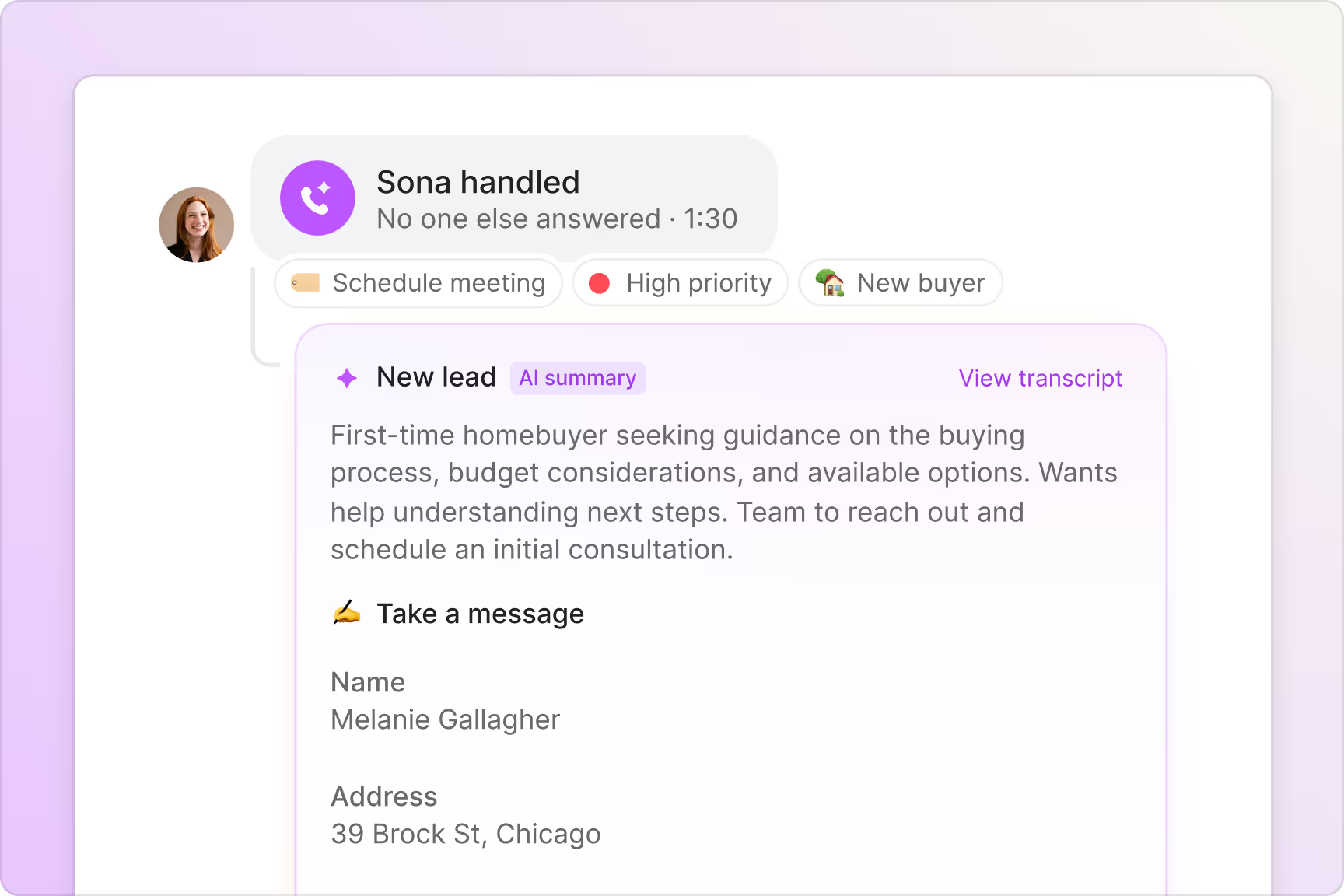
Sona is Quo’s conversational AI IVR system. It can answer routine questions and take detailed messages for your team. It can also take actions like appointment scheduling and call transfers when needed. Set up IVR call flows with Sona in minutes, zero technical expertise required.
.svg)
Sona captures leads, answers questions, transfers calls, and more. Replace your voicemail or traditional IVR system.
.avif)
.avif)

Elevate your customer experience with artificial intelligence.
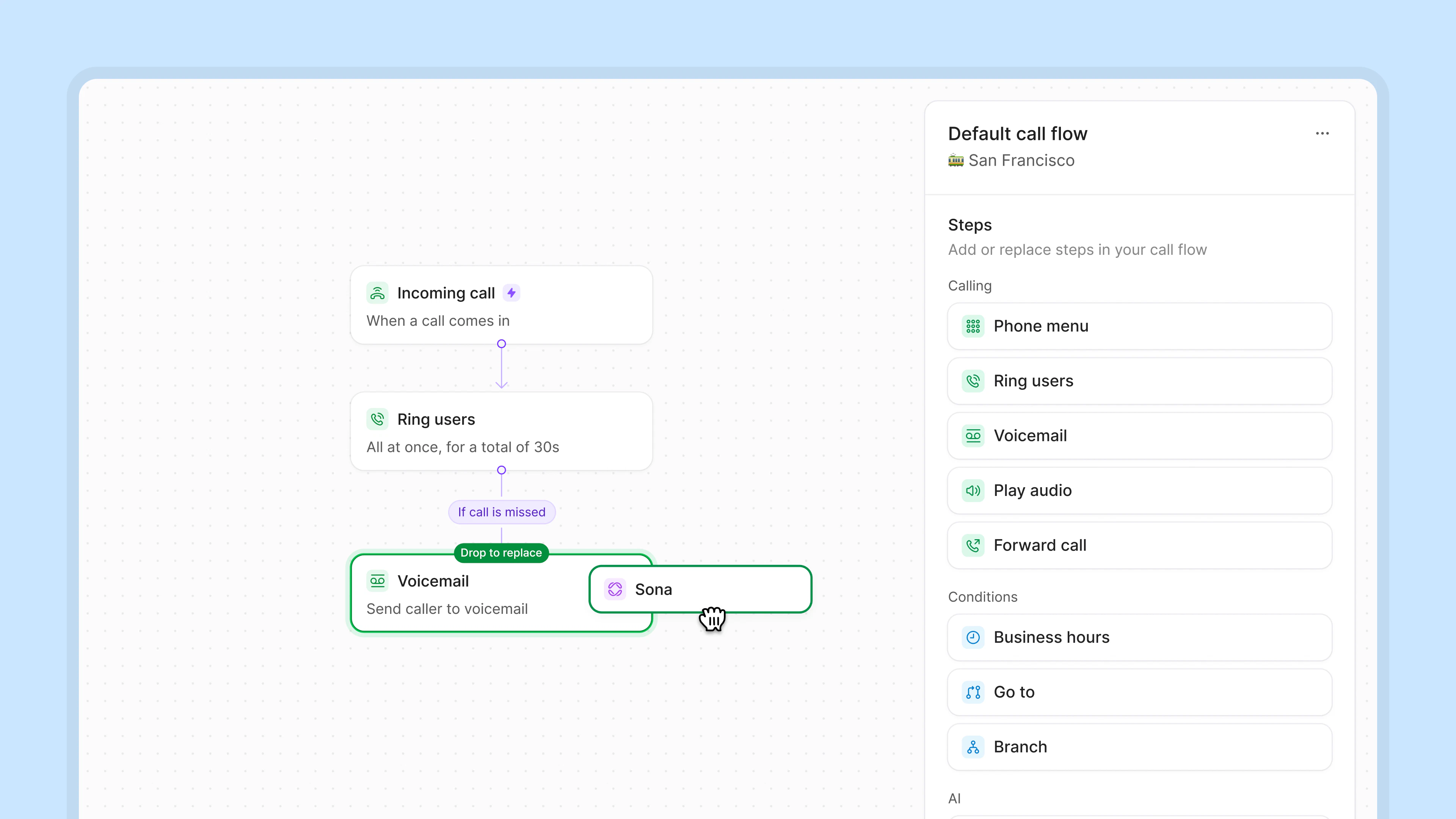
Drag and drop Sona into your call flows with our visual call flow builder.
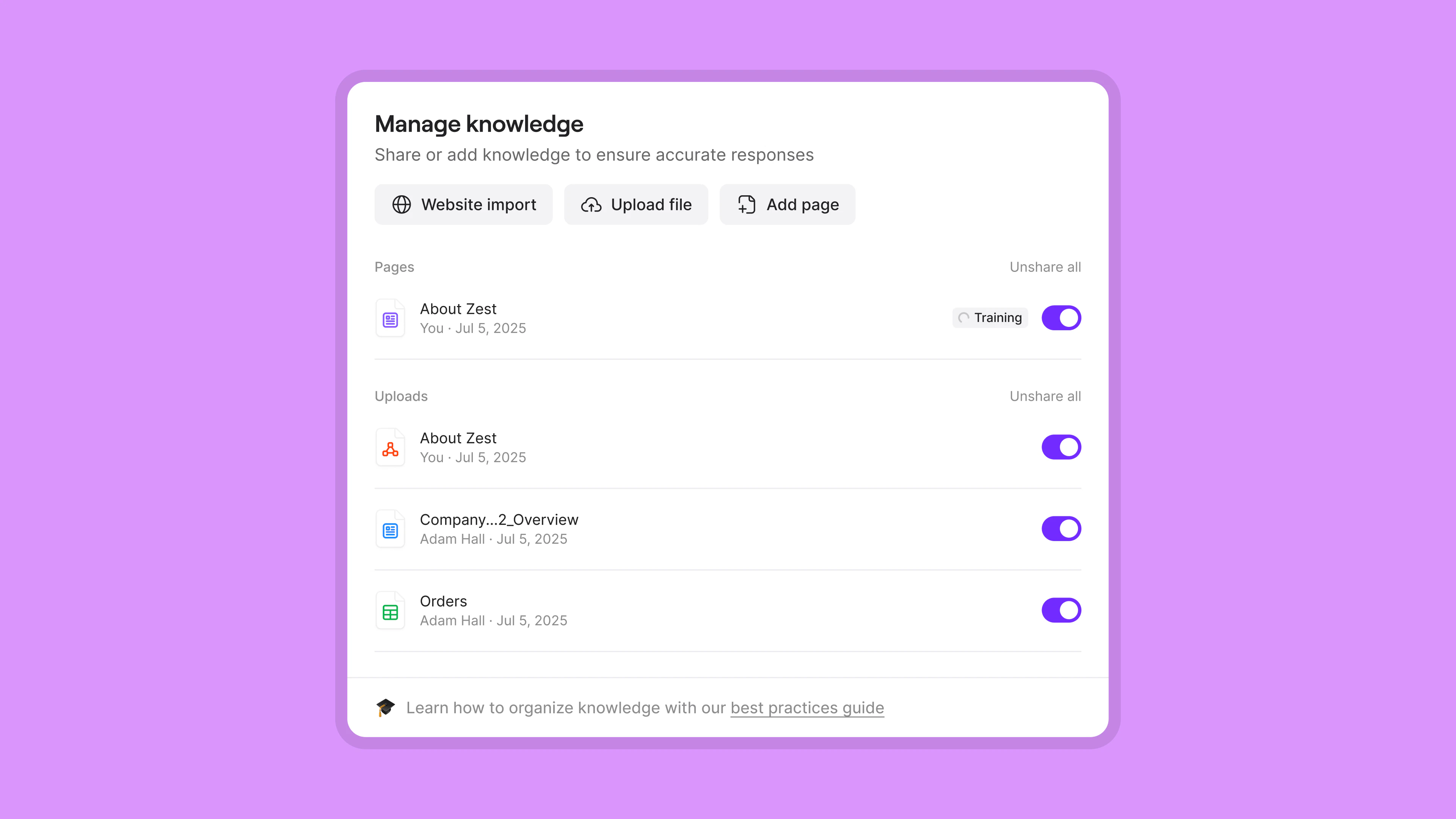
Easily get Sona up to speed so it can accurately answer questions about your services and operations. You can share your URL, upload documents, or manually create knowledge pages to train Sona.
Tell Sona how to handle different types of calls. Provide triggers based on what customers will say. Let Sona know exactly how to respond. Give Sona a custom script and specify when to take actions, like transferring calls or sending SMS messages.
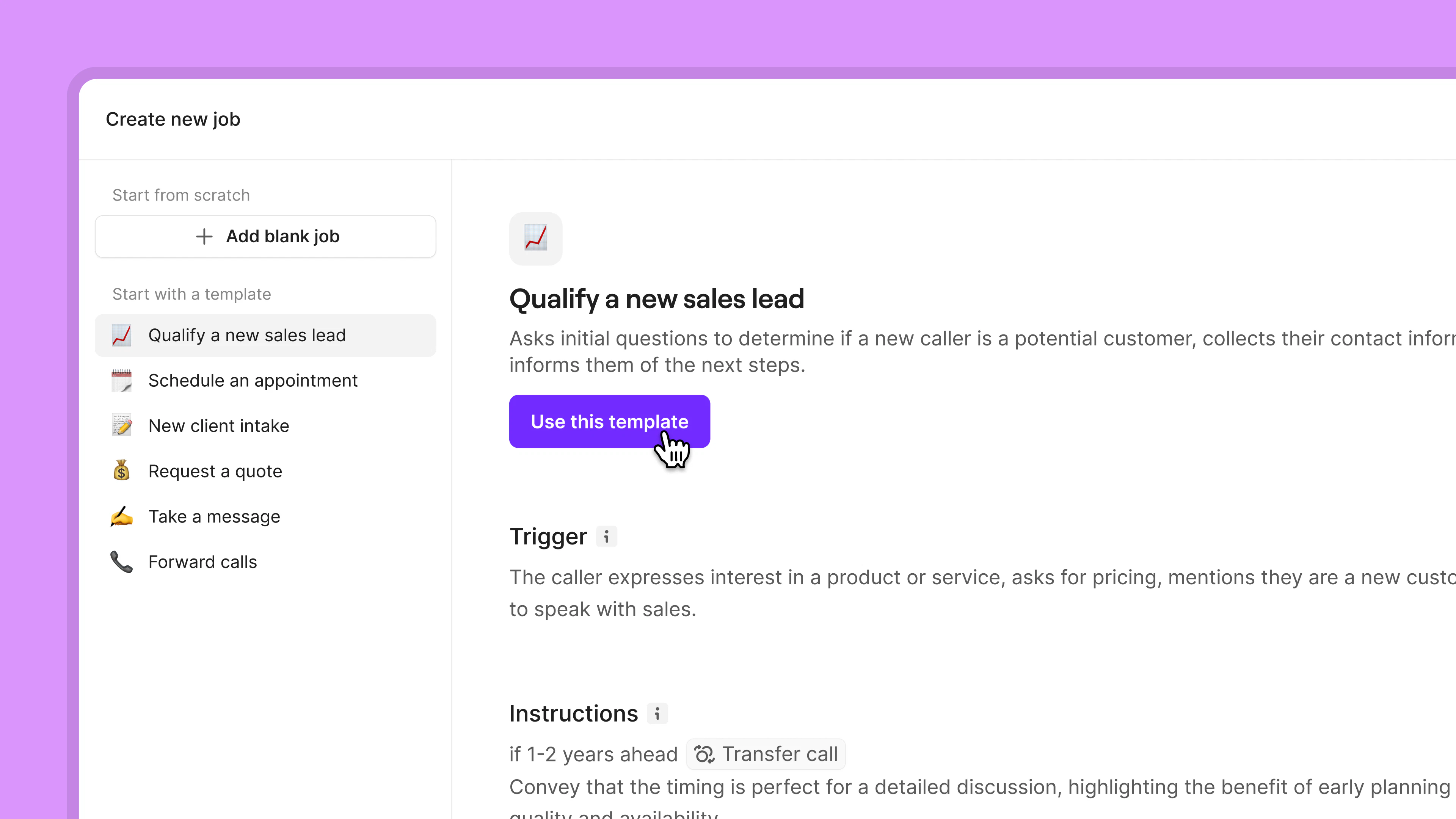
Set up your AI IVR system in minutes. No technical expertise required.
Here are a few ways AI IVR systems can benefit small businesses:

Deliver a better customer experience by always picking up the phone. Cut down on wait times for your customers.
Tackle call volume as it grows and save on your operational costs. Sona can field the bulk of your calls. Your team can focus on more complex requests. No need to rely on a contact center or human agents, either.
Have more conversations with existing and prospective customers. Sona speaks in a natural and conversational tone. Dynamically respond to customers with multiple custom scripts using Sona jobs.

.png)

.png)

.png)
See why thousands of businesses choose Quo as their business phone system.
%20(1).jpg)
Add as many numbers as you need with Quo. Build trust and familiarity with customers in different cities with local numbers. You can get both US and Canadian numbers with Quo. Simply enter the area code for your preferred city and choose an available number.
If you want to offer nationwide customer support, toll-free numbers are a great option. With a North American toll-free number, customers across the continent can call you. They won’t incur long-distance calling fees. Want to stand out to your customers? Get a vanity toll-free number. Choose a custom number like 1-888-FLOWERS or 1-877-ROOFING.
Every Quo user gets their own phone number. Your team can have dedicated phone numbers or share numbers for different departments. And if you need more numbers, additional numbers cost $5 per number per month.
Collaborate in real time with your team in Quo. Tackle incoming call volume together with shared numbers. Catch up on past conversations and respond to customers together with shared inboxes.
Assign follow-up tasks to your colleagues in internal threads. Tag a team member next to a customer interaction and collaborate without switching to another app. See whether a teammate is caught up with inbox viewers.
Make call handling a breeze with Quo. Drag and drop call flow steps in our visual call flow builder. Build delightful user experiences in minutes.
Choose how you want your team to receive calls with ring groups. Adjust your ring order to match your team’s preferences with simultaneous ring or sequential ring. Plus, you can let customers self-route their calls with IVR menus.
When your team is busy or unavailable, direct calls to our backup call routing options. Forward calls to a backup number, send calls to voicemail or Sona, or set up SMS auto-replies. That way, you always keep customers in the loop with Quo.
Build your customer relationships over the phone and through text. You can send photos, videos, documents, and even GIFs with MMS messaging.
Automatically respond to texts after business hours with SMS auto-replies. You can also schedule texts in advance based on your customers’ time zones. Plus, create pre-written text message templates to answer common questions with snippets.
Go even further with automated text message workflows. With our Zapier and Make integrations, you can automatically send appointment confirmations and reminders. Get more control over your integrations when you use the Quo API.
Quo helps you get more work done in less time. With AI call summaries and transcriptions, you can generate a call summary for every call. Your team doesn’t have to take call notes again. With AI call tags, your team can quickly review past calls to identify call trends that matter to your business.
Is your team stuck logging each call in your CRM? Our third-party CRM integrations automatically log calls and texts for you. Connect your Quo workspace with HubSpot, Salesforce, or Jobber directly. You can connect to every other CRM using Zapier and Make.
With IVR call routing in Sona, you can tackle high call volumes with ease. Sona can handle basic customer support questions and transfer calls to you when needed.
Take your business phone wherever you go with Quo. As a Voice over Internet Protocol, or VoIP, provider, Quo works almost everywhere. All you need is a compatible device and an internet connection.
Download Quo for Mac, Windows, iOS, or Android. You can also use Quo in your browser if you prefer. Get started today with our free seven-day trial.
Find out how much you’re investing in your business phone solution upfront on our pricing page.
Can’t find the answer here? Check out our Resource Center.

Conversational AI IVRs use generative AI to have dynamic conversations with customers. Conversational IVR with AI commonly uses speech recognition, machine learning, and natural language processing, or NLP. AI IVRs can understand a wide range of customer queries and provide unique responses to them.
Traditional IVRs offer a fixed set of IVR menu options to callers. Customers can navigate a traditional IVR with touch tones on their keypad or with voice commands. They can’t dynamically respond to customer inquiries.
Yes, Quo’s AI IVR Sona is free for your first 10 calls every month. You can try it out for free and see how it handles customer calls for your business.
If your AI IVR can’t assist your callers, it can let them know and offer to assist them with something else. You can also ask callers whether they want to be transferred to your team.
Yes, all AI processing follows Quo’s security standards. Call transcripts and AI analysis are encrypted and stored securely. AI features only access the data necessary for their specific function, and you maintain full control over which features are enabled.
No, Sona is designed to be set up with zero technical expertise. You can write your instructions to Sona in plain English.
Every type of business can use Sona, including:
Legal: Capture leads, schedule consultations, and take messages.
Home services: Qualify leads, book projects, and answer common customer questions.
Real estate: Schedule property visits, send open house directions, and provide information about available units.
Startups: Conduct lead qualification and share information about products and services.