
Quo Agent is here. Stop searching, start asking


.svg)
3,300+ reviews
Dialpad is designed for large contact centers. Quo ensures growing teams never leave money on the table by preventing missed calls and messages.
.svg)
Collaborate with your team
Full conversation history
Easier set up
Unlimited domestic calls and texts
.avif)
Powering conversations for 90,000+ businesses










We've asked hundreds of customers who’ve switched from Dialpad to Quo. Here are several of their answers:

Lead Technician, Quality Exterminators

Senior Engineering Manager, Bungalow

CEO, Rushable
Here's how Quo compares side by side with Dialpad:
Features |
 |
Dialpad — Dialpad Standard |
|---|---|---|
Annual price |
$15 per user per month |
$15 per user per month |
Free texting to US |
Unlimited |
250 messages per user per month + $0.008 per text overage |
Toll free minutes |
 Yes Yes |
$15 per number per month, plus $0.02 per minute for calling |
Additional number cost |
$5 per number per month |
$5 per number per month |
Auto-replies |
Yes |
Auto-replies only for after hours and DND; no snippets or scheduled messages |
International texting |
Yes |
Yes |
Office locations |
Unlimited |
One location |
Ring groups |
Unlimited |
Three ring groups |
AI receptionist |
Sona includes 10 free calls per month |
$1500 per year, plus $1.99 per conversation |
Hundreds of teams have moved from Dialpad to Quo. Here are a few key reasons why:
Use shared numbers
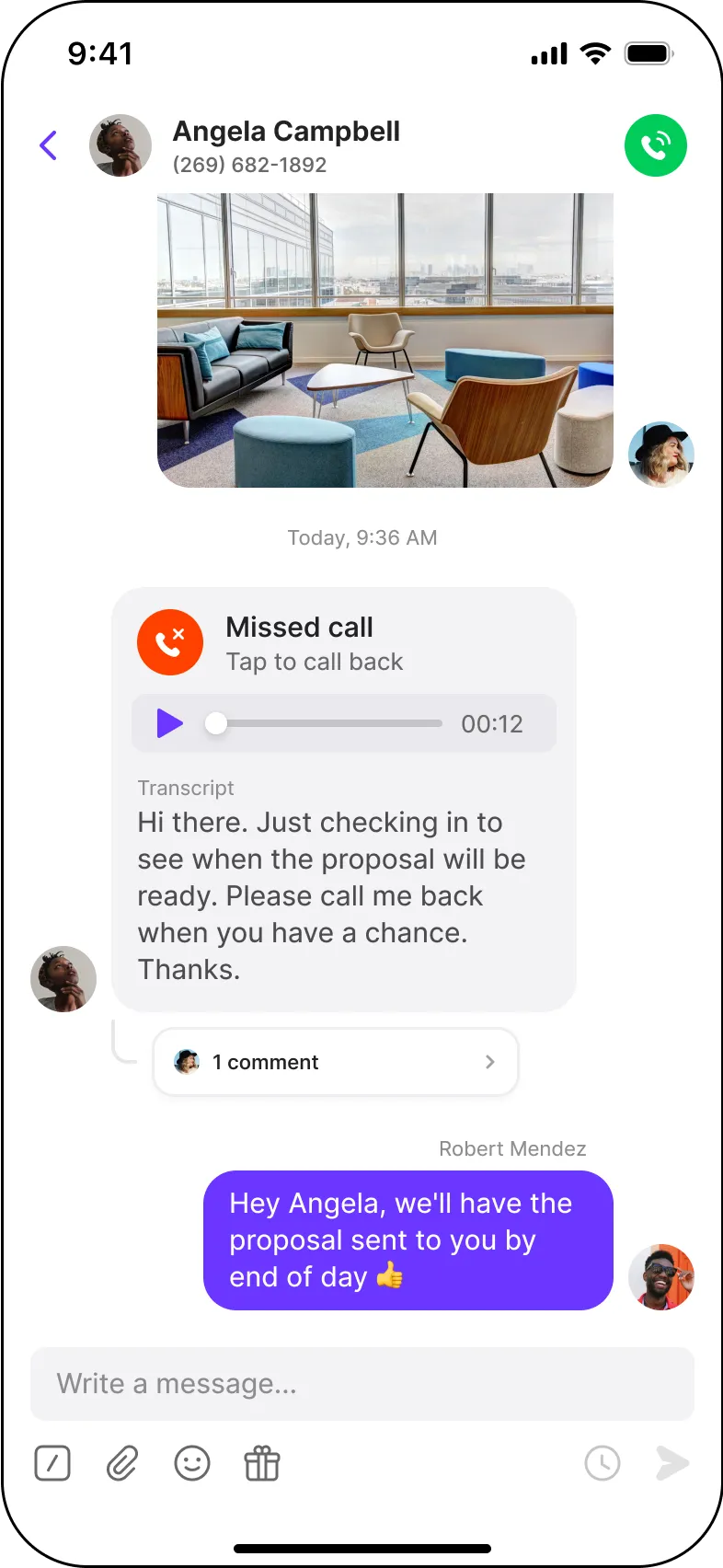
Teammates can use shared phone numbers to call and text from the same number at the same time. Manage a team? You can easily see who said what and coach as needed.
Collaborate in threads
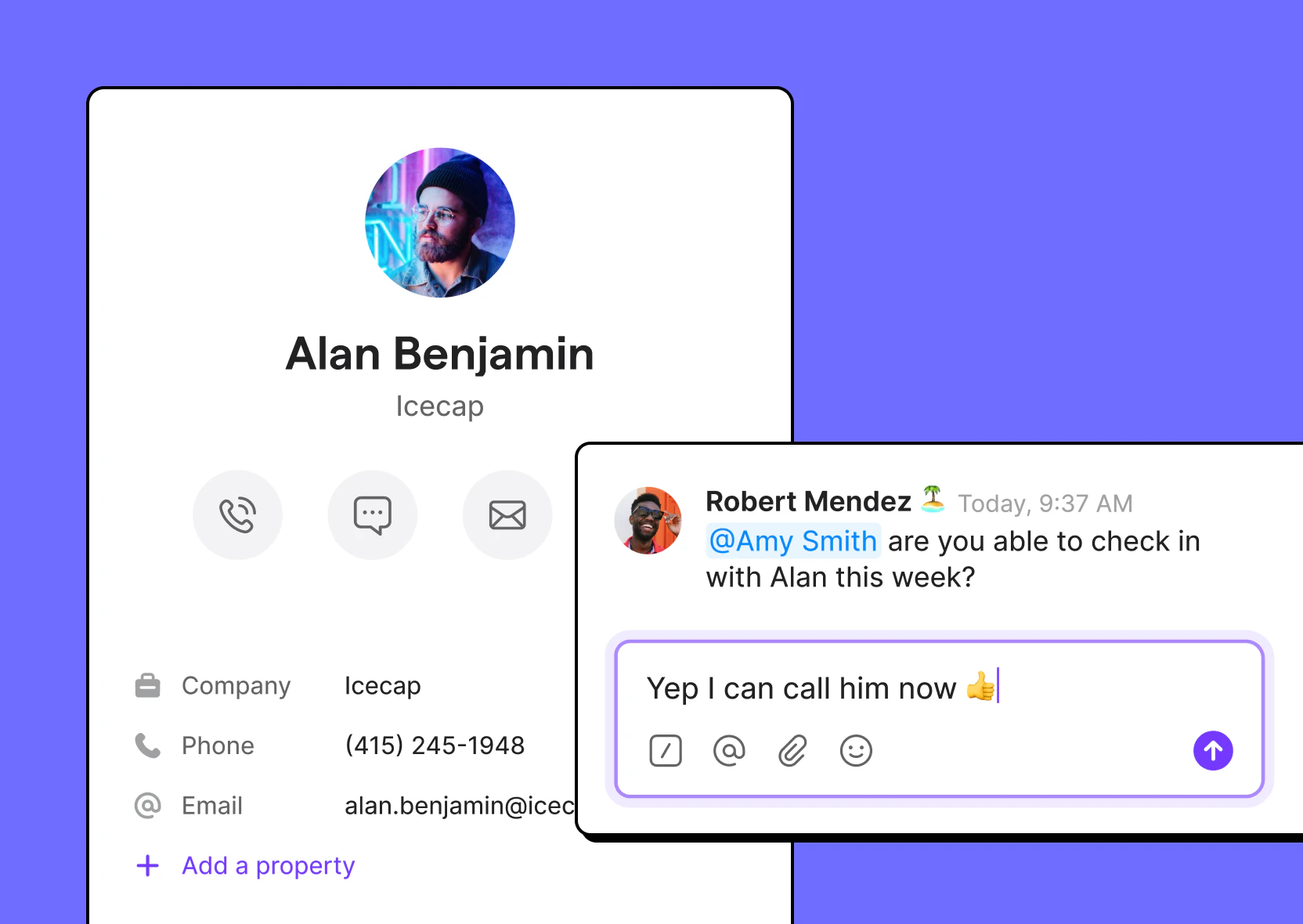
Assign tasks or get input on an external conversation with internal threads visible only to your team.
Share additional context with contact notes
Enrich your address book with custom contact information. Save information like birthdays, vacation dates, or hobbies, so that you can personalize support and sales conversations.
No texting limits
Dialpad caps texting at 250 messages per user each month, then charges for every text after that. Quo includes unlimited texting to the US and Canada on every plan.
No texting from toll-free numbers
Dialpad lets you purchase a toll-free number for calls. But you can't text from it. Quo lets you call and text from toll-free numbers.
Auto-replies for all customers
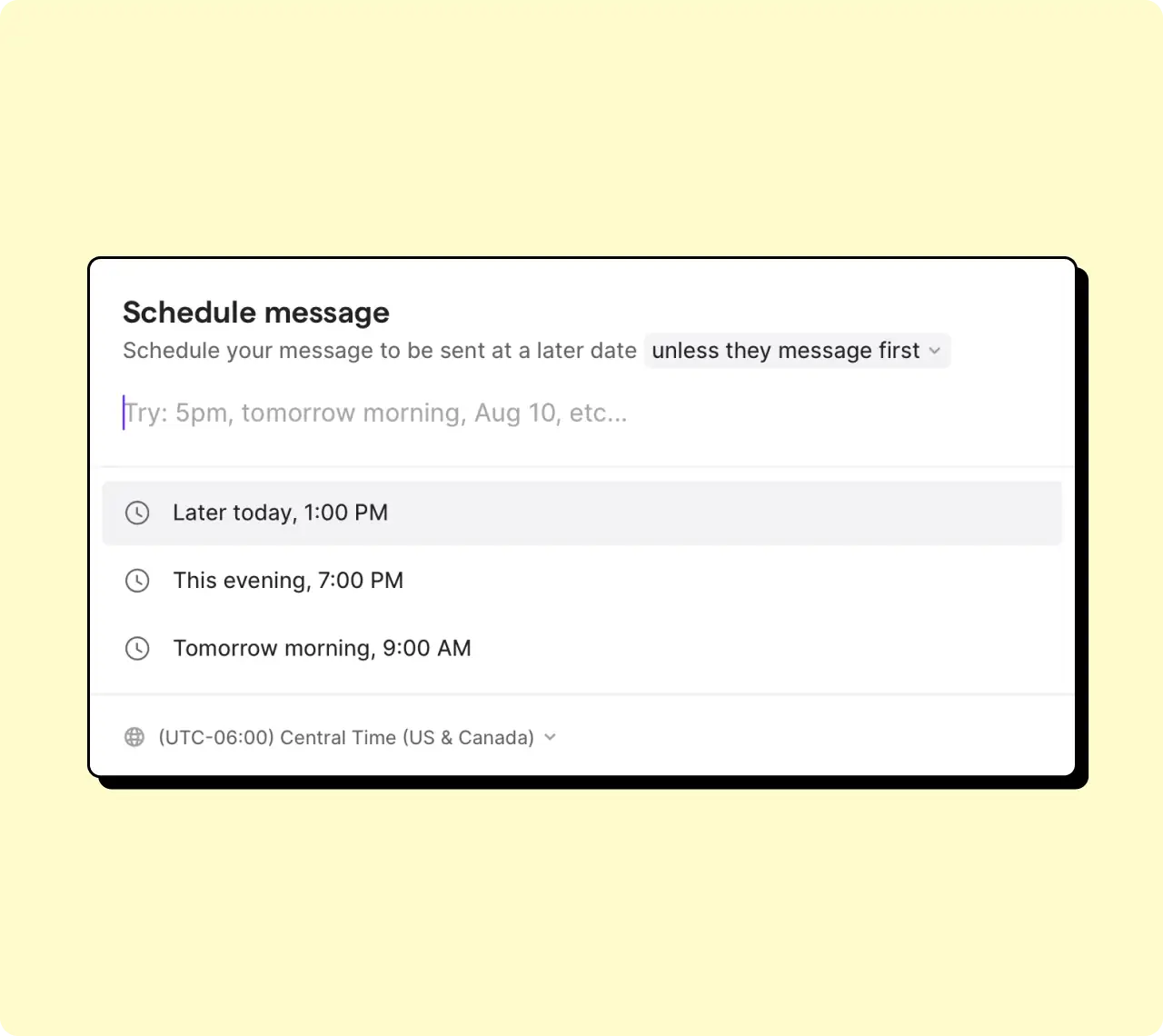
Dialpad limits auto-replies to outside working hours or when you’re in Do Not Disturb mode. Quo auto-replies work for missed calls, messages, and voicemails during and after hours.
Access multiple numbers and international texting
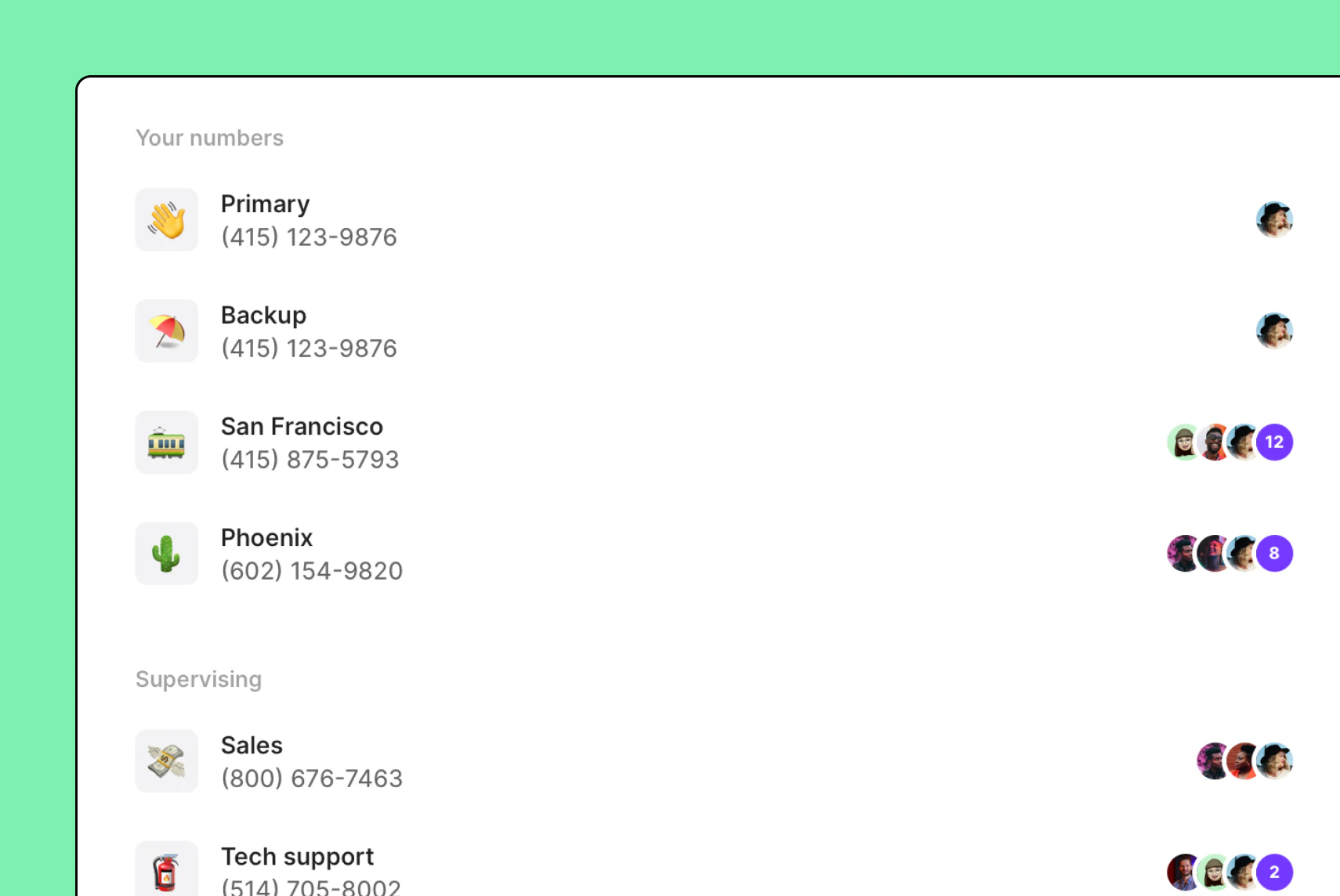
Dialpad doesn’t let you use multiple local numbers or text international numbers in its base plan. You have to upgrade to access these features.
Use as many numbers as you need, and send international texts with Quo's Starter plan.
Don’t run into user minimums
Dialpad requires user minimums for its higher tiers. What might seem like one price when you sign up is actually another price altogether when you get your bill.
Get up and running with Quo's Starter plan, or upgrade to our Business plan without worrying about user minimums.
Your calls and texts, automatically in your CRM
Quo integrates with HubSpot, Jobber, and more, so calls, texts, and AI summaries sync to the right customer record. Your team spends less time switching between apps after every conversation.
Dialpad doesn't offer a Jobber integration. That means your office staff and field crews have to switch between Dialpad and Jobber to access customer conversations and job information
Easy to set up
G2 reviewers say Dialpad takes a long time to set up, and that certain settings aren't intuitive.
Quo is designed to get your team up and running in minutes.
Some Dialpad users on G2 report frequent call issues, including dropped calls, inconsistent audio quality, and challenges with call forwarding.
Some G2 reviewers say they didn't receive the implementation support they expected, leading to a slower rollout and lower adoption across their teams.
Some G2 reviewers say Dialpad's Standard plan leaves out essential third-party integrations, such as Slack and Zapier, making it harder to automate repetitive tasks.
Quo AI automatically summarizes calls, then intelligently suggests next steps.
.png)
%20(1).png)
Read conversations in detail and quickly find information with time-stamped call transcripts.
.png)
Easily add new contacts with suggestions based on call and voicemail transcripts.
.png)
Never miss a call again with Sona, Quo’s 24/7 AI agent. Automatically pick up the phone, take messages, transfer calls to reps, and send texts during calls.
Unlike Dialpad’s AI receptionist, we include 10 free AI voice agent handled calls per month. Plus, you can test out Sona for free without having to talk to sales.


You can bring your Dialpad number with you to Quo. For free.
Leave all the work to us
Fill out a 1-minute form and let us take care of the rest. We've helped businesses move dozens of Dialpad numbers before, including teams with more than 50 numbers. You can find the process in our porting guide.
No service downtime
Your existing number works with Dialpad until the port date then switches over to Quo.
Try Quo first
Before submitting a port request, try out Quo for free with a temporary number.
Here's how fast you can get started with Quo:
.svg)
Our support team is here to help you
Whether it's questions about the product or feature requests, we love hearing from you. Our team releases new features every 2-3 weeks based on your feedback.
.svg)
The top-rated platform on G2
Quo is the #1 rated business phone in customer satisfaction on G2 based on over 3,350 reviews.

Fast and simple setup
Start calling and texting in minutes with a free trial. Adding team members and configuring your phone is easy.
Quo’s shared numbers let office staff and field technicians manage homeowner conversations together, so calls, texts, and voicemails don't get stuck on one person's phone. Call routing sends homeowners to the right person based on the type of job, who's available, or whether it's after hours. As your business scales, you can add local phone numbers for different service areas. Plus, an AI voice agent can pick up the phone 24/7 to answer questions and capture new leads when your team is busy.
Quo helps health and wellness practices deliver a better patient experience as they grow. You can sign a BAA so your team can communicate in a HIPAA-compliant way. Call routing helps patients reach the right department faster; shared inboxes keep patient conversations in one place so front desk staff and care teams stay on the same page.
Real estate teams often have multiple people involved in every deal. Shared inboxes keep calls, texts, and voicemails from buyers, sellers, tenants, and owners in one place, so everyone has the context they need. Tasks make it easy to assign follow-ups to the right teammate, while AI call summaries and transcripts help teammates quickly understand what was discussed and what needs to happen next.
Can’t find the answer here? Check out our Resource Center.

On paper, Dialpad starts at $15 per user per month. However, there are several hidden fees you should know about, including toll-free calls, inbound and outbound texting fees and more.
Plus, Dialpad's Standard plan limits you to just three ring groups. You also won’t be able to purchase additional phone numbers. That’s why many growing businesses need to upgrade to the Pro plan, which comes with a three-user minimum. That means your monthly bill starts at $75 per month to get started
Here’s a Capterra review that speaks to Dialpad’s hidden fees:
“[Dialpad doesn’t] tell you that in addition to that fine print, there is a separate section of pricing information that shows other hidden fees that they charge to your account. I paid a $60+ regulatory fee. This was not advertised. When I ported my existing 1-800 number, they would not allow me to receive incoming calls until I purchased “credits.” Despite not indicating this cost in their “All Features” page, I learned that you need to pay 0.02 cents for each minute of incoming calls for 1-800 numbers. I had to buy credits in order to get my business back online, and was actually charged 0.03 cents per minute afterward.”
With all these fees, it’s impossible to truly know how much Dialpad costs until you start using it for yourself.
Quo is better than Dialpad for most small and medium businesses. However, if you have a large contact center team with 100+ agents, you might find Dialpad to be a better fit.
Dialpad offers several features that are useful for contact centers, including AI scorecards and AI CSAT.
If you’re looking for a collaborative and scalable, easy-to-use business phone that helps you build stronger customer relationships, then Quo is for you.
Yes. With Quo, everyone on a shared phone number can see the same calls, texts, voicemails, and contact history. That way, customers don't have to repeat themselves if someone else follows up on the conversation.
On Dialpad, calls, texts, and voicemails are stored in different folders, so you have to piece conversations together to get the full context.
Dialpad offers a free trial, but it doesn't include every feature. For example, you won't be able to try AI Scorecards or its AI voice agent during the trial.
In contrast, Quo's seven-day free trial gives you access to all of its features, including 10 free Sona-handled calls per month.*
*The only exception is texting to US numbers. During your trial, you can still text Canadian numbers. Once your trial ends, you'll just need to complete A2P 10DLC registration to unlock US texting, like you would with any virtual phone system.
Quo offers a signed BAA on its Business and Scale plans, so healthcare teams can communicate in a HIPAA-compliant way. Dialpad is also a HIPAA-compliant phone system.
Unlike Dialpad, Quo is a better fit for growing healthcare teams because every plan includes unlimited calling and texting to the US and Canada. Plus, you can buy additional local phone numbers on the base plan for different departments and reps, like reception and clinical staff.
We’re admittedly biased. However, Quo is the best Dialpad alternative for startups because it's built for growing teams, not large contact centers. Shared phone numbers keep every call, text, and voicemail in one folder. That way, everyone on your team has the context they need to help customers. As your startup scales, you can add more local phone numbers for new sales reps, support teams, or locations without upgrading your plan.
Dialpad offers an MCP server through its Dialtone developer platform and third-party tools like Composio. However, it requires developer support and isn't available as a native connector in Claude or ChatGPT.
Dialpad offers both monthly and annual plans. If you choose annual billing, you'll be charged for 12 months upfront and your plan automatically renews each year unless you cancel.
With Quo, you can choose between month-to-month or discounted annual billing. You decide which option works best for your business.
Choose Dialpad if:
Choose Quo if:


