Automate your team’s tedious administrative work with Quo, formerly OpenPhone. Automatically generate call transcription and summaries, sync call logs to your CRM, and add new contacts to your address book. Plus, handle incoming calls 24/7 with our AI agent Sona.







Post-call automation refers to the workflows that automate follow-up tasks after a phone call ends. These tasks include adding call notes, generating call summaries, logging calls to a CRM, and creating action items.
Customer support and sales teams are responsible for handling these tasks, which are also known as after call work. They often require manual effort and take up significant time during the workday. Post-call automation helps teams get this work done more efficiently.
Quo offers small business automation tools like:
By using these features, teams can save dozens of hours every week. They can avoid routine administrative work and focus on building stronger customer relationships.
Help your team better focus on your customers with these tools in Quo.
No need to take manual notes again. Quo automatically records your calls and generates a call summary after a call ends. Each summary includes action items your team can use for faster follow-ups.

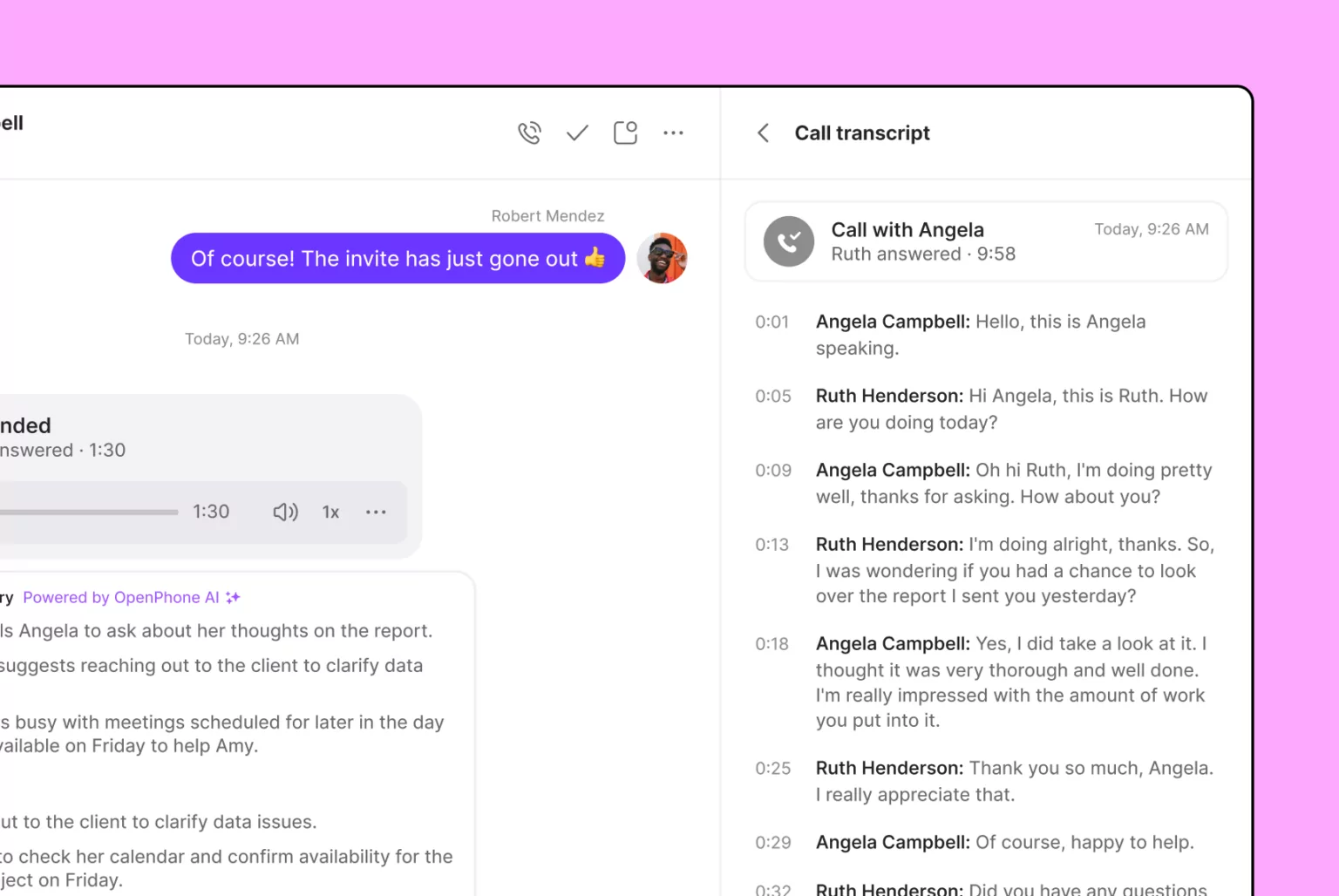
Want to see what a customer shared with you? Our time-stamped call transcripts make sure no customer details slip through the cracks.
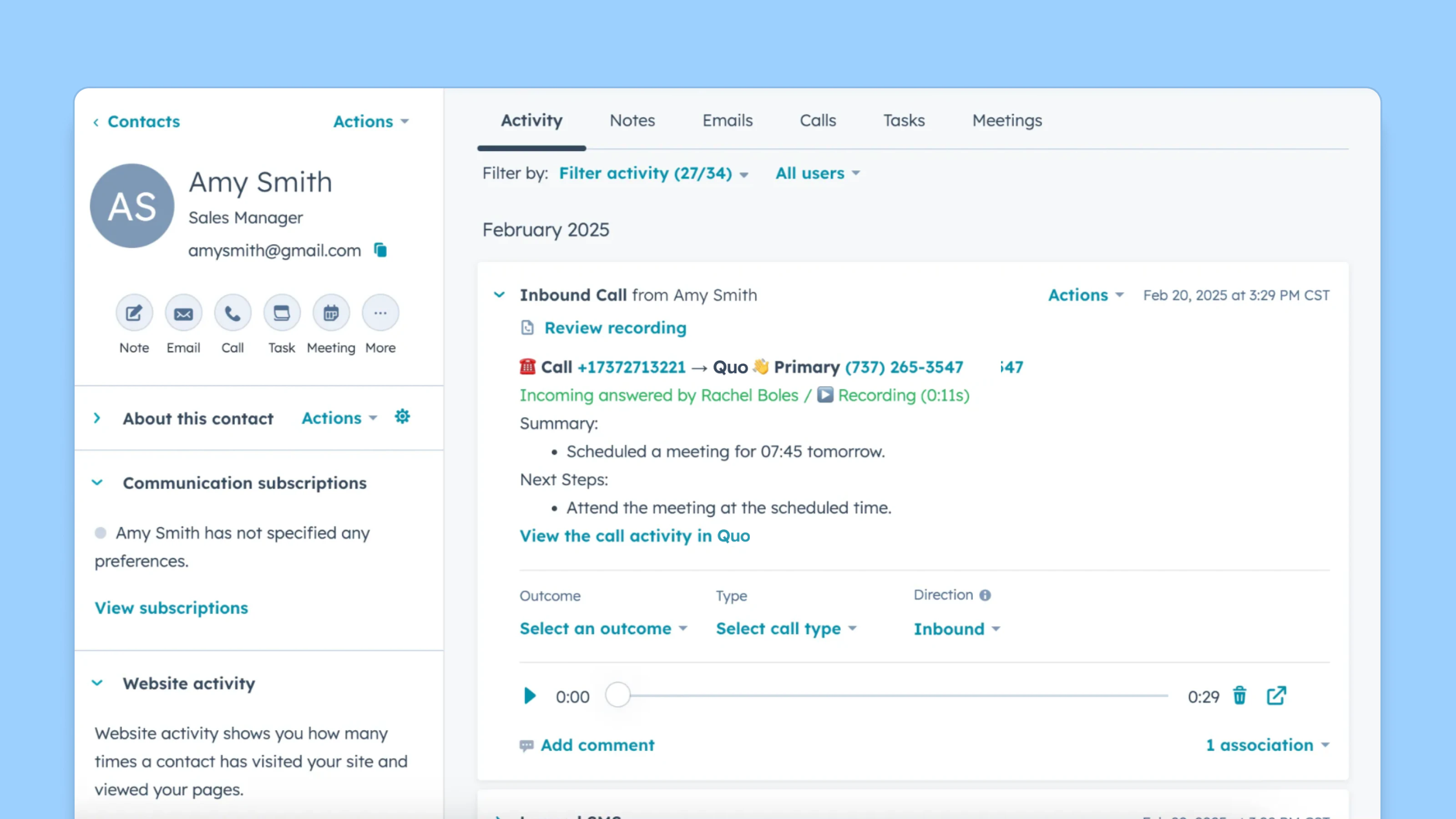
Save hours of after call work for your team. Automatically sync your calls and texts to your CRM. Use our integrations with HubSpot, Jobber, and Salesforce. You can also build a custom integration with our webhooks or the Quo API.
.avif)
Send the right message to customers at the right time with Quo. Automate customer communications with our Zapier and Make integrations. You can send appointment confirmations and reminders, payment requests, and more.
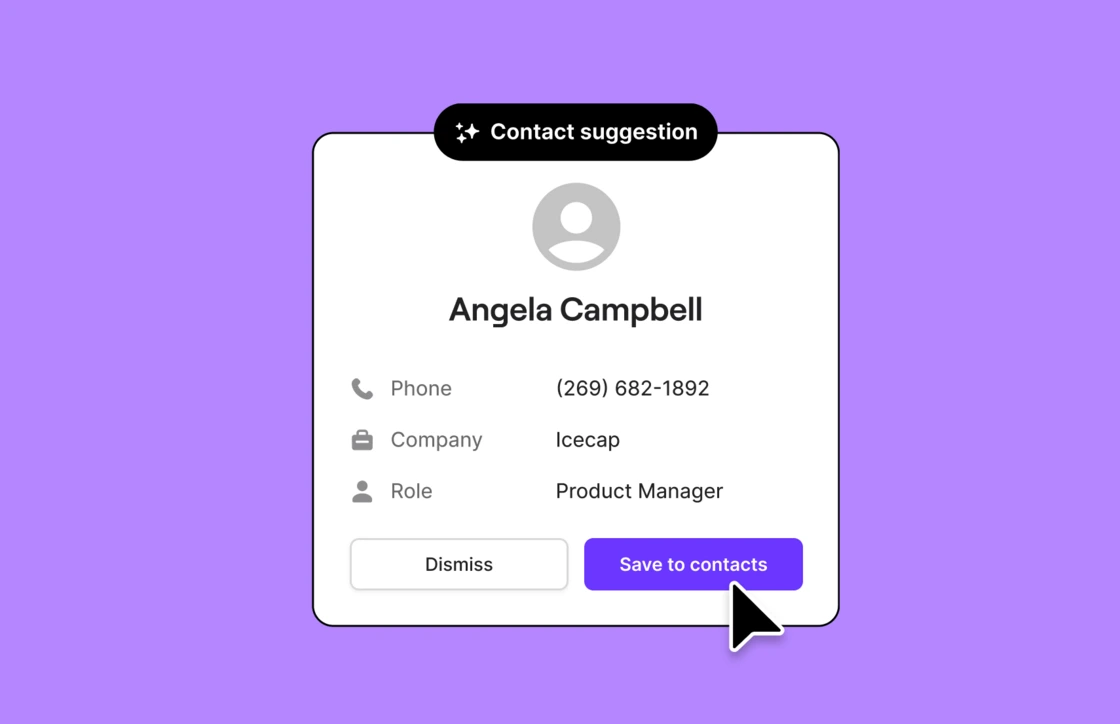
Update your address book in real time. With AI-suggested contacts, you can add new contacts from your voicemails and call summaries. No need to search through past customer interactions to find out who you’re speaking with.
Automate your after call work right away. No technical expertise needed. All you need to do is complete the steps below.
Sign up for a free trial of Quo’s Business plan.
Get started with a free trial for seven days. You can try all our post-call automation features in the Business plan.
Launch the Quo app.
Download Quo for your desktop or mobile device.
Import your contacts.
Sync your Google contacts or upload a CSV.
Set up post-call automation features in your settings.
Enable automatic call recording and call summaries in your phone number settings. Plus, connect your CRM and your Zapier account with your Quo workspace.
See how post-call automation can benefit your team and your customers.

Your team may be spending hours of their time on after call work.
If your team makes 50 calls per day and saves just 15 minutes per call. That’s 12.5 hours returned to productive work every single day. Over a month, that's 250 hours your team can redirect toward revenue-generating activities with automatic post-call workflows.
Want to learn more about how to improve your team’s efficiency? Here are six strategies to boost your customer service efficiency.
When you invest in post-call automation, your team can have more conversations with customers. They can focus better on your customers’ needs and improve their overall experience.
For example, let’s say a customer makes a complaint and requests an immediate solution. You can either spend 15 minutes logging their call in your CRM or figure out a solution by looping in your team. The faster you can solve the problem, the quicker you can satisfy your customers. And by saving time, you can show them you take their feedback seriously.
Without post-call automation, your team may struggle to meet rising call volumes. Each rep has a ceiling on the number of calls they can take based on their team’s post-call requirements. With post-call automation, your team can tackle call volumes as you scale. And with Quo’s 24/7 AI agent Sona, you have an AI assistant that can handle incoming calls for you.
If your business is growing fast, your team might have to deal with incoming calls around the clock. They may not be able to handle follow-up tasks on time. As a result, your call summaries and logs may not be as detailed as you need.
Post-call automation ensures your call summaries and call logs are accurate and consistent. For example, Quo’s AI call summaries are generated right after a call ends.
%20(1).jpg)
Access all the numbers you need with Quo. Add local numbers for specific cities and regions where you operate. Build trust and familiarity with local customers using area codes they’ll recognize. Simply choose your preferred city to find an available number and add it to your workspace.
Provide a recognizable customer support number with toll-free area codes. Offer free long-distance calling to your North American customers with a toll-free number. And with a vanity number, you can choose a custom area code that helps you stand out from the competition.
Every user in your Quo workspace gets a dedicated number. You can also set up shared numbers for individual departments or across the company. If you need more numbers, additional ones cost $5 per number per month.
Move faster as a team with Quo’s collaboration features. Tackle incoming calls and texts together as a team. Shared numbers help your team split responsibility for incoming calls. Share context with your team in real time with shared inboxes.
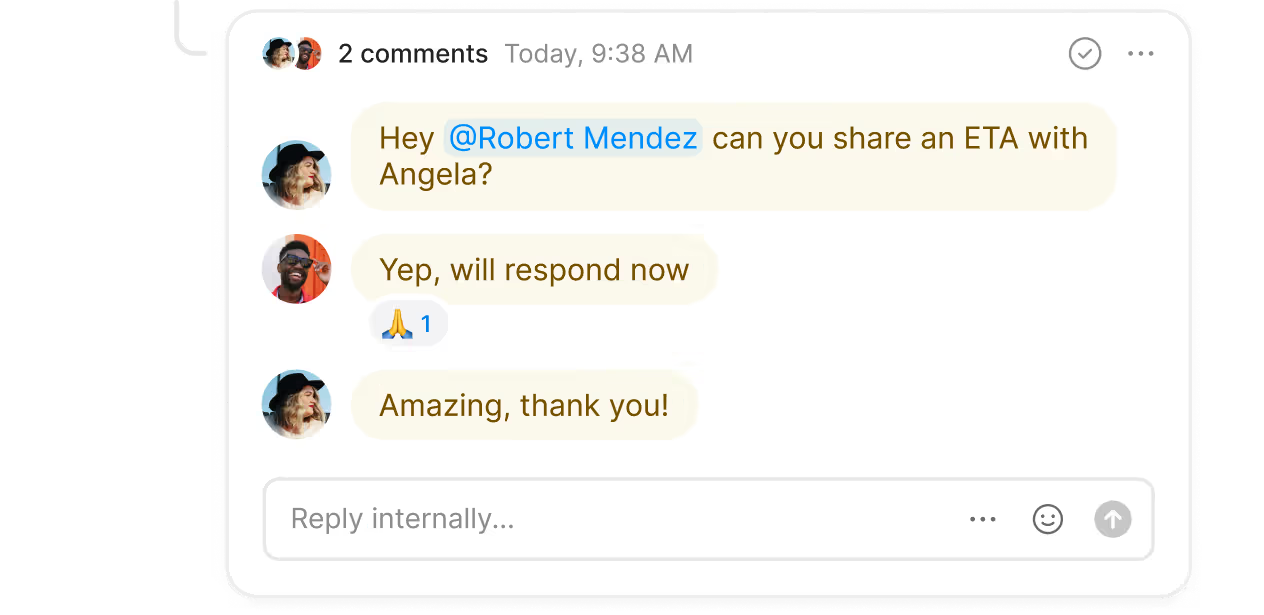
Bring your colleagues into the loop with internal threads. Troubleshoot ongoing issues and assign follow-up tasks to teammates. Tag and mention your team next to a customer interaction to start an internal thread. See whether a teammate has reviewed a thread at any time with inbox viewers.
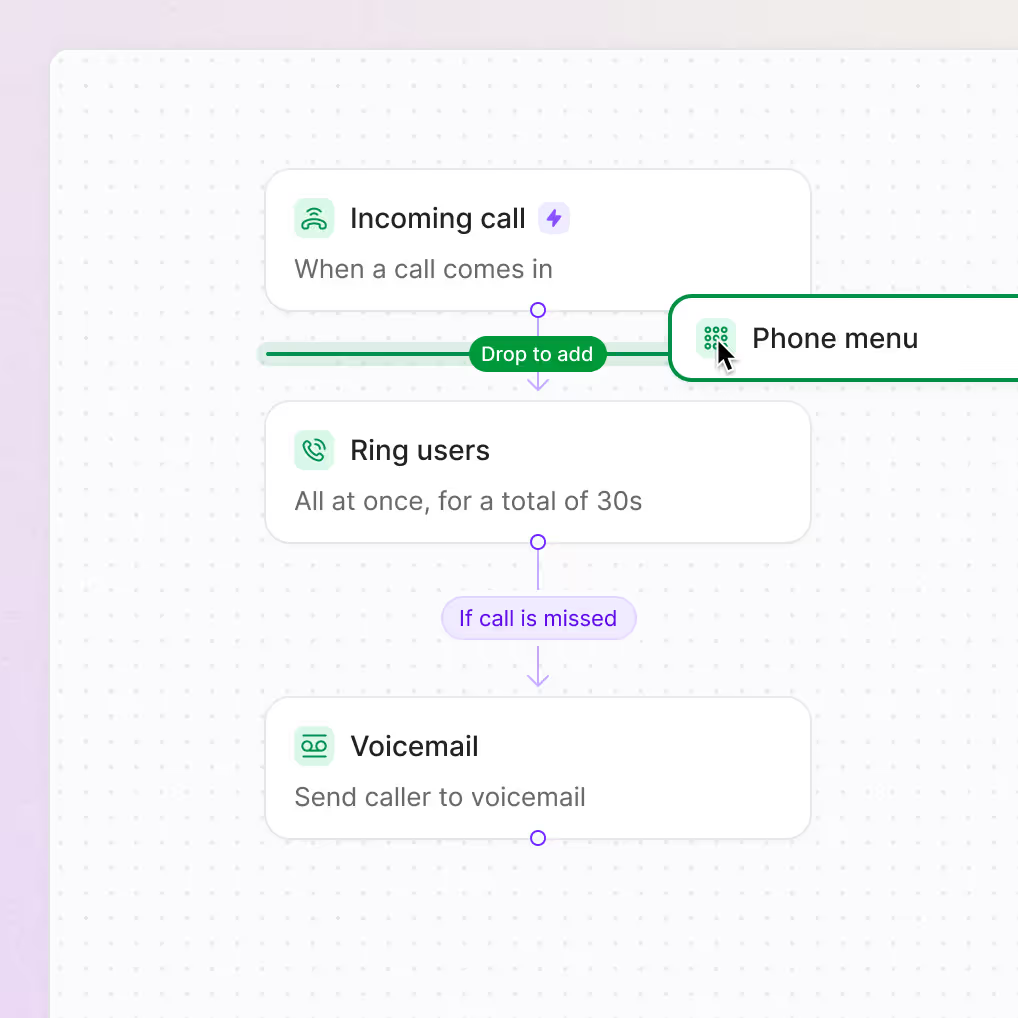
Handle incoming calls with ease using Quo’s call management features. Set up custom call flows in minutes with our no-code call flow builder. Drag and drop call flow steps in our visual canvas.
Choose how your team likes to receive calls with ring groups. You can set up different ring options, including simultaneous ring and sequential ring. Give customers self-service navigation options with phone menus.
Direct calls to backup call routing options if your team is busy or unavailable. Quo offers a range of backup options to choose from, including SMS auto-replies, voicemail, Sona, and call forwarding.
Never miss a call again with Sona, our 24/7 voice agent powered by artificial intelligence. Sona helps you tackle incoming calls at any time of day. It can answer questions, take messages, transfer calls, and capture leads. Plus, Sona can even send a text based on custom jobs you add. For example, if a caller wants to schedule an appointment, it can automatically text a booking link. It’s an ideal companion for your high-volume periods.
Set up Sona quickly with our call flow builder. Provide your company documentation so that Sona becomes an expert on your business. Instruct Sona to handle specific scenarios by giving it custom jobs. It can listen to customers and take different actions based on what each customer needs. You can also use Sona to understand which customers prefer callbacks.
Sona can only handle inbound calls. It can’t be used for outbound calls or cold outreach.
Monitor your team’s performance with Quo’s analytics features. See how team members are performing in real time with call views. Filter calls by team member, date range, call duration, and more.
Review historical performance in our analytics dashboard. See activity metrics and compare how team members performed during specific time periods. Track recurring issues and surface business opportunities with AI call tags. Use AI to analyze phone calls with custom tags that matter to your team.
Managers can also use our heatmaps for decision-making around hiring. See what time of day your team is most active with calls and whether they need additional support.
Take your business phone wherever you want to work. All you need is a compatible device and an internet connection to get started.
Download Quo for Mac, Windows, iOS, and Android. You can also use Quo in your browser with our web app. Sign up today and get started with our seven-day free trial.
Find out how much you’re investing in your business phone solution upfront on our pricing page.
Can’t find the answer here? Check out our Resource Center.

Some of the most common use cases for post-call automation are:
Yes, post-call automation can help customer support teams improve their CSAT scores. When you automate post-call tasks, your team has more time to respond to customers faster and cater to their needs. This can improve your customer experience over time.
You can personalize your interactions with every contact. Address customers directly by mentioning their name in your communications. Follow up with them at times that are convenient for them by scheduling messages based on their time zones. If you set up your automations without any personalization, they can feel robotic and impersonal to your contacts.
Here’s how Quo’s pricing works for post-call automation features:
No, post-call automation features aren’t exclusive to contact centers. Virtual telephony providers like Quo offer AI tools for small businesses, helping their customers save time and money as they grow. The best part is that these features are usually available as no-code automation tools. You don't need technical expertise to use them.