Unless you have the memory of an elephant, there’s no way to remember every detail from business calls. So you try recording on your Android — and hit a wall with its limited features.
That’s why most small business owners use third-party apps to capture customer service recordings for quality, training, and compliance purposes. The only problem? Not all Android apps are built for business, and most are better suited for personal use.
To save you the trouble of testing every option, we’ve rounded up the 10 best call recording apps for Android below. You can quickly compare their prices, features, and limitations to decide which one is right for you.
Do Android devices have a built-in call recording feature?
Some Google and Samsung phones do offer native call recording, but they lack the features most businesses need to grow. Think transcriptions, summaries, and tagging tools.
Native recording might work fine if you’re a one-person team. But as your business grows, it becomes harder to access and share recordings across devices.
Plus, many older models don’t offer call recording at all, which means you’ll have to rely on external recorders like laptops.
The good news is there are plenty of third-party call recording apps for Android with business-friendly features. You just need to be aware of their quirks and limitations — like specific country restrictions or a lack of shared numbers.
💡 Related: How to record phone calls on Android
How we chose the best call recording apps for Android
To find the best call recording apps, we took a hands-on approach. Our team reviewed top-rated options on trusted sites like G2 and Google Play. Then we downloaded each app to see how well they worked — paying attention to call recording quality, pricing, and how easy they were to use. We also reached out to each app’s support team to see how fast they responded.
This helped us choose apps that are reliable, easy to use, and backed by helpful support for growing businesses.
Comparing the best call recording apps for Android
Ready for an easier way to record conversations from your phone?
Here are the 10 best call recording apps for Android:
1. Quo: Best for small and growing businesses

Price: Quo’s pricing starts at $15 per user per month
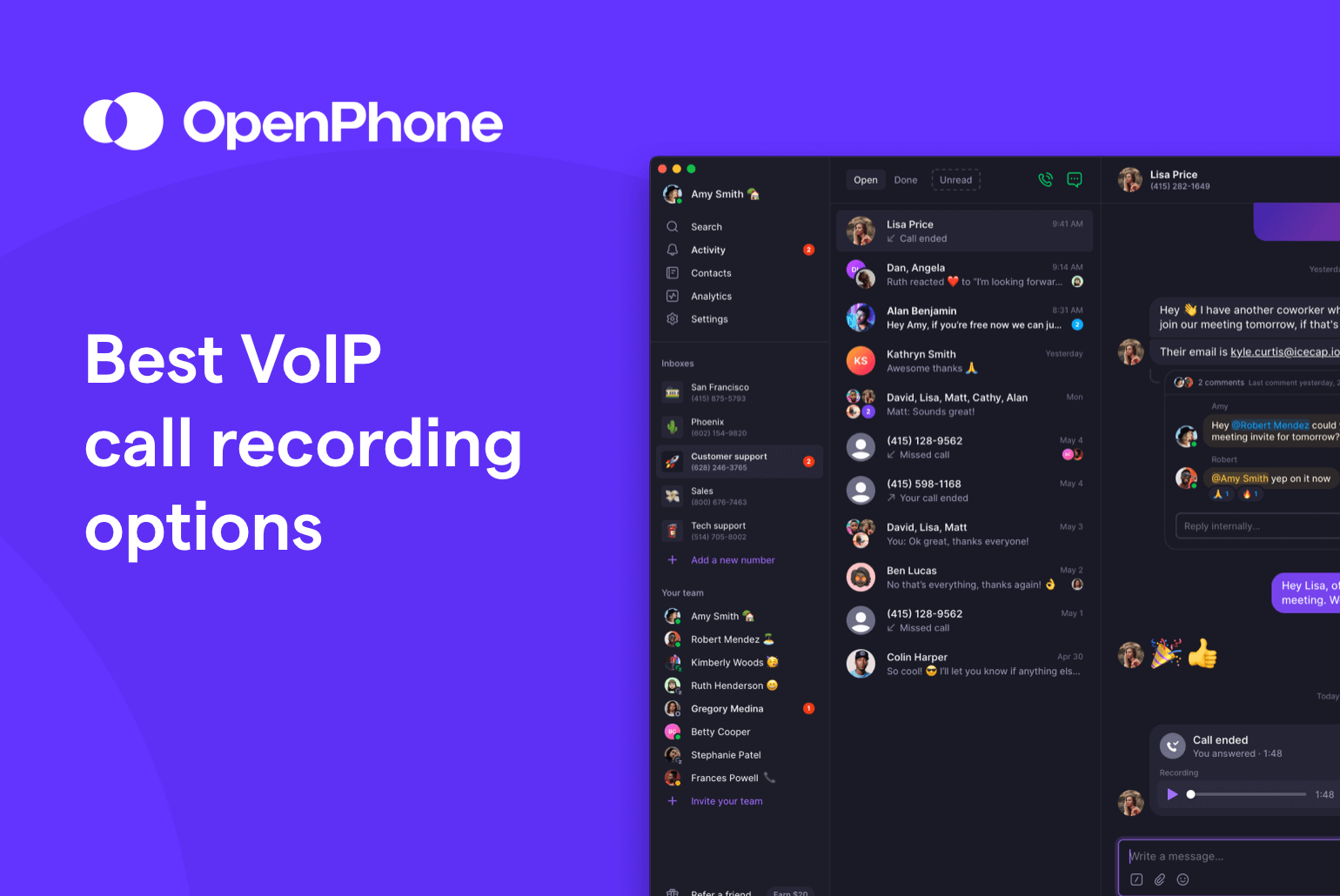
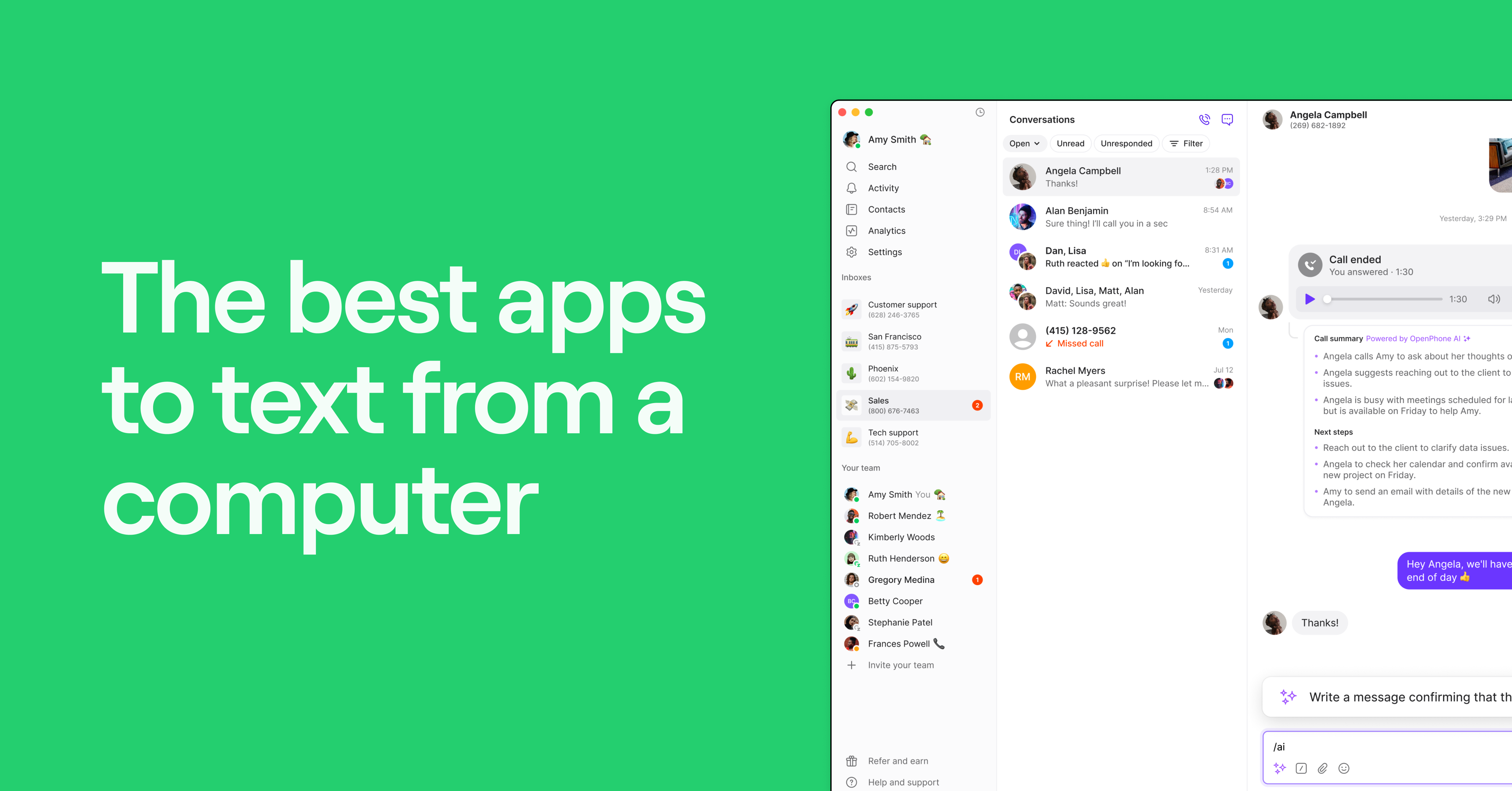
Quo, formerly OpenPhone, is a business phone system that provides unlimited calls and texts to US and Canadian numbers. It comes with call recording features on every plan. This includes manual recording on the Starter plan and automatic call recording on the Business plan. The cherry on top? We’re not just for Android. You can also use Quo to record calls on iOS and desktop apps, plus devices like your laptop and tablet.

The Business plan also unlocks AI-powered tools to help you get more out of every conversation. For example, once you capture a recording, you’ll automatically receive AI call transcriptions and summaries. These recap conversations with action items and timestamps so you don’t have to listen to the entire recording.
No need to manually organize call recordings, either. AI call tags categorize recordings by sentiment, topics, or custom labels, like “Follow-up needed” or “Positive call.” This makes it easy to sort and prioritize callbacks, identify trends, and find coaching opportunities for your team.
Quo also makes it easier to build customer relationships by:
- Scheduling follow-up messages. Need to nudge a customer after a call recording? Schedule texts in the customer’s time zone so you always follow up at the perfect time.
- Setting expectations even while you’re away. With SMS auto-replies, you can send automatic responses to missed calls, texts, and voicemails, like “Sorry I missed you! How can I help?”
- Responding to customers faster with reusable templates. If you tend to get the same messages over and over, you can create templated texts, aka snippets, to answer questions consistently with your team.
- Splitting responsibility for incoming calls. With Quo, you can share phone numbers with everyone on your team. These types of numbers provide a unified view of all calls, recordings, and texts with customers. Team members can also use internal threads to discuss ongoing issues and tag colleagues to review call recordings.
- Automatically logging call recordings and text messages in your CRM. Quo has native integrations with popular CRMs like HubSpot and Salesforce. Use a different CRM or want to push recordings to Google Drive? Quo’s Make and Zapier integrations can help you connect to thousands of other platforms.
- Pick up the phone automatically with Sona, Quo’s AI voice agent. Sona answers calls when your team can’t and greets callers with a friendly message. It can answer common questions and take messages. Plus, Sona can also send texts during live calls to share booking links, addresses, or intake forms.
Curious to test our call recording tools with your team?
Test Quo today by signing up for a seven-day free trial. Then if you have an existing business number, you can easily port in a local US, Canadian, or North American toll-free number.
2. Cube ACR: Best for recording WhatsApp and Telegram calls
Price: Cube ACR pricing starts at $2.49 per feature
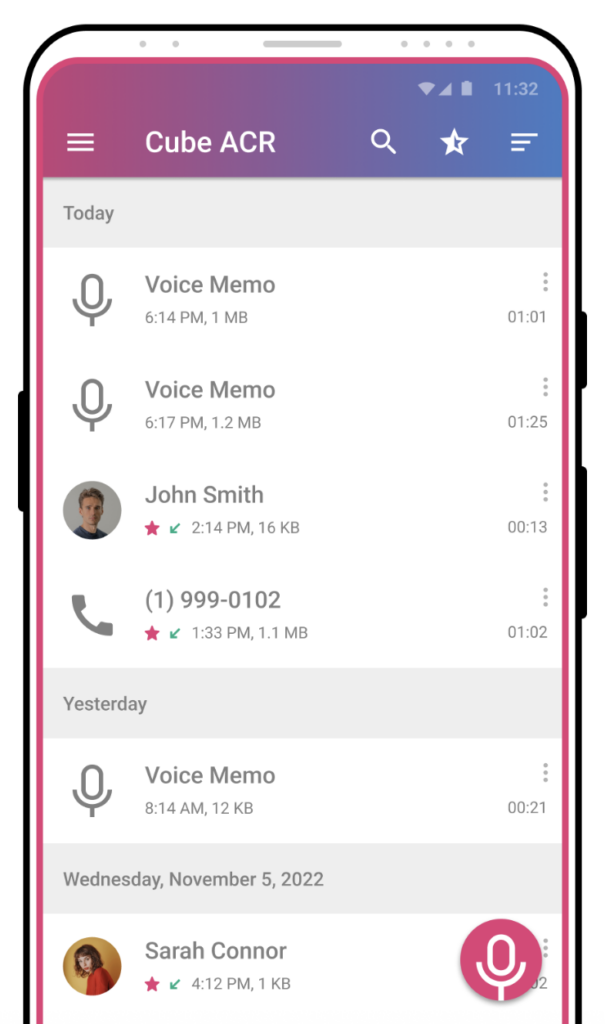
Cube ACR is a phone call recording app with recording options for VoIP and regular calls. It lets you record on third-party platforms like WhatsApp and Telegram. This is a handy feature for business owners who rely on multiple messaging apps to communicate with customers.
You can set up the ACR call recorder for manual or automatic recording so you won’t forget to hit record mid-call. It even offers a clever “shake-to-mark” feature that lets you flag key moments during a conversation for easier review later.
But most of its bells and whistles are locked behind the Premium plan. Shake-to-mark, audio formats like MP4, and cloud backups require an upgrade. Plus, ACR says support for VoIP call recording may be hit or miss due to hardware limitations, and there’s no workaround on their end.
3. Google Voice: Best for Google Workspace users

Price: Google Voice’s pricing starts at $17 per user per month
Google Voice is one of the oldest names when it comes to VoIP providers and is best known for its free personal plans. But don’t get too excited — automatic business call recording is only available for paid Google Voice users. Plus, you’ll have to pay for a Google Workspace subscription, which adds another $7 per user per month.
Even then, Google Voice’s base plan doesn’t offer anything for call recording. You’ll have to upgrade for on-demand call recording, which costs $20 per user per month.
Want to automatically record calls? You’ll need to upgrade again to the Premier plan, which costs $30 per user per month.
Every Google Voice plan comes with unlimited calls in the US, voicemail transcriptions, and other basics. But unlike modern VoIP platforms, you won’t have access to more call recording features like AI call tags and call summaries.
You’ll also notice missing features like:
- Toll-free numbers
- Auto-replies
- Scheduled texts
- Snippets
- AI voice agent
- Third-party integrations outside of Google Workspace
And keep in mind there are country restrictions, which could limit where you can use the app.
If you’re already deep in the Google ecosystem and need basic recording tools, Google Voice could be a cost-effective solution. But for growing businesses looking to scale or automate, there are better alternatives out there.
Download Google Voice for Android
4. All Call Recorder: Best for organizing recordings in multiple views

Price: All Call Recorder pricing isn’t publicly available
All Call Recorder lets you capture and organize call recordings in a list and a calendar view. This makes it easier to browse past calls and locate recordings for future reference.
You can also use All Call Recorder to attach notes to saved recordings. That way, you can keep track of details like follow-up dates and action items without needing to flip between multiple apps.
Just know that if you use All Call Recorder, the person you’re speaking with might have their voice recorded at a lower volume than yours. This can make it hard to hear the full conversation clearly when you listen to the recording.
Thinking about recording calls in another app and then importing them to All Call Recorder to organize them? Not recommended. The developer states that having multiple call recording apps on your device can cause recording failures.
Looking for a bare-bones, no-frills recording app with basic organizational tools? All Call Recorder gets the job done — as long as it plays nicely with your device. If it doesn’t fit the bill, keep your eyes peeled for another option on this list.
Download All Call Recorder for Android
5. Talker ACR: Best for contact-based auto recording

Price: Talker ACR pricing starts at $3.49 per feature
Talker ACR lets you record phone and VoIP calls from platforms like WhatsApp, Viber, WeChat, and Facebook Messenger. Like many other apps, you can toggle between manual and automatic call recording, then play back recordings directly inside the app.
Talker ACR’s biggest claim to fame is contact-based permissions. This feature lets you automatically record specific numbers and ignore the rest. It can be helpful for avoiding inbox clutter and capturing only the recordings you need.
That said, many of the better features are locked behind a paywall. If you want to automatically delete old call recordings, cloud backups, or PIN lock protection, you’ll need to upgrade to a paid plan. Even with the upgrade, you won’t get transcripts or summaries, so manual review will be a must.
Quality-wise, reviewers say it can be hit or miss. Some users complain that Talker ACR records their voice just fine, but not the person on the other end of the phone.

The biggest drawback? Talker ACR isn’t a standalone app. To work properly, it requires an additional installation of the Talker ACR Helper app. This is due to Android hardware limitations and policy changes.

Rather not juggle two separate apps for one job? Consider a simpler Talker ACR alternative, like a business phone platform.
Download Talker ACR for Android
6. Automatic Call Recorder Pro: Best for starting recordings on the go

Price: Automatic Call Recorder Pro pricing starts at $4.69 per feature
Automatic Call Recorder Pro lets you start recording calls by simply shaking your phone or tapping a floating widget. You can also customize recording permissions for specific contacts. This helps ensure you never miss important calls from key customers or vendors.
After a call, you can mark it as a favorite for easy access later or use the built-in search feature to find recordings by title. Just FYI, there are no transcriptions available. This means you can’t search through your recordings using specific keywords or conversation topics.
Plus, Automatic Call Recorder Pro hasn’t been updated since 2022. This is something to keep in mind if you’re handling sensitive information and worried about missing security patches.
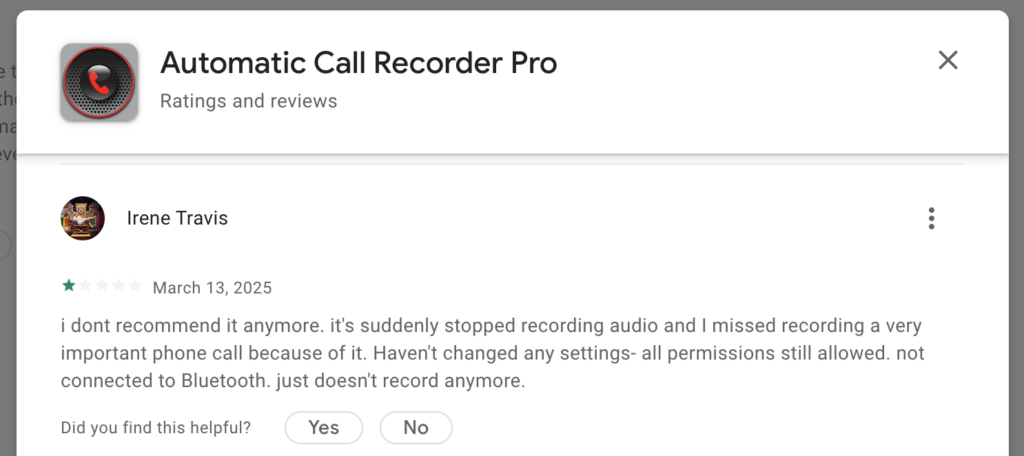
You should also know users have reported several issues where the app suddenly stops working — even after upgrading to the Pro plan.
See for yourself with this popular review on Google Play:
Download Automatic Call Recorder Pro for Android
7. Call Recorder by Lucky Mobile Apps: Best for basic call recording

Price: Call Recorder by Lucky Mobile Apps pricing starts at $7.99 per feature
Call Recorder by Lucky Mobile Apps lets you protect your recordings with a PIN code to help keep sensitive conversations private. It also includes a dark mode, which reduces glare and eye strain when you’re reviewing calls in dim light. You can even set the app to automatically delete old recordings after a certain time, so your phone storage doesn’t fill up.
However, its pricing is unclear. You can’t tell how much each feature costs until you download the app onto your Android phone. It also only provides basic features, which isn’t ideal for a growing business that needs advanced tools. For example, it doesn’t include AI call transcriptions or summaries that make it easier for teams to quickly review calls.
Plus, some users have reported reliability issues. One reviewer mentioned that all their past recordings suddenly disappeared. The app also stopped syncing to their contacts — forcing them to reselect settings every time they opened it. That kind of inconsistency can be frustrating if you rely on recordings for business calls.

Download Call Recorder by Lucky Mobile Apps for Android
8. ACR Phone: Best for dual-SIM phones

Price: ACR Phone pricing starts at $17.99 per feature
ACR Phone is an Android app you can download to record calls. It offers an online spam call database you can use to automatically block unwanted calls in real time. This database is updated by other ACR Phone users who report spam and scam phone numbers.
The app also supports dual-SIM phones. A dual-SIM phone is a device that holds two SIM cards, letting you use two numbers on one phone. With ACR Phone, you can set one number as the default for recording calls or decide before each call whether you want it recorded.
However, the app is expensive. Each premium feature costs $17.99 on Google Play, so costs can add up fast if you need more than one. One user said they paid for the lifetime premium plan but still couldn’t listen to their recordings — whether stored locally or in the cloud.

Download ACR Phone + APH for Android
9. callX: Best for Dropbox users
Price: callX pricing starts at $4.49 per feature
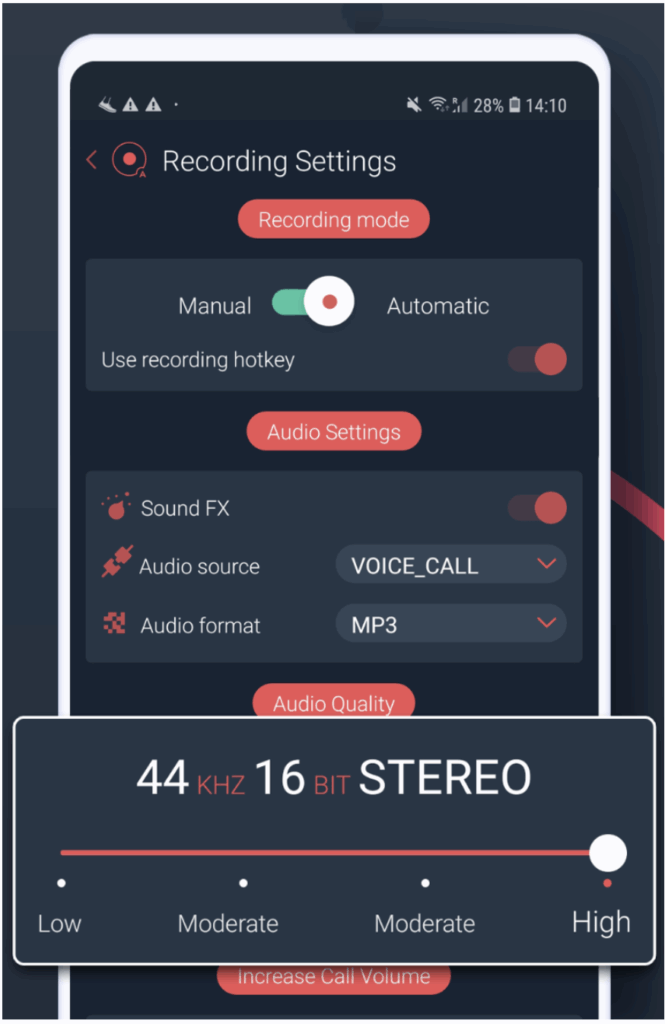
callX is a mobile app that lets you record phone calls on your device. You can record calls automatically or manually, which is helpful if you only want to save certain conversations. It also shows caller ID, so you can tell who’s calling even if the number isn’t in your contacts. Afterward, you can upload your recordings to Dropbox to keep them backed up or share them with your team.
Still, the app has its downsides. One reviewer said that after a couple of months, it stopped recording calls. If you rely on recordings for work or customer calls, losing them will be a major setback.

10. Call Recorder – Auto Recording: Best for sharing recordings on social apps

Price: Call Recorder – Auto Recording pricing starts at $0.99 per feature
Call Recorder – Auto Recording is a call recording app for Android phones, including popular models like the Samsung S20, S10, and S9. It records both incoming and outgoing calls, helping you keep track of important conversations. You can also share recordings through social apps, which can help if you already use those apps to stay connected with your team.
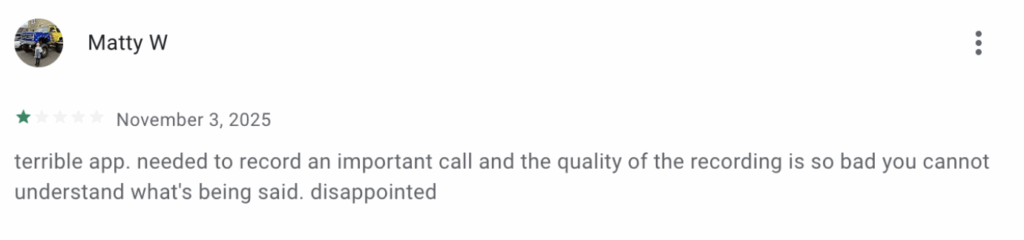
However, the app hasn’t been updated since October 2022, which means it may not work well with newer Android versions. One reviewer said they tried to record an important call, but the audio quality was so poor they couldn’t hear what was said.
Download Call Recorder – Auto Recording for Android
Quo: The best call recording app for Android
So, which call recording app “reigns supreme?” Frankly, it depends on your needs.
But if you’re looking for automatic call recording, unlimited storage, and transcriptions and summaries in a user-friendly interface, it’s Quo.
More than 90,000 businesses use Quo’s platform to record, store, and analyze calls as a team. You’ll get all the features of a dedicated call recording app plus the tools small businesses need to grow. This includes unlimited texting, phone menus, call routing, and 8,000+ third-party integrations via Zapier and Make. Quo also provides call views for filtering call recordings by rep or by whether it was an incoming or outgoing call.
See for yourself why Quo is the best call recording app for Android by signing up for a seven-day trial.
FAQs
The safety of a call recorder app depends on its security measures and data-handling practices. That’s why it’s important to choose one from a reputable developer like Quo.
Quo protects your data with 256-bit AES encryption and other security measures, for example.
The best call recorder app depends on you and your reps. Popular options like Cube ACR work well for personal users, freelancers, or solopreneurs. For growing small businesses, Quo is a better option. It lets you manually and automatically record business phone calls on your Android and other devices. Plus, it comes with features like call transfers, ring groups, voicemail to text, and the Quo API.
Here’s how to record phone calls on an Android using Quo:
1. Create a Quo account.
2. Choose a phone number.
3. Answer or make a call from the Quo Android mobile app.
4. Press the Record button.
You can also set up auto call recording so you don’t need to press the record button. Plus, you can add an audio recording step to your call flow that informs callers before they reach your team that you’re recording their calls. That way, you’re following call recording compliance best practices.
Audio recording quality depends on the app, Android device, and version of the operating system you use. That’s why it’s a good idea to rely on VoIP technology like Quo, which captures both sides of the call using your internet connection.
Most Android call recording apps aren’t compatible with iOS devices. But apps designed for small businesses, including Quo, work on multiple systems, like Android, iOS, and desktop.
Do you have multiple team members who each use different phones for work? They can download Quo to record their calls, and everyone on your team will instantly have access to the calls.