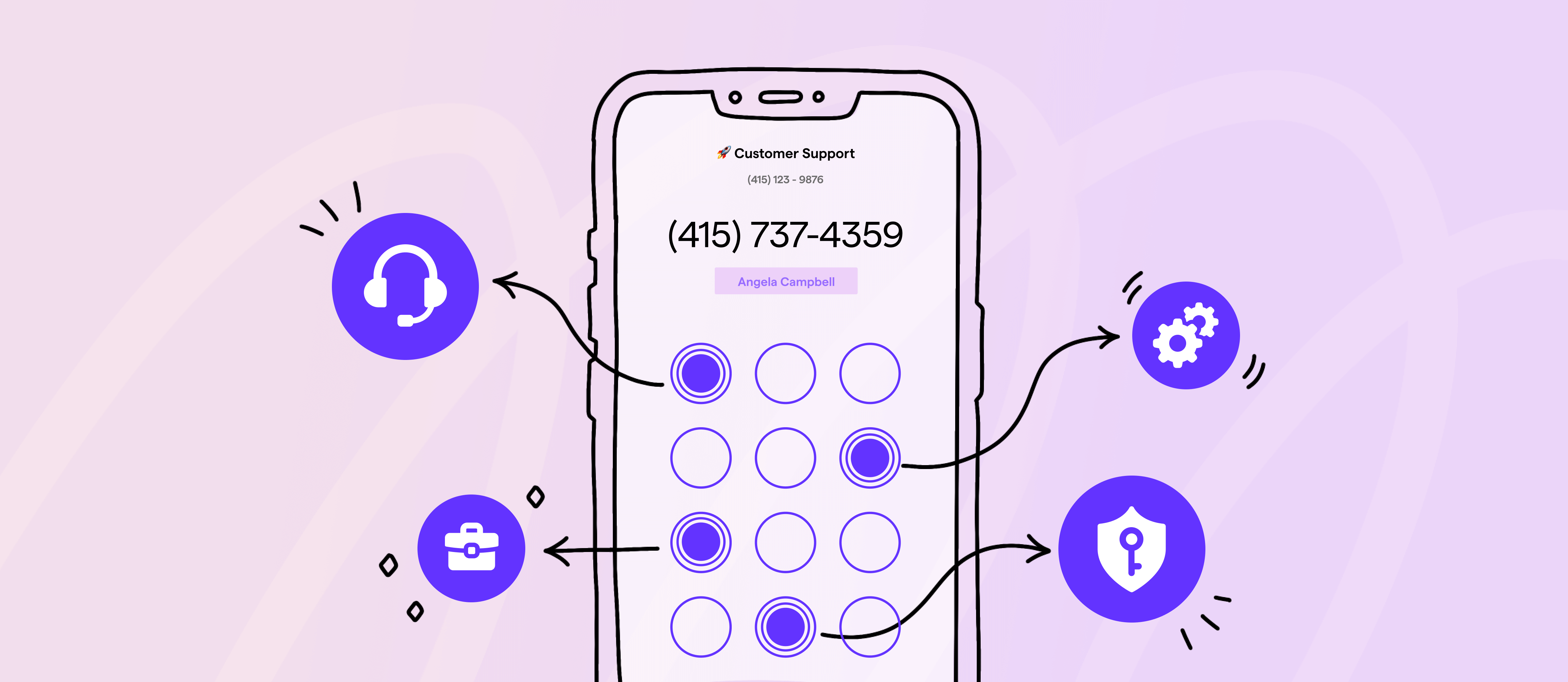
Missed calls don’t always happen because your team is busy. Sometimes they occur when callers go to the wrong person or don’t know what to do next. A few moments of confusion is all it takes for someone to hang up. Those small breakdowns are easy to ignore at first. Over time, they drain your team’s energy and cost you customers.
The answer: automating your call routing with a phone menu. When it’s set up the right way, it cuts out unnecessary handoffs and prevents calls from falling through the cracks.
In this guide, we explain how you can design a phone menu to route incoming calls without needing a receptionist.
Looking for a business phone platform to get up and running fast? We also walk through the step-by-step process of setting up a phone menu.
What is a phone menu?
A phone menu is also known as a phone tree, an auto-attendant, or an interactive voice response, or IVR. It’s a pre-recorded greeting that lets callers route their own calls by pressing keys or speaking specific words. When someone calls a number with a phone menu, they’ll hear a list of menu options, such as “Press one for business hours” or “Press two for live support.”

Phone menus automatically route callers based on what they choose. A menu option might connect them to another phone number. It could also play an audio recording containing information like directions or send the call to voicemail. If you use a business phone system like Quo, formerly OpenPhone, you can even route callers to an AI voice agent like Sona.
Two examples of phone menus
Phone menus don’t all work the same way. Some businesses start with a simple setup and stick with it. Others add nested menus later as their business grows.
Multi-level phone menus

A multi-level phone menu uses nested menus to guide callers through additional options. For example, callers can make one selection, then hear a second set of choices. It can be useful when calls start coming in for different departments or languages. That said, most small businesses don’t need these types of phone menus right away.
Single-level phone menus
A single-level phone menu keeps things straightforward. Callers hear one short list of options and can make their choice quickly. This is often the easiest place to start for small and growing teams. They’re easier to manage, and you can still route calls to an AI agent, external phone number, and more.
5 ways to use phone menus for different business scenarios
Phone menus can support your business in a few common, everyday situations.
- Welcome callers with professional greetings. Use an automated phone menu script to share details like your business hours, location, or what callers should do next. This helps them confirm they’ve reached the right place and avoids confusion.
- Get calls to the right person or team. Let callers choose the option that matches why they’re calling. Whether that’s your sales, support, or billing departments. This cuts down on transfers and helps them reach someone who can assist them on the first try.
- Handle calls when your team is unavailable. You can use a phone menu to route calls during lunch breaks, after hours, or when lines are just busy. Your callers will get the guidance they need instead of hearing a voicemail message.
- Answer common questions without a rep. Use menu options to share information like your address. That way, callers get answers quickly without taking up your reps’ time.
- Help callers in their preferred language. Give callers the option to choose a language early in the menu, so they don’t have to guess or struggle through the call.
💡Want to switch your business phone provider for better call routing options? Check out our guide to the best auto-attendant phone systems.
Advanced phone menu routing options
Once calls start picking up, basic routing isn’t always enough. More advanced options give you a bit more control over where calls go and when, without making things harder for callers.
Time-based call routing
Do you want every call to be handled the same way, no matter what time it is? That usually works early on, but it breaks down once calls start coming in outside of business hours. If you set up time-based routing in an automated phone system, calls can ring your team during business hours. After hours, those same calls can go somewhere else, like voicemail, an AI agent, or an external number. That way, you avoid calls falling through the cracks.
Skill-based routing
Calls don’t always reach the right person. When that happens, callers get transferred, put on hold, or asked to start over. It’s frustrating for them and slows your team down. With skill-based routing, calls can go directly to the right rep based on what they need help with via a phone menu, like technical support.
Ring groups
When calls are routed to just one person, it’s easy for them to get missed if that person is busy, away, or on another call. Ring groups help fix this issue by sending calls to multiple teammates instead of just one. You can set them up in a couple of different ways, for example:
- Simultaneous ringing: Everyone’s phone rings at the same time, so whoever is free can pick up
- Sequential ringing: The call rings one person first, then moves down a list until someone answers
Set up your phone menu with Quo

Choosing a VoIP system that supports automated attendants is one of the simplest ways to set up a phone menu. Within minutes, you can have a professional menu set up without any IT support.
With Quo’s Business plan for just $23 per user per month, you can access phone menus.
Just follow these steps to set up a phone menu with Quo.
1. Sign up for a Quo account
If you don’t already have a Quo account, you can sign up for a free seven-day trial to put our platform to the test.
Do you have a US, Canadian, or North American toll-free number? Once you confirm that Quo is a great fit, you can port the number over for free.
2. Select a phone number you wish to add a phone menu to
In your workspace, go to Settings, select Phone numbers, and choose the business phone number you want to add a phone menu to.
3. Add your business hours
Any phone number can set specific business hours, and all of your team with shared access to your Quo number will receive incoming calls for those hours. Toggle the Enable business hours switch on. This will result in an expanded menu where you can edit your availability.
Then select the appropriate time zone and your daily availability by selecting the hours to the immediate right of Every day.
4. Add your phone menu
Next, scroll down to Call flow and click Edit call flow to start setting up your menu. You’ll be taken to the call flow builder that lets you visualize your call routing. There you can easily drag and drop the Phone menu step on the right-hand menu to either during or after hours.
5. Set up a greeting message

Your greeting message is the first thing your customers hear when they dial your phone number. Your auto-attendant script can be as simple as, “Thanks for calling XYZ Company! Please select from the following options to reach the right department.”
All you have to do is tap Add greeting message to upload an audio file, record a message, or type out a message to generate an automated voice recording.
💡Check out Quo’s free AI business auto-attendant greeting generator, available whether or not you have a Quo account.
6. Set destinations for each phone menu option
Under Menu Options, you can set your number of menu options. You can have up to 10 menu options/phone extensions, using the numbers 0-9. For each option, you can also set the specific keyword callers can say if they choose an option by speaking instead of pressing a number.
7. Add routing to each menu option
You can route callers based on the menu option they select. You can choose from:
- Voicemail — Callers can listen to your voicemail and leave a message.
- Ring users — Calls will come through to all members of the phone number. If you’re the only person with access to the number, you’ll receive calls. If you have a team sharing access to the number, everyone will receive calls.
- Play an audio — This is great if you want a dedicated option to let callers know your business hours or your business address/directions. You need to share information, and that’s it!
- Sona — Route callers to Sona, Quo’s AI voice agent, to automatically answer the phone. It can respond to common questions, take messages, and send texts during live calls.
- Forward call — Forward calls to another Quo number in your organization — to one person or a group — or to any US or Canadian phone number.
8. Set what happens if callers don’t select a menu option
When you add extensions to your phone menu, you can choose a default destination for callers who don’t type or say a command. By default, if a caller stays on the call without selecting a phone menu option, the call flow builder will default to a Voicemail step.

Under No selection, you can set a destination when a caller stays on the call without selecting an option. You can change this destination to Ring users, Play audio, AI agent, Forward call, or Repeat the menu.
You can set up a phone menu in 15 minutes or less by starting your free trial of Quo today.
How to design a clear, easy-to-navigate phone menu
A phone menu can make life easier or harder for your callers and team. The difference usually comes down to small design choices. When a menu is clear and short, callers move through it quickly. When it isn’t, they get stuck, press the wrong option, or hang up altogether.
Here are a few tips that make phone menus easier to use.
Put your most-needed option first
Why it matters: Most callers already know why they’re calling by the time they dial your phone number. They’re listening for the option that matches their need, not for a rundown of all your services. If the most common option comes late, callers either wait impatiently or make the wrong selection.
How to do it: Start by looking at where calls usually end up. Then make that destination your first menu option. Less common requests should come after that, where they don’t slow everyone else down.
Match your voicemail greeting to your brand
Why it matters: Your phone menu is part of your brand experience, just like your website or emails. If the tone feels off, callers notice. A mismatch can make a business feel disorganized or unprofessional.
How to do it: Choose wording and pacing that reflect how you normally talk to customers. If your brand is friendly, keep the language conversational. If it’s more formal, keep it polished.
Quo’s business voicemail greeting generator lets you create high-quality custom voicemail recordings in seconds.
Let callers know about current issues upfront
Why it matters: Callers often reach out if there’s a problem. If your company is experiencing a known issue, sharing that information early can save everyone time. In many cases, it also reduces call volume by preventing repeat calls.
How to do it: Add a short announcement before your menu options begin. Keep it specific and temporary. Remember to remove it once the issue has been resolved.
Make it easy to reach a human
Why it matters: Even well-designed phone menus can’t solve every problem. When callers can’t find a way to reach a person, frustration can build quickly. That frustration often carries into the conversation itself.
How to do it: Include a clear option to speak with someone and avoid hiding it deep inside nested menus. Setting up shared phone numbers to route calls to multiple teammates at once can also help you serve customers more quickly.
Keep your menu short and scannable
Why it matters: Long menus are hard to follow, especially for callers on mobile devices. The more options you add, the harder it becomes for callers to remember what they just heard.
How to do it: Aim for four to six options at most. Use short phrases and add brief pauses between choices so callers have time to respond.
Give callers and reps the context they need
Why it matters: When reps know why someone is calling, callers don’t have to explain themselves again. Conversations start in the right place and get resolved faster.
How to do it: Show the caller’s menu selection on the incoming call screen. That way, reps know what the call is about before they answer.

With Quo, you can see the phone menu option your customers choose on the incoming call screen.
Common phone menu design mistakes, and how to avoid them
Building a great phone menu isn’t rocket science, but it’s possible to overlook certain things that could make your menu more efficient.
Here are a few ways businesses fumble with their menu design — and how you can avoid the same pitfalls.
- Not including IVR menu options. You have two options for setting up a phone menu: dial-y number or interactive voice response . Using dial-by-number alone may be more time-consuming and could create barriers for persons with disabilities.
- Not setting what happens if a caller doesn’t select a phone menu option. Have you ever lost track of the options on a phone menu because the recorded greeting didn’t repeat itself? This is what you don’t want customers to experience. A default phone menu option is a good way to route callers who don’t select an option.
- Having a wordy or difficult-to-follow phone menu greeting. You want your phone menu to be friendly and accessible, not frustrating or confusing. To do this, use clear phrasing and avoid jargon so you don’t alienate your audience.
- Not testing your phone menu after setting it up. You need to test your phone menu thoroughly before making it available to callers. This doesn’t have to be difficult — you just need a cell phone and your business number. Press or say each of your key phrases to make sure they direct callers wherever they’re supposed to go.
- Not using shared numbers. For busy teams receiving hundreds of calls per day, missed calls risk a customer or prospect falling through the cracks. Setting up a shared number is a great way to split responsibility for incoming calls.
- Not including self-serve options. Providing self-serve options on a phone menu helps customers solve their own queries without talking to reps. Just upload an audio recording of the answers to frequently asked questions, like your business hours or location and directions. Then, callers can press a key or say a word to get the information they need.

💡Want to know how many customers use your self-serve options? Quo lets you see when callers played an audio via the phone menu and then ended the call.
What call menu features should you look for?
When you’re comparing IVR software, it helps to know which features actually matter and why. This table breaks down what to look for, without getting overly technical.
| Feature | Why it matters | What to look for |
|---|---|---|
| Multi-level menus | Lets you add nested options when calls need to be routed by language or location | Support for two to three nested menus, so you can add layers as your business grows |
| Interactive voice response | Makes it easier for callers who don’t want to press buttons | Voice recognition that understands natural phrases, not just single words |
| Custom greetings | Makes your phone menu sound like it belongs to your business | Upload your own audio or use text-to-speech |
| Business hours routing | Handles calls differently during and after hours | Flexible schedules by day and time |
| Call analytics | Shows how callers move through your menu | Insights into why callers are reaching out by tracking conversations |
| Voicemail options | Captures calls when no one is available | Voicemail-to-email and custom voicemail greetings |
| Shared number support | Makes it easier for teams to answer calls together | Shared phone numbers with advanced call routing |
| Mobile app access | Lets you manage calls when you’re away from your desk | iOS and Android apps with the same features as desktop |
| CRM integrations | Keeps call data synced with the rest of your tools | Integrations with platforms like HubSpot, Salesforce, and Slack |
| AI capabilities | Automatically handle routine calls without reps | AI voice agents, like Quo’s Sona |
Increase your efficiency using phone menus with Quo
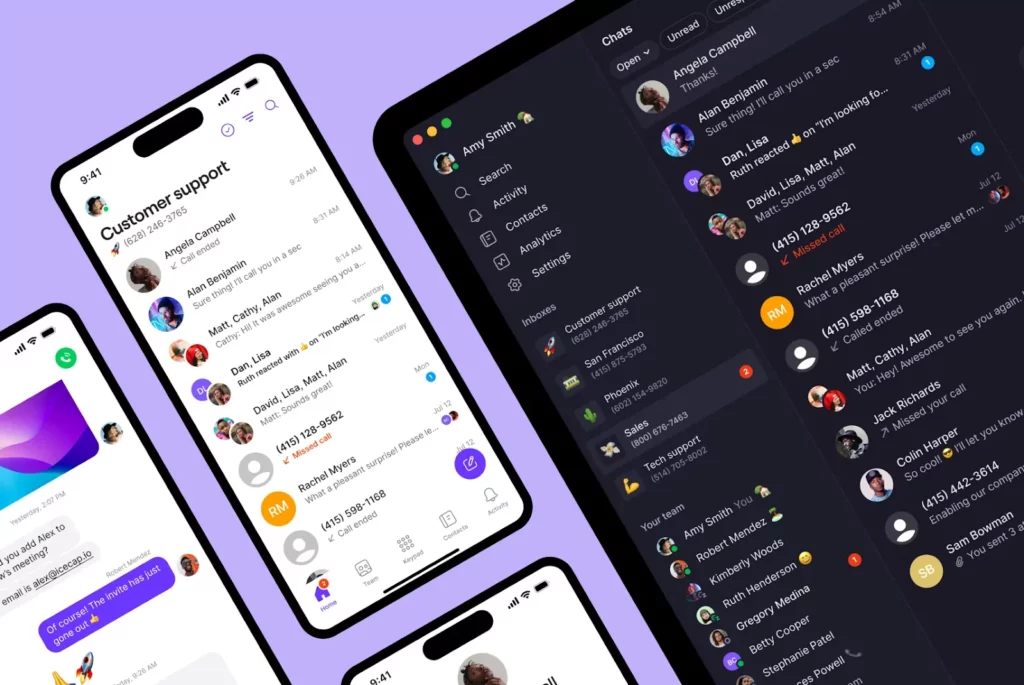
Setting up a phone menu can help you impress and support your customers while keeping your team as productive as possible. With a virtual phone system, you can create your phone menu in minutes and route your callers to a variety of destinations.
But the perks of VoIP systems don’t stop with a phone menu. With Quo , you can continue supporting callers and helping your team succeed with free calling in the US and Canada. You can also access features like auto-replies, call recording, voicemail transcriptions, and VoIP call forwarding. Plus, the platform offers integrations with apps like HubSpot and Slack.
Ready to see why Quo is the #1 business phone solution on G2? Start your seven-day free trial of Quo today.
FAQs
Yes, you can. Spam and robocalls typically can’t interact with phone menus. This means fewer unwanted calls get through to your reps, ensuring they don’t waste time dealing with them.
Different ways you can use a phone menu include:
– Provide quick information about business hours, locations, or services
– Direct callers to the right department or person who can help them with their specific needs
– Manage high call volume by routing calls efficiently and reducing wait times
– Offer self-service options for making payments and checking account statuses
Voice-activated telephone menus, also known as IVR, use voice commands to route callers to the correct destination instead of dialing a key on their keypad.
Some customers feel frustrated if the reason they’re calling isn’t an option on your phone menu. Others don’t want to waste time listening to irrelevant options. Still others may find the options on your phone menu unclear, forcing them to re-listen to the menu or hang up.
Ultimately, you need to think about your customers and design a phone menu that’s easy for them to use.
Yes. Phone menus can play automated messages when callers phone your business and choose a specific option. This is an easy way to share information like business hours, locations, or service updates. Instead of waiting on hold, callers get the information they need straight away.
Here are a few ways phone menus can help small and growing businesses:
– Get customers to the right person faster. Callers can choose the option that matches their needs instead of being placed on hold or transferred between reps. They’re routed to the right person on the first try.
– Free up your team for what matters. Common requests like business hours and office locations can be handled automatically. With fewer manual call transfers, your team has more time for conversations that need a personal touch.
– Make better decisions with call data. Phone menus show you what callers are selecting and when calls peak. Over time, those patterns help you fine-tune routing, staffing, and more.
– Deliver the same service every time. Callers hear the same menu options and greetings every time they call. This creates a consistent, professional experience, no matter when they reach out.