


Sales call coaching
Sales call coaching template: make your 1:1s more productive
Overview
Use this sales call coaching template to run consistent weekly one-on-ones with your reps. Score their calls against the same standard every week, and see exactly where deals stop moving. Plus, set action items and grade them the following week. Help your reps compound their growth instead of making the same mistakes repeatedly.
This template helps you coach one rep at a time, every week.
Here's how:
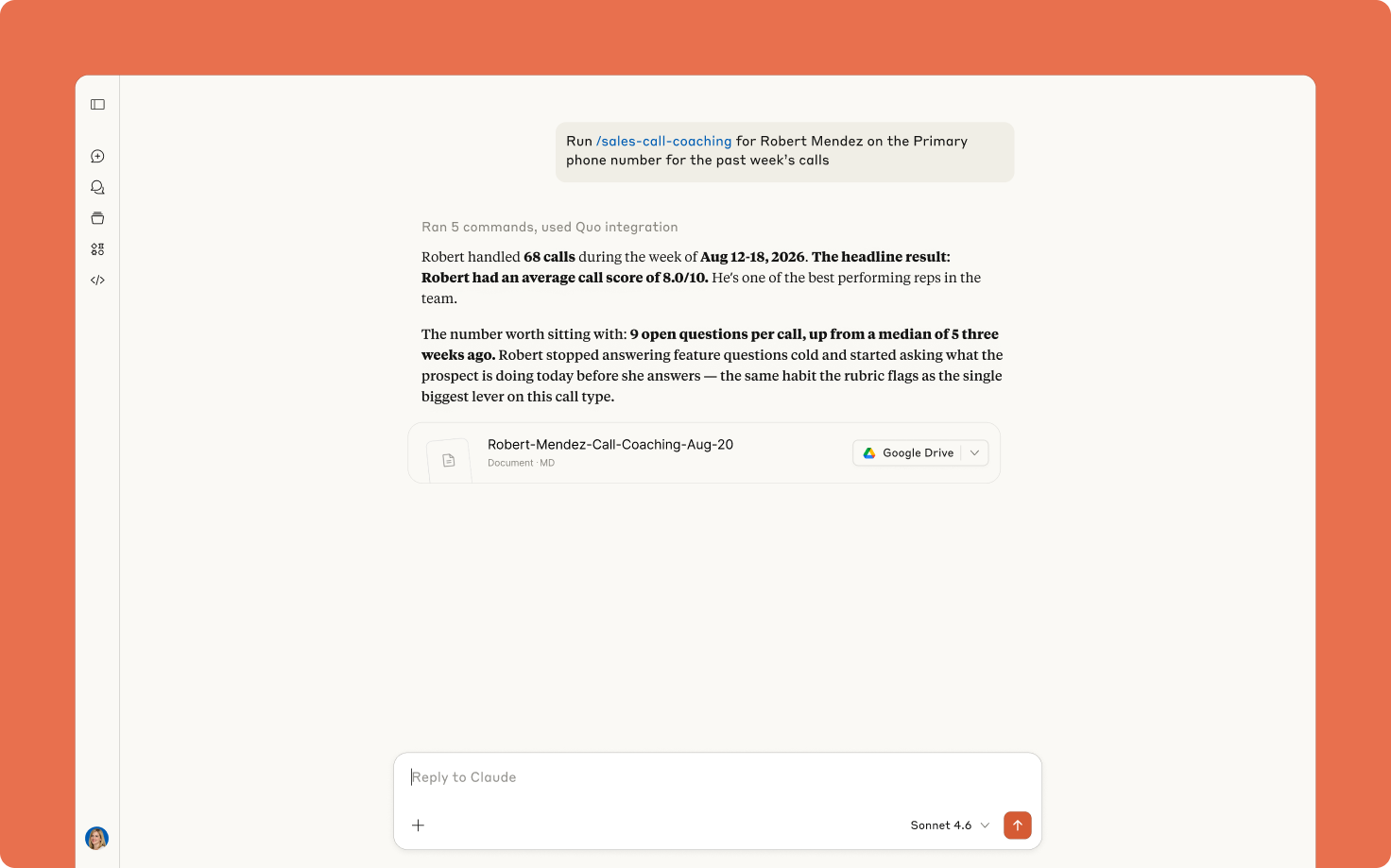
- Reviews transcribed calls for a specific rep on a specific Quo number over the past seven days.
- Scores each substantive call from 1 to 10, with a note on what earned the score and what held it back.
- Highlights three calls where the lead didn't move to the next stage, including the moment each call turned and what to say instead.
- Grades last week's action items before adding new ones, so commitments don't quietly fall off.
- Cross-references your CRM when one is connected, so stage changes come from your deal records instead of being inferred from the call.
- Creates an editable Google Doc or Notion page you and your rep work through together.
The first time you run it, Claude asks which sales metrics matter most to your team and where you want the doc to live. It saves your answers, so from then on you just name the rep and the week.
Note: This template covers calls with transcripts, not every call your reps handle. Enable automatic call recording and AI call transcripts in your Quo workspace.
Answered calls without a transcript won't appear, so treat the numbers as a coaching signal rather than complete activity data.
This sales call coaching template uses Quo and your preferred AI tool, Claude or ChatGPT, working together. Claude generates this template by executing a series of preset custom instructions known as skills. It automatically pulls your rep's call data from Quo, scores each call, and builds a coaching doc you can edit.
How to use with Claude
First, add this Claude skill to your account:
- Connect Quo and Claude.
- Click the Download template file button.
- Go to Customize > Skills > Add > Upload skill in your Claude account.
Finally, run the skill by asking Claude to coach a specific rep on your team.
From week two onward, keep the link to last week's doc handy. Claude looks for it firstand grades what you agreed last week.
Bonus: Once you add this skill and test it out for yourself, you can tweak it to your needs. Simply tell Claude what changes you'd like to make to the skill and it'll save them for you. You can also swap the metrics, adjust the score bands to match how your team already grades calls, and change the doc layout based on your team’s needs.
How to use with ChatGPT
First, add this ChatGPT skill to your account:
- Connect Quo and ChatGPT.
- Click the Download template file button.
- Go to Skills > Upload skill in your ChatGPT account.
Finally, run the skill by asking ChatGPT to coach a specific rep on your team.
.svg)
.svg)
.svg)


