

Business phone MCP: Surface insights and follow up faster
Connect Quo to your team’s Claude or ChatGPT account. Surface call and text insights, send texts to your customers, and manage contact data, right from chat.
Available with every Quo plan

Connect Quo to your team’s Claude or ChatGPT account. Surface call and text insights, send texts to your customers, and manage contact data, right from chat.
Available with every Quo plan







See what you can do with Quo’s MCP
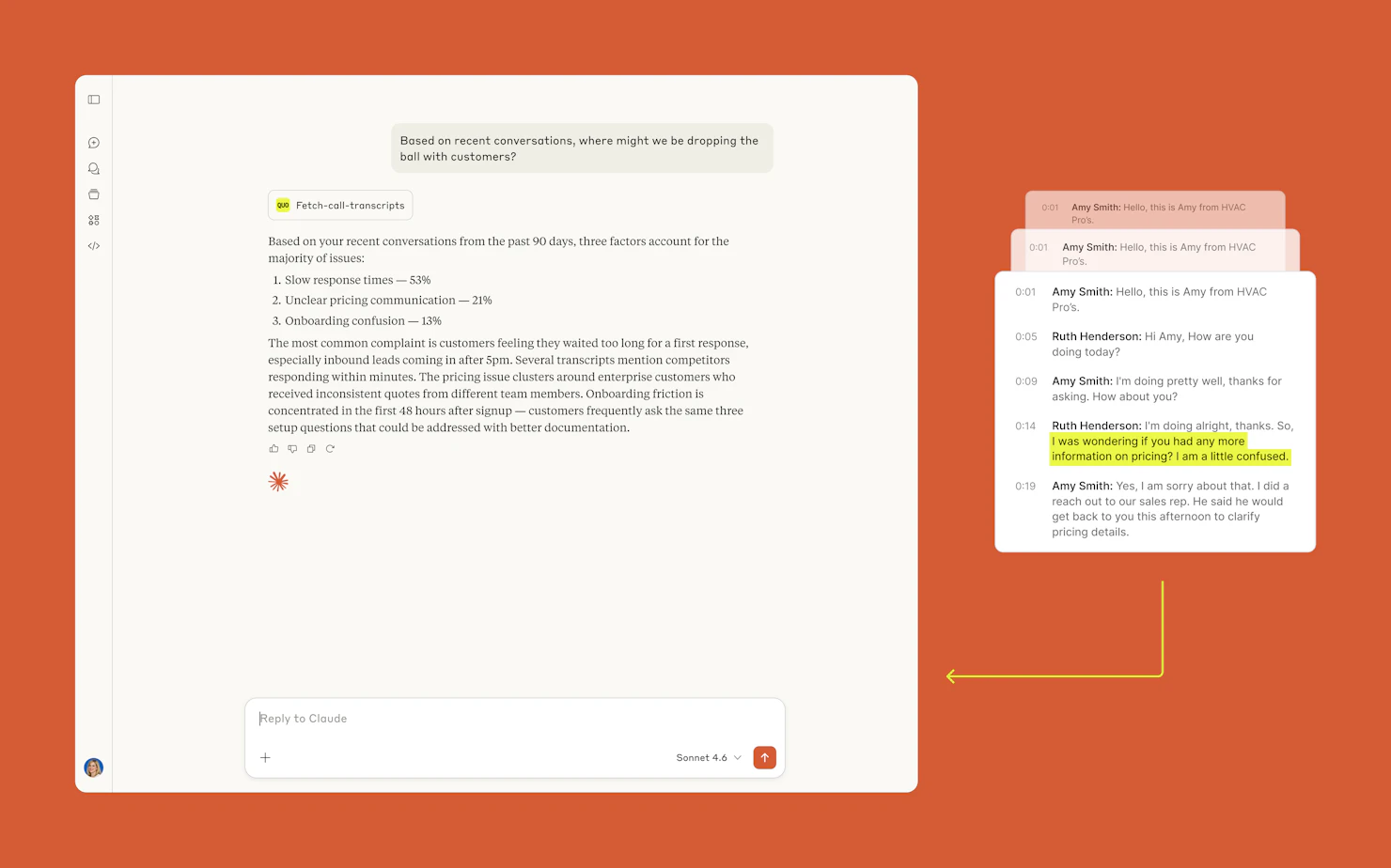
You don’t have time to review dozens of calls every day, but AI does. See where leads are running into bottlenecks and dropping off. Get specific call coaching recommendations you can implement immediately.
Try this prompt: Pull my last 50 calls on [my business phone number]. What are customers complaining about most? Group the issues by theme and tell me how many times each came up.
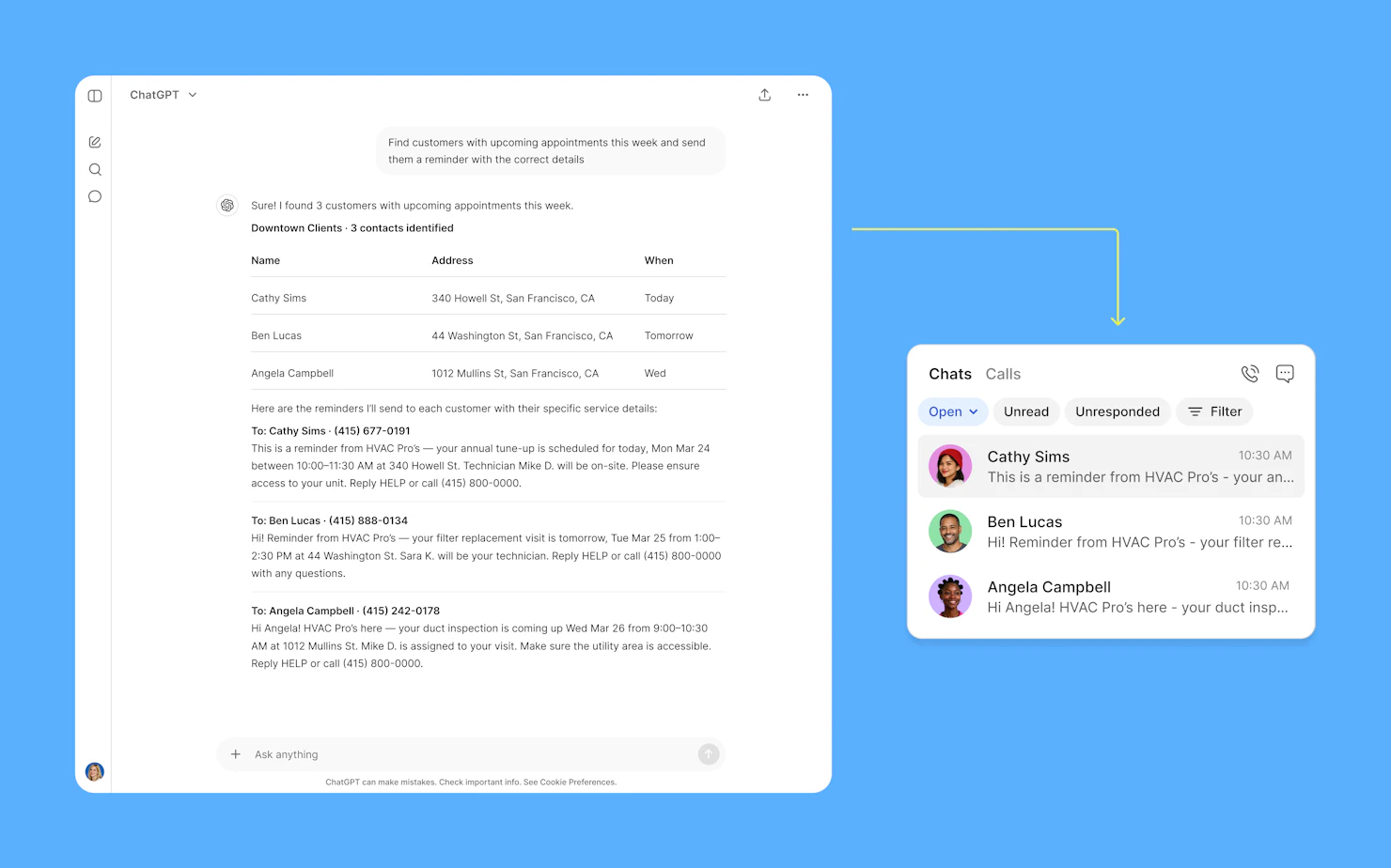
Drowning in messages from your customers? A business phone MCP can help you follow up with bulk replies. You can either draft follow-up texts and send them yourself or have Claude or ChatGPT send them on your behalf.
Note: Sending texts with MCP uses Quo API messaging credits.
Try this prompt: Pull my recent messages from [my business phone number]. For anyone I texted in the last 24 hours who hasn't replied, send a short, friendly follow-up.
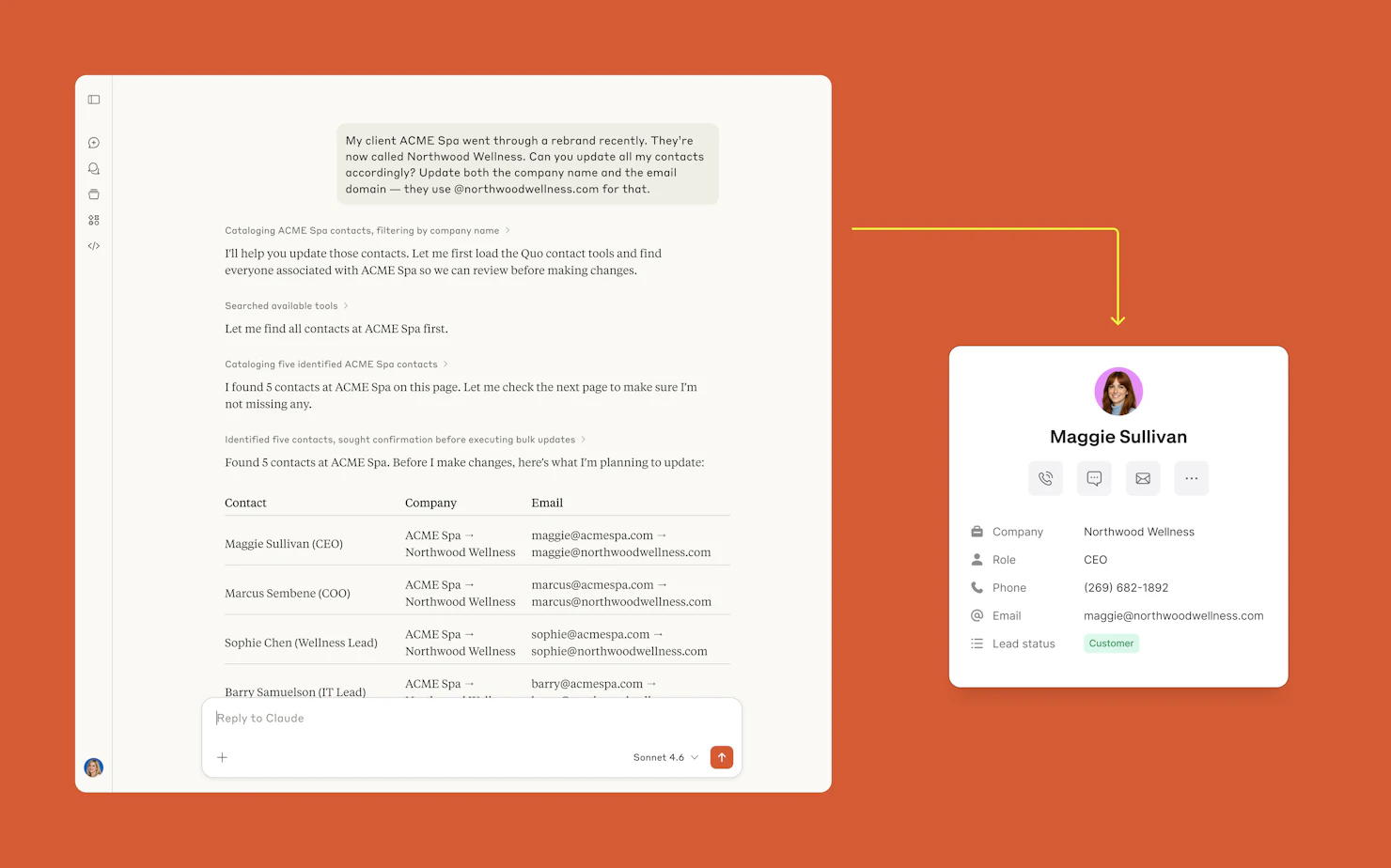
Keep your contact data up to date. With MCP, you can ask Claude to update contact information based on your most recent call transcriptions.
Try this prompt: Pull my last 20 call transcripts on [my business phone number]. If any customer gave a new email address, phone number, or mailing address during the call, update their Quo contact.

Co-Founder of Chery Maids
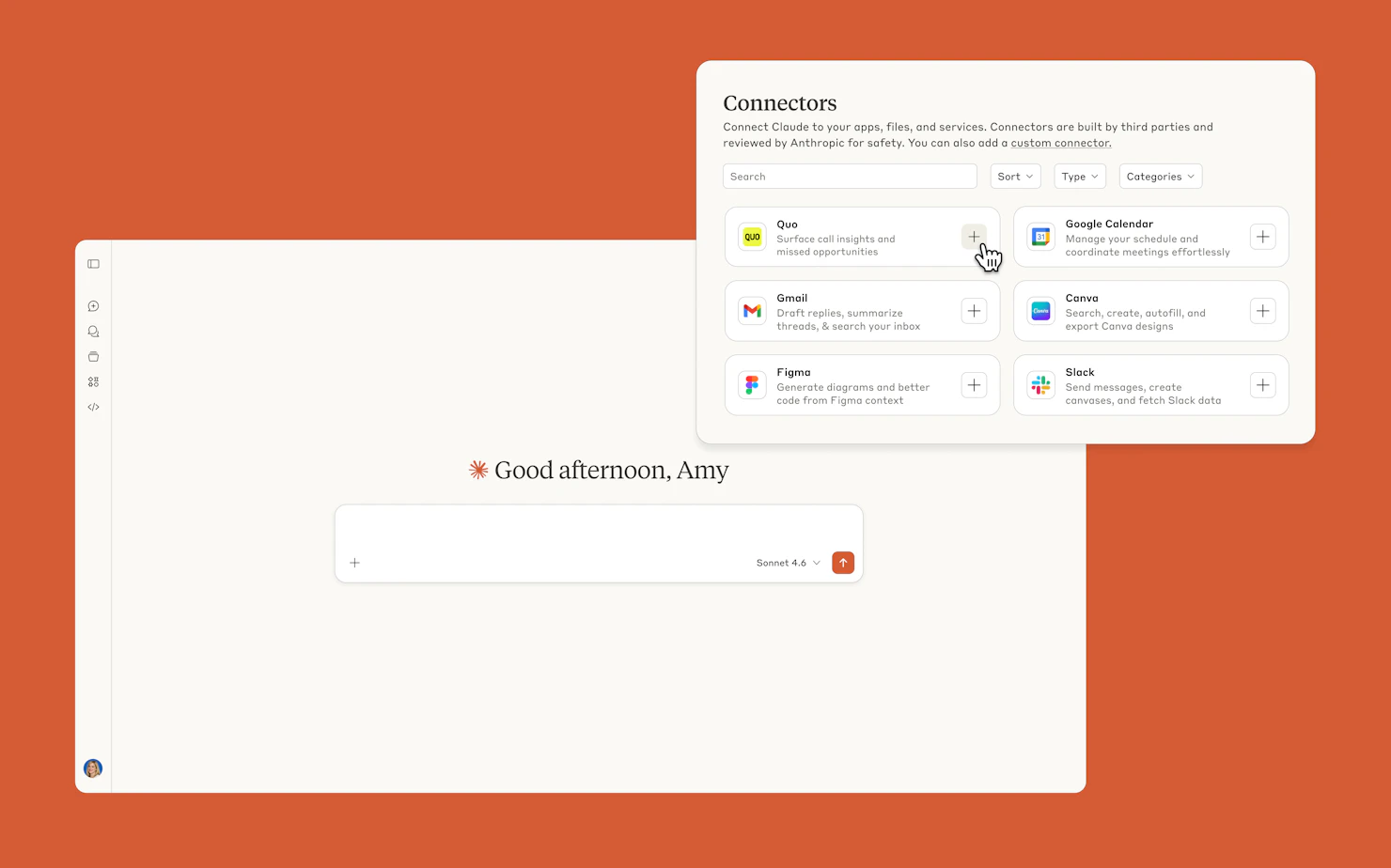
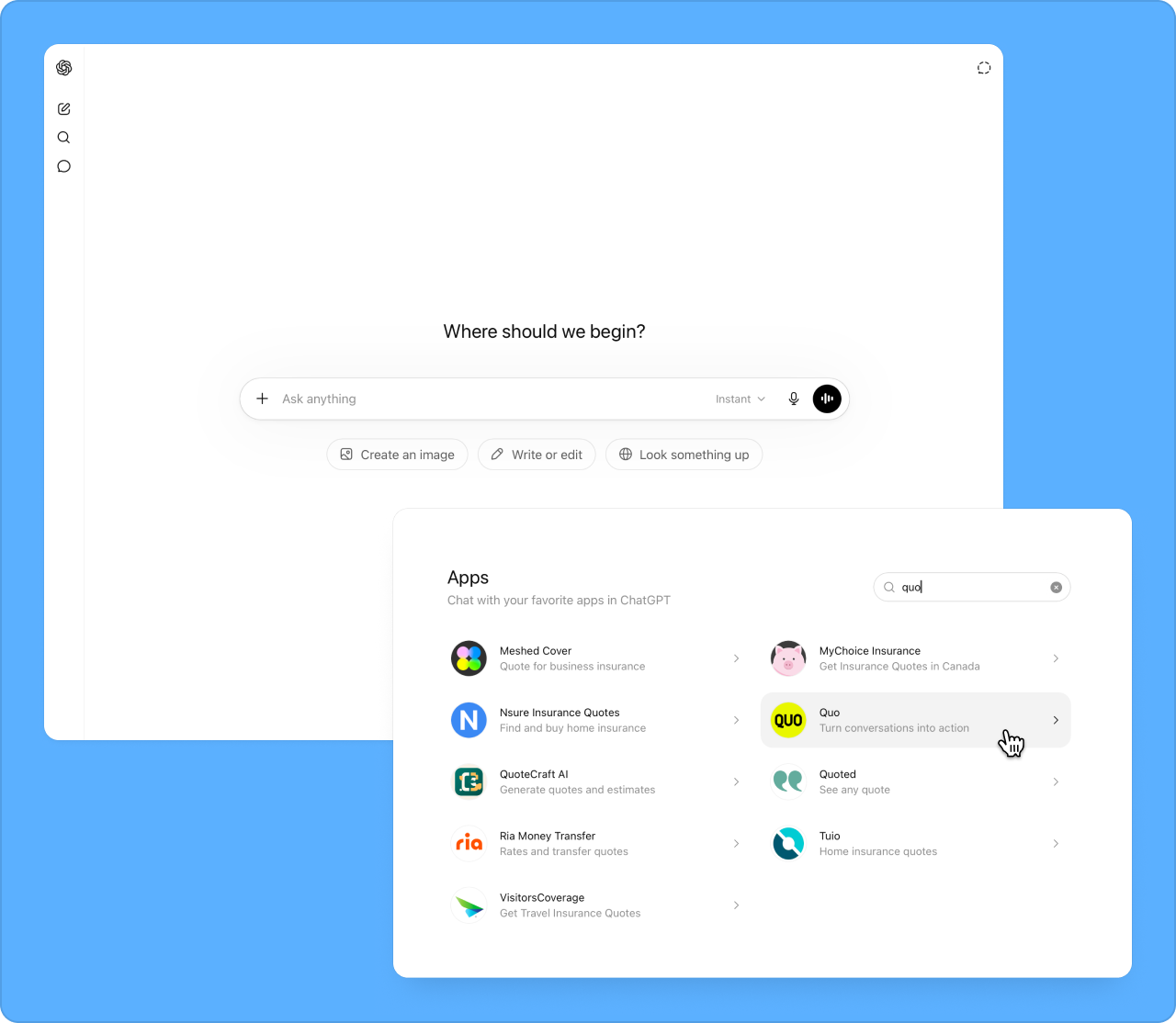
Get 20+ more prompts from our Claude prompt guide.

Pull my calls and messages from [my business phone number] for the past week. Give me a summary: how many calls, how many texts, any missed calls, how many people asked for a quote vs last week, and any conversations that still need follow-up.
Pull the voicemail I just got on [my business phone number]. Draft a text reply that addresses what they called about and offers to set up a time to talk.
Pull the transcript from my team’s last call with the customer at [customer's phone number]. Tell me what happened, what the rep did well, and what they should do differently next time. Include a script they can practice.
See why thousands of businesses prefer Quo as their business phone.
%20(1).avif)
Find out how much you’re investing in your business phone solution upfront on our pricing page.
Can’t find the answer here? Check out our Resource Center.
Make sure you’re using the full number with country code, like +14155550100. You can also use the number ID from your Quo settings.
No. The integration follows strict data minimization principles. The AI only receives the specific information required to complete a requested task, such as a contact name or a conversation summary. It doesn't have unrestricted access to your workspace or call recordings.
Previously, users had to manually configure server URLs, authentication, and OAuth flows. Most customers never completed the setup. This is now a certified native integration listed directly in the AI connector directory — activation takes one click.
You don’t need coding knowledge to use the Quo MCP. There's no manual configuration. An admin connects the workspace through a standard login, and the integration is live immediately. If you can log in to Quo, you can activate this.
Your AI assistant can only do what your Quo account already allows. It can’t access anything extra or hidden.
Before sending a text or creating a contact, your AI assistant asks for your approval. Plus, you can remove the integration from your AI assistant’s settings anytime you want.


