


Sales call report
Sales call report template: capture your team’s daily activities
Overview
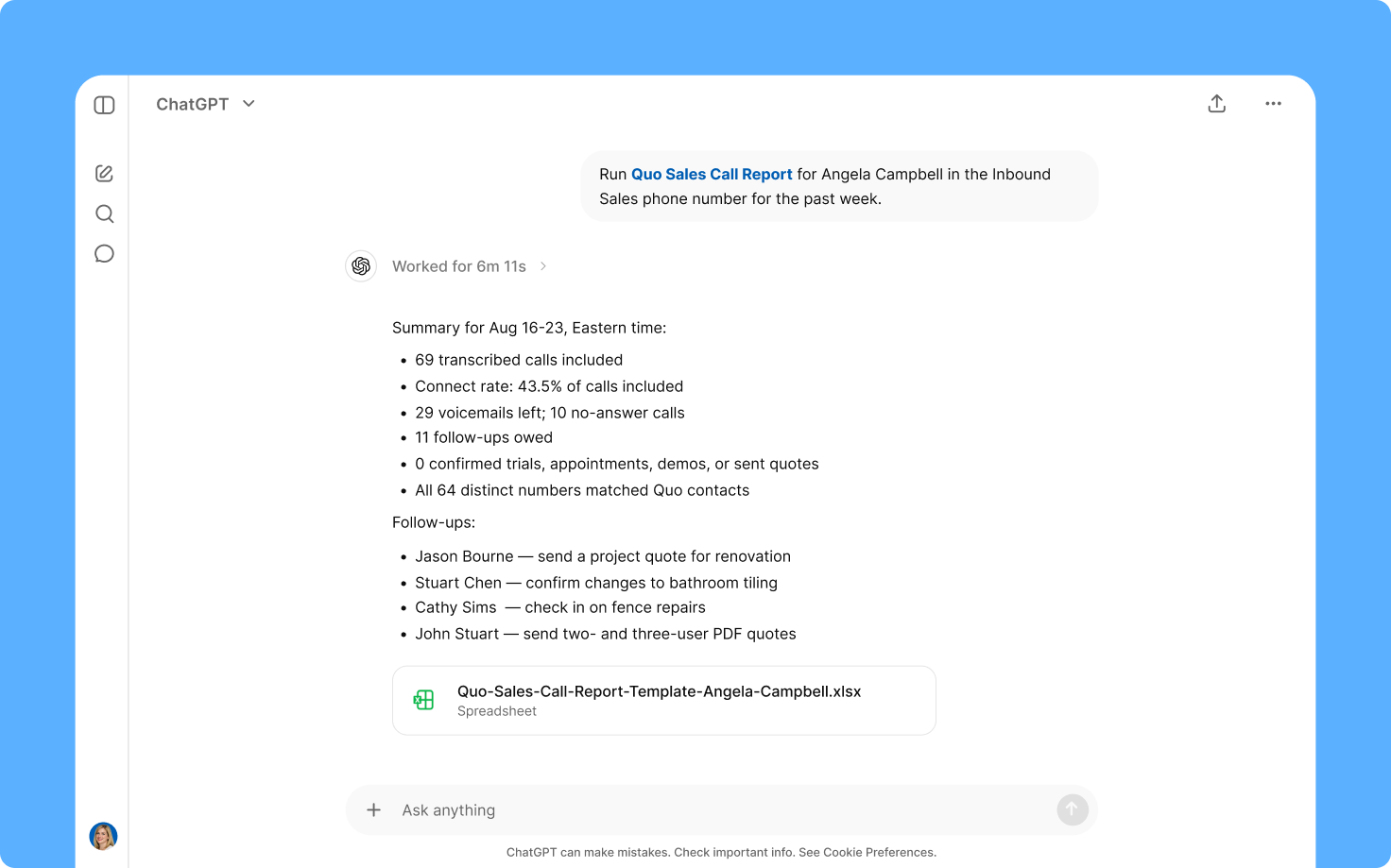
Use this sales call report template to review your team's performance or easily provide context to other stakeholders. Automatically track your calls, see which deals are moving forward, and which ones are getting stalled.
Each report contains the following information:
- Time of call. When the conversation happened.
- Company/account. Which company is associated with the conversation.
- Contact. Which person from the account was on the call.
- Phone number. Which phone number is associated with the call.
- Call type. Whether the call was inbound or outbound.
- Call outcome. High-level outcome of the call.
- Sale (Y/N), if applicable. Whether a sale happened or not.
- Est. sale amount. If applicable
- Next step. Next action item for the deal.
- Next step date. Date of the next step.
- Notes. Any other notes from the call transcript.
These details are summarized and rolled up in the report so that sales managers can view team performance at a glance.
Note: This template covers calls handled by your team that have call transcripts. If you haven’t already, enable automatic call recording and AI call transcripts in your Quo workspace. Since the report includes information about your Quo contacts, like contact and company name, make sure to keep your contact properties up to date.
This sales call report template uses Quo and your preferred AI tool, Claude or ChatGPT, working together. Claude generates this template by executing a series of preset custom instructions known as skills. It automatically pulls your rep's call data from Quo and builds the report automatically.
How to use with Claude
First, add this Claude skill to your account:
- Connect Quo and Claude.
- Click the Download template file button.
- Go to Customize > Skills > Add > Upload skill in your Claude account.
Finally, run the skill with the following prompt:
Run a /quo-sales-call-report on [REP NAME] in [QUO NUMBER] for today.
Bonus: Once you add this skill and test it out for yourself, you can tweak it to your needs. Simply tell Claude what changes you'd like to make to the skill and it'll save them for you. You can add new fields, remove unnecessary ones, and update the template to match your team’s sales process.
How to use with ChatGPT
First, add this ChatGPT skill to your account:
- Connect Quo and ChatGPT.
- Click the Download template file button.
- Go to Skills > Upload skill in your ChatGPT account.
Finally, run the skill with the following prompt:
Run a /quo-sales-call-report on [REP NAME] in [QUO NUMBER] for today.
FAQs
What is a sales call report?
A sales call report is a structured record of a sales representative’s conversations. It’s a daily record of all the inbound and outbound calls they handled and items that were discussed in their conversations.
Why should sales teams use sales call reports?
Here’s why your sales team should use these reports in your sales strategy:
- Tracking next steps. Sales call reports help reps stay on top of their action items every day. They log next steps so nothing slips through the cracks for reps.
- Logging customer touches. Leads often need multiple touches to convert in a sales pipeline. Rain Sales Training estimates that it takes at least five touches to generate the desired conversion. With a sales call report, you can track multiple sales activities to the same lead.
- Gathering data for rep trends. Sales call reports provide a daily summary of a rep’s connect and close rates for their deals. Over time, these reports can help sales managers understand sales performance and provide feedback for improvement.
What are the key elements of a sales call report?
Specific pieces of information you likely want in a sales call report include:
- Date and time information. When a call happened.
- Customer information: Company and contact information associated with each call.
- Call notes: What was discussed and what was the outcome.
- Follow-up actions: Next steps and action items agreed upon on the call.
Why use this template vs other sales call report templates?
Unlike other sales call report templates, this one doesn’t require any manual call logging. Once you set it up in your Claude or ChatGPT account, it gets delivered to you automatically. Have more customer conversations and save time you’d otherwise spend creating this report.
.svg)
.svg)
.svg)


