


Win loss analysis
Win loss analysis template: see why your customers buy from you
Overview
Find out where your sales team is falling short and how they can improve their close rate with this win loss analysis template. Identify trends and patterns across your deals by finding out why customers purchased your product or why they went with an alternative.
Each report contains the following information:
- Contact and deal information
- Outcome information
- Win/loss categories
- Evidence quotes from conversation history
These details are summarized and rolled up in the report so that sales managers can see exactly why reps aren’t able to close deals.
Note: This template covers calls handled by your team that have call transcripts. If you haven’t already, enable automatic call recording and AI call transcripts in your Quo workspace. Since the report includes information about your Quo contacts, like contact and company name, make sure to keep your contact properties up to date.
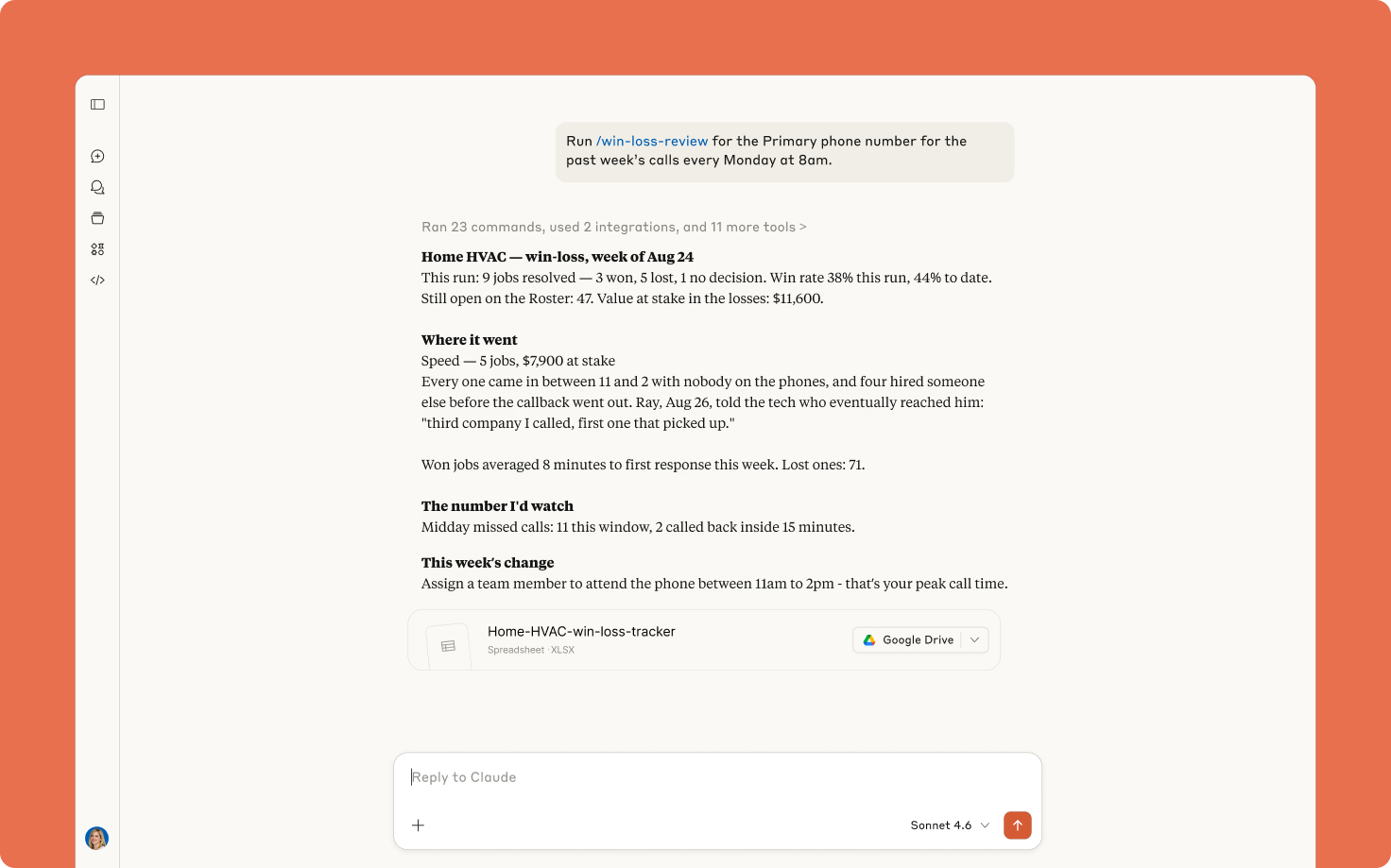
This win loss analysis template uses Quo and your preferred AI tool, Claude or ChatGPT, working together. Claude generates this template by executing a series of preset custom instructions known as skills. It automatically pulls your rep's call data from Quo and builds the report automatically.
How to use with Claude
First, add this Claude skill to your account:
- Connect Quo and Claude.
- Click the Download template file button.
- Go to Customize > Skills > Add > Upload skill in your Claude account.
Finally, run the skill with the following prompt:
Run a /win-loss-review on [QUO NUMBER] for the past week every Monday at 9am.
When you run the skill for the first time, Claude will ask you for details specific to your business so that it can customize the template for you. It then goes ahead and creates the report by looking back at your past week of conversations.
Bonus: Once you add this skill and test it out for yourself, you can tweak it to your needs. Simply tell Claude what changes you'd like to make to the skill and it'll save them for you. You can add new fields, remove unnecessary ones, and update the template to match your team’s sales process.
How to use with ChatGPT
First, add this ChatGPT skill to your account:
- Connect Quo and ChatGPT.
- Click the Download template file button.
- Go to Skills > Upload skill in your ChatGPT account.
Finally, run the skill with the following prompt:
Run a /win-loss-review on [QUO NUMBER] for the past week every Monday at 9am.
When you run the skill for the first time, ChatGPT will ask you for details specific to your business so that it can customize the template for you. It then goes ahead and creates the report by looking back at your past week of conversations. If you want ChatGPT to run the skill automatically, simply tell it to run the skill however often you prefer.
FAQs
What is a win-loss analysis report?
A win-loss analysis report analyzes why customers choose to buy or not buy a company’s product from its sales team. It uses data gathered from conversations with leads designed to understand a buyer’s decision-making criteria. Sales teams can use these reports to tweak their go-to market strategy and tailor them for their target customers. It can also help your team handle objections better and manage every aspect of their sales calls.
Why should sales teams use win-loss reports?
Here’s why your sales team should use these reports in your sales strategy:
- Identify trends and patterns. Win-loss reports help uncover specific obstacles that prevent buyers from converting into customers.
- Develop strategies and solutions. Once your team knows where buyers are running into problems, they can solve them for the next buyer in the pipeline.
- Test and refine. After you update your sales materials and call scripts, you can see the results when you run this report again.
Why use this template vs other win loss report templates?
Unlike other templates, this one doesn’t require any manual call logging. Once you set it up in your Claude or ChatGPT account, it gets delivered to you automatically. Have more customer conversations and save time you’d otherwise spend creating this report.
.svg)
.svg)
.svg)


