Make unlimited calls with local and toll-free numbers
Add as many numbers as you need with Quo. Get local US and Canadian phone numbers to build trust with customers. Use North American toll-free numbers for nationwide communications.
Each team member who joins your workspace can have their own dedicated phone number. You can also share numbers for different departments. Plus, get a vanity number to stand out from the competition.
Need even more numbers? Additional ones cost $5 per number per month.
Call management made easy
Handle your incoming calls easily with Quo’s call management tools. Create flexible call flows in minutes with our drag-and-drop call flow builder. Select call flow steps to route calls based on your team’s preferences.
Choose how you want to receive incoming calls with ring order. Dial all your team members at once with simultaneous ring, or ring them in custom batches with ring groups. Give your customers self-serve options to reach your team with phone menus, also known as auto-attendants. They can choose different keypad options or use voice commands with interactive voice response, known as IVR.
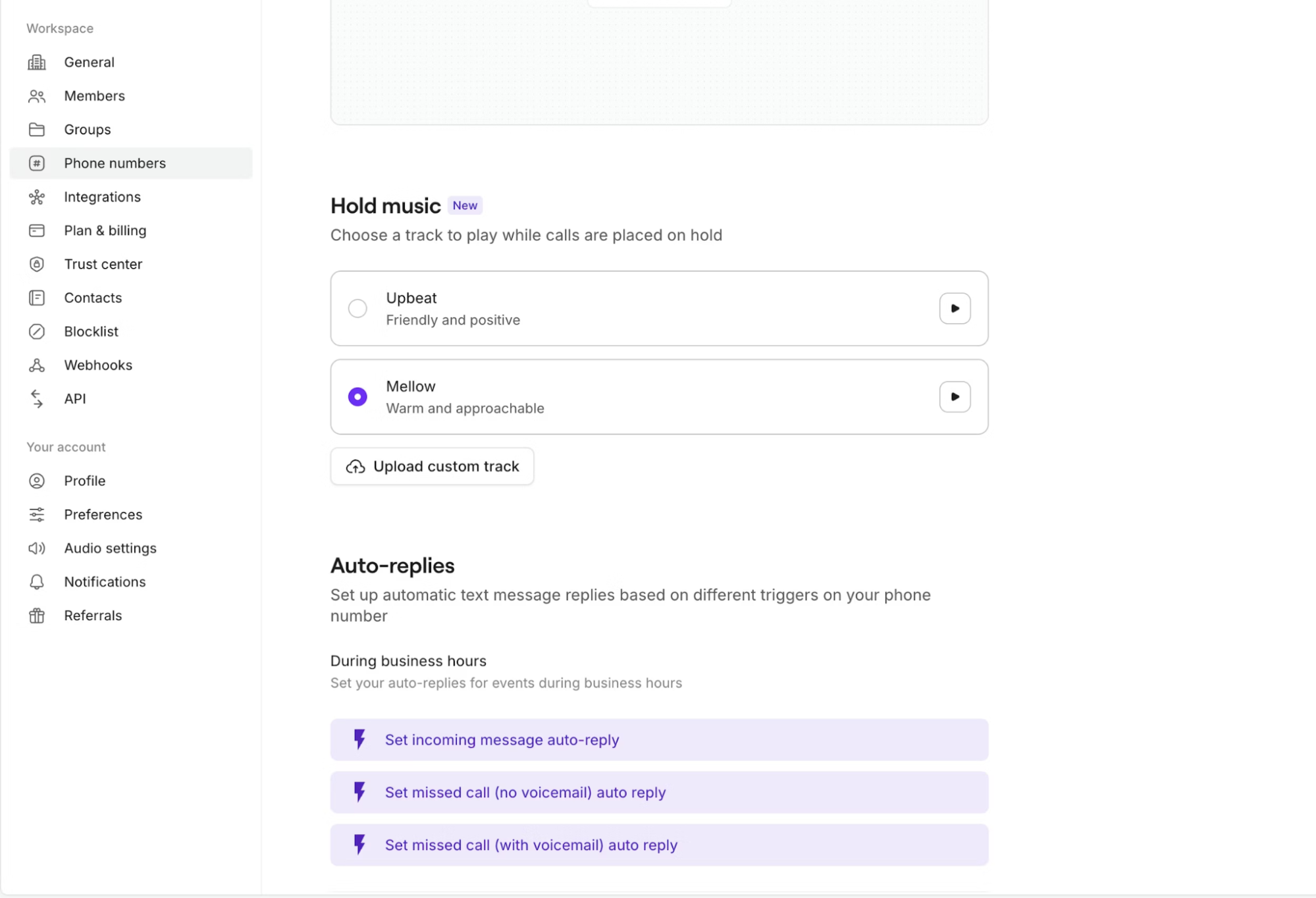
Customize your phone menus and voicemail greetings to meet your brand’s needs. You can choose from a range of voices and tones built into Quo’s platform. No need to spend extra to hire professional voice talent.
Collaborate better with your team
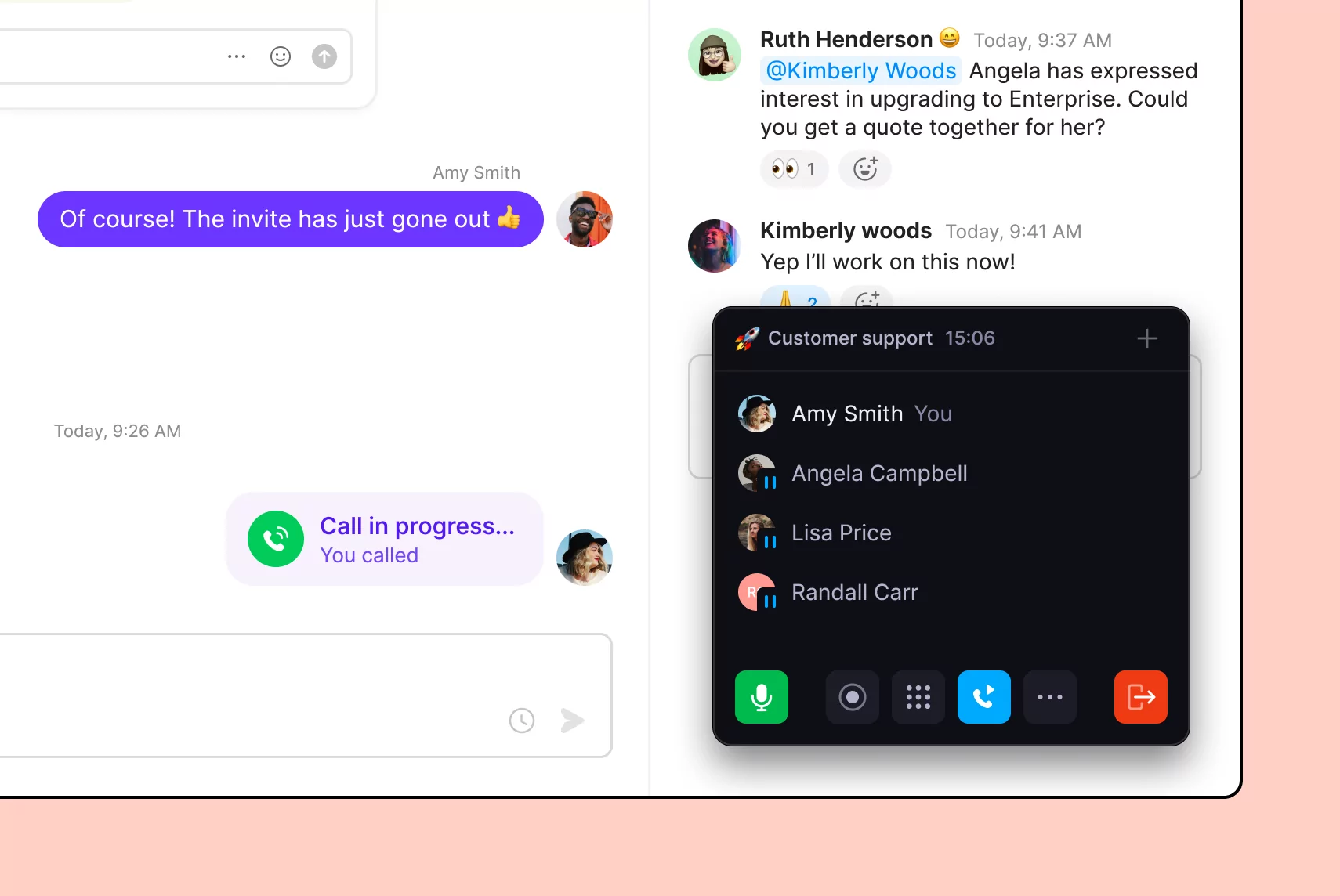
Work better together with your team in Quo. Split responsibility for incoming calls and texts with shared numbers. See every customer interaction your team has in a shared number with shared inboxes. Transfer calls with the right amount of context for your team with warm call transfers. Unlike PBX phone systems, small business VoIP systems like Quo are designed to break communication silos.
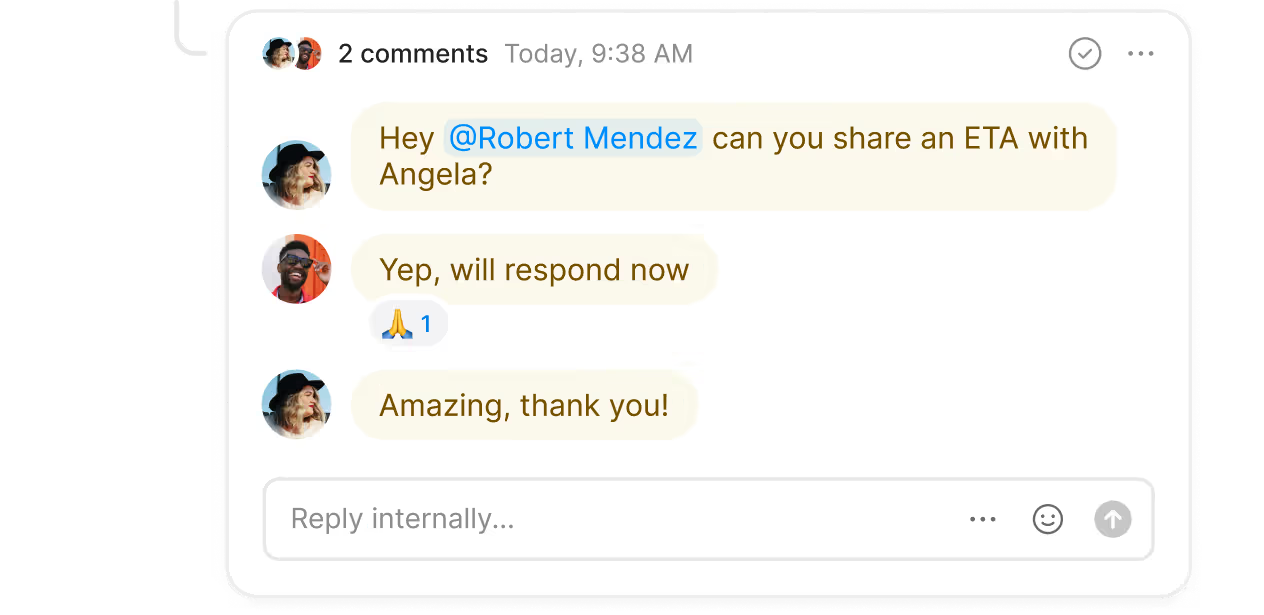
Discuss customer requests with your team in real time with internal threads. Comment next to a customer conversation and tag your team members. You can troubleshoot issues and assign tasks in your workspace.
Log calls and texts in your CRM automatically with Quo. We offer multiple CRM integrations, including HubSpot, Pipedrive, and Jobber. You can also connect Quo with the rest of your tech stack using our Zapier and Make integrations. Dive deeper into custom integrations with the Quo API.
Advanced features to help you text smarter
Send more texts in less time to your customers with Quo. Automatically reply to texts after business hours with SMS auto-replies. Schedule texts to reach customers at a time that’s convenient for them. Answer common questions quickly with pre-written text templates, also known as snippets.
Create automated text message workflows with Zapier and Make that provide helpful texts to your customers. For example, send appointment reminders to customers automatically with a Zapier workflow.
Say goodbye to administrative tasks
Automate repetitive work with Quo. Record calls automatically and generate instant AI-powered call summaries and transcripts. Analyze your phone calls with AI using call tags. It uses AI to review calls and surface recurring issues and opportunities. Automatically add new contacts to your address book with AI-suggested contacts.
Call and text from anywhere in the world
Bring your business phone with you wherever you go. All you need to use Quo is a computer or smartphone and an internet connection.
Download our desktop and mobile apps on your preferred device. Quo is available for Mac, Windows, iOS, and Android. Have a device that isn’t on any of these platforms? Log in to our web app in your browser.
Get the best small business phone system for your team. Start using Quo for free today with our seven-day trial.












%20(1).avif)


