



Housecall Pro
This is an official integration by the Quo team
By
Quo
Plans
Business, Scale
Connect Housecall Pro with Quo
.png)
.png)
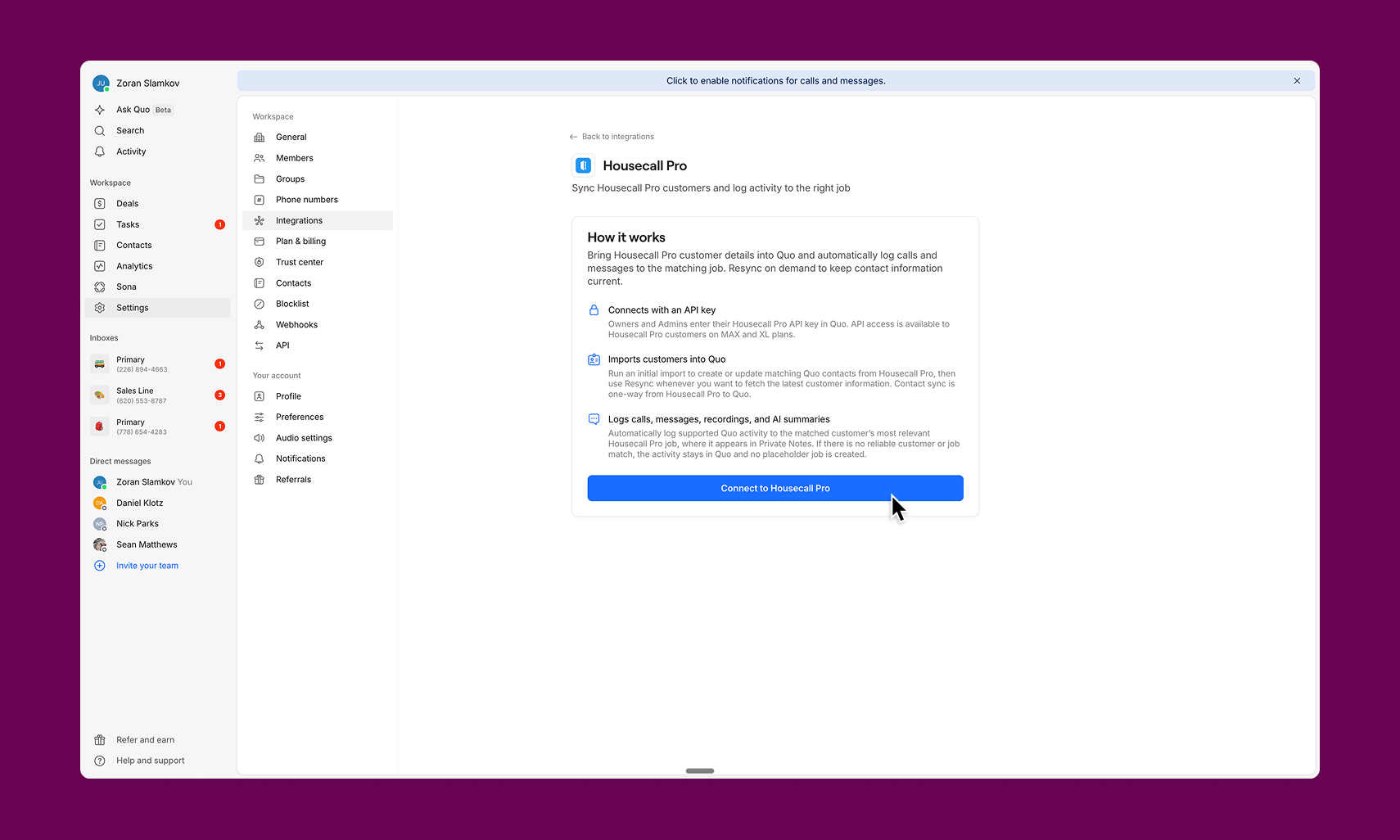
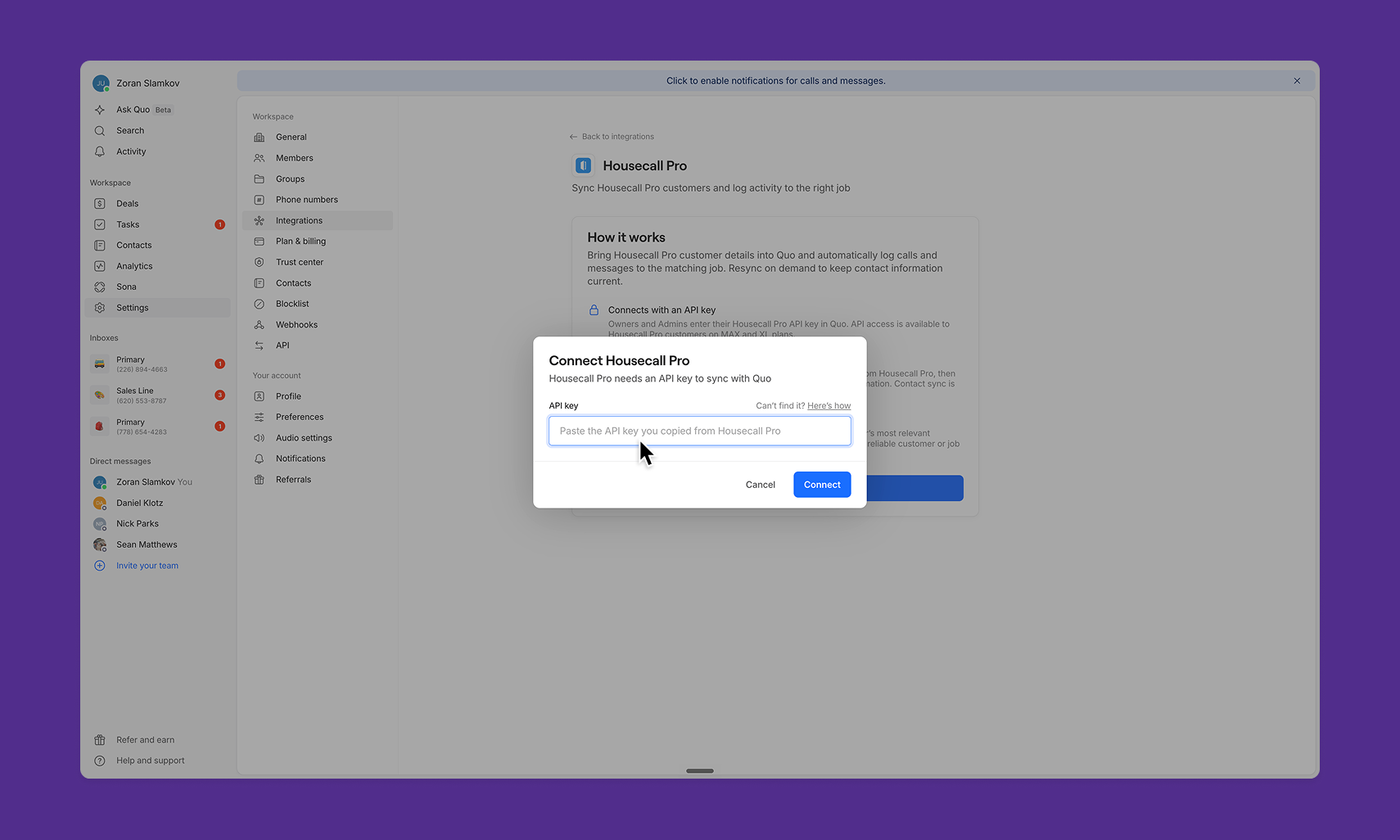


Overview
Quo and Housecall Pro integrate directly to bring your job records and conversations into one workflow. Once connected, Quo imports your Housecall Pro customers as contacts and automatically refreshes every hour, so your team always has the right customer context without a manual lookup.
When a call or text matches a customer, the recording and AI-generated summary log straight to that customer's most recent job in Housecall Pro. There's no copying, no pasting, and no tab-switching between tools.
Housecall Pro remains the source of truth. The sync runs from Housecall Pro into Quo, so nothing entered in Quo writes back to your Housecall Pro records.
Housecall Pro's MAX or XL plan is required.
Connect Quo to Housecall Pro
- Open the Quo web or desktop app.
- Go to Settings → Integrations.
- Select Housecall Pro, then click Connect.
- Paste the Housecall Pro API key and complete the connection.
- Quo validates the key and begins initial customer import.




.jpeg)


