Thing #403 they don’t tell you about running a small business: the number of calls you’ll get. As with chocolate, it’s possible to have too much of a good thing. And if you have multiple reps to manage, basic call forwarding is off the table.
That’s one of the reasons business owners turn to automated phone systems — not to avoid phone calls, but to help customers help themselves.
Of course, every automated phone system is a bit different, so we’ve rounded up the best. This guide covers the top nine providers so you can make an informed decision for your business.
What is an automated phone system?

Automated phone systems handle incoming calls without anyone picking up the phone. They route callers to destinations like team members, voicemail greetings, or informational recordings. If you use VoIP phone systems, you can send calls to almost any device, including computers, mobile phones, and tablets.
Automated phone features are often referred to by different names. You might see them called auto-attendants, IVR, virtual receptionists, or phone menus. Some providers include features like time-based routing or easy-to-use call flow builders.
💡 Related: What is a virtual receptionist?
How an auto-attendant works for small businesses
Auto-attendants automatically answer calls and send them to the right place using voice commands or keypad selections — aka call routing. You can also customize your system with rules that apply during and outside business hours. That way, calls during business hours can go to your team, while after-hours calls go to voicemail messages or to an AI voice agent.
The best business phone systems offer advanced features to maximize the benefits of automated calls. These include:
- Analytics for call tracking
- Call recording AI tools like call tags for call labeling
- Integrations with other business tools like your CRM
So, what are the benefits of automated phone systems? Keep reading to find out.
What features to look for in a business phone service
Choosing a business phone service isn’t just about making calls. The right features can save time, reduce missed communication, and make it easier for your business to scale.
Calling and texting in one app
At a minimum, your phone system should handle calls and texts in the same place. That way, your team isn’t switching tools just to respond to customers. Even with a small team, it helps when calls and messages work across desktop, mobile, and browser, so no one is tied to a single device.
Tools that support growing teams
As call and message volume increases, manual work adds up fast. That’s where automation features like snippets, scheduled texts, and auto-replies come in. They help your team respond faster without copying and pasting the same replies all day. Shared phone numbers also make a big difference. Instead of one person becoming a bottleneck, reps can collaborate to solve customer issues.
Advanced call routing that’s easy to use
Having access to advanced call routing features can make or break your customer experience. Look for systems that let you schedule call flows and business hours, and change routing rules through an intuitive interface.
Data on call patterns to drive efficiency
Call logs give you visibility into customer interactions, but the real value comes from acting on that data. With advanced features like AI call tags, you can automatically label why customers are calling and spot patterns over time. From there, you can reorder menu options so the most popular reasons for calling come first.
What are the benefits of using an automated phone system for businesses?
Here’s what encourages businesses to invest in automated phone systems:
Prevent missed calls as your team gets busier
Missed calls mean you’re likely leaving money on the table. Automated phone systems make sure every call is answered, even when your entire team is tied up or it’s outside business hours. Callers might reach a phone menu or an AI voice agent, or be routed to voicemail with clear expectations about when they’ll hear back. No one gets left hanging.
Stop playing phone tag with your customers
Customers can route calls to different reps or departments after listening to menu options, like ‘Press two for Support.’ This prevents a game of phone tag, where callers get transferred back and forth between reps.
Custom voicemail greetings based on specific scenarios
You might set up a voicemail greeting to let customers know there’s a wait time due to high call volume. You could also record two auto-attendant scripts so callers have more context about your availability: one for business hours and another for after hours.
Click to see examples of before and after-hours voicemail greetings
| During business hours | After business hours | |
|---|---|---|
| Temporarily unavailable | “We’re with a patient right now, but leave a message, and we’ll call you back within the hour.” | “Our clinic is closed. If this is an emergency, press one to reach our on-call vet.” |
| Holiday/seasonal closures | “Happy [holiday name]! We’re open today with modified hours until [time]. If you need immediate assistance, stay on the line. Otherwise, leave a message, and we’ll get back to you shortly.” | “You’ve reached [business name]. Our office is closed for [holiday name] and will reopen on [date] at [time]. Please leave a message, and we’ll return your call when we’re back.” |
Call routing to any device
Phone menus can route calls to nearly any app or device, such as mobile apps, PBX systems, and tablets. You can also use VoIP auto-attendants to send calls to non-virtual numbers. This ensures that distributed team members with personal numbers can stay on the same page.
Filter out spam calls
Hate getting spam calls? Auto-attendants can help. Since robocalls can’t navigate phone menus, they won’t be able to reach your team. Here’s why it works: When a call comes in and hears “Press one for Sales,” automated spam can’t respond and gets stuck. Real customers have no problem selecting an option to skip the menu.
7 Top automated phone systems for small business owners in 2025
How do the best phone systems with auto-attendants compare?
Let’s break it down:
1. Quo: Best for small business owners
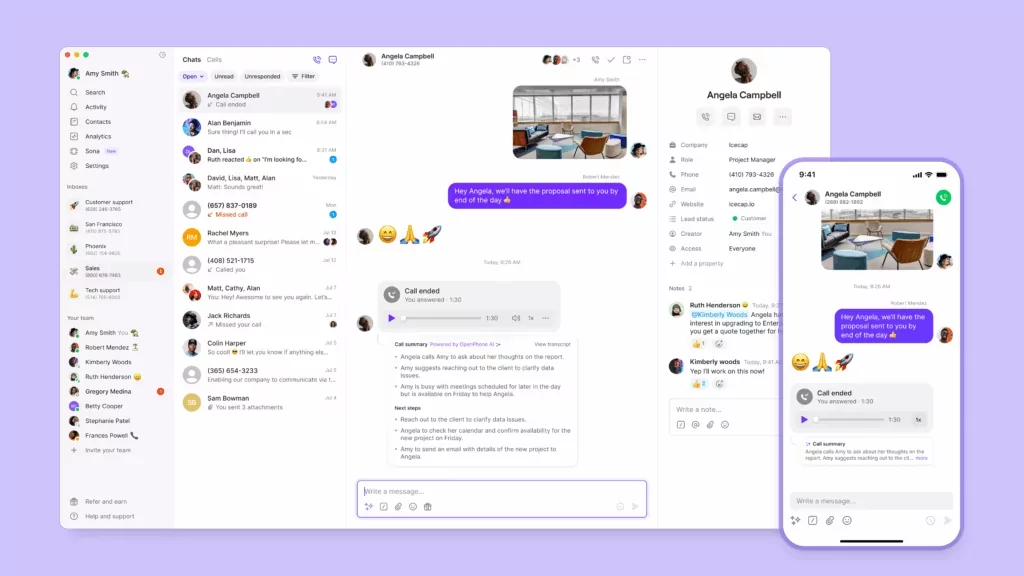
Quo, formerly OpenPhone, is a business phone system designed to scale with your growing business. It integrates VoIP calling, texting, call routing, and CRM tools into a single platform for small business owners. The Business plan offers an auto-attendant with IVR that works on any phone number, including local, toll-free, and vanity numbers.
With Quo, you can set up phone menus that direct callers to specific numbers, departments, or team members. For example, you can create skills-based routing so customers reach reps who have the right expertise. Plus, you’ll be able to set up multilingual phone menus for callers who prefer different languages. You can also use call forwarding and call transfers to move callers around or delegate tasks in a pinch.
Quo also makes setting up your call flow simple with its drag-and-drop builder. Just drag call flow steps onto a visual canvas and arrange them however you want. That way, you can design your phone system without needing technical expertise.
But this barely scratches the surface of what you can do with Quo. For example:
- Call analytics can help you identify busy times. That way, you can add more bandwidth for days or times with the highest call volumes.
- Custom ring orders and simultaneous ring make it easier to send customers to the available or most qualified team member.
- AI call tags automatically organize calls so you can prioritize conversations and keep track of topics and trends.
- Automatic call recordings let you instantly capture conversations. You’ll also be able to store them in context with the contact’s conversation history.
- If you don’t want to listen to these call recordings, you can use AI call transcripts to read through them instead.
- Sona, Quo’s AI voice agent, answers calls 24/7 when your team is unavailable.
Plus, Quo automates more than calls — we also make it easier to manage business texting. It only takes a few minutes to create custom auto-responder text messages. These types of messages instantly reply to your missed calls, texts, and voicemails.
See why Quo offers the best auto-attendant system for small businesses by signing up for a free seven-day trial.

Quo pricing

There are three Quo pricing plans, and the Business and Scale plans come with auto-attendants:
- Starter: $15 per user per month for unlimited domestic calling, voicemail transcripts, Quo API, business hours, internal threads, and more
- Business: $23 per user per month for phone menus, AI call summaries and transcripts, group calling, custom ring orders, CRM integrations, analytics, automatic call recording, live chat support, and call transfers
- Scale: $35 per user per month for AI call tags, dedicated onboarding, inbound phone support, and priority chat and email support
2. RingCentral: Best for desk phones

RingCentral is a legacy VoIP service that launched in 1999. It offers multi-level auto-attendants, so you can set up submenus for various departments, teams, or phone numbers. You can connect your number to a Dial-By-Name Directory, then add up to 250 voice menus and submenus per account.
You can also access unified communication features, like voice, video, and messaging, to make day-to-day call flows easier. The base plan offers:
- Call menu, or IVR
- Desk phone support, including rentals
- Voicemail transcriptions and live call captioning
- HD video with up to 100 participants
- SMS auto-replies, requires the RingCentral Automator app
While RingCentral’s auto-attendants are easy to scale, their core communication features leave much to be desired. You only get 25 texts per user per month and 100 toll-free minutes on the base plan. In contrast, a RingCentral alternative like Quo provides unlimited use of both.
Key features of RingCentral
- Unlimited domestic calling
- CRM integrations, requires an upgrade
- Historical and real-time insights, requires an upgrade
- Captions and transcriptions
- Shared numbers
RingCentral pricing

Get the full scoop on RingCentral pricing and its three plans:
- Core: $20 per user per month for unlimited calls in the US and Canada, 25 SMS messages, and call menus with IVR
- Advanced: $25 per user per month to access 100 SMS messages, automatic call recording, and CRM integrations
- Ultra: $35 per user per month to get additional storage and device analytics
3. Grasshopper: Best for multi-digit extensions

Grasshopper is a VoIP provider that specializes in virtual phone number extensions. These allow you to add additional menu options to a single phone number. It also offers live receptionists, which can be helpful if you never want your callers to go to voicemail.
You get a few useful features with your Grasshopper plan, though many have restrictions. For example:
- Unlimited users on every plan after you upgrade from the base plan
- Unlimited extensions, requires an upgrade plus $3 per extension per month unless you opt for the highest plan
- Instant response that lets you send automatic text messages in response to missed calls
You should also know that Grasshopper’s base plan doesn’t offer call recording, call transfers, or simultaneous call handling. Plus, users report that Grasshopper’s call flow feature is cumbersome, which doesn’t bode well for setting up a phone menu for callers.
Looking for a simpler auto-attendant without arbitrary limits? You might want to opt for a Grasshopper alternative.
Key features of Grasshopper
- Call recording, requires an upgrade
- Call transfers, requires an upgrade
- Simultaneous call handling, requires an upgrade
- Virtual receptionist, requires a paid add-on
- Custom greetings
Grasshopper pricing

All three Grasshopper pricing plans come with auto-attendant features, although only two let you add more than one user:
- True Solo: $14 per month for one number, one extension, and one user
- Solo Plus: $25 per month for one number, three extensions, and unlimited users
- Small Business: $55 per month for four phone numbers, unlimited extensions, and unlimited users
4. Dialpad: Best for inbound contact centers

Dialpad’s auto-attendant was designed for smaller call centers looking for a simpler way to manage incoming calls. You can set ring priority for specific call queues to deal with emergencies, like stolen vehicles or broken pipes. Then, you can decide which representative should receive what calls based on their idle time, skill set, and more.
You get several call management features with Dialpad:
- Unlimited calls and texts in the US and Canada
- Ring groups, with a maximum of three on the base plan
- The ability to switch calls between devices
But Dialpad’s system may be difficult to scale, which isn’t ideal for fast-growing brands. Past users also complained about its complexity and bugginess compared to Dialpad competitors. And unless you pay extra for Platinum Support, reps may be slow to respond.
Key features of Dialpad
- Set personal working hours
- Additional phone numbers, requires an upgrade
- Visual voicemail
- Call forwarding to other devices
- Automatic spam call detection
Dialpad pricing

Here’s a breakdown of Dialpad’s pricing plans:
- Standard: $15 per user per month for multi-level auto-attendants, custom call routing, automatic spam detection, and three-way calling
- Pro: $25 per user per month for additional numbers, hold queues, CRM integrations, up to 25 ring groups, up to 10 office locations, and phone support with a three-user minimum
- Enterprise: Contact for pricing for unlimited office locations, unlimited ring groups, access to extensions, and SSO with a 100-user minimum
5. Vonage: Best for video conferencing

Vonage is a business phone app that lets you make and receive voice and video calls to customers. It also offers an automated phone system with timing and scheduling features so you can set up custom call routing throughout the day. For example, you can set routing options for business hours, lunch breaks, and after-hours calls. And you can set up custom greetings based on employee schedules.
Every Vonage pricing plan comes with access to the auto-attendant feature. You’ll also get access to call management tools like:
- Call rerouting during power outages or emergencies
- Receptionist consoles, for US and UK businesses only
- Shared line appearances to monitor and manage calls from any extension
But unlike other Vonage alternatives, this is where the exciting part ends. Don’t expect access to modern features like AI call summaries or call tags. AI call transcriptions for call recordings cost an extra $2.99 per extension per month. And if you live outside the US, you might not have access to all of Vonage’s features, like toll-free numbers.
Key features of Vonage
- Unlimited domestic calling
- SMS and MMS
- Call groups, require an upgrade
- On-demand call recording, requires an upgrade
- Voicemail
Vonage pricing

Every Vonage pricing plan comes with access to an auto-attendant or virtual receptionist.
Price also varies based on team size. Here’s what you can expect to pay for a team of up to four users:
- Mobile: $13.99 per user per month for desktop and mobile apps, multi-level IVR, unlimited domestic calling, voicemail-to-email, and access to the VBC Admin Portal
- Premium: $20.99 per user per month for desk phone support, team messaging, video meetings, single sign-on, and access to the VBC App Center
- Advanced: $27.99 per user per month for call groups, visual voicemail, and on-demand call recording with 15 hours max
6. Nextiva: Best for enterprise-sized customer support teams

Nextiva is technically a customer experience platform, but it also comes with a simple IVR. You can route incoming calls using touch-tone prompts or prioritize them based on rep demographics, skills, and languages.
Looking to set up more self-service workflows? You’ll need to contact the Nextiva sales team to learn about its conversational IVR with conversational AI. This tool allows you to build automations for:
- Payment processing
- Appointment scheduling
- Insurance enrollment
- Booking hotel reservations
Just keep in mind you’ll need a separate add-on for conversational IVR. All you can get on the base plan is simple IVR, and you’ll still need to upgrade for features like priority routing, digital fax, and toll-free numbers.
Key features of Nextiva
- Advanced reporting, requires an upgrade
- Video meetings
- Call routing
- Mobile app
- Toll-free number and minutes, require an upgrade
Nextiva pricing

There are only three Nextiva pricing plans you can choose from:
- Core: $15 per user per month for inbound and outbound voice, simple IVR, voicemail with AI transcriptions, call routing, and video conferencing
- Engage: $25 per user per month for live chat and chatbot features, digital fax, 2,000 toll-free minutes, and voice call recording
- Power Suite: $75 per user per month for priority/skills-based routing, omnichannel conversation history, and usage-based AI transcription and summarization
7. Ooma Office: Best for traditional offices

Ooma Office is a phone system that lets you set up multi-level auto-attendants at multiple locations. It also comes with features like extensions, company directories, and analog desk phone support. These can be helpful tools if you manage incoming calls from brick-and-mortar offices.
There are a few other features worth mentioning here, like:
- Call forwarding during device outages
- Call flip, which allows you to transfer calls between analog phones, IP phones, and the Ooma Office mobile app
- Shift-to-text, so mobile callers can serve themselves, requires an upgrade
Ooma’s IVR system works well for inbound callers, but it won’t make life much easier for your team. There’s no way to take calls from the desktop app without upgrading. And you can’t set up automated workflows with third-party apps unless you purchase the Pro Plus plan.
Key features of Ooma Office
- Unlimited Calling in the US, Canada, Mexico, and Puerto Rico
- Digital fax
- Virtual receptionist
- Mobile app
Ooma office pricing

Here’s what to expect from Ooma’s pricing:
- Essentials: $19.95 per user per month for virtual receptionists, ring groups, call forwarding, call transfers, company directory, and analog/IP phone support
- Pro: $24.95 per user per month for calling on the desktop app, 250 texts per month, call recording, and enhanced call blocking
- Pro Plus: $29.95 per user per month for integrations with CRM systems, 1,000 texts per month, hot desking, call queueing, and team chat
How to set up an automated phone system with Quo
It’s easy to set up a phone menu with Quo.
Here’s how to get started in 20 minutes or less:
- Activate your Quo account. You can try us for free for seven days. When you’re ready, upgrade to the Business plan to keep access to your number and phone menus.
- Select the business phone number you wish to add a phone menu to. You can get local US or Canadian, North American toll-free, and vanity phone numbers with Quo. You can also port existing numbers for free by filling out our port request form.
- Invite your team to your workspace and numbers. Every new member of your account comes with their own local or toll-free number. You can also add coworkers to a shared phone number so everyone can make and receive business calls as a team.

- Add your business hours. Under Settings, then Phone numbers, scroll down to Business Hours. Once you toggle on Enable business hours, you can select an appropriate time zone and set daily availability for your team.
- Set up your phone menu. Go to Call flow and click Edit call flow. Drag and drop the Phone menu step to either during or after hours.
- Customize your phone menu. Quo allows you to add any of the following options when callers select a menu option:
- Forward the calls to a specific Quo user or ring multiple users at once
- Forward the call to a US or Canadian number, which can be another number in your account or a non-Quo number
- Send the call to voicemail
- Play a prerecorded message like directions to your business or a frequently asked question
- Send calls to Sona, Quo’s AI voice agent, to automatically pick up the phone when you’re unavailable
Put more calls on autopilot with Quo
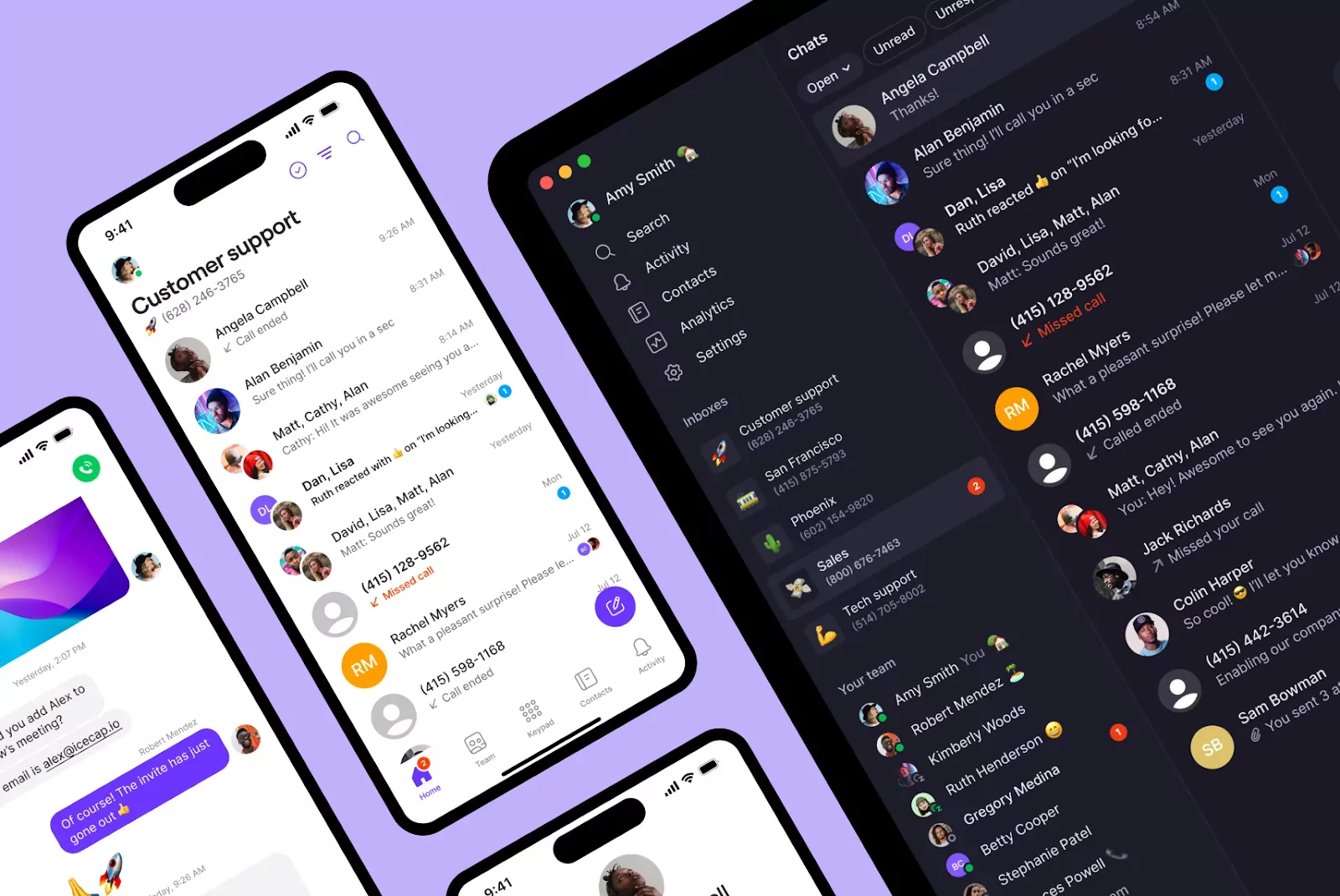
Inbound calls can go from awesome to overwhelming in a flash, but the right automated phone system can help you handle them with ease. With a VoIP platform like Quo by your side, you can easily grow your business and work more efficiently.
You can do a lot with a Quo plan, from call transfers and integrations with your favorite tools to AI-powered SMS and calling tools. And with the Quo API available on every plan, the sky’s the limit for your automated system.
Test our automated phone system today by signing up for Quo’s seven-day free trial.
FAQs
Automated call systems range from $23 to $50 per user per month. Keep in mind that some platforms come with additional costs like per-minute pricing and per-message SMS fees.
When a person calls your automated phone system, they’re greeted with a prerecorded voicemail greeting. They then select an option from your phone menu, such as “Press one for sales” or “Press # to speak with a receptionist.”
Automated phone systems help customers route themselves to the right person, which cuts back on the number of transfers they’ll need. It also streamlines how quickly they can get their questions answered, which means less time spent on the phone for your team and your customers.
An auto attendant routes calls using simple menu options, like “Press one for sales.” IVR goes a step further with voice recognition — callers can speak their requests instead of pressing buttons. That said, many providers use the terms interchangeably.
No, you don’t need any special hardware if you use a provider like Quo. All you need is an internet connection and a device you already use — like your phone or computer.
Yes, most modern automated phone systems integrate with the tools you already use. For example, Quo connects with CRMs like HubSpot and Salesforce, as well as automation platforms like Zapier and Make. That way, call data and customer information stay in sync across your systems.
Yes, but the rules depend on how you use them. Inbound automated phone systems are generally allowed since people are calling you first. Outbound automated calls come with more rules. For example, if you make marketing calls, the TCPA requires prior consent from consumers.
Many issues come down to unclear menus or confusing call flow scripts. If customers get stuck, the best fix is to keep menu options short, logical, and easy to repeat. You can also review call data to see where callers drop off and adjust your setup before small issues turn into missed calls.