Self-service IVR: Let callers help themselves, 24/7

Take repetitive calls off your team’s plate and give callers a faster way to get what they need on their own. With Quo, you can choose between voice and keypad navigation, intelligent routing, and after-hours call handling in minutes.

Plans start at $23 per user per month.

Try for free
Trusted by over 90,000 businesses
"Highest Satisfaction" business phone system (VoIP), rated by 3,200+ reviews G2

What is a self-service IVR?

Self-service IVR, or interactive voice response, is a virtual phone menu that enables callers to get the answers they need or reach the right team without speaking to a live person. They choose menu options by speaking a specific phrase or by using their keypad, like “Press one for account details” or “Press two to book an appointment.”

You can upload audio files, record your voice, or use text-to-speech to answer common questions like your business hours, location, and directions. You can also set up menu options so callers can choose where to go. This cuts down on incoming calls and lets callers route themselves to the right place.

Some business phone systems also support conversational IVR, where callers can speak naturally instead of following a set menu. Instead of pressing “one for sales” or saying “support,” they can just say what they need and receive a more natural, human-like response.

Tagline

Set up self-service IVR easily with Quo

Set up a self-service IVR in minutes so callers can get what they need without waiting on your team.

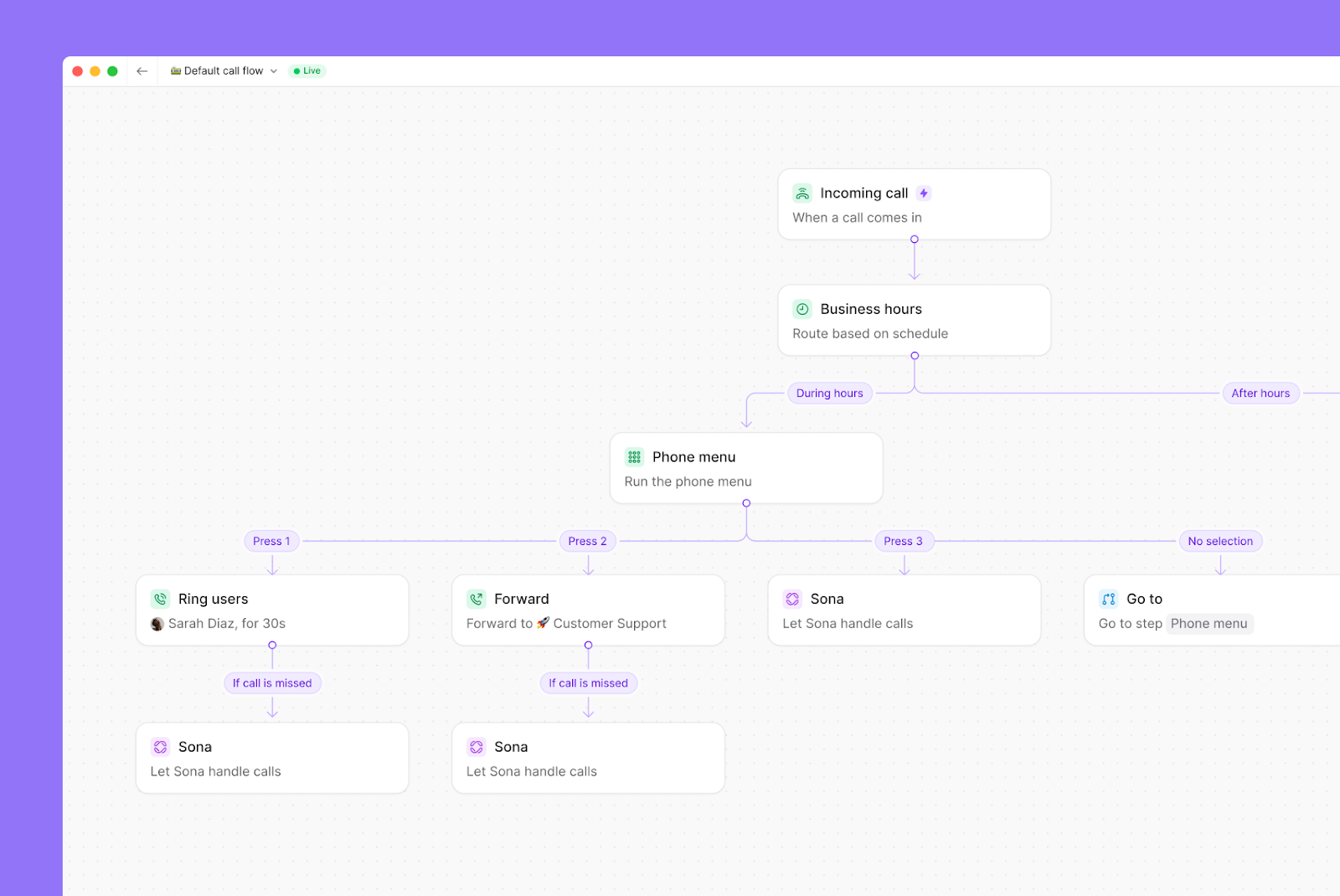
  • Provide different self-service options based on the time of day. Build different menu options during business hours and after hours so callers can still get what they need when your team isn’t available.
  • Route calls to the right person or team. Automatically route callers to a specific teammate or a shared number when multiple reps from the same department can solve the issue.
  • Create multi-level menus. Set up nested options so callers can choose where they need to go. For example, they can press “one” for sales, then “two” for a specific region, like your West Coast team.
  • Make sure every call gets answered. Direct callers to Sona, your AI receptionist, that automatically picks up the phone and serves customers 24/7 so you never miss a call.

Quo's multi-level IVR

Get started with Quo in three simple steps

It only takes a few steps to set up a self-service IVR in Quo. Here’s how you can do it:

  1. Start with a free trial of Quo and select the Business or Scale plan.
  2. Launch the Quo app. Open the web or desktop app to set up phone menus.
  3. Access the call flow builder. Go to your phone’s settings, choose your phone number, and go to the Call flow section. Click Edit call flow.
  4. Add the phone menu step. Drag and drop the Phone menu step in your IVR call flow.
  5. Customize your greeting. Upload audio, record yourself, or use text-to-speech.
  1. Set destinations for up to 10 phone menu options. You can set up 10 menu options using the numbers 0–9. Callers can use voice commands or keypad navigation to select them.
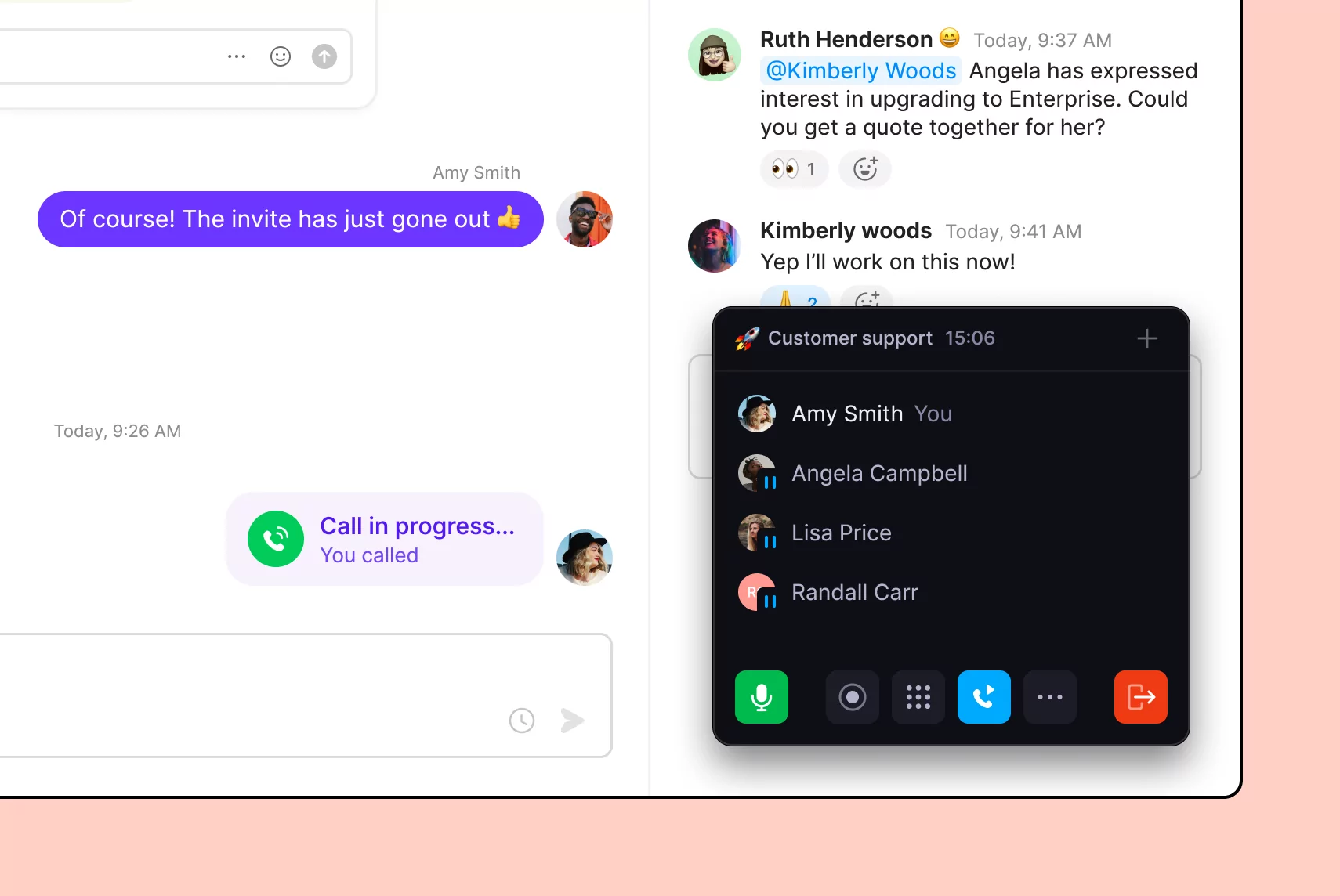
A phone call is displayed on a screen.A conversation between two people on a messaging app.

All the phone features your business needs

Port your existing numbers for free

Easy to set up and port your numbers

Call transfer

When callers select the wrong option or phone number, hand calls off using cold and warm call transfers

AI voice agent

Never miss a call again with Sona, an AI-powered voice agent that automatically answers the phone 24/7

Call summaries and transcripts 

Catch up on calls on your own time without listening to entire recordings

Phone menus

Let customers route themselves to the right team member

Third-party integrations

Connect with the tools your team already uses

"Quo has transformed how our team collaborates, with intuitive features that make it incredibly easy to transfer calls, monitor teammate activity, and add detailed notes to every interaction. We can effortlessly scale by adding new numbers as we expand into different territories. It's a solution that lets us provide seamless customer service at a fair price!"

Woman with long dark hair wearing a blue and white plaid shirt sitting on a gray chair in front of a brick wall, smiling at the camera.
Maureen Jones

Partner/Sr. Recruiter
Loophire

No hidden fees

Find out how much you’re investing in your business phone solution upfront on our pricing page.

View pricing

Frequently asked questions

Can’t find the answer here? Check out our Help Center.

What are best practices for implementing self-service IVR?

Here are the best practices you should follow when setting up your self-service IVR:

  • Keep your IVR menu short, with no more than 3–5 options. 
  • Start with a clear, direct greeting so callers know they’ve reached the right place.
  • Put the most common option first so people can get where they need to go faster.
  • Use simple, everyday language that’s relevant to your business and customer base instead of technical terms.
  • Always include a way to reach a person or repeat the menu if needed.
What are the potential downsides to offering self-service IVR?

Here are the most common issues with self-service IVR:

  • Menus are too long, so callers get frustrated listening to the options and hang up.
  • Menu options aren’t clear, so people don’t know which one to pick.
  • There’s no easy way to speak to a person when someone needs help.
  • Callers pick the wrong option and have to start over.
  • Calls take longer instead of getting resolved faster.
What types of businesses use self-service IVR?

Self-service IVR is usually used by businesses that handle a high volume of calls and need a way to route or answer them quickly. You’ll often see it in:

  • Ecommerce businesses handling general product and shipping questions
  • Healthcare providers managing basic appointment bookings and reminders
  • Financial services teams routing calls for billing, account balances, or support
  • Home service businesses handling job requests and scheduling work
How does IVR self-service impact costs?

It lowers costs by handling repetitive questions without a team member, so you don’t need as much coverage to offer basic support. That also frees up your team’s time so they can focus on ‌customer issues that need a personal touch.

What is the difference between inbound and outbound IVR?

Outbound IVR is an automated system that makes outbound calls and is commonly used by call centers and contact centers. It typically reaches out to customers, delivers a pre-recorded message, and lets them respond using their keypad or voice. An inbound IVR solution handles incoming calls. It routes people to the right team or gives them a way to get information on their own.

How can self-service IVR improve customer experience?

Customer self-service IVR makes it easier for people to get what they need on their own. Instead of waiting on hold, they can find answers, route themselves to the right team, or complete simple tasks right there and then. It also works after hours, so they’re not stuck waiting until the next business day to reach your business.

What is the difference between self-service IVR vs conversational AI?

Self-service IVR, or interactive voice response system, follows a set menu. Callers press numbers or say specific keywords to reach their destination. It gets the job done, but it can feel slow if they have to sit through long menus.

Conversational AI, or conversational IVR, works differently. Callers can speak naturally instead of following a rigid path that might not have the information they need. The system uses natural language processing to understand what callers are asking, and then it uses text-to-speech to respond.

What is the difference between self-service IVR vs chatbot for customer support?

Self-service IVR technology works over the phone and helps callers get information using their voice or keypad. Chatbots are text-based and use artificial intelligence to help solve customer inquiries in real time. Instead of calling, customers type in their questions and get a response right away.