Managing customer calls can get complicated fast when you expand to a new location. Say a new lead calls your business and reaches your first location, but the service they need is handled at your second location. Your receptionist tries to transfer the call but doesn’t have a direct line, so they take a message instead. By the time your other team calls back, the lead has already booked with a competitor.
Sound familiar? It’s all too common among quickly growing businesses. Traditional phone systems weren’t built to handle multiple locations. Call transfers between locations are complicated, and conference calls require clunky access codes. There’s no shared record of customer conversations. As your business grows, these phone systems slow you down instead of growing with you.
In this article, we’ll cover how a multi-location phone system solves these problems. You can connect your team members, phone numbers, and customer data through a single cloud-based platform. We’ll also provide tips on what to consider when choosing a new service provider.
Why traditional phone systems fail multi-location businesses
If your business has outgrown a single location, there’s a good chance your phone system hasn’t kept up. On-premises desk phone systems were designed to serve one office at a time. You’ll start feeling some pain the moment you try to coordinate customer communication across multiple sites.
Here are some of the most common issues businesses run into with traditional phone systems.
- Call transfers are a nightmare. Transferring calls to another location might mean asking customers to hang up and call another number. It’s clunky for your team and frustrating for your customers, especially if they have to explain their situation again.
- There’s no shared customer context. When a customer calls one location about a conversation they had with another team the previous week, your first location has no access to the call history. Every interaction starts from scratch, which leads to inconsistent customer experiences.
- Conference calls require complex coordination. Calls between teams often mean distributing access codes and dialing into separate bridge lines. Outdated conference calling makes work harder than it needs to be.
- Tracking performance across locations is nearly impossible. Traditional phone systems don’t offer centralized call management or analytics across sites. Without that visibility, you’re making resourcing decisions based on gut instinct instead of real-time call volume data.
- Scaling is expensive. Every new location means new hardware, like desk phones, on-premises PBX equipment, and phone lines, as well as installation fees. Upfront costs quickly add up, and the timeline for getting a new location up and running can create a serious operations bottleneck.
- Maintenance is a constant headache. With traditional phone systems, when something breaks, you have to wait for a technician to arrive. If an outage takes your phone system down at one location, that site’s phone service will be unavailable until someone can fix it.
5 Benefits of a dedicated multi-location phone system
Trying to connect and maintain multiple on-premises phone systems together? Switch to a cloud-based system instead. Cloud phone systems are powered by Voice over Internet Protocol, or VoIP, technology. This sends your calls and texts over the internet instead of through physical phone lines. All you need to get started is a compatible smartphone or computer and an internet connection.
Cloud phone systems are easy to set up and maintain and can handle all the needs of multi-location businesses. Here’s what you can expect when you make the switch:
1. Built for scalability
When you open a new location, you can add a new local number in a VoIP phone system in minutes. Your team members can start making calls from the new number right away.
Cloud-based multi-location phone systems are also more secure and reliable. VoIP systems don’t depend on physical infrastructure like an on-premises PBX system. Because of this, they’re less vulnerable to localized outages and disruptions.

💡 Pink’s Windows, a window cleaning franchise, expanded from a single location to more than 75 using Quo as their VoIP phone system. With Quo, each new franchise could get up and running with a local number without waiting for installations or IT support.
2. Easier team management
With a cloud-based phone system, you can manage your business communication across every location from a single place. You don’t need separate logins, separate systems, or a site visit to make changes.
Adding or removing team members from a shared phone number only takes a few clicks. It doesn’t matter if the person is in your main office or at a different location on the other side of the country.
Centralized management also gives you visibility into what’s happening across your team. With call views and call analytics, you can track call volumes by location. You can also see which team members are keeping up with their workload and identify who’s meeting performance targets.
3. Better customer experience
Multi-location VoIP systems make call transfers between locations seamless. If a customer calls the wrong location, you can simply transfer the call. You don’t have to force the customer to hang up and dial a different phone number.
You can set up a phone menu that gives customers the option to connect with their preferred location. You can also use warm transfers to hand off a call with context. That way, teammates know what the conversation is about before speaking with the caller.
You can also save customer information across locations with contact profiles. Details like the customer’s preferred services or last order date help your team personalize every interaction. Anyone answering the call can see the contact’s profile while engaging with the customer.

4. Stronger team collaboration
When your multi-location phone system is cloud-based, every conversation is accessible to the team members who need to see it. It doesn’t matter which location handled the call. Your team can review past conversations, catch up on customer context, and step in for teammates when someone’s out sick or on vacation.
AI call summaries and transcriptions make this even faster. Instead of listening to full call recordings, your team can quickly scan a summary to get the key details. That means less time spent catching up and more time helping customers.
VoIP phone systems also give your team the flexibility to take calls from their existing smartphones, laptops, or tablets. Simply download the desktop or mobile app and log in to your account to start making calls. Whether someone is in the office or between job sites, they can stay connected through the same business phone number.
5. More cost-effective for installation and maintenance
The cost savings of VoIP over traditional PBX phone systems are significant. This is especially true when you’re operating across multiple locations. For a traditional phone system, businesses may pay thousands of dollars per location. Here’s a detailed breakdown of VoIP vs PBX costs:
| Cost category | VoIP system | On-premises PBX |
|---|---|---|
| Initial setup fees | Often free or minimal | $500-$1,000 per user — includes server hardware, installation, and configuration |
| Monthly price per user | $15-$40 per user | $70+ per user for maintenance, support, and licenses |
| Phones and other hardware | Optional: $50-$500 per phone | $150+ per desk phone, plus $1,000+ server, $1,000+ telephony cards, network switches, and cabling |
| Software licenses | Included in monthly price | $4,000+ per year |
| Maintenance and IT support | Included in monthly price | $1,400+ per month for 20 users — includes dedicated IT staff, repairs, and system management |
| Feature upgrades | Included or minimal add-on fees — $5-$15 per feature | Additional costs for major version upgrades and new hardware |
| International calling | Minutes often included for US/Canada; low per-minute rates internationally | $0.05-$0.50 per minute on traditional lines |
| Two-year total cost estimate | $7,200 for 20 users | ~$48,000 for 20 users over 2 years |
VoIP multi-location phone systems eliminate most upfront costs and hardware costs. Your team uses a softphone app on the mobile devices and computers they already own, and there’s no equipment to install or maintain.
Pricing is more straightforward with VoIP phone systems. For example, Quo’s plans start at $15 per user per month, and additional features cost $5–$15 per feature.
Beyond the initial cost savings, ongoing maintenance is also simpler. Cloud-based VoIP systems handle software updates and security automatically. You’ll eliminate technician visits and unexpected repair bills. That’s money you can put back into your business.
7 Essential features of a multi-location phone system
Knowing why you need a multi-location phone system is one thing. Knowing what to look for as you evaluate your options is another.
These are the features that matter most when your team spans multiple locations:
1. Shared phone numbers

With a traditional phone system, each location has its own phone number, creating silos within your business. Shared phone numbers in a VoIP phone system change this dynamic.
Multiple team members can call and text from the same business phone number. They can split responsibility for incoming calls and messages. Every call, text, and voicemail lives in a single shared inbox, so nothing falls through the cracks.
For managers, shared numbers also give you clear oversight. You can see what team members said to each customer and can easily review conversations. If needed, you can step in and provide additional coaching.
2. Custom call routing
Call routing determines how incoming calls reach the right person on your team. In a VoIP system, you can configure call routing rules that match your business needs. You might opt to have calls ring everyone at once or ring team members in specific batches.
For multi-location businesses, interactive voice response, or IVR, phone menus are especially useful. If you’re unfamiliar with the term, they’re also referred to as auto-attendants. You can create menu options that route calls to specific locations. For example, “Press one for the Dallas office, press two for the New York office” lets customers reach the right team on the first try. Your staff spends less time manually redirecting phone calls.
You can also set up call forwarding rules so unanswered calls go to a backup option, like an AI answering service or another location’s team.
3. Mobile and desktop apps
Desk phones tie your team to a specific location. Modern multi-location phone systems replace them with mobile and desktop apps. Any compatible smartphone, laptop, or tablet can turn into a business phone. If you don’t have a compatible device, you can always log in to a provider’s web app as a backup option.
Your team can make and receive calls, send SMS messages, and check voicemail from the same app. They can access their phone system from anywhere, including the office, home, or between job sites.
The user experience is the same across devices, and you don’t need to purchase or maintain any additional hardware. That means every team member stays connected to the same phone system regardless of where they work.
4. 24/7 virtual receptionist
You can’t answer every incoming call when your team is busy helping other customers or your location is closed for the day. A virtual receptionist can handle incoming calls so you don’t miss any opportunities.
Sona, Quo’s AI-powered voice agent, can greet callers and capture detailed messages. Sona can also provide answers to common questions using the business information you provide. Share pre-written sample conversations with Sona, based on your most common customer requests. You can even instruct Sona to send texts or transfer calls to your team when needed. You get always-on call handling at a fraction of the cost of a traditional answering service.
You can add Sona to your call flows so it steps in when your team is unavailable. Every Sona call is logged in your Quo workspace for your team’s review. Quo customers use Sona for situations like:
- Taking messages after business hours
- Sending appointment booking links
- Answering basic questions about your operating hours and office locations

5. Free phone number porting
Switching to a new phone system shouldn’t mean losing your existing phone numbers. Phone number porting lets you move your existing numbers to a VoIP service provider. You can keep using them without disrupting your customer relationships.
With Quo, porting is free, and the process starts with a short in-app form. Your team can keep taking calls with your existing provider while the transfer completes, so there’s no gap in your phone service.
6. Conference calling
VoIP phone systems streamline conference calling by offering group calling that any team member can join from the app, no bridge lines or access codes needed.
In Quo, you can start a group call and add participants with a tap. If you need to remove someone from the call, you can do that without hanging up and restarting the entire conversation. Group calling makes cross-location coordination easier. You can loop in a teammate to help with a customer question or run a team check-in across multiple sites.

7. Third-party integrations
Your phone system shouldn’t exist in a vacuum. Integrations connect your multi-location phone system to the tools your team already uses, like a CRM, email, and Slack. Call data, customer details, and follow-up tasks stay in sync across platforms.
For example, Quo has CRM integrations with tools like HubSpot, Pipedrive, and Salesforce. You can automatically log calls, texts, and voicemails to the right contact record. Slack integrations can notify your team of missed calls in real time so nothing slips by. And with tools like Jobber, you can connect your phone system to your field service platform.
Don’t see your CRM here? Connect Quo to Zapier or Make and get access to 8,000+ apps with pre-existing and customizable integrations. Plus, if you want even more control over your integrations, you can use the Quo API.
Integrations keep everyone in the loop across different tools and systems, without extra manual data entry.
How to choose a multi-location phone system
Once you know what features to look for, you can narrow down your options among different VoIP phone providers. Here’s what to evaluate so you can find the right fit for your business.
Team-optimized features
VoIP phone systems vary widely in what they offer. Focus on providers that include features designed for teams spread across multiple sites. These include shared phone numbers, custom call routing, and group calling. Prioritize providers that offer both desktop and mobile apps across multiple platforms.
If a provider doesn’t offer these features, they’re likely designed for single-location businesses. They won’t be able to scale with your needs.
Pricing
Pricing should be transparent and predictable. Look for providers that charge per user per month and won’t force you to upgrade to a more expensive plan just because you’re adding a new location.
Find out how much each additional phone number costs. You’ll also want to find out if there are any hidden fees for features like call recording or integrations. If you need to move to a different plan as your team grows, understand the impact on your overall VoIP phone costs.
Ease of setup and use
A business phone system shouldn’t require weeks of configuration or IT support to get up and running. Check whether a provider offers documentation, walkthrough videos, or live demos. That way, you can gauge how user-friendly the platform is before committing.
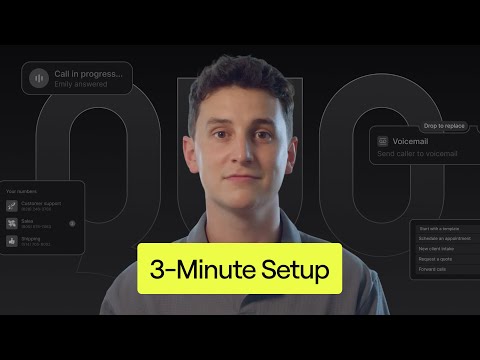
You can start calling using Quo in minutes, including choosing a phone number, inviting team members, and configuring your call flow.
Reviews and ratings
Once you’ve narrowed your list, see what existing customers have to say. Review sites like G2 and Trustpilot can give you a sense of where a service provider exceeds expectations and where they fall short. You should also look for information about each provider’s uptime.
Pay attention to feedback from other multi-location businesses or small business owners. Their experiences will be the most relevant to yours.
Trial different tools
The best way to evaluate a phone system is to use it. Sign up for free trials and test how each tool handles your actual workflows, like making calls, setting up call routing, and adding team members.
Be wary of providers that don’t offer a free trial. That limits your ability to evaluate the user experience and functionality before you’re locked into a contract.
Build customer relationships across multiple locations with Quo

As a multi-location phone system, Quo gives your team the tools to deliver consistent customer experiences. Add new local and toll-free numbers when you expand to a new location. With shared numbers and inboxes, your team can maintain unified communications across locations. Custom call routing and phone menus connect callers to the right location on the first try.
AI-powered call summaries and transcripts help your team stay on top of call volumes without slowing down. And integrations with tools like your CRM keep customer data synced across platforms. Our AI agent Sona helps you capture every lead and maintain customer relationships 24/7.
No matter how many locations you have, Quo is built for businesses that need to move fast without adding complexity. Get started with Quo’s seven-day free trial.
FAQs
Multi-location phone systems use VoIP technology to route calls over the internet. Team members access the phone system through a mobile or desktop app. All calls, texts, and voicemail are managed through a single cloud-based communication platform.
A multi-line phone system provides multiple phone lines within a single location. This is useful if you need several people answering calls from the same office. A multi-location phone system connects multiple sites through one VoIP platform. That makes it a better fit for businesses with multiple locations.
For most small businesses, VoIP is the more cost-effective and flexible option. PBX systems require on-premises hardware and a dedicated landline at each location. VoIP phone systems run over the internet, cost less upfront, and are easier to scale as you add locations or team members.
During an internet outage, you can rely on a VoIP provider’s call forwarding and call routing options. Calls to the affected location can be forwarded to employees’ mobile phones. They can be routed to another location, sent to voicemail, or routed to an AI voice agent like Sona.