Your team can only be in one place at a time — but your customers probably aren’t thinking about that. What’s important to them is 24/7 customer support.
More than four in five customers expect faster service. If you’re struggling to provide that, you’re not alone. Keeping up with changing customer expectations is the number one service challenge today.
One way to keep pace is with conversational AI, which instantly responds to basic questions and completes simple tasks. This ensures customers get answers quickly while helping avoid customer service burnout.
This list covers the 11 best conversational AI platforms for businesses of any size so you can pick the tool that’s right for you.
What are conversational AI platforms?
Conversational AI is software that understands and responds to people through text or voice, much like a real person. It can answer questions, hold basic conversations, and handle simple tasks.
There are five types of conversational AI platforms:
- Chatbots. Website widgets or standalone apps that gather customer information, answer FAQs, and help with self-service tasks.
- Virtual assistants. Speak into smart devices like Alexa and Siri to complete basic tasks like setting calendar reminders.
- Generative AI bots. GenAI tools, like ChatGPT, can write content, create charts and tables, create images, or brainstorm ideas.
- AI assistants and copilots. These are typically virtual assistants baked into proprietary apps. Microsoft Copilot, for example, can create slide decks from attachments and images in your email inbox.
- AI agents. Software like Quo’s Sona can take calls 24/7 and complete tasks without human help. For example, it can answer FAQs, transfer calls, qualify leads, and text important links.
How do conversational AI solutions work?
Conversational AI platforms use natural language processing to understand questions and prompts. It analyzes intent, then generates responses based on information it’s trained on. It also remembers conversation threads so customers can ask follow-ups without repeating themselves. The more conversations it has, the better it gets at spotting patterns and providing accurate answers.
Four core technologies support conversational AI:
- Natural language processing, or NLP, interprets questions and prompts. It also relies on natural language understanding, or NLU. This technology determines the meaning and intent of what someone says.
- Machine learning, or ML, improves the AI model’s responses. It uses deep learning algorithms to identify patterns and determine which responses work best.
- Natural language generation, or NLG, writes natural-sounding responses based on a conversation’s context.
- Speech recognition converts audio into text so the AI can analyze it. Then, for voice conversations, text-to-speech converts the AI’s responses back into audio.
You don’t need prior experience with large language models or artificial intelligence to get started. Platforms like Quo can help you set up an AI voice agent in seconds.
How did we narrow down our list of conversational AI platforms?
To pick the top conversational AI tools, we tested the highest-rated platforms on tools like Trustpilot and G2. Then, we compared our findings with provider documentation, user reviews, and top conversational AI’s use cases.
Next, we considered the following factors:
- How quickly can you get set up? You shouldn’t have to suffer through weeks of onboarding or complex training to start using a conversational AI platform.
- How easy is it to implement and run? You may want a low-code or no-code platform that gets up and running in seconds, without needing engineering knowledge or an IT team.
- How well does it integrate with tools? Does it connect with tools like your CRM, team messaging app, and phone system? This ensures you can sync data between platforms and keep important details up to date, like customer contact info and deal stages.
- How transparent and flexible is the pricing? We evaluated whether tools fit growing businesses or established companies based on the cost of the base plan, add-ons, and usage costs.
- How well can it scale? We determined how easy it would be to add more users, volume, or features as you grow.
11 Best conversational AI platforms
The best conversational AI platforms are:
- Quo, formerly OpenPhone: Best AI voice agent for growing businesses
- Rosie AI: Best for smaller businesses wanting a standalone virtual receptionist
- Retell AI: Best for high-volume inbound and outbound voice for contact centers
- Synthflow: Best for larger healthcare providers needing HIPAA compliance
- Cognigy: Best for large organizations needing outbound sales calling
- Yellow.ai: Best for omnichannel customer support in banking and financial services
- Tidio’s Lyro AI: Best ecommerce chatbot for small and mid-sized businesses
- Intercom’s Fin AI: Best for handling complex, multi-step customer queries
- Moveworks: Best for employee-facing IT and HR support
- Amazon Lex: Best for AWS-native teams needing custom bot development
- IBM watsonx Assistant: Best for enterprises building and managing custom AI solutions in-house
Let’s take a closer look at each provider.
1. Quo: Best AI voice agent for growing businesses

Pros
- AI voice agent built into every phone plan
- Support for English, French, and Spanish
- Transfer callers or text links during calls
- Quick setup with an onboarding wizard
- Shared phone numbers
- Unlimited calls and texts in the US and Canada
- On-demand and automatic call recordings
- AI-powered transcripts and summaries
Cons
- Can’t verify accounts via two-factor authentication
*Nearly all virtual phone numbers share this problem. For safety reasons, companies like Facebook, Uber, and Google rarely let you authenticate accounts through a virtual phone number.
Quo is a VoIP phone system for small and growing businesses. It supports unlimited calls, SMS, and MMS messages in the US and Canada, along with shared inboxes to help you prevent missed calls.
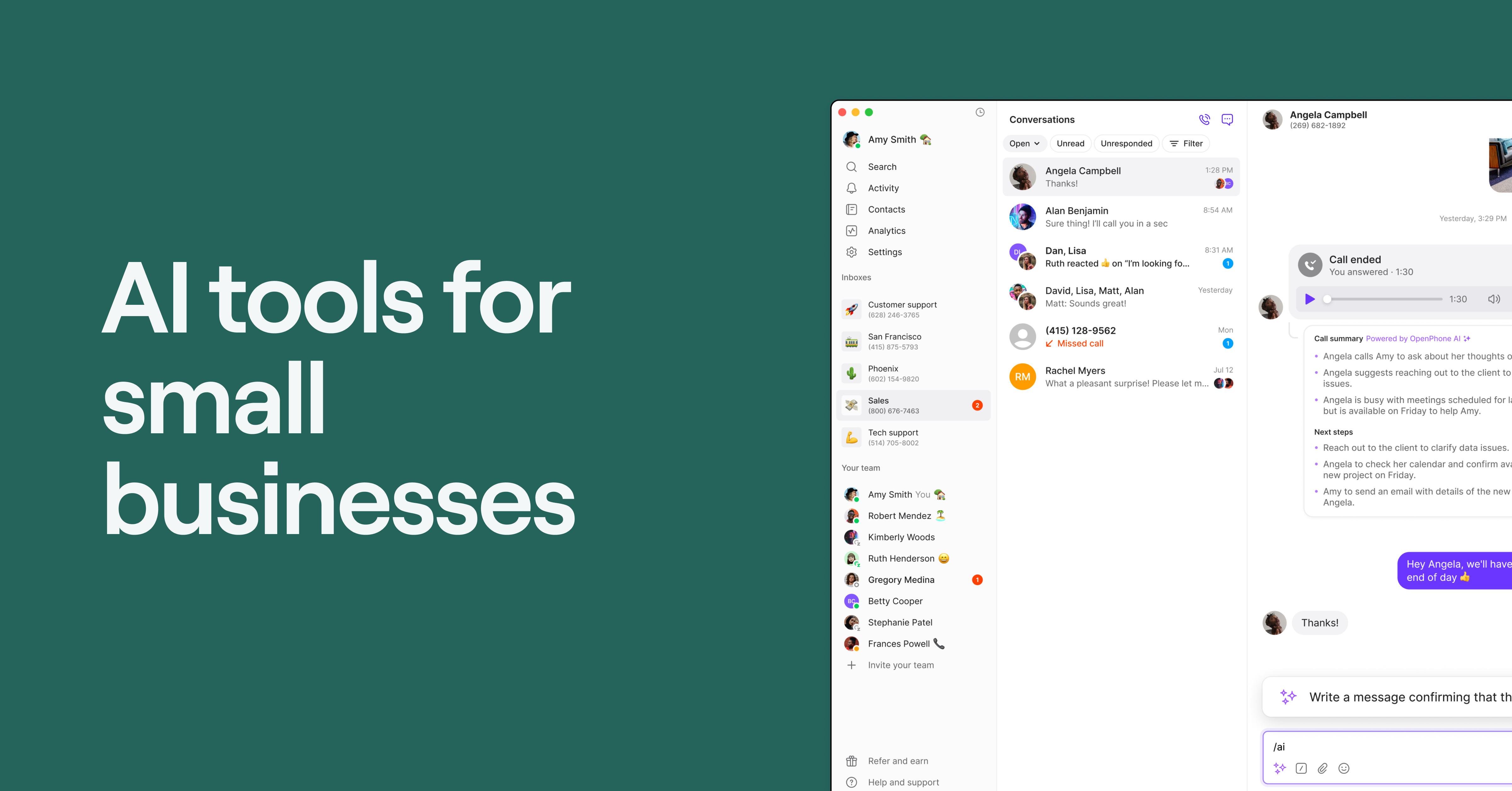
You also get credits for Sona, Quo’s AI voice agent, on every plan. Sona answers calls 24/7 so your team can capture leads and help customers even when no one’s available to pick up the phone.

Sona uses your knowledge base to answer common questions. For example, you can train Sona to respond to questions about your business hours, locations, services, and FAQs. It can even text callers during live calls so they can see appointment booking pages, business addresses, or intake forms. That way, callers can resolve simple issues on their own.

If Sona can’t help a caller, it forwards them to a human rep or emergency number. You can control when Sona escalates calls and to whom.
But that’s not all you can customize. Decide whether Sona steps in after hours, when reps are busy, or as a self-service option around the clock. You can also decide what info it collects from callers, like their business names or preferred callback times. You can also specify whether Sona supports customers in English, Spanish, or French.
Plus, each call handled by Sona is automatically recorded, transcribed, and summarized in your shared inbox. That means you don’t need to search for context across multiple tools or dashboards.

Since Sona is built into every Quo plan, you can use it alongside other time-saving features — like forwarding call summaries to your CRM or email. Speaking of CRMs, Quo natively integrates with:
You can access thousands of other platforms via Zapier and Make, or set up a custom integration with Quo’s API.
Most teams go live with Sona in 15 minutes once they know what customer questions or issues it needs to handle. You can activate it from Quo’s settings page and follow the three-step wizard. Choose how Sona handles calls, configure your agent, and add training docs and URLs. The wizard will automatically generate your call flow so you don’t have to build it yourself if you don’t want to.

Sign up to try Quo for free for seven days. Then, when you’re ready, test your first 10 calls with Sona.
Quo pricing

First, pick from one of three Quo pricing plans:
- Starter: $15 per user per month for unlimited calling and messaging to US and Canadian numbers, shared phone numbers, on-demand call recording, Zapier and Make integrations, voicemail transcriptions, access to Sona, and more
- Business: $23 per user per month for automatic call recording, CRM integrations, AI call transcripts and summaries, phone menus, call forwarding, custom ring orders, and more
- Scale: $35 per user per month for inbound phone support, priority live chat, AI call tags, and dedicated onboarding
Every Quo plan comes with 1,000 free automation credits, or 10 calls. If you need more, Quo offers five pricing tiers. That way, you can easily scale based on how many calls you need to take.
| Tier 1 | Tier 2 | Tier 3 | Tier 4 | Tier 5 | |
|---|---|---|---|---|---|
| Sona tiers | Free | $25 per month | $49 per month | $99 per month | $199 per month |
| Included credits | 1,000 credits/10 calls | 4,000 credits/40 calls | 10,000 credits/100 calls | 25,000 credits/250 calls | 60,000 credits/600 calls |
| Overage rate per credit | $0.01 | $0.0075 | $0.0065 | $0.0055 | $0.0045 |
| Overage rate per call | $1.00 | $0.75 | $0.65 | $0.55 | $0.45 |
*Calls under 15 seconds don’t count toward this amount
2. Rosie AI: Best for smaller businesses wanting a standalone virtual receptionist

Pros
- Bilingual support in English and Spanish
- Native iOS and Android app
- Integrates with Google Calendar, Calendly, Acuity, and Appointlet
Cons
- Requires call forwarding from your existing provider
- Key features like call transfers are locked behind more expensive plans
- Per-minute charges make monthly expenses unpredictable
- No API is available
Rosie AI is a standalone AI answering service. It works by forwarding calls from your existing provider to an AI agent. Its virtual receptionist handles inbound calls 24/7 for up to 250 minutes per month if you’re on the base plan.
On the base plan, Rosie can also take messages, detect spam, and answer calls in English and Spanish. You can train it on your website or custom FAQs to provide more accurate answers. If you upgrade to the Scale plan, you can set up call transfers and warm handoffs, and text callers while they’re on the phone. Just keep in mind this costs nearly three times the base price, at $149 per month.
Rosie’s biggest limitation is that it’s a standalone AI answering service. You must purchase a separate business phone system, which is an additional expense. Plus, it separates your AI-handled calls from your regular business calls. Your team has to check two tools to stay on top of customer conversations, which makes it more likely they’ll miss something.
Rosie AI is still a workable option as a conversational AI platform for businesses with simple, low-volume inbound call needs. But growing teams that need tighter workflow integrations will likely outgrow it fast.
Rosie AI pricing

Here’s how much Rosie AI costs:
- Professional: $41 per month for 250 minutes, smart spam detection, bilingual support in English and Spanish, and message-taking with custom questions
- Scale: $125 per month for 1,000 minutes, direct and warm handoff call transfers, sending texts during calls, and appointment booking with Google Calendar, Calendly, Acuity, and Appointlet
- Growth: $250 per month for 2,000 minutes and custom training files for more advanced agent customization
- Custom: $999 per month for high volume minutes, a knowledge base, custom integrations, custom agent builds, a dedicated account rep, and support for multiple locations
3. Retell AI: Best for high-volume inbound and outbound voice for contact centers

Pros
- Outbound batch calling
- Pay-as-you-go
- Can set up custom communication solutions through an API
Cons
- Some users report a steep learning curve, especially for those lacking a technical background
- Requires extensive prompt engineering
Retell AI is an AI call center tool serving businesses in sensitive industries like healthcare and finance. Like other options mentioned, it can answer FAQs, transfer calls, and help book appointments. It can also sit on top of your IVR system to help customers accomplish tasks on their own. For example, Retell AI can help verify prescriptions or get quotes for specific services.
You can use Retell AI to automate batches of outgoing calls with dedicated phone agents. These help you call dozens of potential leads at once so you can:
- Qualify warm leads before connecting them with reps
- Promote products and services with existing customers
- Send debt collection notices to customers with balances
Just keep in mind that Retell is developer-focused, so it’s not easy to use right out of the box. Past users report a steep learning curve and fairly complex prompt engineering compared to other conversational AI platform options.
Retell AI pricing

There are two Retell AI voice pricing plans:
- Pay-as-you-go: $0.07 to $0.31 per minute for AI voice agents, $0.002+ per message for AI chat agents, $10 worth of free credits, community support, and up to 20 concurrent calls
- Enterprise: Custom pricing for custom SSO, role-based access control, dedicated stable server, higher caps on concurrent calls, and 24/7 omnichannel support
4. Synthflow: Best for larger healthcare providers needing HIPAA compliance

Pros
- HIPAA compliance with an upgrade
- Over 25 languages supported
Cons
- Not a full phone system
- You need a Twilio account or the Enterprise plan for a business phone number
- Major cost increases as you scale
Synthflow lets you create and deploy conversational voice agents. You can also use the API to set up chat agents that work through WhatsApp, SMS, and more. Start for free, then pay as you go after you launch. You can also access HIPAA compliance on the Enterprise plan.
With their conversational AI for customer service, you can route calls, book appointments, and answer FAQs. It also supports more than 25 languages so you can communicate with more customers.
But keep in mind you can only take five concurrent calls on the base plan, which limits teams with high call volumes. Plus, you need a Twilio account to get a dedicated phone number with Synthflow. This can be a hassle, not to mention an extra expense, if you just want to get started fast.
Synthflow pricing

There are two pricing plans for Synthflow:
- Pay as you go: Usage is billed per second at $0.09 per minute for the voice engine, plus LLM costs ranging from $0.02 to $0.05 per minute, depending on which model you use. You can either bring your Twilio account for free or use Synthflow-managed Twilio for $0.02 per minute. Includes five concurrent calls, with additional concurrency available at $20 per slot per month.
- Enterprise: Custom pricing for teams handling 10,000+ minutes per month for unlimited concurrent calls, guaranteed 99.99% uptime SLA, HIPAA compliance, white label, Synthflow Native Telephony, and dedicated customer support
5. Cognigy: Best for large organizations needing outbound sales calling

Pros
- Handles outbound calling, renewals, and upselling
- Supports 100+ languages
- Deploys AI agents across voice and 30+ digital channels
Cons
- No transparent public pricing
- Can be overkill for small or mid-sized teams
- Steep implementation and onboarding process
- Requires technical resources to configure and maintain
Cognigy is NiCE’s enterprise-grade platform for creating conversational AI sales workflows. It lets you create AI agents in more than 100 languages that support teams with real-time translation.
In addition to handling inbound calls, you can also use Cognigy to automate outbound calls for sales and marketing. For example, you can:
- Automatically contact customers before their contract expires to handle renewals
- Automate outbound sales calling
- Create self-service workflows to manage scheduling and rebookings
Cognigy’s conversational AI platform also connects to more than 30 channels, including voice, webchat, WhatsApp, and email. That way, you can automate communication workflows wherever your customers are.
For larger companies with more technical resources and bigger budgets, Cognigy is a solid choice. But it might be difficult to use for small and growing businesses that want to hit the ground running quickly. And with no public pricing, there’s no way to know how much you’ll pay to get started.
Cognigy pricing
Cognigy doesn’t publish pricing publicly, although some sources suggest annual pricing of $115,000 or more. The only way to know for sure is to contact sales.
6. Yellow.ai: Best for omnichannel customer support in banking and financial services

Pros
- 35+ channels, including WhatsApp, voice, email, social, and live chat
- Purpose-built for regulated industries like banking and financial services
- Supports 135+ languages
Cons
- Advanced customization requires technical knowledge
- Some users report inconsistent support quality and response times
- Users report a steep learning curve and difficult implementation
Yellow.ai is an agentic conversational AI platform targeted at banking, insurance, and financial services. It supports 35+ channels that customers can switch between at any time. In theory, this means a customer can start a conversation on WhatsApp, continue it via voice, then get an automatic follow-up email.
Yellow.ai also connects to banking systems, CRMs, and ticketing tools like Razorpay and HubSpot. That way, AI agents can pull live account data during conversations and take action based on callers’ needs.
Just note this platform requires technical knowledge to get started. You may also need the help of customer support, with past users saying it’s always speedy. Lastly, keep in mind the free plan only supports a single AI agent, and there’s no public pricing for the Enterprise plan.
Yellow.ai pricing

There are two tiers of Yellow.ai pricing:
- Free: $0 per month for one AI agent, limited channels supported, 500 chat sessions per month with $0.99 per resolution afterward, two agent limit, and one active campaign with 10 templates
- Enterprise: Call for pricing for unlimited AI agents, chat sessions, agents, and active campaigns, access to all 35+ channels, and more than 150 integrations
7. Tidio’s Lyro AI: Best ecommerce chatbot for small and mid-sized businesses

Pros
- User-friendly interface with a drag-and-drop flow builder
- Connects to other tools in your tech stack, like Mailchimp and Shopify
- Can perform tasks like refunds, account management, and providing order updates
Cons
- Costs can add up quickly if you rely heavily on Lyro AI
- Some users find the credit system restrictive
- Some users report having bad customer service experiences
Lyro AI is a conversational AI chatbot from Tidio. It uses its training data and your support content to answer questions across email, live chat, and social media. It also connects with helpdesk tools like Intercom, Zendesk, and Freshdesk. That way, you can add AI to existing workflows and handle conversations in one place.
Lyro also offers one of the best conversational AI for ecommerce. Its bots answer common questions, recommend products, and trigger discounts for specific customers. You can also set up contextual flows based on past customer conversations. But keep in mind this requires a separate add-on.
One caveat is that Lyro’s costs can add up fast. The free and Core plans restrict the number of customer conversations you can handle per month. For example, the Core plan lets you handle 50 to 1,000 conversations, but there’s no way to know how much it costs for more. And more than 1,000 conversations per month requires the Plus plan, which is 20 times the cost of the Core plan.
Lyro AI pricing

Lyro AI does offer a free plan, but its paid tiers get pricey as you handle more conversations:
- Free: Free for 50 AI conversations, basic analytics, live chat, email management system, ticketing, live video calls, and integrations with messaging apps
- Core: $32.50 per month for 50 to 1,000 AI conversations, Lyro for email, and AI coverage for after-hours messages; extra costs for additional conversations
- Plus: $749 per month for 300 or more AI conversations, OpenAPI integrations, custom branding, and real-time knowledge refreshes
- Premium: Custom pricing for custom analytics, pay-per-resolution billing, custom analytics, and advanced AI features
8. Intercom’s Fin AI: Best for handling complex, multi-step customer queries

Pros
- Can integrate with existing helpdesk software
- Charges per resolution, not per interaction
- Supports multiple languages natively
- Handles tickets, cases, emails, live chat, WhatsApp, SMS, and more
Cons
- More expensive than Lyro AI
- Overkill for teams with low ticket volume
Intercom’s Fin is a conversational chatbot that lives inside your helpdesk software. You can use it natively with your Intercom plan or connect it to Zendesk, Salesforce, or HubSpot. It also integrates with social messaging channels, like Facebook Messenger and WhatsApp.
Fin can answer questions in 45+ languages by summarizing information from provided training resources. You can also upload webpages, internal support content, and knowledge base articles. Then you can set predefined tones and specific instructions for handling certain tasks, like escalations.
Fin can also read images and screenshots from customers using its Vision feature. That way, it can help reps identify reference numbers, product details, or UI issues to better address the user experience.
Just keep in mind, Fin charges $0.99 per resolution, so it can get expensive fast for teams with smaller budgets. It’s also less economical for straightforward FAQ-style tickets. If you have low ticket volume, you may be spending more per interaction compared to other conversational AI platforms.
Fin AI pricing

There are two main Intercom plans for Fin:
- Fin with your current helpdesk: $0.99 per resolution, including tickets, live chat, SMS, messaging apps, and emails
- Fin with Intercom’s helpdesk: $29 per seat per month, plus $0.99 per resolution, for email, live chat, phone, SMS, and workflow automations, a public help center and knowledge hub, and a configurable inbox
You can also purchase add-ons that work alongside Fin:
- Pro: $99 per month to analyze 1,000 conversations, calculate CX score, track trends, and produce conversation scorecards
- Copilot: $35 per month for customized agent advice, personalized service based on conversation history, and source validation for up to 5,000 conversations
9. Moveworks: Best for employee-facing IT and HR support

Pros
- Multilingual support for global workforces
- Reduces internal ticket volume for teams like IT and HR
- Integrates with ServiceNow, Workday, and other enterprise systems
- Automate end-to-end workflows with your backend systems and data
Cons
- No transparent pricing
- Implementation can be slow
- Some users report struggling with integrations outside the ServiceNow ecosystem
Moveworks is a conversational AI platform built for internal support. It works across the web, chat, and company portals to help resolve requests from IT, HR, and finance.
You can use Moveworks to:
- Help new employees reference and summarize knowledge base documents
- Analyze common questions to identify the root cause of employee confusion
- Block off time or book meetings on your calendar just by asking the AI chatbot
Since Moveworks is a ServiceNow product, its most common integration is with other ServiceNow products. This could be a problem if you use other IT service management tools, like Freshdesk or Jira. Some users say these are difficult to set up, and implementation can be slow. Moveworks is a strong fit for mid- to large-sized enterprises with high internal ticket volumes. But if your main priority is customer-facing conversations, this isn’t necessarily the best tool for the job.
Moveworks pricing
Moveworks doesn’t publish pricing online. You must contact sales for a quote based on your employee count, existing systems, and use cases.
10. Amazon Lex: Best for AWS-native teams needing custom bot development

Pros
- Pay-as-you-go pricing
- Tight native integration with AWS services like Lambda, S3, and Amazon Connect
- Handles text and voice from one platform
- Support for on-premises setup and orchestration
Cons
- Built for engineering teams, not a no-code tool
- Requires AWS knowledge to set up and maintain
- Confusing pricing
Amazon Lex is AWS’s conversational AI service for experienced AI engineering teams. With it, you can build and deploy custom chat and voice bots directly inside your existing AWS infrastructure. First, you train Lex to understand user intent, like wanting to book an appointment. Then you teach it how to respond, including what data it needs to complete an action.
You can use Amazon Lex to:
- Build conversation flows for text and voice
- Answer customer questions on messaging apps like Facebook Messenger, Slack, and Kik
- Connect with AWS Lambda and other parts of the Amazon ecosystem
Already using Amazon Connect? You can set up Lex bots in your existing contact center without needing to introduce a new vendor.
Amazon Lex pricing

You need to request a quote for exact Amazon Lex pricing. But there is a page with some reference ranges:
- $0.004 per speech request
- $0.00075 per text request
- $0.50 per minute training fees for analyzing transcripts and discovering intents
Exact pricing depends on three things:
- Where you’re located
- The type of conversational AI you wish to use
- The number of input requests you expect
For more detailed numbers, you’ll have to reach out to sales.
11. IBM watsonx Assistant: Best for enterprises building and managing custom AI solutions in-house

Pros
- High level of control over how AI models are built, managed, and monitored
- Flexible deployment: on-premises, multi-cloud, or IBM Cloud
- Integrates with enterprise systems like SAP, Salesforce, and ServiceNow
- GDPR, HIPAA, and SOC 2 compliant
Cons
- Requires internal AI and IT teams
- Overkill for teams that just need a chatbot or voice agent
- Confusing pricing tiers
- Steep learning curve and long implementation timelines
IBM watsonx is an enterprise AI platform that lets you build conversational interfaces on any application, device, or channel. It’s less of an out-of-the-box conversational tool and more of an AI infrastructure layer for teams wanting to build their own solutions.
You can use IBM watsonx to:
- Create custom agents for your customers and employees
- Design self-service chatbots to answer frequently asked questions
- Build AI agents that qualify leads on messaging apps
Keep in mind IBM watsonx can support conversational AI use cases, but that’s just one piece of a broader platform — not its primary purpose. It’s usually overkill for teams just needing a chatbot or voice agent. And considering there’s no public pricing and a steep learning curve, it may not be a fit for businesses that want to get started fast.
IBM watsonx Assistant pricing
There are four IBM watsonx Assistant plans:
- Lite: Free for up to 1,000 unique monthly active users chatting with your assistant, up to 10,000 messages per month, and seven days of usage analytics
- Plus: $140 for the first 1,000 monthly active users, plus $14 per 100 additional users, for phone integrations through any SIP provider, SMS integration through Twilio, intent recommendations and intent conflict resolution, and up to 100 concurrent calls per month
- Enterprise: $6,000 for the first 50,000 monthly active users, plus $120 for every 1,000 additional users, for exporting chat logs, access to the activity tracker, and onboarding support
- Enterprise with data isolation: Everything in Enterprise, plus 30 instances, privatized training data, HIPAA-enabled compliance in Washington, D.C. and Dallas, and the ability to share log and analytics data across instances
How to choose the best conversational AI platform for your business
The right platform depends on your use case, your team size, and how much technical lift you’re willing to take on.
Here’s how to pick the best conversational AI platform for your business:
- Start with your primary use case. Trying to answer inbound calls, automate outbound follow-ups, or handle customer support tickets? Decide on your core needs first to decide which platform makes the most sense.
- Match the tool to your team’s technical ability. Be honest about what your team can realistically own week to week. Do you want a no-code platform that goes live in minutes? Or are you okay with a tool that’s more complex but might take weeks and require API knowledge?
- Check integrations with tools you already use. Does the platform natively integrate with your CRM, helpdesk, or phone system? If so, does it only perform tasks like syncing contacts, or can it log full conversations and trigger workflows?
- Understand what the pricing actually includes. Low starting prices might hide per-minute charges, add-on fees, or overages. Ask potential providers to provide a pricing model at your specific volume to get a better idea of the average bill.
- Consider how it scales. A tool that works for 50 calls a month should still work at 500. Consider how hard it is to add more channels or users and how much it costs to increase call volume.
Quo: The best conversational AI platform for small businesses

The right conversational AI platform can turn missed calls into answered questions and booked jobs. Callers get answers more quickly, which improves the customer experience. Plus, your team no longer has to be available around the clock to answer questions.
Quo’s Sona is the best conversational AI platform for building stronger customer relationships. With it, you can manage high call volumes, offer 24/7 customer service, and improve speed-to-lead. With Quo, you also get features that will help your business grow, like:
- Shared numbers
- Texting automations like auto-replies and scheduled texts
- Customizable call routing to make sure the right person picks up
- Call recordings and transcripts
- Integrations with over 8,000 tools
Sign up to try Quo for free for seven days. Then, let Sona take up to 10 free calls per month.
FAQs
There are six benefits of conversational AI platforms for most businesses:
1. Streamline response times with tools like AI agents.
2. Provide 24/7 availability and prevent customers from calling competitors.
3. Handle high call volumes without hiring more human employees.
4. Boost customer service and operational efficiency by letting AI handle routine inquiries.
5. Optimize operational costs with scalable virtual agents.
6. Scale customer service across more channels by offloading work to web chatbots or voice assistants.
The best conversational AI tool depends on your budget, channels, and needs. Quo is the best answering service for small businesses wanting to prevent missed calls and deliver an experience that supports business growth. It offers AI capabilities like call transcripts and summaries, AI call tagging, and 24/7 AI answering with Sona.
AI-powered chatbots focus on simple functions, like answering FAQs based on predefined keywords. Conversational AI platforms use natural language understanding to answer customers like a human. If a chatbot can hold natural-sounding conversations, it qualifies as conversational AI.
The best conversational AI platforms, like Quo, integrate with CRMs. This lets you push customer data to any existing system. Quo, for example, automatically logs customer interactions in tools like HubSpot and Salesforce.
Yes, modern AI agents can understand and respond to audio messages. They do this by using:
– Speech-to-text to transcribe audio
– Large language models to interpret intent
– Text-to-speech to generate vocal replies
Generative AI creates new content like text, images, or audio based on a prompt. Conversational AI is built specifically for back-and-forth dialogue with people. Most conversational AI tools today use generative AI to make those conversations feel more natural and less scripted. They can take calls, answer questions, and complete tasks like booking appointments.