


Call management may seem impossible when your business phone is ringing like crazy and your team can’t keep up with the call volume. But missed calls, slow follow-ups, and long wait times could be costing you more business than you know. They also give your company a reputation for poor customer service.
Advanced call routing overcomes these challenges by directing calls to the right place. That means customers get help faster and you experience fewer lost opportunities.
This guide will show you how advanced call routing works and how it improves your call flows. Plus, we’ll explain what to look for in an advanced call routing system. By the end, you’ll know how to handle your call routing more efficiently to land more customers, even when call volume is high.
What is advanced call routing?
Advanced call routing is a tool that directs incoming callers to the right place based on pre-defined criteria. For example, you can route calls to a specific rep, department, voicemail, an AI agent, or an external answering service.
You can configure your advanced routing options based on the time of day, like during or after business hours. You can also route calls by rep availability, rep expertise, or the caller’s conversation history.
6 major challenges advanced call routing solves
Using advanced call routing can solve some of the biggest call flow problems your business faces:
1. Too many calls go unanswered
The challenge: When your team is busy working on projects and serving customers, picking up the phone straight away can naturally be put on the back burner. If you don’t have a strategic way to distribute calls between reps, customers may have to wait longer or go to voicemail when call volume spikes.
The fix: Advanced call routing gives you access to ring groups. This means you can set up simultaneous ring to notify multiple teammates of an incoming call at the same time. You can also set up sequential ring that lets you call groups of reps in batches. That way, no one rep gets stuck handling all customer calls, and they’re more likely to get answered.
2. Customers get bounced between teammates
The challenge: Getting transferred from one rep to another wastes time and frustrates your customers. With cold transfers, the caller has to explain their issue again and hope that they’ve finally reached someone who can help them. If not, the cycle repeats until they connect with the right rep — or hang up in exasperation.
The fix: A phone menu lets callers select the right department or teammate t so they can connect to the rep with the best skillset to address their problem. Combining IVR with ring groups can also direct customers to your most experienced reps first, so junior reps don’t have to spend time routing calls.
3. You can’t always cover after-hours calls
The challenge: Sometimes your customers are based in different time zones. This can mean they can’t call your business during the day or you’re likely to get a lot of after-hours calls. But your team is only human; they can’t answer phones, transfer calls, or address questions 24/7.
The fix: Time-of-day routing ensures you don’t miss calls when your business is closed for the day. Using this intelligent call routing strategy, you can choose where to send after-hours calls:
- An on-call teammate or a rep who works on a flexible schedule
- An external number, like an emergency line
- A customized voicemail or an audio message that lets customers know when they’ll hear back from you
- An AI voice agent, like Quo’s Sona, that can automatically answer every call, take messages, respond to FAQs, and more
.
4. It’s hard to keep up during busy peaks or special promotions
The challenge: Opportunities can slip through the cracks when inbound calls spike around holidays. The same thing happens when staff availability decreases during meetings or company off-sites. And the last thing customers want to hear is a “We’re experiencing higher than normal call volumes” message. That’s especially true if they have urgent questions or problems.

The fix: Setting up additional call flows makes it easy to change how you handle phone calls during busy periods. Here’s how it works in Quo: You build a library of flows for common scenarios. Then, you can switch between them to activate the best option — like when you need to route calls to other teammates or forward overflow to an AI agent.
5. Callers feel like just another number
The challenge: Most customers want to speak to someone immediately when they call your business. Long hold times and unprofessional voicemail messages can make them feel like you don’t care about their issues.
The fix: Giving callers the option to leave a voicemail message can help do away with long waits. You can also create custom greetings instead of generic “Your call is important to us” messages. This shows customers you value their time — even when reps can’t answer right away.
You can create separate greetings for your departments, specific reps, and after-hours calls. Each one can include:
- Your business name
- A friendly message
- Information the customer should leave for follow-up
- The timeframe when they can expect a call back

What if a caller doesn’t leave a message? You can set up auto-replies to automatically respond to missed calls with a follow-up text message like, “We’re sorry we missed your call! Someone will get back to you by the end of the business day today.” This helps establish a connection and lets them know that you value their business.
6. You’re growing to multiple locations
The challenge: Adding locations can be great for business, but not for call flows. Customers may not always call the right phone number, especially if they don’t know about a location closer to their area. Instead of fast service, they have to wait for a rep to route them to the right place.
The fix: When you use a phone menu, customers can simply select the correct location from a list of menu options. For example, they may hear a message like, “Thanks for calling X company! For our New York office, press or say one. For our San Francisco office, press or say two.” From there, you can direct calls to nested menu options. They’ll let customers choose the correct department, such as pressing one for sales or two for customer support.
6 scenarios where advanced call routing helps small businesses
Here are six situations where advanced call routing can improve customer experience:

- Home services businesses dealing with after-hours calls: A plumbing company can use time-of-day routing to answer calls 24/7. For example, an AI voice agent like Quo’s Sona can answer FAQs, take messages, or route after-hours emergency calls to an on-call plumber. Because someone is always available to help, the company can capture more leads and increase customer satisfaction.
- Accounting firms during tax season call spikes: During the rush of last-minute tax filings, call volume can increase. With Quo, accounting firms can build additional call flows ahead of time for busy seasons. This makes it easier to switch to more advanced call routing strategies, so calls get answered faster and no clients slip through the cracks.
- Remote and hybrid startups managing distributed teams: A small business with reps spread across time zones can set up advanced call routing rules based on business hours and shifts. That way, calls always go to reps who are on the clock and don’t interrupt your staff during their time off.
- Law firms qualifying inbound leads: A law firm can link a dedicated business phone number to its Google Ads. Then, they can route all inbound calls to an AI agent to take detailed messages and create call summaries. The firm’s team can use the summaries to filter leads and schedule callbacks for those who are most likely to convert.
- Ecommerce shops needing coverage outside of business hours: Your online ecommerce store is open 24/7, but your team members aren’t always available. An AI voice agent can step in to fill the gap by automatically answering calls. Customers can get answers or report problems, even after hours. Then, your team can follow up as soon as they’re back on the clock.
- Property managers wanting to prioritize calls: A manager with multiple properties can use a phone menu to send emergency calls to an on-call team member. This type of automated call routing ensures tenants get help fast. Plus, using an AI agent to vet callers first can help managers prioritize the most urgent needs and provide better phone service.
What to look for in an advanced call routing system
Not sure how to find the best advanced call routing system for your growing business? Use this list as a guide to evaluate your options:
- Phone menus: Look for phone system providers that offer phone menus that help callers reach the right team or rep. As you grow, you should also have the option to add nested menus. That way, customers can choose a preferred location or language before selecting a department.
- Ring groups: Determine if you can set up ring groups to distribute calls evenly between reps. This will increase the likelihood that someone is available to take calls, even during busy periods.
- Time-of-day routing: Make sure you can use time-based call routing strategies. This makes it easier to handle calls differently during or after business hours.
- Custom greetings: You should be able to create professional voicemail greetings. These can help set expectations as to when customers will get a call back from a member of your team.
- Shared numbers: Look for the option to add multiple team members to a single number. With shared phone numbers, you can set up ring groups to decide who gets incoming calls first.
- AI voice agent: If you want 24/7 availability, make sure your business phone system has a customizable AI agent. It should be able to answer FAQs, capture leads when your team is unavailable, or transfer calls to an available rep.
- Analytics: Make sure you’ll have access to tools for call tracking so you can analyze real-time call metrics. This makes it easy to identify spikes in volume and adjust staffing accordingly.
Get advanced call routing for your business with Quo
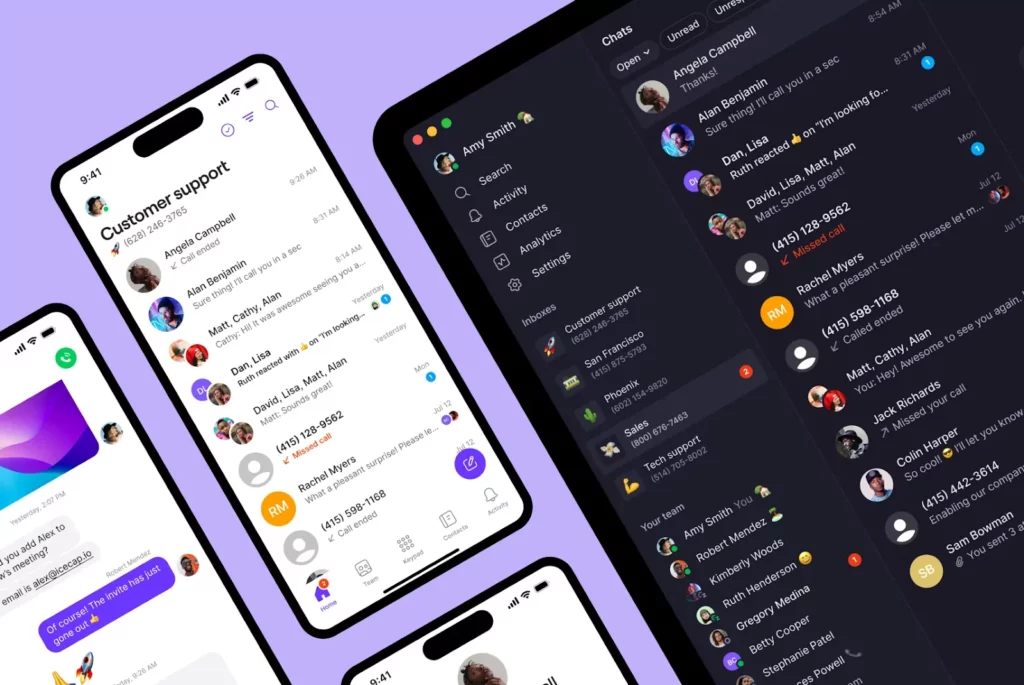
Using advanced call routing can streamline call handling to help your business land and keep more customers. Quo provides all the features you need to ensure you’re leaving a great impression over the phone. This includesring groups, so no one person gets overwhelmed, and every call has a better chance of being answered. You can set up IVR, also known as interactive voice response, to let callers route themselves to the right rep or department. Plus, you’ll get access to Quo’s AI voice agent that can handle calls for you.
Quo also provides features like call recording so you can review calls when you have the time. And its call transcriptions and summaries make it easier to see exactly what was said during customer conversations.
Plus, Quo’s drag-and-drop builder lets you set up and start using custom call flows in minutes. Sign up for a free trial today to try it out for yourself.
FAQs
Automatic call routing means your business phone system directs calls based on rules you set. It helps callers quickly reach the right rep or department without waiting on a manual transfer.
The limit on the number of reps per ring group depends on your business phone provider. With Quo, you can add up to 10 teammates to receive calls simultaneously.
It offers tools like phone menus, business hours call routing, and additional call flows. These help reduce wait times and unanswered calls by connecting customers to the right place with fewer manual transfers.


