So you’re thinking about using Ooma as your business phone? Great! That means you understand the benefits and flexibility of a VoIP system.
But Ooma’s just one of many VoIP phone systems on the market — and it’s not the best fit for every business. In this guide, we’ll help you make an informed decision by sharing the eight best Ooma competitors on the market.
Ooma Office platform, pricing, and plans
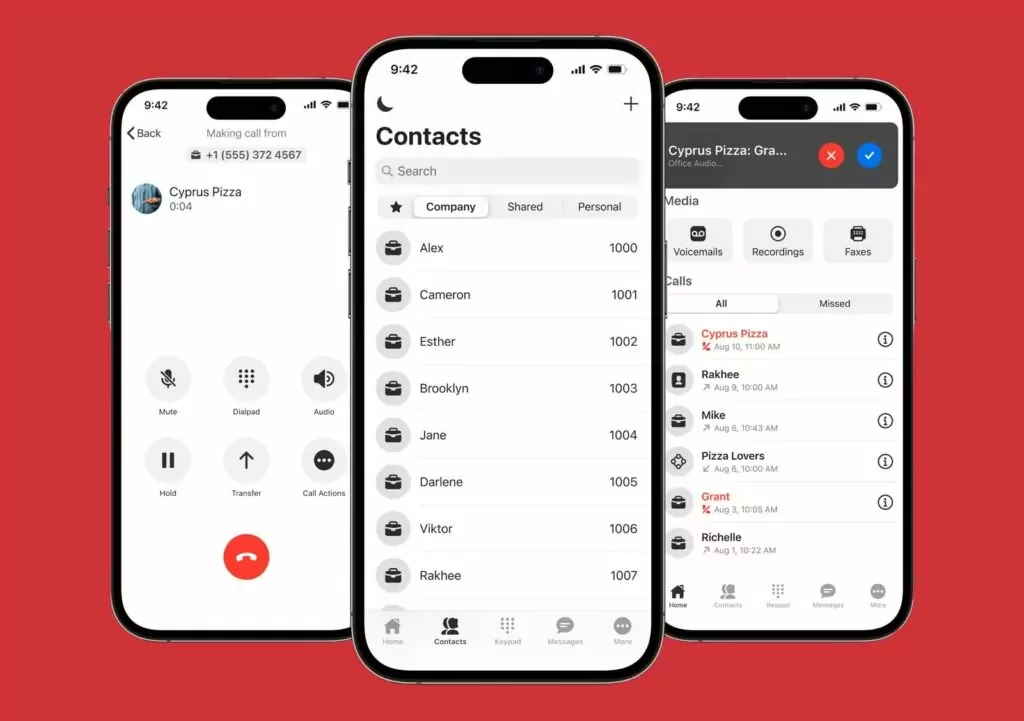
Ooma’s automated phone system serves homeowners and business owners. It works alongside analog phones, Ooma’s proprietary IP phones, iOS or Android smartphones, and desktop or laptop computers.
Ooma allows remote workers to place or answer calls from any device using your company’s phone number. If you set up the system using PBX, you may need to rent an Ooma Office Base Station, like Ooma Telo, for businesses, or purchase its proprietary IP phones.
Ooma pricing

There are three Ooma Office pricing plans:
- Essentials: $19.95 per user per month for unlimited calls in the US, Canada, Mexico, and Puerto Rico, virtual receptionists, extension call monitoring, and access to the mobile app
- Pro: $24.95 per user per month for video calling with a maximum of 25 participants, call recording, and 250 texts
- Pro Plus: $29.95 per user per month for CRM integrations, team chat, hotdesking, call queues, and 1,000 text messages
Why small businesses choose Ooma alternatives
If you’re looking for a business phone system that supports traditional office needs, then Ooma is a capable option. But if you’re looking for a modern VoIP phone that lets you build customer relationships more efficiently, you might want to look elsewhere.
Here are a few key reasons small businesses switch from Ooma:
- Calling and texting limits: Ooma has strict calling and texting limits that hamper business growth. You have to upgrade to a higher-tier plan to access texting. After you upgrade, you’re still limited to 250 texts per month. Similarly, Ooma limits toll-free numbers to 500 inbound call minutes per number per month.
- Limited phone features: Ooma’s base plan doesn’t offer many useful business features unless you work in a traditional office setting. Overhead paging support and virtual fax aren’t really a priority for most modern businesses. Essential features like call recording and voicemail transcription require you to upgrade.
- Limited integration capabilities: Ooma only offers 18 integrations with tools like Freshdesk and Microsoft Dynamics 365. Want to integrate your softphone with tools not on the integration list? You’ll have to upgrade to Ooma’s Enterprise tier and use Ooma’s API. Keep in mind this is a separate plan that requires a contract, custom onboarding, and a lot of expensive equipment.
- Lack of collaboration features: Ooma isn’t built for team collaboration. If you want to share a business number with your team or directly message teammates, you’ll have to upgrade to their most expensive Pro Plus tier. You also can’t tag teammates in internal threads for easy collaboration and follow-up.
- Unreliable service: With a 1.5 out of 5-star rating from 1,600+ reviews on Trustpilot, it’s clear that Ooma’s phone service may not be reliable. Call quality issues, missing texts, and not-so-user-friendly applications are common complaints. To make matters worse, the customer support team may not be responsive. Multiple users cite waiting for weeks only to be told there was ‘nothing Ooma could do.’
8 Best Ooma alternatives you should consider
Almost every VoIP service can help your business make and receive calls over the internet. However, each one comes with different features and different pricing.With this in mind, here are eight of the best alternative phone systems to Ooma:
| Provider | Starting price | Unlimited calling to US & Canada | Unlimited SMS/MMS to US & Canada | Shared phone numbers | Additional phone numbers |
|---|---|---|---|---|---|
| Quo, formerly OpenPhone | $15 per user per month | ✓ | ✓ | ✓ | $5 per number per month |
| RingCentral | $20 per user per month | ✓, limited toll-free minutes | 25 messages per user per month | Calls only | $4.99 per number per month |
| Nextiva | $15 per user per month | Requires upgrade | 100 texts per user per month | ✓ | Undisclosed fee |
| Vonage | $13.99 per user per month | ✓ | ✓ | X | $4.99 per local number, $39.99 per toll-free number |
| Grasshopper | $14 per month | ✓ | MMS messaging for local numbers only | Requires upgrade | $9 per number per month |
| Google Voice | $17 per user per month, including Google Workspace | Unlimited calls to Canada from the US only | US customers only | Requires upgrade, ring groups only | X |
| Aircall | $30 per user per month with a three-user minimum | ✓ | ✓ | ✓ | $6 per number per month |
| Dialpad | $15 per user per month | ✓ | US and Canadian customers only | ✓ | Requires upgrade, then $5 to $15 per month |
1. Quo, formerly OpenPhone: The best choice for growing small businesses

Pros
- Free unlimited calling and texting (SMS/ MMS) in the US and Canada
- Take calls as a team with shared numbers
- AI features like call summaries, call tags, and AI voice agents
- Intuitive user interface
- 8,000+ integrations
Cons
- No verification through two-factor authentication*
*Nearly all virtual phone numbers share this problem. For safety reasons, companies like Facebook, Uber, and Google rarely let you authenticate accounts through a virtual phone number.
Quo is a cloud-based business phone system designed for startups, small businesses, and individuals. We designed our platform to be intuitive and simple so you can hit the ground running. No expensive onboarding or training courses required.
Features like call recording, shared phone numbers, and auto-replies come standard with every plan. Upgrade to our Business plan to access powerful call management features. These include auto-attendants, custom ring groups, and integrations with HubSpot, Salesforce, and Jobber.
Quo is designed to make your team more productive. Take call notes automatically with AI-powered call summaries and transcriptions. Review calls faster with AI call tags. You can also handle calls when your team is busy or unavailable with Sona, our AI voice agent. Customize Sona to answer questions, take messages, and even send SMS messages to your customers.
Get Quo for your desktop or mobile device. Download Quo for Mac, Windows, iOS, and Android. Access it in your browser with our web app. Try Quo today by signing up for a free seven-day trial.
Key features of Quo
- Free SMS and MMS to any US or Canadian number
- Call recording
- Caller ID
- Mobile, desktop, and web apps
- Automatic call logs
- Call and text analytics dashboard
- Call routing
Quo pricing

Quo’s pricing is simple and transparent — with no added expenses or hidden fees.
- Starter: $15 per user per month for unlimited calls to the US and Canada, integrations with workflow tools, low international calling and messaging rates, and more
- Business: $23 per user per month for call transfer, analytics and reporting, integrations with HubSpot and other CRMs, interactive voice response, aka IVR, and more
- Scale: $35 per user per month for AI call tags, dedicated onboarding, and priority chat and email support
2. RingCentral: Best alternative for desk phone rentals

Pros
- Voice, video, and text message capabilities
- Integrates with Microsoft Teams on the base plan
Cons
- Limited text messages
- Limited toll-free minutes
- Shared inbox and text templates require an add-on
- No unlimited storage
RingCentral is a popular business communication solution designed for large enterprises. It has all the business phone number features you’d expect from a VoIP service, plus a wide range of integrations to customize your system. Love the feel of a physical IP phone? RingCentral lets you rent desk phones, too.
If you compare Ooma vs RingCentral, you’ll see RingCentral comes with pricey limitations. You only get 100 pooled toll-free minutes and 25 text messages per user on the base plan. Startups and smaller businesses may find it too expensive to upgrade. Even if you upgrade, RingCentral’s most expensive pricing tier limits texting to 200 SMS messages per user per month.
Features you might take for granted with other VoIP platforms are only available as add-ons with RingCentral. Shared messaging inboxes and text templates are only available in RingCentral’s Business SMS Booster add-on. This add-on costs $25 per user per month or you can upgrade to their Customer Engagement Bundle.
Speaking of storage space, there’s no way to get unlimited storage with RingCentral — even if you upgrade to the most expensive tier. These are costly limitations that could affect your business down the line.
While RingCentral is a familiar face in the VoIP landscape, it may be too pricey for many small businesses. If you don’t have the budget for it, consider another Ooma alternative.
Key features of RingCentral
- Unlimited calls in the US and Canada
- SMS and MMS, with limited messages per month
- Toll-free number support, with limited minutes per month
- Integrations with Slack, Office 365, and more
- HD video calls
RingCentral pricing

RingCentral has three pricing plans you can choose from:
- Core: $20 per user per month for unlimited calls in the US and Canada, IVR, visual voicemail, and AI video meeting transcriptions
- Advanced: $25 per user per month for CRM integrations, business analytics, unlimited internet fax, hot desking, and call management tools
- Ultra: $35 per user per month for unlimited AI video meetings, device analytics/alerts, and unlimited storage for files and records that are subject to time-based deletion policies
If you want more features for customer support reps, you’ll need to purchase RingCentral’s Customer Engagement Bundle. It can quickly get confusing if you’re looking for an all-in-one platform. The reason: there are five other service options outside of RingCentral’s business phone plans.
Check out the rest of RingCentral’s pricing.
3. Nextiva: Best for omnichannel communications

Pros
- Digital service helpdesk
- Integrates with social media channels
Cons
- Missing key features
- Toll-free numbers and shared numbers for texting require you to upgrade
- No SMS without upgrading
Nextiva positions its small business VoIP service as an omnichannel business communication tool. They’ve been around a while, but longevity and market share don’t necessarily mean Nextiva is the right solution for growing businesses.
For one thing, Nextiva’s base plan doesn’t offer the features you might expect, prompting many teams to switch to Nextiva alternatives. This includes:
- Call recording
- Shared text messaging
- CRM integrations
- Toll-free calling
Nextiva does offer the ability to speak with customers through your social media accounts. However, omnichannel communication isn’t enough to overcome the platform’s limitations. SMS messaging is capped at 100 messages per user per month on the base plan. CRM integrations are only available as an add-on, even after you upgrade. Nextiva may have more features than Ooma, but it’s also a pricier option.
See how Nextiva and Ooma compare by checking out our Ooma vs Nextiva guide.
Key features of Nextiva
- Social media integrations
- Digital service helpdesk
- Inbound and outbound voice
- Text messaging
- Video conferencing
Nextiva pricing

Nextiva’s pricing includes three plans to choose from:
- Core: $15 per user per month for unlimited voice calls, 100 text messages, team messaging, voicemail transcriptions, and the mobile app
- Engage: $25 per user per month for 500 text messages, digital fax, integration with Microsoft Teams, voice analytics, call recording, and up to 2,000 toll-free minutes per month
- Power Suite: $75 per user per month for up to 100 users, IVR phone menus, skills-based routing, call transcriptions and summaries, and API integrations
Keep in mind, certain features in Power Suite may require additional setup and usage fees. For example, AI transcription and summaries and charge based on your team’s usage.
4. Vonage: Best for communication APIs

Pros
- Voice, video, and SMS APIs are available
- Unlimited domestic calling
Cons
- Many key features are add-ons
- Best features are locked behind plan upgrades
- Limited integrations
In 2001, Vonage introduced a way for homeowners to ditch their landlines by making phone calls over their internet connections. They’ve since enhanced their VoIP phone systems to include features and functionality for business owners. What sets Vonage apart is its APIs for voice, video, and SMS functionality. If you have a developer team, you can customize every customer communication touchpoint.
Unfortunately, Vonage’s unique customization comes at a steep expense. Vonage prices its services based on your team’s size. The smaller your team, the more you’ll pay, which isn’t ideal for small businesses.
It also forces you to upgrade to its more expensive tiers to access essential features. If you want to access voicemail transcription, on-demand call recording, or call groups, you have to upgrade to its highest tier. Even after you upgrade, you have to pay for add-ons to get access to features like AI transcriptions and toll-free numbers.
Key features of Vonage
- Mobile, web, and desktop apps
- 20+ third-party integrations, requires an upgrade
- SMS and MMS support with Vonage’s SMS API
- Voicemail-to-email
- Free number porting
Vonage pricing

Vonage’s plans are priced per number rather than per user, and its features are mostly a la carte on Vonage compared to Ooma. They also charge more if you have fewer users on your team.
Here’s what you’ll pay for a team of four or fewer:
- Mobile: $13.99 per number per month for unlimited domestic calling, business SMS, and voicemail
- Premium: $20.99 per number per month for video conferencing, unlimited team messaging, auto-attendant, CRM integrations, the desktop app, and the ability to use an IP phone
- Advanced: $27.99 per number per month for call recording and visual voicemail
To get the full picture of Vonage’s pricing, you also have to consider add-on costs and hidden fees, which aren’t all directly listed on the website.
Be prepared to pay extra for:
- Local numbers: $4.99 per number per month
- Toll-free numbers: $39.99 per number per month
- Additional extensions: $14.99 per extension
- Voicemail-to-text: $4.99 per month
5. Grasshopper: The best choice for phone number extensions

Pros
- Charges per line, not per user
- Mobile and desktop apps are available
Cons
- Only one user is allowed on the base plan
- Additional extensions are locked behind more expensive plans
- Lacks key automations and integrations
Grasshopper is a popular VoIP business phone provider for small businesses. Since it charges per line and not per user, it might seem like a cost-effective option on the surface.
But if you compare Ooma vs Grasshopper, you’ll see Grasshopper comes with limited calling features on the base plan. You can’t purchase more extensions or have more than one user unless you upgrade to the next tier .
Grasshopper also lacks important AI features, such as contact suggestions and call summaries. And it doesn’t integrate with the tools and workflows that are already part of your business, including Slack, Gong, or your CRM.
The biggest limitation? You can’t make simultaneous calls unless you upgrade to the Solo Plus plan. After you upgrade, you have to purchase individual phone numbers for each user on your account. While it seems cheap at first, Grasshopper’s pricing adds up fast. It’s unlikely to fit most small business budgets.
Key features of Grasshopper
- Custom greetings
- Voicemail-to-text
- Business hours
- Call reports
- Auto-responses, limited to new callers only
Grasshopper pricing

Grasshopper offers three pricing plans you can pick from:
- True Solo: $14 per month for one user, one phone number, and one extension
- Solo Plus: $25 per month for call recording, simultaneous call handling, unlimited users, one phone number, and three extensions
- Small Business: $55 per month for unlimited users, four phone numbers, and unlimited extensions
You can purchase additional phone numbers for $9 each.
6. Google Voice: Best for existing Google Workspace users

Pros
- Integrates with other Google Voice tools
- Free plan is available for personal users
Cons
- Paid plan requires Google Workspace
- No third-party integrations
- No automation or collaboration features
Google Voice is a popular VoIP phone service for businesses that are already in the Google ecosystem.
But with no international, toll-free, or vanity numbers, Google Voice’s phone system isn’t scalable for global businesses. Plus, teams can’t share a single number or integrate their tasks with CRMs and workflow tools, so it’s not a good choice for streamlined communication.
You also have to upgrade to the second-highest tier if you have more than 10 users, so you might feel forced to switch plans before you’re ready.
Another kicker? You’re required to have a Google Workspace subscription to use Google Voice, which adds at least $7 per user to your monthly costs.Check out our guide to Ooma vs Google Voice to see how these platforms compare.
Key features of Google Voice
- Unlimited calls to the US and Canada
- Web and mobile apps
- Unlimited texts in the US only
- Voicemail transcriptions
- Integrations with Google Calendar, Gmail, and more
Google Voice pricing

It’s free to obtain a Google Voice number and make calls and texts within the US for personal use.
If you’re a business requiring additional features, you’ll need to refer to this list of Google Voice pricing plans:
- Starter: $10 per user per month for free calls and texts within the US for up to 10 users and 10 US locations
- Standard: $20 per user per month for unlimited users, auto-attendants, ad-hoc call recording, and ring group functionality
- Premier: $30 per user per month for unlimited international locations, automatic call recording, and advanced reporting features
Keep in mind that these plans also require a subscription to Google Workspace, which starts at $7 per user per month.
7. Aircall: Best for outbound sales calls

Pros
- Power Dialer makes calls in rapid succession
- Automatically add calls from any webpage
- Identify key topics within a discussion
Cons
- Storage limits
- Three-user minimum
- Only one phone number is included per account
Aircall is a VoIP provider offering cloud-based solutions for sales, IT, and customer service teams. It has features tailored for high-volume sales teams, including rapid dialing for outbound calls.
While Aircall comes with features like call routing and IVR menus, it has limitations that teams might find frustrating. On Aircall’s Essentials plan, call recordings are stored for only one year. To have unlimited access to call recordings, teams have to upgrade to the Professional plan for an additional $20 per user per month. Even after that, only six months of call recordings are available within the product. The rest are only available upon request.
You won’t find many advanced features for text messaging in Aircall’s plans. It requires a third-party integration for auto-replies, scheduled messages, and templates.
Aircall also has a three-person minimum when you sign up for any plan. For the smallest of teams, this minimum might be more than is needed.
Key features of Aircall
- API access
- Call forwarding
- Call tracking metrics
Aircall pricing

Aircall pricing has three tiers:
- Essentials: $30 per user per month, three-user minimum, unlimited calls within the US and Canada, IVR, call routing, and SMS and MMS messaging with a 4,000 outbound messaging limit
- Professional: $50 per user per month, three-user minimum, Power Dialer, Salesforce integration, queue callback, and smart routing
- Custom: Custom pricing, 25-user minimum, unlimited worldwide calls, and access to APIs
8. Dialpad: Best for large contact center teams

Pros
- Unlimited calls and texts to US and Canadian numbers
- Desk phone compatible
Cons
- Additional numbers require upgrade
- User minimums
- International SMS requires upgrade
Dialpad is a customer communications platform built for contact center organizations. Each plan comes with calling, texting, and video meetings. You also get access to real-time call transcriptions, analytics, and meeting transcripts.
What sets Dialpad apart from other VoIP phone systems is its focus on call coaching tools. Call coaching features include real-time call scorecards and AI CSAT.
While Dialpad focuses heavily on AI tools, it leaves out critical features your business needs to grow. For example, you can’t get access to additional phone numbers or international texting unless you upgrade to the Pro plan.
Dialpad also has user minimums in its more expensive plans. This can be a huge barrier for small businesses looking for low-cost phone solutions. You need to pay for at least three licenses to unlock the Pro plan and at least 100 to unlock the Enterprise plan.
Key features of Dialpad
- Visual voicemail
- Multi-level auto attendant
- AI-powered call analytics
- Call recording
- Unlimited calling within your country, the US, and Canada
Dialpad pricing

The cost of Dialpad is deceptively low — and there’s a big difference between its month-to-month pricing and its annual contracts. You should also know there are user minimums that may increase the cost of your plan.
Take a look:
- Standard: $15 per user per month for calls and texts in the US and Canada, team messaging, 10-person video meetings, and real-time analytics
- Pro: $25 per user per month to unlock CRM integrations, international SMS, additional phone numbers, quality of service reports, and a minimum of three users
- Enterprise: Custom price for 99.9% uptime, dial by extension, unlimited ring groups, and a minimum of 100 users
See why Quo is the best Ooma alternative
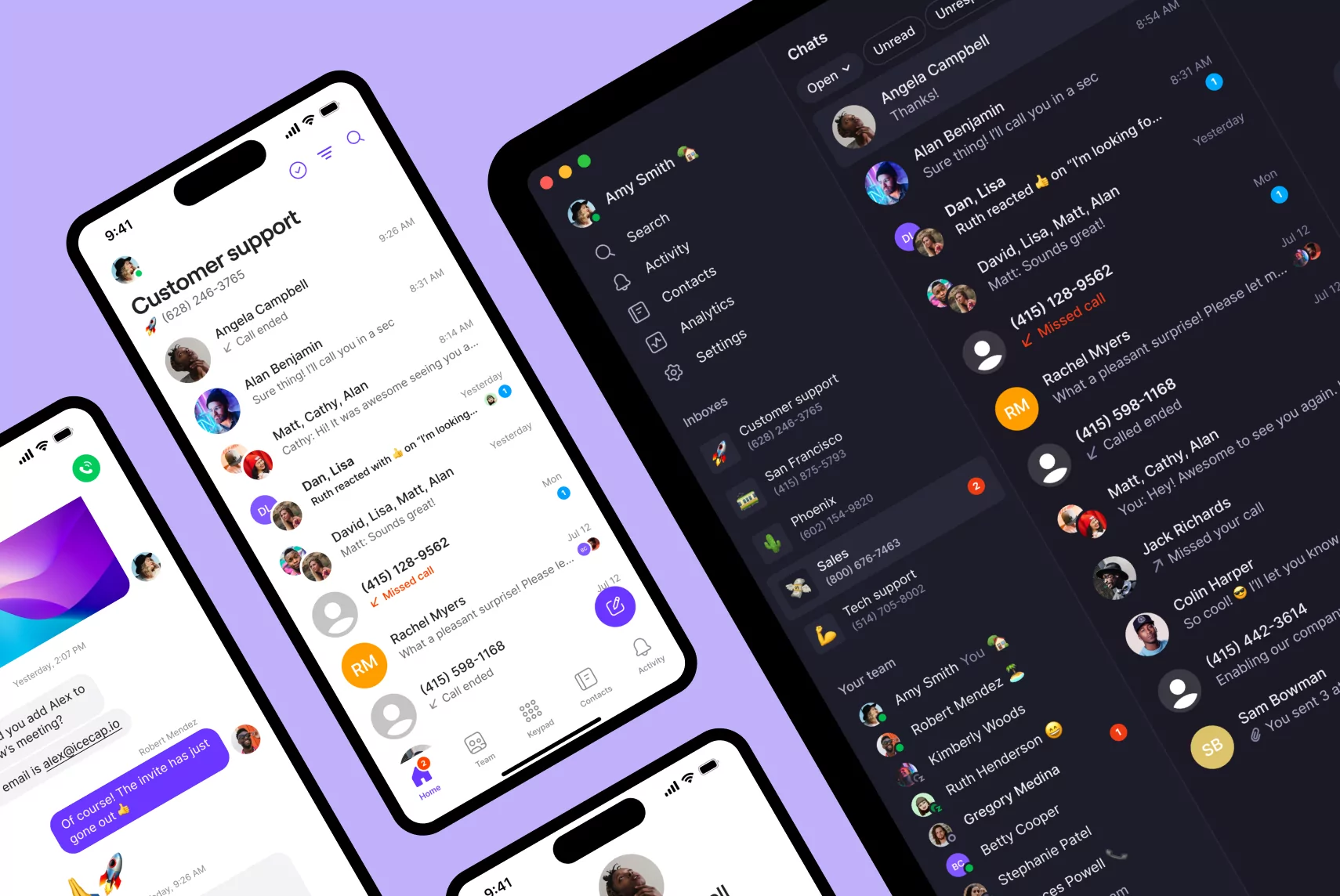
Now that you know more about Ooma and some popular alternatives, it’s okay to expect more from your business phone system. Quo offers more features and functionality than the other VoIP systems — all at a lower price.
Why not see it for yourself?
Sign up for a free trial of Quo today.