
Answer questions and take messages with Sona, Quo's AI virtual receptionist. Eliminate missed calls and collaborate better with your team using the best phone system for growing businesses.
.png)







.svg)
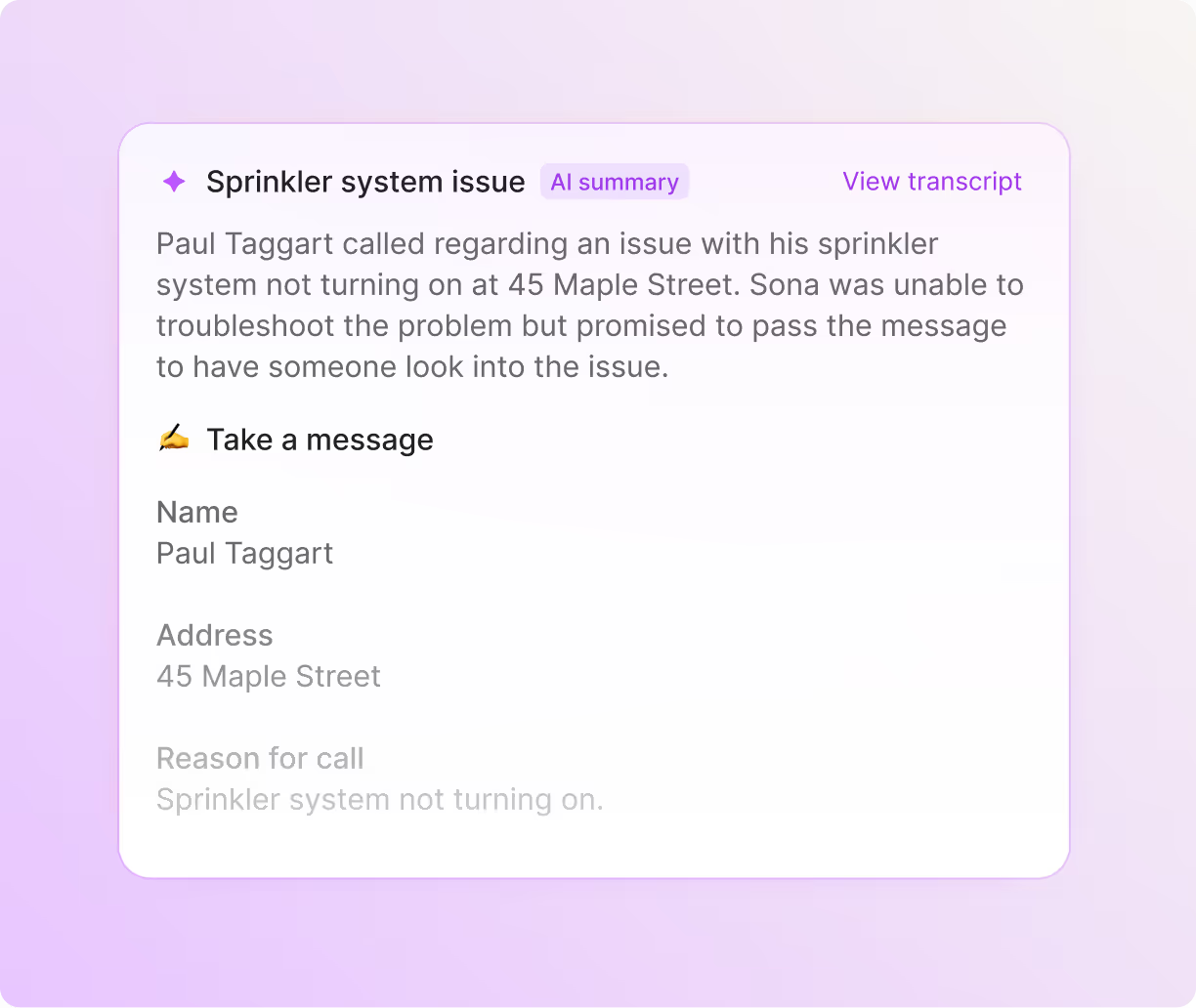

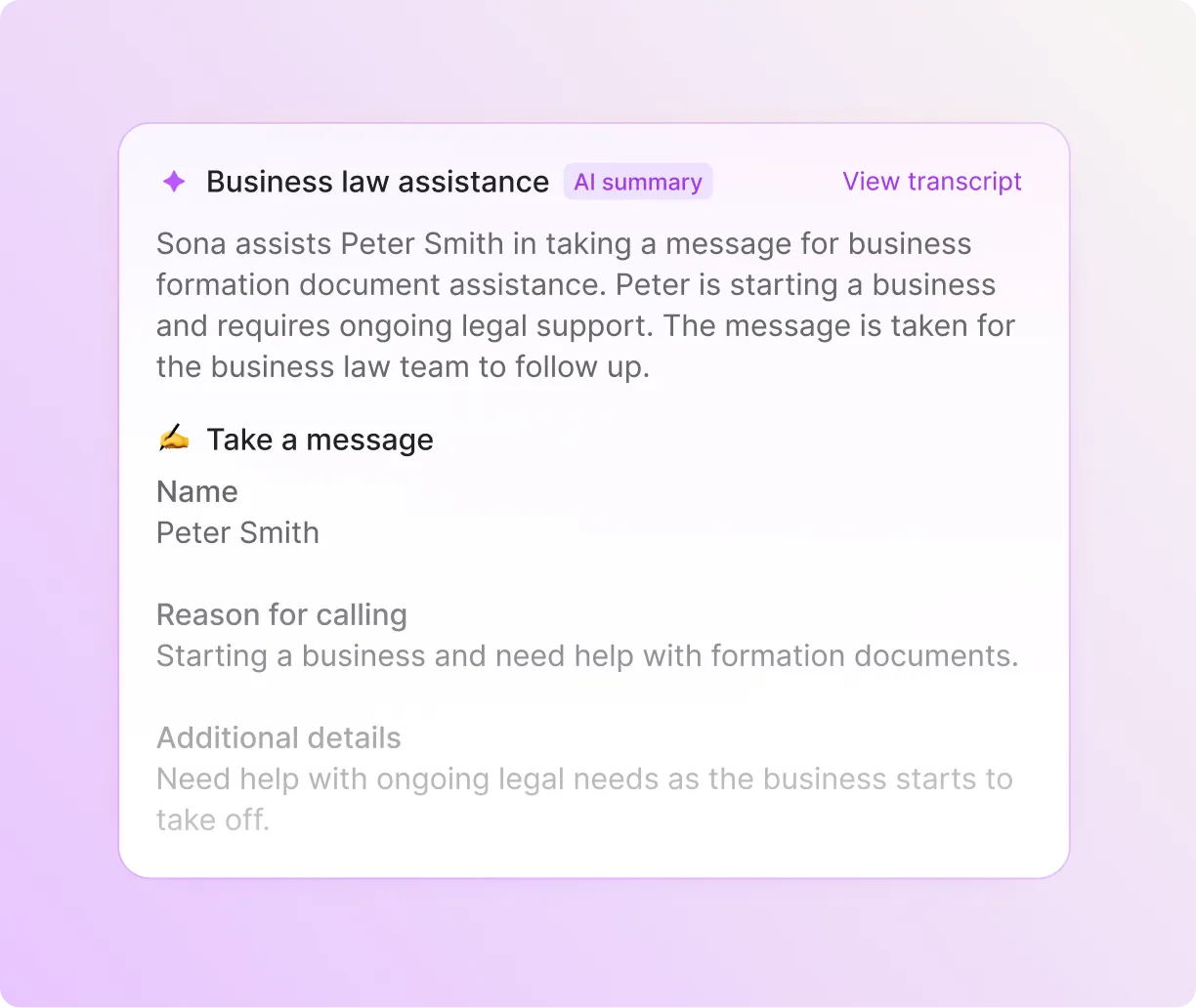
Quo is an intuitive and flexible business phone built for team collaboration. Small and growing businesses can use Quo to efficiently communicate with customers over calls and texts.
But what about when your team is busy or unavailable? That’s where Sona, Quo's 24/7 AI virtual receptionist, can step in.
Sona is integrated directly into Quo's platform. It can attend to your customers when your team isn’t taking calls. Your team can set up Sona, customize and test it, and review Sona’s call summaries and transcripts right in your Quo workspace.
Add Sona to your call flows in minutes with our call flow builder. You can use it as a backup option when your team is busy during business hours, or you can automatically route inbound calls to Sona after hours.
Customize Sona to your business needs. Train it on your business by adding your policies and answers to common FAQs so that it can provide accurate responses to callers. Provide instructions on what information you’d like Sona to capture when it takes down messages.
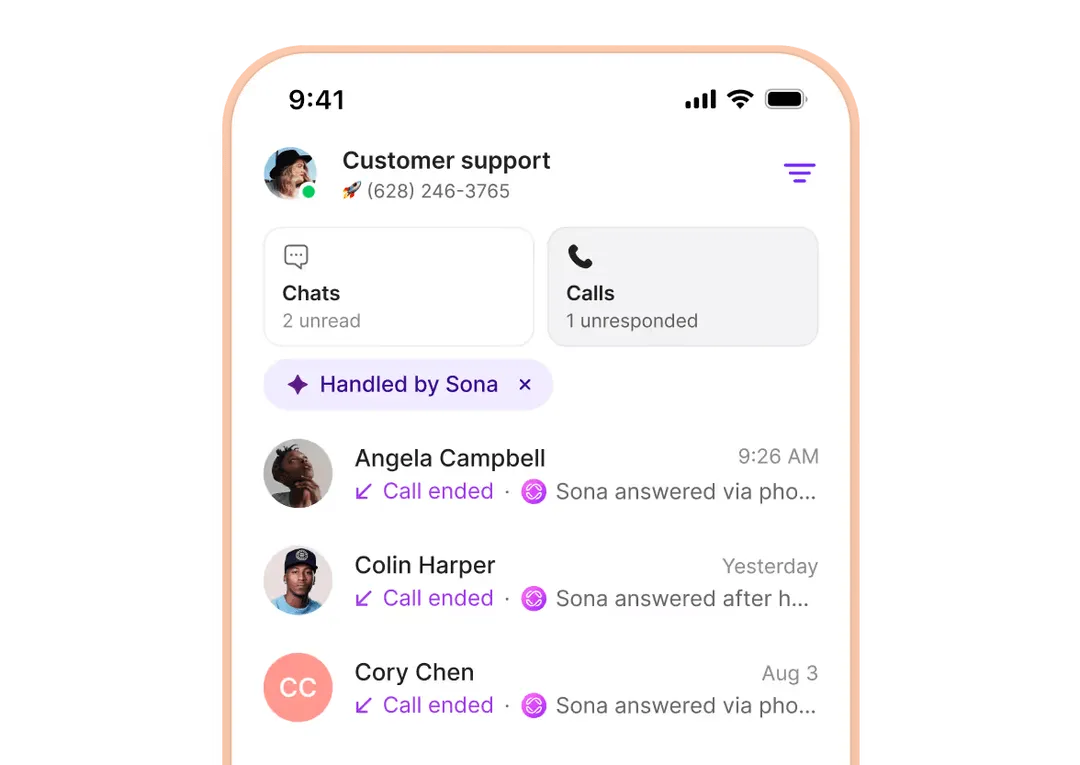
Review Sona’s performance in your call views. Filter your calls to only show AI phone calls handled by Sona. Your team has clear oversight into Sona’s performance, and you can adjust how it handles customer interactions.
The best part? Sona is available at a fraction of the cost of live virtual receptionist services, which means you can answer more calls without spending more.
Train Sona to handle your calls in seconds. Assign Sona to your call flows in minutes.
Add Sona directly to existing call flows in our call flow builder. Sona can handle calls during and after your business hours.
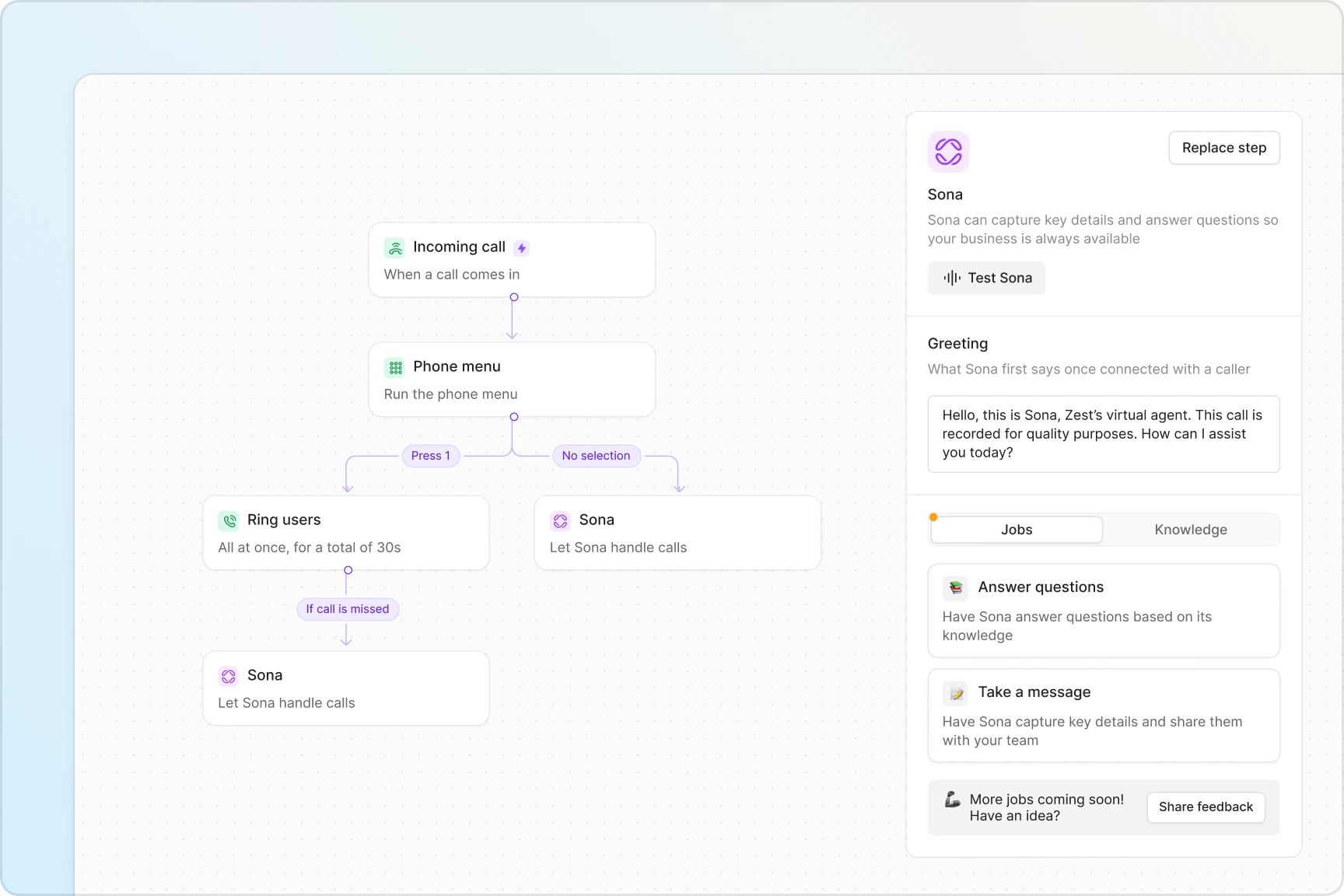

Upload your company’s documents to Sona, including key policies and answers to common FAQs. Once it’s trained on your documentation, Sona can talk to customers like a member of your team.
Have Sona request specific information based on keywords during the call. Your team can then follow up with customers better and continue the conversation.

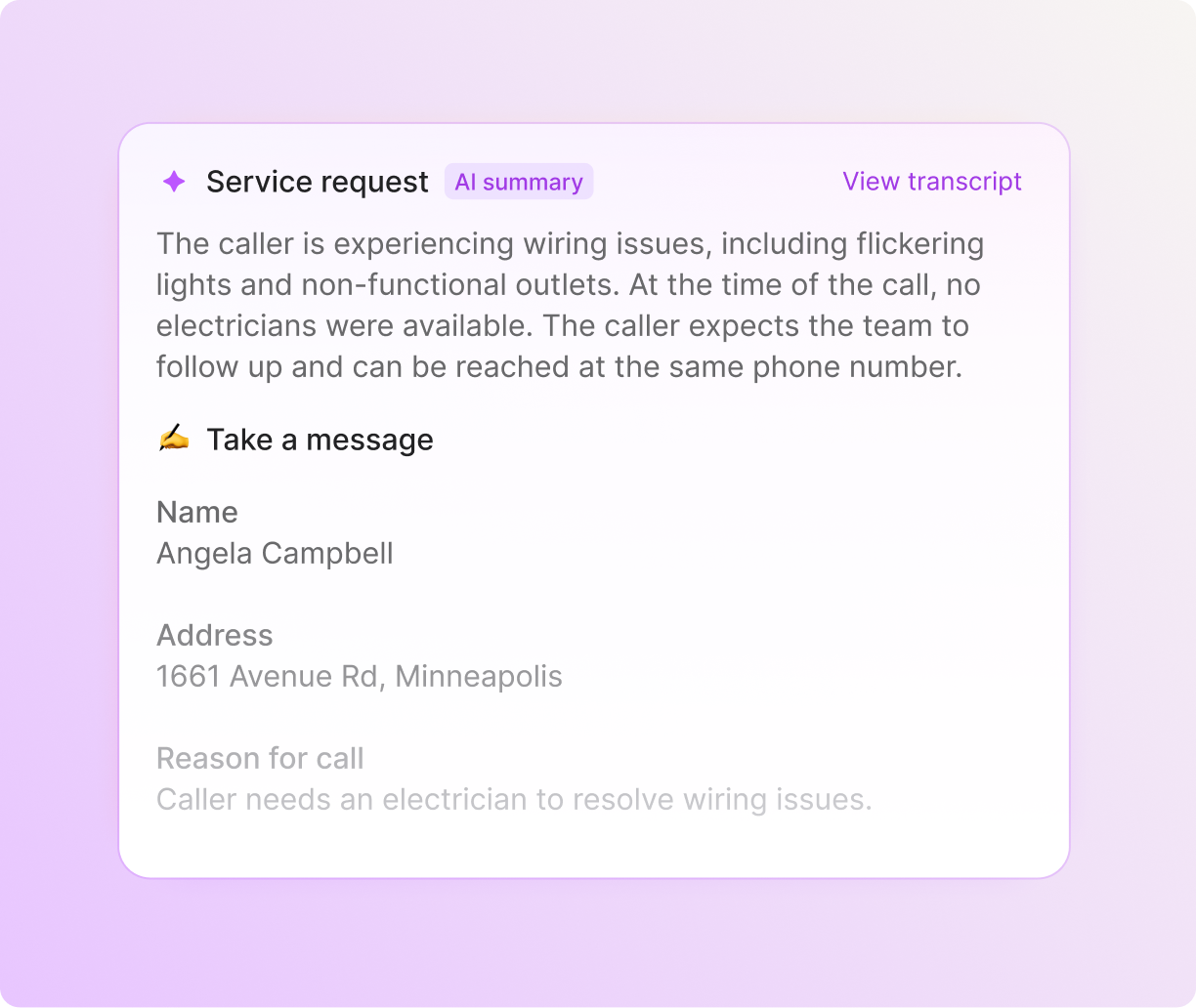
View Sona’s call summaries, transcripts, and messages in your Quo inbox right after a call ends. You can also access call logs in your CRM — use our HubSpot, Jobber, and Salesforce integrations or build a custom one with the Quo API.

Give your workflow a boost with Quo AI
Quo AI automatically summarizes calls, then intelligently suggests next steps.
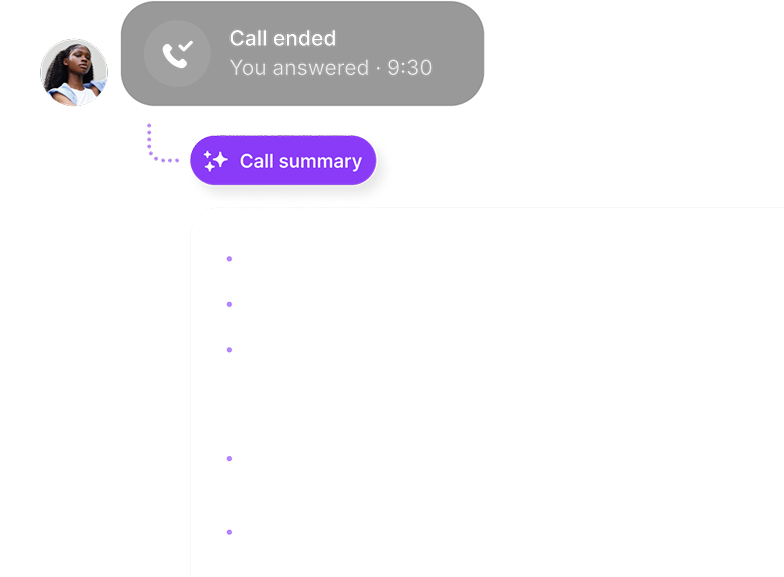
Read conversations in detail and easily reference or find info with time-stamps.
.png)
Easily add new contacts with suggestions based on call and voicemail transcripts.
.png)
Define your tags, and our AI automatically adds them to relevant calls—so you stay focused on what matters.
.png)
.avif)
“With Sona, I never worry about missing a call again. It’s like having a smart, reliable assistant who always picks up. It’s professional, friendly, and on it 24/7.”
.webp)
.avif)
“Sona has my back. Even when I miss a call, I know it’s handled—and handled well. Total game changer.”
.webp)
.avif)
“Sona has transformed the way I handle my calls. It’s like having a trusted partner who ensures I never miss an opportunity, no matter how busy I get.”



Port your existing numbers for free
Set up easily with unlimited numbers.
Ring groups
Receive incoming calls simultaneously or in custom batches.
Phone menus
Give callers self-serve navigation to reach your team or Sona.
Business caller ID
Let customers know when you’re calling with an outgoing VoIP caller ID.
Call transfers
Hand off callers to colleagues with the right amount of context.
Desktop and mobile apps
Answer calls anywhere in the world, on any device.
See why thousands of businesses choose Quo as their business phone provider.
%20(1).jpg)
Choose between local US and Canadian phone numbers and North American toll-free numbers with Quo. You can also choose a custom vanity number that helps you stand out to customers.
All Quo plans include a number for every user who joins your workspace. You can give specific teams dedicated numbers when you share numbers, like your sales and customer support teams.
Add more numbers as your team grows — additional numbers cost $5 per number per month.
Add teammates and virtual assistants to your Quo workspace in a couple of minutes.
Invite teammates to your Quo account by sending invites to their email. Once they sign up, you can assign them to any phone numbers you’d like to share with them.
Control which users you’d like to give member or admin permissions, depending on their function in the team.
Adding a voice agent like Sona to your Quo workspace is just as simple. Add Sona to your call flows in our call flow builder, customize how it operates, test it for yourself, and hit Publish. Sona can start handling calls for you immediately.
Make call routing and management a breeze with Quo. Create custom call flows during and after business hours with our call flow builder. Get a high-level overview and edit your call flow steps quickly in our user-friendly visual canvas.
Choose how phone calls are routed to your team, simultaneously or in custom batches, with ring order. Help customers connect with specific team members quickly with phone menus. Direct missed and unanswered calls to a secondary number with our call forwarding options.
Always stay aligned with your teammates in Quo.
Split responsibility for incoming calls and texts with shared numbers. Tag teammates to troubleshoot customers' issues in real time and assign follow-up tasks with internal threads. See whether colleagues are caught up with inbox viewers.
Hand off customers to team members with just enough context using warm transfers. Bring multiple stakeholders together in one place with group calling.
Help your team focus on the work that matters. Log calls and texts automatically with our HubSpot and Salesforce integrations. Build custom integrations with Zapier, Make, or the Quo API, and share call and text data with your entire tech stack.
Leverage our AI features to make your team more efficient. Save time spent taking notes on calls with AI call summaries and transcripts. Automatically add new contacts to your address book with AI-suggested contacts. Track ongoing call trends, use AI to analyze your phone calls, and gain business insights with AI call tags.
Help your team handle more conversations over text without adding headcount.
Automatically reply to messages when you’re busy or unavailable with SMS auto-replies. Schedule messages to reach customers in their time zones with scheduled messages. Create text templates that help you answer common questions quickly with snippets.
Set up automatic SMS workflows with Zapier or Make for appointment confirmations, reminders, and review requests.
Call and text from anywhere in the world with Quo.
Team members can use their preferred device to talk to your customers as long as they have an internet connection. Quo is available for Mac, Windows, iOS, and Android. And for every other device, you can use our web app.
Find out how much you’re investing in your business phone solution upfront on our pricing page.
Can’t find the answer here? Check out our Help Center.

A virtual receptionist is a virtual call answering service that answers incoming calls on behalf of a business. Virtual receptionists answer common questions, take down messages from customers, and share call details for teams to follow up.
They perform the function of an in-house receptionist, but instead of working on-site, they answer calls virtually. You can choose between human and AI receptionists to act as your virtual receptionist.
Live virtual receptionists cost hundreds of dollars per month and charge based on their call minutes.
AI virtual receptionists, also known as AI answering services, are much more cost-effective. With your Quo plan you get 10 free calls handed by Sona per month. Any additional calls are based on a tiered credit system that can easily scale with your team needs.
Bonus: Find out more about the best AI phone answering services.
If you’re using a live virtual receptionist, you’ll have to forward your incoming calls to the receptionist so they can handle incoming calls. They manage calls through a separate platform from your business phone. You’ll have to monitor call quality by looking through call summaries and transcripts in their mobile app or website.
AI virtual receptionists like Sona are integrated directly into Quo. You don’t have to forward calls to Sona because you can add Sona to your existing call flows. You can also review Sona’s call summaries and transcripts right in your Quo workspace and adjust how it performs to align with your business needs.
The information you provide to Sona is not used to train AI models. Your business information remains private and is only used to answer questions from your callers.
An auto attendant is a phone menu for incoming callers. It offers a set of options for callers to choose from and connects them to the corresponding department or team member.
A virtual receptionist is a more interactive call management feature. Callers can speak to a live receptionist or an AI virtual assistant and ask questions or share a message with the team.
Virtual receptionists can answer questions just as a member of the team would, or they can take down detailed messages so team members can follow up later.
A virtual receptionist offers a more interactive call experience for customers. If a customer has a question about a business’s products and services, they can quickly get answers from a virtual receptionist. Customers can also leave detailed messages with virtual receptionists when they have a conversation instead of leaving an open-ended voicemail with a business.
No, virtual receptionists aren’t only suited for call centers. Growing businesses with small teams can benefit from using a virtual receptionist to eliminate missed calls. They can also use a virtual receptionist to capture leads, similar to a sales AI tool. In both cases, they can better handle their call volume and increase customer satisfaction.


.png)
.png)
