Never lose a lead with an AI cleaning answering service

Don’t miss calls and leave money on the table with Sona, Quo’s AI receptionist for cleaning companies. Automatically collect customer details, send booking links, and answer common questions. Manage your communications easily with the most collaborative business phone system for teams.

Try Quo and Sona free for seven days

Get started today
4.7 stars
|

3,300+ reviews

The #1 business phone for support teams
The YCombinator brand logo
logos
logos
Mercury Logo
logos

Why your cleaning company needs an AI answering service

See how Sona can help you with lead capture, scheduling, and intake. 

1. Reduce missed calls

Don’t worry about missing calls and losing leads because you’re in the middle of a deep clean when someone reaches out. An AI answering service can pick up 24/7. .

Sona is available to receive incoming calls 24/7. It provides a professional and interactive phone experience that matches your brand’s voice and tone. Unlike voicemail, which is a dead end for most businesses, Sona engages with callers so your leads share exactly what they’re looking for. 

2. Gather job requirements more efficiently

How many times have you opened your customer intake notes to find that key details were missing? When you’re juggling multiple customers, schedules, and invoices, it’s easy for things to slip through the cracks. 

Even when you use a job booking form, you may not have all the details you need. Gathering job information on a call gives your team more context. That way, they know what to expect for an upcoming house cleaning job or a commercial cleaning service.

Sona helps you gather your job requirements without missing a single detail. It can go through a checklist of questions to ask new customers if they want to book a service with you. All your intake information is saved in your Quo workspace right after a call ends. You can also share your call transcript with your cleaning business software platform, like DripJobs or Jobber. 

3. Convert leads into bookings faster

When they call your business, your customers are ready to book a cleaning service. But when you make them wait for you to follow up, it’s often too late. They’ve lost interest or moved to your competitors. 

Skip the need to follow up with customers. Sona can automatically send job booking links to interested leads. That way, they can schedule their appointments with your team on their own. No more waiting around for callbacks or losing them to another provider. 

4. Appear more professional to your leads

A good first impression can help you land more cleaning jobs. 

With Sona, you can deliver a professional phone experience when commercial leads call your business. Share information about your service areas and your quoting process. Project a more polished and established presence, even if you’re a team of one. 

Smarter than voicemail, more effective than live call answering services

Sona greets callers, captures leads, and answers questions at a fraction of the cost of cleaning answering services.

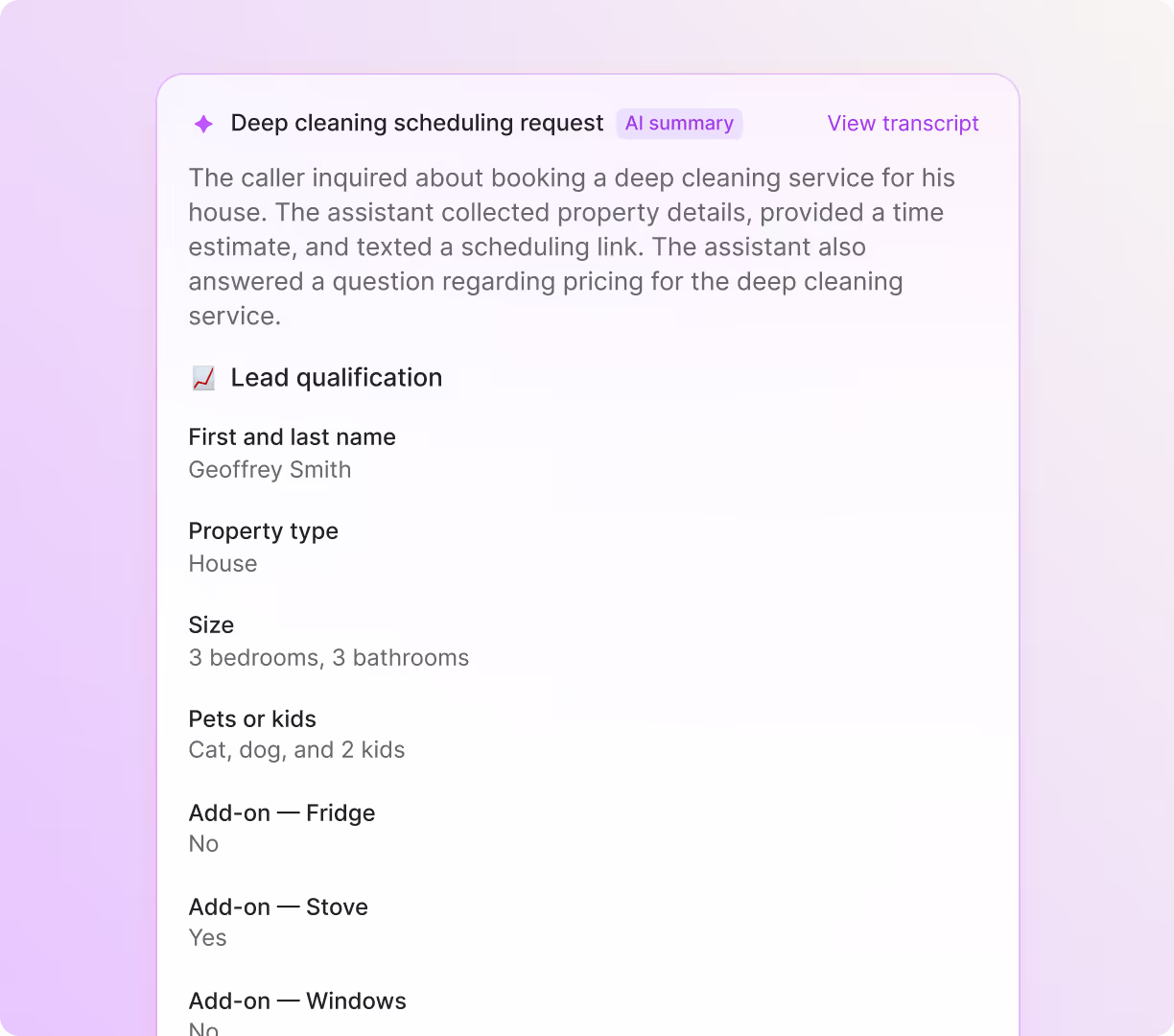
  • Capturing leads. A prospective customer is interested in booking a deep cleaning service. Inquires about prices first, and Sona offers to send them a booking link. 
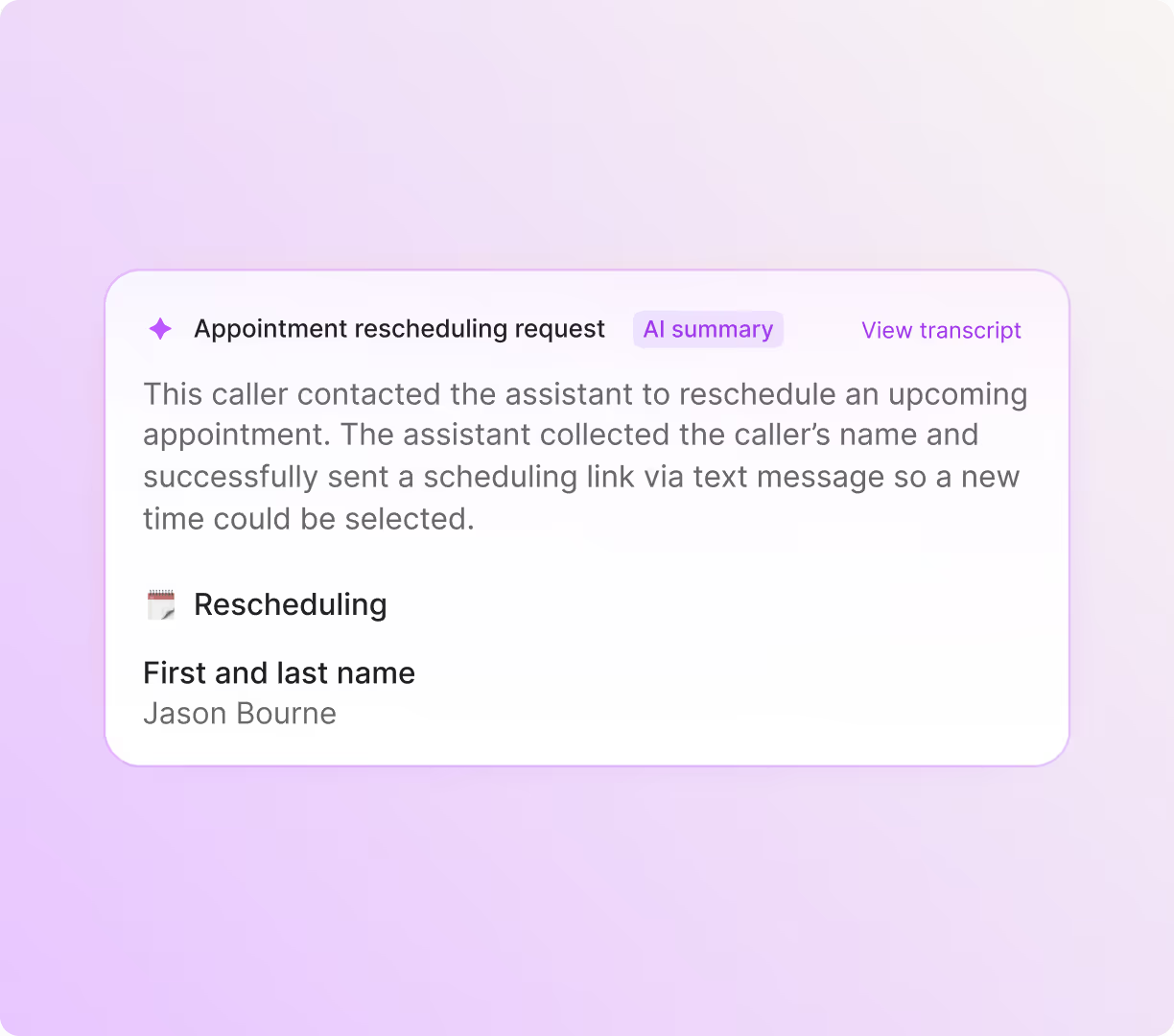
  • Taking a message. A prospective customer wants to reschedule their appointment to another date. Sona offers to send them a link to reschedule. 
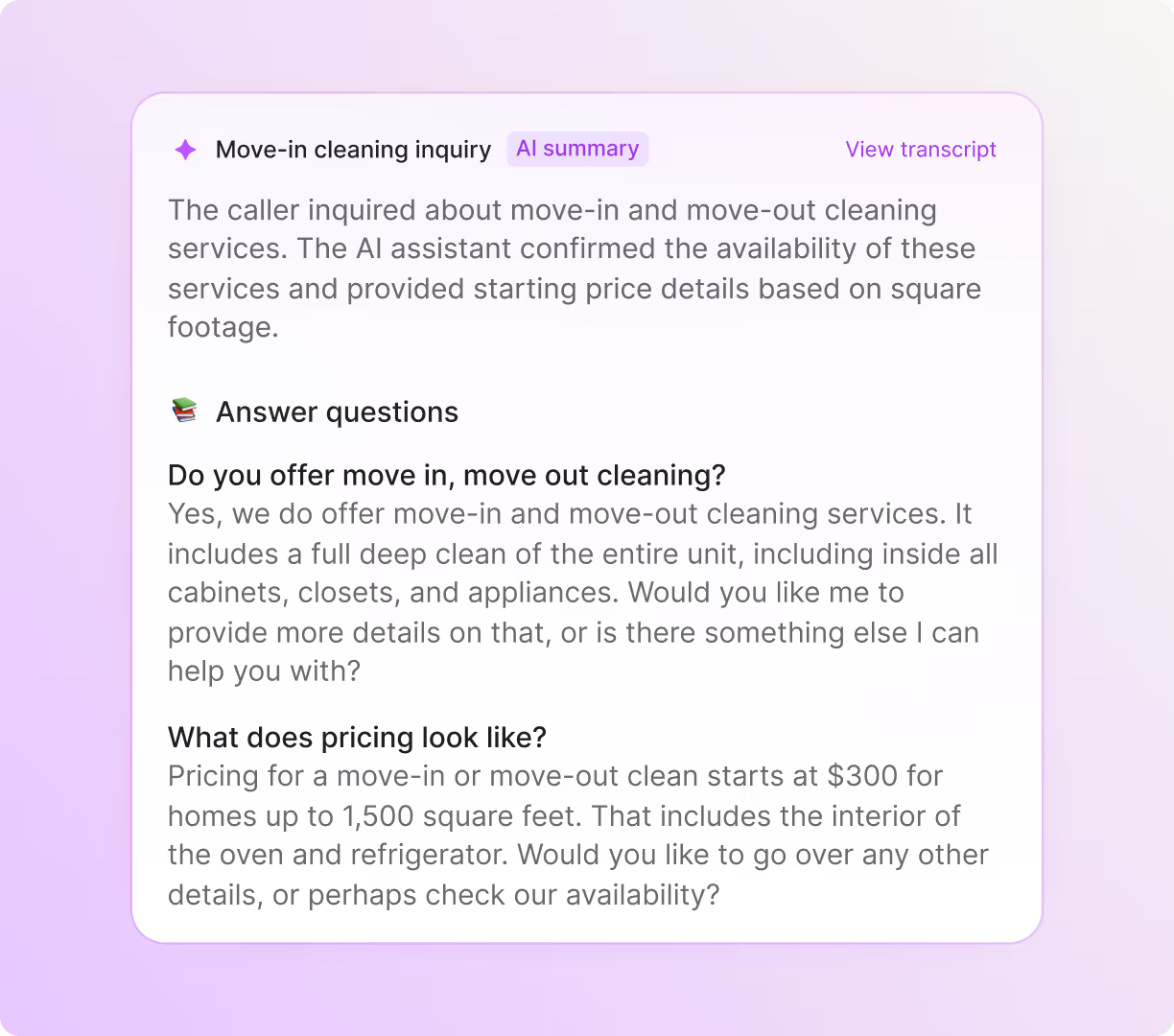
  • Answering common questions. A prospective customer asks about what services are included in a move-in/move-out clean. 
Hear Sona in action
What your team sees
What your team sees:

We're so confident in saying, 'Hey everybody, just get on Quo. Save yourself the time, save yourself the hassle.’

Carter Smith, Co-Founder, Pink's Windows

Feature Comparison

See how Sona compares to traditional call answering services.

Features

Quo (formerly OpenPhone) Logo - Quo

Sona

Traditional answering services

Starting price per month

Free for the first 10 calls, then $25 for 40 calls

~4x-7x the cost of Sona

Brand voice and tone

Consistent performance with multiple voices and tones

Highly variable performance 

Setup time

Instant

2-4 weeks

Languages

English, Spanish, French

English, Spanish

Monitoring

100% in Quo

Custom solution or daily email summary

Send SMS and call transfer actions

Automatic

Manual 

Additional business phone features

Shared numbers and inboxes, collaboration features, custom call routing, automated texting

None

Integrations

HubSpot, Salesforce, Zapier, Make, Jobber, Zoho CRM, Pipedrive, and more

Limited integration options

Move faster with your own AI virtual receptionist

Set up Sona in minutes. Zero technical experience required.

Get started with Sona automatically

See Sona in action immediately. Our onboarding wizard helps your team hit the ground running. 

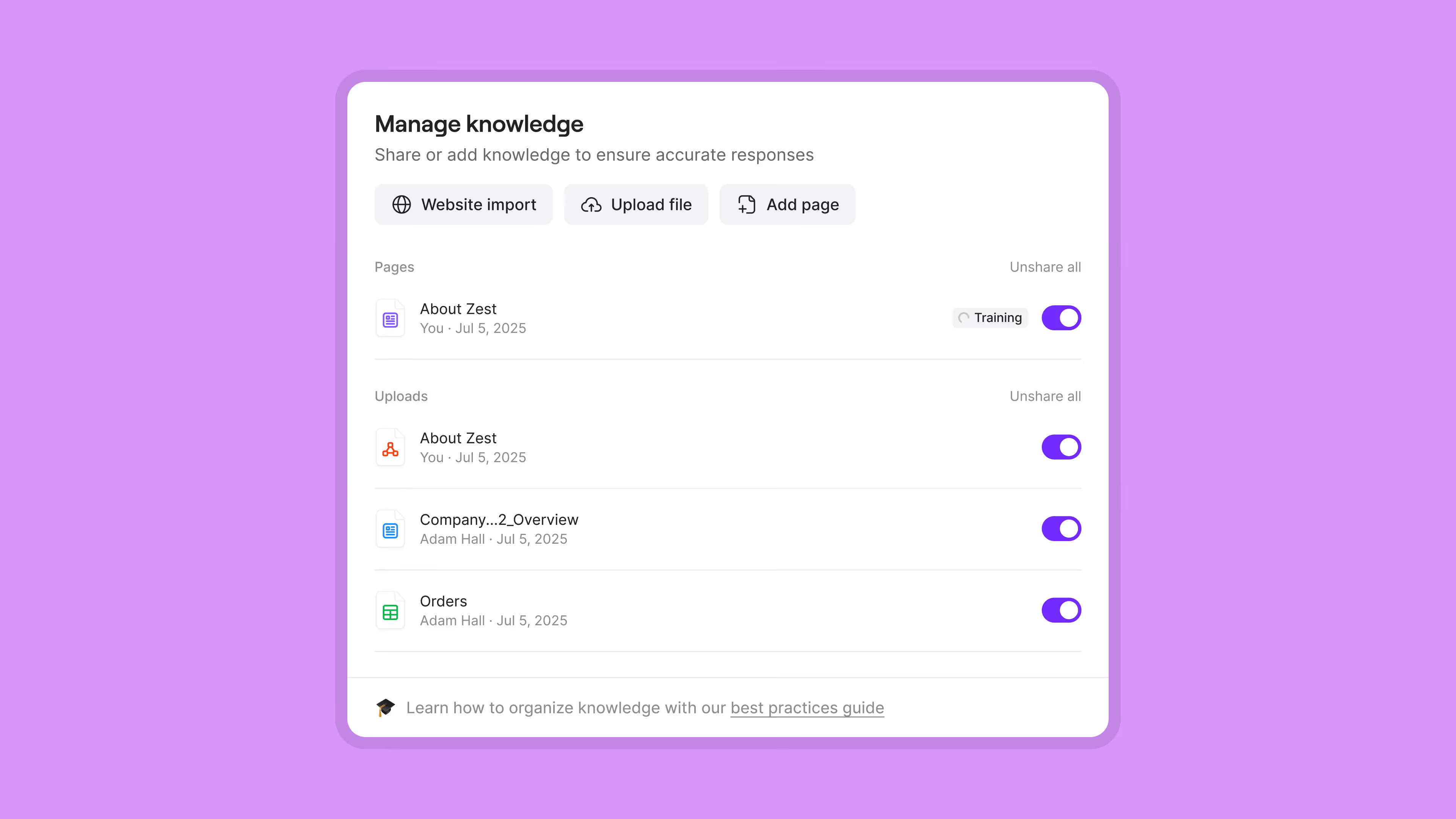
Train Sona on your company knowledge

Sona can answer questions for your team. Upload your key policies and answer commonly asked questions so Sona can provide callers with the right information. You can also share your website URLs — Sona can read your web pages and get up to speed quickly.

Customize Sona to your brand

Give Sona a unique personality tailored to your cleaning business. Choose different voices and tones, depending on your customer focus. For example, a casual tone for residential customers and a formal tone for commercial customers. You can even have Sona support customers in Spanish and French if you have a multilingual customer base. 

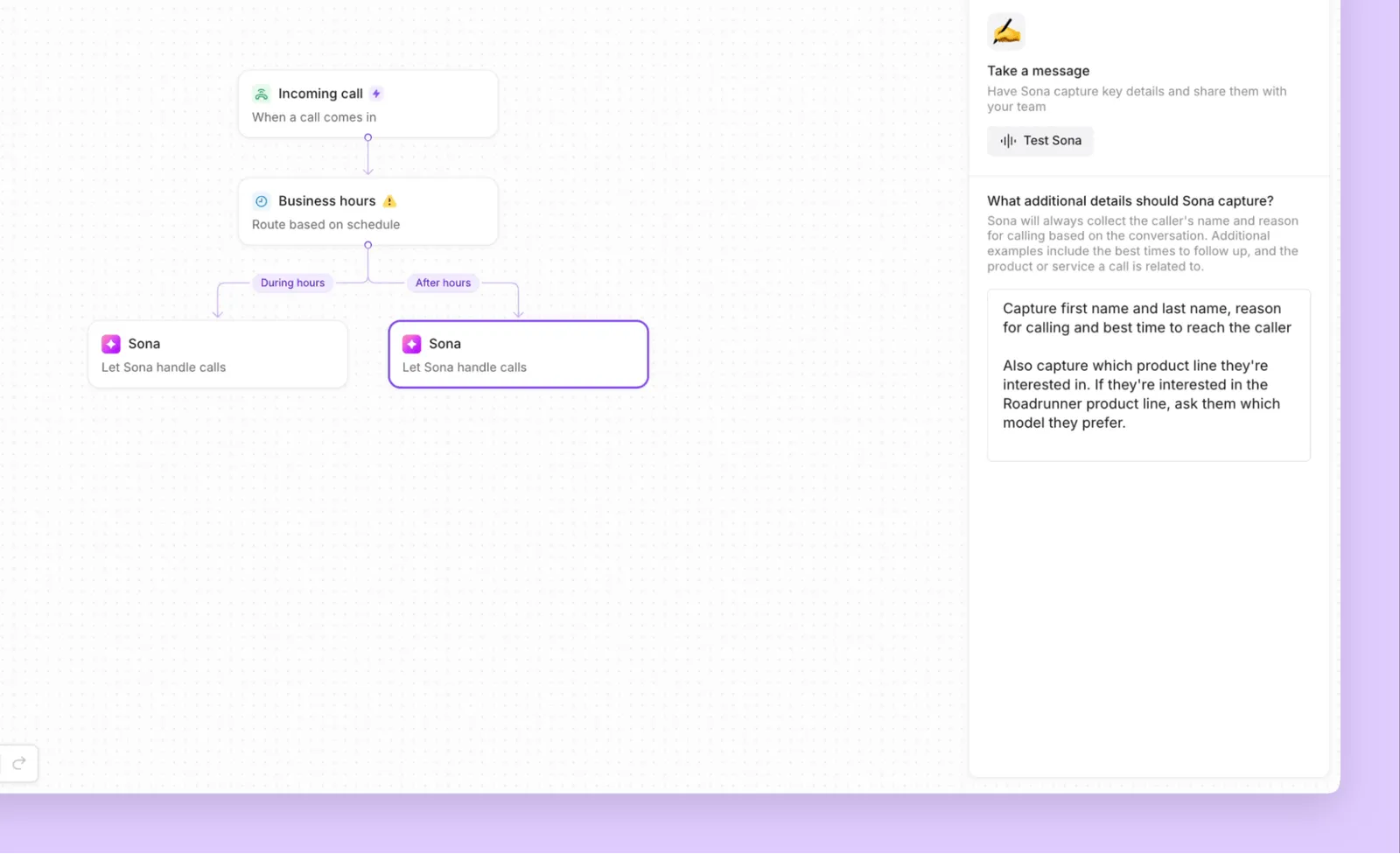
Flowchart showing call routing: Incoming call goes to business hours check, then routes to Sona during or after hours, with a sidebar explaining capturing message details like caller name, reason, best contact time, and product interest.

Instruct Sona to take specific actions

Let Sona know when to send customers a text or transfer a call to your team. For example, when customers want to book appointments, Sona can automatically text them your team’s calendar to make a booking. 

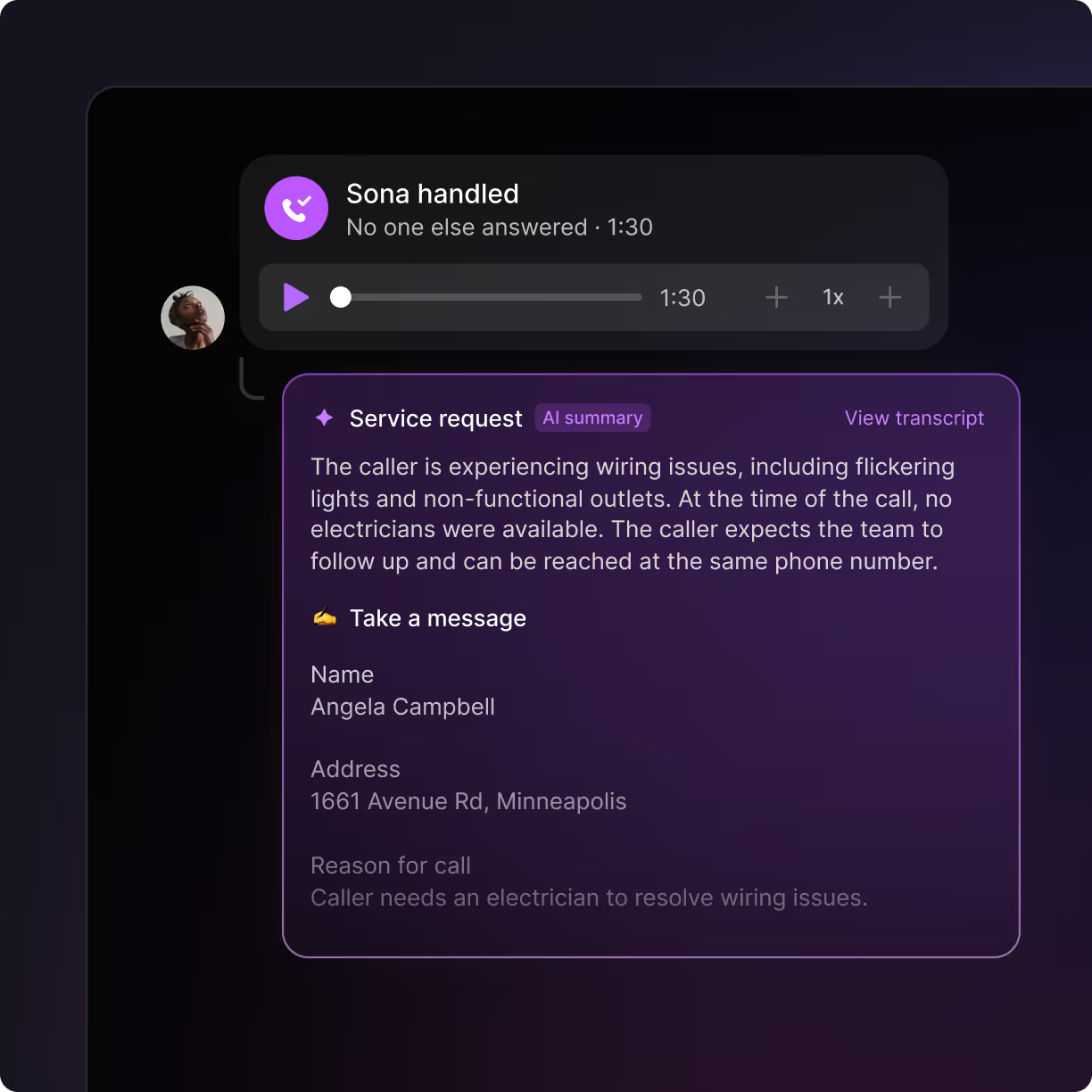
Service request summary showing wiring issues including flickering lights and non-functional outlets, with caller Angela Campbell's address and message to follow up.

How to set up Sona in three steps

It only takes three steps to get started with Sona:

  1. Start with a free trial of Quo.
  2. Configure your Sona settings and test Sona in Quo's call flow builder.
  3. Once you’ve confirmed it’s a good fit, activate your Quo account and get the Sona add-on.
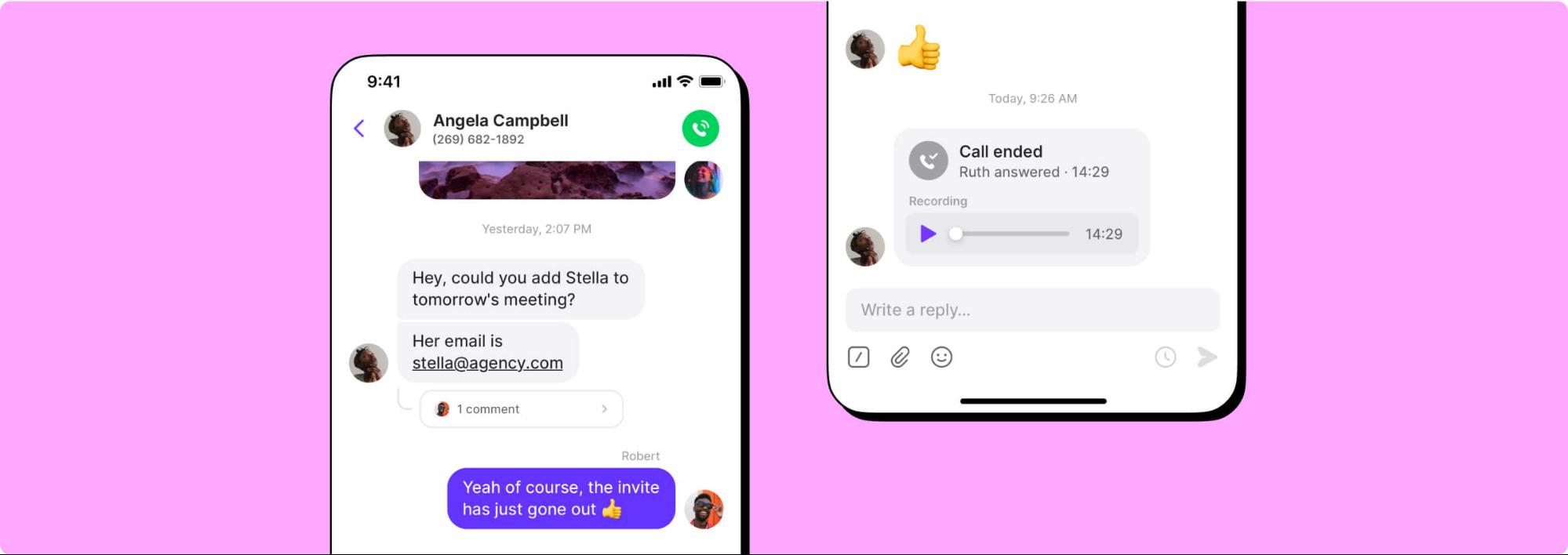
A phone call is displayed on a screen.A conversation between two people on a messaging app.

Why thousands of teams choose Quo

See why cleaning services of all sizes choose Quo as their business phone system.

Get local phone numbers for every team member

Provide your team with dedicated local and toll-free phone numbers with Quo. Choose local US or Canadian numbers with specific area codes for your technicians. Select a North American toll-free number to offer customer support across multiple service areas. 

Each Quo plan includes a phone number for every user who joins your workspace. Assign individual numbers to your technicians or share a number as a team. That way, all your conversations happen in one place. Your team can adjust their work schedules so they don't receive call notifications after their shifts are over. 

Need more numbers? Additional numbers cost $5 per number per month.

Call handling made easy

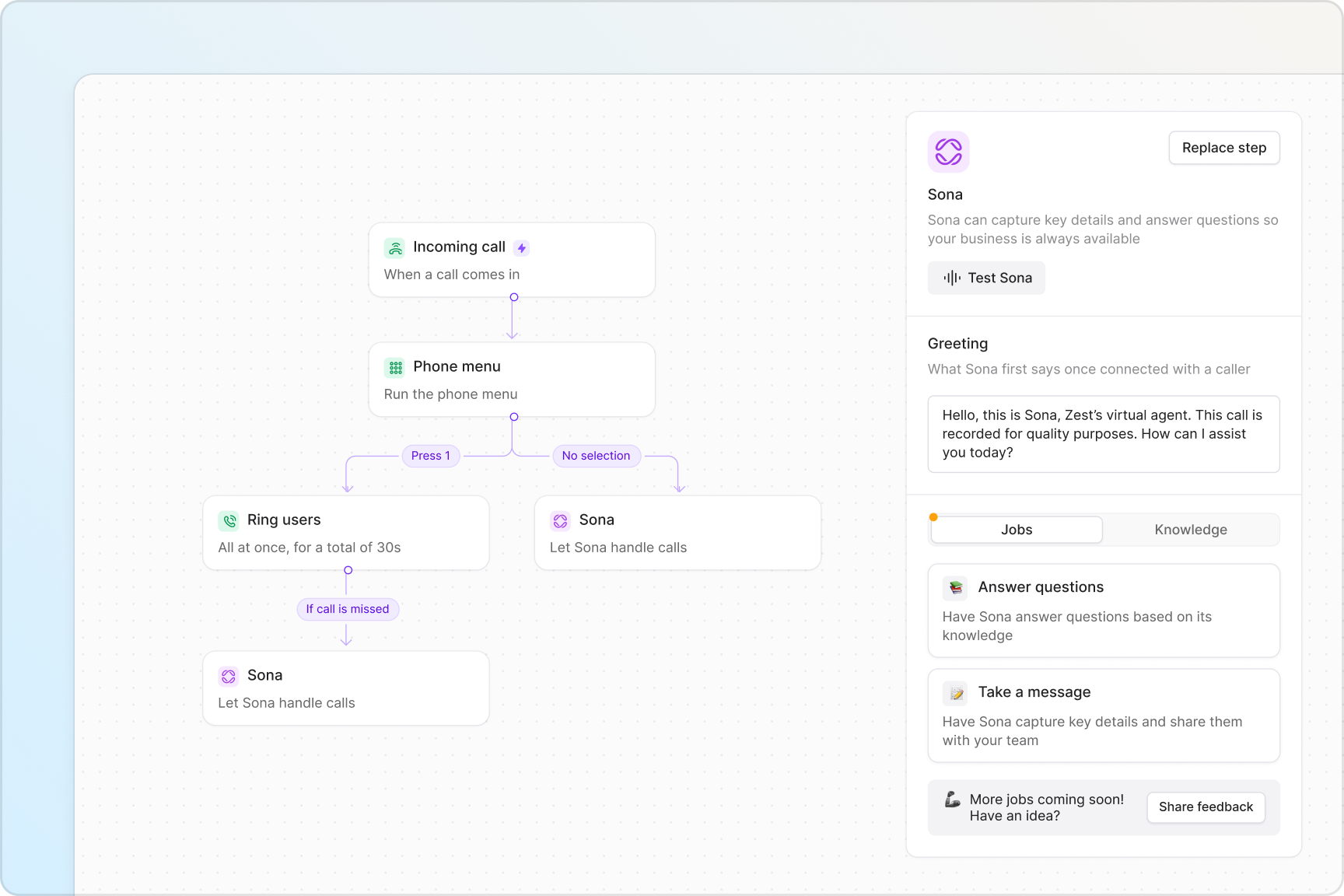
Never miss an incoming call with Quo’s call management features. Set up your call flows quickly with our drag-and-drop call flow builder. See how calls are routed with our visual canvas. 

Choose how your team receives incoming phone calls with ring groups. You can specify whether calls should ring your team simultaneously or in custom batches. Set up an IVR phone menu so your callers have self-serve options to reach your team. They can use keypad or voice-based options to navigate the menu. 

Direct unanswered calls to multiple backup call routing options. You can route calls to Sona, to a backup call forwarding number, or to voicemail. Make sure every incoming call goes to a destination, not a dead end. 

Collaborate more efficiently with your team

Work better together with Quo’s team collaboration features. Split responsibility for incoming calls and texts with shared numbers. See ongoing text conversations with customers with shared inboxes. Stay on top of your cleaning appointments in real time. 

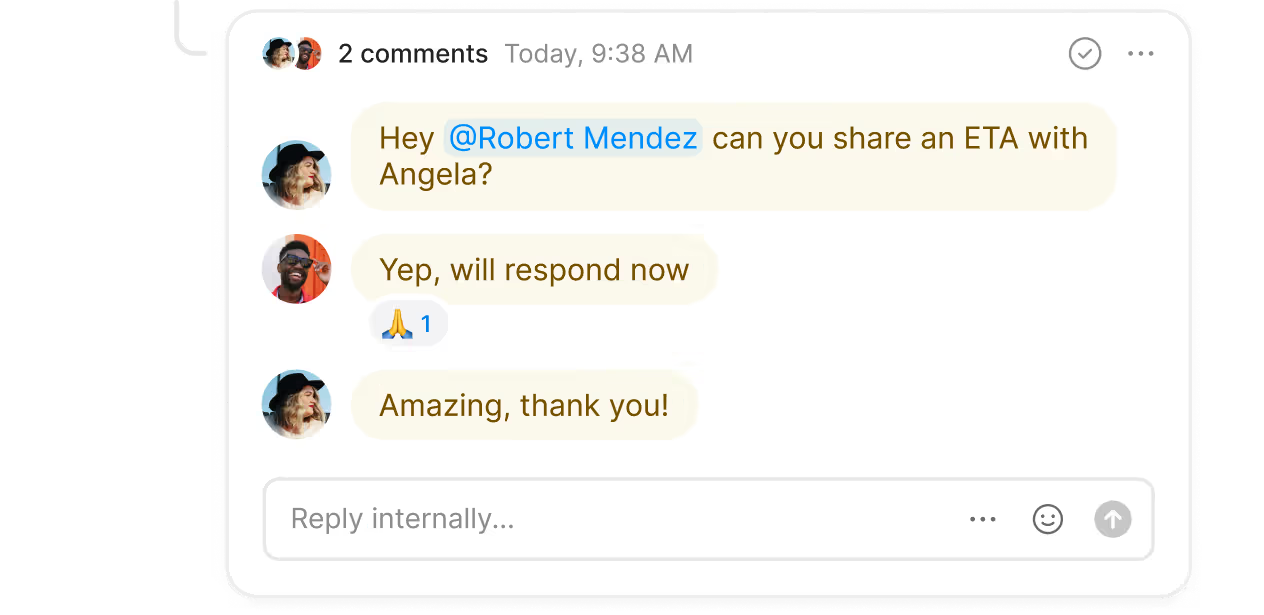
Troubleshoot ongoing issues and assign follow-up tasks to team members with internal threads. Tag teammates next to a customer conversation. You don’t need to switch apps to stay aligned, and your conversations stay hidden from customers. 

Need to transfer customer calls to a colleague or a team member in the field? Warm transfers help you share the right amount of context with your team when you transfer calls. 

Text smarter with advanced messaging features

Keep the conversation going with SMS and MMS messaging in Quo. Automatically reply to customers during and after business hours with SMS auto-replies. Schedule texts to reach customers based on their time zones. 

Scale your text workflows with our Zapier and Make integrations. Automatically send texts for common communication needs, like appointment confirmations and reminders. Reduce your cancellations and no-shows to maintain your business growth. 

Automate repetitive administrative tasks

Take work off your team’s plate with Quo. Focus on delivering a high-quality customer experience. 

Listen to your customers without scrambling to take notes on your calls. With automatic call recording and AI-powered call summaries and transcripts, you no longer have to take notes. Review past calls at a glance, from Sona and your team, with AI call tags. It uses AI to analyze your phone calls and tag them with custom labels according to your specifications. Gain valuable insights that help you make more informed business decisions. 

Save hours for your team by automatically syncing your call and text data with your CRM. Use our integrations with HubSpot, Salesforce, and Jobber. You can also build a custom integration with your CRM platform using Zapier, Make, or the Quo API

Call and text from anywhere in the world

Talk to your customers in the office, at a job site, or even at home. Your team can use their existing devices to access Quo. 

Download Quo for Mac, Windows, iOS, and Android. You can also log in to your Quo account in your browser with our web app. All you need is an internet connection to get started.

Try Quo today for free with our seven-day trial.

No hidden fees

Find out how much you’re investing in your business phone solution upfront on our pricing page.

View pricing

Frequently asked questions

Can’t find the answer here? Check out our Help Center.

Which types of cleaning businesses can use a call answering service?

Every cleaning business can use a call answering service, including:

  • Janitorial services
  • Deep cleaning services
  • Carpet cleaning services
  • Window cleaning services

Here are a few common ways cleaning companies can use a call answering service:

  • Qualifying potential clients and sharing requirements with teams
  • Scheduling appointments on your team’s calendar
  • Answering common customer questions
  • Forwarding urgent calls to your team
What are the differences between AI and live call answering services?

Here are the biggest differences between live and AI phone answering services:

  1. Customization. You can customize your AI answering service to reflect your brand’s personality. That includes voice and tone, languages, and custom call flow scripts. With live answering services, you don’t have as much control over how agents represent your brand. It varies from one agent to the next. 
  2. Integrated context. AI voice agents like Sona are integrated in your cleaning business phone system. Sona calls appear in your Quo workspace right after they end. Your team can immediately catch up on past calls and take action accordingly.
    With live answering services, you have access to your calls in a daily email summary or in a different mobile app. It’s easy to lose track of customer details when they aren’t available next to your team’s conversations. 
  3. Cost. AI receptionists are available at a fraction of the cost of live answering services. AI services can handle multiple incoming calls at once. With live services, you need to assign multiple agents to handle your call volume, which drives up your monthly costs. 

See other ways teams are using AI for cleaning services.

What’s the best answering service for cleaning companies?

We’re biased, but we believe the best answering service for most cleaning companies is Sona. It can answer questions, take messages, and help schedule appointments on behalf of your team.

How much do cleaning answering services cost?

Cleaning answering service costs vary depending on whether you’re using a live answering service or an AI answering service. 

AI cleaning answering services like Sona are free for your first 10 calls with your Quo plan, then $25 for 40 calls. It’s also available in higher tiers, depending on your call volume. 

Live answering services start around $180–$300 per month for a limited number of call minutes. When you cross your call threshold, you get charged for each additional call minute. 

What’s the difference between a call center and an answering service?

A call center is designed to handle full-service customer support over the phone. It's intended for the high call volumes common with large businesses and enterprise companies. Call centers can vary in call quality because they're often outsourced to third parties instead of managed in-house. 

Answering services aren't designed to offer full-service customer support. They're intended for lower call volumes or to assist teams in managing spikes.

For a fast-growing cleaning business, answering services help you manage incoming calls and respond  in real time. You can move faster because customer context is available in your business phone. No need to wait for a call center team to share updates about new bookings. 

Explore by industry and use case

See how Sona’s AI answering service can help you grow your business