What do Facebook, YouTube, and Google Maps have in common? They all launched after Grasshopper’s phone system. It’s served many customers over the past 20 years, but longevity doesn’t guarantee quality.
The question is: has Grasshopper kept up with the times? And is it the right fit for your business needs?
In this Grasshopper review, we’ll break down its features, prices, and limitations so you can decide if it meets your needs. Stick around to see why and learn about a modern Grasshopper alternative that’s built for how teams work today.
What is Grasshopper?
Grasshopper is a legacy virtual phone service founded in 2003. It was acquired by LogMeIn (GoTo Connect) in 2018 and hasn’t changed much since. It still offers basic features like unlimited calling and texting in the US and Canada, plus apps for computers and smartphones (Android and iOS).
How does Grasshopper’s virtual phone system work?

Grasshopper works by connecting your cell phone number to its VoIP phone system, which lets you make and receive calls from anywhere with a WiFi connection or cellular data. You can also set up local and toll-free numbers in the US and Canada. If you want to forward calls, Grasshopper’s call forwarding feature lets you route calls from the mobile or desktop app.
Want to help callers reach the right person or department quickly? You can use Grasshopper phone number extensions. That way, you don’t need to purchase separate numbers for every team member (though additional numbers are available for $9 per number per month).
Just keep in mind that Grasshopper isn’t a true VoIP service — you’ll still need a carrier phone service to make calls via cell towers and WiFi.
Does this feel more like a drawback than a benefit? Keep reading for a breakdown of Grasshopper’s other features and limitations.
Pros and cons of Grasshopper
Here’s a quick breakdown of Grasshopper’s key strengths and limitations:
Pros
- Unlimited voice calling in the US and Canada
- Unlimited SMS/MMS (MMS not available for toll-free numbers)
- Free seven-day trial
- Plans charge by the number of extensions, not the number of users
- Vanity, local, and toll-free numbers
- Instant text responses for missed calls
Cons
- Clunky mobile and desktop apps
- Only available in the US and Canada
- No integrations aside from Google Voice
- No call summaries
- Limited ways to save time texting
- 30-day storage for call recordings
Grasshopper key features
Here’s what you can expect on every Grasshopper plan:
- Business call forwarding
- Voicemail transcriptions
- Business hour routing
- Phone number extensions
- Basic analytics and reporting
- Hold music
- Auto-attendant
- Virtual fax
- Free porting for your existing number
- Call blasting for simultaneous ring ($10 per month add-on)
Keep in mind that “premium features” — like call transfers, call recording, and simultaneous call handling — require an upgraded plan starting at $25 per month (more on this later).
Now, let’s take a closer look at some of Grasshopper’s key features:
Virtual extensions
One of Grasshopper’s biggest claims to fame is virtual extensions, which you can set up for different departments, employees, and audio recordings. You can customize each extension by number, name, and time zone so customers can find the information they need quickly.
But setting up these extensions isn’t exactly easy. First, you need to use a separate web portal outside of Grasshopper’s main calling and texting app. Then, you’ll need to navigate an outdated interface and complete a clunky setup process to get everything in place.
Once you’ve done that, there are still baked-in limitations. While you can set up call forwarding schedules and greetings, there’s no way to create custom ring groups. You also can’t customize your call flow in-app to create better experiences for customers and team members.
Auto-attendants
Every Grasshopper plan includes an auto-attendant that follows basic forwarding rules (think business hours and employee schedules). You can also set up custom greetings for each extension on your plan. Just know that Grasshopper doesn’t offer multi-level IVR at this time.
If you’re looking for something more flexible than these basic auto-attendants, Grasshopper does offer access to live human receptionists through its partnership with Ruby. But beware — the cost isn’t cheap: plans start at $245 for just 50 minutes of calling.
💡 Not sure if your business needs a live virtual receptionist or if an auto-attendant would do the trick? Check out our guide to virtual receptionists versus automated answering services.
Texting capabilities
You can use Grasshopper to send unlimited SMS and MMS messages from local and toll-free numbers within the US and Canada. However, you can’t text Canadian numbers from a toll-free number, and texting groups are limited to local numbers only.
Here are a few other texting limitations to keep in mind:
- Instant responses: Grasshopper can send automatic text replies to missed calls, but this is the only texting automation available.
- No scheduled texts: You can’t schedule messages to send at a future date or time. That means you’ll need to manually send messages during business hours and be mindful of customer time zones so you don’t accidentally violate TCPA requirements.
- No international texting: Grasshopper doesn’t support sending or receiving texts from international numbers. This could be frustrating if you’re already messaging customers overseas.
Want better texting features? You may want to consider a Grasshopper alternative.
Desktop and mobile apps
Each Grasshopper plan comes with desktop and mobile apps compatible with Android and iOS devices. These apps let you make calls, send texts, and check call recordings from anywhere with a WiFi connection or cellular data.
But according to past users, the apps can be fairly buggy. Call notifications may not come through at all, leading to missed calls:
Comment
byu/Ge0cities from discussion
inEntrepreneurRideAlong
Integrations
The only Grasshopper integration available is with Google Voice, which supports call forwarding from your GV number to Grasshopper. It used to connect with another VoIP service, Skype, but this was discontinued on May 5th, 2025.
Unlike more modern business phone systems, Grasshopper can’t connect with CRMs to automatically log calls and texts. There’s also no connection with Zapier or Make to automate simple tasks, like sending automatic confirmation texts after someone schedules an appointment.
Call analytics
Grasshopper offers basic call analytics that covers call length, missed calls, and the number of calls within a given period. But it only saves your reports for up to 90 days. There’s no way to sync this data to other systems like your CRM or get longer storage unless you download individual CSV files.
You’ll notice Grasshopper doesn’t offer text analytics, which makes it difficult to track conversations at scale. Modern providers like Quo offer these on every plan, along with more intuitive ways to view conversations (like using call views).
Grasshopper pricing and plans
There are three different Grasshopper pricing plans: True Solo, Solo Plus, and Small Business.
Here’s what they look like compared side by side:
| True Solo | Solo Plus | Small Business | |
|---|---|---|---|
| Pricing | $14 per month | $25 per month | $55 per month |
| Number of phone numbers | 1 | 1 | 4 |
| Extensions | 1 | 3 | Unlimited |
| Number of users | 1 | Unlimited | Unlimited |
| Unlimited text messaging in the US | ✔ | ✔ | ✔ |
| Unlimited phone calls in the US and Canada | ✔ | ✔ | ✔ |
| Auto-attendant | X | ✔ | ✔ |
| Simultaneous call handling | X | ✔ | ✔ |
| Call transfers | X | ✔ | ✔ |
| Call recording | X | ✔ | ✔ |
And here’s a quick breakdown of the features of each:
- True Solo: $14 per month for one user, one phone number, one extension, unlimited business texting, virtual fax, voicemail to text, instant responses, custom greetings, and access to the mobile and desktop apps
- Solo Plus: $25 per month for unlimited users, one phone number, three extensions, access to additional extensions ($3 per month) call recording, call transfers, and simultaneous call handling
- Small Business: $55 per month for unlimited extensions and four phone numbers
Keep in mind there are other fees that stack onto your monthly price, including additional extensions ($3 per month), additional numbers ($9 per month), and add-ons like call blasting ($10 per month).
Even international calling requires a $500 deposit plus per-minute pricing — which you can’t use until your Grasshopper account is 60 days old.
To summarize: your monthly bill might be much higher than what you see on the pricing page.
What customers are saying about Grasshopper’s VoIP system
Past customers appreciate Grasshopper’s ease of use, thanks in part to a download wizard that helps you set up the app.
But many also say it’s inefficient and not as affordable as it may seem. The interface can be clunky and hard to navigate, the billing structure is confusing, and getting in touch with customer support can take a long time.
See for yourself:
- “I received an email from Grasshopper saying that I needed to “right size” my plan because I had too many extensions. So I changed to a Small Business plan. However, after doing the math, I realized that it is less expensive to keep the solo plan for 10 extensions, and tried to switch back. Unfortunately, I have already received an invoice for hundreds of $ more than my current plan. I spoke with customer service, who advised that nothing can be done to change back my mistake and that no credit is possible, and I am stuck with the higher price for a year.” — Trustpilot
- “Ultimately, this system is very straightforward and easy to use. For a small business, it provides the basic functions I need. … One of my biggest frustrations is that it does not have a separate contacts function. The phone app requires syncing with my personal phone contacts, which is exactly what I did NOT want. I wanted my business contacts [completely] separated from personal friends and family. Even the desktop app does not allow for that.” — Software Advice
- “Grasshopper was very user friendly. … The implementation was easy, and we loved that we can use it on a [land]line/VoIP or also log into the Grasshopper app and answer on the go. … Downside was that we grew rather quickly and needed to switch to another company to meet our needs. Other than that, we would’ve stayed.” — G2
Who is Grasshopper best for?
Grasshopper is best for new entrepreneurs and solopreneurs who only need basic business phone numbers and extensions. It might even be more cost-effective than traditional cell carriers since you can add unlimited users to a single plan (though you’ll still need to pay for additional numbers and extensions).
That said, Grasshopper may not be the right fit for fast-growing startups or small teams that need more advanced features. If your business relies on third-party apps beyond Google Voice, advanced call management features like IVR, or detailed reporting for calls and texts, you may want to consider a Grasshopper alternative like Quo.
The best Grasshopper alternative: Quo (formerly OpenPhone)
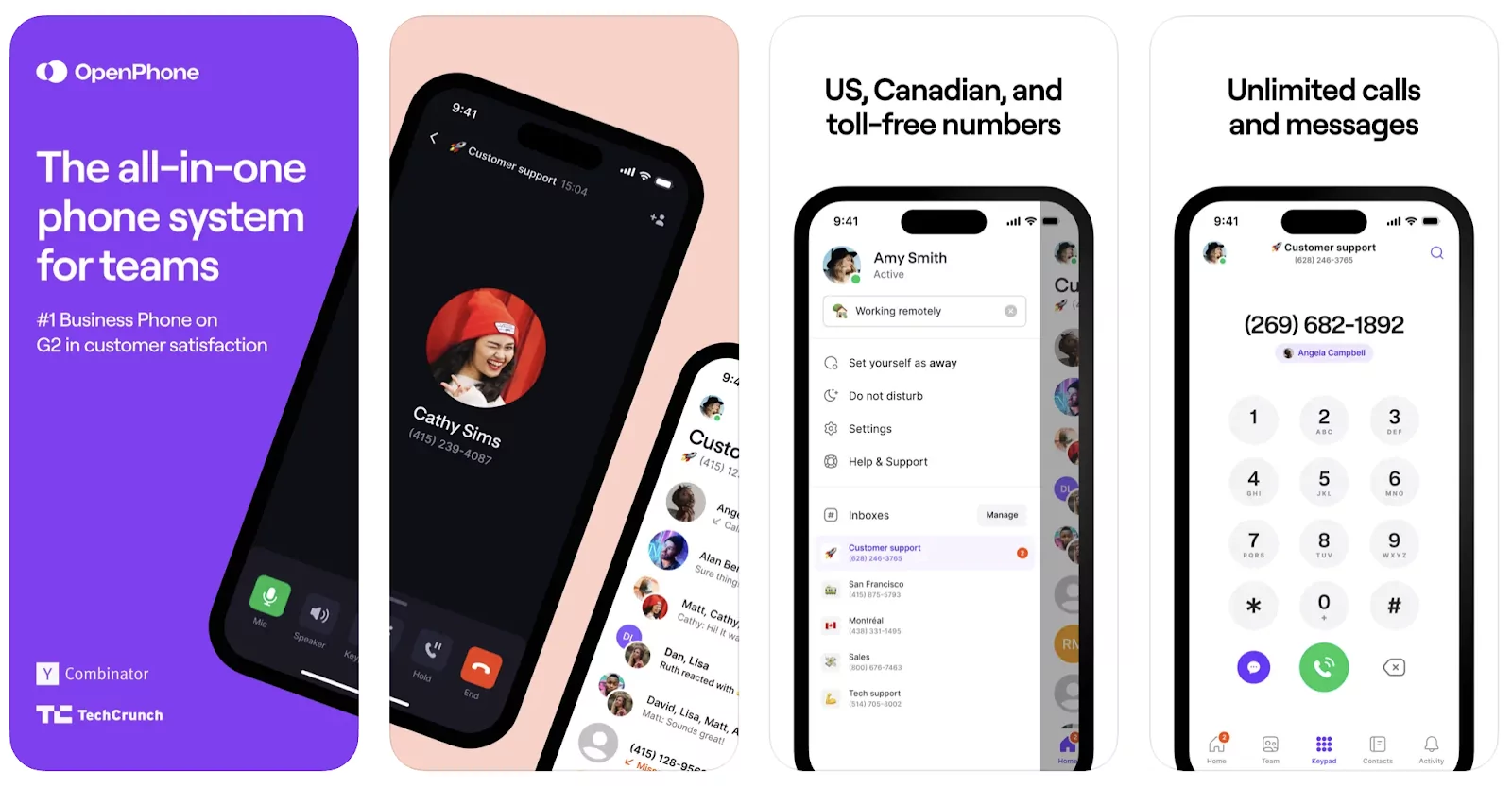
So, does Grasshopper make sense for your growing business? That depends on what you’re looking for. But if you want a service provider built to scale with your company, Quo offers more value for your money.
When comparing Grasshopper vs Quo (formerly OpenPhone), the winner is clear. Quo comes with dozens of native integrations that help you delight your customers and save time for your team, including HubSpot, Salesforce, Zapier, Make, Jobber, and the Quo API. Plus, everyone on your team can call and text from the same number and collaborate in-app using internal threads.
Quo makes it easy to:
- Keep calls organized with a shared inbox for calls, texts, voicemails, and call recordings (all stored under each contact).
- Read conversations rather than listening to them with AI-generated call summaries and transcripts.
- Filter calls by topic, keyword, or sentiment using AI call tags so you can stay organized and prioritize customer callbacks.
- Automate texting with customizable auto-replies, scheduled messages, and text message templates (snippets) for FAQs.
- Never miss a call using our affordable add-on AI voice agent, Sona.

See for yourself why Quo is the best Grasshopper alternative by signing up for a seven-day free trial.
FAQs
Users say that Grasshopper is easy to set up on mobile and desktop devices — even if the interface can feel clunky at times. They also like the flat-rate pricing, though costs add up quickly as you need more numbers, extensions, and features. Some reviewers also mention that collaboration is limited since Grasshopper doesn’t offer internal messaging.
Grasshopper isn’t as old as phone systems like RingCentral, but it offers fairly similar features apart from video conferencing. However, it falls behind more modern small business phone solutions like Quo, which offers international texting, text message automations, and third-party integrations on every plan. Keep in mind also for healthcare teams that Grasshopper isn’t HIPAA compliant.
Grasshopper is owned by GoTo Connect, which reports 99.99% uptime for customers. But reliability isn’t just about uptime. Users have reported issues with call quality, like echoes, dropped calls, latency, and occasional fuzziness, which can hurt day-to-day communication quality.