Sometimes when a customer calls and leaves a message with a teammate, the details get lost — and you’re left guessing what to do next.
You get a scribbled note that says, “Call Sarah.” No number, no context, and no clue who Sarah is.
That’s what happens when you don’t have a clear process for taking business phone messages. Team members miss key details, and you lose potential business.
In this guide, we’ll show you how to take a telephone message step by step so you always have the information you need to return calls. We’ll also point you to templates and tools to help ensure that every message is coherent — no matter who picks up the phone.
8-step checklist for taking a phone message
Clear phone messages include customer contact information and their reason for calling in a format that makes follow-ups fast and easy. Use these eight steps to professionally answer the phone and start taking better messages:
- Answer with a clear, friendly greeting. State the business name and your name so the caller knows they’ve reached the right place (and they’re talking to a real person). Don’t forget to use a friendly tone to help establish rapport.
- Ask how you can help. Be polite and professional. Say something like, “How can I assist you today?” to show the caller you care about their problem and want to fix it. Listen carefully and take notes as they answer. Repeat the details to make sure you understand what they said.
- Get the caller’s name. Ask for the caller’s first and last name — and, if necessary, how to spell each. To personalize future interactions, find out if they prefer to be addressed by their first name, a nickname, or a specific title.
- Confirm a preferred callback number. Ask for the caller’s number, even if they’re a regular, then repeat it for verification. Their contact details may have changed since the last time you talked.
- Note the reason for the call. Be specific with details. For example, if the caller says they have a question about an order, ask for the order number, the date of the order, and the specific item they need help with.
- Add the time and date. Note when you took the message so you (or your team members) can easily prioritize follow-up calls. If you’re using a virtual phone system like Quo, time and date are logged automatically to save you time and minimize mistakes.
- Let the caller know when they’ll hear back. Give a timeframe for the reply and reassure them that their issue will be addressed as soon as possible. It’s a good idea to ask if they have a preferred time of day for return calls — otherwise, you might get stuck in a days-long game of phone tag.
- Wrap up with a pleasant closing to end the call on a positive note. Thank the caller for reaching out, and let them know their message will be passed along.
5 phone message templates to get the info your team needs
Ready to put these steps into practice? We created five templates for you to copy, customize, and share with your team to take more professional telephone messages.
1. Booking an appointment
If you run a service business, appointments are the backbone of your company. Use this template to ensure customers receive their preferred appointment slots.
Hi! Thanks for calling [business name]! This is [your name] — how can I help you today?
So, you’d like to book an appointment on [day] at [time]?
Great, thanks for confirming. Can I get your full name?
And what’s the best number to reach you at?
Okay, I’ve got [XXX-XXX-XXXX] — is that right?
Perfect. I’ll pass that along to our booking department. You should hear from us [timeframe].
2. Taking a message for a teammate
When a team member isn’t available to pick up the phone, use this template to capture the information they’ll need to call their client back.
Hi! Thanks for calling [business name]. This is [your name] — what can I do for you today?
I’m sorry, [teammate’s name] isn’t available right now. Can I take a message?
Great — may I get your first and last name, please?
And what’s the reason for your call today?
Let me make sure I’ve got that — [repeat back their message], correct?
And what’s the best number for [teammate] to reach you?
That’s [XXX-XXX-XXXX], right?
Got it. I’ll pass that along, and [teammate] will get back to you [timeframe].
Thanks again for calling. Have a great day!
3. General phone message for a small business
Sometimes a customer calls your small business with a problem that’s too complex to address right away. Use this template to gather the important details so you can get back to them with the best solution.
Good [morning/afternoon], thanks for calling [business name]. This is [your name]. How can I help you today?
So, you’re looking for [information on/help with X], correct?
I’ll have to check on that for you. Can I get your name, please?
Thanks. And what’s the best phone number to reach you at?
That’s [XXX-XXX-XXXX], correct?
Got it. And when is the best time to call you back?
Great. I’ll look into the issue and get back to you [timeframe]. Enjoy the rest of your day!
4. Asking about a job posting
When you’re hiring, you don’t want to miss connecting with interested candidates. Keep this template handy when someone calls about an open position.
Hello, and thanks for calling [business name]! This is [your name]. How can I help you?
I see — you’re calling about [position], correct? What would you like to know?
So, you’d like to find out [details] — is that right?
I can certainly pass your question along to [department]. May I have your first and last name, please?
Great. And what’s the best phone number for [department] to call you back?
I’ve got [XXX-XXX-XXXX], correct?
Thanks! Someone will get back to you [timeframe]. We appreciate your interest in [business name]!
5. Returning a missed call
When a customer calls back after missing a call from your business, they might not know who reached out or why. Even if you have some context from your call log, it’s important to confirm their details so your colleague has everything they need to follow up — especially if you’re not the one who originally called them.
Hello, is this [customer’s name]? This is [your name] from [company name].
I saw we tried to reach you earlier. I’d be happy to take a message and make sure the right person follows up.
Can I get your full name?
And what’s the best number to reach you at?
Let me repeat that to make sure I have it right — [XXX-XXX-XXXX]?
Got it.
Do you know what the call was regarding, or would you like me to make a note for our team to look into it?
What time works best for you?
And is there anything else I can help you with right now?
Thanks again for calling [company name]. We’ll be in touch soon!
Quo: The small business phone system for easier conversation management

A business phone system like Quo makes it easy to take a phone message and start handling calls professionally. Your team gets access to unlimited calling and texting to US and Canadian numbers. Plus, every teammate you add to your plan gets their own local, toll-free, or vanity number, making it easy to separate conversations by role or department.
You can use Quo on the devices you already have, like your phone, laptop, or desktop, as long as you have an internet connection. This gives your team the flexibility to take calls and messages from anywhere — without using personal numbers or being tied to a desk phone.
Here are even more ways Quo helps your team take better messages — or avoid needing to take them by connecting callers with the right person in the first place:
- Automatically route calls to the right person based on rules like caller input, time of day, or availability.
- Let customers choose who they speak with by setting up phone menus with options like “Press 1 for customer support.”
- Set clear expectations with custom voicemail greetings for when you’re unavailable or experiencing high call volume so customers know who they’ve reached and what to expect.
- Speed up follow-ups with AI-generated call transcripts and summaries that help your team quickly review and act on customer conversations.
How to take a phone message automatically 24/7

Want to go beyond a standard voicemail greeting when your team is unavailable? Quo’s AI agent, Sona, can handle calls for you 24/7.
You can add Sona anywhere in your call flow to:
- Immediately answer calls and provide helpful information like business hours
- Step in after specific phone menu options to handle FAQs or take messages
- Catch missed calls and record details if no one is available to answer
Sona works out of the box — just add it to your plan and provide basic information about your business and common questions, and you’re all set.
After Sona takes a message, the entire call is transcribed and summarized for easy review. This makes it easy for your team to spot urgent requests and get back to customers quickly.
Say goodbye to missed calls and lost leads
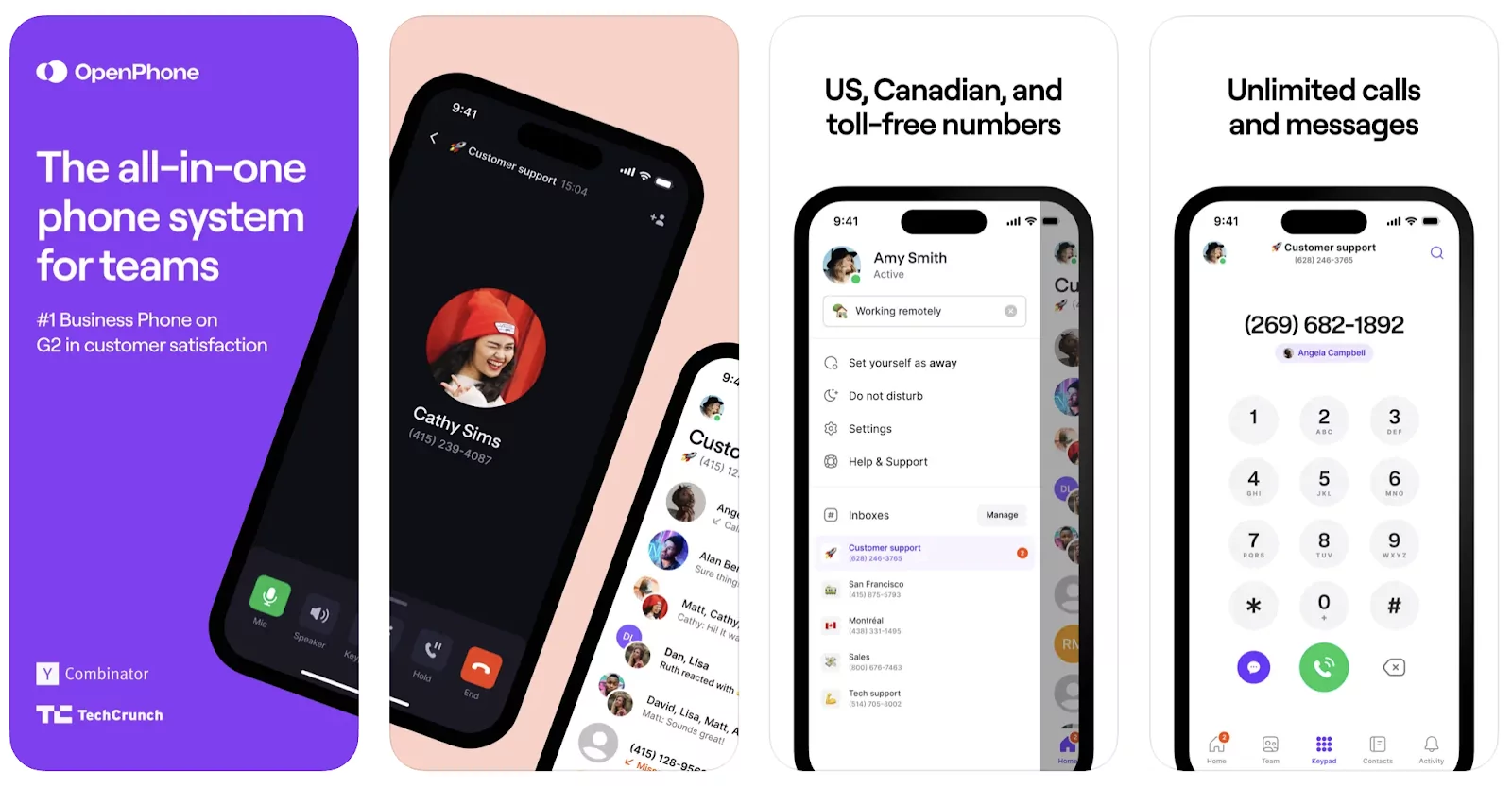
Quo helps ensure no lead or customer falls through the cracks. Along with Sona, you’ll get tools to improve how your team handles calls and follow-ups:
- Send auto-replies when you’re unavailable, during or after business hours.
- Give context to team members when you need to move an active call to a new recipient with warm call transfers.
- Deliver follow-ups at the right time with scheduled texts.
- Send MMS and SMS messages for a more engaging experience.
- Message multiple contacts at once with group texts.
- Minimize missed calls with ring groups that alert team members in a specific order or all at once.
- Respond faster to common questions or follow up on missed calls with snippets.
Start capturing every call and message with the tools your business needs to grow.
Try our AI voice agent, Sona, during a free seven-day trial with Quo today.
FAQs
If you’re using Quo, all messages are saved in your workspace. Just click on the customer conversation you want to review to access voicemails, summaries, transcripts, and call recordings for every call made to that number.
You get access to call transcripts and a bullet-list summary of key points just seconds after a call ends so your team can follow up quickly.
If you’re using a smartphone, go to your voicemail settings to record a new message. With Quo (formerly OpenPhone), you can record your voicemail greeting directly in the app.
An answering service uses live receptionists to take messages instead of sending callers to voicemail. However, this can be expensive, and you’ll have to train each person. With Quo (formerly OpenPhone), Sona is available 24/7, follows your instructions every time, and delivers a complete transcript and summary in your workspace seconds after each call.
Any small business or team can benefit from message templates. They help you gather the right details and prioritize callbacks.
Templates can also guide the reps at an answering service to capture and relay accurate information.
Missing key details or writing down the wrong information can cost you leads or hurt customer trust.
Following up based on the wrong information is embarrassing for your team and frustrating for the customer. The answer they need gets delayed and you risk losing their business altogether.