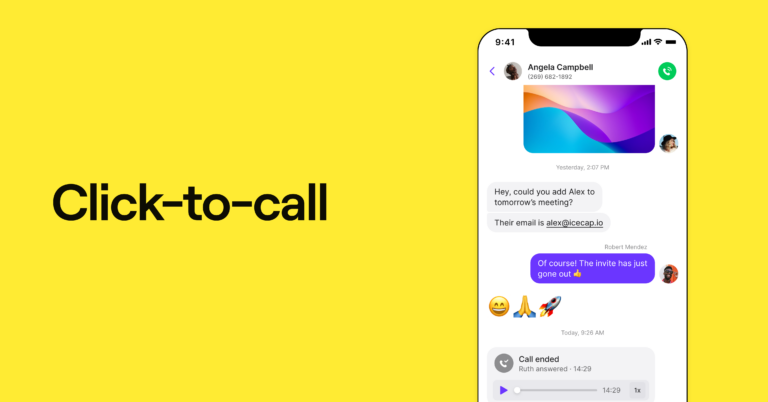
Increasing inbound leads is a win in any business playbook. And catering directly to your clients’ needs is one of the fastest ways to do so. With a simple icon or button on your website, customers can connect with your support or sales teams from the convenience of your site. That’s the magic of click-to-call, and we’re here to walk you through it.
We’ll also explore how click-to-call works when your own team can easily click any number on their desktop browser and dial. By the end, you’ll know exactly how to set up a click-to-dial feature with a business phone system. Let’s get started.
What is click-to-call?
Click-to-call, also known as click-to-dial or click-to-text, is a link. It’s commonly embedded as a website button, but it’s also available as a hyperlink. When your customers click the button, text link, or call link, they can initiate a phone call or send a text. These are powered by their device’s default calling or texting app.
Click-to-call is considered a type of direct-response marketing. After viewing product information and other webpage content, users can contact your company directly.
How click-to-call works
Now let’s look at how click-to-call can work for your customers and team.
For your customers: Call your business with one click
Click-to-call makes it easy for customers to reach your business the moment they’re ready to talk. When someone taps a click-to-call button or icon on your website, landing page, or elsewhere, their device automatically opens the default calling app. There’s no need to copy a phone number, switch apps, or manually dial anything.
To set this up on your website, you can use the Quo, formerly OpenPhone, click-to-call button generator. Start by selecting the phone number customers should call. From there, customize the button text and choose whether the button starts a call, a text, or both. Once everything looks right, copy the code and add the button to your site.
For your inbound sales and customer service teams
Instead of missed calls and phone tag, click-to-call lets you connect with callers straight away. That means sales conversations happen sooner, and support questions are handled on the first call. Less time is spent chasing people down, and more time goes to resolving issues and moving deals forward. The result: fewer callbacks and lost opportunities.
With Quo as your business phone system, it’s easy to streamline your inbound and outbound sales processes. In just a minute or two, you can make Quo your default calling app to enable click-to-call on websites. Once everything is set up, you can sit back, relax, and watch the leads roll in.
Click-to-call from your CRM
What happens when you integrate your CRM with click-to-call technology and enable your phone system as the default calling app? Your sales team can save time dialing warm leads from your CRM. This means saying goodbye to copying and pasting numbers just to dial a prospect.
Quo also offers CRM integrations. Here’s a short video that explains how the Quo and HubSpot integration works.

What are the benefits of click-to-call for teams?
Your sales and support teams are the first lines of interaction between your company and your clients. That makes supporting your team one of the best things you can do for your organization. You can show your support by giving your team tools to help them excel. Click-to-call is full of benefits, and can help your team:
Be more productive
Your team can prioritize existing customers and interested prospects by using click-to-call. People who choose to call aren’t just browsing; they’re ready to have a real conversation. This means you can capitalize on leads and improve the customer experience instantly.
Take calls with more context
With click-to-dial enabled, all your conversations with leads log into your CRM and VoIP phone system, if you’re using a great provider. Quo makes it easy to contextualize each phone call you make or receive from your computer or smartphone.
You’ll have access to any notes and previous communication associated with a contact while placing a call. That makes it easy to get right down to business and personalize your chat. It also makes teamwork a breeze, since sharing contact notes with colleagues has never been easier.
Encourages your team to use your business phone system for all outbound communication
A business phone system works best when it’s used only for work-related communication. Your teammates will never have to fret about using their personal phone numbers for work, since they’ll be able to have two numbers on one phone. Plus, you’ll also be able to ensure your team is on the same page and everyone’s doing their part if you set up shared phone numbers.
Route calls to the right team member automatically
With click-to-call, you can assign numbers to specific teams or reps. A call from your pricing page can ring your sales team, while a call from your Help Center goes straight to a support rep. This helps save your team time and allows callers to reach the right destination faster.
Mobile access makes it easier to use while on the go
Click-to-call works on mobile the same way it does on desktop. When a team member taps a phone number in their CRM, for example, the call connects to the contact. That makes it easy to follow up on leads or return calls while working remotely or in the field without needing to be at a computer.
Just keep in mind that your team will need to change the default calling app on their phones to your business phone app.
What are the benefits of adding click-to-call to your website?
When you add click-to-call to your website, you’ll enjoy a range of benefits. Some of the top advantages of using click-to-call include:
Give website visitors their preferred way to reach you
Customers can get frustrated when they don’t get the answers they need in a timely fashion. Some companies make it difficult to reach a human, putting customers through multiple rounds of automated menus. Others have no live support at all. Your customers will appreciate a click-to-call button that provides faster access to your team more than you know.
Boost your conversion rates and customer contact rates
By following the customer journey, you’ll gain a better understanding of your customers’ needs and preferences. This includes everything from their geographical location to their purchasing habits. Adding a click-to-call button helps remove friction from that journey by making it easier for interested visitors to reach you when they’re ready. Your sales team will also have access to a complete list of potential and interested contacts. The more touchpoints you have with a lead, the greater your chances of securing a conversion.
Solve customer problems in real time
Having a click-to-call feature lets customers reach your business while they’re already on their phone. They don’t have to wait until they’re back at a computer or remember to follow up later, making it more likely they actually get in touch.
When customers call from their browser, it’s often because they want an on-the-spot answer. Maybe they can’t find the information they’re looking for on your website, or they need to contact you for a quote. Either way, you can address their requests instantly by providing a click-to-call button. This helps prevent lost opportunities and improves your company’s reputation.
Check out our guide to adding a click-to-call HTML element to your website.
Improve customer segmentation
You can add dedicated numbers to different ad campaigns. For example, an ad campaign on Google can use one number, while one on Facebook can use another. That way, you can see which campaigns drive the most calls instead of guessing what’s working.
▶️ Want the full breakdown? Learn how to set up a Google ads call extension to win more leads.
How to set up click-to-call in Quo
You’ve now seen all the benefits of using click-to-call to complete outbound calls. Here’s how you can set this feature up from your Mac or PC. This should only take two minutes of your time.
How to click to call from a Mac
For outbound calls on your Mac, you’ll want to make Quo your default calling option. Here’s how to set up click-to-call in Quo in just a few simple steps:
- Install Quo’s Mac app.
- From the Applications menu, select FaceTime.
- Choose Settings.
- Toward the bottom of the window, you’ll see an option called Default for calls. Select Quo from the dropdown menu.
How to click to call from a PC
To make Quo the default calling app on a PC, follow these directions:
- Download Quo’s Windows app.
- Open Windows Settings and tap the start menu.
- Search for Default app.
- Press Default apps System settings.
- Navigate to protocol settings.
- Scroll down and select Choose default apps by protocol.
- Scroll until you see TEL and select Quo.
Now, anytime you click a website or client’s telephone number, you’ll see a prompt to start the call via Quo. Pretty fancy, right?
Next, let’s take a look at how you can use click-to-call in Quo’s CRM integrations.
How to use click-to-call in HubSpot
Here’s how to use click-to-call in Quo’s HubSpot integration.
- Set Quo as the default calling app on your computer.
- Hover over the phone number in the HubSpot contact.
- Click the share icon that appears.
- Select the option to call in Quo.
- Complete the call in the Quo desktop app.
How to use click-to-call in Jobber
Here’s how to use click-to-call in Quo’s Jobber integration.
- Click a client’s name on any synced Jobber request.
- Click on the phone number marked as Call from Quo.
- You’ll be taken to the Quo desktop app, where you can click Call to dial that number.
How to use click-to-call in Pipedrive
Here’s how to use click-to-call in Quo’s Pipedrive integration.
- Set Quo as your default calling app on your computer.
- When you click a phone number in Pipedrive, the Quo desktop app will open with the number pre-filled.
- Click Call to place the call from your Quo number.
How effective is click-to-call?
Can click-to-call really make a big difference? The global market for click-to-call solutions weighed in at $20.3 billion in 2024, and experts project it to reach $53.2 billion by 2030, growing at a compound annual growth rate, or CAGR, of over 17.4%. But the practice is still not universal, making it an impressive website feature.
When you make it easy for customers to access business information or speak with a live rep, you earn their trust. Plus, those click-to-call leads are high-value when compared to cold calls.
But don’t just take our word for it. With mobile phone searches and Google now dominating the inbound traffic funnel, there’s no time like now to test click-to-call for yourself.
Try out Quo’s click-to-call feature today
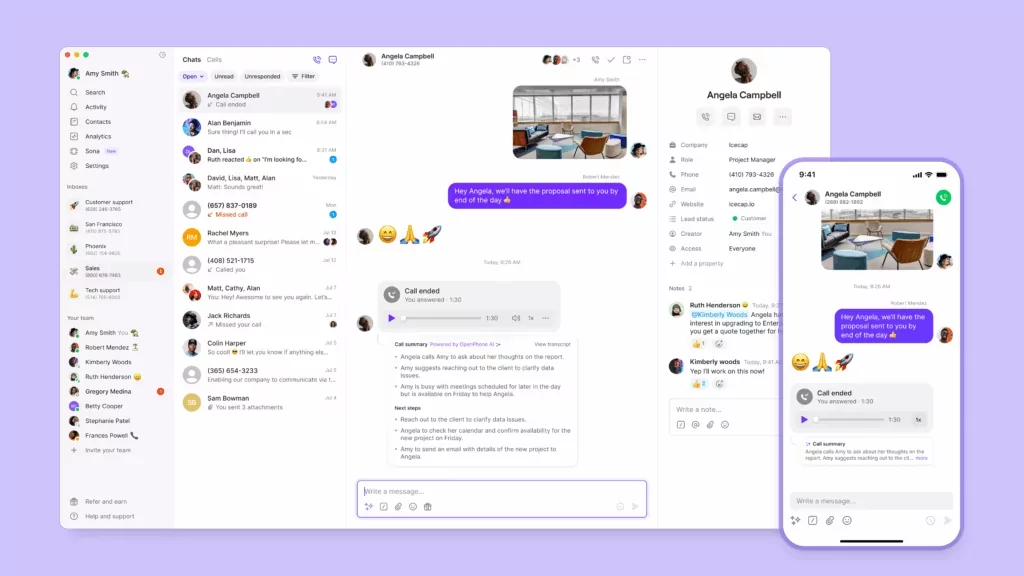
Click-to-call is just one of the many features you’ll enjoy when you sign up for Quo’s business phone service. Along with flexible pricing plans, our click-to-call feature makes choosing Quo a no-brainer. You’ll also get access to features like AI call transcriptions and summaries to help your team review conversations faster. Easily take calls across all devices using Quo’s iOS, Android, desktop, and web apps.
Sign up for your free trial today to learn more about what Quo is all about.
FAQs
Click-to-call software allows users to make calls from their devices by clicking on a phone number.
A click-to-call dialer is a feature within click-to-call VoIP apps that dials the selected phone number when clicked. This connects the user directly to the desired contact without having to manually enter their number.
– Click-to-call makes sense when someone wants quick answers, pricing information, or to book an appointment right away without back-and-forth.
– Click-to-text works better for simple, low-urgency questions that don’t need a lengthy conversation.
It shows up differently depending on how customers reach you. For example, a lawn care business might use it to capture calls while crews are in the field. A real estate team can use the feature to connect buyers to agents directly from listings. Home services businesses can route after-hours click-to-call traffic to Sona, then follow up the next day.
Click-to-call works best when calls are routed properly. If no one is available to answer, calls will go unanswered, and you’ll have unhappy leads. That said, pairing click-to-call with an AI voice agent like Quo’s Sona can help avoid missed opportunities.
If you use a softphone software like Quo, click-to-call works anywhere customers can make phone calls from their devices.
No, customers don’t need to download anything. Clicking a click-to-call button simply opens the default calling app already on their device.
Yes, click-to-call works well on mobile phones. Mobile users can tap a phone number or button and start a call right away, without copying or dialing.
Yes, click-to-call can work inside Salesforce when it’s integrated with a business phone system like Quo. For example, clicking a phone number in Salesforce starts a call in Quo. You can also keep call activity tied to the contact record, so everything stays in one place.