Ready to buy a small business phone plan for your company but not sure which one to choose? It’s easy to feel overwhelmed by all your options, especially if you’ve never purchased a business cell phone plan.
We’re here to help you make an informed decision. In this guide, we’ve collected eight of the best business phone plans and packages on the market. We also explain:
- Key features of a great business cell phone plan
- How much you should expect to pay for a phone plan
- The differences between Voice over Internet Protocol systems and traditional cell phone carriers
If you’re not sure if you should choose a VoIP provider or a regular cellular carrier, we suggest VoIP as the better choice for your business. Keep reading to find out why.
The best small business phone plans compared side-by-side
These eight business phone plans cover a range of different communication options for your team across different price points. Here’s a high-level overview before we dive into each provider in detail:
| Provider | Price | Unlimited calling to US & Canada | Unlimited SMS, MMS to US & Canada | Shared phone numbers | Additional phone numbers | G2 rating |
|---|---|---|---|---|---|---|
| Quo | $15 per user per month | ✓ | ✓ | ✓ | $5 per number per month | 4.7 out of 5 |
| Google Voice | $17 per month per user | Unlimited calls to Canada from US only | Unlimited text in US only | Requires upgrade for ring groups | X | 4.1 out of 5 |
| RingCentral | $20 per user per month | ✓ | 25 messages per user per month | ✓ | $4.99 per number per month | 4.1 out of 5 |
| Grasshopper | $14 per month | ✓ | Local numbers only | X | Requires upgrade | 3.9 out of 5 |
| Ooma | $19.95 per user per month | ✓ | Requires upgrade | ✓ | $9.95 per number per month | 4.6 out of 5 |
| Verizon | $29 per number per month when you buy 5 numbers | ✓ | ✓ | X | Starts at $29 per number per month with five numbers | 3.4 out of 5 |
| AT&T Business | $30 per number per month when you buy 6 numbers | ✓ | ✓ | X | Varies depending on your plan | 3.9 out of 5 |
| T-Mobile | $21 per number per month when you buy 6 numbers | ✓ | ✓ | X | Starts at $21 per number per month with six numbers | 4.1 out of 5 |

Which of these phone plans is right for your business? It depends on how you’d like your team to work together. Scroll down to learn what each of these providers can offer your business.
The 8 best business cell phone plans: In-depth analysis
1. Quo (formerly OpenPhone): The best VoIP plan provider for small businesses
Pros
- Unlimited calling and texting in the US and Canada
- Shared numbers to split responsibility for incoming calls and texts
- AI features for call transcriptions, summaries, and action items
- Integrations with 7,000+ third-party apps, including HubSpot and Salesforce
- Affordable per-user pricing starting at $15
Cons
- No verification through two-factor authentication*
*Nearly all virtual phone numbers share this problem. Companies like Facebook, Uber, and Google rarely let you authenticate accounts through a virtual phone number.
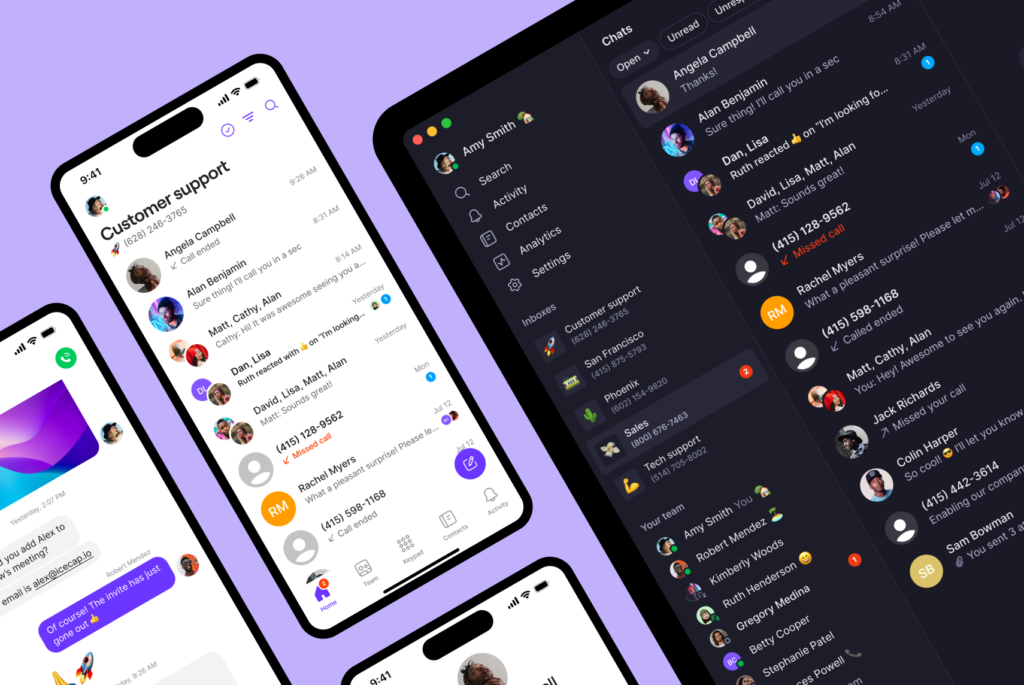
Quo is a VoIP solution built with small business owners in mind. You don’t need any special devices, internet service bundles, or data plans to start. All you need is a smartphone, iPhone or Android, and a WiFi connection.
Our small business phone plans start at $15 per user per month and come with free calling and texting to anyone in the US and Canada. You also have the option to call and text from your computer with Quo using your new phone number.
Every new user on your Quo plan comes with a US, Canadian, or toll-free number. If you need any additional numbers beyond that, each number is just $5 per month. That way, you never need to worry about user or number limits and can keep scaling your phone plan as your team grows.
With Quo (formerly OpenPhone), you can also create shared numbers. With shared numbers, you can assign multiple users to a single number so they can manage conversations together. All calls, texts, and voice messages with a specific contact are in a single thread, saving you time following up on any conversation.
Speaking of saving time, you can also use Quo to:
- Save templated snippets to quickly answer frequently asked questions.
- Schedule text messages and reach customers at a future time.
- Set up an auto-reply to set expectations with customers regarding when they can hear back from you.
- Integrate with thousands of third-party tools to automate specific touchpoints such as an appointment confirmation text.
- Use internal threads to assign action items and tag coworkers.
- Get AI call tags to surface common issues, service gaps, competitor mentions, and more
- Answer every incoming call 24/7 with Sona, your AI voice agent
See why Quo is the #1 rated small business phone solution on G2 by starting a seven-day free trial.
Quo key features
- Free calls and texts in the US and Canada
- Local US, Canadian, and North American toll-free numbers
- Shared phone numbers
- Group calling also known as three-way calling with warm transfer and hold options
- 7,000+ integrations via Zapier
- Call recordings
- Auto attendants with IVR
- Voicemail to text
- Texting automations like auto-replies, scheduled messages, and snippets
- AI contact suggestions
- Business hours
- Threads and mentions
- 99.9% uptime for reliable service
Quo pricing

- Starter: $15 per user per month for unlimited calls in the US and Canada, voicemail transcripts, shared phone numbers, and more
- Business: $23 per user per month for phone menus, AI call summaries and transcripts, group calling, and more
- Scale: $35 per user per month for AI call tags, dedicated onboarding, and priority chat and email support
2. Google Voice: Best phone plans for Google Workspace users

Pros
- Unlimited calling and texting in the US
- Offers free numbers
Cons
- Requires a Google Workspace subscription
- Lacks features for team collaboration
- No toll-free numbers
- Difficult to manage contacts
Google Voice is a VoIP service for both personal and business use. Although the personal app is free to use, business owners need to upgrade to a paid plan to access many of the features companies need to serve their customers.
You can use Google Voice to make unlimited calls and texts in the US. However, text messaging is only available to US users. And if your business is located outside the US, you may not be able to purchase Google Voice at all. Google Voice is available in only 14 countries, so if you sell internationally, it might be an obstacle to your growth.
Even if you qualify for Google Voice for Google Workspace, there are additional limitations. For example, toll-free phone numbers aren’t available, and you can’t port them in if you have a pre-existing number. You must also have an active Google Workspace subscription starting at $7 per user per month before you have the option to get Google Voice for business. Plus, Google Voice only integrates with other Google apps, like Calendar, Gmail, or Chat.
If you’re already using other platforms and want to connect them to your phone system, you may want to look for a Google Voice alternative.
Google Voice key features
- Call forwarding
- Android and iOS apps
- Unlimited calls in the US and Canada
- Unlimited texts in the US
- Integrations with Google Workspace apps
Google Voice pricing

- Starter: $10 per user per month for up to 10 users and calls in the US and Canada, call forwarding, and voicemail transcriptions
- Standard: $20 per user per month for multi-level auto-attendants, ring groups, and ad-hoc call recording
- Premier: $30 per user per month for automatic call recording and advanced reporting
Keep in mind every Google Voice pricing plan requires a Google Workspace subscription, which means you’re paying a minimum of $17 per user per month.
3. RingCentral: Best plans for desk phone rental options

Pros
- Low-cost desk phone rentals
Cons
- Limits on SMS
- Limits on toll-free numbers
- No true unlimited storage option
RingCentral is a digital unified communications platform, meaning it combines calls, texts, and video tools into a single plan. If you need additional landlines for your office, you can also rent out old-school desk phones.
With RingCentral’s small business suite RingEX, you get one local or toll-free number and unlimited calls in the US and Canada. However, you’re limited to just 25 texts per month, 100 pooled toll-free minutes, and limited RingCentral call recording storage unless you upgrade to a more expensive plan.
Limited storage can be a major issue for your business, especially if you don’t want conversations to fall through the cracks. Even if you buy RingCentral’s Ultra plan, you still won’t have unlimited storage. There are still rules that take effect after 90 to 180 days.
Fortunately, this is an exception rather than the rule. Most VoIP phone providers, including Quo, offer unlimited storage on every plan.
RingCentral key features
- Team messaging
- Local or toll-free numbers
- SMS and MMS support
- Voicemail to text
- Document sharing
- RingCentral AI assistant for call summaries and transcripts
RingCentral pricing

You can choose from three RingCentral pricing plans:
- Core: $20 per user per month for unlimited domestic calling, SMS and MMS, visual voicemail, and more
- Advanced: $25 per user per month for unlimited internet fax, automatic call recording, AI call notes and summaries, and CRM integrations like Salesforce and HubSpot
- Ultra: $35 per user per month for unlimited storage, unlimited AI video meetings, and custom analytics and alerts
4. Grasshopper: Best for VoIP multi-digit extensions
Pros
- Unlimited calls and texts in the US and Canada
Cons
- No shared numbers
- No Slack, Zapier, or CRM integrations
- No call summaries or transcripts
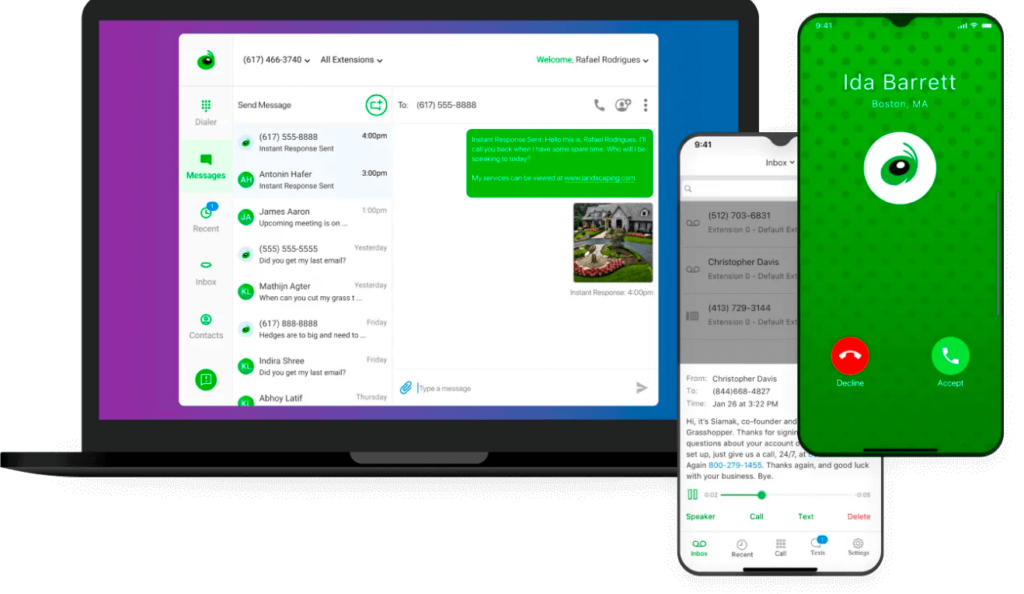
Grasshopper is a virtual phone provider developed in 2003 designed to route calls through your existing device. Each plan comes with at least one multi-digit extension so you can forward incoming calls to different numbers.
Unfortunately, Grasshopper’s basic features aren’t enough to sustain a fast-growing small business. Since you can’t work together from a shared inbox, it can be tough to get up to speed on conversations your coworkers are having with customers. If you need help with a customer response, you can’t tag your team members either; you’ll have to juggle multiple apps to coordinate with your team.
Plus, Grasshopper doesn’t integrate with any third-party apps. No matter how much you pay, you can’t build custom workflows or automate specific touchpoints.
Trying to keep your team on the same page? Be prepared for roadblocks. You won’t have access to collaborative features like internal threads, call transcripts, or AI call summaries.
Grasshopper key features
- Call forwarding
- Virtual faxing
- Instant response auto-replies
- Virtual receptionist
- Professional greetings
- Call recording with upgrade
Grasshopper pricing

- True Solo: $14 per month for one user, one phone number, and one extension
- Solo Plus: $25 per month for unlimited users, one number, and three extensions
- Small business: $55 per month for unlimited users, four numbers, and unlimited extensions
*Additional numbers on any Grasshopper plan cost $9 per month.
5. Ooma: Best for legacy features like analog fax and overhead paging
Pros
- Unlimited calls and texts in the US and Canada
- Analog fax, overhead paging, and desk phone rentals are available
Cons
- Limited SMS features
- Desktop app calling features require an upgrade
- CRM integrations are only available on the most expensive plan
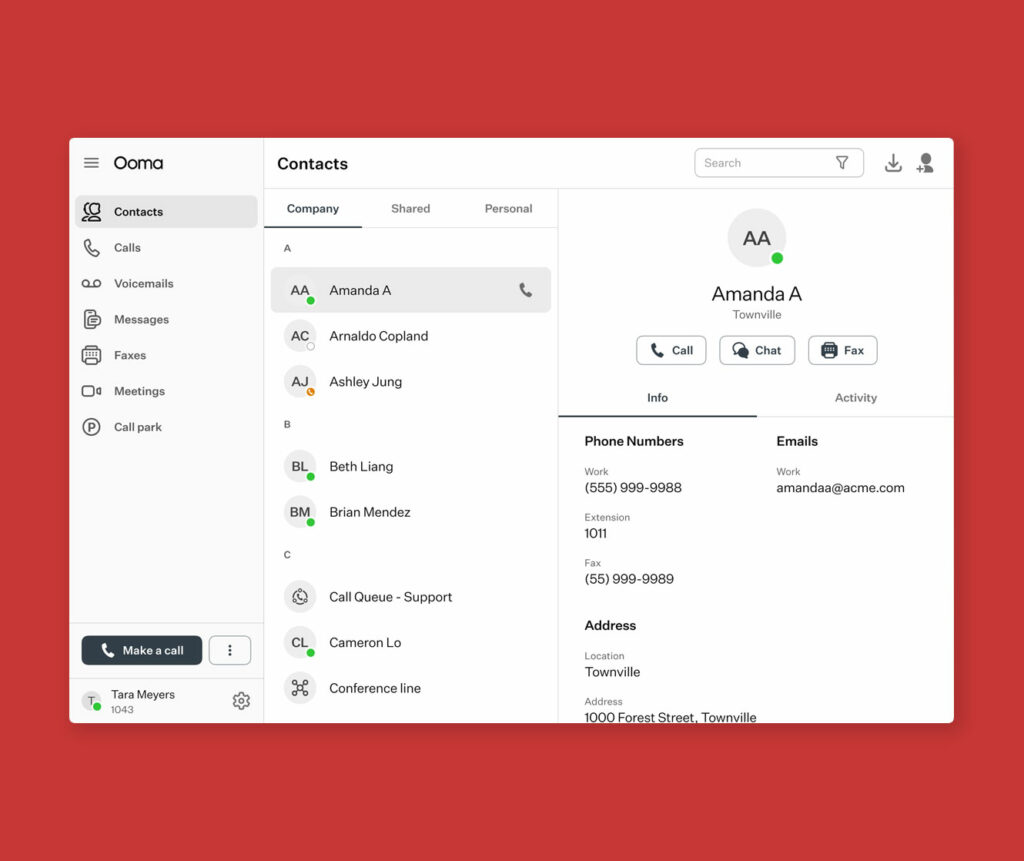
Ooma is a legacy phone platform that serves residential and business customers. It’s primarily targeted at physical offices that need old-school features such as analog faxing and overhead paging.
You can use Ooma’s virtual phone service to make or take calls on desk phones and mobile devices. However, you need to upgrade to unlock calling on your computer as well as access to basic features like texting, call recording, and analytics. Need to connect with third-party tools? CRM integrations are only available on their most expensive plan at $29.95 per user per month.
Upgrading plans for Ooma’s key business features may come with unnecessary add-ons. For example, spending extra for business texting also unlocks user leaderboards, which might not make sense for your team. Plus, upgrading to CRM integrations also comes with hot desking, which only applies if you’re currently using desk phones.
Ooma key features
- Call forwarding
- Ring groups
- Music on hold
- Virtual fax
- Extension dialing for desk phones
Ooma pricing

Business owners can choose from these Ooma pricing plans:
- Essentials: $19.95 per user per month for ring groups, virtual receptionists, email audio attachments, and more
- Pro: $24.95 per user per month for video conferencing, SMS support, the desktop app with calling, caller ID, and more
- Pro Plus: $29.95 per user per month for call queuing, hotdesking, HubSpot integration, and more
6. Verizon: Best for cellular plans

Pros
- Unlimited calls and texts in the US and Canada
Cons
- No shared numbers
- No third-party integrations
- No auto-replies, scheduled messages, or snippets
Verizon Business Unlimited — recently replaced by “My Biz Plan” — is a traditional business cell phone plan that bundles with existing Verizon services like broadband internet. You can bring your own device to shave a few hundred dollars off your plan, but you should know not every device is compatible with Verizon’s network. If you don’t have a make or model that meets Verizon’s criteria, you may need to purchase a tablet, desk phone, or mobile device straight from the company.
Every My Biz Plan plan comes with unlimited texts, calls, and data usage in the US, Canada, and Mexico. However, if more than 60% of your phone plan usage is in Canada or Mexico during a three-month period, Verizon may limit or remove your service to those countries completely.
Verizon’s My Biz Plan doesn’t work as a VoIP. Meaning:
- You won’t be able to work from a dedicated desktop app
- You can’t integrate with the tools you’re already using
- You can’t make and take calls or text messages with an internet connection
Plus, Verizon My Biz only makes sense if you need individual phone numbers for your team. You can’t create shared numbers at all or access conversations they’re having with customers. If you manage a customer support team or a large contact center, Verizon could prevent your team from building better relationships with customers.
My Biz isn’t Verizon’s only phone plan for business customers. You can also access an add-on VoIP service called One Talk, which works on mobile phones, native devices, and desktop computers.
With the Verizon One Talk app, you can access VoIP calling features like simultaneous ring, group calling, and business hours. That’s about it. You won’t find texting features like auto-replies, snippets, or third-party integrations with your CRM.
There are a few other limitations of Verizon One Talk:
- You have to buy a compatible device if your current phone or desktop doesn’t support the system
- One Talk’s features vary between native devices and the mobile app
- You can’t have all of One Talk’s features unless you own both an Android and iOS device
Verizon key features
- Unlimited texting, calling, and data use
- Access to Verizon’s 4G LTE and 5G network
- Unlimited mobile hotspot data
- Call filters with spam blockers
- Available on smartphones and compatible tablets
Verizon pricing

There’s only one base plan for My Biz. Here’s what to expect when you buy five numbers or more and enroll in auto-pay:
- $29 per number per month for unlimited talk, text, and 5G/4G LTE data, 5 GB of 5G/4G LTE mobile hotspot data, call filter, and Canada and Mexico talk, text, and data
One Talk is a paid add-on that costs $15 per number per month in addition to these plans. Curious to learn more about Verizon One Talk? Check out our guides to Verizon One Talk alternatives and Verizon One Talk pricing and plans.
7. AT&T Business: Best for large enterprise teams with physical offices

Pros
- Unlimited calls and texts in the US and Canada
Cons
- No shared numbers
- No third-party integrations
- No auto-replies, scheduled messages, or snippets
AT&T offers two company phone plans: Unlimited Your Way for Business and Office@Hand.
Unlimited Your Way for Business plans offer a digital phone solution accessible from new and existing smartphones. The base plan unlocks unlimited talk, text, and high-speed data, as well as unlimited calls to Canada, Mexico, and the US.
But with Unlimited Your Way for Business, users have complained that costs and fees rack up quickly. They also complain that customer service is slow to respond — neither of which is ideal in small business settings.
If you want a digital phone that works on business phones, AT&T also has Office@Hand. It’s a cloud-based system that has calling, texting, and video tools. This solution was built on top of RingCentral, which we’ve already covered here. However, AT&T provides far fewer tools than the platform on which it’s based.
The biggest deal-breaker for small businesses: it’s expensive compared to most VoIP phone systems.
Unfortunately, Office@Hand isn’t highly reviewed. Past users say the platform was hard to set up and tough to navigate intuitively. Plus, all calls and messages live in separate inboxes, which can make it more difficult to follow up with your customers.
AT&T Business key features
AT&T’s business phone plans come with different key features:
Phone for Business
- Unlimited talk and text
- High-speed data
- 5GB of hotspot data per line
- Unlimited international text in 200 countries
Office@Hand
- Call routing
- Multi-level IVR
- Analytics portal
- Single sign-on or SSO
AT&T Business pricing

AT&T Business provides variable pricing depending on the number of lines you need. For a team of six people, here are the prices they offer:
- Unlimited Standard: $30 per number per month* for unlimited talk, text, and high-speed data, 5GB of hotspot data per number, and unlimited text from the US to 200+ countries
- Unlimited Advanced: $35 per number per month for access to 100GB of hotspot data per number and 1080p video streaming
- Unlimited Premium: $40 per number per month for access to 200GB of hotspot data per number, HD and 4K UHD video streaming, and unlimited talk, text, and high-speed data in 20 Latin American countries
*When you buy six numbers or more and enroll in auto-pay
Office@Hand offers two pricing tiers, though current rates are no longer publicly listed. The most recent known pricing includes:
- Standard: $34.19 per user per month for access to unlimited calling and SMS, 1000 toll-free minutes per month, and multi-level auto attendant
- Premium: $47.48 per user per month for access to automatic call recording, third-party integrations, and up to 200 video meeting participants
8. T-Mobile: Best for large contact centers

Pros
- Both VoIP and cellular offerings are available
Cons
- Key features like Slack and Zapier integrations and auto-replies are locked behind more expensive tiers
- More expensive tiers require user minimums
T-Mobile is a traditional service carrier offering VoIP and cellular support. The cellular plan, called SuperMobile, comes with unlimited talk and text, hotspot data, 5G and 4G LTE data, and international texting and data.
T-Mobile has also partnered with Dialpad to provide VoIP service on top of their cell plans. Each plan comes with calling and texting features, as well as Dialpad’s tools like video streaming, business texting, and conference calling. Just keep in mind you won’t have a different experience using Dialpad through T-Mobile. It’s simply an easier way for existing T-Mobile customers to use a Dialpad account.
There are several Dialpad cons to consider. For example, Dialpad locks its key features like Slack and Zapier integrations behind more expensive tiers. To access those tiers, you need a minimum of three users, which could make your upgrade cost more than you might expect.
Bottom line: T-Mobile’s small business phone plans may offer both cellular and VoIP tools, but with limited features and a user minimum, it may not offer the best bang for your buck.
T-Mobile key features
- Unlimited 5G and 4G LTE data
- Unlimited talk and texting in the US, Canada, and Mexico
- Unlimited data for mobile hotspots
- Bring Your Own Device support
- International call and text support
T-Mobile pricing

T-Mobile’s prices depend on the number of lines on your plan. The best prices start at six phone lines per month. If your business needs 12 lines or more, you’ll need to speak with the sales team.
Here’s what T-Mobile’s Business prices look like if you’re paying for six numbers per month:
- CoreMobile: $21 per number per month for 50 GB of premium data, 5 GB of high-speed hotspot data, and advanced caller ID
- ProMobile: $34 per number per month for 200 GB of premium data, 200 GB of high-speed hotspot data, and WiFi on airlines
- SuperMobile: $42 per number per month for unlimited premium data, 300 GB of high-speed hotspot data, and Scam Shield premium
Want to pair your plan with T-Mobile’s VoIP services? You’ll pay $15 per number per month on top of your Business Unlimited plan.
Which is better? Traditional carrier vs VoIP business cell phone plans
Let’s say you have a team of six people and are considering going with AT&T Business or Quo. With AT&T Business, you’d pay $180 per month for six numbers and unlimited talk, text, and data.
Quo costs $90 per month for six users and six toll-free or local numbers with unlimited calls and texts. It also has advanced features that AT&T Business doesn’t have, like auto-replies, shared inboxes, and call routing. Since VoIP runs on your existing internet connection, there are no separate data charges.
That’s half the cost of traditional carriers, with more features designed specifically for business teams. The trade-off? You’ll need reliable internet for best call quality, though most internet connections handle VoIP calls without any issues.
Explore additional cost comparison breakdowns with our calculator:
7 key features to look for with a small business phone plan

Not all small business phone systems are created equal. Some seem relatively advanced on the surface, but a closer look may show you a different picture.
You should look for these six key features in every phone system you consider:
- Shared numbers: With shared numbers, anyone with access to the number can answer calls, make text messages, and respond to customers at the same time from any device. You don’t have to carry your phone all day and can rest easy knowing your customers always have a point of contact.
- Automated texting: Third-party integrations aren’t the only automations you need in a small business phone plan. You should also be able to automate your SMS and MMS messages with time-saving tools such as auto-replies, scheduled texts, and snippets.
- Call recording, summaries, and transcriptions: Call recordings can help teams follow up on customer requests. You can also coach your team by reviewing calls using call summaries and transcripts, generated in seconds with AI.
- Third-party integrations: Customer conversations shouldn’t happen in a silo, so you should prioritize phone platforms that integrate with your CRM. Plus, tools like Slack, HubSpot, and Salesforce let you stay connected with your team and automate repetitive tasks.
- Internal threads: Collaborative features are a must in a small business phone system. Look for solutions offering internal threads, tagging, and mentions.
- Multi-device access: Small business phones should be accessible on any device from anywhere. That’s why you should prioritize plans that offer desktop, mobile, and web apps.
- Cost-effective: The best small business cell phone systems grow with you without breaking the bank. Look for transparent, per-user pricing without hidden fees or extra costs.
Quo: The only small business phone plan you need
Picking the right small business phone plan can unlock your ability to build stronger relationships with your customers. And if you want your team to bring their own device, work together with shared numbers, or work from any computer or smartphone, Quo is a sure bet. You can port your existing number for free and start calling customers within minutes of getting set up. Plus, you don’t have to guesstimate your monthly costs — everything you need to know is on our pricing page.
Don’t just take our word for it, though. Carry, a same-day delivery service based in New York, used to write manual text messages to every customer regarding their order status. Using their traditional service provider, Carry racked up a $935 bill — and still lacked the tools they needed to scale.

Carry’s co-founder and COO Jason Ovryn needed a better solution. After switching to Quo and creating shared numbers and automation workflows, his entire team now saves over two hours per day.
Quo is a small business phone system built to grow as you do. Sign up for a free trial and get going in 10 minutes or less.
FAQs
VoIP services like Quo usually give the best value for small businesses. They have professional features like auto-attendants, call routing, and CRM integrations at a lower cost than traditional carriers.
Using a VoIP service with your current internet connection is the cheapest business cell phone option. It usually costs $15-35 per user each month, compared to $30-50+ for traditional business phone plans.
VoIP systems and traditional carrier plans are as different as night and day. Here are some of the more important ones to keep in mind:
VoIP systems offer shared numbers, while carrier plans don’t. You and your team can make calls and send messages from the same number, simultaneously. Carrier plans offer different numbers to each user, which siloes your customer conversations.
VoIP systems offer advanced messaging features like auto-replies, scheduled messages, and automated text flows. Traditional carrier plans offer SMS and MMS messaging, but no other advanced messaging features.
You can use a VoIP system on any device — a laptop, iPad or your phone. Traditional carrier plans offer desk phones or basic softphone apps, but that’s it.
Finally, VoIP systems have many modern communication features that you won’t find on a regular carrier plan. These features include third-party integrations, automatic call recording, AI call summaries and transcriptions, and collaborative features like internal threads.
A starting plan for VoIP phone systems costs as low as $15 to $25 per user per month. For VoIP phone solutions that include CRM integrations, you can expect to pay between $25 to $50 per user per month.
If you want a cellular phone plan for your business, you’ll pay more: $35-$50 per number per month.
Older phone solutions, such as on-premises PBX systems, can cost up to $1,000 per user. Analog PBX phone systems can cost up to $2,000 for a two-line desk phone setup.
Check out our article to learn more about business phone system costs.
For remote teams, small businesses should choose a business cellphone plan with wide coverage, unlimited communication, and remote work features like shared numbers and tool integrations.
Here are some tips to determine the best business phone contract for your company’s needs:
• Monthly vs annual pricing: Prioritize providers that offer a monthly plan for their business phone solution. This gives you the flexibility to try out a solution before signing an annual contract with them.
• Per user pricing: Some providers only offer monthly pricing for a batch of numbers while others offer per user pricing. Make sure to go with per user pricing so you only pay for the numbers you need.
• Shared numbers: Providers that offer shared numbers give you more flexibility with how you use each of your numbers. Individual numbers allocated to each member of your team don’t limit you.