Canada is home to many lovely things — but affordable Canadian phone plans are not among them. According to a 2022 study by the research firm Rewheel, Canadian wireless prices are among the highest in the world. And if you’re thinking about using Google Voice in Canada to lower costs, you should know that the free version isn’t available.
Below, we’ll walk you through how to set up a paid Google Voice account in Canada and explore a better alternative to support your business phone needs in Canada.
Is Google Voice available in Canada?
Google Voice’s business plan is currently only available in Canada to Google Workspace customers. As long as you’re a Google Workspace customer, you can sign up for Google Voice and assign Canadian numbers (those with a +1 country code) to your Google Voice users.
Can I get a free Google Voice number in Canada?
Unfortunately, Google Voice’s free plan — which is meant exclusively for personal use — isn’t available in Canada.
While some individuals have found crafty ways to get a free Google Voice phone number in Canada, doing so isn’t easy — for two main reasons:
- You need a US-based IP address. During the sign-up process (via the web or the Google Voice app for iOS or Android), Google Voice checks the location of your IP address. If you’re trying to sign up from a Canadian IP address, Google Voice blocks the sign-up process altogether.
Though you could try using a VPN with a US location, Google Voice might detect that you’re using one and block you from using their service.
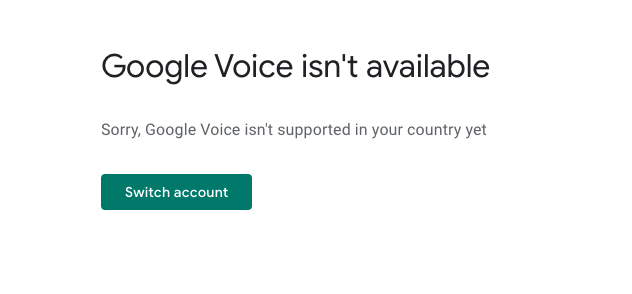
- You need a non-VoIP US-based number. As part of the sign-up process, Google Voice will ask you for a US-based landline or cell phone number to route calls to and verify your account. While you could try using a family or friend’s number in the US or a text verification service, you could be asked to verify again, creating headaches for your business.

Screenshot sourced from YouTube.
Keep in mind that you also won’t be able to get a local Canadian number to any area code in the country if you attempt to sign up for a free account. Google Voice’s free version wasn’t built for businesses, so you won’t get phone menus, call recordings, and other key features.
If you need these features, you might consider opting for Google Voice’s paid plan (or an alternative service — which we’ll get to below).
How to get a Google Voice number in Canada
Here is the step-by-step process to sign up for a paid Google Voice plan in Canada.
Step 1: Sign up for a Google Workspace account (if you don’t already have one)
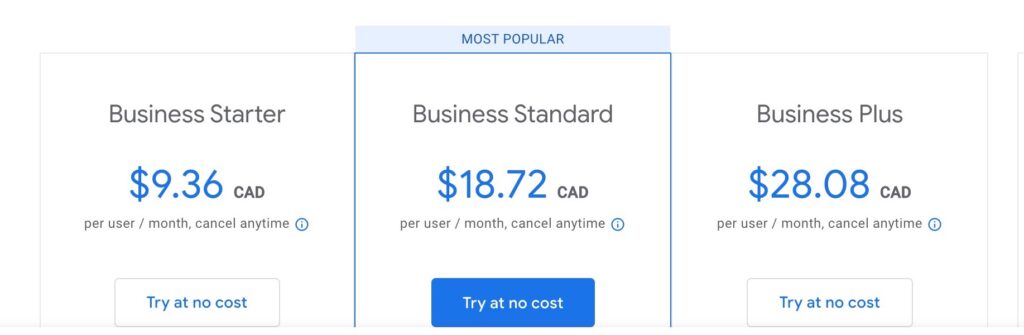
Google Workspace provides companies with a host of business services, including Google cloud storage and custom email addresses. The cheapest plan, the “Business Starter,” costs $9.36 CAD per user per month.
Once you’ve set up Google Workspace for you and the employees who will need business numbers, you can sign up for Google Voice for Google Workspace.
Step 2: Select a Google Voice plan
Google Voice offers various plans, including higher-tier options with additional business phone features. Choose the plan that best suits your needs (keep in mind all Voice plans are billed in USD):
- Starter: $10 USD per user per month for unlimited calls to the US and Canada (from US and Canadian numbers only), voicemail transcriptions with incoming messages, and call forwarding
- Standard: $20 USD per user per month to unlock ring groups, multi-level auto attendants, and the option to record specific calls
- Premier: $30 USD per user per month to unlock automatic call recording and advanced reporting through BigQuery
Step 3: Assign phone numbers
Once your payment is processed and your plan is activated, you can assign numbers to your team members and start integrating Google Voice with your other Google products. and start integrating Google Voice with your other Google products.
5 major restrictions to Google Voice in Canada
Even if you opt for the paid Google Voice for Google Workspace plans, a couple of other limitations come with using Google Voice in Canada.
1. Google Voice doesn’t support texting in Canada
If texting is a frequent part of your business communication, you may want to think twice before signing up for Google Voice. Across all three of Google Voice’s pricing plans, unlimited messaging is limited to the United States — and only available in the US for Voice accounts linked to Google Workspace.
If you’re using the personal version of Google Voice, you can text numbers outside the United States. However, you’ll have to add credits to your account, as these text messages are not included in the free plan.
2. Google Voice can’t provide you with toll-free numbers (Canadian or otherwise)
If you’re expanding into new territories, having a toll-free number can encourage new clients to phone you regardless of long-distance calling prices. Unfortunately, Google Voice doesn’t offer toll-free numbers on its platform.
3. Google Voice doesn’t support a fully remote, globally-distributed workforce
Even though Google Voice for Google Workspace works in Canada, many companies these days have employees scattered all over the globe. At the moment, though, Google Voice for Google Workspace only provides support for 14 countries.
If anyone on your team lives outside of the 14 countries supported by Google Voice for Google Workspace, you won’t be able to provide them with a business line. In that case, you may be stuck finding another alternative for them — or you could simply find a single remote phone system that works for everyone in your company.
4. Google Voice won’t enable you to work as a team
Google Voice technically has business plans that can potentially work for solopreneurs. However, if you’re looking to work together on responses and split responsibility for incoming calls and messages, you’ll want to go with another platform, as Google Voice lacks team collaboration features such as shared numbers, internal threads, and call routing.
Google Voice also only integrates with other Google apps like Calendar, so you can’t connect it to other tools such as customer relationship management (CRM), project management, or workflow automation software.
5. Google Voice doesn’t let you set up a caller ID name
If you’re using Google Voice and your business name is showing up wrong — or showing as spam or not showing at all — you’re justified in wanting a solution. Unfortunately, Google Voice doesn’t offer a way to change it. You can only change the phone number that appears — not the name.
One reviewer on G2 said, “Even though I have used the same Google Voice number for almost 10 years and have never used [it] for selling/cold calls, it shows up as “Spam Likely” when people receive a call from my Google Voice number. … [And] I can no longer set my business name as the caller ID.”
In this situation, your best bet is to port your phone number to a different VoIP provider that allows you to customize your caller ID name, such as Quo.
Starting calling in Canada with OpenPhone
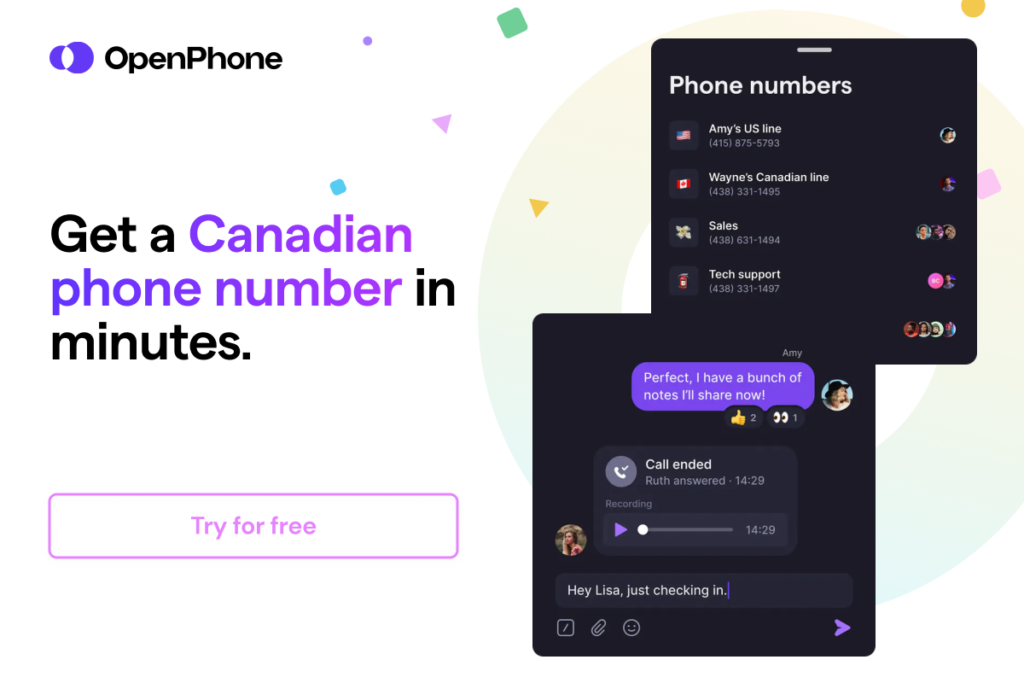
You can obtain a Canadian phone number with Quo in three simple steps:
- Sign up for an account with Quo — when you sign up, you can try out Quo free for seven days.
- During signup, select your city or area code in the US or Canada to pick your phone number or select a North American toll-free number.
- Verify your account with an existing phone number and a credit card.
You now have a virtual phone number. If you run into any issues during the sign-up process, fill out this form to reach our support team.
The best Google Voice alternative in Canada: Quo (formerly OpenPhone)

Fortunately, you don’t have to choose between an expensive wireless plan or Google Voice. We know because we built the alternative — a modern business phone system that’s affordable, flexible, and built to support users worldwide.
Quo’s Starter plan costs $15 USD per user per month, and you can sign up from almost anywhere in the world, including Canada. Unlike Google Voice’s $10 Starter plan ($16 with Google Workspace), Quo’s Starter plan comes with free phone calls and texts to the US and Canada, toll-free numbers, shared numbers, and more.
Here’s a closer look at what you can do with Quo:
- Chat with team members behind the scenes using internal threads, getting information without leaving the flow of your communication with clients
- Provide more context to your team with notes and custom properties
- Get creative with your texts using saved message templates, auto-replies, group messaging, and GIFs
- Save time with automatic voicemail transcription and seamless call forwarding
- Control your call flow by setting up a phone menu to direct callers to their destination more efficiently
- Connect Quo to the tools you’re already using in your business — including Slack, Salesforce, HubSpot, and over 7,000+ pre-existing Zapier integrations
- Get insight into your usage with data and call analytics
- Review calls quickly using call views and AI-powered transcripts
Get up and running with Quo in Canada

If you’re ready for a business phone that works seamlessly in Canada (and the US and virtually everywhere else), get started with a free seven-day trial of Quo. If you love it, you can start with a brand new number or port your existing number over to us for free.
FAQs
Yes, you can port a Canadian number to Google Voice for free on a paid business plan. Plans start at $10 USD per month, in addition to a Google Workspace subscription. Just keep in mind that toll-free numbers aren’t supported and can’t be ported to Google Voice at all.
Benefits you can get with any virtual business phone system include voicemail transcriptions, ring groups, phone menus, call recording, and the ability to use your phone anywhere as long as you have WiFi. However, other virtual phone systems, such as Quo, give you more bang for your buck by giving you dozens of ways to save time over texting and collaborate using shared phone numbers.
Three pricing plans are available for Google Voice for Google Workspace:
– The Starter Plan costs $10 USD per user per month. With this plan, you can only assign numbers to a maximum of 10 users.
– The Standard Plan can be used with an unlimited number of users and will cost you $20 USD per user per month.
– The Premier plan, which lets you assign numbers to users across multiple international locations, will cost you $30 USD per user per month.
Compared to Google Workspace (which is charged in CAD), they charge in USD for Google Voice. With exchange rates, the total you pay between Google Workspace and Google Voice can vary from month to month.
No, messaging is only available for Google Voice accounts in the US.
It does technically work if you can get past common issues that cause Google Voice to not work, such as incoming call problems. The personal, free version of Google Voice is available only in the United States. There are paid business plans available for Google Voice in Canada.
While there are many Canadian VoIP apps to choose from, Quo is the best choice for its easy setup, affordable pricing, and AI-powered features for businesses, like call management and integrations with tools like HubSpot.
You can make payments in CAD, but your payments are calculated in US dollars. Depending on the exchange rate, your payment might vary each month.