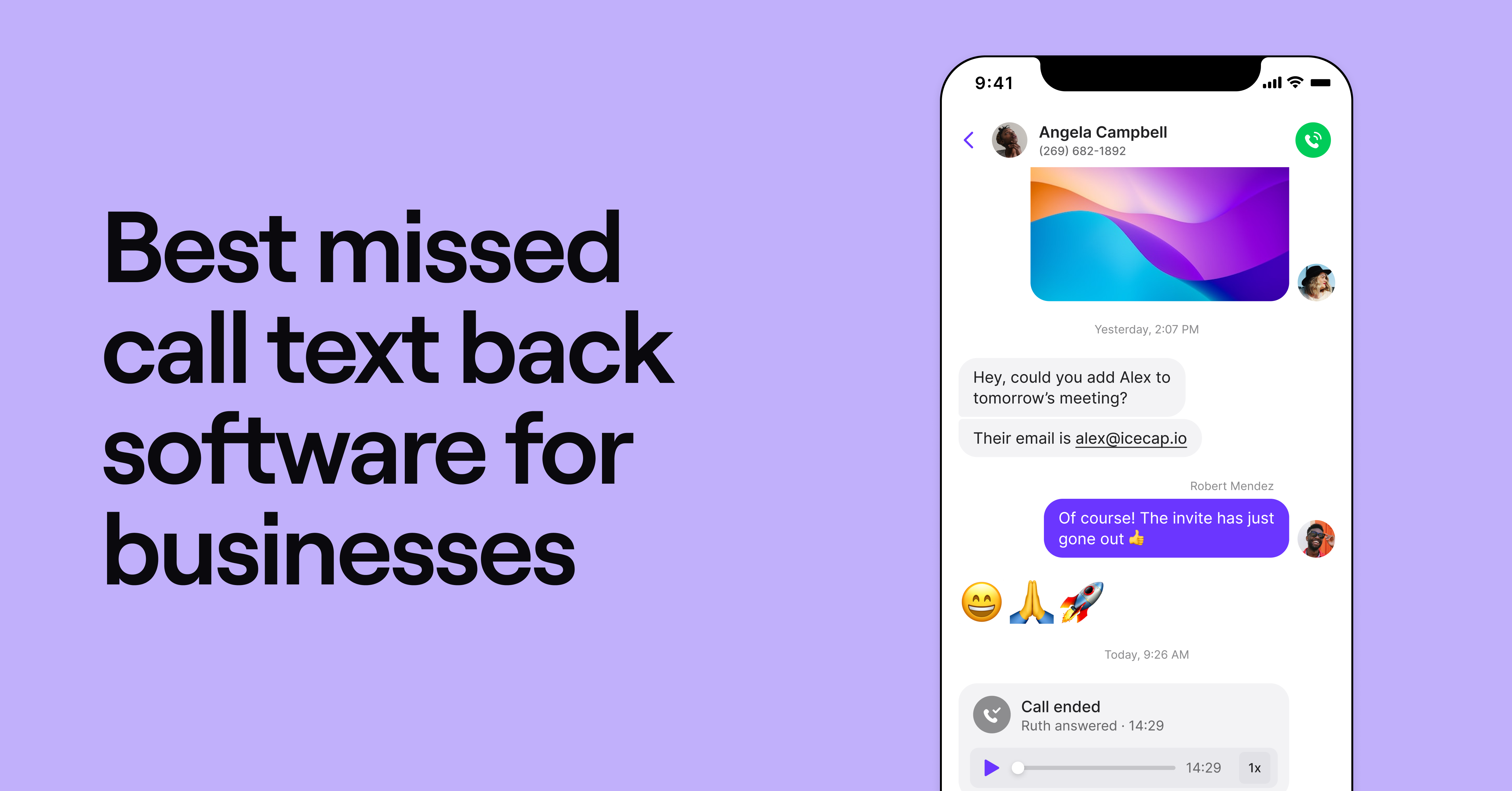
What’s more annoying than missing a business call? Missing two business calls — and maybe more. Studies show that most businesses miss nearly a quarter of their incoming calls. This could result in hundreds of lost opportunities — not to mention potential customers.
But these days, you don’t need to stay glued to your phone to prevent losing customers. With missed call text back software, you can instantly respond to unanswered calls with an automated text. This response helps you set clear expectations about when you’ll be back so important calls don’t slip through the cracks.
This guide compares the best missed call text back software so you can choose the right fit for your business. Once we compare the pros, cons, and features, we list their plans and pricing so you can make an informed decision.
What is missed call text back software?
Missed call text back software sends automatic messages to callers if no one on your team picks up the phone. That way, you can set expectations about when you’ll be back and give callers instructions on what to do in the meantime.
Comparing the best missed call text back software
Before we dive into the details, here’s a high-level overview of the six top text back tools:
| Provider | Starting price | Unlimited calling to US & Canada | SMS/MMS to US & Canada | Shared phone numbers | Additional phone numbers |
|---|---|---|---|---|---|
| Quo | $15 per user per month | ✓ | ✓ | ✓ | $5 per number per month |
| Grasshopper | $14 per month | ✓ | MMS messaging for local numbers only | Requires upgrade | $9 per number per month |
| MissedCall-TextBack | $3.99 per month | X | ✓ | X | N/A |
| Allo | $18 per user per month | ✓ | Requires upgrade | Requires upgrade | $5 per number per month |
| Enzak | $99 per month, +$99 one-time setup fee | X | ✓ | X | N/A |
| Weave | $249 per month | ✓ | ✓ | ✓ | No public pricing |
Not all text-back solutions are created equal. Some are bare-bones apps that send basic replies. Others are full business phone systems with text-back as one feature among many.
Key differences to watch for:
- Integration capabilities — Can it work with your existing CRM and the rest of your tech stack?
- Team collaboration — Can multiple people handle conversations and share numbers?
- Customization options — How much control do you have over messages and timing?
- Scalability — Will it grow with your business or limit you?
Let’s start with the #1 solution in customer satisfaction as rated by G2:
1. Quo: The best solution for small businesses and growing teams

Quo, formerly OpenPhone, is a cloud-based phone system designed to help businesses grow and scale. Every member of your team gets their own local or toll-free number so they can make and receive unlimited texts in the US and Canada.
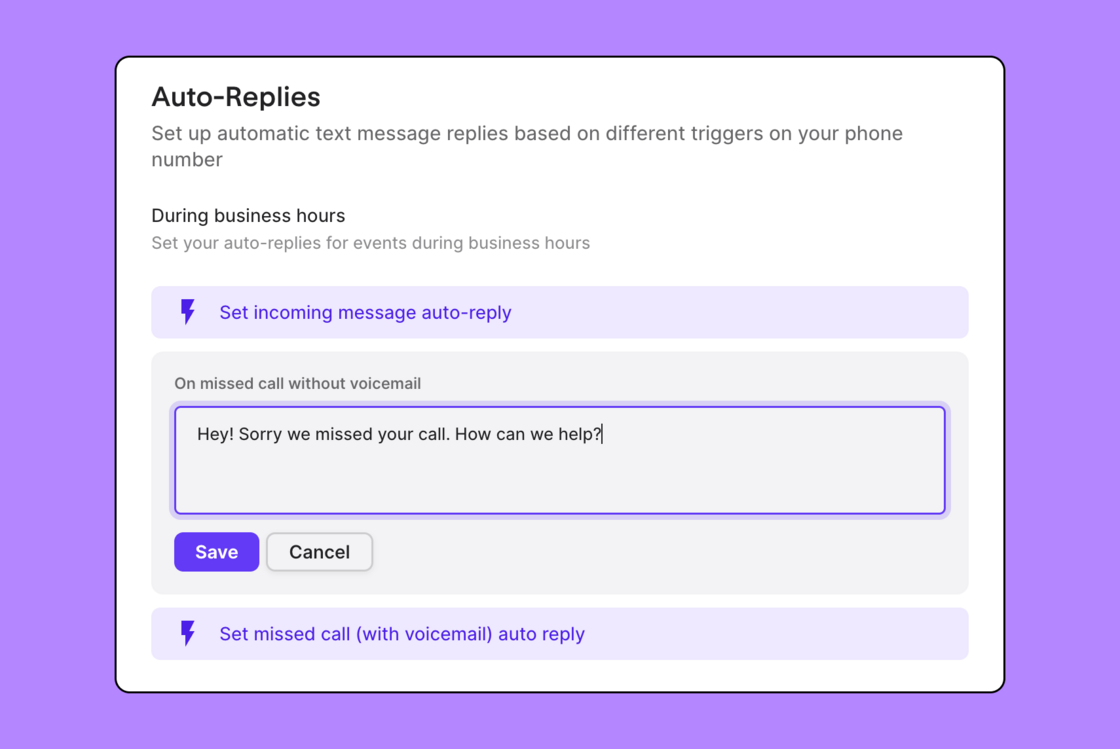
With Quo, you can send personalized auto-replies to customers if you miss their calls or texts, such as calls on the weekend or during holidays. You can also set up different messages depending on whether customers:
- Call during or after hours
- Leave a voicemail, or not
- Leave a text message
Worried about spamming your customers with messages? This won’t be a problem with Quo. We only send one auto-reply every three hours to the same phone number. This means you don’t have to worry about overwhelming customers with texts if they contact you multiple times within a three-hour period.
You can also cut down on missed calls by using one phone number on two phones — or sharing a number. With shared numbers, every member of the number is notified of incoming calls and texts. This means there’s almost always someone around to pick up the phone.
You can also avoid missing calls by using Sona, Quo’s AI voice agent that can take calls during or after hours. Sona can:
- Answer common questions based on the information you provide and take messages 24/7.
- Automatically record and log calls. Sona also includes a call transcript and summary so you can easily follow up on conversations.
- Send SMS messages during live calls. For example, Sona can text callers a link to your booking software. This lets them schedule an appointment on their own instead of waiting for a follow-up call from one of your reps.
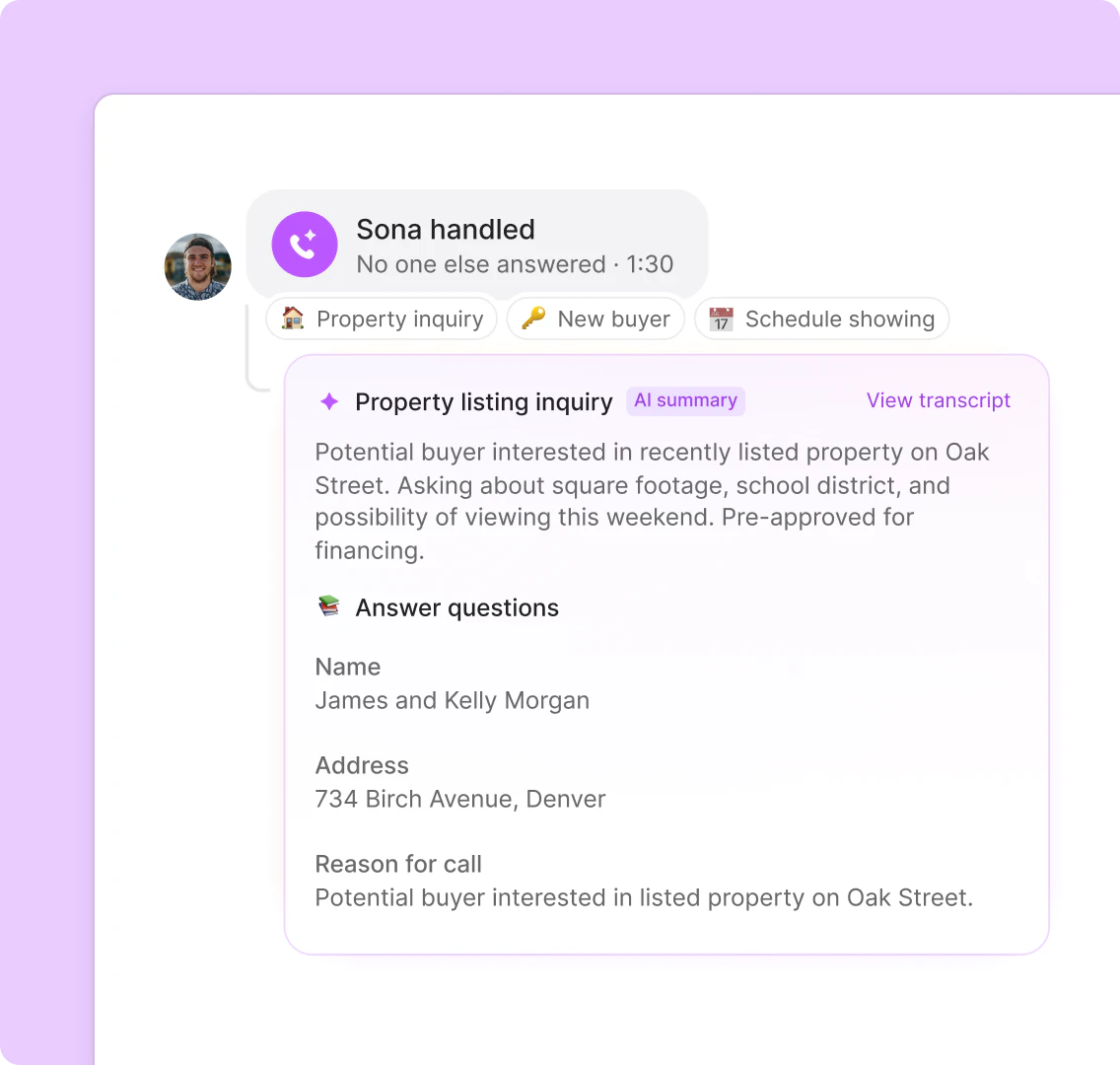
If you miss calls or want to filter by calls taken by Sona, you can check Quo’s call views to identify the customers you missed calls from. This allows you to get context quickly and prioritize the calls that need immediate action.

You can also access Quo from any device, whether you prefer our mobile app, web browser, or desktop app. We designed our platform to be simple and intuitive so you can get up and running in 15 minutes or less.
Want to put this to the test? Sign up for a free trial of Quo today.
Quo pricing

Quo offers three different pricing plans for you to choose from:
- Starter: $15 per user per month for unlimited auto-replies, shared phone numbers, third-party integrations, and more
- Business: $23 per user per month for AI contact suggestions, customizable ring orders, advanced call forwarding, CRM integrations, and more
- Scale: $35 per user per month for AI call tags, dedicated onboarding support, and priority live chat and email support
2. Grasshopper: Best for multi-digit extensions

Grasshopper is a legacy VoIP provider that lets you put multi-digit extensions on your reps’ phone numbers. This gives you plenty of options for missed call management. For example, you can record custom greetings on every extension and set up call forwarding to other numbers. Plus, you’ll be able to receive voicemail transcriptions to your email address, letting you quickly get context on missed calls.
Like Quo, Grasshopper allows you to automatically send texts to missed calls so you can set expectations about when you’ll respond. Unfortunately, they’re more limited tha Quo’s tools, which could negatively affect your customer’s experience.
For example, you can’t send automatic missed call texts if a caller:
- Leaves a voicemail on your number
- Hangs up before they dial an extension
But that’s not the worst of Grasshopper’s limitations. For example, its international calling comes with several restrictions. You’ll need to put down a $500 deposit to make international calls. Plus, your account needs to be 60 days old, or five days if you’re based in Hawaii or Alaska.
Grasshopper pricing

Grasshopper’s pricing plans give you three different options:
- True Solo: $14 per month for one number, one extension, and one user
- Solo Plus: $25 per month for one number, three extensions, and unlimited users
- Small Business: $55 per month for four phone numbers, unlimited extensions, and unlimited users
3. MissedCall-TextBack: Best for personal use on iPhones and Androids
MissedCall-TextBack is a standalone app that — you guessed it — lets you send auto-replies when you miss a call. You can set up email notifications to keep an eye on how many messages have been sent or automate workflows with its Zapier integration.
You can use MissedCall-TextBack on Android and iPhone, but no desktop app is available. Keep in mind that you have to set up call forwarding from your phone to their service, which isn’t ideal if you have an existing VoIP phone plan.
Sound a bit bare-bones? MissedCall-TextBack doesn’t offer the essential features most businesses need to grow, like:
- API access
- Shared phone numbers
- Third-party integrations with tools you already use
You’ll also notice that MissedCall-TextBack is fairly expensive for what you get. You can only send 50 text responses per month on the base plan for $3.99 per month, and the next non-booster tier starts at $19.99 per month for 1,000 SMS per month.
MissedCall-TextBack pricing

MissedCall-TextBack provides three different plans, along with a booster:
- Starter: $3.99 per month for one number credit, 60 VoIP minutes, and 50 SMS messages
- Basic: $19.99 per month for one number credit, 600 VoIP minutes, and 1,000 SMS messages
- Pro: $99.99 per month for one number credit, 3,600 VoIP minutes, and 5,000 SMS messages
- Booster: $4.99 per month for an extra 300 VoIP minutes and 500 SMS messages
4. Allo: Best for unlimited international calling
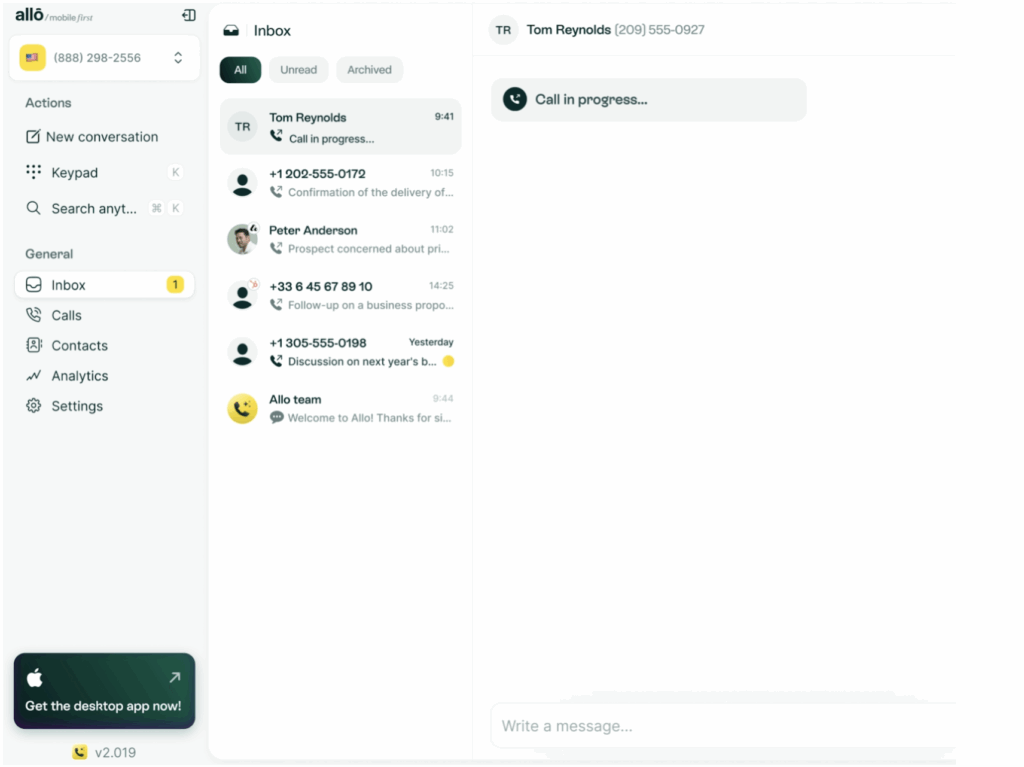
Allo positions itself as a mobile-first phone system. Since the base plan doesn’t include desktop support, you’ll need to handle calls and messages from your mobile device. That can work for teams that already move between job sites or spend most of the day away from their computers.
You can also connect Allo to Shopify so you can see helpful customer information before picking up the phone. For example, Allo will display the customer’s name, order history, lifetime spending, and any active orders on your phone’s screen when they call.
If you need a presence in specific European countries, you can purchase French and Swiss numbers. Plus, the app lets you make unlimited calls to 110 destinations, making it easier to support global customers.
While these features may look appealing, the base plan has several limitations:
- You can only receive 100 SMS messages per month
- You can’t send texts
- You can’t add additional team members
- Its missed call text back feature isn’t available
If you want to access these features, you’ll have to upgrade to the Business plan. This costs $32 per user per month and is more expensive than the other missed call text back apps on our list.
Allo pricing

Allo lets you choose from two different pricing plans:
- Starter: $18 per user per month for one user, unlimited calls in the US and Canada, receive 100 SMS, and call recording
- Business: $32 per user per month for multi-device sync, AI phone answering service, send and receive text messages, desktop and web apps, and access to 1,000 integrations
5. Enzak: Best missed call text back software for enterprises

Enzak is a customer engagement app that instantly responds to missed calls with texts. Like Quo, it has text message templates you can use to quickly answer frequently asked questions.
With Enzak, you can tap into detailed analytics that list metrics, such as your click-through rates and user locations. You can also integrate with tools you already use, including your IVR software and phone tree service.
But the price you’d pay for an Enzak plan exceeds that of a full business phone system. At $99 per month plus a $99 one-time setup fee, it’s not the most cost-effective solution for growing small businesses. This doesn’t include its add-on costs:
- Visual voicemail is $75 per month
- Call-back requests start at $49 per month
- Sending more than 1,000 text messages per month requires upgrading to its enterprise plan
- Two-way messages cost $49.00 per month
The not-so-great cherry on top? Limited service locations. Enzak only supports customers in the US and Canada. So if you’re located overseas, you’ll need to look for an Enzak alternative.
Enzak pricing
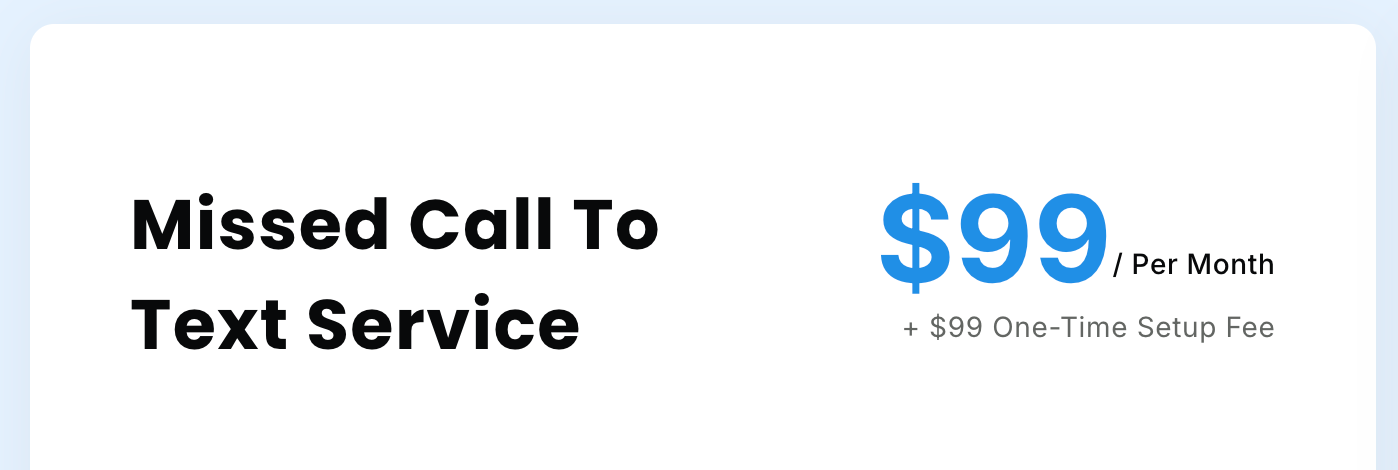
Enzak publicly lists one pricing tier: $99 per month, plus a $99 one-time fee. This includes 1,000 automated texts and custom templates for after business hours text messages.
Additional costs include:
- Additional users per plan for $10 per user per month
- AI-enhanced visual voicemail for $75 per month
- Call back requests for $49 per month
Enzak does offer enterprise-level text message plans, but you have to contact the company directly for a quote.
6. Weave: Best for healthcare practices that serve patients
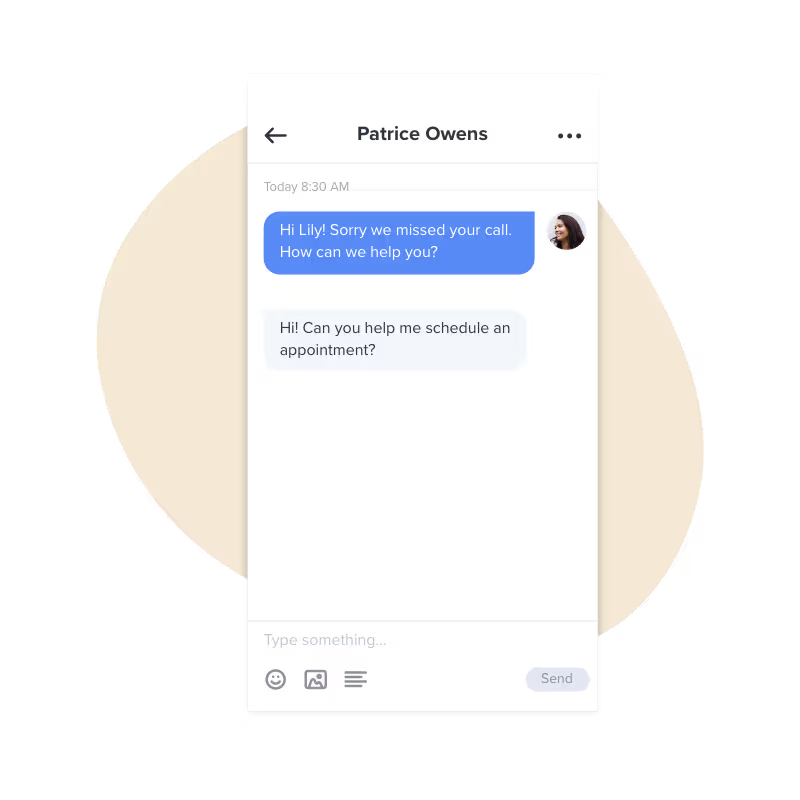
Weave is a VoIP phone system specifically designed for healthcare practices. Do you operate in plastic surgery, dentistry, veterinary care, or a similar field? Then you’ll be able to tap into a suite of its communication tools, such as Missed Call Texting and Text to Pay.
With Weave, it’s easy to respond to missed calls by text with its Missed Call Texting feature. You can also use its QuickFill/ASAP messages, which text customers about recent cancellations so they can claim a spot on your calendar.
Unfortunately, the base plan comes with 1,500 messages per month. If you want to send more, you’ll need to upgrade or pay for an add-on. You also can’t use its online scheduling feature without upgrading.
Keep in mind, the only pricing information Weave provides is that its plans start at $249 per month.
You also have to worry about where your business is located. Weave is only available for purchase to customers in the US and Canada. Plus, the company is vague about its international texting features, so you may or may not be able to reach telehealth patients overseas.
Weave pricing

Weave doesn’t publicly list its pricing. The only information available is that plans start at $249 per month.
You’ll have to contact the company for an accurate quote. Here are the features you can expect to get on each of its plans:
- Pro: 1,500 messages, missed call texting, and an overdue patients list
- Elite: 3,000 messages, online scheduling, and digital forms
- Ultimate: 15,000 messages, call intelligence, and practice analytics
How we chose the best missed call text back software
We used six factors to narrow down the best missed call text back software:
- Price. High costs don’t guarantee quality. That said, we focused on platforms that offer the most value per dollar.
- Reliability. Lack of reliability can damage your customer relationships. All six platforms on this list provide some indication of reliable uptime.
- Customer satisfaction. Bad reviews can help you spot red flags in text-back software. We only included text-back platforms with above-average reviews and a history of happy customers.
- User interface. The last thing you need is another clunky phone app. We included software solutions with navigable, accessible UIs.
- Integrations. As a business owner, you probably juggle many more apps than just phone software. That’s why we chose solutions that integrate with third-party solutions, like your CRM and Zapier.
- Customer support. When problems arise, you should be able to get help quickly. We disqualified platforms with a history of poor service and favored apps that offer multiple forms of support.
How to set up missed call text back software in Quo

If you want Quo to automatically text someone when you miss their call or text, you can set that up in just a few steps. Here’s how.
- Open Quo and click Settings from the left-hand menu.
- Select Phone numbers. If you have more than one number, choose the one you want to set the missed-call auto-reply for.
- Scroll down to the Auto-replies section.
- Under During business hours or After business hours, choose the trigger conditions for when you want to send auto-replies.
- If you only want to send a text when someone calls and doesn’t leave a voicemail, select Set missed call (no voicemail) auto reply.
- If you want to send a text when someone calls and leaves a voicemail, select Set missed call (with voicemail) auto reply.
- If you want to automatically send a text when someone messages, select Set incoming message auto-reply.
- If you only want to send a text when someone calls and doesn’t leave a voicemail, select Set missed call (no voicemail) auto reply.
- Type the message you want people to receive.
- Click Save.
Once you save your changes, Quo will automatically send that text any time you miss a call. That way, callers get an update, even when your team can’t pick up the phone.
Quo: The best way to reply to missed calls by text
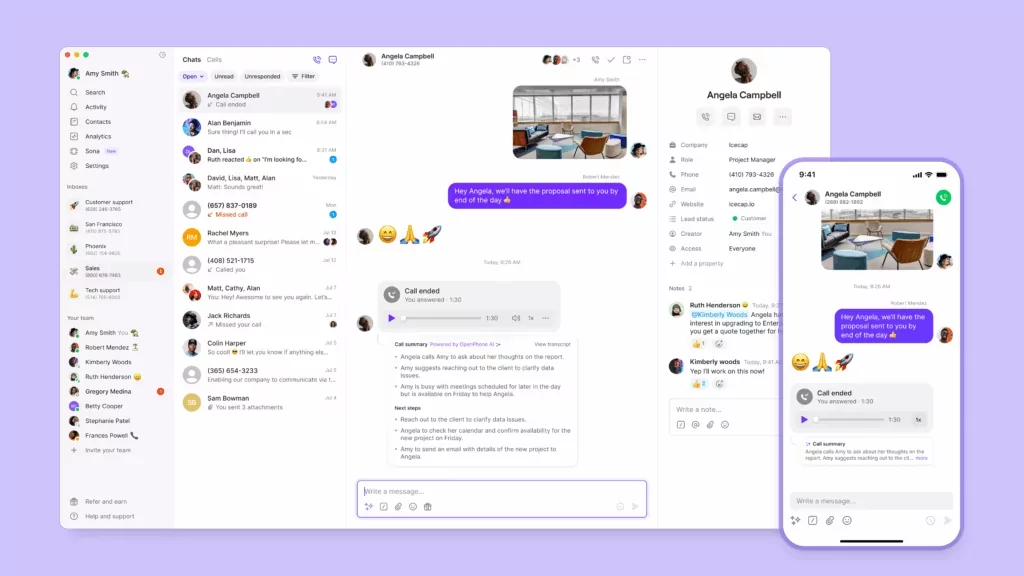
Using auto-replies to respond to missed calls will be a game-changer for your business. Make sure you pick a platform that offers more than just automatic texts. It should also include features like integrations and the ability to scale alongside your business.
For 90,000+ businesses around the world, the right tool for the job is Quo. We offer everything you need to send auto-replies to missed calls and a host of other helpful texting features. These include snippets, scheduled texts on your Android device, and a text message response generator.
But Quo is more than just missed call text back software — we can help you build better relationships with your customers. You can delegate tasks with internal tagging, sync conversations in your CRM, and make unlimited calls and texts in the US and Canada from anywhere with a WiFi connection.
Start sending auto-replies today by signing up for a free seven-day trial of Quo.
FAQs
When your business phone number misses a call, it triggers your missed call text back software to send an automated message. Some systems allow you to customize this reply based on business hours, message type, or call frequency. Keep in mind that many phone systems, including Quo, include a missed call text back feature.
You can use Quo to schedule text messages in your recipient’s time zones. That way, you won’t interrupt them outside of business hours or accidentally violate TCPA requirements.
The only way to send an auto-reply text via iPhone is to switch to Driving Focus mode. However, this is difficult to scale beyond two or three missed calls per month. If you run a growing small business, you’ll need dedicated missed call text back software.
There’s no native auto-reply feature on Android. However, you can get around this by using a third-party app like Quo.
Yes. In Quo, you can set up personalized auto-replies that send an after-hours business text message based on certain triggers. You can use this message to explain you’re out for the day but will be back on a certain date or at a certain time.
There are some free missed call text back apps for personal use. However, these are limited at best and not suitable for business use. It’s better to rely on business software like Quo if you plan on responding to missed business calls.
Missed call text back software helps you follow up instantly by sending a message the moment you miss a call. Here are a few ways it can help your business:
– Reassure callers you saw their call and will get back to them soon.
– Gather helpful information about what they need or when they’re free to talk.
– Ask for their name or order number so your team can follow up quickly.
– Reduce lost leads or opportunities when your team is tied up.
If you use a business phone system like Quo, any reply to your automated text will go straight to your team’s inbox. The message appears just like a normal text thread that your team can read and reply to.
A good missed call text is short, friendly, and sets clear expectations for when you’ll respond. For example, you can write, “Sorry we missed your call. We’ll reach out shortly.” You can also add another way to contact you if it helps, like your business hours or a link to book an appointment. This gives the caller a next step instead of waiting for one of your reps.