GoDaddy’s SmartLine was one of the oldest and best-known second phone number apps on the market. But as of late 2024, SmartLine has been replaced by GoDaddy Conversations — a newer version of the same service.
If you’re wondering whether Conversations is still the right fit, you’re not alone. Many small business owners have explored alternatives that offer more features and make it easier to scale.
In this guide, we look at six GoDaddy Conversations alternatives, including their features, pricing, and more. We’ll also break down GoDaddy Conversations’ limitations to show why it may still not be right for your business.
6 GoDaddy Conversations/SmartLine alternatives compared side-by-side
Here are the top six GoDaddy/SmartLine Conversations alternatives compared.
| Starting price | Unlimited calling to US & Canada | SMS/MMS to US & Canada | Shared phone numbers | Additional phone numbers | |
|---|---|---|---|---|---|
| GoDaddy Conversations | $4.99 per month | ❌ | ❌ | ✔️ | ❌ |
| Quo | $15 per user per month | ✔️ | ✔️ | ✔️ | $5 per number per month |
| Grasshopper | $14 per month | ✔️ | Local numbers only | ❌ | |
| Google Voice | $17 per user per month with Google Workspace | Unlimited calls to Canada from the US only | US customers only | Requires upgrade, ring groups only | ❌ |
| Sideline | $14.49 per month | Unlimited calls in the US only | ❌ | ❌ | ❌ |
| iPlum | $8.99 per user per month | ✔️ | ✔️ | ✔️ | $5 per number per month |
| MightyCall | $15 per user per month | ✔️ | ✔️ | Calls only | $5 per number per month |
Let’s take a look at each of these options in greater detail.
1. Quo (formerly OpenPhone): Best for growing teams

Quo is a VoIP phone system built to help small teams stay connected, look professional, and work together from anywhere. You can make and receive unlimited calls and texts using Quo’s desktop, mobile, or browser apps with an internet connection — no cell phone plan required. GoDaddy Conversations, on the other hand, doesn’t offer a desktop app at all. This means you’ll be stuck using a mobile app on a small screen or a web app that can easily get lost in your browser tabs.
Every Quo user gets one free number — US, Canadian, or toll-free — and you can add more for just $5 each per month. With GoDaddy, there’s only one number per account, and if your team needs an additional number, you’ll have to pay for multiple separate subscriptions.
With Quo (formerly OpenPhone), you can also assign multiple team members to the same phone number so everyone can share responsibility for incoming calls and texts. GoDaddy Conversations doesn’t support shared numbers, meaning only one person can manage conversations at a time.
You can also integrate Quo with the tools your team already uses to save time on repetitive tasks, including Slack, Zapier, and Make. If you need something custom, the Quo API lets you build custom workflows that speed your processes.
Want to answer calls when your team isn’t available? You can use Sona, Quo’s AI agent. It automatically handles customer calls and messages and responds to FAQs when your team is unavailable. You can then review this information when you have time to follow up.
No matter which Quo plan you choose, treat your business to these features:
- Canadian and US phone number access
- MMS and international call support
- Snippets
- Auto-reply
- Call recording
- Multiple users and shared inboxes
- Slack, Zapier, and Make integrations, and the Quo API
- Voicemail transcription services
- AI call summaries and transcriptions
- AI call tags
- Multi-level phone menu
Quo pricing

Quo’s pricing includes three different models you can pick from:
- Starter: $15 per user per month for one new local or toll-free phone number per user, calling and messaging US and Canadian numbers, voicemail transcripts, Quo API, and more
- Business: $23 per user per month for HubSpot CRM integrations, call transferring, phone menu/IVR, automatic call recording, and custom ring orders.
- Scale: $35 per user per month for access to AI call tags, dedicated onboarding, and priority chat and email support.
The bottom line for Quo
If you need a VoIP that offers 100% scalable features, great prices, and 7,000+ integrations via Zapier and Make, Quo has got your back. With over 60,000 happy customers and hundreds of five-star reviews, we blow other GoDaddy Conversations alternatives out of the water. Sign up for a seven-day free trial now and discover why today’s entrepreneurs trust Quo’s VoIP.
2. Grasshopper: Best option with multi-digit extensions

One of the oldest providers on the list, Grasshopper is a legacy VoIP solution with a large following. Both Android and iPhone apps allow your reps to call customers from any device.
Grasshopper’s features include:
- Local area code numbers
- Call transcriptions
- Instant responses, also known as auto-replies, for first-time callers
- Business SMS
While Grasshopper is pretty well known, it doesn’t necessarily have everything you need to succeed. Inconvenient price scales, limited features, and outdated interfaces slow down your workflow dramatically.
Grasshopper pricing

Grasshopper’s pricing offers three different plans you can choose from:
- True Solo: $14 a month for one user, one phone number, and one extension
- Solo Plus: $25 per month for unlimited users, one phone number, and three extensions
- Small Business: $55 per month for unlimited users, four phone numbers, and unlimited extensions
The bottom line for Grasshopper
If you have experience working with older VoIP interfaces, Grasshopper might not be a problem. But if you’d rather spend more time working on your business than on the phone with support, you may want to consider other GoDaddy Conversations/SmartLine alternatives.
3. Google Voice: Best for Google Workspace users

Google Voice is one of the most well-known SmartLine alternatives out there. It offers a streamlined interface, easy-to-use features, and fairly inexpensive prices.
But Google Voice’s features are a little on the bare side, including:
- Unlimited calls
- Business SMS support for US customers only
- Number porting
If you’re considering the free version of Google Voice, keep in mind it’s not built for business use. This means you can only have one Google Voice phone number per account, so it’s not possible to set up separate numbers for departments like sales or support. And since ring groups aren’t available, you can’t share incoming calls across your team either.
Google Voice is also significantly limited by spam-catching features, which limit calls and group texts and may result in your account getting suspended.
Google Voice pricing

Google Voice’s pricing lets you choose from three different business phone plans:
- Starter: $10 per user per month for unlimited calls in the US and Canada, business SMS, and call forwarding with up to 10 users total
- Standard: $20 per user per month for on-demand call recording, ring groups, and multi-level auto attendant
- Premier: $30 per user per month for advanced reporting and automatic call recordings
Keep in mind, Google Voice for Google Workspace requires a paid Google Workspace plan. This will cost an additional $7 per user per month on top of your Google Voice plan.
The bottom line for Google Voice
Despite its somewhat attractive pricing model, Google Voice lacks the features your business needs, including flexibility, integrations, and team collaboration.
4. Sideline: Best budget option for a second number
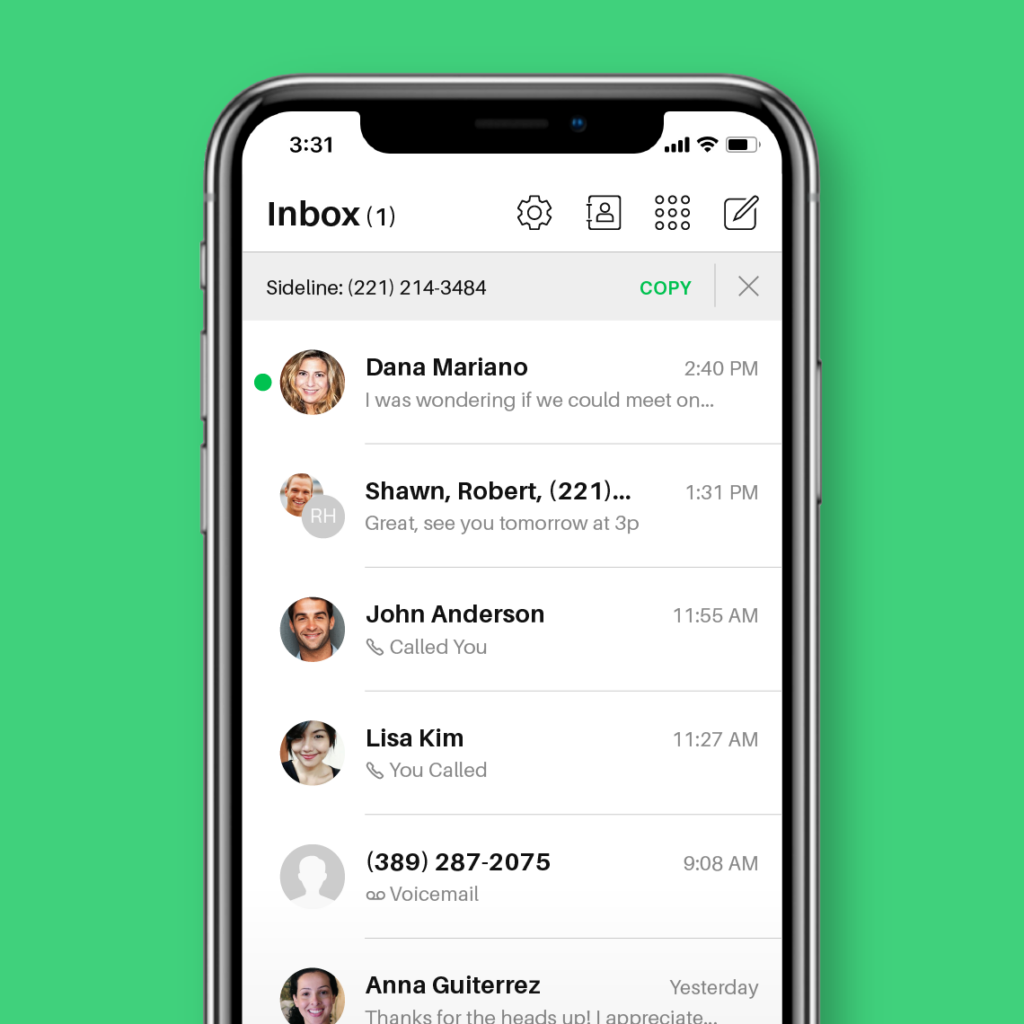
Not to be confused with SmartLine, Sideline is a GoDaddy Conversations alternative that moves your business phone calls into the cloud. This second phone number app requires you to have an existing cell phone service provider so it can use your carrier minutes to make and receive calls.
But here’s the thing about Sideline: the tool doesn’t offer the flexibility most small businesses need to grow. You’ll only get a scant set of features, including:
- Unlimited calls that use your carrier minutes
- Web texting
- Auto replies
- Voicemail
Sideline’s pricing is also limited: it offers only one plan, with different ways to pay. No upgrades, no added features, and no flexibility as your needs grow.
Sideline pricing

Sideline’s pricing provides one plan. How much you pay will depend on how much you commit in advance to using it:
- Monthly: $14.49 for one month
- Half Yearly: $69.99 for six months
- Yearly: $129.99 for 12 months
The bottom line for Sideline
Sideline is a good GoDaddy Conversations alternative if you only need to stop taking business calls on your personal phone number. Otherwise, it’s an app that just isn’t capable of offering what small businesses need.
5. iPlum: Best desk phone system

If you’ve never heard of iPlum before, don’t feel bad. It’s a lesser-known VoIP provider founded in 2015 that specializes primarily in virtual numbers on mobile devices. What sets iPlum apart is its built-in HIPAA compliance and desk phone options. It gives you a separate, secure second number on your mobile phone for calling and texting — helping you protect client data. You can even port your existing number into the iPlum app, and it’ll automatically become HIPAA-compliant.
This platform also offers a limited number of features, including:
- Phone tree
- Call recording
- Auto-text reply with signatures
iPlum probably won’t be useful for every business. For example, it only offers mobile and web apps — there’s no desktop option. You’ll also need to be on the highest-tier plan at $19.99 per user per month to access basic features like call recording.
Plus, according to reviews, the app is difficult to set up:
“We did experience a lot of kinks when trying to figure out how to get our settings right for what we wanted to do. The phone tree and call forwarding settings were very confusing for us, so we had to set up a call with a customer service person who put in a request with one of the engineers.”
iPlum pricing

There are three iPlum pricing plans to choose from:
- Standard: $8.99 per user per month for a US or Canadian local number, texting and calling in the US and Canada, and spam blocking
- Professional: $14.99 per user per month for shared phone numbers, text templates, and voicemail transcriptions
- Premium: $19.99 per user per month for call recording and archiving for up to one year
The bottom line for iPlum
iPlum isn’t a bad VoIP alternative — it’s just not the most effective option. If you need something a little more tried-and-true in the marketplace, this app likely isn’t for you.
6. MightyCall: Best for call centers

MightyCall is a cloud-based call center platform that helps small businesses manage calls and texts — without any physical hardware. It comes with custom call routing, so you can send callers to the right team member or department without delays. For example, you can route calls based on caller ID, the time of day, or which reps are currently available.
You’ll also get unlimited calls and texts within the US and Canada. So if your team works across North America, you won’t need to worry about usage limits or surprise fees.
But there are some important limitations to keep in mind. AI call summaries aren’t included automatically. You’ll need to request them — and you’ll only get access if you upgrade to the Pro plan, which costs $23 per user per month.
You also can’t record calls longer than 90 minutes. Plus, recordings are only stored for one year before they’re automatically deleted.
And if you’re on the base plan, you won’t get unlimited texting. Instead, your entire account is limited to just 2,000 inbound and outbound messages per month.
Compared to GoDaddy Conversations, MightyCall offers a few extra features, like desktop access and call routing. Still, its limitations around texting, call recording, and AI tools leave room for better options.
MightyCall pricing

MightyCall’s pricing provides four different plans you can choose from:
- Core: $15 per user per month for unlimited calling in the US and Canada, three business phone numbers, integrations, and API access
- Pro: $23 per user per month for supervisor workspace, live call monitoring, and advanced reporting
- Power: $30 per user per month for a dedicated account manager, answering machine detection, and priority support
- Enterprise: Custom pricing for predictive dialer, SIP trunking support, and custom integrations
The bottom line for MightyCall
While MightyCall might be a workable alternative, its clunky interface and call quality issues could create more problems than it solves.
What you should know about GoDaddy Conversations/ SmartLine

In case you’re not familiar, GoDaddy is a web hosting company that’s been around since 1997. Their website builder, domain registrar, and email solutions put them on the map for businesses of all sizes. While GoDaddy Conversations/SmartLine does meet some of the qualifications of a VoIP provider, its features are anything but impressive.
You only get access to a limited number of features:
- Voicemail
- Caller ID
- Business hours
- Voicemail greetings
- SMS messaging
- Unified inbox for social media platforms like Facebook
But that’s just the tip of the iceberg. Let’s take a closer look at its limitations:
No desktop app
GoDaddy Conversations only works on your mobile devices or through a basic web app. There’s no desktop app you can install on your computer.
That means you can’t manage calls and texts in a dedicated desktop workspace. And if you’re juggling multiple browser tabs, the web app can easily get buried. This makes it harder to stay focused on conversations or jump back in quickly.
No shared phone numbers
GoDaddy Conversations doesn’t let multiple team members share a phone number. If you want your team to work together to answer calls or texts from the same number, there’s no built-in way to do that.
You’d have to share logins or devices — which makes it easy to miss messages and hard to tell who’s handling what. That’s not ideal if you’re trying to stay organized or respond quickly as a team.
Texting is only available if you upgrade
GoDaddy Conversations doesn’t include texting unless you upgrade to the Deluxe plan, which starts at $12.99 per month.
But even with the upgrade, texting is still limited. You can’t schedule messages, set auto-replies, or automate follow-ups. This means more manual work for you and your team.
Toll-free numbers require the highest-tier plan
GoDaddy Conversations only includes toll-free numbers on its Ultimate plan, which costs $16.99 per month.
If you’re trying to offer nationwide support or present a more professional image, you’ll need to pay extra just to get started. And while you’re paying more, you’re still working with a pretty limited set of features. You won’t get tools like call routing, voicemail transcriptions, or third-party integrations with tools like Zapier and Make to speed up your workflows.
GoDaddy Conversations/SmartLine pricing

There are three plans offered in the GoDaddy Conversations umbrella:
- Essentials: $4.99 per month for a unified inbox, three email accounts, two social media accounts, and AI-suggested content
- Deluxe: $12.99 per month for a local phone number, SMS and MMS, mobile apps, and five email accounts
- Ultimate: $16.99 per month for eight email accounts, eight social accounts, a toll-free number, and free business registration to send text messages
What businesses say about Conversations/SmartLine alternatives
If you’re looking to scale your business or for a solution that’s not designed for personal use or freelancers, GoDaddy Conversations might not be for you.
But you don’t have to listen to just one voice. Lots of users are frustrated with Conversations’ call quality, glitches, and bugs. Check out some recent customer reviews:
“I like the idea of being able to have a second business number without having a separate phone to use. However, this app is very glitchy and has bugs. There are many times where I cannot either save contact information, place a call, or send a text message, which is a huge [in]convenience considering that I am using this for business purposes.”
“I’ve had the SmartLine app since I started my business almost two years ago. There’s always been a ton of bugs, but I still used it. Now my app has been merged with this conversations app. I THOUGHT Okay, cool, maybe it will get better, but it does the complete opposite.”
The verdict on Conversations/SmartLine
Although GoDaddy’s Conversations/SmartLine has some features for VoIP users, it’s about as basic as they come. Not only does Conversations not support multiple users, but it doesn’t offer any integrations at all — even if you upgrade.
If you’re looking for a phone system that’s more than just a bare-bones business phone, you might want to start looking for Conversations alternatives.
Quo: The best GoDaddy Conversations/SmartLine alternative

We might be biased, but Quo is the clear winner in this roundup. If our fully flexible prices don’t catch your eye, you can still enjoy a host of integrations that make call management a breeze. You’ll also have access to features that help prevent missed calls, like multi-level phone menus and shared phone numbers.
With more integrations and features than any competitors, try Quo today with a free seven-day trial.
FAQs
GoDaddy Conversations is the updated version of SmartLine, a second-number app for mobile and web. While it gives you a separate phone number for business calls and texts, it lacks collaboration features and desktop support. Quo gives your team access to communication tools like shared numbers, call summaries, and integrations — all from any iOS, Android, or other device of your choice. That way, your business communication stays organized, even as your team grows.
Yes, GoDaddy Conversations officially replaced SmartLine in 2024. If you had a SmartLine number, it was automatically moved to the new platform. You can still call and text, but the core experience has shifted to Conversations, which limits how you work across devices or as a team.
GoDaddy Conversations only offers local US and toll-free numbers. You’ll need to pay for the Ultimate plan if you want a toll-free number. If you need a Canadian number or want more than one number per account, you’ll need to explore other providers like Quo.